
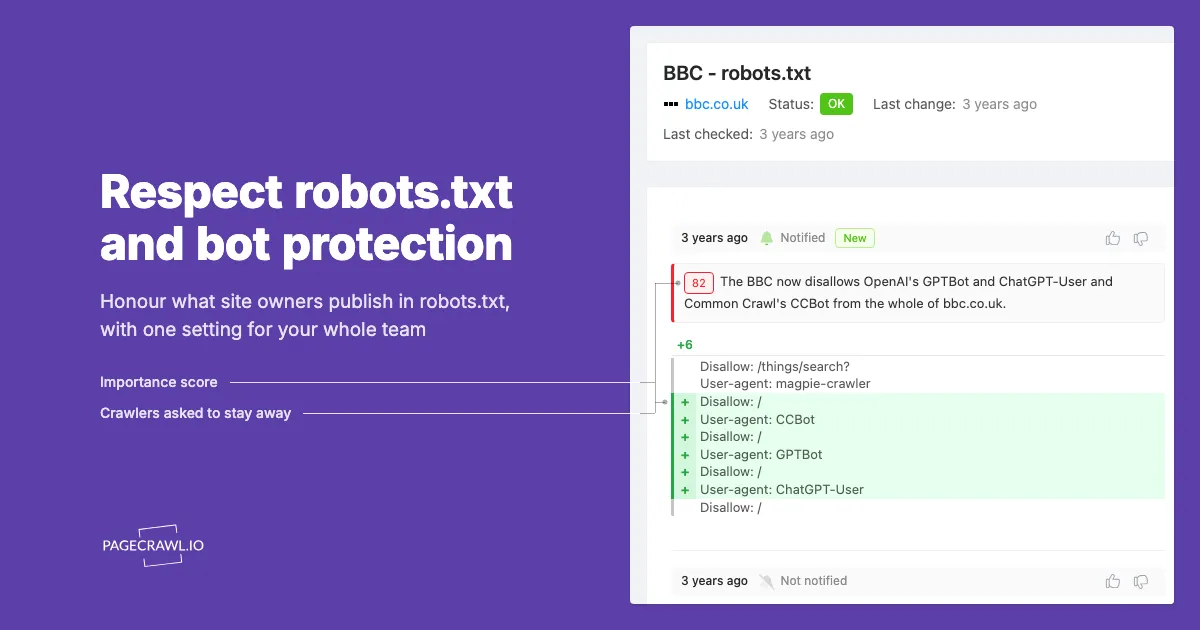
Website monitoring usually starts with a person choosing a page: a competitor's pricing, a regulator's guidance, a supplier's terms. PageCrawl then checks that page on a schedule and reports what changed. Nobody is crawling the web, so robots.txt rarely comes up, until a security questionnaire, a research ethics review or an internal policy asks whether your tools honour it.
PageCrawl answers that with a team setting, Respect robots.txt and bot protection. It is off by default. When the team owner turns it on, PageCrawl skips pages a site's robots.txt disallows, checks only over its own connections with the standard browser, and stops when a site's bot protection turns a check away instead of trying another way.
This post covers what robots.txt controls, why services disagree about fetches a person asks for, how to check whether a page blocks bots, and what changes when you turn the setting on. Start with the checker below: paste any page address to see what its robots.txt says to PageCrawl and to well-known search and AI crawlers.
What does robots.txt actually control?
robots.txt is a plain-text file at the root of a website that tells automated crawlers which paths they may fetch. The Robots Exclusion Protocol, published as RFC 9309 in 2022, defines the format and is clear about its limits: "These rules are not a form of access authorization." It is a published preference.
The file is a list of groups. Each group names one or more crawlers in User-agent lines, followed by Allow and Disallow rules for URL paths:
User-agent: *
Disallow: /checkout/

User-agent: GPTBot
Disallow: /
A crawler follows the group that names it, or the * group when none does, and the most specific matching rule decides. Two edge cases matter in practice. A site with no robots.txt allows everything. A robots.txt that cannot be read because of a server error or a network failure means, in the standard's words, that "the crawler MUST assume complete disallow."
If you look after a website yourself, the file is worth watching for accidental edits: monitoring robots.txt and llms.txt for AI crawler changes catches a stray Disallow: / before AI crawlers stop visiting.
Does page monitoring have to follow robots.txt?
Not as a rule. RFC 9309 is written for crawlers that fetch pages on their own, and operators treat a fetch a person asks for differently: Google's user-triggered fetchers "generally ignore robots.txt rules", OpenAI says robots.txt rules "may not apply" to ChatGPT-User, and Anthropic's Claude-User honours them. PageCrawl lets each team choose, with the setting off by default.
Each position is documented by the operator: Google in its list of user-triggered fetchers, OpenAI in its overview of OpenAI crawlers, and Anthropic in its help article on how site owners can block its crawlers, which says its bots respect "do not crawl" signals in robots.txt.
A page monitor sits closer to the user-triggered kind of fetch. Someone chose the page, the schedule and what to watch, and PageCrawl loads the page the way that person would see it. That is why the setting starts off: for most teams, robots.txt was never meant to describe their monitors.
Some organisations want the stricter reading anyway. A public body may have a policy on automated access, a university team may work under an ethics review, and a procurement questionnaire may ask whether your tools honour robots.txt. For them, PageCrawl has a team setting that honours the preferences site owners publish.
How can you check whether a URL blocks bots?
Paste the page address into PageCrawl's free robots.txt checker, which is embedded in this post. It reads the site's robots.txt and shows whether PageCrawl and well-known search and AI crawlers may fetch that exact page, which rule decided it, and any Crawl-delay or AI preferences the site publishes.
The checker reports one of three situations for the file:
- The site has a robots.txt. Each bot is shown as allowed or not allowed on the page, with the rule that decided it.
- The site has no robots.txt. Every page is allowed.
- The file could not be read. Under RFC 9309 that counts as a complete disallow, and PageCrawl treats it that way when the setting is on.
It covers search crawlers such as Googlebot and Bingbot, AI training crawlers such as GPTBot, ClaudeBot and Google-Extended, AI search crawlers such as OAI-SearchBot and PerplexityBot, and fetchers that act on a user's request, such as ChatGPT-User and Claude-User. A page can be open to search engines and closed to AI training at the same time, and the checker shows that split for one exact page.
How do you turn on Respect robots.txt and bot protection?
The team owner turns it on once for the whole team. In a team with one workspace, open Settings > Workspace > General. In a team with several workspaces, open Settings > Team > More > Team Settings. In the Robots.txt and bot protection section, switch on Respect robots.txt and bot protection and choose Update.
- Open Settings > Workspace > General if your team has one workspace, or Settings > Team > More > Team Settings if it has several.
- Find the Robots.txt and bot protection section.
- Switch on Respect robots.txt and bot protection.
- Choose Update.
From each monitor's next check, every monitor in the team works like this:
- A page that robots.txt disallows, or whose robots.txt cannot be read, is not checked.
- Checks use only PageCrawl's own connections and the standard browser. Proxy pools, custom proxies, relays and residential proxies are not used, Stealth Mode is paused, and pages are checked without solving CAPTCHAs.
- When a site's bot protection turns a check away, there is no second attempt.
- Checks to one site are spaced by its Crawl-delay, up to 300 seconds.
- Where a site opts out of AI use, the page is not checked and the monitor says why.
- Page Discovery follows robots.txt and Crawl-delay, and finds pages from sitemaps and ordinary links.
The help article Respect robots.txt and Bot Protection covers every rule in detail, including what the setting does not cover.
Many sites publish no Crawl-delay at all. To space out your checks to those sites as well, turn on Crawl Politeness, a separate team setting that sets your own minimum delay between checks to the same domain. When a site's Crawl-delay is longer, that one wins.
What does a monitor show when a site says no?
It shows one of two statuses, so a stopped check does not look like a broken monitor. Not allowed by robots.txt means the site's robots.txt disallows the page, or could not be read, so PageCrawl did not visit it. Stopped by bot protection means the site's bot protection turned the check away and PageCrawl made no second attempt.
| Status | What it means | What happens next |
|---|---|---|
| Not allowed by robots.txt | robots.txt disallows the page for PageCrawl, or the file could not be read | Each scheduled check reads the rules again, and checks resume when the site allows the page |
| Stopped by bot protection | The site's bot protection turned the check away | The next scheduled check makes one more ordinary visit |
Neither status is a dead end. PageCrawl reads robots.txt again about every hour, so a page comes back on its own once the site allows it. Turning the setting off returns monitors it stopped to pending, and their saved connection and engine choices apply again.
How does a site owner allow or block PageCrawl?
Add a group for PageCrawl to robots.txt. User-agent: PageCrawl with Disallow: / asks every team that respects robots.txt to skip the site, and an empty Disallow: allows everything. PageCrawlBot works as the name too, and a site without a PageCrawl group is judged by its User-agent: * rules.
To ask PageCrawl to skip the whole site:
User-agent: PageCrawl
Disallow: /
To allow PageCrawl while asking other bots to stay away:
User-agent: *
Disallow: /

User-agent: PageCrawl
Allow: /
A PageCrawl group replaces the * group rather than adding to it, so copy across any * rules you still want PageCrawl to follow. PageCrawl reads robots.txt as PageCrawlBot/2.1. These rules apply to teams that turned the setting on; with it off, PageCrawl checks the pages its users chose the way a person asked to see them.
What about Crawl-delay, Content-Signal, TDM reservation and noindex?
They ask for different things, and PageCrawl's Respect robots.txt and bot protection setting treats them differently. It honours Crawl-delay, a request to pause between visits, up to 300 seconds. Where Content-Signal says ai-input=no, it does not check the page at all. It does not read TDM reservations, and noindex concerns search results, not visits.
| Signal | Where it lives | What it asks | With the setting on |
|---|---|---|---|
Crawl-delay |
robots.txt | A pause between requests (not part of RFC 9309) | Honoured up to 300 seconds between your team's checks to one site |
Content-Signal: ai-input=no |
robots.txt | Do not use the content as input to AI | The page is not checked; the monitor shows Not allowed by robots.txt |
tdm-reservation |
HTTP header, meta tag or /.well-known/tdmrep.json |
Text and data mining rights are reserved | Not read |
noindex |
Robots meta tag or X-Robots-Tag header |
Keep the page out of search results | Not a stop: the page is still checked |
Content-Signal is a newer convention than Crawl-delay. A line such as Content-Signal: search=yes, ai-input=no sits in the robots.txt group that applies to PageCrawl, and PageCrawl acts on the ai-input value: a page set to ai-input=no is not monitored, because PageCrawl reads every change with AI.
The TDM Reservation Protocol is a W3C Community Group report from 2024, not a W3C standard. A publisher sets tdm-reservation: 1 to say text and data mining rights are reserved. If your policy covers TDM reservations, check for them before you add a page.
A noindex instruction tells search engines to keep a page out of their results, and a page has to be fetched for that instruction to be seen at all, so it is not a request to stop visiting. On your own site, a stray noindex is still worth catching: indexability regression alerts cover noindex, robots.txt Disallow rules and canonical changes after each deploy.
When should you leave the setting off?
Leave it off for pages where you already have permission that robots.txt cannot express: your own website, partner and client portals you are allowed to monitor, and pages a site owner has agreed you can check. robots.txt cannot tell your monitor apart from an unwanted crawler, so a broad Disallow would stop those checks too.
The setting also pauses the options some pages need to load. If a monitor depends on Stealth Mode, PageCrawl Relay or residential connections today, expect it to show Stopped by bot protection once the setting is on. The setting applies to the whole team, so before you switch it on, run your most important pages through the checker embedded in this post and note which monitors rely on those options.


