A small team may need to follow competitor prices, product updates and hiring without adopting a full sales-enablement platform. Start with the decisions the team needs to make, then choose the collection, review and delivery process that supports them.
Crayon, Klue and Kompyte provide broader competitive-intelligence workflows. Public page monitoring can supply some useful signals, but it does not replace every research source, win/loss process, battlecard workflow or CRM integration. Compare the required scope with a current quote rather than an invented universal annual price.
This guide shows how to build a focused watchlist, validate its captures and turn changes into decisions. We make PageCrawl. The Crayon, Klue and Kompyte comparisons link the dated sources behind their product descriptions.
When is a focused watchlist enough?
A focused watchlist can be enough when your immediate need is to observe known competitor pages, review relevant changes and share findings with a small team. A broader platform may fit when you need maintained battlecards, additional research sources, win/loss analysis and sales workflows. Decide using the work required, rather than a company-size threshold.
Write down the outputs your team uses each week. For example, a pricing-page update may support a positioning review, while a sales team may need that finding incorporated into a battlecard and linked to a CRM workflow. Collecting the page change is one step in that process.
Ask each vendor which parts of the workflow and implementation its quote includes. This guide does not establish a universal minimum contract or compare measured detection speed across those platforms.
What does a lean competitive intelligence stack look like?
A lean CI stack has four layers: a collection layer that watches competitor web pages for changes, an enrichment layer of free public sources (filings, job boards, social, review sites), an organization layer that groups signals by competitor and theme, and a distribution layer that pushes the important changes to where your team already works. Use your existing tools where they meet the requirements, and budget for the monitoring workload and the people reviewing the results.
The collection layer is the engine. This is automated web monitoring pointed at the handful of pages where competitors reveal their strategy: pricing, product, changelog, careers, and newsroom. Instead of someone manually reloading competitor sites (which never happens consistently), the monitor checks on a schedule and tells you only when something actually changed.
The enrichment layer is free public data you pull in periodically rather than watch continuously: SEC filings, patent databases, ad libraries, LinkedIn, G2 and Trustpilot reviews. The 25 legal CI sources guide catalogs these in depth. Most of them publish a page or feed that the collection layer can also watch, which blurs the line nicely.
The organization layer is how you keep 80 monitored pages from becoming noise. Folders by competitor, tags by theme (pricing, product, hiring, messaging), and a single source of truth (a doc, a Notion board, a spreadsheet) where signals accumulate into a narrative. Without this layer you have alerts. With it you have intelligence.
The distribution layer is delivery. A change nobody sees changes nothing. Route alerts to a shared Slack channel, an email list, or directly into your CRM and battlecards. The point of a lean stack is that each layer is cheap and swappable, and the whole thing fits inside the work tools you already pay for.
Which competitor signals are worth monitoring?
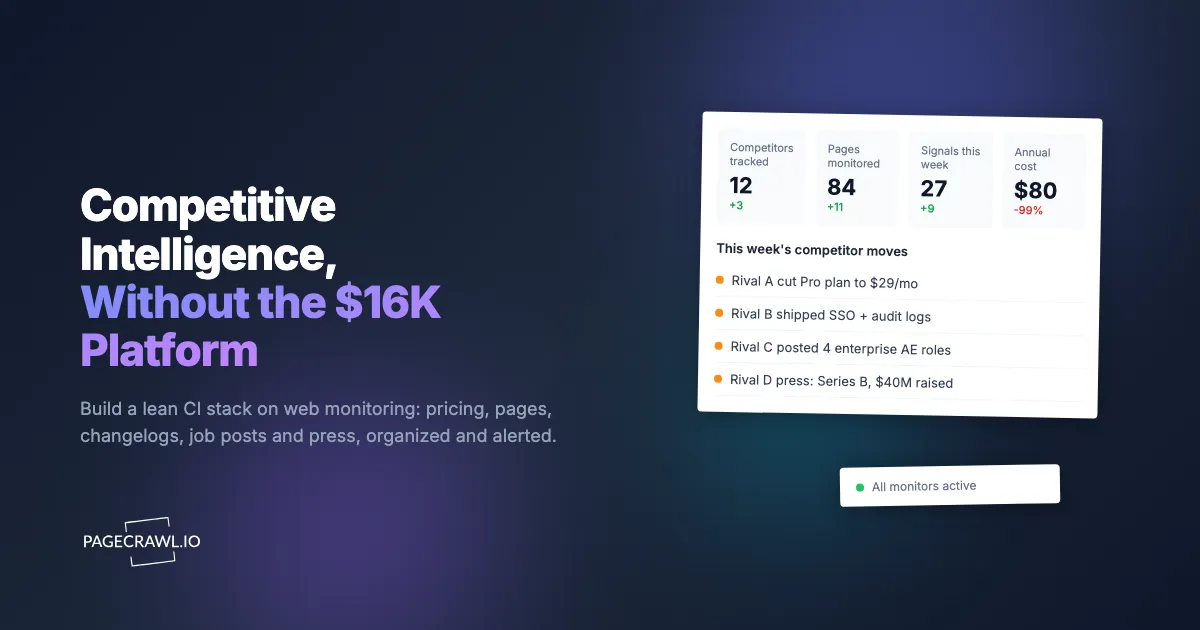
The five highest-value competitor signals are pricing changes, product and changelog updates, hiring patterns, press and funding announcements, and positioning shifts on their homepage and key landing pages. These five cover the bulk of what a small team needs to avoid surprises, and every one of them lives on a public web page you can watch automatically.
Pricing and packaging changes. A competitor's pricing page is the single most strategically dense URL they publish. A price cut, a new tier, a renamed plan, a feature moved behind "Enterprise," or a quiet removal of a free trial all signal a shift in their go-to-market. Watch the pricing page and you catch repositioning before your sales team gets ambushed in a deal. The SaaS pricing page monitoring guide goes deep on what each type of change tends to mean.
Product and changelog updates. A competitor's changelog, release notes, or "what's new" page is a running confession of their roadmap. New integrations, a long-requested feature shipping, a deprecation, or a sudden burst of velocity all matter. Watching changelogs is one of the cleanest CI plays because the page exists specifically to broadcast change. See changelog monitoring for SaaS tools for how to extract signal from these reliably.
Hiring and headcount signals. Job postings can suggest changes in priorities, but hiring alone does not establish a future launch or its timing. A surge in enterprise account executive roles means they are moving upmarket. A new "Head of Partnerships" means a channel push is coming. The competitor job posting monitoring guide breaks down how to read hiring as a leading indicator.
Press, funding, and announcements. A competitor's newsroom or press page surfaces funding rounds, leadership changes, big customer wins, and partnerships, the same feed that news and press release monitoring keeps current. A fresh Series B reframes everything about how they will compete on price and pace. Press release monitoring catches these on the next check after they go live rather than when they reach you secondhand.
Positioning and messaging shifts. When a competitor rewrites their homepage hero, swaps their tagline, or reorders their feature list, they are telling you who they now think they are selling to. These changes are easy to miss because they are visual and gradual, which is exactly why automated change detection beats human eyeballs here.
What free sources should feed your competitive intelligence program?
Beyond the competitor's own site, a strong CI program pulls from free public sources: SEC and regulatory filings for public competitors, patent and trademark databases, LinkedIn for headcount and hiring, ad libraries (Meta, TikTok) for active campaigns, review sites like G2 and Trustpilot for customer sentiment, and community signals from Reddit, Hacker News, and X. None of these cost money. All of them publish watchable pages.
The trick is treating these sources the same way you treat competitor pages: as URLs to monitor, not sites to remember to visit. A competitor's G2 review page, their Meta ad library results, their LinkedIn company page, and a Reddit search for their brand name are all just web pages that change over time. Point your collection layer at them and the "enrichment" layer stops being a manual chore.
A few high-leverage free sources worth wiring in from day one:
- SEC EDGAR filings for any public competitor (10-K risk factors and quarterly reports reveal strategy and stated threats).
- LinkedIn company and jobs pages for headcount trends and role-based hiring signals.
- Meta and TikTok ad libraries to see exactly which campaigns and creative your competitors are spending on right now.
- G2, Capterra, and Trustpilot review pages to track sentiment velocity and the specific complaints you can exploit.
- Reddit, Hacker News, and X searches for unfiltered customer reactions and early launch chatter.
These free sources are the same ones the expensive platforms quietly aggregate. The difference is that you decide what is relevant instead of paying for a firehose. For the strategic frame around turning these inputs into a repeatable function, the competitive intelligence strategy and program guide is the companion piece to this stack.
How do you set up competitive monitoring with PageCrawl?
PageCrawl is the collection and distribution backbone of a lean CI stack. It watches the competitor pages and free sources you choose, detects exactly what changed, and pushes alerts to Slack, email, or a webhook. The free tier covers 6 monitors and 220 checks per month, which is enough to track two or three competitors' most important pages before you commit a dollar. Here is how to stand it up.

Step 1: Pick your competitor set. List your three to five most relevant competitors. Resist the urge to track twenty. A focused watch on the few that actually show up in your deals beats a sprawling list you never read.
Step 2: Map the strategic URLs. For each competitor, collect the five page types that matter: pricing, product or changelog, careers or jobs, newsroom or blog, and homepage. Five competitors times five pages is 25 URLs, a complete CI surface for a small team.
Step 3: Add each page with the right tracking mode. In PageCrawl, add each URL and choose the mode that fits. Use price tracking for pricing pages so you capture the actual numbers, reader or text mode for changelogs and press pages so you get clean long-form content without navigation noise, and full-page or visual mode for homepages where layout and messaging shifts matter. Inspect the first capture to confirm that the intended page content is present, including any required region, variant or login state.
Step 4: Organize with folders and tags. Create one folder per competitor, then tag monitors by theme (pricing, product, hiring, messaging, press), following the guide to organizing monitored pages with labels, folders, and workspaces. When a quarter-end review comes around, you can pull every pricing signal across all competitors in seconds instead of digging through alerts.
Step 5: Fit the schedule to the allowance. Start with six public pages checked daily on Free: 180 browser checks over 30 days fit its 220 credits, leaving 40 for extra activity. One suitable page can run hourly with Fast for 144 credits. Six hourly pages need 864 Fast credits or 4,320 browser credits, exceeding Free. Price a paid workload before selecting shorter intervals.
Step 6: Enable screenshots. Turn on screenshots so every detected change is captured with a timestamped image. This gives you defensible evidence of exactly what a competitor showed and when, which is invaluable for battlecards and for settling internal "did they really say that?" debates.
Step 7: Wire up distribution. Connect a Slack channel so competitor moves land where your team already talks, and add email for anyone outside Slack. This is the layer that turns monitoring into a habit instead of a dashboard nobody opens.
Step 8: Add conditional rules to cut noise. Use notification conditions and filters so alerts fire only on meaningful changes (a price number changing, a keyword like "Enterprise" or "deprecated" appearing) and cosmetic edits do not spam the channel. Good filtering is the difference between a CI feed people trust and one they mute.
For deals that need automated follow-through, webhook automation lets a detected change create a CRM task, post to a battlecard tool, or notify a specific rep without anyone lifting a finger.
How do you turn raw alerts into intelligence people use?
Alerts become intelligence when you add a cadence and a point of view. Once a week, review the changes your monitors caught, write a two or three sentence interpretation of each meaningful one (what it means and what to do), and push a short digest to the people who act on it. Monitoring supplies observations; the reviewer adds interpretation, checks the evidence and assigns the next action.
The weekly rhythm is what separates a CI program from a pile of notifications. Block a recurring thirty-minute slot. Open your monitoring dashboard filtered to the week's changes. For each one, ask three questions: Is this strategically meaningful? What does it signal about their next move? Does anyone on our side need to do something? Most changes get a one-line "noted." A few get a real interpretation and an action.
Keep a running competitor doc, one section per competitor, where you log dated entries. Over a quarter this becomes a narrative ("they cut prices in March, hired six AEs in April, shipped SSO in May") that no single alert could give you. That narrative is the actual deliverable. It informs your sales battlecards, your roadmap arguments, and your positioning. A broader platform can support additional sources and workflows. Assess that scope separately from the collection and review process described here.
When should you evaluate a broader platform?
Evaluate a broader platform when a specific recurring requirement exceeds the process you can maintain: integrating battlecards into sales workflows, researching sources beyond the watchlist, relating competitive activity to deals or coordinating a larger review team. Confirm the vendor's actual scope and quote. Page monitoring is not an equivalent replacement for every part of competitive intelligence.
Use the same requirements list in a demonstration and a small-team pilot. Check which tasks are automated, which still need a reviewer and what implementation or service work is included. The Crayon, Klue and Kompyte comparisons distinguish documented features from unverified prices and capabilities.
Choosing your PageCrawl plan
PageCrawl's Free plan lets you monitor 6 pages with 220 checks per month, which is enough to validate the approach on your most critical pages. Most teams graduate to a paid plan once they see the value.
| Plan | Price | Pages | Checks / month | Frequency |
|---|---|---|---|---|
| Free | $0 | 6 | 220 | every 60 min |
| Standard | $8/mo or $80/yr | 100 | 15,000 | every 15 min |
| Enterprise | $30/mo or $300/yr | 500 | 100,000 | every 5 min |
| Ultimate | $99/mo or $999/yr | 1,000 | 100,000 | every 2 min |
Annual billing saves up to two months compared with monthly billing. These are base allowances; confirm capacity upgrades and team requirements on the pricing page. The table gives selectable browser intervals, not continuous coverage of every page at that speed. Fast uses one-fifth of a check credit on suitable pages without screenshots or page actions; AI capacity is separate.
Twenty pages checked hourly over 30 days require 14,400 one-credit browser checks, which fits Standard's 15,000-credit allowance. One hundred pages checked every 15 minutes would require 288,000 browser checks, exceeding it. Choose the plan from the actual schedule, not the page limit alone.
How should you start?
Choose a few public pages linked to a decision, create a trial watchlist and validate the captured content and delivery. Review the results weekly and record what action each useful change supported. Expand when the information is useful and the check budget covers the intended schedule; a trial cannot guarantee that a relevant change will happen within a particular week.