Last reviewed: August 20, 2026. Prices and plan details reflect each vendor's public pages at the time of review and can change, so confirm on the vendor's site before buying.
A litigator walks into a status conference confident in a precedent she pulled three weeks ago. Opposing counsel opens by noting that the controlling case was reversed on appeal nine days earlier. The research was not wrong when she did it. It was wrong by the time she stood up. That gap, between when you research an issue and when you rely on it, is where most legal research mistakes actually live.
Legal research tools have improved dramatically. The major databases now run AI assistants that draft memos, summarize records, and answer questions in plain English. Free sources have matured to the point where a solo practitioner can do real case-law research without a five-figure subscription. The hard part is no longer finding the law. It is keeping your answer current as courts, regulators, and legislatures change the ground underneath it between research sessions.
This guide compares the best legal research tools available in 2026 for lawyers and paralegals, organized by use case and budget, then shows how to close the staleness gap by monitoring the court, docket, and regulator pages your research depends on. The goal is simple: the right tool to find the law, plus a system that tells you when that law moves.
Top picks by practice:
- Westlaw: mid-size and large firms that need the deepest editorial layer and the strongest citator.
- Bloomberg Law: corporate, securities, and regulatory practices that value dockets, analytics, and predictable pricing.
- CoCounsel: litigation teams that want to compress research and review time.
- Fastcase and vLex: solos, small firms, and paralegals who need primary-law access without enterprise pricing.
- PageCrawl: lawyers and paralegals who want to find out when a tracked court, docket, or regulator page changes between research sessions.
How do modern legal research tools differ from each other?
Legal research tools fall into three groups: comprehensive paid databases (Westlaw, LexisNexis, Bloomberg Law) that combine primary law, editorial annotations, and citators; AI-first assistants (CoCounsel, Lexis+ AI) that draft and summarize on top of those libraries; and free or low-cost sources (CourtListener, Google Scholar, govinfo) that cover primary law without the editorial layer. Each trades cost for depth, coverage, and confidence.
The most important distinction is between primary and secondary research. Primary law is the actual statutes, regulations, and judicial opinions. Secondary material is the analysis layered on top: headnotes, practice guides, treatises, and citators that tell you whether a case is still good law. The expensive platforms charge for that editorial layer and for the citation-checking systems (KeyCite, Shepard's) that flag when a case has been reversed, distinguished, or criticized.
The editorial layer is what you are really buying
You can find the text of almost any published opinion for free. What you cannot easily get for free is confidence. A citator that warns "this case was overruled in part" is the difference between a clean brief and a Rule 11 problem. The paid platforms exist because verifying that a precedent is still controlling, across every jurisdiction that has cited it, is genuinely hard to do by hand.
AI assistants changed the speed, not the sources
The AI tools that arrived over the last few years (CoCounsel, Lexis+ AI, Westlaw's AI-Assisted Research) are fast and impressive, but they draw from the same underlying libraries. They compress hours of reading into minutes of drafting. They do not replace verification, and they do not watch for changes after you close the tab. That last gap is the one this guide is built around.

What should you look for in a legal research tool?
The right legal research tool depends on your practice area, jurisdiction mix, and budget, but five factors decide whether a platform earns its cost: coverage of your jurisdictions, the quality of its citator, AI drafting accuracy, integration with your existing workflow, and how current it stays. A tool that is comprehensive but stale still leaves you exposed.
Coverage and jurisdiction
Coverage is the foundation. A platform that is excellent for federal case law but thin on your state's intermediate appellate decisions is useless if that is where your cases live. Check that the tool covers your specific courts, your state's administrative code, any specialized tribunals (tax, immigration, workers' compensation) relevant to your practice, and the specialized materials you rely on (dockets, jury verdicts, briefs, agency guidance).
Citator quality
A citator is the single most important reliability feature. It answers "is this still good law?" by tracking every subsequent citation and flagging negative treatment. KeyCite (Westlaw) and Shepard's (LexisNexis) are the gold standards. Free tools increasingly offer basic citation signals, but they are not yet at parity for negative-treatment depth.
AI accuracy and verifiable citations
AI legal assistants are useful, but only if every citation they produce links back to a real, verifiable source. The hard lesson of the last few years, including widely reported sanctions for attorneys who filed AI-fabricated cases, is that an AI answer is a starting point, not a citation. Prefer tools that ground every assertion in a clickable primary source you can read yourself.
Integration and currency
Research does not live in isolation. The best tools connect to your document management, matter list, and alerting stack. Equally important, and almost always overlooked, is currency: a tool that surfaces a change the day it happens beats one with a deeper library you have to remember to re-check. That gap is the cheapest reliability upgrade most teams never make, and we return to it with court opinion monitoring below.
How did we review these tools?
We reviewed each legal research tool against five criteria: coverage of your jurisdictions, citator quality, AI accuracy with verifiable citations, workflow integration, and how current it stays. Pricing and features come from each vendor's public pages and documentation, and every entry notes the kind of practice it fits best.
What are the best legal research tools for 2026?
The best legal research tools for 2026 are Westlaw and LexisNexis for full-service firms, Bloomberg Law for transactional and regulatory work, CoCounsel for AI-assisted drafting, Fastcase and vLex for cost-conscious practices, and free sources like CourtListener and Google Scholar for primary-law access. Pair any of them with monitoring to keep results current.
Westlaw (Thomson Reuters)
Type: Comprehensive legal research platform Starting price: Custom (typically $100 to $500+ per user per month depending on plan and content)
Westlaw is the most widely used research platform in large firms. Its strengths are the West Key Number System for topical case-finding, KeyCite for citation verification, and an enormous secondary-source library. Westlaw Precision and AI-Assisted Research add natural-language querying and AI-drafted answers grounded in the underlying library.
Strengths:
- KeyCite is the deepest citator for negative-treatment analysis
- Key Number System makes topical research fast once you learn it
- Strong AI drafting that links to verifiable primary sources
Limitations:
- Expensive, with pricing that is opaque and negotiated per firm
- Steep learning curve, and overkill for solos who need only primary case law
Best for: Mid-size and large firms that need the deepest editorial layer and the strongest citator.
LexisNexis (Lexis+ and Lexis+ AI)
Type: Comprehensive legal research platform Starting price: Custom (comparable to Westlaw)
LexisNexis is Westlaw's principal competitor and the other half of the legal research duopoly. Shepard's is its citator, the equal of KeyCite for most purposes. Lexis+ AI brings conversational research, document drafting, and summarization. Lexis is often preferred for news, public records, and certain practice-specific libraries.
Strengths:
- Shepard's is a best-in-class citator
- Strong public-records and news integration via the broader LexisNexis data business
- Lexis+ AI offers grounded drafting and summarization
Limitations:
- Pricing is high and negotiated, like Westlaw
- Most valuable features are gated to higher tiers
Best for: Firms that want a Westlaw-class platform with stronger public-records and news depth.
CoCounsel (Thomson Reuters)
Type: AI legal assistant Starting price: Bundled with Westlaw plans or sold as an add-on (custom)
CoCounsel, originally built by Casetext and now part of Thomson Reuters, is the AI assistant that defined the category. It handles research memos, deposition preparation, contract review, and document review through natural-language instructions. Because it is grounded in the Westlaw library, its citations are verifiable rather than invented.
Strengths:
- Mature, task-oriented AI workflows (memos, review, summaries)
- Grounded in a trusted primary-law library
- Strong for litigation support and document-heavy matters
Limitations:
- Requires verification of every output, like all legal AI
- Most valuable (and most expensive) when paired with a full Westlaw subscription
Best for: Litigation teams that want to compress research and review time without leaving a trusted source.
Bloomberg Law
Type: Legal research with business and transactional focus Starting price: Custom (often a flat per-seat rate)
Bloomberg Law differentiates on transactional, regulatory, and business intelligence content. Its dockets coverage, deal analytics, and integration with Bloomberg's financial data make it a strong choice for corporate, securities, and regulatory practices, and its flat-rate pricing is often more predictable than the per-search models of competitors.
Strengths:
- Excellent dockets and litigation analytics
- Strong regulatory and transactional content, useful for SEC filing research
- Predictable flat-rate pricing for many firms
Limitations:
- Case-law citator is less established than KeyCite or Shepard's
- Less comprehensive for some state-court materials
Best for: Corporate, securities, and regulatory practices that value dockets, analytics, and predictable pricing.
Fastcase and vLex
Type: Cost-conscious legal research Starting price: Often free through bar association membership; paid tiers from roughly $65 per month
Fastcase, now merged with vLex, is the value option that many state and local bar associations provide free to members. It covers primary law (cases, statutes, regulations) with visualization tools and a basic citation-signal system, and the vLex merger added international coverage and the Vincent AI assistant.
Strengths:
- Free for members of many bar associations
- Solid primary-law coverage at a fraction of Westlaw or Lexis cost
- vLex adds strong international coverage and the Vincent AI assistant
Limitations:
- Editorial and secondary-source layer is thinner than the market leaders
- Citation signals are less authoritative than KeyCite or Shepard's
Best for: Solos, small firms, and paralegals who need reliable primary-law access without enterprise pricing.
Free and low-cost sources (CourtListener, Google Scholar, Justia, govinfo)
Type: Free primary-law access Starting price: Free
Free legal research has matured into something genuinely usable. CourtListener (from the Free Law Project) offers millions of opinions, a citator-style "Citations" feature, and the RECAP archive of federal dockets. Google Scholar covers a broad swath of case law with citation links, and Justia, govinfo, and direct court and legislature websites round out primary-law access at zero cost.
Strengths:
- Free access to a large body of primary law
- CourtListener offers opinions, oral arguments, and federal docket data (RECAP)
- Direct government sources (govinfo, court sites) are the authoritative origin
Limitations:
- No professional-grade citator for confident negative-treatment checks
- Coverage gaps, especially older and some state materials, and no drafting AI
Best for: Solos, students, paralegals, and anyone doing primary-law research who verifies critical citations against a paid citator.
PageCrawl (the currency layer)
Type: Website change monitoring for legal sources Starting price: Free (6 monitors), $8/month (100 monitors), $30/month (500 monitors)
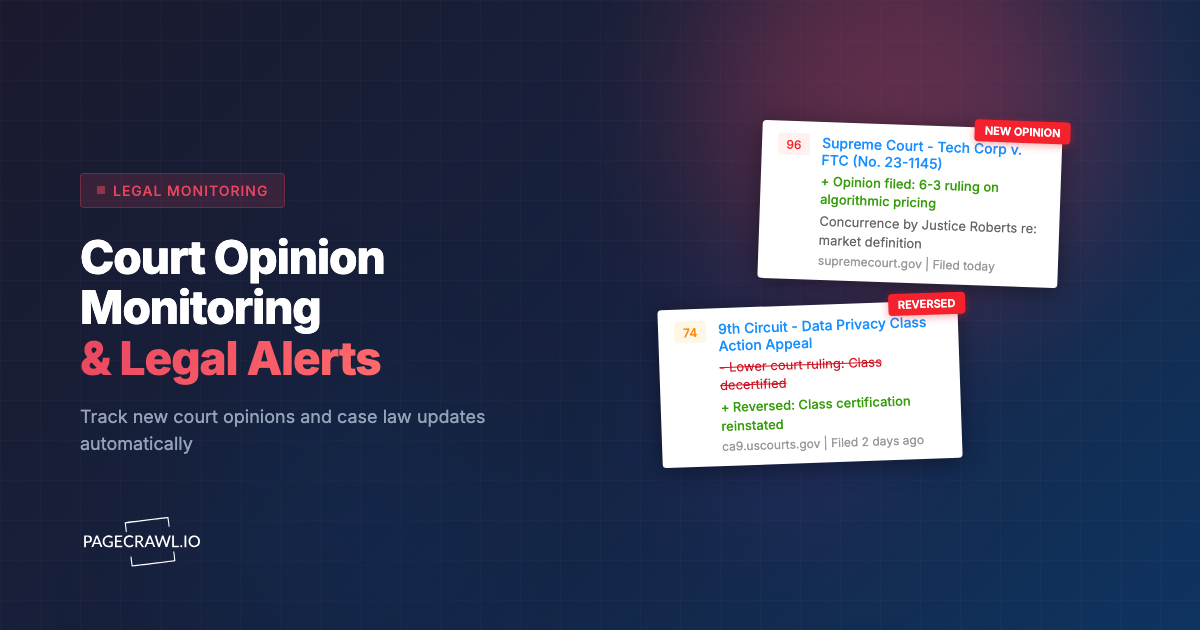
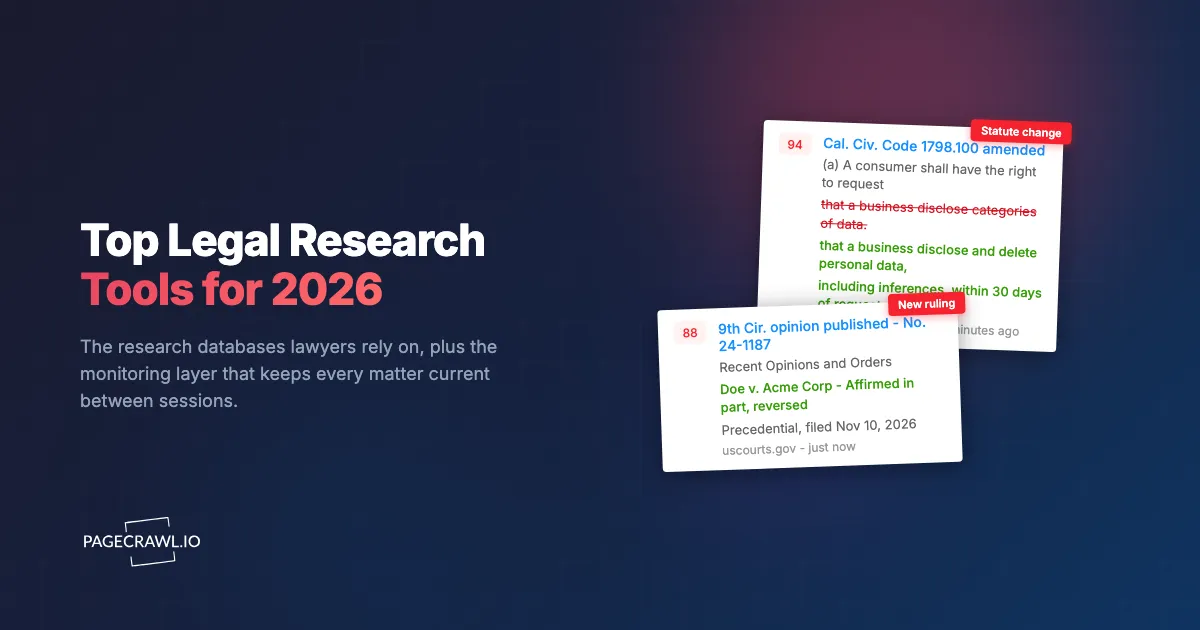
PageCrawl is not a research database, and it does not pretend to be. It is the layer that keeps your research current after you close the database. You point it at the court opinion pages and dockets, regulator rule pages, statute sections, and sanctions lists your matters depend on, and it alerts you as soon as a check detects that any of them changed. It is the answer to the reversed-precedent problem in the opening scenario.
What it does for legal research:
- Watches court "recent opinions" and order pages and alerts you when a new ruling appears
- Monitors docket and regulator pages for new entries and rule changes
- Tracks statute and bill pages for amendments and status changes
- Detects changes inside PDF documents like posted opinions and agency guidance
- Sends AI-written summaries of what changed to email, Slack, Teams, Discord, or a webhook
- Keeps a screenshot and text history of every version, which doubles as a timestamped record
Strengths:
- Works on any public web page, not a fixed list of supported sources
- Free tier covers 6 monitors, enough to watch your most critical sources
- Full notification stack including Slack alerts on the free plan
Limitations:
- It surfaces changes, it does not analyze the law for you, so it is best paired with a real research database for the actual analysis
Best for: Any lawyer or paralegal who wants to find out quickly when a tracked source moves, between research sessions, without refreshing pages by hand.
How do the top legal research tools compare?
The comparison below summarizes where each tool wins. Westlaw and LexisNexis lead on citator depth and secondary sources, Bloomberg Law on dockets and analytics, Fastcase and free tools on cost, and PageCrawl on currency. Most serious practices use a paid research platform plus a monitoring layer rather than choosing one or the other.
| Feature | Westlaw | LexisNexis | Bloomberg Law | Fastcase / vLex | Free sources | PageCrawl |
|---|---|---|---|---|---|---|
| Primary law coverage | Excellent | Excellent | Strong | Good | Good | N/A (monitors sources) |
| Citator depth | KeyCite (best) | Shepard's (best) | Moderate | Basic signals | Minimal | N/A |
| AI assistant | Yes | Yes | Yes | Vincent AI | No | Change summaries |
| Dockets / analytics | Yes | Yes | Best | Limited | RECAP (free) | Monitors docket pages |
| Secondary sources | Vast | Vast | Strong | Thin | Minimal | N/A |
| Live change alerts | Limited | Limited | Limited | No | No | Yes (any page) |
| Starting price | Custom (high) | Custom (high) | Custom | Free via bar / $65+ | Free | Free |
How do you keep legal research current between sessions?
You keep research current by monitoring the exact source pages your conclusions rest on, so a new opinion, a docket entry, or a statute amendment reaches you automatically instead of on your next manual check. Set up monitors on the court, regulator, and code pages tied to your active matters, route alerts to where you work, and review changes daily. Here is the setup, free.

PageCrawl's free tier (6 monitors and 220 checks per month) is enough to cover the handful of sources most attached to your live matters.
Step 1: List the source pages your research depends on
For each active matter, write down the public web pages that, if they changed, would change your advice. Typically that is the relevant court's "recent opinions" page, the docket for any parallel case, the agency rule or guidance page, and the specific statute or code section at issue. Keep it to your highest-stakes pages so you stay within the free tier while you test the approach.
Step 2: Add a monitor for each page
Create a monitor for each URL. For a court opinions list or a docket, use full-page or content monitoring so any new entry is caught. For a single statute or rule section, narrow the monitor to the body text so you are alerted to substantive amendments, not navigation changes. For a posted PDF opinion or agency document, point the monitor at the PDF directly, since PageCrawl tracks text changes inside PDF files.
Step 3: Set the check frequency to your stakes
Set high-stakes sources (a court where a ruling is imminent, a docket in active litigation) to check as often as your plan allows. Set stable references (a long-settled statute you cite often) to daily. Frequent checking is what turns "I found out three weeks later" into "I found out the same morning."
Step 4: Tune out the noise
Tell the AI summary to focus on what matters, for example "new opinions, orders, docket entries, rule changes, and statutory amendments," and ignore visitor counters, date stamps, and rotating banners. Cleaner alerts mean you trust them, and trusted alerts get read.
Step 5: Route alerts to where you actually work
Send alerts to email for a documented trail, to a Slack or Teams channel for the matter team, or to a webhook that drops entries into your matter management or a shared sheet. Time-sensitive sources (an imminent appellate ruling) warrant a fast channel like Slack or push. Background references can roll into a daily digest.
Step 6: Review changes and verify in your research tool
When an alert fires, open the change, read the diff or summary, then verify the legal substance in your research database with its citator. The monitor tells you something moved. Your research tool tells you what it means. Together they close the gap between when you researched and when you rely on it. This guide is informational, not legal advice; always confirm the current state of the law in an authoritative source before filing or advising.
What should legal researchers monitor on a schedule?
Legal researchers should monitor the primary-source pages whose changes would alter a conclusion: court opinion and order lists, dockets in active and parallel cases, agency rule and guidance pages, statute and code sections, and the sanctions and enforcement lists relevant to client onboarding. These are the pages where the law actually moves, and where finding out late carries the highest cost.
Courts and dockets
Courts publish opinions and orders on no fixed schedule. Monitor the "recent opinions" page of every court that matters to your practice area, plus the dockets of any parallel or related cases. A ruling in a related case can hand you a new argument or take one away before opposing counsel cites it. This is the core use case in our court opinion monitoring guide.
Statutes, bills, and regulations
Statutes get amended with quiet redlines, and agencies move rules from proposed to final without a courtesy notice. Monitor the specific code sections and rule pages your matters cite, and track pending bills so you see a status change the day it happens. The mechanics are in legislative tracking and regulatory compliance monitoring.
IP, sanctions, and enforcement lists
For practices touching patent and IP registry filings, sanctions, or regulated industries, the relevant lists change constantly. Watch patent and trademark status pages, OFAC and EU sanctions lists, and agency enforcement pages. A missed sanctions designation is an onboarding decision you cannot defend later.
Opposing parties, clients, and your own evidence
Opposing parties post statements timed for effect, and clients update their own sites with disclosures that create exposure. Monitoring those pages also captures a timestamped record of what a page said and when, and full page snapshots archived as WACZ files matter when you are preserving internet evidence for litigation.
Choosing your PageCrawl plan
PageCrawl's Free plan lets you monitor 6 pages with 220 checks per month, which is enough to validate the approach on your most critical sources. Most teams graduate to a paid plan once they see the value.
| Plan | Price | Pages | Checks / month | Frequency |
|---|---|---|---|---|
| Free | $0 | 6 | 220 | every 60 min |
| Standard | $8/mo or $80/yr | 100 | 15,000 | every 15 min |
| Enterprise | $30/mo or $300/yr | 500 | 100,000 | every 5 min |
| Ultimate | $99/mo or $999/yr | 1,000 | 100,000 | every 2 min |
Annual billing saves two months across every paid tier. Enterprise and Ultimate scale up to 100x if you need thousands of pages or multi-team access.
Standard at $80/year covers 100 source pages at 15-minute checks, enough for a small firm to watch every court, docket, statute, and regulator tied to its active matters. Catching a single reversed precedent or a same-day rule change before it reaches a filing can save a motion, a deadline, or a client relationship. Enterprise at $300/year extends that to 500 pages at 5-minute checks, which suits a litigation department covering many practice areas and jurisdictions at once.
Getting Started
Pick your three most active matters. List the court, docket, and statute pages each one depends on. Set up a monitor on each, route alerts to your inbox or a Slack channel, and run it for two weeks. You will be surprised how often a source you assumed was static actually moved while you were focused elsewhere.
The law you cite is only as current as the last time you checked the source. Stop refreshing pages by hand and let an automated check tell you when the source changes.