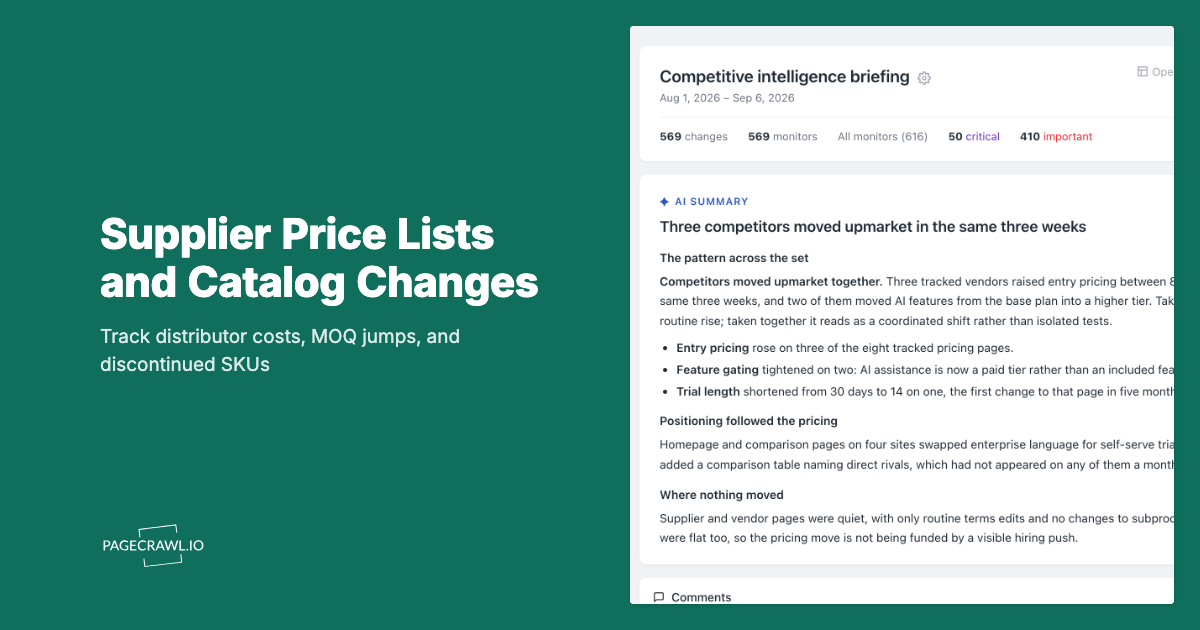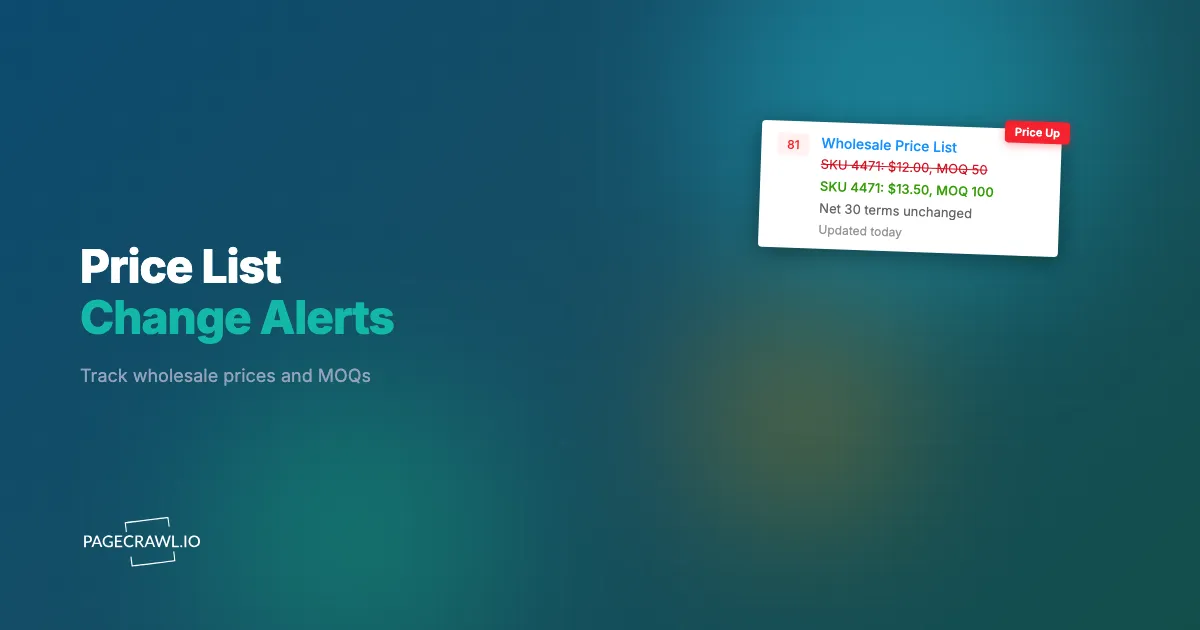
Picture a distributor that quietly replaces the Q1 price-list PDF on its dealer portal with a Q2 file at 4:52 p.m. on a Thursday in March. Nothing else on the page moves. No email goes out, no banner appears, and the link text looks almost identical. Say the new document raises the cost of three fast-moving SKUs by 9 percent and lifts the minimum order quantity on a fourth line from 12 units to 48. If the purchasing manager who relies on that list does not open it again until the following Tuesday, the team may already have quoted two large customers at margins that no longer exist, on orders that cannot be unwound.
This is the quiet failure mode of B2B procurement. Wholesale price lists, dealer catalogs, and distributor portals change without announcements, often inside a PDF or behind a login where no one is watching. The buyer who finds out first protects their margin. The buyer who finds out last absorbs the increase and only learns the real cost when the invoice arrives.
This guide explains what to monitor on a supplier price list, how to watch both PDF price sheets and gated B2B portals, and how to wire alerts so a cost or MOQ change reaches your team in minutes instead of days.
What is supplier and distributor price-list monitoring?
Supplier and distributor price-list monitoring is the automated tracking of the cost-side documents you buy from, including wholesale price PDFs, dealer catalogs, and gated B2B portals, so you get an alert as soon as a check detects a change to a unit cost, minimum order quantity, volume-discount tier, lead time, or surcharge. It watches the page or file on a schedule (as often as every 2 minutes on paid plans, hourly on the free plan) and flags the exact difference.
Unlike consumer price tracking, which watches the retail price you pay at checkout, price-list monitoring watches your landed cost: the number that sits underneath your own margin. A 4 percent supplier increase you miss does not just cost you 4 percent. If you are running a 20 percent gross margin, that silent increase quietly removes a fifth of your profit on every affected unit until you notice and re-price. Continuous monitoring turns a document you check quarterly into a feed that tells you on the next check when the underlying economics move, which is the same discipline behind any serious competitive pricing analysis program, just pointed upstream at your suppliers instead of sideways at your rivals.
Why do wholesale price-list changes slip past purchasing teams?
Wholesale price changes slip past teams because the documents are static-looking but silently versioned, the notifications are unreliable, and most buyers only re-open a price list when they are actively quoting. A supplier can publish a new PDF, rename a portal link, or update a hidden discount tier with zero notice, so the change exists for days before anyone looks.
Three patterns cause almost all of these misses:
- PDF version swaps. Suppliers replace PriceList_2026.pdf with a new file at the same or a near-identical URL. The page looks unchanged because only the linked document is different. Manual review never catches it because nobody re-downloads a file they "already have."
- Portal-only updates. Distributor portals show your contract pricing behind a login. The new tier or surcharge is visible only after you authenticate, so it sits invisible to any check that cannot sign in, while the public-facing list price may not move at all.
- Buried line items. A price list can hold hundreds of rows. A 6 percent bump on row 214 and an MOQ change on row 215 are invisible to a human skim but trivial for software to flag down to the exact line. The bigger the catalog, the more places a quiet change can hide.
The result is a structural information gap. Your supplier knows the price changed the second they publish. You find out whenever you happen to look, which is usually after you have already committed a quote.
What exactly should you monitor on a supplier price list?
You should monitor five things on any supplier or distributor price list: the per-unit wholesale cost, the minimum order quantity, the volume-discount tier breakpoints, lead times and availability, and any surcharges or freight terms. Each of these directly changes your landed cost or your ability to fulfill, and each can move independently without the others changing.
Wholesale and unit cost
The headline number. Track the per-unit cost for every SKU that matters, with a percentage threshold so a routine $0.01 rounding change stays quiet while a 5 percent increase fires on the next check. Capturing cost as a numeric value (not just text) lets you alert on direction and magnitude, the same mechanics consumer-side teams use in competitor price monitoring, only here the alert protects the cost side of your margin rather than your shelf price. Track every SKU that drives real volume, because a quiet increase on a high-velocity component can outweigh a loud one on a part you rarely reorder.
Minimum order quantity (MOQ)
An MOQ jump from 12 to 48 units can be worse than a price increase. It changes your working capital, your storage footprint, and your reorder cadence all at once. A higher minimum can force you to over-buy slow movers, tie up cash in inventory, or walk away from a line entirely. Track the MOQ field as its own number so a quantity change alerts even when the unit price holds perfectly steady, because suppliers often raise the minimum instead of the price to protect a headline rate while still squeezing your economics.
Volume-discount tiers
Most B2B price lists reward volume with tiered breakpoints (for example, 5 percent off at 100 units, 12 percent off at 500). When a supplier quietly raises a breakpoint or trims a discount, your effective cost climbs even though the list price looks flat. A tier that moves from "12 percent off at 500 units" to "12 percent off at 750 units" raises your real cost without touching a single headline number. Watch the tier table as structured content so any cell change is flagged, even the ones that hide inside the discount math rather than the price column.
Lead time and availability
A line moving from "in stock, 3 days" to "back order, 6 weeks" reshapes your promises to customers. Treat availability and lead-time text as a tracked field so a status change alerts you before a customer's expedite request does, the same way supplier and supply chain monitoring tracks stock levels and lead times across vendor sites. Lead-time drift is often the earliest warning that a category is going into allocation, giving you time to qualify a second source before the shortage is priced in.
Surcharges, freight, and payment terms
Fuel surcharges, small-order fees, and changed payment terms (net-30 to net-15) all hit landed cost without touching the unit price. Freight surcharges are often pegged to a published index such as the weekly diesel price series from the U.S. Energy Information Administration, so they can move on a schedule of their own with no change to the price list itself. A tighter payment term is a real cost increase even when the price column is identical. The clearest way to capture the true number is to watch the all-in figure, the same logic behind landed-price and free-shipping-threshold monitoring, so an added freight line or a new minimum-order fee shows up as a cost change rather than a footnote nobody read.
How do you monitor a supplier price-list PDF that changes without notice?
You monitor a price-list PDF by pointing a monitor at the file URL and using PDF tracking, which reads the document's text and tables on each check and reports the exact lines that changed. When a supplier swaps in a new file at the same link, the monitor flags the specific rows that moved. The help centre walkthrough on monitoring changes in PDF files covers the setup for contracts, reports, and price sheets, including password-protected documents, and a price list published as a spreadsheet is handled the same way through Excel, xlsx, and ODS file tracking.
PageCrawl handles three common PDF situations:
- Same URL, new file. If the supplier overwrites pricelist.pdf, each check re-reads the live document, so a replaced file is detected as a content change even though the link never moved. You see the new prices on the next scheduled check, not the next time someone remembers to download it.
- Versioned filenames. If the file is renamed each quarter (Q1.pdf to Q2.pdf), monitor the index or portal page where the link lives so the changed link text and the new document both register. Pairing this with sitemap and new-link monitoring catches newly published files automatically, even when the supplier never announces that a new version exists.
- Tables and line items. PDF tracking reconstructs table layout, so a price change buried on a deep row surfaces as a precise before-and-after rather than a vague "document changed." You get the SKU, the old number, and the new number, not just a flag that something somewhere is different.
Keep screenshots on (the default for new monitors) so each alert carries a visual snapshot of the page or document state, which doubles as a timestamped record of exactly what the price list said on the day it changed. That archive matters when you later need to prove to a supplier, or to your own finance team, what the agreed cost was before the increase.
How do you monitor a gated B2B portal or distributor catalog behind a login?
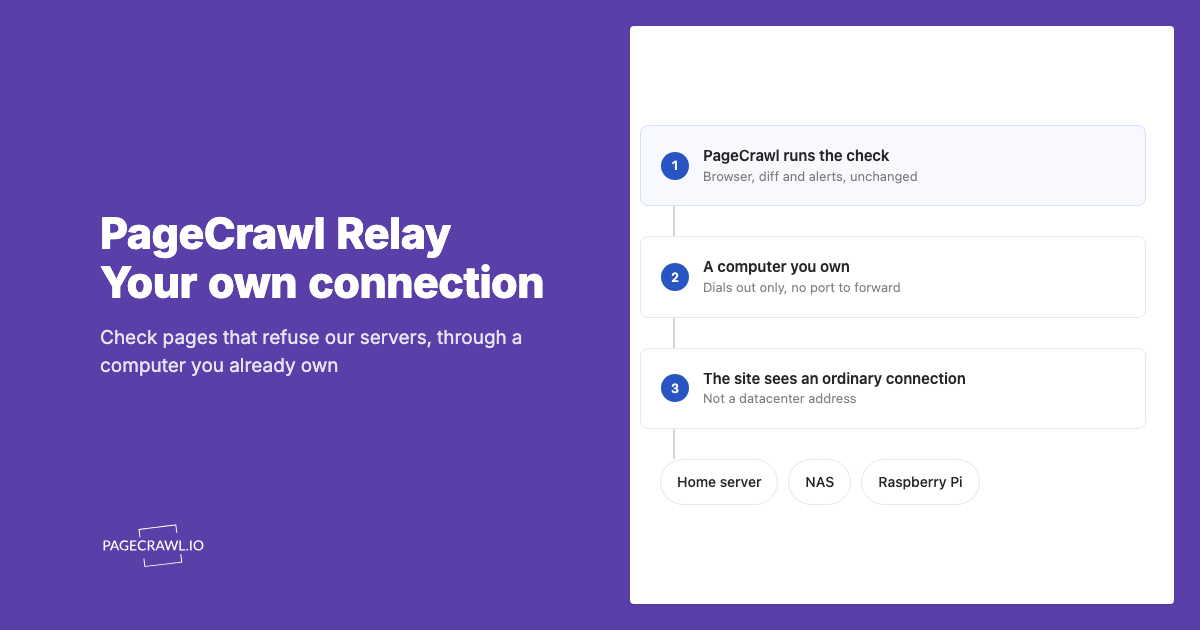
You monitor a gated portal with login-gated monitoring, which authenticates into the dealer or distributor site, navigates to your contract-pricing page, and tracks the values that are only visible after sign-in. PageCrawl renders the page fully as a real browser session would, so account-specific pricing, negotiated tiers, and restricted catalogs are captured exactly as you see them when logged in. The help centre guide to monitoring password-protected pages explains how to configure form-based logins and HTTP authentication for a dealer portal.
This is the part generic checkers cannot do. Most distributor pricing is personalized: the list price a logged-out visitor sees is not your contract price. Login-gated monitoring signs in on a schedule and watches the authenticated view, so a change to your specific tier (not the public one) is what triggers the alert. A change to a price you do not pay is noise; the number on your own contract page is the signal you need.
Inside the portal, choose the tracking mode that fits the element:
- Use price or number tracking on the unit-cost and MOQ fields so you get numeric thresholds and direction.
- Use fullpage content tracking on a whole pricing table when you want to catch any change across many rows.
- Use keyword or text tracking for status language like "discontinued," "allocation," or "price increase effective."
- Use JSON or API field tracking when the portal loads pricing from a structured endpoint, which lets you target a single field precisely with JSONPath or jq filters using the same expression syntax documented in the official jq manual.
Because the same login can expose dozens of SKUs, you can group many product rows under one authenticated monitor rather than checking each by hand, which keeps a large catalog manageable without a separate monitor for every line.
How do you turn a price-list change into a re-quote or re-price action?
You turn a change into action with conditional alerts: rules that only fire when the cost or MOQ moves past a threshold you set, in the direction you care about, then route that alert to the channel your buyers actually watch. A 0.5 percent change stays silent while a 5 percent increase pages the purchasing lead and logs the event.
The mechanics that prevent both noise and missed signals:
- Thresholds. Set a minimum percentage or absolute change so trivial movements never alert. Threshold and keyword rules keep the feed clean so buyers trust it and act on it.
- Direction. For cost monitoring, an increase is the urgent event. Alert on upward moves with priority while logging decreases quietly for your next negotiation, when a supplier's own price cut becomes leverage you can point to.
- Routing. Send urgent increases to a Slack channel your buyers monitor, and push the full event into your systems with a webhook so an ERP or quoting tool can flag affected open quotes automatically.
- Logging. Stream every change to a live Google Sheet so you build a dated history of supplier moves, which is gold during your next contract review or annual price negotiation.
Done well, a supplier increase becomes a same-day workflow. Picture the March example replayed with monitoring on: minutes later, the next scheduled check detects the swap and the alert lands naming the three SKUs that rose 9 percent and the line whose MOQ jumped to 48. The buyer pulls the list of open quotes touching those SKUs, re-quotes the two large customers at the new cost before they sign, and updates the sell prices in the catalog the same afternoon. The erased margin never happens, because the team reacted to the change in minutes instead of finding it days later on an invoice.
How do you set up supplier price-list monitoring with PageCrawl?
Setting up supplier price-list monitoring takes about ten minutes per source. You point a monitor at the PDF or portal page, choose how to capture the value, set a check frequency and threshold, pick a notification channel, and confirm screenshots are on. Below is the full sequence for a typical wholesale source.
Step 1: Add the source and choose a tracking mode. Paste the price-list PDF URL or the portal pricing page. For unit cost and MOQ, choose price or number tracking so values are captured numerically. For a whole catalog table, choose fullpage content tracking. For a structured pricing endpoint, choose JSON or API field tracking. For PDFs, select PDF monitoring so tables and line items are read directly rather than treated as one opaque blob.
Step 2: Authenticate if the catalog is gated. If pricing sits behind a dealer login, enable login-gated monitoring and provide the credentials so PageCrawl signs in and watches your contract-specific pricing rather than the public list. This is what makes the alert reflect the number you actually pay, not the headline rate shown to anonymous visitors.
Step 3: Set the check frequency. For fast-moving inputs or volatile commodities, check every 5 to 15 minutes. For stable quarterly price lists, hourly or daily is plenty. Match the cadence to how often the supplier actually republishes so you catch changes fast without wasting checks on a document that updates four times a year.
Step 4: Set thresholds and direction. Add a percentage threshold (for example, alert on any cost move of 2 percent or more) and prioritize upward moves so increases are urgent. Add a separate numeric rule on the MOQ field so a quantity change alerts even when price holds. Keep the threshold tight enough to catch real moves but loose enough to ignore rounding.
Step 5: Choose your notification channel. Route alerts to Slack, Telegram, Discord, email, or a webhook. Most teams send urgent increases to a buyer Slack channel and fire a webhook into their ERP or quoting system so affected open quotes are flagged automatically, while a daily digest covers the lower-priority moves.
Step 6: Confirm screenshots are on. New monitors capture screenshots by default. Keep this enabled so every alert includes a timestamped visual of the price list as it stood, giving you a dated evidence trail for supplier discussions and finance reconciliation.
Repeat across your key suppliers, and group SKUs from one distributor under a single login-gated monitor where the portal allows it. From there, the system watches continuously and only interrupts your team when a cost, quantity, or term actually moves.
Can you compare every supplier's cost for one SKU in a single view?
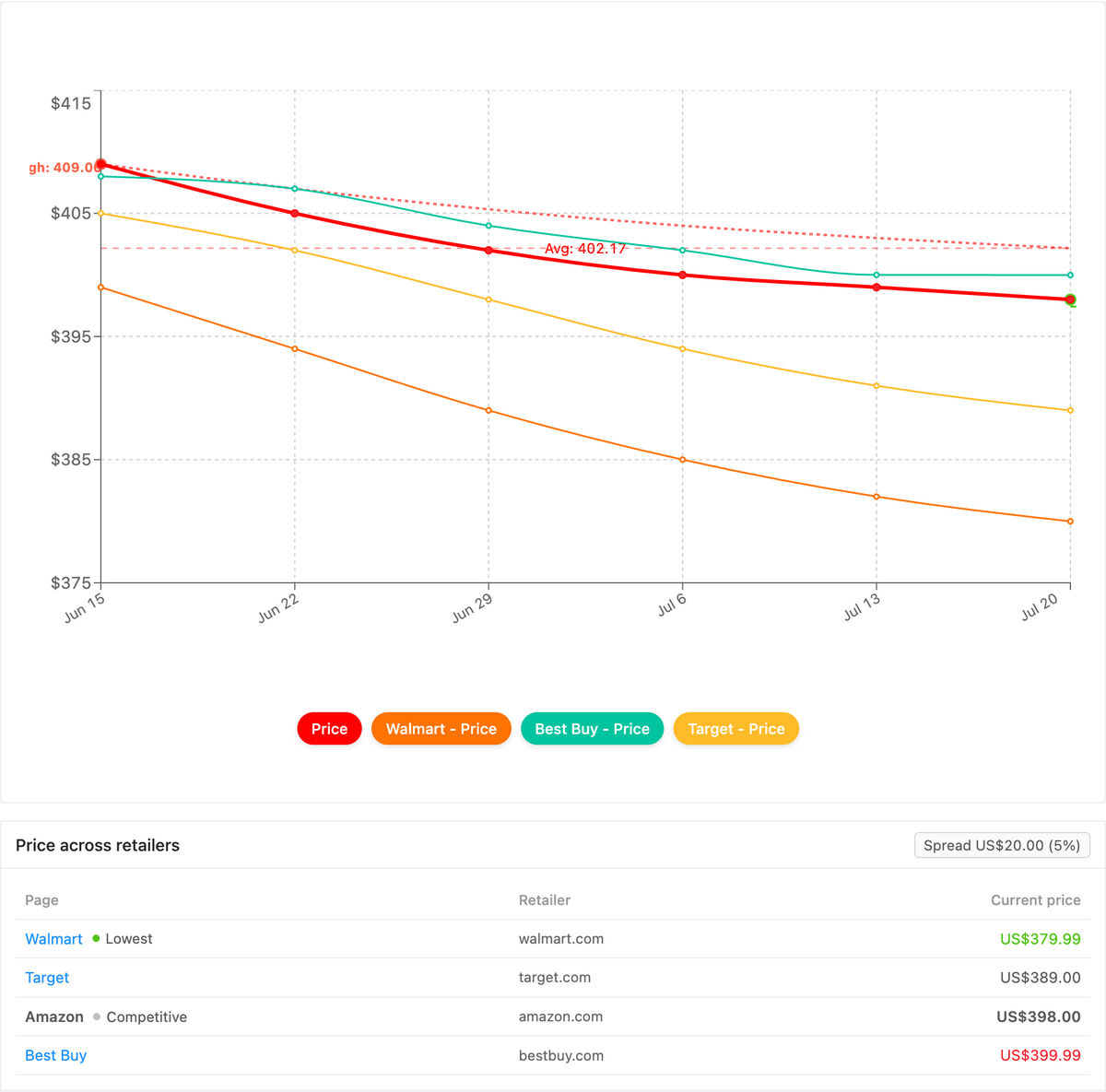
Yes. PageCrawl's Product Comparison capability groups the monitors for one SKU across every distributor and supplier into a single view, highlights the lowest advertised cost, and tracks the spread between your cheapest and most expensive source. That turns a quiet increase on one supplier's price list into an obvious outlier instead of a number buried on one PDF row out of hundreds.

Once your per-source cost monitors are running, Product Comparison stitches together the ones that share a product (by GS1 identifiers such as GTIN and UPC, SKU, brand, or your own reference tag) so every distributor, dealer portal, and wholesale PDF for that part lines up side by side. The lowest cost is flagged and the spread between your cheapest and most expensive supplier is a live figure, so when one source raises a unit cost or an MOQ tier while the others hold, the gap widens and a spread-threshold alert surfaces it on the next check, routed to email, Slack, or a webhook. You can also export the whole grid as a spreadsheet for your next contract review. The full walkthrough lives in the cross-retailer price comparison guide, and Product Comparison is a custom capability we enable on request.
Choosing your PageCrawl plan
PageCrawl's Free plan lets you monitor 6 pages with 220 checks per month, which is enough to validate the approach on your most critical pages. Most teams graduate to a paid plan once they see the value.
| Plan | Price | Pages | Checks / month | Frequency |
|---|---|---|---|---|
| Free | $0 | 6 | 220 | every 60 min |
| Standard | $8/mo or $80/yr | 100 | 15,000 | every 15 min |
| Enterprise | $30/mo or $300/yr | 500 | 100,000 | every 5 min |
| Ultimate | $99/mo or $999/yr | 1,000 | 100,000 | every 2 min |
Annual billing saves two months across every paid tier. Standard suits a single buyer watching a handful of suppliers, while Enterprise and Ultimate scale to hundreds of SKUs with faster checks and multi-team access.
Where should you start with supplier monitoring today?
Start with the single supplier whose price moves would hurt the most, add a monitor on their price-list PDF or portal pricing page, set a 2 percent threshold on cost and a numeric rule on MOQ, and route the alert to the channel your buyers watch.
That one monitor, set up in minutes on the Free plan, will pay for itself the first time it catches an increase before you quote against it. Expand to your full supplier list once you have seen it work, and never again let a silent PDF swap erase a margin you already promised away.