A junior analyst sits down at the orange-on-black screen, taps the amber ENTER key on the famous Bloomberg keyboard, and types a few characters to pull a yield curve. It feels like a superpower. Then the invoice lands on the desk of whoever signs the budget: roughly $30,000 per user, per year, locked into a two-year contract. For a three-person research shop, that is a six-figure line item before anyone has bought a single subscription to anything else.
The Terminal is genuinely good. Nobody seriously disputes that. The question almost every team eventually asks is narrower and more honest: do we actually use $30,000 a year of it, or do we use a charting screen, a news feed, a filings tracker, and a handful of alerts that tell us when something we care about has changed? Because if it is the second thing, you are paying enterprise-trading-desk prices for a workflow that a stack of cheaper tools, plus disciplined web monitoring, can cover for a tiny fraction of the cost.
This guide breaks down what a Terminal really costs, what to look for in a replacement, the best Bloomberg Terminal alternatives in 2026 by use case (Koyfin, LSEG Workspace, AlphaSense, FactSet, S&P Capital IQ, and free stacks), and how change monitoring quietly replaces one of the most expensive parts of the workflow: being first to know.
How much does a Bloomberg Terminal actually cost in 2026?
A Bloomberg Terminal subscription runs roughly $24,000 to $32,000 per user, per year, typically quoted around $2,000 per month on a standard two-year contract. A single standalone seat sits near the top of that range; firms with multiple terminals get a modest per-seat discount. There are no free or lightweight personal tiers.
That price buys an enormous, deeply integrated system: real-time market data across every asset class, the Bloomberg news and messaging network (IB chat is a genuine moat), analytics, fixed income and FX depth, and the Excel add-in that quants live in. For a sell-side trading desk or a large buy-side firm, it is defensible. The problem is that most subscribers use a thin slice of it. Independent advisors, small funds, corporate strategy teams, IR departments, and individual investors rarely touch the institutional trading rails they are paying for. They want data, charts, news, filings, and timely alerts, and almost all of that is available elsewhere for far less.
What should a Bloomberg Terminal alternative actually give you?
Before you compare tools, separate the Terminal into the jobs you genuinely rely on. Most teams only need a handful of these, and each one has a cheaper specialist that does it as well or better. Use this checklist to score any alternative against your real workflow rather than the marketing surface area.
- Market data and charting: real-time or delayed quotes, historical price series, technical and fundamental charting, screeners.
- Company fundamentals: financial statements, ratios, estimates, ownership, comparable-company analysis.
- News and qualitative research: curated news, earnings-call transcripts, broker research, expert insight.
- Filings and disclosure: 10-Ks, 10-Qs, 8-Ks, proxy statements, insider transactions, institutional holdings.
- Macro and rates: central bank communications, economic releases, Treasury auctions, yield data.
- Alerting and timeliness: the part you pay most for emotionally, being the first to know that something changed.
- Data export and automation: an API or spreadsheet pipeline so you are not retyping numbers by hand.
Note: the last two items, alerting and export, are where teams overpay the most. They are also the easiest to rebuild outside the Terminal, which is exactly where a dedicated web monitor earns its place in the stack.
What are the best Bloomberg Terminal alternatives in 2026?
The best alternative depends entirely on which job you are replacing. There is no single drop-in clone at a consumer price, but there is a strong specialist for every column of the Terminal. The table below maps the leading options by use case and rough cost, and the sections after it go deeper on each.
| Tool | Best for | Approx. price | Replaces the Terminal for |
|---|---|---|---|
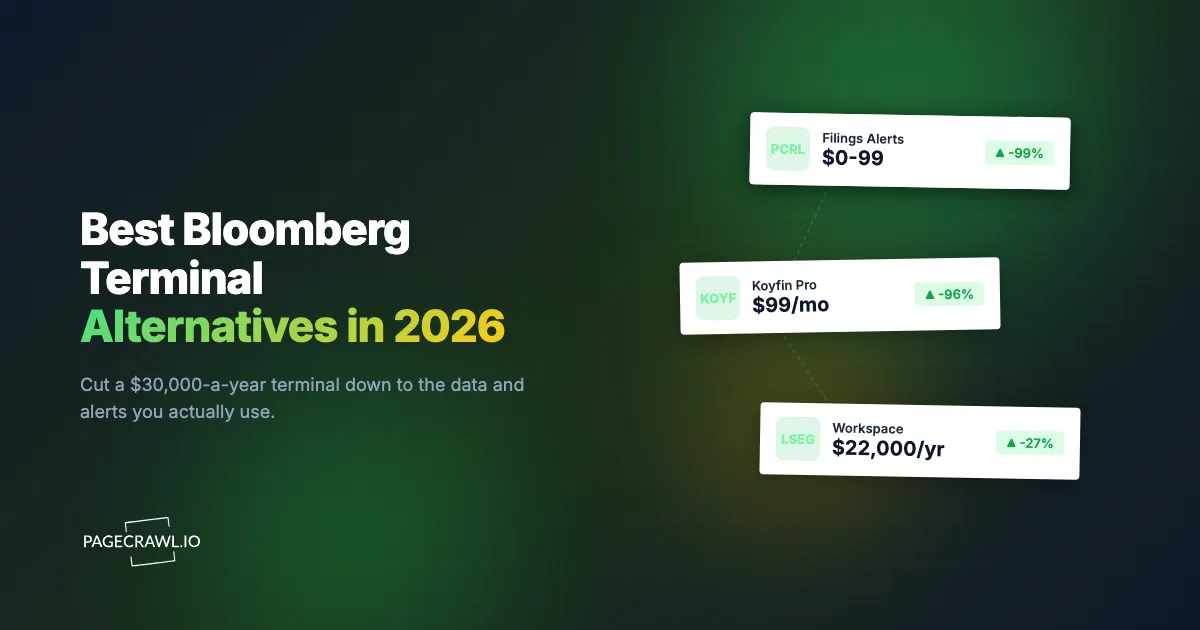
| Koyfin | Equity research, dashboards, screening | Free to ~$99/mo | Charting, fundamentals, watchlists |
| LSEG Workspace (Refinitiv) | Institutional desks, news, FX, fixed income | ~$22,000/yr | Most of the Terminal, a bit cheaper |
| AlphaSense | AI search over filings, transcripts, research | Enterprise (~$10k+/yr) | Qualitative and document research |
| FactSet | Buy-side analytics, portfolio data | ~$12,000/yr | Analytics and integrated data feeds |
| S&P Capital IQ | M&A, private companies, credit | ~$13,000+/yr | Deals, private and credit data |
| YCharts / TradingView | Advisors and active traders | ~$50 to $900/mo | Charting, screening, client visuals |
| Free stack + web monitoring | DIY research plus timely alerts | $0 to ~$99/mo | Filings, news, rates, and alerting |
Koyfin: the best low-cost research alternative
Koyfin is the closest thing to an affordable Terminal for fundamental equity research. It covers global equities, ETFs, dashboards, watchlists, screeners, financial statements, estimates, and clean charting, with a usable free tier and paid plans that top out near $99 per month. For analysts, advisors, and serious individual investors who mostly live in fundamentals and dashboards, it replaces a huge share of what they touched on the Terminal. Where it stops short is deep fixed income, real-time tick data, and the news and messaging network. If your day is screening, comps, and tracking a watchlist, Koyfin alone can retire the Terminal.
LSEG Workspace (formerly Refinitiv Eikon): the institutional rival
LSEG Workspace is the only true head-to-head competitor at the institutional level, and it is the alternative large desks actually evaluate. It carries Reuters news, strong FX and fixed income coverage, and broad cross-asset data, usually at around $22,000 per year per seat, which undercuts a full Terminal without dropping to consumer pricing. Lighter Eikon-derived packages exist for a fraction of that if you only need data and news rather than the full trading workflow. Choose Workspace when you need institutional breadth and a recognized news network but want to trim the bill.
AlphaSense: AI search for filings and transcripts
AlphaSense replaces the part of the Terminal you used for reading rather than trading. It is an AI-driven market intelligence platform that searches across filings, earnings-call transcripts, broker research, news, and expert-call libraries, then surfaces and summarizes the relevant passages. It is enterprise-priced (commonly five figures per year) and is not a quotes-and-charts tool. But for qualitative research, thematic work, and "what did management actually say about margins" questions, it is faster than the Terminal ever was. Pair it with a cheaper data tool and you have covered both the numbers and the narrative.
FactSet and S&P Capital IQ: the buy-side workhorses
FactSet (around $12,000 per year) and S&P Capital IQ (roughly $13,000 and up) are the established institutional alternatives for analytics-heavy and deal-heavy work. FactSet shines at portfolio analytics, performance attribution, and pushing clean data into Excel and downstream systems. Capital IQ is the standard for M&A, private-company and credit data, comparable transactions, and screening private markets. Both are cheaper than a Terminal per seat and often a better fit for buy-side analysts, corporate development teams, and investment bankers whose work is modeling and deals rather than live trading.
Free stacks: how far can you get on $0?
You can rebuild a surprisingly capable research desk from free sources. SEC EDGAR gives you every US filing for free. FRED (the St. Louis Fed) delivers thousands of economic and rate series. Yahoo Finance, Google Finance, Finviz, and Stock Analysis cover quotes, screening, and basic fundamentals. Company investor-relations pages and central bank sites publish the primary documents directly. TradingView's free tier handles charting. The gap in a free stack is not data, it is timeliness: nothing pushes you an alert when one of those pages changes. That gap is exactly what a web monitor fills, which is the next section.
How does web monitoring replace part of the Bloomberg workflow?
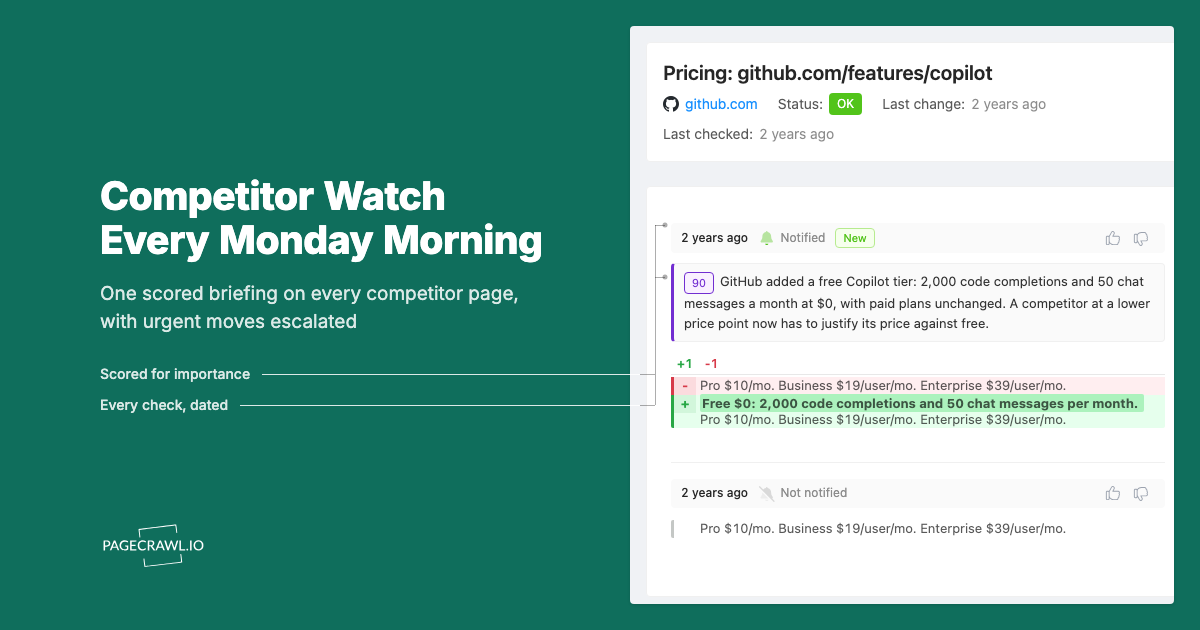
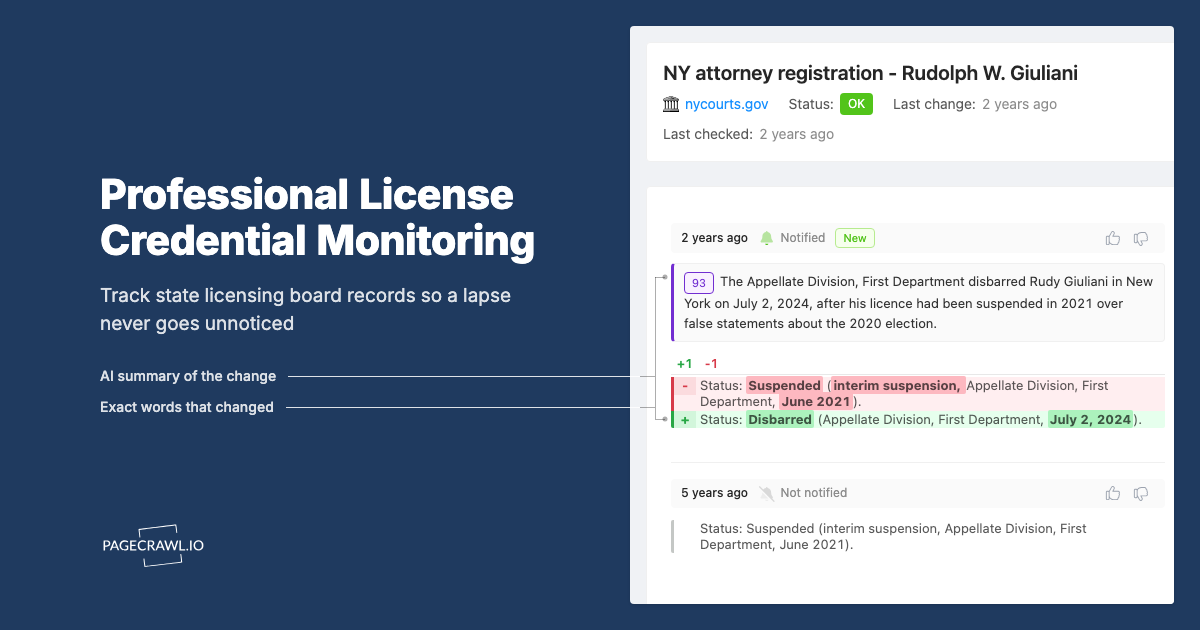
Web monitoring replaces the alerting layer, the single most expensive job emotionally and the easiest to rebuild. A large part of what teams pay the Terminal for is simply being first to know: a filing dropped, a central bank softened its language, an institutional holder rebuilt a position, a rate moved. Those are all changes to public web pages and documents, and a change monitor watches them on a schedule and pushes you an alert as soon as a check detects the move, which is the whole idea behind investment intelligence monitoring of SEC filings, IR pages, and earnings releases.
The shift in thinking is important. The Terminal is a pull system: you sit down and ask it questions. A monitor is a push system: it watches your watchlist around the clock and interrupts you only when something material changes, with a plain-language summary of what moved. For most non-trading workflows, push is what you actually wanted. You do not need a live order book; you need to not miss the 8-K.
Here is where a monitor slots directly into the research stack:
- Filings and disclosure. Watch EDGAR full-text search results and company filing indexes so a new 10-K, 10-Q, or 8-K reaches you on the next check, within minutes on higher-frequency plans. See our SEC filings monitoring and EDGAR alerts guide, and for line-by-line redline tracking of risk-factor language, our 10-K and 10-Q filing diff monitoring guide.
- Ownership and flows. Track 13F institutional holdings changes, insider transactions via Form 4, and ETF holdings composition changes without paying for a flow terminal.
- Macro and rates. Detect wording changes in the FOMC statement soon after it posts and watch the Treasury auction calendar and yields for schedule and result updates.
- Catalysts and events. Build an event-driven investing watchlist of web signals and fold in the broader universe of alternative data feeds for investing.
Monitoring will not give you a real-time order book, sub-second quotes, or the Bloomberg messaging network. If your job depends on those, no cheaper tool fully replaces the Terminal. But if your job depends on reading the right documents before your competitors do, monitoring covers it for the price of lunch.
How do you build a Bloomberg-style alert desk with PageCrawl?
You can stand up a monitoring desk that covers filings, macro, ownership, and catalyst alerts in under an hour, starting on PageCrawl's free tier (6 monitors and 220 checks per month, with AI summaries and every notification channel included). Here is the concrete walkthrough.

Step 1: List the signals you actually pay to catch
Write down the specific pages and documents you check the Terminal for, not categories but URLs. A typical starter list: the EDGAR filing index for three tickers you cover, the FOMC statement page, the Treasury auction calendar, one ETF's holdings page, and a competitor's or holding's investor-relations newsroom. Six is exactly the free-tier limit, so pick the six that would hurt most to miss.
Step 2: Create a free PageCrawl account
Sign up at pagecrawl.io. The free plan gives you 6 monitors with AI summaries, screenshot history, and all notification channels, with no credit card required. That is enough to prove the approach on your highest-value signals before you scale up.
Step 3: Add filings and disclosure monitors
For each filing source, click "Track new page," paste the URL (an EDGAR full-text search results page or a company's filing index works well), and let PageCrawl auto-detect the mode. Use reader mode for long-form documents so navigation and boilerplate are stripped and you only get alerted on substantive text. When a new filing appears in the list or the document body changes, you get the diff and a summary, the same pattern that drives regulatory filing monitoring across SEC, FDA, and FCC pages.
Step 4: Add macro and rate monitors
Add the FOMC statement page, relevant central bank pages, and the Treasury auction calendar as separate monitors. For pages where a single number is the signal (a yield, a target rate, an auction size), use number or price tracking mode so PageCrawl extracts the value and builds a history chart, alerting you on direction rather than every cosmetic edit to the page.
Step 5: Track ownership and holdings pages
Point monitors at 13F holdings pages, an ETF's daily holdings file, or insider-transaction feeds for the names you follow. These pages change on a predictable cadence, so a monitor catches the update without you remembering to check. Route these to a dedicated channel so position changes do not get lost among general news.
Step 6: Route alerts to where you work
Configure notifications in workspace settings. Send filings to email, macro alerts to a Slack or Discord channel, and everything to a webhook if you want to pipe alerts into your own system. Every channel (email, Slack, Discord, Microsoft Teams, Telegram, webhooks, web push, and Google Sheets logging) is included on every plan, including free, so you are not paying extra just to get alerts where your team already lives.
Step 7: Filter noise and tune importance
Financial pages are noisy: timestamps, session IDs, rotating disclaimers, and ad slots all churn. Turn on automatic cookie and overlay removal (on by default for new monitors), add global ignore rules for date strings and counters, and let the AI importance score from 0 to 100 push trivial edits below your threshold. The help centre has a complete guide to reducing false positive notifications that walks through each of these controls. The goal is that when your phone buzzes, it is because something that matters actually changed.
Step 8: Pipe structured data into your own dashboard
Use the API and Google Sheets logging (available on all plans) to export every detected change into a spreadsheet or your own tooling, the same way analysts used to pull the Bloomberg Excel add-in. Every plan also includes the PageCrawl MCP Server for AI assistants, so an AI assistant like Claude can query your monitoring archive directly. Instead of skimming alert emails, you ask for a digest of everything that moved on your watchlist this week and get a structured answer.
How does this compare on price to a Terminal?
The math is the whole point. A single Bloomberg Terminal seat is about $30,000 per year. A focused alternative stack of one research tool (Koyfin Pro at roughly $99 per month) plus a monitoring desk for filings, macro, and ownership alerts comes to a few hundred dollars per year, an order of magnitude below a Terminal.
You are not getting a Terminal for $99. You are getting the parts of the Terminal that your workflow actually depends on, unbundled from the institutional trading rails you were subsidizing. For an independent advisor, a small fund, a corporate strategy or IR team, or a serious individual investor, that trade is overwhelmingly worth it. The teams that should stay on the Terminal are the ones running live trading desks, sub-second strategies, or relying on the messaging network as a relationship channel. Everyone else is paying for a Ferrari to drive to the grocery store. Note: vendor pricing changes often and is usually negotiated, so confirm current quotes with each provider; this article is informational, not investment advice.
Choosing your PageCrawl plan
PageCrawl's Free plan lets you monitor 6 pages with 220 checks per month, which is enough to cover your most important filings, macro pages, and holdings before you commit a dollar. Most research teams move up once they see how much they were missing.
| Plan | Price | Pages | Checks / month | Frequency |
|---|---|---|---|---|
| Free | $0 | 6 | 220 | every 60 min |
| Standard | $8/mo or $80/yr | 100 | 15,000 | every 15 min |
| Enterprise | $30/mo or $300/yr | 500 | 100,000 | every 5 min |
| Ultimate | $99/mo or $999/yr | 1,000 | 100,000 | every 2 min |
Annual billing saves two months across every paid tier. Enterprise and Ultimate scale up to 100x if you need thousands of pages or multi-team access.
For an analyst, Standard at $80 per year covers 100 pages checked every 15 minutes, which is enough to watch an entire coverage universe of filings, IR pages, and rate sources. Enterprise at $300 per year handles 500 pages at 5-minute frequency, which suits a desk tracking a large watchlist where minutes matter on a catalyst. Put either next to a $30,000 Terminal line item and the comparison stops being close. All paid plans add higher check frequency, more AI credits, and longer history retention.
Getting Started
Pick the six signals you would most hate to miss: a 10-K from a name you cover, the FOMC statement, a Treasury auction page, an ETF's holdings file, an insider-transaction feed, and a competitor's newsroom. Set them up on PageCrawl's free tier, route the alerts to Slack or email, and run them for two weeks. You will quickly see how much of your Terminal habit was really just refreshing pages to check if something changed.
Stop paying $30,000 a year to be the second one to know. Start free at pagecrawl.io, no credit card required.