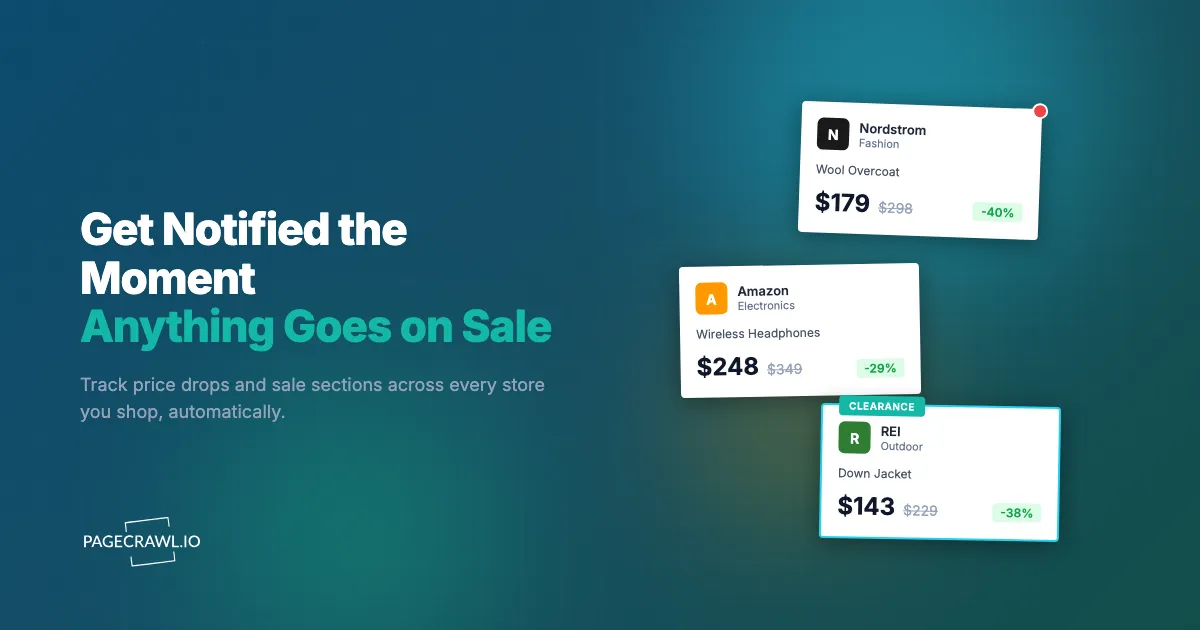
The coat sat in your cart at full price for three weeks. On a Wednesday night it dropped to 40% off for a 36-hour flash sale, sold through your size by Thursday afternoon, and went back to full price by Friday. You found out from a friend's text two days later, complete with a photo of the coat she bought. The sale was never announced, never emailed to you, and never showed up anywhere you would have looked.
This happens constantly because the best discounts are designed to be hard to catch. Retailers run unannounced flash sales, quietly mark down clearance overnight, rotate coupon codes without telling anyone, and scatter the deals across dozens of stores you cannot possibly refresh by hand. The shoppers who consistently catch sales are not luckier or more diligent. They have automated the one thing humans are bad at: watching a page at the exact second its price changes.
This guide shows you how to set up automatic sale alerts for any product, any store, or an entire wishlist, so the deal finds you instead of the other way around. You will learn what to monitor, how to filter out noise, how to compare the same item across retailers, and how to get a push to your phone as soon as a check spots a price drop.
Why do you keep missing sales?
You miss sales because the best discounts are deliberately short, unannounced, and spread across more stores than any person can track. Retailers run flash sales that last hours, cut prices overnight, and bury markdowns in clearance sections you forget to open. No human can refresh every product page on every site at the precise moment a price changes.
Flash sales and limited windows
A meaningful chunk of retail discounting now happens in compressed windows: a weekend, a single day, sometimes a few hours. The whole point is urgency. If the sale ran for a month, nobody would rush. That same urgency is exactly what defeats manual checking, because the odds that you happen to open the page during the live window are tiny.
Prices change silently
Most price drops never trigger an email, even from stores where you have an account. A product quietly goes from $120 to $89 with no announcement, because the retailer would rather sell to whoever notices first than tip off everyone at once. The price field on the page is the only honest signal, and it changes without warning.
The wishlist problem
The real difficulty is scale. You do not want one item on sale, you want fifteen items across eight different stores, each in your size or your configuration, ideally below a price you have in mind. Checking that list by hand even once a day is a chore, and far too slow to catch a 36-hour window. This is the gap automated monitoring closes.
What can you actually monitor for sale alerts?
You can monitor any public web page where a price or a sale appears, which covers far more than individual product pages. The five highest-value targets are specific product pages, brand sale and clearance sections, coupon and promo pages, your saved wishlist pages, and category or search-result pages that surface new markdowns.
Specific product pages
The most precise approach watches the exact product page for the item you want, in the color or size or configuration you want. When the price field changes, you get an alert with the old and new value. This is ideal when you already know precisely what you are after, like a particular jacket, a specific headphone model, or one appliance.
Brand sale and clearance sections
Many stores keep a permanent "Sale," "Clearance," or "Last Chance" page that the retailer feeds new markdowns into throughout the week. Monitoring that page as a content change tells you as soon as a check spots something new, usually well before it sells through. This is how you catch deals on items you did not even know you wanted. The same pattern works across fashion retailers, as covered in our Aritzia, Free People, and Anthropologie sale tracker.
Coupon and promo code pages
Brands frequently post active codes on a dedicated promotions page, or change the banner at the top of their homepage when a sitewide sale starts. Watching that page or banner for new text, especially for trigger words like "off," "code," or "ends," surfaces sitewide events on the first check after they go live. Our guide to keyword and trigger-word alerts explains how to fire only when those specific words appear.
Wishlist and saved-items pages
If a retailer gives you a public or stable wishlist URL, you can monitor the whole list at once. Instead of one monitor per item, a single monitor watches your saved page and alerts you when anything on it changes price. This is the most efficient setup for shoppers who curate a list inside one store.
Category and search-result pages
A filtered category page (for example, "women's coats under $200, sorted by price") or a search results page is a live feed of what is currently cheap. Monitoring it catches new arrivals and fresh markdowns that match your criteria. It also doubles as an availability watch, which pairs well with our out-of-stock monitoring guide when you care about both price and stock.
What is wrong with built-in "notify me" and price-tracker apps?
Built-in retailer alerts and single-store extensions are slow, narrow, and inconsistent. Store "notify me" buttons mostly cover restocks, not price drops, and arrive in batched emails hours late. Browser extensions track one retailer at a time, only watch product pages, and never see sale sections, coupon banners, or the dozen other stores where you shop.
Retailer notify-me limitations
Most "Notify Me" buttons are built for back-in-stock events, not discounts, and a general stock availability and restock monitor covers that job across every store instead of one at a time. When they do cover price, the email is batched and delayed, so by the time it lands and you open it, a flash sale may already be over. Email is also the slowest channel for something this time-sensitive, which is why faster push options matter (more on that below).
Single-store browser extensions
Popular price-tracker extensions are useful but boxed in. Each one typically supports a single retailer or a single category, only watches individual product pages, and goes blind as soon as you shop somewhere it does not cover. They also miss everything that is not a product page: sale landing pages, clearance feeds, and promo banners. A general-purpose price monitoring and drop-alert tool watches any page on any site with one consistent setup.
No cross-retailer view
The same jacket might be $220 at the brand, $189 at a department store, and $165 at an outlet. Per-store tools cannot compare across those, so you never see the cheapest option in one place. Watching all three at once is exactly the job of cross-retailer price comparison monitoring, which surfaces the lowest live price for an item across every store you track.
How do you set up a sale alert in PageCrawl?
You set up a sale alert by adding the product or sale page to PageCrawl, choosing price tracking, picking how often to check, and selecting a notification channel. The free tier covers 6 monitors and 220 checks per month, which is enough to watch your most-wanted items end to end before you decide to scale up.

Step 1: Find the exact page you want to watch. For a single item, open the specific product page in the color, size, or configuration you want and copy that URL, not a general listing. For a sale event, copy the brand's clearance or promotions page URL instead.
Step 2: Add the URL to PageCrawl and choose price tracking mode. PageCrawl analyzes the page, locates the price, and records it as the baseline. For sale sections and coupon pages, choose content tracking instead so it watches the whole page for new items or new codes.
Step 3: Set your check frequency. For hot items during a known sale window (holiday weekends, brand anniversary events), check as often as your plan allows so you catch short flash drops. For everyday wishlist watching, a check every 1-2 hours is plenty and keeps you well inside your monthly allowance.
Step 4: Add a price condition if you only want meaningful alerts. Tell PageCrawl to notify you only when the price drops, or only when it falls below a number you choose. This is the difference between a useful alert and constant noise, and it is covered in depth under conditional rules further down.
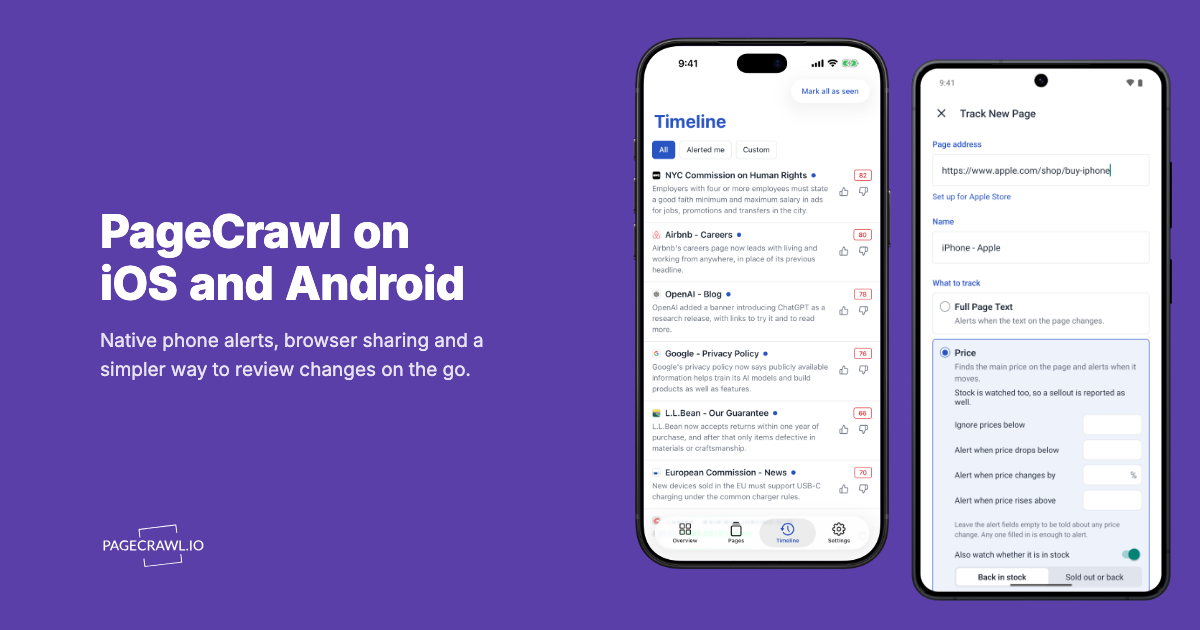
Step 5: Choose your notification channel. For time-sensitive deals, push to your phone or a messaging app beats email every time. PageCrawl supports push, Telegram, Discord, Slack, email, and webhooks, so pick the one you actually check within minutes.
Step 6: Enable screenshot capture. When an alert arrives, the screenshot lets you confirm the sale price and your size at a glance, without opening the site first.
Repeat for each item or sale page you care about. Group related monitors into a folder (for example, "Holiday Wishlist") so the whole list stays organized and easy to prune as your wants change.
How do you only get alerted when the price actually drops?
You add a conditional rule so the alert fires only when the price decreases, or only when it falls below a target you set. Without a condition, you would be pinged on every tiny fluctuation, including price increases. A "notify me only when price drops below $150" rule turns a noisy stream into a short list of deals worth acting on.
This matters because prices wobble for reasons that are not deals: currency rounding, brief test pricing, A/B experiments, or a temporary increase. Shoppers in the EU have a partial defence here, since consumer-protection rules from the European Commission require a retailer announcing a price reduction to display the lowest price applied in the preceding 30 days, but your own recorded price history is the only version of that you control. A bare change monitor would alert on all of them. By gating on direction and threshold, you only hear about the events you actually want. Set a target that reflects the price you would genuinely pay, and the alert becomes a buy signal rather than a status update. Our guide to conditional price, keyword, and threshold rules walks through setting these up for different scenarios, including percentage drops and combined price-plus-keyword conditions.
The same logic applies to coupon and banner monitoring. Instead of alerting on any homepage change, set a keyword condition so you are only notified when words like "off," "sale," or "code" appear. That filters out routine layout edits and leaves you with genuine promotional events. The help article on notification conditions and filters lists every condition type you can combine on a single page.
How do you track the same item across multiple stores?
You create one monitor per retailer for the same product, then organize them in a shared folder so you can compare prices side by side. When any store cuts its price, the alert goes out on the next check, and the folder view shows which retailer is now cheapest. This is how you avoid buying at one store while the same item sits 20% lower at another. PageCrawl has a dedicated mode for this, explained in the help article on comparing product prices across multiple retailers.
Big-ticket and brand-name items in particular are sold by multiple retailers at meaningfully different prices, and those prices move independently. Watching all of them at once means you buy at the true floor, not the first acceptable price you happen to see. Marketplaces such as Amazon deserve their own watch too: our Amazon price tracker and drop-alerts guide covers catching drops on items that change price multiple times a day.
For a structured approach to grouping the same product across stores and surfacing the lowest live price, see cross-retailer price comparison monitoring. It is the single biggest upgrade over per-store tools, because it answers the question you actually have: where is this cheapest right now?
Which notification channel should you use?
Use the fastest channel you reliably check, which for most people means a phone push or a messaging app, not email. A flash sale can end before a batched email even arrives. PageCrawl pushes alerts to your phone, Telegram, Discord, Slack, email, and webhooks, so the right choice is whichever one buzzes your pocket within minutes.
For genuinely time-sensitive deals, web push notifications land on your phone as soon as a check picks up the new price, which is as close to the speed flash sales demand as monitoring gets. If you prefer a dedicated thread for your shopping, Telegram-based monitoring alerts are simple to set up and free to receive.
Email still works for lower-urgency watching, like a clearance section you only want a daily digest from. Match channel speed to deal speed: push for flash sales, email for slow-moving markdowns you track casually.
How should you organize a big wishlist?
Organize a large wishlist by priority tier, so your fastest checks and loudest alerts go to the items you want most. Put must-have items on frequent checks with push alerts, nice-to-have items on slower checks, and discovery pages (sale sections, category feeds) on a relaxed schedule. This keeps your check allowance focused where it counts.
Tier 1, must-have items: Specific products in your size or configuration that you would buy today at the right price. Check at your plan's fastest interval with a price-drop condition and push notifications.
Tier 2, nice-to-have items: Things you would buy if a good discount appeared. Check every few hours with a threshold condition so you only hear about real deals.
Tier 3, discovery pages: Brand sale sections, clearance feeds, coupon pages, and filtered category pages. Watch these for content changes to catch new markdowns and codes as they post.
Use folders to keep tiers and stores grouped, and prune the list as your wants change. A focused 6-item wishlist fits entirely inside the free tier, while a full multi-store, multi-tier setup is where a paid plan pays for itself.
When do prices actually drop?
Prices drop most around predictable retail calendar events and in quiet overnight windows. The big seasonal sales (Black Friday, Cyber Monday, end-of-season clearance, brand anniversary events) account for the deepest discounts, while smaller everyday markdowns often post overnight or early morning when inventory systems update. Monitoring covers both the predictable and the random.
The calendar peaks are worth preparing for in advance, and the National Retail Federation publishes the dates and shopping forecasts that shape them. Set up and tune your monitors before the event so you are ready when prices move, rather than scrambling mid-sale. Our Black Friday and Cyber Monday deal-alerts guide covers how to stage monitors ahead of the year's biggest discount window and raise check frequency for the live days.
Outside the calendar peaks, the value of automation is catching the unscheduled drops: the overnight clearance markdown, the quiet price test, the brief flash sale on a random Tuesday. Those are exactly the events no email warns you about and no human catches by refreshing. Continuous monitoring is the only thing that reliably sees them.
Choosing your PageCrawl plan
PageCrawl's Free plan lets you monitor 6 pages with 220 checks per month, which is enough to validate the approach on the items you want most. Most shoppers graduate to a paid plan once they see how many deals they were missing.
| Plan | Price | Pages | Checks / month | Frequency |
|---|---|---|---|---|
| Free | $0 | 6 | 220 | every 60 min |
| Standard | $8/mo or $80/yr | 100 | 15,000 | every 15 min |
| Enterprise | $30/mo or $300/yr | 500 | 100,000 | every 5 min |
| Ultimate | $99/mo or $999/yr | 1,000 | 100,000 | every 2 min |
Annual billing saves two months across every paid tier. Enterprise and Ultimate scale up to 100x if you need thousands of pages or multi-team access.
For most shoppers, Standard at $80/year is the sweet spot: 100 monitors covers a full wishlist across multiple stores, plus sale sections and coupon pages, with 15-minute checks fast enough for flash sales. Catching a single 40% markdown on one item you were going to buy anyway covers the year. Enterprise at $300/year suits deal hunters and resellers tracking large catalogs across many retailers.
Getting Started
Pick the one thing you want most right now, whether it is a coat, a pair of headphones, or an appliance you have been eyeing. Find its product page, copy the URL, add it to PageCrawl with price tracking, set a "notify me when it drops" condition, and point the alert at your phone. That single monitor will quietly watch the price for you around the clock.
Let it run for a week or two. You will likely catch at least one drop, and seeing it work firsthand makes the case better than any guide can. Then add the rest of your wishlist, a brand sale section or two, and a coupon page, and let the deals come to you.
Stop checking the site. Let the sale find you.