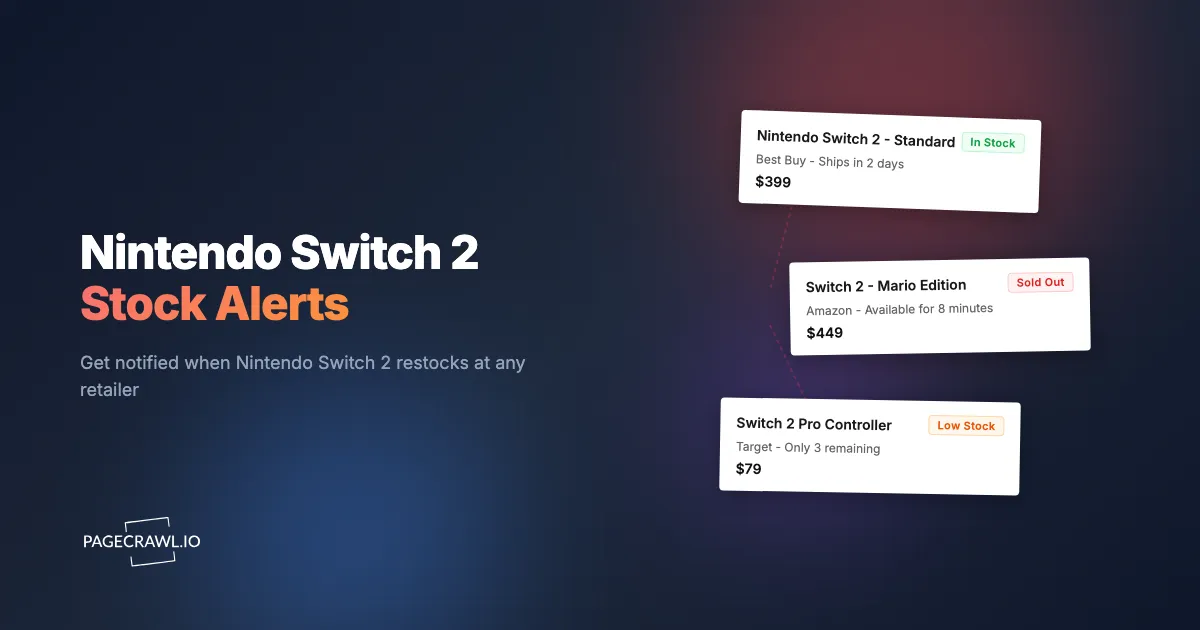
The Nintendo Switch 2 sells out within minutes of every restock. Retailers post new inventory with no advance notice, and by the time you hear about a drop through a friend or social media post, the console is gone. Nintendo's production has not kept up with demand since launch, and the situation is made worse by automated buying scripts that snap up units before most people can even load the product page.
If you have been refreshing retailer websites hoping to get lucky, you already know that approach does not work. Restocks happen at unpredictable times, sometimes at 2 AM, sometimes during work hours, and the availability window is measured in minutes, not hours. Manual checking fails because you simply cannot watch every retailer around the clock.
This guide covers every method for tracking Switch 2 availability, from social media alerts to dedicated stock monitoring tools. It explains which retailers to watch, how to set up automated alerts that notify you on the next check after stock appears, and how to maximize your chances of actually completing a purchase once you get the notification.
Why is the Nintendo Switch 2 so hard to find?
Demand outruns Nintendo's production, automated buying scripts clear each drop in seconds, retailers get uneven allocation and give no advance notice, and some stores only sell the console inside a bundle on a different URL. Together those factors make it one of the hardest products to buy right now.
Massive demand, limited production. Nintendo consoles have historically faced supply constraints at launch, and the Switch 2 is no exception. Global semiconductor supply chains are healthier than they were a few years ago, but Nintendo's production still cannot match the volume of pre-orders and launch demand. Manufacturing ramp-up takes months, and Nintendo has historically been conservative with initial production runs.
Scalper bots dominate the checkout process. Automated purchasing scripts monitor retailer APIs and product pages continuously. The moment inventory becomes available, these bots add to cart and complete checkout faster than any human can. A skilled bot operator can purchase dozens of units across multiple retailers in seconds. This is the same problem that plagued NVIDIA GPU launches and PS5 availability in previous years.
Retailer allocation is uneven. Not all retailers receive stock at the same time or in the same quantities. Nintendo allocates inventory based on retailer agreements, regional demand, and other factors. A Best Buy restock does not mean Amazon or Target will also have units available. You need to monitor each retailer independently.
No advance notice for restocks. Retailers almost never announce when they will receive new Switch 2 inventory. Drops happen without warning, which means the only people who catch them are either constantly checking or using automated monitoring.
Bundle requirements. Some retailers only sell the Switch 2 as part of a bundle with games or accessories, which changes the product page URL and makes it harder to track with a single monitor. These bundles may appear on different pages than the standalone console.
Where should you check for Switch 2 stock?
Watch eight places: the Nintendo Store, Amazon, Best Buy, Walmart, Target, GameStop, Costco, and B&H Photo. Each has its own inventory system, restock cadence, and product page structure, so allocation at one tells you nothing about the others. Here is where to focus your monitoring.
Nintendo Store (store.nintendo.com). The official source. Nintendo's own store typically gets first priority on new inventory. The product pages use dynamic JavaScript rendering for stock status, so basic monitoring tools that only read static HTML will miss availability changes. Stock here tends to sell out the fastest.
Amazon (amazon.com). Amazon receives significant Switch 2 allocation, but availability can be confusing. Third-party sellers list the console at inflated prices, so make sure you are monitoring the listing sold by Amazon.com directly. The product page URL matters. For detailed Amazon monitoring setup, see our Amazon in-stock alerts guide.
Best Buy (bestbuy.com). Best Buy uses a queue system during high-demand drops, which can give you a slightly longer window to complete a purchase compared to other retailers. They restock online and in-store independently, so a unit might be available for in-store pickup at your local store even when the website shows "Sold Out" for shipping. Check our Best Buy price tracker guide for monitoring tips specific to this retailer.
Walmart (walmart.com). Walmart restocks tend to happen in smaller batches spread throughout the day rather than one large drop. This can work in your favor if you have fast alerts set up, since smaller batches attract fewer bots. Walmart also occasionally offers the Switch 2 through Walmart+ early access, giving members a head start.
Target (target.com). Target manages inventory per store location, which means availability can vary significantly by ZIP code. Their online restocks are less frequent than Amazon or Best Buy, but competition is also lower. Monitor both the shipping option and in-store pickup for your area.
GameStop (gamestop.com). GameStop frequently sells the Switch 2 in bundles rather than standalone. These bundles include games, controllers, or membership cards and are priced higher than the base console. Monitor the bundles page separately from the standalone console page if you are open to either option.
Costco (costco.com). Costco occasionally carries Switch 2 bundles at competitive prices, typically including a game and accessory. Availability is sporadic and limited to Costco members. When Costco does restock, units tend to last slightly longer than at other retailers because the membership requirement reduces the buyer pool.
B&H Photo (bhphotovideo.com). B&H is often overlooked for gaming hardware, but they receive independent stock allocation. Their product pages are straightforward to monitor, and restocks here tend to get less attention from bot operators, which gives you a better chance.
Method 1: Manual Checking
The simplest approach is opening each retailer's Switch 2 product page and refreshing throughout the day.
Pros: No setup required. You see exactly what the page shows in real time.
Cons: This is completely impractical. You would need to check eight or more retailer websites every few minutes throughout the day, including overnight. Most restocks last under 10 minutes. Unless you happen to refresh at exactly the right moment, you will miss it. Even if you catch a restock, switching from your monitoring tab to the checkout process takes time you may not have.
Manual checking can work as a supplement to automated alerts, but it should not be your primary strategy.
Method 2: Twitter/Social Media Alerts
Stock tracker accounts on Twitter (X), Reddit, and other platforms post when they detect Switch 2 restocks. Accounts like @Wario64 and dedicated Nintendo stock tracker accounts have large followings and post drops quickly.
Pros: Free. No setup beyond following the right accounts and enabling notifications. These accounts often include direct purchase links.
Cons: There is an inherent delay. Someone has to notice the restock, compose a post, and publish it. Then your phone has to deliver the notification, you have to read it, and you have to navigate to the retailer. This chain of events takes at minimum 1-2 minutes, and often longer. For a product that sells out in under 5 minutes, that delay is significant.
Social media alerts also suffer from noise. These accounts post about many products and deals, so you need to filter through irrelevant notifications. Twitter notification delivery is not always fast either, especially during high-traffic periods when everyone is posting about the same restock.
Method 3: Retailer Apps and Wishlists
Most major retailers offer built-in notification features. Amazon has "Notify me when available," Best Buy has a wishlist with email alerts, and other retailers have similar options.
Pros: Official, easy to set up, built directly into the retailer you want to buy from.
Cons: These notifications are consistently slow. Retailer email systems batch notifications and send them in waves, which means your "in stock" email might arrive 30 minutes to several hours after the product actually became available. By that point, the Switch 2 has been sold out for a while. Retailer notifications also only cover a single store, so you would need to set them up at every retailer independently.
Additionally, some retailers limit their notification system to email only. You cannot receive a push notification, Slack message, or Discord alert through their built-in tools.
Method 4: Dedicated Stock Tracking with PageCrawl
Automated stock monitoring eliminates the delays and reliability issues of the methods above. PageCrawl's stock availability monitoring checks each retailer's product page on a schedule you control and fires alerts across multiple notification channels as soon as a check detects an availability change.

This is the same approach that worked for people trying to buy NVIDIA GPUs, PS5 consoles, and Ubiquiti networking gear during their respective shortages. For a broader overview of stock monitoring strategies, see our complete out-of-stock monitoring guide.
Step 1: Find the Product Page
Navigate to the Switch 2 product page at each retailer you want to monitor. Make sure you are on the specific product listing, not a search results page or category page. The URL should point directly to the Nintendo Switch 2 console.
Examples of the types of URLs you need:
https://store.nintendo.com/us/nintendo-switch-2.htmlhttps://www.amazon.com/dp/B0XXXXXXXXXhttps://www.bestbuy.com/site/nintendo-switch-2/XXXXXXX.phttps://www.walmart.com/ip/Nintendo-Switch-2/XXXXXXXXXhttps://www.target.com/p/nintendo-switch-2/-/A-XXXXXXXXhttps://www.gamestop.com/consoles-hardware/nintendo-switch-2/products/...
Copy the URL for each retailer.
Step 2: Set Up Monitoring
Create a PageCrawl monitor for each product URL. Select the "Availability" tracking mode, which focuses specifically on detecting stock status changes; the reference on available tracked element types covers the alternatives if you also want price or full-page tracking. PageCrawl renders each page in a full browser environment, so it sees the same availability status, "Add to Cart" buttons, and pricing that you would see manually.
Set the check frequency to every 5 minutes. Switch 2 restocks sell out fast, and the difference between a 5-minute check and a 30-minute check can be the difference between securing a console and missing the drop entirely. Five-minute checks require a paid plan ($8/month for 100 pages or $30/month for 500 pages), but for a product this hard to find, the faster detection is worth it.
Step 3: Configure Alerts
Choose notification channels based on speed. You want the alert landing on a channel you look at constantly, not one that batches messages before sending them.
Push notifications are the fastest option. PageCrawl's web push notifications go to your phone or desktop even when your browser is closed, and the web push setup guide covers enabling them per device.
Telegram messages push straight to your lock screen and work reliably across all devices.
Discord webhooks are excellent if you already use Discord. You can set up a dedicated channel for stock alerts so they do not get buried in other messages.
Slack works well for the same reason. A dedicated Slack channel for Switch 2 alerts keeps notifications visible and actionable.
Email is reliable but slower. Use it as a backup channel alongside a faster primary notification method.
Enable multiple channels simultaneously. If your primary notification method has a brief delay, a secondary channel might reach you first.
Step 4: Monitor Multiple Retailers Simultaneously
Create a separate monitor for each retailer. This is important for two reasons: restocks happen independently at each store, and your alerts will clearly identify which retailer has stock. When you get a notification, you want to know at a glance whether to open Amazon, Best Buy, or Walmart, not waste time checking each one.
With PageCrawl's free tier, you can monitor up to 6 pages, which covers most major retailers. If you want to also track bundles, accessories, or additional retailers, the $8/month plan covers up to 100 pages with faster check frequencies.
Tips for Actually Completing Your Purchase
Getting the alert is only half the battle. You need to check out before the stock disappears. These steps maximize your chances of converting an alert into a successful purchase.
Create accounts at every retailer in advance. Do not wait until you get a stock alert to create a Best Buy or Walmart account. Have accounts ready with your shipping address and payment method saved. One-click purchasing (where available) saves precious seconds.
Save your payment information. Every retailer where you want to buy should already have your credit card on file. Typing in card numbers during a restock is too slow.
Keep your phone nearby and notifications enabled. Stock alerts are useless if your phone is on silent or in another room. Adjust your notification settings so stock alerts break through Do Not Disturb mode.
Have multiple devices ready. When you get an alert, open the retailer on your phone and your computer simultaneously. If one device has issues loading the page, the other might get through. Mobile apps sometimes handle checkout faster than the website during high-traffic moments.
Act within 2-3 minutes. If you get a restock notification and cannot act on it within a few minutes, the opportunity will likely pass. Treat these alerts as time-critical.
Use Apple Pay or Google Pay at checkout. Biometric payment methods are faster than typing in credentials. If the retailer supports them, use them.
Do not stop to comparison shop. When a restock alert fires, go directly to that retailer and buy. Do not open other tabs to check if the price is better elsewhere. The console will be sold out by the time you finish comparing.
Should you track Switch 2 bundles and accessories too?
Yes, if you would actually buy them. The Pro Controller, retailer game bundles, docks and charging accessories, and limited edition consoles all restock on their own URLs and schedules, so each needs its own monitor. The console itself is not the only item in short supply.
Pro controllers. The Switch 2 Pro Controller has been nearly as hard to find as the console itself. Monitor the controller's product page at each retailer separately from the console.
Game bundles. Retailers like GameStop and Costco often sell the Switch 2 only as part of a bundle. These bundles have different URLs and restock independently from the standalone console. If you are willing to buy a bundle, set up separate monitors for bundle listings.
Dock and charging accessories. Third-party docks and official charging accessories have also experienced stock shortages. If you need specific accessories, add them to your monitoring setup.
Storage cards. High-capacity microSD cards compatible with the Switch 2 tend to go on sale around console restocks. While not typically out of stock, price monitoring on compatible storage can save you money. PageCrawl's price tracking mode detects price drops automatically.
Limited edition consoles. Nintendo has a history of releasing special edition console variants months after the initial launch. When these are announced, create monitors right away. Limited editions sell out even faster than the standard model.
For each accessory or bundle you want to track, create a dedicated monitor pointing to the specific product page. Keeping monitors separate means your notifications tell you exactly which item is back in stock, rather than sending you a vague "something changed" alert.
Choosing your PageCrawl plan
PageCrawl's Free plan lets you monitor 6 pages with 220 checks per month, which is enough to validate the approach on your most critical pages. Most teams graduate to a paid plan once they see the value.
| Plan | Price | Pages | Checks / month | Frequency |
|---|---|---|---|---|
| Free | $0 | 6 | 220 | every 60 min |
| Standard | $8/mo or $80/yr | 100 | 15,000 | every 15 min |
| Enterprise | $30/mo or $300/yr | 500 | 100,000 | every 5 min |
| Ultimate | $99/mo or $999/yr | 1,000 | 100,000 | every 2 min |
Annual billing saves two months across every paid tier. Enterprise and Ultimate scale up to 100x if you need thousands of pages or multi-team access.
Standard at $80/year pays for itself well before the console does. Switch 2 consoles carried a steep premium on the secondary market throughout the shortage, so buying one at retail rather than from a reseller more than covers the annual plan cost in a single purchase. 100 monitored pages is enough to watch every major retailer, every bundle variant, and the Pro Controller all at the same time, and the 15-minute check frequency is fast enough to catch most restocks before they are gone.
Getting Started
Start with the retailer where you are most likely to buy. Go to their Switch 2 product page, copy the URL, and create a free PageCrawl monitor for it. Set up push notifications or Telegram as your alert channel and let it run for a few days to see how restocks happen at that retailer.
Once you are comfortable with the first monitor, expand to cover all the retailers listed above. PageCrawl's free plan includes 6 monitors, which is enough to cover the major retailers. If you want faster check frequencies (every 5 minutes) or need to monitor bundles and accessories alongside the console, paid plans start at $8/month for 100 pages.
The people who successfully buy a Switch 2 are the ones with automated alerts and a fast checkout process ready to go. Set up monitoring now so you are ready for the next drop.