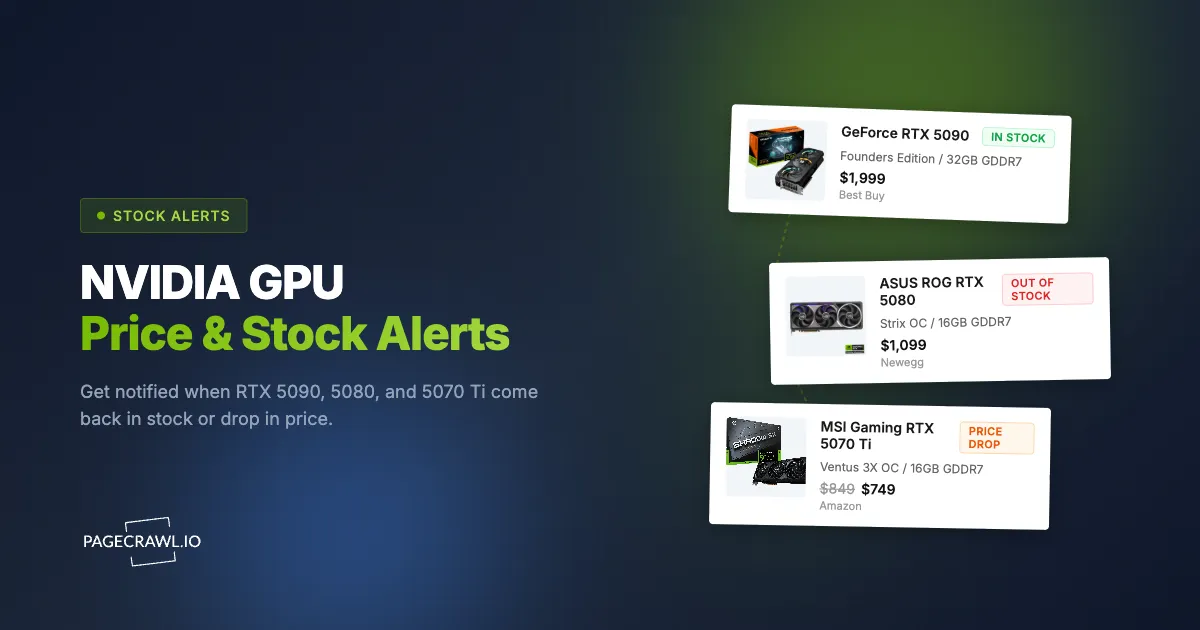
NVIDIA's latest GPUs sell out in seconds. The RTX 5090 and 5080, the flagships of the GeForce line, barely stay in stock long enough for a product page to update, and refreshing Best Buy or Newegg manually all day is not a realistic strategy. PageCrawl monitors retailer product pages and sends you a stock availability alert as soon as a check detects a stock status or pricing change. Checks run as often as every 2 minutes on paid plans and hourly on the free plan.
Quick Setup
Find the product page for the GPU you want, copy the URL, and paste it below (or pick a popular product to get started instantly). PageCrawl will check the page on a schedule and alert you when price or availability changes.
Why are GPU restocks so hard to catch?
GPU restocks are hard to catch because the stock window is tiny, unannounced, and contested by automated buyers. Every launch follows the same pattern: stock appears for a few seconds, bots buy everything, and the product page goes back to "Out of Stock" before most people even notice.
Bots are faster than you. Automated checkout bots can add to cart and check out in under a second. By the time you see a Discord alert and open your browser, the window has already closed.
Drop times are random. Retailers don't announce when they'll restock. It could be 3 AM on a Tuesday or noon on a Saturday. You can't watch every retailer around the clock.
Retailer notifications don't work well. Most "notify me" buttons on Best Buy or Newegg send batched emails that arrive long after stock appears. That's too late for GPUs that sell out in seconds.
Discord and Reddit are too slow. Community stock alerts rely on someone noticing the restock, posting about it, and you seeing the message. Each step adds delay.
How to Set Up GPU Stock Alerts

1. Find the Product Page URL
Go to the specific product page for the GPU you want. Don't use search results or category pages. You need the individual product listing.
Examples of good URLs to monitor:
- Best Buy:
https://www.bestbuy.com/site/nvidia-geforce-rtx-5090.../6614153.p - Newegg:
https://www.newegg.com/nvidia-geforce-rtx-5090/p/... - Amazon:
https://www.amazon.com/dp/B0DXXXXXX - NVIDIA:
https://marketplace.nvidia.com/en-us/consumer/graphics-cards/?locale=en-us&page=1&limit=12&gpu=RTX+5090 - B&H Photo:
https://www.bhphotovideo.com/c/product/... - Micro Center:
https://www.microcenter.com/product/...
2. Paste the URL Into the Tool
Use the quick setup tool above or sign up at PageCrawl.io and click Track New Page. Paste the product page URL you copied.
PageCrawl loads the page in a real browser, so it sees the same content you would, including JavaScript-rendered stock status buttons.
3. Choose Your Check Frequency
For GPU restocks, 5-minute checks are recommended. Stock can appear and disappear within minutes, sometimes selling out in under 10 minutes. Faster checks give you a much better chance of catching a drop before it's gone.
Checks faster than once per hour require a paid plan. If you're serious about getting a GPU at launch, this is worth it.
4. Set Up Notifications
Speed matters for GPU alerts. Choose the fastest notification method available:
- Web push notifications reach your phone or desktop as soon as a check finds the change; see the setup steps for web push notifications for website change alerts
- Telegram messages land quickly and are easy to read on a phone
- Slack and Discord webhooks work well if you already use those apps
- Email is the slowest channel for GPU drops, but fine as a backup
You can enable multiple notification channels at once to make sure you don't miss an alert. Whichever channel you pick, the alert goes out on the check that detects the restock, so your check frequency is what really decides how early you hear.
What can you track with GPU stock alerts?
You can track any change on a retailer product page: stock status, price, new SKUs appearing on a category page, and AIB partner variants that restock on their own schedule. Most people run one monitor per retailer per GPU model so each alert names exactly which card came back.
RTX 5090 restocks. Monitor individual product pages at every major retailer. Set up one monitor per retailer to cast a wide net.
RTX 5080 and 5070 Ti availability. The same setup works for any GPU, and for other hard-to-find electronics like Ubiquiti networking gear. Create separate monitors for each model you're interested in.
AIB partner cards. ASUS, MSI, Gigabyte, Zotac, and other board partners often restock at different times than NVIDIA's Founders Edition. Monitor each variant separately.
Price changes. Some retailers adjust GPU prices as supply stabilizes. PageCrawl will notify you if the price on a product page changes.
Multiple retailers at once. Create a separate monitor for each retailer to maximize your chances. Best Buy, Newegg, and Amazon often get stock at different times, so dedicated Best Buy restock alerts pay off alongside monitors for the others.
What settings work best for GPU restock alerts?
The settings that work best are five-minute checks in Content Only mode, web push or Telegram delivery, keyword conditions on "Add to Cart" and "In Stock", and one monitor per retailer per GPU model. That combination keeps the check window short while filtering out banner and promo churn.
| Setting | Recommendation |
|---|---|
| Check frequency | Every 5 minutes |
| Monitoring mode | Content Only |
| Notifications | Web push or Telegram for fastest delivery |
| Keywords | "Add to Cart" and "In Stock" |
| Coverage | One monitor per retailer per GPU model |
If you're watching multiple GPUs or retailers, create a separate tracked page for each combination. This keeps notifications clear so you know exactly which product came back in stock. To make the keyword rules above fire only on real availability flips, follow the reference on notification conditions and filters.
Other Pages Worth Monitoring
Beyond individual product pages, there are a few other sources worth tracking:
- NVIDIA Marketplace - Track the official store for Founders Edition drops
- Retailer GPU category pages - Watch for new SKUs being added (use the "Content Only" mode to ignore ads and promotions)
- Out-of-stock monitoring guide - Our detailed guide on monitoring any product for restocks, not just GPUs
Choosing your PageCrawl plan
PageCrawl's Free plan lets you monitor 6 pages with 220 checks per month, which is enough to validate the approach on your most critical pages. Most teams graduate to a paid plan once they see the value.
| Plan | Price | Pages | Checks / month | Frequency |
|---|---|---|---|---|
| Free | $0 | 6 | 220 | every 60 min |
| Standard | $8/mo or $80/yr | 100 | 15,000 | every 15 min |
| Enterprise | $30/mo or $300/yr | 500 | 100,000 | every 5 min |
| Ultimate | $99/mo or $999/yr | 1,000 | 100,000 | every 2 min |
Annual billing saves two months across every paid tier. Enterprise and Ultimate scale up to 100x if you need thousands of pages or multi-team access.
Standard at $80/year pays for itself the moment you buy an RTX 5080 or 5090 at retail instead of from a scalper. Cards routinely resold for hundreds of dollars above MSRP on the secondary market during the launch window. 100 monitored pages is enough to cover every major retailer for every GPU model and AIB variant you are watching. Checking every 15 minutes means you will catch most restock windows well before the shelf empties again.
Getting Started
Set up your first GPU stock alert in under two minutes. Create a free account and start monitoring.
PageCrawl's free plan includes enough checks to monitor a few product pages daily. For 5-minute checks across multiple retailers, paid plans start at a few dollars per month.