If you've tried to buy UniFi networking gear, you know the drill. You find the product you need, click the link, and it says "Sold Out." You click Ubiquiti's "Notify Me" button, wait a few weeks, and either never get an email or get one hours after the product already sold out again.
Ubiquiti sells most of its UniFi lineup exclusively through its own store at ui.com. There are no Best Buy shelves to check, no Amazon listings to fall back on. If it's out of stock on the Ubiquiti store, you're waiting. And there's no way to know when it's coming back.
PageCrawl monitors Ubiquiti product pages and sends you a notification as soon as a check detects that availability changed. You pick the products, choose how often to check, and get alerted through Telegram, push notifications, or whatever channel you prefer.
Quick Setup
Find the product you want on the Ubiquiti store, copy the URL, and paste it below (or pick a popular product to get started quickly). PageCrawl will check the page on a schedule and alert you when price or availability changes.
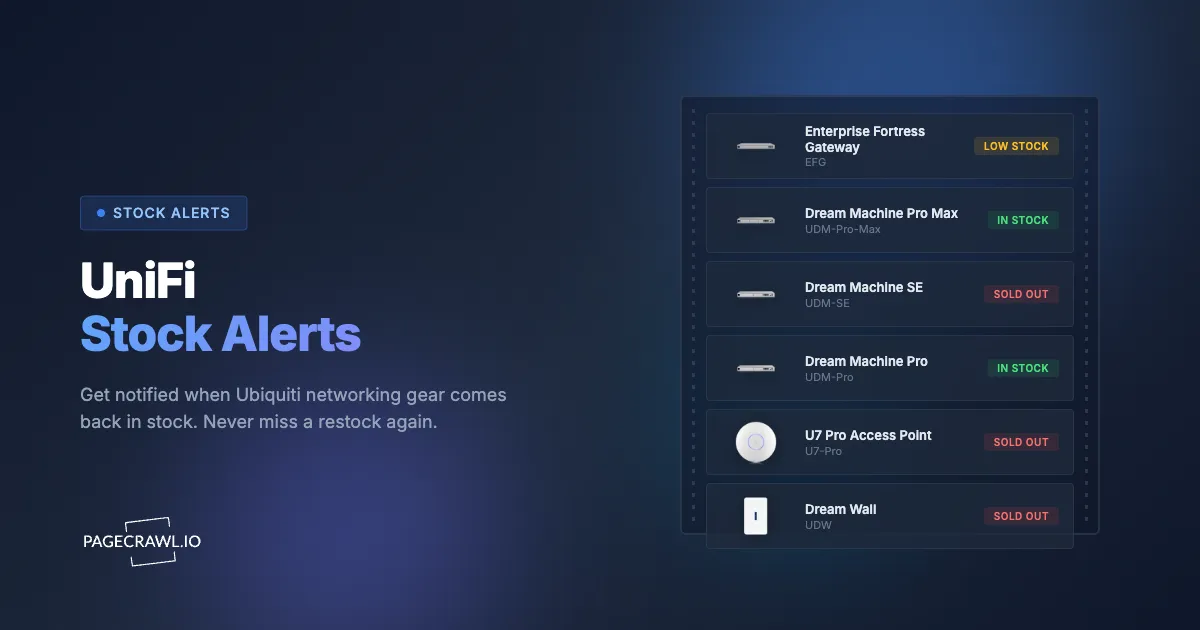
Live UniFi Stock Status
We monitor popular UniFi products for price and availability changes across EU and US stores, with checks running every minute. See what is currently in stock.
View the full UniFi stock tracker with all products
Why is UniFi gear always out of stock?
Because Ubiquiti sells direct with no reseller inventory to absorb demand, restocks are unannounced, and popular SKUs clear within hours of appearing. Everyone waiting for a product is competing for the same batch on the same store page, and there is no published schedule to plan around.
Ubiquiti's direct-to-consumer model means there's one place to buy most UniFi products: the official store. No third-party retailers, no reseller inventory to absorb demand spikes. When a product sells out, everyone is competing for the same restock.
Restocks happen without any announcement. Popular items like the Dream Machine Special Edition, USW-Enterprise switches, and U7 Pro access points can sell out within hours of appearing. The store rotates what's available unpredictably, and there's no schedule or pattern you can rely on.
This makes it nearly impossible to catch a restock by manually checking the store. You'd need to refresh the page multiple times per hour, every day, across every product you need.
Why don't the existing UniFi alerts work?
Ubiquiti's own "Notify Me" emails are unreliable and often land after the restock has sold through, and community Discord and Reddit channels only cover the popular products and only when a volunteer is watching. Neither gives you control over which products, which channel, or how often the page is checked.
Ubiquiti's Official "Notify Me" Button
Every sold-out product page on the Ubiquiti store has a "Notify Me" button. In theory, you enter your email and get notified when stock returns. In practice, these notifications are unreliable. Many users report never receiving an email at all. When emails do arrive, they're often delayed by hours, long after the product has sold out again. There's no way to customize delivery (no Telegram, no Slack, no push notifications), and no control over how quickly you're notified.
Discord and Reddit Communities
Communities like r/UbiquitiInStock and various Discord servers try to fill the gap. Volunteers run scripts or manually check the store and post alerts when products come back. These communities are helpful, but they have real limitations.
Not all products are monitored, especially newer items, niche PoE switches, camera accessories, or rack-mount gear. Alerts depend on someone actively watching and posting. By the time a message appears in a channel, you see it, and open the store, popular items are often already gone. You're competing with hundreds of other people who saw the same alert at the same time.
How to Set Up UniFi Stock Alerts

1. Find the Product URL
Go to the Ubiquiti Store and find the product you want to monitor. Click through to the individual product page and copy the URL from your browser.
Examples of product URLs to monitor:
- Dream Machine SE:
https://store.ui.com/us/en/products/udm-se - USW-Pro-24-PoE:
https://store.ui.com/us/en/products/usw-pro-24-poe - U7 Pro Access Point:
https://store.ui.com/us/en/products/u7-pro - Camera G5 Pro:
https://store.ui.com/us/en/products/uvc-g5-pro
Each product variant has its own URL. If you need both the 24-port and 48-port version of a switch, monitor them separately.
2. Add the URL to PageCrawl
Sign up at PageCrawl.io and click Track New Page. Paste the Ubiquiti product URL you copied.
PageCrawl loads the page in a real browser, so it handles Ubiquiti's JavaScript-rendered content and pages that return 403 errors to simpler tools. You see the same stock status that a normal visitor would.
3. Choose Your Settings
- Check frequency: 5-minute intervals recommended. UniFi restocks can sell out fast, and frequent checks give you the best chance of catching one early.
- Monitoring mode: Use "Price + Availability" to track both stock status and price changes. This focuses on the buy button and listed price, ignoring unrelated page changes. The help centre lists every option in available tracked element types.
- Notifications: Telegram or web push notifications for the fastest delivery. Slack and Discord webhooks also work well. Email is fine as a backup, but not fast enough on its own for high-demand items.
4. Get Notified First
When the product comes back in stock, PageCrawl alerts you on the check that spots it. You see exactly what changed and can open the store before community channels even pick it up.
Which UniFi products should you monitor?
Monitor the SKUs you actually plan to buy, one stock availability and restock alert per product page, because each item restocks independently. The consoles, PoE switches, and newest access points are the ones that disappear fastest, and accessories like SFP modules and rack mounts are rarely covered by community channels at all.
- Consoles and Gateways: Dream Machine SE, Dream Machine Pro Max, Dream Router, Cloud Gateway Ultra
- Switches: USW-Enterprise series, USW-Pro-PoE series, USW-Lite series, USW-Flex
- Access Points: U7 Pro, U6 Enterprise, U6 Pro, U6 Lite
- Cameras and NVR: G5 Pro, AI Pro, AI DSLR, Network Video Recorders
- Accessories: Rack mounts, SFP modules, PoE injectors, cable management
Monitor each product separately. Different items restock independently, and a switch coming back doesn't mean the access point you need will too.
Is PageCrawl better than community restock alerts?
For anything outside the most popular products, yes. Community channels depend on a volunteer noticing and posting, and everyone in the channel sees the same message at the same time. A monitor on the exact product page you care about checks on your schedule and alerts your chosen channel on the check that spots the change.
| PageCrawl | Discord/Reddit | Ubiquiti "Notify Me" | |
|---|---|---|---|
| Speed | Checks every 5 min, alerts on the check that spots it | Depends on someone posting | Hours late or never |
| Coverage | Any product you choose | Only popular items | Only that product |
| Notification options | Push, Telegram, Slack, Discord, email | Discord/Reddit only | Email only |
| Reliability | Automated, runs 24/7 | Depends on volunteers | Inconsistent |
| Customization | Choose frequency, channels, products | None | None |
Recommended Setup
| Setting | Recommendation |
|---|---|
| Check frequency | Every 5 minutes |
| Monitoring mode | Price + Availability |
| Notifications | Web push or Telegram for fastest delivery |
| Coverage | One monitor per product |
If you're building out a full network and need multiple products, create a separate product page monitor for each. This way you know exactly which item came back when you get an alert.
Other Ubiquiti Pages Worth Monitoring
- Early Access Store - Track beta products before they hit the main store
- UniFi OS Release Notes - Stay on top of firmware and software updates
- Regional stores - If you're outside the US, monitor your local Ubiquiti store (e.g.,
eu.store.ui.comfor Europe) since stock varies by region
Choosing your PageCrawl plan
PageCrawl's Free plan lets you monitor 6 pages with 220 checks per month, which is enough to validate the approach on your most critical pages. Most teams graduate to a paid plan once they see the value.
| Plan | Price | Pages | Checks / month | Frequency |
|---|---|---|---|---|
| Free | $0 | 6 | 220 | every 60 min |
| Standard | $8/mo or $80/yr | 100 | 15,000 | every 15 min |
| Enterprise | $30/mo or $300/yr | 500 | 100,000 | every 5 min |
| Ultimate | $99/mo or $999/yr | 1,000 | 100,000 | every 2 min |
Annual billing saves two months across every paid tier. Enterprise and Ultimate scale up to 100x if you need thousands of pages or multi-team access.
UniFi gear holds its value, and popular products often sell above retail on the secondary market when they are out of stock. Standard at $80/year pays for itself the first time you catch a Dream Machine or a USW-Enterprise switch restocking at Ubiquiti's list price instead of buying from a reseller. 100 monitored pages covers every product in your planned build across every regional store you want to watch, with 15-minute checks giving you a meaningful lead over anyone relying on community Discord alerts.
Getting Started
Set up your first UniFi stock alert in under two minutes. Create a free account and start monitoring.
PageCrawl's free plan includes enough checks to monitor a few product pages. For 5-minute intervals across multiple products, paid plans start at a few dollars per month.