
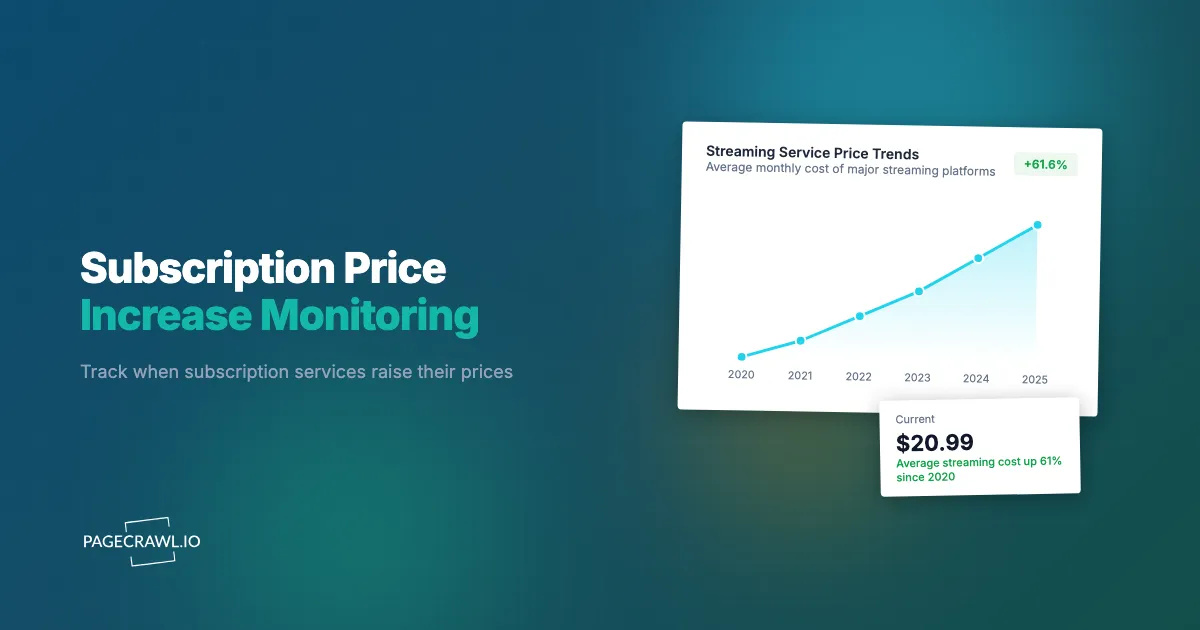
Netflix raised prices again. Disney+ followed a few months later. YouTube Premium went up. Spotify increased. Your SaaS project management tool quietly added $3 per seat in the middle of a billing cycle. Your cloud hosting provider slipped a 15% infrastructure price increase into a blog post buried three pages deep on their updates page. By the end of the year, your subscription costs have increased by hundreds or thousands of dollars, and you did not notice any of it until the credit card bills arrived.
This is subscription price creep. A typical household now juggles a long list of recurring subscriptions, and businesses manage far more, with mid-size companies often paying for dozens or hundreds of SaaS tools, cloud services, and digital subscriptions. Each service has the unilateral ability to raise prices, and most do so with minimal advance notice, typically an email that gets lost in a crowded inbox or a blog post that nobody reads.
The financial impact is real. A 10% increase across 50 business subscriptions adds up to thousands of dollars annually. For individuals, the cumulative effect of streaming, software, and service price increases erodes budgets incrementally, each increase too small to trigger action but collectively significant.
This guide covers how to monitor subscription pricing across every category, detect price increases before they hit your billing cycle, and build a system that keeps you informed about every service you pay for.
Why do subscription prices keep creeping up?
Because raising prices is the fastest revenue lever a mature subscription business has, and the announcement rarely lands anywhere you are looking: an email, a blog post, a quiet pricing page edit. Understanding why and how prices increase helps you monitor the right surfaces.
Why Services Raise Prices
Inflation and cost pressures. Hosting costs, bandwidth, talent, and content licensing all increase over time. Services pass these costs to subscribers.
Revenue growth targets. Public companies face pressure to grow revenue. For mature subscription businesses with slowing subscriber growth, price increases are the most direct path to higher revenue.
Feature bundling. Services add features and raise prices, whether or not you use the new features. This is particularly common in SaaS where a new tier replaces a cheaper one.
Market positioning. Some price increases are strategic. A SaaS company moving upmarket raises prices to signal premium positioning and filter out price-sensitive customers.
Grandfathering expiration. Early adopters often get locked-in pricing. Eventually, companies migrate everyone to current pricing, resulting in sudden jumps for long-term subscribers.
How Price Increases Are Communicated
This is where monitoring becomes essential. Price increase communications are deliberately low-visibility in many cases.
Email notices. Required by many subscription terms, but emails get filtered, overlooked, or ignored. A price increase notice buried among promotional emails and newsletters is easy to miss.
Blog posts. Some services announce pricing changes via blog posts. These reach people who actively follow the company blog, which is a small fraction of subscribers.
Help center updates. The pricing or billing FAQ gets updated, but no proactive notification is sent. You would only discover the change if you happened to visit the help center.
Pricing page updates. The public pricing page changes to reflect new rates. Existing subscribers may not visit the pricing page until their renewal approaches.
Terms of service updates. Price-related changes are sometimes embedded in terms of service revisions. Monitoring privacy policy and terms of service changes catches these signals.
In-app banners. A brief banner or notification inside the product, easily dismissed and forgotten.
The common thread is that the announcement exists somewhere, but you have to be looking for it. Automated monitoring ensures you are always looking.
Which pages reveal a price increase first?
The pricing page changes on the day the new rate goes live, but a company blog or newsroom post often lands weeks earlier, and billing FAQ edits frequently precede the public announcement. Terms of service revisions are the slowest signal but the most binding. Comprehensive monitoring covers all of them.
Pricing Pages
The most direct source. Every subscription service has a public pricing page that displays current plans and prices. When this page changes, a price adjustment may be happening.
What to watch for:
- Plan price changes (monthly and annual rates)
- New plan tiers replacing existing ones
- Feature changes within existing tiers (reducing features at the same price is an effective price increase)
- Changes to free tier or trial limitations
- New usage limits or overage charges
Monitoring approach: Track pricing pages with price-focused monitoring in PageCrawl. This captures numeric changes in pricing elements without triggering alerts for every minor page update.
Blog and Announcement Pages
Services often pre-announce price changes through blog posts weeks or months before they take effect. These announcements provide the most advance notice.
What to watch for:
- Posts about "pricing updates" or "plan changes"
- Annual review or "what's new" posts that mention pricing
- Posts about new features that include pricing changes
Monitoring approach: Monitor the blog or news section for new content. When new posts appear, PageCrawl alerts you so you can review the content for pricing implications.
Help Center and FAQ Pages
Help centers contain billing and pricing FAQs that get updated when pricing changes. These updates sometimes precede public announcements.
What to watch for:
- Updates to billing FAQ pages
- New help articles about pricing changes or plan migrations
- Changes to cancellation or downgrade documentation
Monitoring approach: Monitor specific help center URLs related to billing and pricing. Changes to these pages often signal upcoming pricing adjustments.
Terms of Service and Legal Pages
Pricing-related changes are sometimes embedded in terms of service or subscriber agreement revisions. A clause about "pricing adjustments" or "rate changes" might be added or modified before an increase takes effect.
Monitoring approach: Monitor terms of service and subscriber agreements for any changes. Legal page changes are infrequent, so alerts from these monitors are almost always significant.
Social Media and Community Forums
Price increases generate user discussion. Company social accounts sometimes address pricing questions before formal announcements. Community forums may leak pricing changes from beta users or enterprise customers who learn first.
This is harder to monitor systematically but worth watching for high-value subscriptions.
Setting Up Subscription Price Monitoring with PageCrawl
Here is how to configure monitoring that catches price increases across your subscription portfolio.

Step 1: Inventory Your Subscriptions
Before setting up monitors, create a complete list of your subscriptions. For businesses, this includes:
SaaS and productivity tools: Project management, communication, design, development, analytics, CRM, marketing automation, accounting, HR.
Cloud infrastructure: Hosting, CDN, DNS, monitoring, security, storage, compute.
Content and media: Streaming services, news subscriptions, stock photography, music licensing.
Professional services: Legal, accounting, consulting retainers with recurring billing.
Insurance and utilities: Business insurance, internet, phone, utility services with variable or reviewable rates.
For individuals, the list typically includes streaming services, software subscriptions, gaming services, news subscriptions, fitness apps, cloud storage, and various membership services.
Write down the current price you pay for each service and the billing cycle. This becomes your baseline for detecting changes.
Step 2: Prioritize by Spend
You probably cannot monitor every subscription equally. Prioritize by annual cost:
High priority (monitor pricing page, blog, and help center): Any subscription costing more than $100 per month or $500 per year. These have the largest financial impact when prices increase.
Medium priority (monitor pricing page): Subscriptions between $20 and $100 per month. Price increases here add up meaningfully across multiple services.
Low priority (monitor pricing page quarterly): Subscriptions under $20 per month. Still worth monitoring, but less frequent checks are acceptable.
Step 3: Add Pricing Page Monitors
For each prioritized subscription, add its pricing page to PageCrawl.
Configuration for pricing pages:
- Use price tracking mode to focus on numeric price changes
- Set monitoring frequency based on priority (daily for high priority, weekly for medium, monthly for low)
- Configure notifications to your preferred channels
Because the plan price is stored as a number, each monitor also builds a chart and statistics of how that price has moved over time, which is what turns a one-off alert into evidence for a renewal conversation.
Example monitors for a typical business:
- Slack pricing page: slack.com/pricing
- Zoom pricing page: zoom.us/pricing
- AWS pricing pages (relevant services): aws.amazon.com/pricing/
- HubSpot pricing page: hubspot.com/pricing
- Adobe Creative Cloud pricing: adobe.com/creativecloud/plans.html
Step 4: Add Blog and Announcement Monitors
For high-priority subscriptions, add monitors for their blog or announcements pages.
Configuration for blog monitoring:
- Use content monitoring to detect new posts
- Set daily monitoring frequency
- Configure alerts for any new content (you will triage for pricing relevance)
Step 5: Configure Notification Routing
Route pricing alerts to the right people:
For businesses: Send alerts to a shared Slack channel (like #subscription-costs) where finance, operations, and relevant team leads can see them. Use PageCrawl's webhook integrations to automate this routing.
For individuals: Send alerts to email or Telegram where you will see them and can take action.
Monitoring Enterprise SaaS for Renewal Planning
Enterprise SaaS subscriptions deserve special monitoring attention because the financial stakes are higher and negotiation opportunities exist.
Pre-Renewal Intelligence
Most enterprise SaaS contracts renew annually. Monitoring competitor and market pricing provides leverage for renewal negotiations.
Monitor your vendor's pricing page. If public pricing increases, you may face higher renewal rates. Knowing about the increase before your sales rep calls gives you time to prepare alternatives.
Monitor competitor pricing. When competitors offer lower prices, that information strengthens your negotiation position. Track competitor pricing tools alongside your own vendor monitoring.
Monitor vendor blog for product changes. If your vendor deprecates features you use or adds capabilities to higher tiers, this affects renewal discussions.
Contract Change Detection
For SaaS vendors that publish terms, service level agreements, or data processing agreements:
Monitor legal documents. Changes to terms of service, acceptable use policies, or SLAs before renewal season may signal terms you will be asked to accept.
Monitor status and changelog and release-notes pages. Service reliability and feature velocity affect whether a renewal at higher prices is justified.
Building Renewal Calendars
Combine monitoring data with your renewal calendar. For each upcoming renewal:
- Review all pricing page changes detected since the last renewal
- Review blog posts about pricing, features, and product direction
- Compile competitor pricing data from monitoring
- Assess whether usage patterns justify current spending
- Prepare negotiation strategy with current market data
Tracking the Full Subscription Stack
Businesses with dozens of subscriptions need a systematic approach to monitoring at scale.
Organizing Monitors by Category
Create organizational groups in PageCrawl for different subscription categories:
Communication tools: Slack, Zoom, Teams, email providers Development tools: GitHub, GitLab, CI/CD services, hosting Marketing tools: Analytics, email marketing, social management, SEO tools Finance tools: Accounting, invoicing, expense management, payment processing Security tools: Password managers, VPN, security monitoring, endpoint protection
This organization makes it easy to review pricing changes by category and identify patterns (for instance, if multiple development tools raise prices simultaneously, it may signal an industry-wide trend).
Delegating Monitoring by Team
In larger organizations, the team that owns a subscription should own its pricing monitors:
- Engineering manages development and infrastructure tool monitors
- Marketing manages marketing tool monitors
- Finance manages accounting and payment tool monitors
- IT manages security and communication tool monitors
Each team routes alerts to their own channels and escalates significant changes to finance for budgeting impact assessment.
AI Importance Scoring for Pricing Changes
Not every pricing page update is a meaningful price increase. Services update their pages for design refreshes, feature list tweaks, and formatting changes that have nothing to do with what you pay. PageCrawl's AI-powered change detection and smart filtering rates each detected change from low to critical, so you can focus your attention on the changes that actually affect your costs. A font change on a pricing page gets scored low. A plan price increase or a removed feature gets scored high. This scoring reduces the time your team spends reviewing irrelevant changes and surfaces the pricing shifts that require action.
Quarterly Subscription Reviews
Use monitoring data to conduct quarterly subscription reviews:
- Pull all pricing change alerts from the quarter
- Calculate the aggregate impact of price increases
- Identify subscriptions where price increases outpace value received
- Flag subscriptions approaching renewal with pricing changes
- Evaluate alternatives for overpriced subscriptions
This systematic review prevents individual small increases from accumulating unnoticed into major budget impacts.
Building a Subscription Cost Dashboard
For organizations that want centralized visibility into subscription costs, PageCrawl's data can feed into a dashboard.
Webhook-Based Data Collection
Configure PageCrawl webhooks to send pricing change data to a central system when changes are detected. Each webhook payload includes:
- Which service's pricing changed
- The nature of the change
- Timestamp of detection
This data flows into your dashboard automatically whenever a monitored pricing page changes.
Dashboard Components
An effective subscription cost dashboard includes:
Current spending summary. Total monthly and annual subscription costs across all categories.
Recent changes. Timeline of pricing changes detected by monitoring, with impact estimates.
Upcoming renewals. Calendar view of renewal dates with current pricing and detected changes.
Cost trends. Historical view of subscription spending, showing the cumulative effect of price increases over time.
Alert feed. A running feed of pricing page changes from PageCrawl monitors, newest first.
For technical implementation, the PageCrawl API dashboard guide covers building custom dashboards with monitoring data.
Category-Specific Monitoring Strategies
Different subscription categories have different pricing change patterns.
Streaming Services
Streaming price increases are the most visible because they affect large consumer audiences and generate media coverage. However, monitoring catches increases before media coverage begins.
What to monitor:
- Pricing pages for Netflix, Disney+, Hulu, HBO Max, Amazon Prime, YouTube Premium, Spotify, Apple Music
- Blog or newsroom pages for upcoming announcements
- Help center billing FAQ pages
Pattern: Streaming services tend to raise prices on a roughly annual cadence, usually by a small per-month step rather than a jump, which is exactly what makes the increase easy to absorb without noticing. They often coincide with content additions or feature upgrades to soften the perception.
SaaS and Productivity
SaaS pricing changes are less visible publicly but have larger per-service impact for businesses.
What to monitor:
- Public pricing pages for each tool
- Changelog or "what's new" pages
- Blog posts about product updates (which sometimes include pricing changes)
- Enterprise tier or "contact sales" page changes
Pattern: SaaS companies often raise prices for new customers first, then migrate existing customers over several months. Monitoring catches the initial public pricing change, giving you advance notice before your renewal is affected.
Cloud Infrastructure
Cloud pricing is complex, with hundreds of individual service prices, regional variations, and frequent adjustments.
What to monitor:
- Main pricing pages for the services you use most
- Pricing calculator pages for significant rate changes
- Blog posts about pricing updates
- Free tier and credit changes
Pattern: Cloud providers (AWS, Google Cloud, Azure) occasionally lower prices for commoditized services but raise prices for premium or new services. They also adjust free tier limits, which can effectively increase costs for smaller users.
Insurance and Financial Services
Insurance premiums and financial service fees change during renewal periods or when terms are updated.
What to monitor:
- Account or policy pages (if publicly accessible)
- Blog or news sections for rate announcements
- Terms and conditions pages
- State or regulatory filing pages (insurance rate changes are often filed publicly)
Pattern: Insurance typically adjusts annually at renewal. Monitoring competitor rates provides negotiation leverage.
Responding to Price Increases
Detecting a price increase is the first step. Having a response framework maximizes the value of early detection.
Evaluate the Increase
Calculate the actual impact. A $2 per user per month increase across 50 users is $1,200 annually. Put the increase in annual terms to understand its real significance. A public pricing page is the vendor's own statement of record, not your bill, so confirm the rate that actually applies to you on your account or invoice before you budget: negotiated and grandfathered rates often differ from published pricing.
Assess value alignment. Has the service added features or improved quality that justifies the increase? If yes, the increase may be acceptable. If the service has been flat or declining, the increase may be a trigger to evaluate alternatives.
Compare to alternatives. Use competitor pricing data from your competitive intelligence monitoring to understand whether the increased price is still competitive.
Negotiation Opportunities
For business subscriptions, price increases often create negotiation windows.
Annual commitment. Offer to commit to an annual contract in exchange for locking in current pricing or reducing the increase.
Volume discounts. If your usage has grown, negotiate volume discounts that offset the per-unit increase.
Feature reduction. If the increase is tied to features you do not use, negotiate a custom plan that excludes unused capabilities at a lower price.
Competitive leverage. Show competitor pricing data from your monitoring. Vendors are more flexible when they know you have researched alternatives.
Switch Planning
When a price increase makes a subscription uncompetitive, prepare to switch.
Identify the timeline. When does the increase take effect? When is your current contract renewal? How much notice do you need to migrate?
Evaluate migration complexity. How difficult is switching? Data export, team retraining, integration rebuilding, and workflow changes all factor into the true cost of switching versus accepting the increase.
Trial alternatives. Use the period before the increase takes effect to trial competing services. Make an informed switching decision rather than a reactive one.
What does a hidden price increase look like?
It looks like the same headline price with less behind it: a feature moved to a higher tier, a usage limit cut, support downgraded, or an integration paywalled. None of those change the number on the pricing page, and all of them raise what you actually pay for the same outcome.
Feature Downgrades
Moving features from lower tiers to higher tiers, or from included to add-on pricing, increases cost without changing the plan price. Monitor feature comparison pages alongside pricing pages.
Usage Limit Reductions
Reducing storage, API calls, users, or other usage limits forces users to upgrade. A plan that included 100GB of storage at $10 per month becomes more expensive when the limit drops to 50GB and you need to upgrade to maintain the same usage.
Support Tier Changes
Moving priority support, phone support, or dedicated account management to higher tiers effectively increases the cost of equivalent service.
Integration Restrictions
Limiting integrations or API access to higher tiers increases costs for users who depend on those capabilities.
Monitor the full pricing page, including feature comparison tables, not just the headline price numbers. This catches structural changes that represent hidden price increases.
Choosing your PageCrawl plan
PageCrawl's Free plan lets you monitor 6 pages with 220 checks per month, which is enough to validate the approach on your most critical pages. Most teams graduate to a paid plan once they see the value.
| Plan | Price | Pages | Checks / month | Frequency |
|---|---|---|---|---|
| Free | $0 | 6 | 220 | every 60 min |
| Standard | $8/mo or $80/yr | 100 | 15,000 | every 15 min |
| Enterprise | $30/mo or $300/yr | 500 | 100,000 | every 5 min |
| Ultimate | $99/mo or $999/yr | 1,000 | 100,000 | every 2 min |
Annual billing saves two months across every paid tier. Enterprise and Ultimate scale up to 100x if you need thousands of pages or multi-team access.
For a business managing 50 subscriptions, catching even two or three price increases early enough to negotiate, cancel before renewal, or switch provides far more value than $80/year. Standard covers 100 monitored pages, enough to watch pricing pages, blogs, and help centers for your most expensive subscriptions simultaneously. Frequent monitoring means you spot a pricing change within a day or two of it appearing publicly, which is typically weeks before the increase shows up on an invoice.
How do you start monitoring subscription prices?
List your top 10 subscriptions by annual cost. For each one, find the pricing page URL and add it to PageCrawl with price tracking enabled, then configure alerts to email or Slack. The setup takes about 20 minutes, and from the first check onward you have visibility into pricing changes across your most expensive subscriptions.
PageCrawl's free tier includes 6 monitors, enough to track pricing pages for your most costly subscriptions and validate the monitoring approach. Standard plans at $80 per year cover 100 monitors, which supports tracking pricing pages, blogs, and help centers for dozens of subscriptions. Enterprise plans at $300 per year handle 500 monitors for organizations managing large subscription portfolios across multiple teams.
Over the next month, you will likely discover at least one pricing change you would have otherwise missed until it appeared on an invoice. That single discovery often justifies the entire monitoring setup. Subscription price creep is a real cost that compounds year over year. The difference between organizations that control subscription spending and those that do not is not budget discipline alone. It is information. Monitoring ensures you know about every increase, across every service, before it affects your bottom line.


