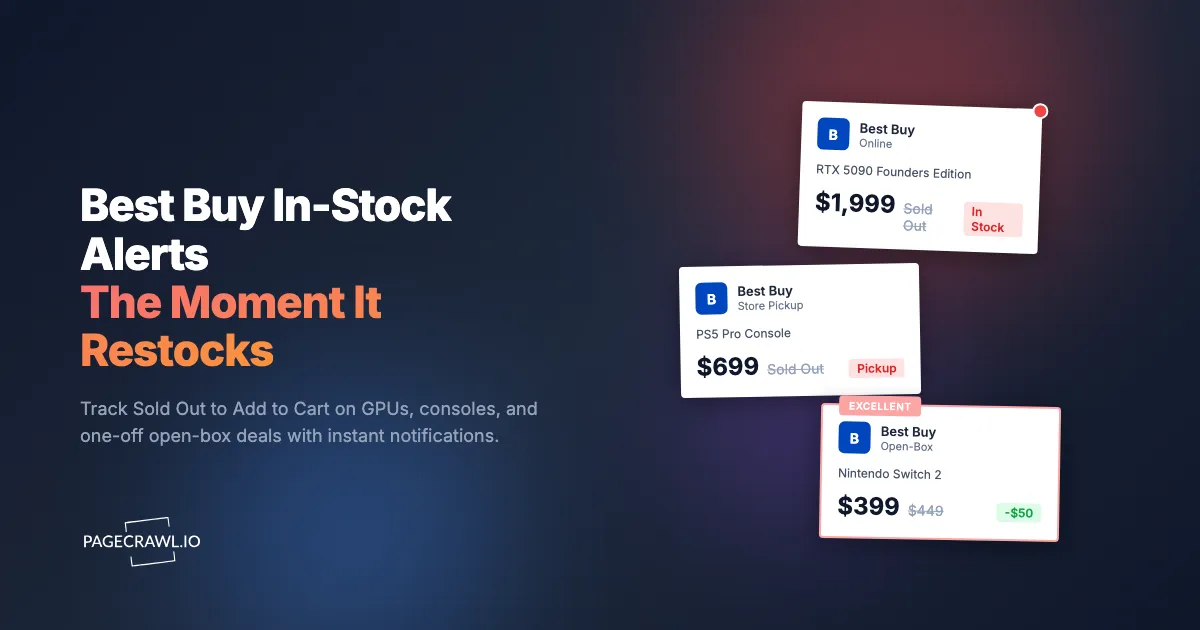
Here is a story every GPU hunter knows. An RTX 5090 Founders Edition shows "Sold Out" at Best Buy for days on end. Then, on a Wednesday mid-morning, the page quietly flips to "Add to Cart" for a few minutes. By the time the deal hits a Discord server and you open the tab, the button reads "Sold Out" again. You refresh the page maybe forty times that week. You still miss it.
Best Buy is where many of the most contested electronics in the country actually land at MSRP. Founders Edition graphics cards, the latest consoles, limited collectibles, and one-of-a-kind open-box units all surface here at list price instead of the inflated resale prices everywhere else. That is exactly why they vanish in minutes. Demand wildly outpaces supply, resellers run automated checkers, and a single restock window can close before a human notices it opened.
This guide covers why Best Buy items sell out so fast, what is actually worth monitoring on bestbuy.com, why Best Buy's own "Notify Me" rarely gets you there in time, and how to set up automated alerts that catch the "Sold Out" to "Add to Cart" flip within minutes of it happening. For price drops on items that are already in stock, pair this with our Best Buy price tracker guide; this post is about pure availability.
Why do Best Buy items sell out so fast?
Best Buy items sell out fast because the highest-demand products (GPUs, new consoles, limited drops) are released in small allocations at MSRP, which makes Best Buy the cheapest legitimate source. That combination attracts every reseller, automated checker, and hobbyist at once, so a restock of a few hundred units can clear in minutes.
Limited allocations at list price
When a graphics card or console is supply-constrained, Best Buy typically receives a fixed allocation and sells it at manufacturer's suggested retail price. NVIDIA's Founders Edition cards in particular are sold almost exclusively through Best Buy in the US. Because the resale market sits hundreds of dollars above MSRP, every restock is effectively a discount, and the units disappear the instant they post. The same dynamic drives NVIDIA GPU stock alerts demand across the whole category.
Resellers and automated checkers
You are not competing only with other shoppers. Resellers run continuous checkers against high-value product pages and add to cart within seconds of a status change. This is the entire reason manual refreshing fails: by the time your eyes register the change, automated systems have already grabbed inventory. Your only realistic edge is automated detection of your own, monitoring the page yourself rather than waiting for a human to post the news.
Open-box units are one-of-a-kind
Best Buy's open-box program lists returned and display items at a discount, graded Excellent Certified, Excellent, Satisfactory, or Fair. Each listing is usually a single unit tied to specific stores. When a high-value open-box GPU, camera, or laptop appears, there is exactly one of it. These listings blink in and out of existence as returns are processed, and they are gone almost as fast as new stock.
Online stock and store pickup move independently
A product can read "Sold Out" for shipping while three units sit available for in-store pickup twenty minutes away, or the reverse. Best Buy tracks online fulfillment and per-store inventory separately, and they restock on different schedules. If you only watch the default shipping availability, you miss every pickup-only restock, which for hot items is often where the units actually appear first.
What should you monitor on Best Buy?
The most effective approach monitors the specific product page for the exact item you want and watches for the availability state to change from unavailable to purchasable. Beyond individual product pages, store-pickup availability by zip, open-box listings, and category or search pages each catch a different slice of restock activity.
Individual product pages (Sold Out to Add to Cart)
The most targeted monitor watches a single product URL and detects when the buy button changes state. On Best Buy, an out-of-stock item shows "Sold Out" (or "Coming Soon" / "Pre-Order" before launch), while an available item shows "Add to Cart." That button text and the surrounding fulfillment block are real content on the page, so automated availability monitoring catches the flip even when nothing else visibly changes.
For each item you want, grab the canonical product URL (the one with the SKU in it) and create one stock availability monitor. For a broader primer on tracking stock status across any retailer, see our out-of-stock monitoring guide.
In-store pickup availability by zip code
Store pickup is the most overlooked restock channel. Best Buy's product page shows pickup availability for stores near a zip code, and hot items frequently appear for pickup before, or instead of, shipping. To monitor this, set your location on the page so the pickup block reflects the stores you can actually reach, then monitor that page. When "Unavailable nearby" becomes "Available at [store]," you get an alert for a pickup window you would never have seen on the default shipping view.
If you can reach more than one metro area, run a separate monitor per zip. Each location renders different store inventory, so two monitors covering two zip codes roughly double your odds of catching a local pickup restock.
Open-box listings
Open-box deals deserve their own monitor because they are single-unit, high-value, and short-lived. On a product page, the open-box section lists available conditions and prices. Monitoring that page (or the dedicated open-box listing URL) catches a new graded unit soon after it appears. Because each unit is unique, an open-box alert is often a better deal than waiting for new stock, and far less contested than a headline GPU drop.
Category, search, and "Deal of the Day" pages
If you want any card in a series rather than one specific SKU, monitor the category or filtered search results page (for example, a search for a GPU model filtered to "in stock"). When a new in-stock listing appears, the page content changes. This is broader than a single product monitor and catches launches and surprise restocks you did not know to watch. The same technique works for console bundles, limited collectibles, and Best Buy's rotating daily deals.
Why is Best Buy's own "Notify Me" unreliable?
Best Buy's own notifications are unreliable for time-sensitive restocks because they are email-only, batched on Best Buy's schedule rather than sent as soon as stock returns, and tied to shipping availability only. By the time the email lands and you reach checkout, contested items are frequently sold out again, and pickup or open-box restocks may never trigger an alert at all.
Notifications arrive late and batched
When you click a notify option, Best Buy does not fire an email the millisecond stock returns. These alerts are queued and sent on their own cadence. For a normal household item that delay is harmless. For an RTX card or a launch-day console, a lag of even 20 or 30 minutes means the restock is already gone when you open the message.
Email is the slowest channel
Best Buy's alerts land in your inbox, full stop. There is no phone push, no Slack ping, no webhook into an automation. Email is the slowest medium for something measured in minutes, especially if it routes through Promotions filtering before you ever see it.
Coverage gaps: pickup and open-box
Best Buy's notifications are built around online shipping availability. They generally do not alert you when a unit becomes available for in-store pickup near you, and they do not tell you when a new open-box unit is listed. Those are two of the most catchable restock channels, and the official system effectively ignores both. A queue or virtual waiting room on a headline launch is not a substitute either: it gates checkout, it does not warn you the drop started.
How do you set up Best Buy restock alerts with PageCrawl?
PageCrawl monitors the actual Best Buy product page the way a browser does and alerts you through fast channels as soon as a check detects an availability change, closing every gap in Best Buy's own system. PageCrawl reliably loads pages that depend on dynamic content and renders them fully, so the buy button and fulfillment block are captured in their real state. Here is the setup.

Basic restock monitoring setup
Step 1: Open the Best Buy product page for the exact item you want. Confirm you are on the specific SKU (the URL contains the product's SKU number), not a generic family page. Copy that URL.
Step 2: Add the URL to PageCrawl and choose availability tracking mode, one of the tracked element types available for monitoring. PageCrawl analyzes the page and locks onto the stock-status indicators, so it knows the difference between "Sold Out" and "Add to Cart."
Step 3: Set your check frequency. For high-demand items (Founders Edition GPUs, launch consoles, limited drops), check as often as your plan allows, every 5 to 15 minutes, because restock windows can be minutes long. For ordinary items, every 30 to 60 minutes is plenty.
Step 4: Configure fast notifications. For contested electronics you want phone-level urgency, so route alerts to Telegram, Discord, or web push rather than email. If you coordinate buys with a group, send alerts to a channel as well; see our guide to website change alerts in Slack.
Step 5: Enable screenshot capture. A screenshot of the alerted page lets you confirm at a glance that the unit is genuinely purchasable (and at what price) before you drop everything to check out.
Monitoring in-store pickup by zip code
Step 1: On the product page, set your store location to your zip code so the pickup block reflects reachable stores. Copy the resulting URL.
Step 2: Add it to PageCrawl in availability mode, and name the monitor with the zip or store, for example "RTX 5090 pickup 60601."
Step 3: Check every 15 to 30 minutes. Pickup inventory updates throughout the day as returns and transfers are processed.
Step 4: If you can reach a second metro, repeat with that zip in a separate monitor. Two locations meaningfully raise your odds of catching a local pickup restock.
Monitoring open-box listings
Open-box units are single, high-value, and fleeting, so monitor the open-box section of the product page (or the dedicated open-box URL) in availability mode and check every 15 to 30 minutes. When a new graded unit appears, you get the alert while the listing is still live. For headline launches, you can layer a price condition on top so you are only pinged when a unit lands at or below your target. See conditional alerts based on price, keyword, or threshold rules for how to gate notifications.
How do you time Best Buy restocks?
Best Buy restocks are not perfectly scheduled, but they cluster: major GPU and console drops are usually announced or hinted in advance and tend to post in mid-morning Eastern on weekdays, while pickup and open-box inventory trickles in throughout the day as returns and transfers clear. Monitoring removes the guesswork, but knowing the patterns helps you tune frequency.
Weekday mid-morning drops
Coordinated restocks of supply-constrained hardware frequently post on weekday mornings, often in the 9am to noon Eastern window. If a drop is rumored for a given day, raise that monitor's frequency to its tightest setting for the morning so a minutes-long window does not slip past.
Launch days and waiting rooms
For a brand-new GPU or console launch, expect a virtual queue or waiting room rather than a clean "Add to Cart." Monitoring still wins here: it tells you when the product page goes live or the buy state changes, which is your cue to enter the queue early. Pre-launch, watch for "Coming Soon" or "Pre-Order" flipping to a purchasable state. Console launches in particular reward this; our Nintendo Switch 2 stock alerts guide walks through the same launch-day dynamics.
Rolling pickup and open-box refreshes
Unlike headline drops, pickup and open-box inventory refreshes unpredictably across the day as customers return units and stores transfer stock. There is no single best time, which is precisely why automated checking every 15 to 30 minutes beats manual refreshing: it catches the random midday unit you would otherwise never see.
How should you structure a complete Best Buy strategy?
Organize monitors into priority tiers so your checks concentrate on what you want most while still casting a wide net. A tiered setup keeps a small number of high-frequency monitors on your must-have SKUs and lower-frequency monitors on discovery pages.
Tier 1 (must-have): The exact SKUs you want most, an RTX 5090, a specific console bundle. Availability mode, tightest frequency, push or Discord alerts, screenshots on.
Tier 2 (nice-to-have): Items you would buy at MSRP if they appeared, plus your zip-based pickup monitors and open-box watchers. Every 15 to 30 minutes.
Tier 3 (discovery): Category and filtered search pages for a whole GPU series or console family, daily-deal pages, and collectible drops. Every 30 to 60 minutes to spot launches you did not know about.
Best Buy is rarely the only retailer carrying a contested item. Run parallel availability monitors at other stores so whoever restocks first wins. Our guides to Newegg in-stock alerts and GPU price and stock tracking across retailers cover that multi-store approach, and the same monitors double as a price tracker when an item is already in stock.
Handling page noise and dynamic content
Best Buy product pages carry plenty of elements that change without reflecting real stock: "people are viewing this," recommendation carousels, recently viewed strips, and rotating promo banners. When PageCrawl flags one of these, click to ignore it, which is the same technique covered in excluding a part of the page from triggering notifications, and after a check or two the noise is filtered out so you only hear about genuine availability changes. Because pages render fully before capture, the fulfillment block, buy button, and pickup status are read in their true state rather than a half-loaded skeleton.
Watch the canonical URL, not a search result
Always point product page monitoring at the SKU-specific product URL rather than a search query when you want one exact item. Search and category URLs are great for discovery but shift constantly as Best Buy reorders results, which adds noise. The product page URL uniquely identifies the variant, color, and configuration you actually intend to buy.
Choosing your PageCrawl plan
PageCrawl's Free plan lets you monitor 6 pages with 220 checks per month, which is enough to validate the approach on your most critical pages. Most teams graduate to a paid plan once they see the value.
| Plan | Price | Pages | Checks / month | Frequency |
|---|---|---|---|---|
| Free | $0 | 6 | 220 | every 60 min |
| Standard | $8/mo or $80/yr | 100 | 15,000 | every 15 min |
| Enterprise | $30/mo or $300/yr | 500 | 100,000 | every 5 min |
| Ultimate | $99/mo or $999/yr | 1,000 | 100,000 | every 2 min |
Annual billing saves two months across every paid tier. Enterprise and Ultimate scale up to 100x if you need thousands of pages or multi-team access.
For Best Buy restocks, frequency is the whole game. The Free tier's 60-minute checks suit a couple of low-urgency items, but a minutes-long GPU restock window needs tighter coverage. Standard at $80/year gives 15,000 checks and 15-minute frequency, enough to watch a full short list of SKUs plus zip-based pickup monitors. Enterprise at $300/year unlocks 5-minute checks, which is the realistic floor for genuinely contested drops where every minute decides whether you reach checkout in time. Catching a single Founders Edition card at MSRP instead of paying resale covers the annual cost several times over.
Getting Started
Pick the one Best Buy item you want most right now. Open its product page, set your zip so pickup reflects your local stores, copy the URL, and add it to PageCrawl in availability mode. Route alerts to Telegram, Discord, or web push so a restock alert reaches your phone within minutes of detection, not an inbox you check an hour later.
Run it for a week. Even on hard-to-find hardware, you will almost certainly see at least one "Sold Out" to "Add to Cart" flip, and watching it happen makes the case better than any guide can: automated monitoring catches windows that manual refreshing never will. Then expand, add your full short list, a second pickup zip, an open-box watcher, and a discovery monitor for the whole series.
Stop refreshing the Best Buy tab. Let the alert reach you while the unit is still in the cart.