
Last reviewed: November 8, 2026. We checked official pricing and product documentation. Prices below state the currency and billing basis; limits and offers can change.
A rank tracker records where your pages appear for selected searches. A page-change monitor records edits to your own or competitors' websites. Together, they can help an SEO team investigate a change in search performance, but an edit near a ranking drop does not prove what caused the drop.
We are the PageCrawl team. This guide compares documented features and prices, not measured ranking accuracy or hands-on speed tests. PageCrawl is included for page monitoring, not presented as a replacement for a dedicated rank tracker. The other nine products cover keyword positions and related SEO work.
What does a SERP monitoring tool measure?
A SERP monitoring tool records search results for chosen keywords, locations, and devices. Depending on the product, it can also track features such as local results, featured snippets, or AI Overviews. The recorded result is a snapshot under those settings, so compare consistent searches over time rather than expecting every person to see the same position.
For your own site, also check clicks and impressions in Search Console. Position alone does not explain traffic: search demand, the result layout, and how often people click can change. Google's traffic-drop guide recommends examining several possible causes, including technical issues, ranking updates, and changing interest.
How is rank tracking different from page-change monitoring?
Rank tracking records where a page appears in search results. Page-change monitoring records what changed on the page itself, such as its heading, product description, or search metadata. These observations can support an investigation together, but a website monitor cannot establish why Google changed a ranking or guarantee that a particular edit will improve it.
For example, a competitor might add a comparison table shortly before its ranking improves. The saved change gives your team something concrete to review. It does not rule out other explanations, such as links, search demand, or a search-engine update.
Some SEO suites also include page comparison or change-monitoring tools. Check those before buying a separate service. PageCrawl is useful when you need selected-page checks, text or visual comparisons, and alerts across sources beyond a keyword project.
What should you check when choosing a rank tracker?
Compare keyword capacity, supported locations and devices, update frequency, reporting, and the search features you need. Check the exact plan rather than assuming all paid trackers update daily. Count the combinations you will track and ask how the vendor charges for them. Team access, exports, and AI-search tracking may have separate limits.
- Updates: Weekly, daily, and on-demand checks are different. Confirm the included schedule and any refresh cost.
- Location and device: Choose the actual market you serve. A national desktop result may differ from a local mobile result.
- Search features: Confirm which engines, local results, and AI results are covered.
- Team workflow: Check reports, client access, integrations, and notifications.
- Cost: Compare the total monthly or annual bill at your required keyword count.
Which 10 tools should SEO teams consider?
Choose a dedicated tracker when keyword positions and reports are the main need. Choose an SEO suite when you also need research and site audits. Add page monitoring when saved website changes would help your team investigate or respond. The shortlist below separates those roles and highlights buying checks, rather than claiming one product is best at everything.
1. PageCrawl: selected-page and SEO changes
Price: Free; Standard $8/month; Enterprise $30/month; Ultimate $99/month.
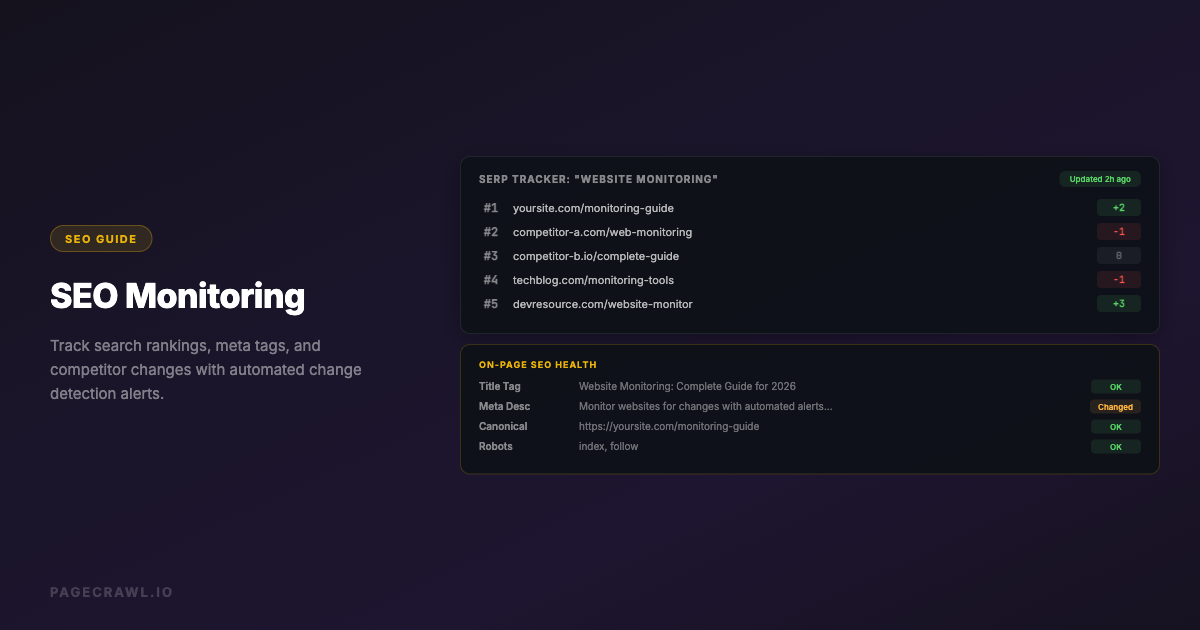
PageCrawl can watch selected content and SEO elements, including titles, descriptions, canonical tags, and structured data. It highlights changes found by scheduled checks and can send summaries and notifications to a reviewer.
Useful for: Tracking competitor content updates and unexpected edits to your own pages.
Buying check: It does not provide a keyword-position database. Free includes 6 pages, 220 monthly checks, and 15 AI credits. Check that your target pages load and that the selected content captures the edits you care about. Monitoring shows changes, not their effect on rankings.
2. Ahrefs Rank Tracker: positions alongside SEO research
Price: Starter $29/month for 50 tracked keywords; Lite $129/month for 750, per Ahrefs' Starter comparison.
Ahrefs combines Rank Tracker with keyword research, backlink information, and site auditing. Its update-frequency documentation says the default Rank Tracker schedule is weekly. The free account does not include tracked keywords.
Useful for: Teams that want ranking data beside their wider Ahrefs research.
Buying check: Confirm the update frequency and limits in your account. Its main pricing page also lists Page Inspect; it would be inaccurate to assume Ahrefs has no way to inspect page changes.
3. Semrush Position Tracking: daily checks within an SEO suite
Price: The SEO plan is $139/month on monthly billing, according to Semrush pricing.
The entry SEO plan includes Position Tracking with 500 keywords checked daily and five monitored websites. Semrush also offers broader SEO and AI-search bundles with different limits and features.
Useful for: Marketing teams that need rank tracking alongside keyword research, audits, and competitor analysis.
Buying check: Compare the SEO-only plan with the combined plans. Multi-location or device requirements, AI visibility, team access, and reporting can change the package you need. A free account or trial is not equivalent to the paid plan's tracking capacity.
4. AccuRanker: dedicated rank tracking and reporting
Price: The reviewed pricing page displayed Professional at €229/month; confirm your currency and keyword selection.
AccuRanker lists daily keyword updates, search-intent information, tagging, filtering, and reporting. Higher plans add features such as advanced integrations and additional access to data.
Useful for: Agencies and in-house teams that want a focused ranking workflow.
Buying check: Ask which refresh options, keyword quantities, users, and integrations are included in your quote. We have not benchmarked it against other products, so we do not claim it is the fastest or most accurate tracker.
5. Wincher: rank tracking for smaller teams
Price: Paid plans; use Wincher's live pricing selector for the current amount.
Wincher's entry plan starts with 500 keywords and up to ten websites. Its comparison lists daily ranking updates across plans, while on-demand updates are included on higher tiers. It also provides competitor tracking and search-feature information.
Useful for: Teams looking for a focused tracker without a large research suite.
Buying check: Confirm the selected keyword count, user limit, and reporting features in the live selector. The public page did not expose a reliable price during our review, so we have left the amount unquoted.
6. SE Ranking: rankings, audits, and research
Price: The reviewed pricing page displayed Core at €109/month on monthly billing, with 2,000 daily tracked keywords.
SE Ranking combines rank tracking with website audits, keyword research, and competitor analysis. The Growth plan explicitly includes page changes monitoring, so this capability is not exclusive to standalone website monitors.
Useful for: Teams that want several SEO tasks in one subscription.
Buying check: Check the required tier for page-change monitoring, historical data, team seats, and client reporting. Compare the current Core and Growth packages at the keyword count your team needs.
7. Nightwatch: local ranking and AI visibility
Price: The reviewed pricing page displayed Starter at €948 billed yearly, equivalent to €79/month. Monthly billing costs more.
Starter lists 500 keywords, five websites, and daily tracking. Nightwatch includes location targeting, competitor tracking, reports, and AI visibility features, with limits shown in its plan comparison.
Useful for: Businesses comparing search visibility across locations.
Buying check: Confirm your required locations, keywords, AI prompts, and report format. Compare the annual commitment with the monthly option and exclude temporary discounts when estimating ongoing cost.
8. Mangools SERPWatcher: ranking reports in a smaller SEO suite
Price: Paid SEO plans; check Mangools pricing for your billing choice.
SERPWatcher sits alongside Mangools' keyword and backlink tools. Its current plan documentation lists 200 tracked keywords on Basic, 700 on Premium, and 1,500 on Agency. Basic and Premium update weekly; Agency updates daily.
Useful for: Teams combining straightforward ranking reports with keyword research.
Buying check: Do not choose an entry plan assuming it includes daily updates. Confirm the rank-tracking allowance separately from AI-search prompts and other lookup limits.
9. Advanced Web Ranking: ranking capacity and reporting
Price: Pro $139/month, according to AWR's pricing page.
AWR lists local and mobile rankings, search-feature analysis, AI visibility, shareable reports, and scheduled or on-demand updates. Its plans support different reporting and integration needs.
Useful for: Agencies and teams that need detailed ranking reports across multiple projects.
Buying check: Use the pricing calculator for your chosen update frequency. The headline keyword capacity should not be assumed to mean that every keyword can be refreshed at the fastest available rate. Check agency reporting and API requirements separately.
10. Moz Pro: rankings alongside audits and research
Price: The official Moz Pro pricing page lists an entry option at $49/month and Standard at $99/month on monthly billing.
Moz Pro combines ranking campaigns, site audits, keyword research, and link research. Its pricing comparison describes weekly campaign rankings; higher plans increase campaign and keyword allowances.
Useful for: Teams that want ranking reports within a broader SEO toolkit.
Buying check: Confirm the chosen plan's keywords, sites, users, and update schedule. Moz's own metrics can help compare sites, but they are not Google's ranking scores. We do not rate its data accuracy against other suites without a controlled test.
How do the tools compare at a glance?
The clearest comparison separates ranking updates from page-change monitoring and states the billing basis. Some vendors display regional currencies or require a live plan selection. The table preserves those distinctions rather than converting prices or treating a yearly equivalent as a monthly subscription. See each profile's official link for the current limits.
| Tool | Main role | Update detail checked | Price basis |
|---|---|---|---|
| PageCrawl | Selected-page changes | Scheduled page checks; not keyword ranks | Free; Standard $8/month |
| Ahrefs | SEO suite and rank tracking | Weekly default | Starter $29/month |
| Semrush | SEO suite and rank tracking | Daily positions | SEO $139/month |
| AccuRanker | Dedicated rank tracking | Daily keyword updates | Professional €229/month displayed |
| Wincher | Rank tracking | Daily; on-demand on higher tiers | Live plan selector |
| SE Ranking | SEO suite and rank tracking | Daily; page monitoring on Growth | Core €109/month displayed |
| Nightwatch | Local ranks and AI visibility | Daily tracking | Starter €948/year displayed |
| Mangools | SEO suite and rank tracking | Weekly Basic/Premium; daily Agency | Live plan selector |
| Advanced Web Ranking | Rank tracking and reporting | Scheduled and on-demand | Pro $139/month |
| Moz Pro | SEO suite and rank tracking | Weekly campaign rankings | Entry option $49/month |
How can you build a useful SEO monitoring workflow?
Start with important keywords, consistent tracking settings, and a few pages whose changes your team needs to review. Combine the ranking history with Search Console data, known website edits, and relevant page alerts. Assign follow-up work only after investigating the evidence. A nearby competitor edit is a lead to examine, not proof of causation.
1. Track a focused keyword list
Choose searches tied to real products, services, or useful content. Set the target country or location and device consistently. Check how those combinations count toward your subscription before adding a large list.
2. Watch selected competitor and owned pages
Monitor a competitor's important landing page or content index, and your own priority pages for accidental changes. SEO element monitoring can help flag a removed title, changed canonical, or unexpected noindex instruction.
For newly discovered URLs, website discovery and sitemap monitoring starts on PageCrawl Standard. Free can watch the content of specific pages, but it does not include automated website discovery.
3. Use existing update feeds
Google's Search Status Dashboard publishes information about ranking updates and wider incidents. Google also offers an RSS feed for dashboard updates. Check it before building a separate alert for the same information.
4. Send actionable notifications
Use notification conditions to focus page alerts on relevant text or thresholds. Collect routine updates in a report. If using reports with individual alerts for urgent changes, configure Priority escalation to send qualifying high-priority changes separately.
5. Review trends before changing content
Compare sustained ranking movement with clicks, impressions, technical issues, and the actual search results. Google's core-update guidance cautions against drastic changes for small position shifts. Record your hypothesis and the action taken so you can assess the result later.
Which PageCrawl plan fits competitor-page monitoring?
Size a PageCrawl plan around both page count and monthly checks. Free can support six pages checked daily, while paid plans add capacity, shorter scheduling intervals, and more AI credits. The fastest permitted interval does not cover every allowed page at that rate all month. Calculate the total checks before expanding a watchlist.
| Base plan | Monthly price | Pages | Check credits per month | Fastest interval | AI credits per month |
|---|---|---|---|---|---|
| Free | $0 | 6 | 220 | 60 minutes | 15 |
| Standard | $8 | 100 | 15,000 | 15 minutes | 500 |
| Enterprise | $30 | 500 | 100,000 | 5 minutes | 2,500 |
| Ultimate | $99 | 1,000 | 100,000 | 1 min with Fast; 2 min with browser | 10,000 |
Each Fast check uses 1/5th of a check credit, compared with 1 credit for a browser check. It supports suitable pages without screenshots or page actions. AI credits are separate.
With a browser engine, six daily pages use about 180 check credits in 30 days. Ten hourly pages use 7,200 credits, which fits Standard. Ten pages every 15 minutes use 28,800 credits and need more capacity. See the check-budget calculator and pricing page for a schedule that fits.
AI features, API access, and MCP work on all plans within their limits. For business teams needing shared access and managed connection options, compare Enterprise and Ultimate. Start with a short list of important pages and verify the captured changes before extending it.
Start watching selected competitor pages and confirm the first captures before relying on the alerts.