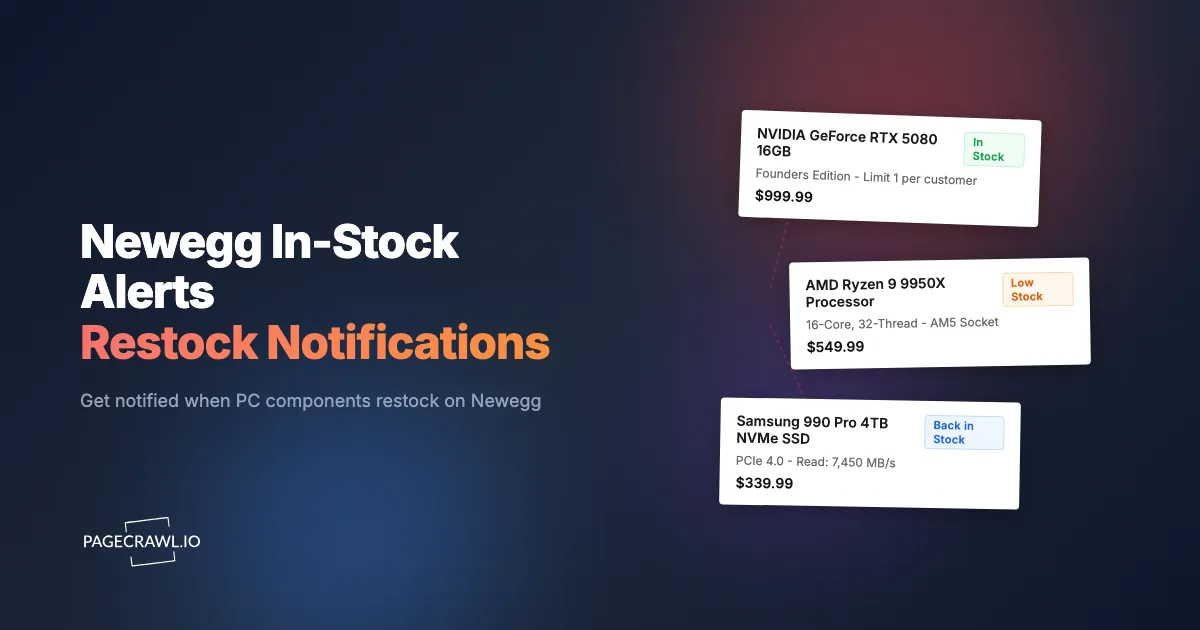
The RTX 5090 you have been waiting for shows "Out of Stock" on Newegg. You click the "Auto Notify" button and enter your email. Three days later, the card restocks at 7am Pacific. By 8:30am, it is sold out again. The Newegg notification email arrives at 11:15am, over two hours after the card was already gone. You check the product page, see "Out of Stock" once more, and wonder why you bothered signing up.
This story repeats with every major component launch. GPUs, CPUs, high-demand motherboards, and limited-run peripherals sell out within hours of restocking. The window between availability and sold-out is measured in minutes for the most sought-after products. Newegg's own notification system was not designed for this speed. It was built when "out of stock" meant days or weeks of availability, not a two-hour window before the next sellout.
This guide covers why Newegg stock monitoring matters, the specific limitations of Newegg's built-in alerts, how to set up automated availability monitoring that notifies you within minutes of a restock, and strategies for monitoring entire component categories during product launches and shortages.
Why does Newegg stock monitoring matter?
Because Newegg receives high-demand PC components in unannounced waves, and those waves sell out in hours. Monitoring the product page is the only way to know a restock happened while it is still purchasable, rather than reading about it afterwards.
GPU Launch Dynamics
Graphics card launches have become competitive purchasing events. When NVIDIA or AMD releases a new GPU generation, demand consistently outpaces supply for weeks or months. Newegg receives allocation in waves rather than continuous supply. A batch of RTX 5080 cards might arrive on Tuesday morning, sell out by Tuesday afternoon, and not restock until the following week.
Each restocking event is unpredictable in timing and quantity. Newegg does not announce when new stock will arrive. The only way to catch a restock is to be monitoring the product page when the status changes from "Out of Stock" to "Add to Cart."
The price premium for buying from resellers during a shortage is often substantial. Catching a retail restock at MSRP can save you a significant amount on a high-end GPU. For GPU-specific stock tracking strategies, see our guide to NVIDIA GPU stock alerts.
CPU and Motherboard Launches
New CPU launches (AMD Ryzen 9000 series, Intel Core Ultra) create similar demand spikes, though typically less severe than GPU launches. Compatible motherboards using new chipsets face their own supply constraints, especially enthusiast models with specific feature sets.
For builders planning a complete platform upgrade, monitoring both the CPU and the compatible motherboard on Newegg ensures you can purchase both when they become available. Missing one component delays the entire build.
Limited-Edition and Specialty Items
Newegg carries limited-run products that sell out and may never restock: special edition graphics cards, limited colorways of peripherals, collaboration products, and discontinued-but-still-demanded items. For these products, a restock might be your only opportunity to purchase at retail price.
Combo Deals and Bundles
During shortages, Newegg sometimes restricts high-demand items to combo deals. You can only purchase the GPU if you also buy a bundled power supply or SSD. These combo bundles appear and disappear unpredictably. Monitoring the combo deal page catches these bundles when they become available.
What are the limitations of Newegg's built-in stock alerts?
Newegg's Auto Notify is email-only, batched rather than real-time, offers no thresholds or scheduling, and gives every subscriber the same email at the same time. Wishlists send nothing at all. Understanding what Newegg's own tools can and cannot do explains why dedicated monitoring is necessary.
Auto Notify Feature
Newegg's "Auto Notify" button appears on out-of-stock product pages. You enter your email address, and Newegg adds you to a notification list. When the item restocks, Newegg sends an email.
The problems with this system are well documented across PC building communities:
Delivery Delays: Newegg sends Auto Notify emails in batches, not in real-time. The delay between the actual restock and email delivery can be minutes to hours. For products that sell out in under an hour, this delay is fatal.
No Priority: Everyone who clicked Auto Notify receives the same email around the same time. You are competing with every other person on the list, some of whom are using faster monitoring methods.
Email Only: There is no option for push notifications, SMS, Slack, or any other faster delivery channel. Email depends on your email client's refresh rate, which adds another layer of delay.
No Frequency or Threshold Control: You cannot set Auto Notify to alert you only when stock exceeds a certain level, or only during certain hours. It is a simple binary: item restocks, email gets queued.
Reliability: Multiple user reports describe never receiving Auto Notify emails for products that restocked and sold out. Whether this is a technical issue or a volume problem, the result is the same: missed restocks.
Wishlist and Save for Later
Newegg's wishlist and save-for-later features let you bookmark products but do not provide any notification when those products come back in stock. They are organizational tools, not monitoring tools.
Newsletter and Deals Emails
Newegg's promotional emails sometimes feature restocked items, but these are marketing communications, not stock alerts. They are sent on Newegg's schedule, not when restocks happen, and they feature whatever products Newegg wants to promote.
Setting Up Newegg Stock Monitoring with PageCrawl
PageCrawl's stock availability monitoring and restock alerts provide the speed, reliability, and notification flexibility that Newegg's built-in tools lack.

Basic Availability Monitoring
Setting up a Newegg stock monitor takes about two minutes:
Step 1: Find the product on Newegg.com and copy the URL. Use the specific product page URL containing the item number (e.g., newegg.com/p/N82E16814...), not a search results or category page.
Step 2: Add the URL to PageCrawl. For stock monitoring, you have two effective approaches. You can use fullpage monitoring mode, which tracks all changes to the page including the availability status. Or you can use element-specific monitoring to target the "Add to Cart" button or availability text specifically. For guidance on targeting specific elements, see our CSS selector guide.
Step 3: Set your check frequency. For products in high demand where restocks sell out quickly, use the shortest check interval available. Every minute counts when a GPU restock might last less than an hour.
Step 4: Configure notifications for maximum speed. Telegram and Discord push straight to your phone once a check detects the change, with no email client polling in between, which makes them the strongest channels for time-sensitive stock alerts. For details on push notification setup, see our guide to web push notifications.
Step 5: Verify the monitor is working by checking the initial snapshot. PageCrawl shows you what the page looks like and what content it has captured. Confirm that the availability status (whether "Out of Stock" or "Add to Cart") is visible in the captured content.
Monitoring the "Add to Cart" Button
The most direct way to monitor Newegg stock is to track the availability element on the product page. When a product is out of stock, the "Add to Cart" button is replaced with "Out of Stock" text or an "Auto Notify" button. When it restocks, the "Add to Cart" button returns.
PageCrawl detects this change as a content modification and triggers your alert. The alert tells you that the page changed, which in this context means the product is back in stock.
This approach has the advantage of filtering out irrelevant changes. Price adjustments, review additions, and other page updates do not trigger alerts unless the availability status also changes.
Monitoring Multiple SKUs
Most components come in multiple variants. An RTX 5070 Ti is available from ASUS, MSI, Gigabyte, Zotac, and other manufacturers. Each variant has its own product page, its own stock levels, and its own restocking schedule.
To maximize your chances of catching a restock, set up a monitor for each variant you would accept. If you are willing to buy the ASUS TUF, MSI Gaming, or Gigabyte Windforce version, monitor all three. The first one to restock triggers your alert.
Use PageCrawl folders to organize monitors by component type. A "GPU Hunt" folder containing monitors for every RTX 5070 Ti variant keeps your dashboard clean and lets you review all GPU stock status at a glance.
Shell Shocker and Limited Deal Monitoring
Newegg's Shell Shocker deals sometimes include products that are otherwise out of stock. A GPU that shows "Out of Stock" on its regular product page might appear as a Shell Shocker deal with limited quantity available.
Monitor the Newegg Shell Shocker page alongside individual product pages. Use content monitoring mode to detect when new deals appear. When a product you are tracking shows up as a Shell Shocker, you get an alert even though the regular product page has not changed.
For detailed guidance on tracking Newegg prices and deals, see our Newegg price tracker guide.
Notification Strategies for Competitive Purchasing
The gap between "notified" and "purchased" determines whether you actually get the product. Optimizing your notification pipeline is as important as setting up the monitor itself.
Choosing the Fastest Notification Channel
Different notification channels have different delivery speeds:
Telegram: The fastest channel for most users. Once a check detects the change, the message is pushed straight to your phone's lock screen with nothing in between. Setup takes a couple of minutes with the Telegram notification guide.
Discord: Similar speed to Telegram. If your team uses Discord, sending alerts to a dedicated channel keeps everyone informed simultaneously.
Slack: Fast delivery with the advantage of team-wide visibility. Good for office environments where multiple people are authorized to make the purchase.
Email: Delivery varies from seconds to minutes depending on your email provider and client settings. Not recommended for time-sensitive stock alerts where minutes matter.
Webhooks: Send raw data to your own system for custom processing. Useful if you have built automation around purchasing decisions. For details, see our guide to webhook automation.
Setting Up Mobile Alerts
For stock alerts, mobile push notifications are essential. You cannot be at your computer at all times, but your phone is always with you.
Configure Telegram or Discord notifications and ensure push notifications are enabled for those apps on your phone. Test the alert pipeline by monitoring a page that changes frequently and verifying that notifications arrive promptly on your mobile device.
Team-Based Purchasing
If multiple people on your team are authorized to make the purchase (a common scenario for office PC builds or IT departments), send alerts to a shared channel. The first person to see the alert makes the purchase. This increases your effective response time by multiplying the number of people watching for the notification.
Monitoring During Major Launch Events
Product launch days require a different monitoring approach than ongoing stock tracking.
Pre-Launch Preparation
Before a major product launch (new GPU generation, CPU release, console launch), set up your monitors in advance. Create monitors for every product variant you are interested in, even if the product pages only show "Coming Soon" or placeholder content.
When launch day arrives, the pages transition from placeholder to active listings. PageCrawl detects this transition on its next check and alerts you when products become available.
Launch Day Monitoring Frequency
On launch days, set your check frequency to the highest available setting. Stock can appear and disappear in under 30 minutes for the most popular products. The more frequently PageCrawl checks, the closer you are to the front of the line when stock drops.
Newegg Shuffle and Queue Events
During extreme demand periods, Newegg has used lottery systems (the "Newegg Shuffle") to allocate scarce inventory. While these events have become less common as supply chains have stabilized, Newegg may bring them back for future launch events.
Monitor the Newegg Shuffle page to catch new events as they are announced. Entry windows are typically limited to a few hours, and signing up within the first hour of the announcement maximizes your chances.
Tips for PC Builders Monitoring Multiple Components
A complete PC build requires multiple components, and monitoring all of them simultaneously is the fastest path to completing your build.
Prioritize by Scarcity
Not all components face the same supply constraints. GPUs are typically the hardest to find, followed by new-generation CPUs and high-end motherboards. Cases, power supplies, and storage are rarely supply-constrained.
Focus your monitoring on the scarce components first. Purchase readily available components when prices are favorable (see our Amazon in-stock alert guide for monitoring other retailers) and dedicate your monitoring slots to the items that are genuinely hard to find.
Cross-Retailer Monitoring
The same GPU is sold on Newegg, Amazon, Best Buy, B&H Photo, and other retailers. A restock on Amazon might happen hours or days before the same product restocks on Newegg, or vice versa.
Set up monitors for your target products across multiple retailers. The first retailer to restock wins your purchase. PageCrawl handles monitoring across different website formats with the same setup process.
Build Readiness Checklist
Keep a running list of which components you have purchased and which you are still monitoring. As you acquire each part, disable the corresponding monitors to free up slots for remaining items. This keeps your monitoring focused on what you actually still need.
What commonly goes wrong with Newegg stock monitoring?
Four things account for most problems: brief false restocks caused by inventory glitches, marketplace sellers showing "Add to Cart" at a premium while Newegg itself is out, product page redesigns that break a narrowly targeted element, and extra verification steps during high-demand events. Each has a straightforward fix.
False Restocks
Occasionally, a Newegg product page shows "Add to Cart" briefly due to a system glitch, inventory count error, or cancelled order returning to stock. You receive an alert, visit the page, and the product is already showing "Out of Stock" again.
Solution: Accept that some false positives will occur. The cost of investigating a false restock (30 seconds of checking the page) is far lower than the cost of missing a real one (waiting days or weeks for the next opportunity). Act on every alert right away.
Multiple Sellers
Some Newegg listings have multiple sellers, including Newegg itself and third-party marketplace sellers. The product might show "Add to Cart" from a marketplace seller at a premium price while still being "Out of Stock" from Newegg directly.
Solution: Check the seller name when responding to stock alerts. If purchasing from Newegg directly matters (for warranty or return reasons), verify the seller before completing the purchase.
Product Page Changes
Newegg periodically updates product page layouts, which can affect how monitored elements display. A page redesign might change the structure of the availability indicator.
Solution: After receiving an unexpected alert or no alerts during a known restock, check your monitor's snapshot to verify it is still capturing the availability element correctly. Recreate the monitor if the page structure has changed significantly. For guidance on monitoring elements that may change, see our guide on monitoring website changes.
Captcha and Anti-Bot Measures
During high-demand events, Newegg may implement additional verification steps and bot protection. PageCrawl renders these pages fully like a real browser and reliably monitors sites that block simpler tools; for heavily protected pages, Enterprise plans add premium options.
Solution: Rely on PageCrawl's automated alerts as your primary detection method. Because it renders protected pages like a regular visitor, monitoring keeps working through most verification steps. Manual checks during major launch events are optional peace of mind, not a required backup.
Which Newegg stock monitoring approach works best?
Dedicated cloud monitoring wins because it runs whether or not your devices are on and can push to Telegram, Discord, Slack, email, or a webhook. Auto Notify is a free safety net, browser extensions only work while your browser is open, and community alerts depend on someone else posting first.
Newegg Auto Notify
Free and zero-effort to set up. The limitations (email-only, delayed delivery, unreliable) make it a backup option rather than a primary monitoring method. Use it as a safety net alongside dedicated monitoring.
Browser Extensions and Page Refreshers
Browser-based auto-refresh extensions reload the product page at set intervals and alert you when the page changes. These work only while your browser is open on your computer. They cannot send mobile push notifications, and they stop monitoring when you close your laptop or lose your internet connection.
That said, a browser extension can be a useful complement to cloud-based monitoring. PageCrawl's browser extension lets you set up a new monitor directly from any Newegg product page in two clicks, without leaving the site. You right-click or use the extension popup, or the bookmarklet that adds a page from your browser bar if you would rather not install anything, and the page is added to your PageCrawl account with cloud-based monitoring running 24/7. This combines the convenience of a browser extension with the reliability of server-side monitoring.
Dedicated Stock Monitoring with PageCrawl
Cloud-based monitoring that runs continuously regardless of whether your devices are on. Multiple notification channels (Telegram, Discord, Slack, email, webhooks) ensure you receive alerts wherever you are. The tradeoff is cost for larger monitoring lists, but the reliability advantage is significant for products where missing a restock means waiting weeks.
Manual Checking and Community Alerts
PC building communities on Reddit, Discord, and forums often share restock information. These are valuable supplementary sources, but they depend on someone else noticing and posting before you see it. The delay is unpredictable.
Choosing your PageCrawl plan
PageCrawl's Free plan lets you monitor 6 pages with 220 checks per month, which is enough to validate the approach on your most critical pages. Most teams graduate to a paid plan once they see the value.
| Plan | Price | Pages | Checks / month | Frequency |
|---|---|---|---|---|
| Free | $0 | 6 | 220 | every 60 min |
| Standard | $8/mo or $80/yr | 100 | 15,000 | every 15 min |
| Enterprise | $30/mo or $300/yr | 500 | 100,000 | every 5 min |
| Ultimate | $99/mo or $999/yr | 1,000 | 100,000 | every 2 min |
Annual billing saves two months across every paid tier. Enterprise and Ultimate scale up to 100x if you need thousands of pages or multi-team access.
Catching one GPU or CPU restock at MSRP instead of paying reseller prices pays for Standard at $80/year many times over, given how far above retail scarce high-end GPUs trade on the secondary market. 100 pages covers every variant of the components you are hunting across Newegg, Amazon, Best Buy, and B&H simultaneously, all checked every 15 minutes. For IT departments or resellers monitoring hundreds of SKUs across multiple retailers, Enterprise at $300/year adds 500 pages and 5-minute check frequency, so you are never more than a few minutes behind when a new allocation lands.
Getting Started
Identify the components you are trying to purchase on Newegg right now. Pick the one or two items that are hardest to find, and set up availability monitors for each variant you would accept.
Configure Telegram or Discord notifications for the fastest possible alerts. Test the notification pipeline by triggering a change and confirming the message reaches your phone.
Once your monitors are running, keep your Newegg account logged in on your phone or computer so you can act without delay when an alert arrives. Have your payment information saved and your shipping address current. When a restock alert hits, every second counts.
PageCrawl's free tier includes 6 monitors, enough to track several GPU or CPU variants on Newegg simultaneously. The Standard plan at $80/year provides 100 monitors for builders tracking entire component lists across multiple retailers. The Enterprise plan at $300/year covers 500 monitors for resellers, IT departments, and businesses purchasing components at scale.
Stop losing restocks to slow notifications. Set up automated stock monitoring and be first in line when Newegg gets new inventory.