
Marisol manages eleven small rental properties spread across three counties in two states. In May she opened a stack of forwarded mail at her kitchen table and found a Notice of Appraised Value for a duplex, dated five weeks earlier, showing a 21 percent jump in assessed value. The protest deadline printed on the notice had passed nine days before. One duplex, one missed envelope, and she was locked into a higher bill for the full tax year with no route to contest it.
Nothing about that outcome was unusual. Assessment notices arrive by paper mail on a schedule set by the county, not by you. They get forwarded, mislaid, sent to an old address, or thrown out by a tenant. Meanwhile the same county has already published the new value on its website, usually days before the envelopes land, along with the appeal form, the filing window, and the hearing calendar. The information you needed was public and online. Nobody told you it had changed.
That gap is a monitoring problem rather than a tax problem. Assessor and appraisal district sites sit still most of the year, then change in a short burst: a new valuation roll posts, an appeal portal opens, a filing deadline is published, a proposed millage rate appears ahead of a hearing. Watch those pages and you get weeks of runway to assemble comparables and file. Ignore them and you find out from a piece of paper that may already be too late.
This guide covers what changes on assessor sites and when, how to monitor valuation rolls, appeal windows, and millage proposals, and how to build a filing calendar that maintains itself across counties.
Why do property tax appeal windows close before owners notice?
Appeal windows are short, set locally, and start running from a mailing date rather than from the day you actually read the notice. Texas gives owners until May 15 or the 30th day after the notice is delivered, whichever is later. Maricopa County, Arizona allows 60 days from the mailing of the Notice of Value. Miss it and the value stands.
The clock starts at mailing, not at reading
The critical detail buried in most appeal instructions is that the deadline is anchored to the date the assessing authority sent the notice, not the date it reached you. The Texas Comptroller's guidance on protests and appeals explains that appraisal districts must send a notice of appraised value by May 1, or by April 1 for a residence homestead, when the value has increased, and that most protests must be filed by May 15 or by the 30th day after the notice is delivered, whichever is later. Every day the envelope spends in transit, in a forwarding queue, or on a hall table is a day off your working window.
Every jurisdiction runs a different calendar
There is no national property tax appeal deadline. Maricopa County's assessor appeals page sets a 60-day petition window from the mailing of the Notice of Value. Colorado counties such as Boulder County run a fixed real property protest period that opens on May 1 and closes in early June regardless of when you personally received anything. Others tie the window to a certification date or a board of equalization session. If you own property in three counties, you are tracking three unrelated calendars that shift by a few days each year.
Reassessment cycles create sudden, large jumps
Many jurisdictions do not revalue every property every year. They run on a multi-year cycle, or reassess a portion of the county at a time. The effect is that nothing moves for years and then a single notice carries several years of accumulated market movement in one step. Owners used to a flat bill are exactly the ones least likely to be watching in the year the number finally moves.
The value is online before the paper arrives
The valuation roll, the parcel search record, the appeal form, and the filing deadline typically appear on the county website as part of the same process that generates the mailing, and frequently a little ahead of it. The earliest possible warning is a web page, not an envelope, and a web page is something you can watch continuously without doing anything by hand.
What should you monitor on an assessor or appraisal district site?
Monitor four things: your parcel record on the assessor's property search, the assessor's appeals or protest page where the filing window and forms are published, the news or announcements page that carries roll certification and deadline notices, and the taxing authority pages that publish proposed millage or levy rates ahead of public hearings.
Your parcel record
This is the highest-value monitor and the one most owners skip. Nearly every county offers a parcel or property search that returns a stable URL for a specific account, showing assessed value, market value, exemptions, classification, and often the tax history. When the new roll loads, that page changes, so you learn your new assessed value from the source rather than waiting for it to be mailed.
Set one monitor per parcel. Each one is a numeric value you can attach a threshold to, so a small routine correction stays quiet while a double-digit increase reaches your phone.
The appeals and deadlines page
Assessors keep a dedicated appeals page describing who can appeal, what evidence is accepted, which form to use, and the exact dates the window opens and closes. Those dates change every year, and the page is often updated quietly weeks before any announcement. Monitoring it tells you when the window is published, when a form version changes, and when a deadline is extended, which happens when a mailing is delayed or a disaster declaration shifts the calendar.
News, announcements, and roll certification notices
The assessor's news page carries the announcements that do not fit anywhere else: "notices mailed today," "values certified to taxing units," "board of equalization hearings begin," "online appeal portal now open." These are the events that start clocks. Our guide to monitoring government agency news pages covers the same pattern applied across agency sites generally, and the mechanics are identical here.
Proposed millage, levy, and budget pages
Your bill is assessed value multiplied by a rate, so a flat valuation with a rising rate still costs you more. Cities, counties, school districts, and special districts publish proposed rates, truth-in-taxation notices, and budget hearing agendas on their own sites, on their own timelines, and the public comment window is usually measured in days. Rate variation across jurisdictions is substantial and well documented in the Lincoln Institute of Land Policy's 50-State Property Tax Comparison Study, which tracks effective tax rates city by city. Locally, the number that matters to you appears first as a line item in a meeting packet.
If those rate proposals arrive as attached PDFs rather than HTML, monitor the document itself. Our walkthrough on tracking changes inside online PDF documents covers extracting and comparing text from a posted file, which is how most budget and levy packets are actually published.
How do millage and levy changes affect what you owe?
Your bill is the taxable value of the property multiplied by the combined rate levied by every overlapping district. A frozen assessment does not protect you from a rate increase, and a small assessment reduction can be wiped out by a school district levy passed in the same cycle. Both halves of the equation need watching.
Overlapping districts stack
A single parcel is typically taxed by several bodies at once: county, municipality, school district, and often a community college, library, fire, water, or hospital district. Each sets its own rate through its own process and publishes proposals in its own place, so the combined rate on your bill is a sum nobody proposes as a single number anywhere. Monitoring the two or three largest contributors (a school district is commonly the biggest single share) captures most of the movement.
Truth-in-taxation and rollback notices are short-lived
Many states require a taxing unit to publish a notice before adopting a rate above a defined threshold, along with the date of the hearing where the public may comment. Those notices are posted, held for the statutory period, then removed or superseded once the rate is adopted. A monitor with screenshot capture leaves you a timestamped record of the proposal as published.
Assessment relief and exemption changes
Homestead caps, senior or veteran exemptions, agricultural classifications, and circuit-breaker programs change eligibility rules and dollar amounts through legislation and local ordinance. The relevant pages are the assessor's exemptions section and the state revenue department. Losing an exemption you qualified for is functionally the same as an assessment increase, and it happens quietly when an application deadline or income threshold moves.
| What changes | Where it appears first | Typical warning | Why it matters |
|---|---|---|---|
| New assessed value | Assessor parcel search record | Days before the mailed notice | Starts the appeal clock |
| Appeal window dates | Assessor appeals page | Weeks before the window opens | Determines when you can file |
| Proposed millage or levy | Taxing district budget or hearing agenda | Days before the hearing | Changes the bill without touching value |
| Exemption rules | Assessor exemptions page, state revenue site | Varies, often off-season | Can raise taxable value silently |
| Roll certification | Assessor news or announcements page | Same day | Sets the deadline for later stages |
How do you set up property tax monitoring in PageCrawl?
Point PageCrawl at your parcel record and your county's appeals page, choose a tracking mode that matches what is on each page, set a check frequency that fits the season, and route alerts to a channel you actually read. Setup takes about ten minutes per county and then runs unattended through every future cycle.
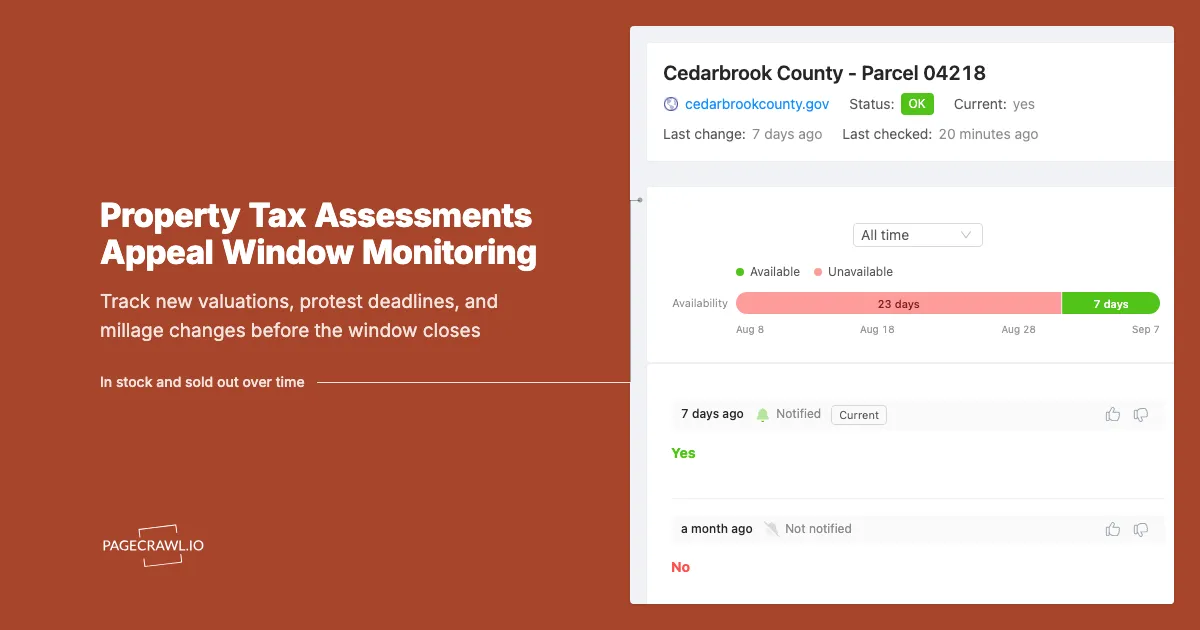
Collect your parcel URLs. Open your county's property or parcel search, look up each account you own, and copy the URL of the record page. Some counties produce a clean permanent link with the parcel number in it. Others use a session-based result page, in which case use the printable or "property detail" view, which is usually stable. Do the same for the assessor's appeals page and the news page.
Add each URL to PageCrawl as its own monitor. Name each one so you recognise it in an alert at 7am, for example "Travis County - 1420 Elm - assessed value" rather than "parcel 0421884".
Pick the tracking mode per page. For a parcel record where you care about one figure, use number tracking pointed at the assessed or appraised value field so the monitor reports an actual value rather than "something changed." For an appeals or news page, use content or reader tracking so it watches the substantive text and ignores layout. For a posted rate or budget PDF, use document text extraction.
Set check frequency by season. Assessor sites are quiet for months, then move fast. Daily checks are plenty outside the assessment window. During your county's notice and protest season, raise the frequency so a newly posted value or an opened portal reaches you on the next check rather than a day later. The free tier checks every 60 minutes, Standard every 15 minutes, Enterprise every 5, and Ultimate every 2.
Add thresholds and keyword rules. On a parcel value monitor, set a numeric threshold so a change above, say, 3 percent triggers an alert while a rounding correction does not. On appeals and news pages, add keyword conditions for "protest," "deadline," "board of equalization," "notice mailed," "certified," and "hearing." Our guide to conditional alerts using price, keyword, and threshold rules covers building these so the quiet pages stay quiet.
Choose notification channels. Email suits a daily digest of routine movement. For deadline events, push to a channel you check away from your desk: Slack or Microsoft Teams if a management team shares the work, Discord or Telegram for individual owners, and webhooks if you want the event to land in your own system, creating a task in your tracker or a row in a deadline sheet.
Turn on screenshot capture. An appeal is an evidence exercise. A timestamped screenshot of the parcel record as published, or of a proposed rate notice before it was replaced, is trivial to capture in advance and impossible to reconstruct afterwards.
Group monitors into folders by county. One folder per jurisdiction holding that county's parcel monitors, its appeals page, its news page, and the taxing districts that matter. When a county's season opens, you raise the whole folder's frequency at once.
What goes wrong when monitoring assessor websites?
The common failures are session-based URLs that do not survive a reload, parcel pages full of rotating boilerplate that fires false alerts, values published as images or embedded viewers, and portals that are taken offline between cycles. Each has a practical fix, and none of them require you to check anything manually.
Search result URLs that do not persist
Many county parcel searches return results through a form post, so the URL you see is a generic results page rather than a link to your property. The fix is usually one click away: a "property detail," "print," or "tax bill" view that carries the parcel number in the address. If nothing stable exists, treat the county's news page as your primary deadline signal instead.
Boilerplate noise on government pages
County sites are full of elements that change without meaning anything: rotating banners, "last updated" timestamps, visitor counters, holiday closure notices, sidebar job postings. Left alone these generate alerts that train you to ignore the monitor, the worst possible outcome for a page you rely on once a year. Exclude those regions so only the record is compared. Our guide to reducing false positives in website monitoring covers narrowing a monitor down to the part of the page that carries the decision.
Values published inside viewers or as images
Some assessors publish the roll as a scanned document or expose values only through an embedded map viewer. Where the record is a posted file, monitor the file. Where the value exists only inside an interactive map, fall back to the pages around it: the appeals page, the news page, and the certification announcement each still tell you a new roll exists, which is the trigger that matters. You then look up the parcel yourself with weeks of runway instead of days.
Portals that appear and disappear
Online appeal portals are frequently switched off outside the filing window, and the page may return an error, a redirect, or a "check back in April" placeholder. That is not a broken monitor, it is a signal. A status or content monitor on the portal URL tells you the day it comes back online, which in many counties is the earliest reliable indication that the window has opened.
Multi-state portfolios and inconsistent terminology
The same event carries different names in different places: notice of value, notice of appraised value, valuation notice, assessment change notice, revaluation notice. Appeals go to a board of equalization, an appraisal review board, a board of review, or a value adjustment board. Build keyword rules from each county's own vocabulary rather than one national list, or you will filter out the exact announcement you were waiting for.
How do you build an appeal calendar that maintains itself?
Let the monitors publish the calendar instead of maintaining one by hand. Watch each county's appeals page for its published dates, route deadline events to a shared channel or a webhook that writes them into your task system, and keep an archive of every valuation snapshot so a future appeal starts with evidence you already hold.
Alerts as calendar entries
When an appeals page publishes its window, that alert is the authoritative date for the year. Push those alerts through a webhook into a task tracker and each becomes a dated item linked to the source page, so the calendar comes from what the county actually said rather than last year's dates copied forward. Our guide to monitoring permit and licence status pages shows the same agency-driven workflow.
Build the evidence file before you need it
An appeal is won with comparable sales, condition evidence, and a clear account of how the value moved. Monitoring supplies the last piece: a dated history of your own parcel record showing the previous value, the new value, and when the change appeared. Track a handful of genuinely comparable parcels in the same neighbourhood and class and you build a private dataset showing how the assessor treated similar properties in the same cycle, which beats asserting that your bill feels high.
Watch the state-level rules too
The framework your county operates inside is set by state legislation and administered by a state revenue department, and changes there hit every county at once: new assessment caps, altered exemption amounts, revised appeal procedures, shifted deadlines. Monitoring your state's property tax division pages catches those in the session they pass rather than in the year they reach your bill, the same approach we describe in monitoring tax code and IRS guidance changes applied to state and local rules.
Coordinate a portfolio across owners and agents
If you use a tax agent, monitoring does not replace them, it makes them faster. Agents work hundreds of parcels against the same compressed deadlines, and the constraint is knowing which accounts moved, and by how much, early enough to triage. A shared Slack or Teams channel carrying every valuation change with the numeric delta in the message is a work queue that builds itself the day the roll posts.
Choosing your PageCrawl plan
PageCrawl's Free plan lets you monitor 6 pages with 220 checks per month, which is enough to validate the approach on your most critical pages. Most teams graduate to a paid plan once they see the value.
| Plan | Price | Pages | Checks / month | Frequency |
|---|---|---|---|---|
| Free | $0 | 6 | 220 | every 60 min |
| Standard | $8/mo or $80/yr | 100 | 15,000 | every 15 min |
| Enterprise | $30/mo or $300/yr | 500 | 100,000 | every 5 min |
| Ultimate | $99/mo or $999/yr | 1,000 | 100,000 | every 2 min |
Annual billing saves two months across every paid tier. Enterprise and Ultimate scale up to 100x if you need thousands of pages or multi-team access.
In event-driven strategies, minutes matter. One actionable signal surfaced before the broader market reacts can return more than a year of Ultimate. Standard at $80/year covers the core IR, press, and filings pages for a handful of positions. Enterprise at $300/year scales to a full watchlist. All plans include the PageCrawl MCP Server, so you can ask Claude to summarize every material change across a company's IR, press, and filings over any period you care about and get the evidence pulled straight from your monitoring archive. AI assistants can create monitors through conversation on every plan, including Free. Ultimate at $999/year adds 2-minute frequency and web archiving, which matters if you need provable timestamps for a thesis.
Getting Started
Start with one property and one county. Look up your parcel on the assessor's property search, copy the record URL, and set it up as a number monitor on the assessed value field with a percentage threshold. Add a second monitor on that county's appeals page with keyword rules for "protest," "deadline," and "board of equalization." Two monitors, ten minutes, and you have covered the single largest failure mode: finding out from the mail.
Then widen it. Add your remaining parcels, one folder per county, and add the two taxing districts that contribute most of your combined rate so a levy increase reaches you before the hearing rather than after the bill. Turn on screenshots so every valuation change is archived with a date you can cite.
The appeal window is the only leverage you get on a property tax bill, and it opens and closes on a schedule you do not control. Put a monitor on the page that announces it and stop relying on an envelope.


