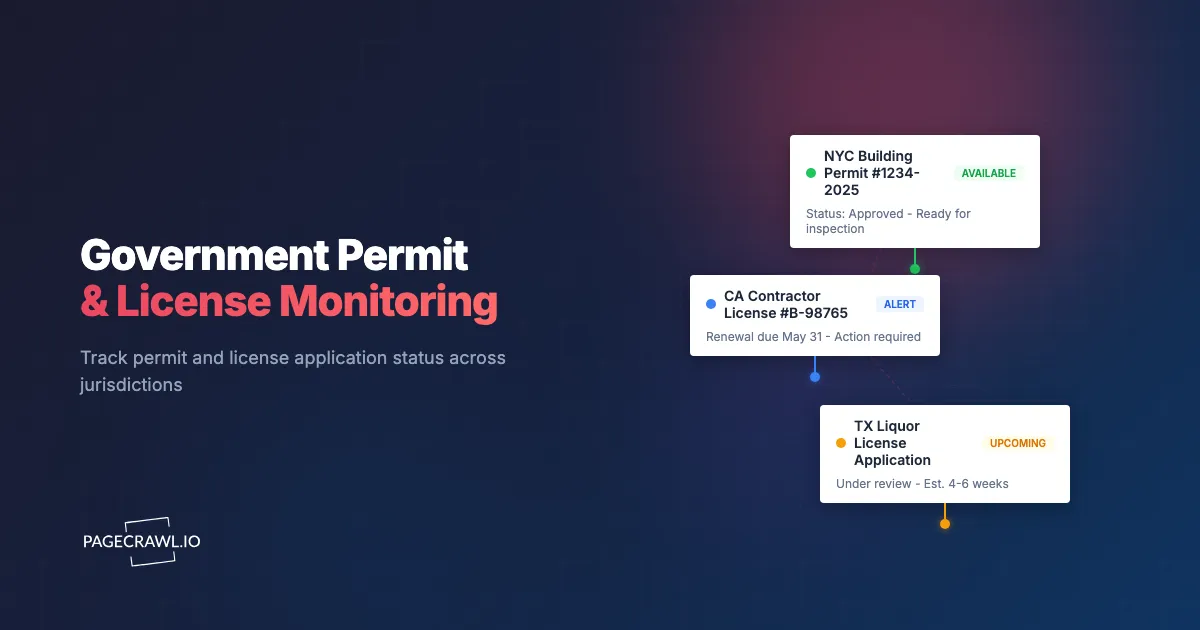
A commercial real estate developer submitted a building permit application for a mixed-use project in January. The city's planning department website said "Under Review." It still said "Under Review" in March, April, and May. The developer checked manually once a week, always seeing the same status. In June, they discovered the status had changed to "Additional Information Required" three weeks earlier, but nobody caught it. The 15-day response window had passed. The application was returned to the back of the queue. The project timeline slipped by four months, costing hundreds of thousands of dollars in delayed construction and carrying costs.
This is a common story in any industry that depends on government approvals. Permit applications, license renewals, zoning variances, environmental reviews, and regulatory filings all move through government portals and public records systems where status changes happen without notification. Government agencies rarely send proactive alerts. Their websites update when internal processes complete, and it is the applicant's responsibility to notice.
The stakes are significant. Missed permit status changes delay construction projects. Lapsed professional license renewals can halt business operations. Expired environmental permits create compliance violations. Overlooked zoning decisions affect property values and development plans. In each case, the information was publicly available on a government website, but nobody was watching at the right moment.
This guide covers how to set up automated monitoring for government portals, what types of permits and licenses to track, how to handle the technical challenges of government websites, and how to build a workflow that ensures you never miss a critical status change.
Why does permit and license monitoring matter?
Because government portals change status silently and the clock starts on their date, not yours. A "corrections required" flip can carry a 15-day response window that begins the day it is posted, so the weeks between your manual checks are pure risk. Monitoring turns that risk into a same-day alert.
Long and Unpredictable Timelines
Government approval processes range from weeks to years. A building permit might take 30 days or 180 days depending on jurisdiction, project complexity, and department workload. During that time, the status could change multiple times: from "Submitted" to "Under Review" to "Corrections Required" to "Approved" or "Denied."
Each transition may require action. A request for additional information has a response deadline. An approval needs to be acknowledged and permits collected. A conditional approval requires meeting conditions within a specified timeframe. Without monitoring, you discover these transitions only when you manually check, which might be too late.
Lack of Proactive Government Notifications
Some government agencies send email notifications for status changes. Many do not. Even those that do often have unreliable notification systems, with emails going to spam, being delayed, or simply not being sent due to system errors.
Relying solely on government notification systems like GovDelivery is risky. Automated monitoring of the actual permit portal provides a reliable secondary notification channel that catches changes regardless of whether the government's own notification system works.
Financial Impact of Missed Changes
The cost of missing a permit status change varies by context but is almost always significant:
Construction delays. Every day a building permit is delayed costs the developer in carrying costs, contractor scheduling, and opportunity cost. A missed "corrections required" status that adds weeks to the approval timeline can cost tens of thousands of dollars.
Compliance violations. Operating with an expired license or permit creates legal liability, potential fines, and business disruption. Professional licenses, liquor licenses, and environmental permits all carry consequences for lapses.
Competitive disadvantage. In competitive permit environments (liquor licenses, cannabis permits, telecom licenses), knowing about competitor applications and approvals provides strategic intelligence.
Lost opportunities. Permit approvals sometimes trigger time-limited actions. A conditional use permit might require commencement within 12 months. An approved variance might need recorded before a deadline. Missing these windows wastes the entire approval effort.
Types of Permits and Licenses to Monitor
Government portals cover an enormous range of permits, licenses, and other public records, including inmate custody and release status. Focus monitoring on the categories relevant to your industry.
Building and Construction Permits
Building permits are among the most commonly monitored government approvals.
What to track:
- New construction permit applications (your own and competitor projects)
- Renovation and alteration permits
- Demolition permits
- Electrical, plumbing, and mechanical sub-permits
- Certificate of occupancy status
- Plan review comments and corrections
Where to find them: Most cities and counties maintain online permit portals. Some use commercial platforms like Accela, Tyler Technologies, or OpenGov. Others have custom-built systems with varying levels of usability.
Why it matters: Construction projects depend on permit approval timelines. Tracking your own permits catches status changes requiring action. Tracking competitor permits reveals what is being built, where, and by whom.
Professional Licenses
Professional licenses cover a wide range of regulated occupations.
What to track:
- Medical licenses (physicians, nurses, dentists, pharmacists)
- Legal licenses (bar admissions, law firm registrations)
- Financial licenses (broker-dealer, investment adviser, insurance agent)
- Real estate licenses (agent, broker, appraiser)
- Contractor licenses (general, specialty, electrical, plumbing)
- Teaching certifications and professional certifications
Where to find them: State licensing boards maintain searchable databases. Most are accessible through state government websites. Some have dedicated portals for license verification.
Why it matters: Professional license lapses can immediately halt business operations. Monitoring renewal deadlines and status changes prevents accidental lapses. Monitoring competitor or employee licenses provides verification and compliance oversight.
Environmental Permits
Environmental permits cover activities with potential environmental impact.
What to track:
- Air quality permits (emissions, operating permits)
- Water discharge permits (NPDES, wastewater)
- Waste management permits (hazardous, solid waste)
- Environmental impact assessments and reviews
- Remediation and cleanup status
- Wetland and water body permits
Where to find them: The EPA, state environmental agencies, and regional authorities maintain permit databases. Many are searchable online, though the quality of online portals varies significantly.
Why it matters: Environmental permits have strict compliance requirements. Expired permits create immediate legal exposure. For environmental consultants and legal teams, tracking multiple client permits simultaneously requires systematic monitoring.
Business and Specialty Licenses
Various business activities require specific licenses.
What to track:
- Liquor licenses (application status, renewal, transfers)
- Cannabis licenses (in legal jurisdictions)
- Food service permits
- Business operating licenses and registrations
- Zoning variances and conditional use permits
- Special event permits
Where to find them: City and county clerk offices, health departments, alcohol beverage control boards, and specialized licensing agencies.
Why it matters: Business licenses are prerequisites for operation. Monitoring applications catches approvals and denials promptly. Monitoring competitor license applications reveals expansion plans and new market entrants.
Regulatory Filings and Approvals
Beyond traditional permits, regulatory filings affect many industries.
What to track:
- FCC filings (telecom, broadcasting)
- FDA filings (pharmaceutical, medical device, food)
- SEC filings (securities, investment)
- Patent and trademark status changes
- Utility rate case filings
- Public utility commission decisions
Where to find them: Federal agency websites such as the FCC, FDA, and SEC, plus state regulatory commission portals and specialized databases.
Why it matters: Regulatory decisions shape business strategy. Monitoring your own regulatory filing pages for new documents and status changes ensures you respond promptly. Monitoring industry filings provides competitive and market intelligence. For a deeper dive into regulatory compliance monitoring, see our dedicated guide.
What makes government permit portals hard to monitor?
Four things: pages that take 10 to 30 seconds to load, layouts that shift without notice, search forms that hide the record behind a session instead of a stable URL, and JavaScript interfaces that render nothing useful in raw HTML. Each has a workaround, but you have to plan for it.
Website Quality Varies Dramatically
Government websites range from modern, well-maintained platforms to outdated systems that barely function. Common issues include:
Slow page loads. Government servers are often underpowered for their traffic. Pages may take 10-30 seconds to load, creating timeout challenges for monitoring tools.
Inconsistent structure. Many government portals lack consistent page structure. Permit status might appear in different locations on different pages, or the page layout might change without notice.
Session-based access. Some permit portals require navigating through multiple pages and search forms to reach the status page. Direct URL access to specific permit records may not be possible.
JavaScript-heavy interfaces. Modern government portals increasingly use JavaScript frameworks that render content dynamically rather than in static HTML. This requires monitoring tools that can render JavaScript to see the actual page content.
Authentication Requirements
Some government portals require login to view permit status.
Public vs private access. Building permit status is typically public information accessible without login. Professional license status is usually public and searchable. However, detailed application information, comments from reviewers, and some status details may require authenticated access.
Applicant portals. Many agencies offer applicant-specific portals where you can track your own applications after logging in. These provide more detail than public-facing searches but require authentication.
PageCrawl supports monitoring password-protected websites, which handles government portals requiring login credentials.
URL Structure
Government portals often use dynamic URLs that make monitoring specific pages challenging.
Search-based results. Rather than having a direct URL for each permit, many portals require you to search for a permit number and display results dynamically. The URL may not change when results appear.
Session URLs. Some portals generate session-specific URLs that expire. Monitoring these URLs fails once the session ends.
Workaround approaches:
- Use CSS selectors to target specific elements on the search results page
- Monitor the search results page after configuring PageCrawl to perform the search interaction
- For portals with direct permit URLs, use those stable URLs directly
Setting Up Government Portal Monitoring with PageCrawl
Here is how to configure monitoring for different types of government portals.

Finding the Right Page to Monitor
For each permit or license you want to track, identify the most direct and stable URL possible.
Direct permit URLs. Some portals provide direct links to individual permit records. Example: city.gov/permits/view/2024-BP-12345. These are ideal for monitoring because the URL is stable and the content is specific. The PageCrawl browser extension makes adding these pages especially easy. When you are on a government permit portal and find the status page for your application, click the extension icon in your browser toolbar to add it as a monitor in one click, without needing to copy the URL, switch to the PageCrawl dashboard, and paste it manually. You can also select a specific element on the page (like the status field) directly from the extension, which is particularly helpful on cluttered government portal pages where you only care about one piece of information.
Search result pages. If the portal requires a search, perform the search and look for a direct link to the specific record in the results. Many portals link to a detail page that has a stable URL even if the search page is dynamic.
Status-specific pages. Some portals have status dashboards that show all pending applications or recent decisions. These are useful for monitoring when you are watching for any permit activity in a category rather than tracking a specific application.
Configuring Element-Specific Monitoring
Government permit pages often contain a lot of information, but you only care about specific fields, particularly the status field.
Target the status element. Use PageCrawl's element targeting to monitor only the status field on a permit page. This reduces noise from unrelated page changes (last updated timestamps, page footer changes, etc.) and ensures you get alerted specifically when the status changes.
Target date fields. For permits with hearing dates, inspection dates, or deadline dates, target those specific elements. A changed hearing date is immediately actionable information.
Target decision text. For permits awaiting a decision, target the area of the page where decisions are posted. Planning commission decisions, board votes, and administrative rulings typically appear in a specific section of the record page.
Setting Monitoring Frequency
Government processes move at different speeds. Match monitoring frequency to the expected pace of change.
Active applications (pending decision). Monitor daily. Government decisions can happen any business day, and response deadlines start from the date of the decision, not the date you discover it.
Long-term pending applications. For applications expected to take months (environmental reviews, complex building permits), twice-weekly monitoring is typically sufficient.
Renewal deadlines. For licenses approaching renewal, increase monitoring frequency as the deadline approaches. Start with weekly monitoring three months before renewal and increase to daily monitoring in the final month.
Competitive intelligence monitoring. For tracking competitor permit applications, weekly monitoring catches new filings and status changes without excessive frequency.
Monitoring Competitor Permit Applications
Permit data is public information that reveals competitor strategy. Monitoring competitor permits provides valuable business intelligence.
Real Estate and Construction Intelligence
Building permit applications reveal what competitors are planning to build, where, and at what scale.
What permits reveal:
- Project location (address)
- Project scope (square footage, number of units, building type)
- Estimated construction cost
- Contractor and architect information
- Timeline (application date, expected completion)
Strategic value: A competitor pulling permits for a new retail location tells you about their expansion plans months before they open. A developer pulling permits for a large residential project signals future inventory in that market. A restaurant chain pulling permits in your service area signals upcoming competition.
How to monitor: Search the local permit portal for permits filed by competitor company names or at competitor-owned addresses. Monitor the search results page for new filings. This catches new applications as they are filed.
Professional License Intelligence
Professional license databases reveal competitor staffing and operational status.
What license data reveals:
- Whether a competitor's professionals maintain active licenses
- New licenses obtained (indicating expansion or new capabilities)
- Disciplinary actions against competitor professionals
- License lapses that might affect competitor operations
Strategic value: A competing law firm adding multiple new attorneys signals growth. A medical practice with lapsed licenses has operational problems. A contractor whose license shows complaints may be vulnerable competitively.
Liquor and Business License Intelligence
Liquor license and business registration filings reveal hospitality and retail expansion plans.
What filings reveal:
- New business openings in your market
- Ownership transfers (indicating business sales)
- License type changes (indicating concept pivots)
- Application denials (revealing competitive barriers)
Strategic value: A new liquor license application at a specific address reveals a future bar, restaurant, or retail concept months before it opens. For existing business owners, this provides early warning of new competition in your trade area.
Building a Permit Status Dashboard
For organizations tracking multiple permits simultaneously, a centralized dashboard provides oversight and prevents anything from slipping through the cracks.
Dashboard Requirements
An effective permit tracking dashboard includes:
Active applications. All pending permits with current status, last status change date, and days in current status.
Approaching deadlines. Permits and licenses with upcoming renewal dates, response deadlines, or compliance milestones.
Recent changes. Timeline of status changes detected by monitoring, with the most recent changes highlighted.
Action items. Permits requiring immediate action (additional information requests, hearing dates, condition compliance deadlines).
Webhook-Driven Updates
Configure PageCrawl webhooks to push status change data to your dashboard system automatically. When a monitored permit page changes, the webhook sends the change data to your tracking system, which updates the dashboard in near-real time.
This eliminates the need for manual status checking. The dashboard always reflects the current status of every monitored permit because changes trigger automatic updates.
Team Notifications
Configure notification routing based on permit type and urgency:
Project managers: Building permit status changes for their projects. Compliance officers: License renewals approaching deadline. Legal teams: Regulatory filing status changes and hearing date updates. Executive leadership: Significant permit decisions (major approvals or denials) and competitive intelligence alerts.
Industry-Specific Use Cases
Different industries use government permit monitoring differently.
Real Estate Developers
Real estate developers track the most permit types and have the highest financial stakes.
Own project permits: Building permits, environmental reviews, zoning variances, subdivision approvals, utility connection permits, certificate of occupancy. Every project involves multiple permits, each with its own timeline and requirements.
Competitor projects: Monitor building permit filings in target markets to understand competitive supply pipelines. New multi-family permits in your market area signal future inventory competition.
Land use decisions: Zoning changes, comprehensive plan amendments, and land use policy decisions affect property values and development potential. Monitor planning commission agendas and decision pages.
Contractors and Construction Companies
Contractors need license monitoring for compliance and business development.
License maintenance: Contractor licenses, specialty trade licenses, bond and insurance certifications. Lapses can halt operations and expose the company to liability.
Subcontractor verification: Monitor subcontractor licenses to ensure compliance throughout the project lifecycle.
Bid opportunity awareness: Some government agencies post bid opportunities and pre-qualification requirements through permit and procurement portals.
Legal Teams
Attorneys monitoring government portals for client matters.
Client permit tracking: Track multiple client applications across multiple jurisdictions simultaneously. A real estate attorney might track 20 permit applications across five municipalities at any given time.
Regulatory proceedings: Monitor administrative hearing schedules, regulatory decisions, and appeal deadlines.
Due diligence: During transactions, verify permit status, compliance history, and open violations for properties or businesses being acquired.
Environmental Consultants
Environmental consultants track permits for clients and for industry awareness.
Client permit compliance: Monitor environmental permit status, renewal dates, and compliance reporting deadlines for consulting clients.
Regulatory changes: Track changes to environmental agency websites for new regulations, guidance updates, and enforcement priorities.
Competitor awareness: Monitor permit applications from competing consulting firms to understand market activity and client acquisition patterns.
Healthcare Organizations
Healthcare facilities require numerous licenses and regulatory approvals.
Facility licenses: Hospital licenses, ambulatory care licenses, laboratory certifications. Lapses create immediate legal and operational consequences.
Certificate of need: In states requiring CON approval for new facilities or services, monitor application status for your own and competitor filings.
Professional licenses: Verify that employed physicians, nurses, and other professionals maintain active licenses. Monitoring license databases provides continuous verification.
How do you handle slow or unreliable government portals?
Give them room and expect the odd failure. Extend the timeout so a 30-second page load still completes, treat a single failed check as noise rather than an outage, use actions to click through search forms, and prefer broader page tracking on portals that redesign often. The practical strategies below cover each case.
Slow and Unreliable Portals
Government websites are often slow and sometimes entirely unavailable during maintenance windows.
Strategy: Configure extended timeout settings in PageCrawl to accommodate slow government servers. If a page fails to load on one check, PageCrawl will retry on the next scheduled check. Do not interpret a single failed check as meaningful. Government portals have higher downtime than commercial websites.
Pages That Require Interaction
Some portals require clicking through search forms, entering permit numbers, or accepting terms before displaying status information.
Strategy: Use PageCrawl's page interaction capabilities (actions) to navigate through required steps before monitoring the resulting content. Configure the monitor to perform the necessary clicks and form entries to reach the status page.
Portals That Change Structure
Government websites occasionally redesign without notice, breaking existing monitoring configurations.
Strategy: When a monitor stops detecting expected content, review the portal for structural changes and update your monitoring selectors. Using broader monitoring (full page content rather than a single CSS selector) provides resilience against minor structural changes, though it may generate more noise.
Data in PDFs and Documents
Some government agencies publish decisions, meeting minutes, and permit documents as PDFs rather than web pages.
Strategy: PageCrawl can monitor PDF documents for changes. If permit decisions are published as PDF files at known URLs, monitor those URLs directly. For meeting minutes and agendas, monitor the page that lists available documents to catch when new documents are posted.
Choosing your PageCrawl plan
PageCrawl's Free plan lets you monitor 6 pages with 220 checks per month, which is enough to validate the approach on your most critical pages. Most teams graduate to a paid plan once they see the value.
| Plan | Price | Pages | Checks / month | Frequency |
|---|---|---|---|---|
| Free | $0 | 6 | 220 | every 60 min |
| Standard | $8/mo or $80/yr | 100 | 15,000 | every 15 min |
| Enterprise | $30/mo or $300/yr | 500 | 100,000 | every 5 min |
| Ultimate | $99/mo or $999/yr | 1,000 | 100,000 | every 2 min |
Annual billing saves two months across every paid tier. Enterprise and Ultimate scale up to 100x if you need thousands of pages or multi-team access.
A single missed permit expiration or overlooked license renewal can cost more in fines and downtime than years of monitoring fees. Standard at $80/year covers 100 pages, enough to track every active permit, license renewal deadline, and agency announcement relevant to a mid-sized operation across multiple jurisdictions. Daily or hourly frequency means a status change surfaces the same day it appears on the portal rather than weeks later during a manual review cycle. Enterprise at $300/year scales to 500 pages for large organizations managing complex permit portfolios.
All plans include the PageCrawl MCP Server, so your compliance team can ask an AI assistant to summarize all status changes across a set of permits over a given period and pull the timestamped evidence directly from your monitoring archive. AI assistants can create monitors through conversation on every plan, including Free.
Getting Started
Identify the three most important permits or licenses you need to track right now. Find the status page for each on the relevant government portal. Add each URL to PageCrawl with element-specific monitoring targeting the status field. Set daily monitoring frequency and configure notifications to reach the person responsible for each permit.
PageCrawl's free tier includes 6 monitors, enough to track a handful of active permit applications and license statuses. Standard plans at $80 per year cover 100 monitors, which supports tracking dozens of permits across multiple jurisdictions and agencies. Enterprise plans at $300 per year handle 500 monitors for organizations managing large permit portfolios or conducting extensive competitive intelligence through public records.
In the first week, verify that PageCrawl is successfully loading and monitoring each government portal page. Government websites have more variability than commercial sites, so confirming successful monitoring early saves frustration later.
The organizations that move fastest on permit decisions and never miss a renewal deadline are not checking government websites manually every day. They have systems watching every relevant portal continuously and alerting them on the next check after something changes. In a world where government agencies do not reliably notify you about changes to your own applications, automated monitoring is not a convenience. It is a risk management necessity. Always confirm a status, deadline, or requirement with the issuing agency before you act on it; this article is informational, not legal advice. For related monitoring strategies, see our guides on regulatory compliance monitoring and using CSS selectors to target specific page elements.