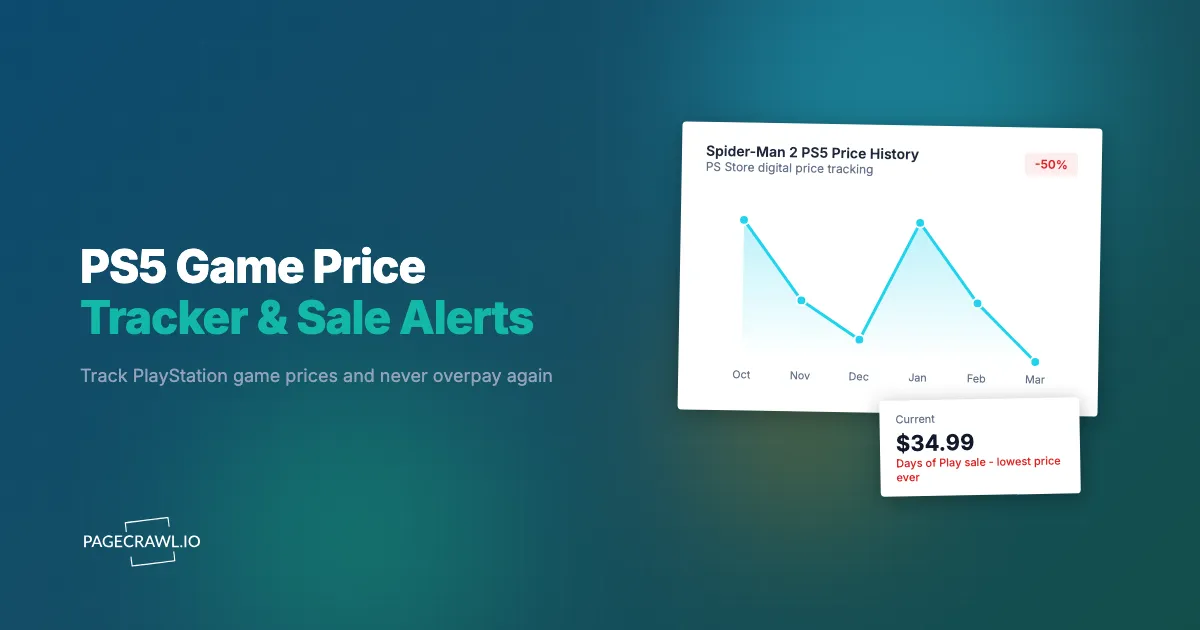
A game you have been watching on the PlayStation Store drops to $19.99 during a flash sale. The sale lasts 48 hours. You find out on day three, after the price bounced back to $59.99. Two months later, it goes on sale again, but only to $29.99. The better deal already happened, and you missed it because nobody told you in time.
PlayStation game pricing follows patterns that are simultaneously predictable and easy to miss. Sony runs dozens of sales per year on the PlayStation Store, from massive seasonal events to quiet midweek promotions that affect a handful of titles. Physical game prices at retailers like Amazon, Walmart, and Best Buy fluctuate independently of digital pricing, creating additional opportunities that require separate tracking. PS Plus monthly games add another layer, occasionally giving away titles that people just paid full price for days earlier.
This guide covers how PlayStation pricing works across digital and physical channels, why existing tracking tools have significant gaps, and how to set up automated monitoring that alerts you as soon as a check finds a game at your target price.
How does PlayStation Store pricing work?
Digital PS5 prices move through four overlapping mechanisms: four to six major seasonal sales a year, publisher-specific sales between them, short flash sales and weekly deals, and PS Plus monthly games and catalog rotations that make some titles free for subscribers. Regional store pricing sits on top of all of it. Understanding those mechanics on the PlayStation Store helps you set realistic expectations and smarter alerts.
Seasonal Sales
Sony runs four to six major sales events per year on the PlayStation Store. The biggest are typically the Holiday Sale (December through early January), Days of Play (late May or June), and the Summer Sale (July or August). These events can include discounts on hundreds or even thousands of titles, with marquee games seeing 40-60% off.
Not every game participates in every seasonal sale. A title might appear in the Holiday Sale at 30% off, skip the Spring Sale entirely, then show up during Days of Play at 50% off. This inconsistency makes it impossible to predict specific discounts without historical data.
Publisher Sales
Between seasonal events, Sony runs publisher-specific sales. An Ubisoft Publisher Sale might discount every Assassin's Creed and Far Cry title. A Square Enix sale covers Final Fantasy and Dragon Quest. A Capcom sale puts Resident Evil and Monster Hunter on discount.
Publisher sales often match or exceed seasonal sale prices for their catalogs. They are also easier to miss because they get less marketing attention than seasonal events. A midweek publisher sale might offer the best price of the year on a specific title, and you would only know about it if you happened to browse the store that week.
Flash Sales and Limited-Time Deals
Sony occasionally runs flash sales lasting 48-72 hours with aggressive discounts. These are announced with minimal lead time, sometimes appearing on the store without any advance notice. Flash sales tend to offer some of the deepest discounts available on the PlayStation Store, but the short window makes them easy to miss entirely.
The PlayStation Store also features a "Deal of the Week" that changes every Tuesday, along with periodic "Under $20" or "Under $15" promotions that highlight budget options.
PS Plus Monthly Games
PlayStation Plus subscribers receive two to four games per month at no additional cost (beyond the subscription fee). These games are available for about a month before rotating out. Here is the catch: if you buy a game at full price and it shows up as a PS Plus monthly title the following week, there is no refund.
Monitoring PS Plus game announcements, which typically happen on the last Wednesday of the month for the following month's games, prevents this exact scenario. If a game you want is rumored or announced as an upcoming PS Plus title, you can hold off on purchasing.
PS Plus Game Catalog
PS Plus Extra and Premium subscribers have access to a rotating catalog of hundreds of games. Games enter and leave this catalog regularly. A title might be available in the catalog for six months, then leave, then return a year later. Tracking catalog additions is valuable because it effectively makes games "free" for subscribers.
Regional Pricing Differences
PlayStation Store prices vary by region. The same game might be $69.99 in the US store, but the equivalent of $45 in the Turkish or Indonesian store. While purchasing from other regions has restrictions, understanding regional pricing helps set expectations about what constitutes a "good deal" in your market.
Why does existing PlayStation price tracking fall short?
Because each option covers only part of the picture. The PlayStation app wishlist has no discount threshold and skips physical retail entirely, dedicated price sites are email-only and digital-only, and deal subreddits surface bargains hours after they go live. Several approaches exist, but each has meaningful limitations.
PlayStation App Wishlist
The PlayStation app lets you add games to a wishlist and receive notifications when they go on sale. In theory, this solves the problem.
In practice, the wishlist notifications are unreliable. Many users report not receiving notifications at all, receiving them late, or getting notifications only for some wishlisted titles during a sale. The notifications also lack threshold filtering. You get the same alert whether a game is 10% off or 75% off, which creates noise when you are watching dozens of titles.
The wishlist also only covers the PlayStation Store. It does not track physical game prices at retailers, and it provides no historical pricing data to help you evaluate whether a current discount is genuinely good.
PSPrices and PS Deals
Dedicated PlayStation price tracking websites like PSPrices and PS Deals track historical pricing on the PlayStation Store. They show price charts, historical lows, and can send email alerts for price drops.
Strengths: Historical pricing data, multiple regional store support, email alerts with price thresholds.
Limitations: Email-only notifications (no Slack, Discord, Telegram, or webhook support), no physical retail price tracking, no PS Plus game announcement monitoring, and no way to integrate alerts into your own workflows or automation tools.
Deal Aggregator Sites and Subreddits
Communities like r/PS5Deals and deal aggregator sites collect PlayStation deals from various sources. These are useful for discovering deals you were not looking for, but they are not reliable for tracking specific titles. By the time a deal is posted and upvoted, hours may have passed. For flash sales or limited-time deals, community-sourced information often arrives too late.
Setting Up PlayStation Price Tracking with PageCrawl
Web monitoring provides the flexibility to track PlayStation game prices across digital and physical channels with customizable alerts.

Monitoring PlayStation Store Pages
Step 1: Find the Game's Store Page
Navigate to the game on the PlayStation Store website (store.playstation.com) and copy the URL. Each game has a dedicated page with pricing information, even when it is not on sale.
Step 2: Create a Price Monitor
In PageCrawl, add the URL and select "Price" tracking mode. This automatically detects the displayed price on the page and, as the guide to monitoring numeric values explains, builds a chart of every price it has seen so you can judge whether a discount is genuinely good. PageCrawl renders the page in a full browser, so JavaScript-loaded pricing elements display correctly.
Step 3: Set Check Frequency
For most games, checking every 12 hours provides solid coverage. During known sale periods (Days of Play, Holiday Sale), increase to every 4-6 hours. Outside of sale seasons, daily checks are sufficient.
Step 4: Configure Notifications
Set up alerts through your preferred channel:
- Email: Summary of the price change with old and new prices
- Slack or Discord: Fast alerts in your deals channel
- Telegram: Mobile push straight to your phone when a check finds a new price
- Webhook: Structured data for automation workflows
For help targeting specific price elements, see the CSS selector guide.
Monitoring PS Plus Game Announcements
PS Plus monthly game announcements follow a predictable schedule but the specific titles are always a surprise. Monitor the PlayStation Blog or the PS Plus section of the PlayStation Store for new announcements.
Set up a PageCrawl monitor on the PS Plus announcement page with daily checks. When new monthly games are revealed, you will receive an alert, allowing you to cancel any planned purchases of those titles.
This same approach works for PS Plus Game Catalog additions, which are announced alongside monthly game reveals.
Tracking Physical Game Prices at Retailers
Digital prices are only half the picture. Physical PS5 game prices at retailers frequently undercut PlayStation Store pricing, sometimes significantly.
Amazon: Product pages for PS5 games show the current price, which fluctuates based on Amazon's dynamic pricing algorithm. Monitor individual game pages using Price tracking mode. Amazon's PS5 game prices can drop with no notice during promotional events. For a detailed setup guide, see the Amazon price tracking guide.
Walmart: Walmart regularly discounts physical games, sometimes clearing inventory at prices well below what Sony charges digitally. Monitor the individual product pages for games you want.
Best Buy: Best Buy runs gaming-specific sales and has a Gamers Club equivalent that provides additional discounts. Physical games at Best Buy occasionally drop during events that do not align with PlayStation Store sales.
Target: Target's Circle offers and seasonal sales create separate discount windows for physical games.
With PageCrawl, you can run price monitoring on the same game across the PlayStation Store and multiple retailers simultaneously. Each monitor tracks its specific page independently, so you see the best available price regardless of where the deal appears.
Building a PlayStation Deal Monitoring System
Individual monitors are useful. A coordinated system is more powerful.
Organize by Priority
Create folders in PageCrawl to organize your PlayStation game monitors:
- Must Buy: Games you will definitely purchase. Monitor aggressively with the most frequent checks your plan allows and push notifications.
- Waiting for Deal: Games you want but are not urgent. Daily checks with threshold-based alerting.
- Wishlist Watch: Games you are curious about. Weekly checks, alerted only for deep discounts (50%+ off).
This tiering prevents notification fatigue while ensuring you never miss a deal on high-priority titles.
Set Price Thresholds with Webhooks
Raw price change notifications create noise. A game going from $69.99 to $59.99 (14% off) is not exciting. The same game hitting $29.99 (57% off) is.
Use PageCrawl's webhook output to send price data to an automation tool (Zapier, Make, n8n, or a custom script). Your automation compares the new price against your target price and only sends an alert when the threshold is met.
For example, you set a target of $25 for a game currently priced at $69.99. Your automation receives every price change silently, logging the data. When a check finds the price down at $24.99 during a flash sale, it fires a Telegram message. No noise in between. If you would rather keep the logic inside PageCrawl, notification conditions and filters can hold an alert back until a value crosses the threshold you set.
Cross-Channel Price Comparison
When you monitor the same game across the PlayStation Store, Amazon, Walmart, and Best Buy, your webhook automation can compare prices across all sources and alert you to the cheapest option regardless of retailer.
This is particularly valuable for games where physical and digital prices diverge. During a PlayStation Store sale, the digital version might be $29.99 while Amazon has the physical copy for $22.99. Without cross-channel monitoring, you would buy the digital version thinking it was a deal.
The approach mirrors cross-retailer price comparison for physical products, adapted for the gaming market.
PS Plus Value Optimization
PS Plus subscribers should approach game purchases differently than non-subscribers.
Avoiding PS Plus Overlap Purchases
The worst feeling in PlayStation gaming is buying a game at full price and seeing it announced as next month's PS Plus title three days later. While Sony does not announce titles far in advance, leaks and patterns can provide clues.
Monitor the PlayStation Blog and major gaming news sites for PS Plus rumors. If reliable sources suggest a game you want might be coming to PS Plus, hold off on purchasing for a few weeks. The cost of waiting is zero if the game does appear on PS Plus. The cost of not waiting is the full purchase price.
Tracking PS Plus Catalog Additions
The PS Plus Extra and Premium catalog is substantial, with hundreds of games rotating in and out. Monitor the catalog announcement pages on PlayStation's own site so the next check tells you when new games are added. This prevents purchasing games that are about to become part of your existing subscription.
PS Plus vs Sale Price Decision
Sometimes a game appears at a steep discount during a sale, but it is also available in the PS Plus catalog. The calculus depends on your subscription plans. If you intend to maintain PS Plus long-term, the catalog version costs nothing extra. If your subscription might lapse, purchasing during a sale ensures permanent access.
Monitoring both the sale price and catalog status gives you the data to make this decision intelligently.
Multi-Platform Game Price Tracking
Many PS5 games are also available on Xbox, PC (Steam, Epic Games Store), and Nintendo Switch. For multi-platform titles, the best deal might not be on PlayStation at all.
When to Buy Cross-Platform
Some games are significantly cheaper on other platforms. PC versions on Steam frequently reach deeper discounts faster than console versions. A game that is $29.99 on the PlayStation Store during a sale might be $14.99 on Steam during a similar event.
If you own multiple platforms, monitor the game across all storefronts. For Steam-specific pricing, the Steam price tracking guide covers setup in detail.
Platform-Specific Features to Consider
Price is not the only factor. PlayStation-exclusive features (DualSense haptic feedback, adaptive triggers, Activity Cards) might make the PS5 version worth a premium over a cheaper PC or Xbox version. Consider these factors alongside raw price data.
When do PlayStation sales usually happen?
PlayStation pricing follows a roughly predictable annual calendar. The heaviest discount windows are Days of Play in May or June, Black Friday and Cyber Monday in November, and the Holiday Sale that runs from December into early January, with a Spring Sale in April and smaller publisher sales filling the gaps. Knowing when sales typically occur helps you plan purchases and set monitoring priorities.
January: Post-Holiday Sale (continuation or cleanup from the December sale). Good for titles missed during the holidays.
February-March: Occasional publisher sales. Quiet period overall, sometimes good for older titles.
April: Spring Sale. Moderate discounts on a broad selection. First major sale of the year for many titles.
May-June: Days of Play. One of the biggest PlayStation sales events. Deep discounts on first-party and third-party titles. Often coincides with PS Plus subscription deals.
July: Mid-Year Sale. Varies in scale year to year.
August-September: Back to School promotions at physical retailers (not always reflected on PSN). Publisher sales for upcoming sequel launches.
October: Halloween Sale. Horror games and related titles see seasonal discounts. Other genres may be included.
November: Black Friday / Cyber Monday. Major discounts across all channels, both digital and physical. Often the best physical game prices of the year.
December: Holiday Sale. The biggest PSN sale of the year, typically lasting through early January.
Increase your monitoring frequency before these known events to catch deals as they go live.
What problems come up when tracking PS5 game prices?
The four that trip people up most are age-gated store pages that block a check, regional redirects that show the wrong currency, separate pages for every game edition, and pre-order pricing that never moves on the store itself. All four are solvable once you know they exist.
Age-Restricted Content
Some PlayStation Store pages require age verification. This can occasionally interfere with automated monitoring. If a monitor fails to detect pricing on an age-gated page, try using the direct product page URL format rather than a URL that routes through the storefront landing page.
Regional Store Redirects
The PlayStation Store redirects users based on their geographic location. Ensure your monitor is configured for the correct regional store URL to see accurate pricing for your region. Prices and sale availability differ between regions.
Bundle and Edition Pricing
Games with multiple editions (Standard, Deluxe, Ultimate) have separate store pages. Monitor each edition you are interested in. Sometimes the Deluxe edition goes on deeper percentage discount than Standard, making the upgrade cost minimal.
Bundles that include a game plus its DLC or season pass can also offer better value than purchasing separately, but only during certain sales. Monitor both the bundle page and individual DLC pages to compare.
Pre-Order Pricing
Pre-order prices on the PlayStation Store are typically fixed at the standard retail price. However, physical pre-orders at retailers sometimes include discounts or bonus credit. If you plan to pre-order, monitoring physical retailer pages alongside the PlayStation Store can save money.
Comparing PlayStation Price Tracking Methods
| Feature | PS App Wishlist | PSPrices | Deal Subreddits | PageCrawl |
|---|---|---|---|---|
| Price alerts | Unreliable | Yes (email) | Community posts | Yes (multi-channel) |
| Historical data | No | Yes | Informal | Yes (builds over time) |
| Physical retail | No | No | Sometimes | Yes |
| PS Plus tracking | Partial | Partial | Yes | Yes |
| Custom notifications | Push only | Email only | Reddit alerts | Email, Slack, Discord, Telegram, Webhook |
| Automation support | No | No | No | Yes (webhooks + API) |
| Price thresholds | No | Yes | No | Yes (via webhooks) |
| Cross-platform | No | No | Community effort | Yes (separate monitors) |
| Cost | Free | Free | Free | Free tier (6 monitors) |
Choosing your PageCrawl plan
PageCrawl's Free plan lets you monitor 6 pages with 220 checks per month, which is enough to validate the approach on your most critical pages. Most teams graduate to a paid plan once they see the value.
| Plan | Price | Pages | Checks / month | Frequency |
|---|---|---|---|---|
| Free | $0 | 6 | 220 | every 60 min |
| Standard | $8/mo or $80/yr | 100 | 15,000 | every 15 min |
| Enterprise | $30/mo or $300/yr | 500 | 100,000 | every 5 min |
| Ultimate | $99/mo or $999/yr | 1,000 | 100,000 | every 2 min |
Annual billing saves two months across every paid tier. Enterprise and Ultimate scale up to 100x if you need thousands of pages or multi-team access.
Buying one game at a flash sale price instead of full price typically covers Standard for the year. At $80/year, 100 monitored pages covers every game on your wishlist across the PlayStation Store, Amazon, Walmart, Best Buy, and Target simultaneously. The 15-minute check frequency means you hear about a flash sale within minutes of it going live, not the day after when it is already over.
Getting Started
Pick the three PS5 games you most want to buy next. Find their PlayStation Store pages and copy the URLs. Create monitors in PageCrawl with "Price" tracking mode and set up Telegram or Discord notifications so every detected price drop lands on your phone.
If any of those games are also available physically, add Amazon or Walmart product page monitors for the same titles. This gives you cross-channel coverage from day one.
Run the monitors through the next PlayStation Store sale event. You will see exactly when discounts appear, how deep they go, and how they compare to physical retail pricing. From there, expand to your full wishlist and add webhook automation for price threshold filtering as your needs grow.
PageCrawl's templates let you save a monitoring configuration and apply it to new monitors with one click. Create a "game price tracker" template with number tracking mode, 6-hour checks, and Telegram notifications, then reuse it for every game you add. Instead of configuring each monitor from scratch, you select your template and paste the URL. This is especially useful when a seasonal sale is approaching and you want to add ten games to your watchlist quickly.
PageCrawl's free tier includes 6 monitors, enough to track a handful of high-priority games across multiple channels and see the value before scaling up. Paid plans start at $80/year for 100 monitors (Standard) and $300/year for 500 monitors (Enterprise), giving dedicated PlayStation gamers room to track their entire wishlist across every storefront that matters.