A limited edition Zelda collector's box appears on GameStop's website mid-morning with no announcement. Within half an hour, every unit is gone. The Reddit thread about it reaches the front page of the gaming subreddit hours later. Most people never had a chance.
GameStop is unlike other retailers when it comes to inventory scarcity. The company has repositioned itself around exclusive and limited-edition products, making it a destination for items you simply cannot buy elsewhere. Limited consoles with exclusive colorways, collector's edition games with physical bonuses, retro gaming hardware, exclusive Funko Pops, and high-value trading cards all create a constant cycle of demand exceeding supply. GameStop does not send advance restock notifications. Items appear on the website, sell out, and that is it until the next allocation arrives.
This guide covers what sells out at GameStop and why, how GameStop's inventory system works, every method for monitoring restocks, and step-by-step instructions for setting up automated stock alerts that notify you when the next check detects that items have become available.
Why are GameStop restocks different from other retailers?
Because much of GameStop's catalog is exclusive by design. Retailer-only console colorways, collector's editions, and limited collectibles get one or two allocations and may never return, so a missed restock often means missing the product entirely rather than waiting a week. GameStop's inventory challenges stem from that position in gaming retail.
The Exclusivity Strategy
GameStop has deliberately moved toward exclusive and limited products. Exclusive console bundles, collector's editions with physical items (steelbooks, figurines, art books), and retailer-exclusive variants create artificial scarcity by design. These items are meant to sell out. The limited nature drives urgency and foot traffic.
This strategy means that unlike Amazon or Walmart, where a sold-out product usually restocks predictably, GameStop's exclusive items may get one or two allocations and then disappear permanently. Missing a restock can mean missing the product entirely.
Online vs In-Store Inventory
GameStop manages online and in-store inventory as separate pools. A product sold out online might be sitting on shelves at your local store, or vice versa. The website shows online availability for shipping and sometimes store pickup availability, but these are not always synchronized in real time.
For monitoring purposes, GameStop's website reflects online shipping inventory most reliably. Store-specific availability requires checking individual store pages or using GameStop's store locator, which adds complexity but also creates opportunities. Sometimes a restock hits physical stores a day before the online store.
Pro Member Exclusives
GameStop Pro members (the paid membership tier) sometimes get early access to limited releases. A product might be available to Pro members for 30 minutes before opening to all customers. This early access window can mean that by the time a product becomes broadly available, Pro members have already bought a significant portion of the stock.
If you are serious about catching GameStop restocks, a Pro membership is worth considering for the early access alone. It also provides points, discounts, and a monthly reward certificate.
Pre-Order Windows
Many limited products at GameStop are available through pre-order before release. Pre-order windows can be extremely short for high-demand items. A collector's edition might open for pre-order, sell through its allocation in hours, and then reappear briefly if additional units become available from cancellations or additional manufacturer allocation.
Monitoring for pre-order availability is just as important as monitoring for in-stock restocks. The pre-order window is often your best (and sometimes only) chance to secure limited products.
Which GameStop products actually sell out?
Five categories account for most of the scarcity: limited edition consoles, collector's editions, retro and vintage gaming hardware, trading cards and collectibles, and a handful of limited-run accessories. Focus your monitoring on those, because everything else restocks predictably enough that an alert adds little.
Limited Edition Consoles
Console hardware with exclusive designs, colorways, or bundled content represents GameStop's most competitive inventory. Special edition PlayStation, Xbox, and Nintendo Switch consoles regularly sell out within minutes of appearing online. The same dynamics that make PS5 restocks, GPU drops, and Apple product launches so competitive at other retailers apply even more intensely at GameStop, where exclusive variants add scarcity on top of scarcity.
Recent examples include anniversary edition consoles, game-themed console designs, and retailer-exclusive bundle configurations. These items command significant resale premiums, which attracts both collectors and resellers, intensifying competition.
Monitor the specific product page for the console you want. Category pages and search results can be slow to update. The individual product page is where availability status changes first.
Collector's Editions
Game collector's editions with physical items (statues, steelbooks, art prints, soundtrack CDs, cloth maps) are produced in limited quantities and rarely restocked after initial allocation. GameStop often receives exclusive collector's editions that are not available at other retailers.
The window between a collector's edition going live and selling out can be as short as 15 minutes for highly anticipated titles. Pre-order monitoring is critical. Set up alerts as soon as a collector's edition is announced, even if the product page initially shows "Coming Soon."
Retro and Vintage Gaming
GameStop stocks retro gaming hardware (Analogue Pocket, Retro-Bit controllers, mini consoles) and pre-owned vintage games. These items attract passionate collectors who monitor inventory closely.
Retro hardware restocks are particularly unpredictable. Manufacturers produce in batches, and GameStop receives allocations sporadically. An item might be unavailable for months, then suddenly restock for a day before selling out again.
Trading Cards and Collectibles
Pokemon cards, sports trading cards, and gaming collectibles see intense demand at GameStop. Pokemon booster boxes sell out quickly. Exclusive trading card promotions (pre-order bonus packs, retailer-exclusive cards) create urgency.
GameStop also carries Funko Pops, including retailer-exclusive variants that command premium prices. Limited-run collectibles may never restock, making the initial availability window critical.
Gaming Accessories
High-demand accessories like limited edition controllers, premium headsets, and specialty peripherals experience periodic shortages. Custom-color DualSense controllers, pro-grade gaming mice with limited colorways, and exclusive peripheral bundles often sell out and restock unpredictably.
These items are less time-critical than consoles or collector's editions but still benefit from monitoring. A restock might last hours or days rather than minutes, giving you a comfortable window to act if you receive a timely alert.
What are the best ways to monitor GameStop restocks?
There are three practical options: GameStop's own "Notify Me" emails, community Discord and Reddit restock channels, and automated monitoring of the product pages you care about. The first is free but unreliable, the second is fast for popular items and thin for niche ones, and the third is the only one you control end to end.
Method 1: GameStop App and Email Notifications
GameStop's app and website offer a "Notify Me" button on sold-out products. In theory, this sends an email when the product restocks. In practice, user reports suggest these notifications are unreliable. They may arrive late, not at all, or only for a portion of the restock.
Pros: Free, no setup required, directly from GameStop. Cons: Unreliable delivery, email-only (slow), no indication of notification timing versus actual restock timing.
Use GameStop's built-in notifications as a backup, but do not rely on them as your primary alert system for competitive items.
Method 2: Community Discord and Reddit
Gaming communities on Discord and Reddit maintain restock tracking channels. Members who spot restocks post immediately, and the community benefits from collective awareness. Popular channels include dedicated GameStop restock trackers and general gaming deal communities.
Pros: Community-powered, covers multiple products and retailers, fast for popular items. Cons: Relies on someone spotting and posting, niche products get less attention, alert fatigue from products you do not care about, delay between restock and post.
Community channels are excellent for popular console restocks where thousands of people are watching. For niche collector's items or specific product variants, community coverage is spotty.
Method 3: Automated Web Monitoring with PageCrawl
Direct monitoring of GameStop product pages provides the most reliable and fastest alerts. Instead of waiting for community posts or unreliable first-party notifications, you put stock availability and restock alerts on the specific products you want and get alerted within minutes of a restock.
PageCrawl handles the technical challenges of monitoring GameStop's website while providing fast alerts through multiple channels.
How it works:
- Find the product on GameStop.com and copy the URL.
- Add the URL to PageCrawl. The system renders the full page and identifies the current stock status.
- Set check frequency based on the product's urgency.
- Configure notifications through Telegram, Discord, or another fast channel.
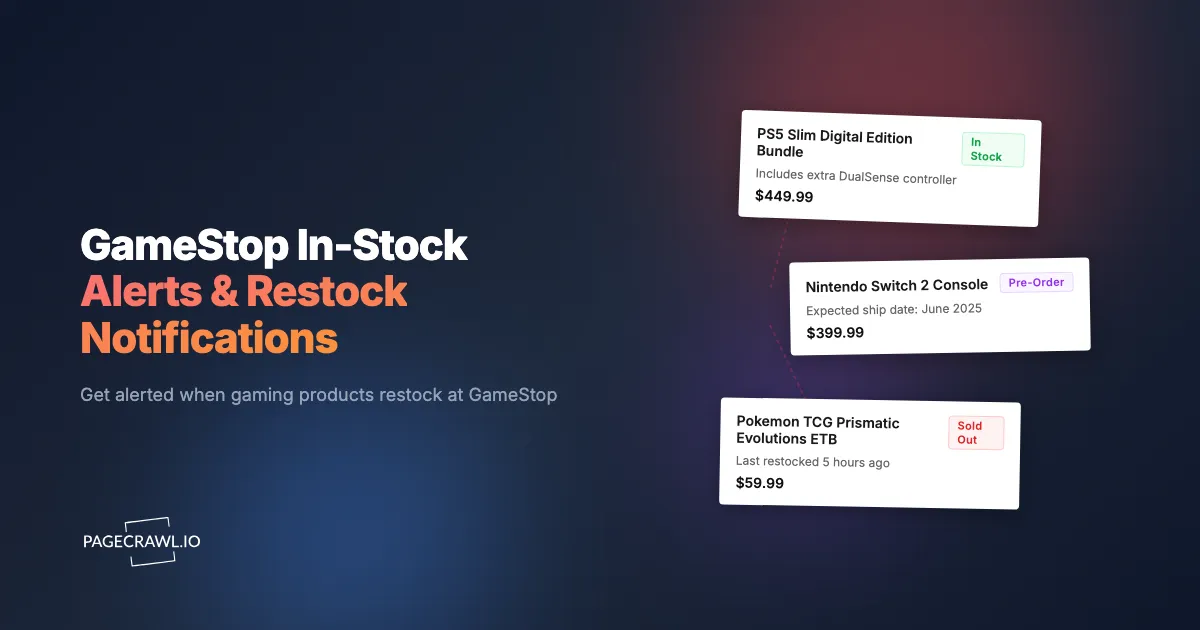
When the stock status changes from "Unavailable" or "Sold Out" to "Add to Cart" or "Pre-Order," you receive an alert as soon as the next check detects the change.
Setting Up GameStop Monitoring Step by Step
Here is a detailed walkthrough for configuring reliable GameStop stock alerts.

Step 1: Identify Products to Monitor
Make a list of specific GameStop products you want to track. For each product, navigate to its page on gamestop.com and verify the URL. Use the canonical product page URL, not a search results or category page URL.
For products not yet listed on the website (announced but without a product page), monitor the relevant category page or GameStop's new releases page. When the product page appears, switch your monitor to the specific product URL.
Step 2: Create Monitors in PageCrawl
Add each GameStop product URL as a new monitor. PageCrawl analyzes the page and identifies the stock status indicators, including "Add to Cart," "Pre-Order," "Sold Out," "Not Available," and "Coming Soon."
Verify that PageCrawl's detected content matches what you see on the website. The stock status should be captured accurately for the alert system to work correctly.
Step 3: Configure Check Frequency
Different products need different check frequencies.
Every 15 minutes: Limited edition consoles on launch day, highly anticipated collector's editions during expected restock windows. Use this sparingly since it consumes monitoring quota quickly.
Every hour: Active restocks for competitive items, pre-order windows for upcoming releases, items that have been restocking periodically.
Every 6 hours: General inventory tracking for items you want but that are not urgently scarce. Items where restocks tend to last for hours rather than minutes.
Daily: Pre-release monitoring for products weeks away from launch, casual wishlist tracking, price monitoring on available items.
Step 4: Set Up Notifications
For competitive restocks, notification speed is everything. Configure your alerts for minimum latency.
Telegram pushes the alert to your phone on the check that detects the restock, with no email delay in between. For console drops and collector's edition restocks where minutes matter, Telegram is the best primary channel. Keep the app installed with notifications enabled and sounds turned on.
Discord is ideal if you coordinate with friends or a buying group. PageCrawl posts alerts directly to a designated Discord channel. Everyone sees the restock simultaneously. For Discord notification setup, the process takes about five minutes.
Email is too slow for competitive restocks but works fine as a backup channel. Configure email as a secondary notification to ensure nothing is missed if your primary channel has issues.
Web push notifications provide browser-based alerts without needing a specific app. See the web push notifications guide for setup details.
Step 5: Enable Page Actions
Enable "Remove cookie banners" and "Remove overlays" for GameStop monitors. GameStop occasionally displays promotional popups, age verification gates, or newsletter signup overlays that can interfere with accurate content detection. The help article on blocking cookies and ads in monitored pages explains what each action strips out.
Monitoring Strategies for Specific Product Categories
Different product types benefit from tailored monitoring approaches.
Console Launch Monitoring
When a new console or limited edition console is announced, create a monitor immediately. If the product page exists (even showing "Coming Soon"), monitor that page. If no product page exists yet, monitor GameStop's console category page for new additions. PageCrawl can detect new content appearing on a page, alerting you when a new product listing shows up.
During expected launch or pre-order windows, increase check frequency to 15 minutes. Console pre-order windows can open without notice, and the first 30 minutes determine whether you secure a unit.
After launch, maintain hourly monitoring for restock waves. Console restocks at GameStop often happen in waves over weeks or months following initial launch.
Collector's Edition Tracking
Collector's editions frequently sell out during pre-order and never restock. Monitor from the moment the product page goes live. If the publisher announces a collector's edition before GameStop lists it, monitor the game's main product page for changes (the collector's edition option typically appears on the same page as a variant).
For cancelled pre-orders that become available again, continued monitoring catches these sporadic opportunities. Publishers sometimes allocate additional units to retailers weeks after the initial sell-out.
Trading Card Drops
Pokemon and sports trading card restocks at GameStop tend to arrive in predictable patterns tied to set release dates. New sets are announced on the official Pokemon site with scheduled release dates, and GameStop receives allocation around those dates.
Monitor specific product pages (booster boxes, elite trainer boxes) starting one week before the set's release date. Increase frequency to hourly around the release date. Post-release, maintain monitoring for restock waves that occur as GameStop receives additional allocation.
Retro Gaming Hardware
Retro gaming hardware (Analogue Pocket, MiSTer alternatives, mini consoles) restocks are genuinely unpredictable. These products manufacture in small batches and appear at retailers sporadically.
Maintain ongoing monitoring at 6-hour intervals. When a restock occurs, these items may stay available for hours or days, giving you time to act. The key is awareness. You need to know the restock happened, not necessarily respond within minutes.
Acting on GameStop Restock Alerts
Getting an alert is step one. Converting that alert into a purchase requires preparation.
Account Preparation
Before you need it, complete these steps:
- GameStop account created and verified
- Payment information saved (credit card, PayPal, or store credit)
- Shipping address confirmed
- GameStop app installed and logged in
- Consider GameStop Pro membership for early access
When a restock alert arrives, you should be able to go from notification to checkout completion in under 90 seconds. Any friction in the checkout process costs precious time.
Checkout Speed
Click the product link in your alert without delay. Add to cart without browsing or comparing. Proceed directly to checkout. Use saved payment and shipping information.
If the website is slow or shows errors, try the GameStop app as an alternative. During high-demand restocks, one platform may handle load better than the other.
Store pickup (if available) sometimes has different inventory allocation than shipping. If shipping shows sold out, check store pickup as a fallback.
Handling Failed Purchases
Not every alert results in a successful purchase. Items sell out between your alert and checkout completion. Website errors interrupt the process. Payment processing delays cost critical seconds.
Do not disable monitoring after a failed attempt. GameStop restocks in waves. Missing Tuesday's drop does not mean Wednesday's is gone. Keep monitoring active and stay ready for the next opportunity.
Monitoring GameStop Store-Specific Pages
GameStop's store locator and individual store pages show local inventory for some products. This opens an additional monitoring avenue.
Finding Store-Specific URLs
Navigate to a product page, select "Check Store Availability," and choose your preferred store. The resulting page URL often includes store-specific parameters. Monitor this URL to track availability at your local GameStop specifically.
This catches scenarios where a product restocks at your local store but remains unavailable for online shipping. Local inventory can move more slowly than online inventory for some products.
Multi-Store Monitoring
If you are near multiple GameStop locations, monitor availability at each. Different stores receive different allocations and restock on different schedules. A collector's edition sold out at one location might be available at another 15 minutes away.
Use PageCrawl's folder organization to group monitors by store location and layer on scheduled reports for a periodic summary, making it easy to see at a glance which stores have availability for which products.
Beyond Stock Alerts: Price and Deal Monitoring
While restocks are the primary concern, GameStop also offers deals worth monitoring.
Pro Day Sales
GameStop runs periodic sales events for Pro members. These events feature deep discounts on games, accessories, and collectibles. Monitoring GameStop's deals page alerts you when new Pro Day promotions go live.
Pre-Owned Game Pricing
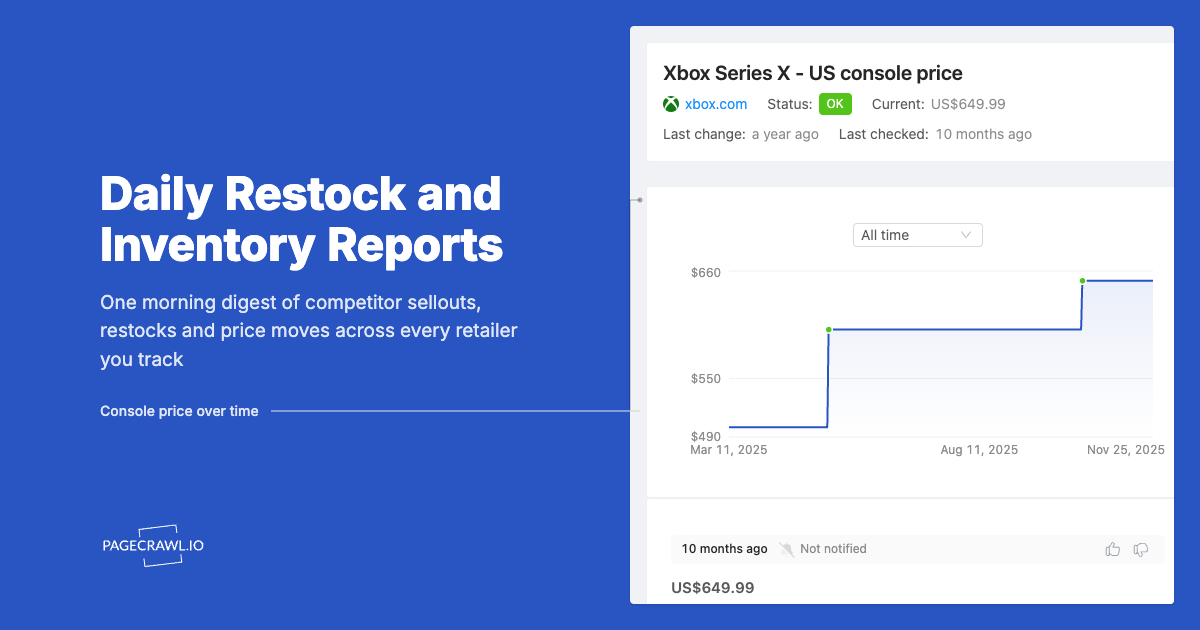
GameStop's pre-owned game prices fluctuate based on supply and demand. A pre-owned game priced at $45 today might drop to $25 during a promotion. Price monitoring on pre-owned game pages catches these price cuts.
Trade-In Value Changes
While not directly monitorable through web monitoring (trade values are displayed in-store), GameStop's website does show estimated trade-in values for some products. Monitoring these pages helps you time trade-ins for maximum value.
Troubleshooting Common Issues
False Alerts
Occasionally, GameStop product pages fluctuate between "Available" and "Sold Out" due to inventory system updates, website caching, or partial restocks. If you receive an alert but the product shows sold out when you check, this likely represents a brief inventory fluctuation rather than a sustained restock.
PageCrawl's noise filtering lets you click on any detected change to ignore it in future checks. This eliminates false alerts from date stamps, ad rotations, and visitor counters that change on every check. GameStop product pages often update "recently viewed" carousels, promotional banners, and recommendation sections independently of stock status. By marking these elements as noise after your first alert, subsequent notifications only fire when the actual stock status changes, keeping your alerts clean and actionable. The complete guide to reducing false positive notifications covers the rest of the filters worth enabling.
To further reduce false alerts, open the product page as soon as an alert reaches you. If the product is available, buy without browsing. If it shows sold out, the window may have already closed or the availability was temporary.
Age-Gated Content
Some GameStop product pages (mature-rated games, certain collectibles) display age verification gates. PageCrawl handles these automatically, but if a monitor is not detecting content changes correctly, verify that the age gate is not preventing accurate page rendering.
Regional Availability
GameStop.com can display different availability based on shipping region. Products available on the US site may not be available on the Canadian site, and vice versa. Ensure your monitors point to the correct regional GameStop domain for your location.
Choosing your PageCrawl plan
PageCrawl's Free plan lets you monitor 6 pages with 220 checks per month, which is enough to validate the approach on your most critical pages. Most teams graduate to a paid plan once they see the value.
| Plan | Price | Pages | Checks / month | Frequency |
|---|---|---|---|---|
| Free | $0 | 6 | 220 | every 60 min |
| Standard | $8/mo or $80/yr | 100 | 15,000 | every 15 min |
| Enterprise | $30/mo or $300/yr | 500 | 100,000 | every 5 min |
| Ultimate | $99/mo or $999/yr | 1,000 | 100,000 | every 2 min |
Annual billing saves two months across every paid tier. Enterprise and Ultimate scale up to 100x if you need thousands of pages or multi-team access.
Standard at $80/year covers 100 product pages across every retailer you track. If monitoring catches one limited edition console or collector's edition restock you would otherwise have missed, the plan has already paid for itself, because most of those items sell for well above retail once they are gone. Enterprise at $300/year tracks 500 pages at 5-minute frequency, which is enough for a collector or reseller monitoring multiple product categories and store locations simultaneously.
Getting Started
Stop relying on luck and Reddit posts to catch GameStop restocks. Automated monitoring watches every product page you specify, around the clock, and alerts you when the next check detects that inventory has become available.
Start with one or two products you are actively trying to buy. Set up PageCrawl monitors, configure Telegram notifications, and prepare your GameStop account for fast checkout. Run the monitoring for a week to see how it works, then expand to additional products.
PageCrawl's free tier includes 6 monitors, enough to track your most-wanted GameStop products and see the system in action. For shoppers tracking products across GameStop, Best Buy, and other retailers simultaneously, the Standard plan ($80/year for 100 pages) provides ample capacity. For resellers or serious collectors monitoring dozens of products, the Enterprise plan ($300/year for 500 pages) covers large-scale inventory tracking across multiple retailers.
The next limited edition console drop will happen without warning. The question is whether you will know about it in minutes or hours. Set up monitoring now, before the next drop catches you off guard.