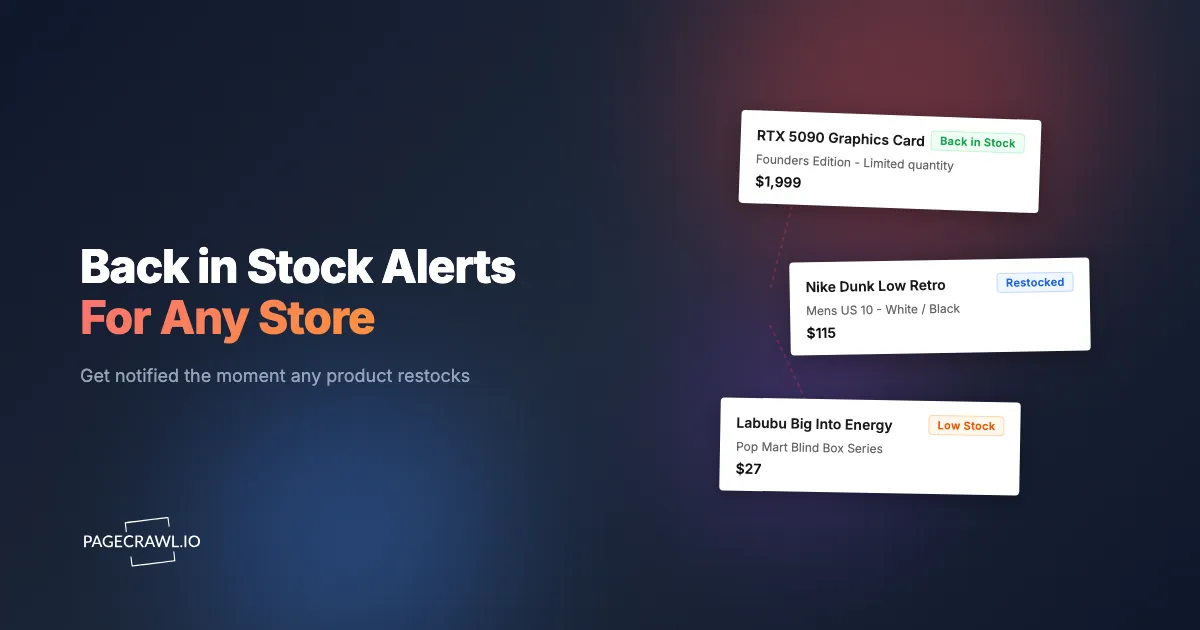
A back in stock alert tells you when a sold-out product can be bought again, so you are not refreshing a page a hundred times a day or losing out to faster shoppers. This guide covers how restock alerts work, how to set one up on any store in a few minutes, the fastest notification channels, free versus paid options, how to avoid false alarms, and exactly what to do when an alert fires so you actually complete the purchase.
What are back in stock alerts?
A back in stock alert is an automated notification sent when a check detects that an out-of-stock product is buyable again. It fires when the availability signal on the product page changes, for example when "Sold Out" disappears, an "Add to Cart" button returns, or a delivery date appears. Shopper alerts differ from a retailer's own "Notify Me" list because you control the timing, the channel, and which exact page is watched.
The trigger is a change on the page itself, not a guess. That is why a good restock alert can catch a product that a store never emails about, including quiet mid-day drops and single-variant restocks that never make it to a marketing blast.

How do back in stock alerts work?
A restock alert works by loading the product page on a schedule, reading the availability indicator the way a browser would, and firing a notification when the status flips from unavailable to available. The monitor compares each check against the last one, so it only alerts you when the stock state actually changes, not on every visit.

Two details matter for reliability. First, many modern stores load stock status with JavaScript after the page opens, so a tool has to render the page like a real visitor rather than read raw source. Second, high-demand retailers protect their pages against automated traffic, so the monitor needs to behave like an ordinary browser to see the true availability. PageCrawl handles both, which is why it can watch protected and JavaScript-heavy stores that simple browser extensions cannot.
Why are retailer "Notify Me" waitlists too slow to rely on?
Store "Notify Me" waitlists are usually too slow because they batch-send email hours after inventory lands, often after the item has already sold out again. They give you one channel (email), the store decides when to send, and they rarely track availability down to a specific size, color, or configuration. For a low-demand item that is fine, but for anything competitive it puts you at the back of the line.
Independent stock availability monitoring flips that around. You watch the exact page on a schedule you control, you pick the channel, and you set the frequency. Nobody throttles your alert to protect a marketing calendar.
How do I set up a back in stock alert on any store?
Setting up a restock alert takes about two minutes and needs no code, no CSS selectors, and no browser extension. Copy the exact product URL, add it to a monitor, choose availability-style tracking, pick a fast channel, and set how often it checks. The widget above pre-fills most of this for you if you paste a URL into it.
- Copy the exact product or variant URL. Use the page for the specific size, color, or storage you want, not a category or search page.
- Create a monitor with that URL. In PageCrawl you can paste it straight into the setup screen.
- Tell it what to watch. Focus the monitor on the buy button and stock status so it ignores unrelated edits like reviews or recommended products.
- Choose your notification channels. Add a fast one such as Telegram, Discord, or mobile push, and keep email as a backup.
- Set a check frequency that matches demand, then turn on screenshot verification so you can confirm the restock at a glance before racing to checkout.
Note: monitor the specific variant page. A general product page can show "in stock" for one color while the size you actually want is still gone.
Which stores and product categories can you track?
You can track any retailer that has a public product page, across every category. The approach is identical whether it is a sneaker drop, a graphics card, a blind box, or a warehouse-club exclusive. The list below groups the most-requested stores, and each guide walks through the quirks of that specific retailer.
Electronics and tech: Apple in-stock alerts, NVIDIA GPU stock alerts, Best Buy restock alerts, Nintendo Switch 2 stock alerts, and Steam Deck restock tracking.
Sneakers and fashion: Nike SNKRS restock alerts, sneaker restock alerts for Nike and Adidas, Jordan release and drop alerts, and Lululemon restock alerts.
Collectibles and toys: Pop Mart and Labubu blind box tracking, Pokemon TCG restock and drop alerts, trading card restock alerts, LEGO restock alerts, and Funko Pop exclusive drop alerts.
Warehouse and big-box: Walmart in-stock alerts, Target inventory and stock alerts, and Costco restock alerts.
Beauty: Sephora sale and restock alerts.
Free vs paid restock alert tools: what is the difference?
Free tools give you slower checks and a small number of pages, which is fine for one or two items you are not in a hurry for. Paid tiers add faster check intervals, many more pages, and the multi-retailer coverage you need for competitive drops. PageCrawl's free tier covers 6 monitored pages and 220 checks per month, enough to watch a couple of items at a relaxed pace.
The bigger differences are speed and reach. If ten people are chasing the same graphics card, the person checking every 5 minutes on a push channel beats the person on a free hourly email every time. The table below compares the common ways shoppers track restocks.
| Approach | How it works | Typical speed | Channels | Works on protected or JS-heavy stores |
|---|---|---|---|---|
| Retailer "Notify Me" button | Store adds you to an email list | Hours, batch-sent | Email only | N/A (it is the store) |
| Browser extension trackers | Tab-based checks while your browser is open | Minutes, if the tab is open | On-screen or email | Often blocked |
| Community trackers (Discord, X) | Volunteers post restocks manually | Varies, human-driven | Group chat | Depends on the person |
| Website monitoring tool (PageCrawl) | Watches the exact page on a schedule, renders like a real browser | 5 to 15 minutes, or faster on paid | Telegram, Discord, push, email, webhook | Yes |
How often should a back in stock alert check the page?
Match the check frequency to demand. Hyped drops such as new GPUs, limited sneakers, Labubu figures, and game consoles deserve a 2 to 15 minute interval, because stock can appear and vanish inside an hour. Steady restocks of everyday products are fine on an hourly or daily check. Checking far more often than the item warrants wastes your quota and can trip a retailer's rate limits.
Timing patterns help too. Many large retailers replenish overnight or in the early morning, so a tighter interval during those windows catches more restocks than checking evenly around the clock.
How do I avoid false alarms and missed restocks?
Avoid false alarms by watching the right thing on the right page. Monitor the exact variant URL, focus the alert on the buy button and stock status rather than the whole page, and turn on screenshot verification so you can confirm the restock before you sprint to checkout. Our complete guide to reducing false positive notifications covers the rest of the toolkit. Redundant channels stop a single missed email from costing you the item.
Watch out for stock states that lie. Some pages flip to "in stock" when the item really means "ships in 4 weeks" or "available for backorder." A screenshot in the alert lets you tell a real restock from a backorder in one glance, so you do not waste a checkout window on something that will not actually ship soon.
What should I do when a restock alert fires?
Act within minutes, because popular restocks sell out fast. The alert only buys you a head start if you are ready to check out on the spot. Have your account logged in with payment and shipping details already saved, keep the exact product URL bookmarked, and use your fastest notification channel so you see it as soon as it arrives.
A few habits win more items:
- Pre-save payment and address so checkout is one or two clicks.
- Consider Buy Online, Pick Up In Store, which often has separate inventory and sidesteps some resale bots.
- Decide your backup in advance, for example a second acceptable color, size, or retailer, so you do not hesitate.
- Buy from authorized retailers to avoid resale markups.
Which notification channels are fastest for restocks?
Push channels are fastest. Telegram, Discord, and browser and mobile push notifications deliver promptly once a check detects the restock, while email can lag by minutes and sometimes lands in spam. For anything competitive, set a push channel as your primary alert and keep email as a backup so you have a paper trail.
Discord is the best choice for group or coordinated buying, since everyone watching the same drop sees the alert at once. Webhooks are worth adding if you want to automate a next step, such as logging the restock or triggering another tool.
Back in stock alerts vs price drop alerts: which do I need?
A back in stock alert fires when availability returns, while a price drop alert fires when the price falls. If you are chasing a sold-out item, you want the restock alert. If the item is available but too expensive, you want the price alert. Many shoppers want both on the same product, and the same monitor can watch for either signal, so you are covered whether the blocker is stock or price. If price is your main concern, see our price drop tracking guide for setup tips.
Common questions about back in stock alerts
How do I get notified when something is back in stock for free?
Use a free monitoring tier or the retailer's own waitlist, then paste the exact product URL and pick a notification channel. PageCrawl's free tier covers 6 pages and 220 checks per month. Free tiers check less often, so reserve them for less-competitive items and save the tighter intervals for hyped drops.
How fast are back in stock alerts?
They are as fast as your check frequency and channel. A 5 to 15 minute check delivered over a push channel like Telegram or Discord catches most restocks within minutes. Retailer email waitlists can lag by hours and often arrive after the item has already resold, which is why independent monitoring wins for competitive products.
Do restock alerts work on bot-protected sites?
Yes, if the monitor renders pages in a real browser. Tools that behave like an ordinary visitor can read availability on JavaScript-heavy and protected retailers where simple extensions get blocked. Raw-HTML scrapers usually cannot see stock status that loads dynamically, so they miss or misreport restocks on those stores.
Can I get an alert for a specific size or color?
Yes. Monitor the exact variant URL, meaning the page for that specific size, color, or storage option, rather than the general product page. The alert then fires only when that variant is available, so you are not sent racing to checkout for a version you do not want.
Will a restock alert let me beat scalper bots?
It levels the field by notifying you as soon as a check detects that stock returned, but you still have to act fast. Pre-save your payment and shipping details, buy from authorized retailers, and use in-store pickup where possible. An alert plus a ready-to-go checkout is the realistic way for a person to compete with automated buyers.
What is the difference between a restock alert and a retailer "Notify Me" button?
The retailer button adds you to their email list on their schedule and one channel. An independent monitor watches the page for you around the clock and alerts you on the channel and frequency you choose. For a deeper walkthrough of monitoring sold-out inventory, see our out-of-stock alerts guide.
Ready to stop refreshing? Paste a product URL into the tool above, or start monitoring for free and get an alert as soon as a check detects your item is back in stock.