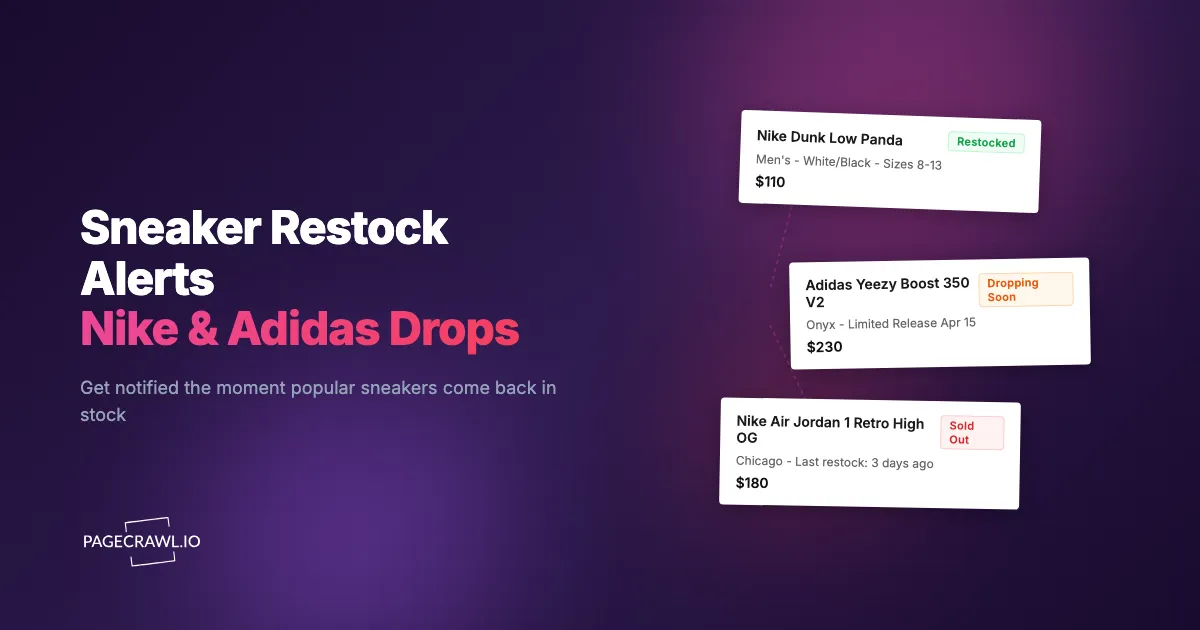
The Jordan 4 Bred Reimagined dropped at 10:00 AM on Nike SNKRS and sold out in under 90 seconds. By the time most users opened the notification from the SNKRS app, the checkout button already read "Sold Out." That same afternoon, the shoe appeared on StockX for double retail price.
This is not unusual. Limited-edition sneaker releases routinely sell out in seconds or minutes. The combination of genuine demand, reseller bots, and intentionally limited supply creates an environment where manual effort fails. Refreshing a product page, relying on app notifications, or checking social media are unreliable strategies when inventory lasts less than two minutes.
Sneaker enthusiasts who consistently secure releases use automated monitoring systems. These watch product pages across multiple retailers in parallel, detect a stock change on the next check, and push an alert to your phone. The difference between hitting and missing a drop often comes down to how quickly you hear about it.
This guide covers which platforms to monitor, how to set up automated restock alerts, notification strategies for maximum speed, and techniques for tracking multiple releases across retailers.
Why do sneaker drops sell out so fast?
Three forces stack up: brands deliberately cap production at a few tens of thousands of pairs worldwide, reseller software checks out in seconds, and retailers release the same shoe at staggered times. Understanding those mechanics helps you build better monitoring strategies.
Intentional Scarcity
Brands like Nike, Adidas, and New Balance deliberately limit production runs for certain colorways and collaborations. A shoe might have global production of 30,000 to 50,000 pairs, split across dozens of countries and hundreds of retail locations. Any single store might receive 20 to 100 pairs.
This scarcity is a marketing strategy. Limited supply drives demand, social media buzz, and resale market value. The harder a shoe is to get, the more people want it.
Automated Purchasing
Reseller operations use sophisticated purchasing automation to buy multiple pairs at release time. These systems complete the checkout process in seconds, faster than any human can manually navigate a website. On high-demand releases, automated buyers may claim a significant portion of available inventory before manual shoppers finish entering their shipping address.
Retailers implement anti-bot measures (drawing systems, queues, CAPTCHAs), but the competition remains intense. Having faster awareness of stock availability gives you an edge, even if you complete checkout manually.
Staggered Release Timing
Different retailers receive and release the same shoe at different times. Nike SNKRS might drop a shoe at 10:00 AM Eastern, while Foot Locker releases it at 10:00 AM local time per region. Smaller boutiques may release earlier or later, sometimes without announcing exact timing. JD Sports, Finish Line, and Shopify-based stores each follow their own schedule.
Monitoring multiple retailers simultaneously means you have multiple chances to secure a pair rather than betting everything on one drop.
Which sneaker platforms are worth monitoring?
Monitor Nike SNKRS and nike.com, Adidas Confirmed plus adidas.com, the Foot Locker group, JD Sports, Shopify-based boutiques, and the resale markets for pricing context. Each retailer has different characteristics that affect how you monitor them.
Nike SNKRS
The primary release platform for Nike and Jordan Brand limited editions, published on the Nike launch site. SNKRS uses a draw system for high-demand releases (you enter and are randomly selected) and first-come, first-served for general releases.
Monitoring the SNKRS app or website is useful for knowing exactly when a release goes live, even for draws. For restocks (shoes returning to SNKRS after initial sellout), page monitoring catches changes that the app may not notify you about promptly.
Nike product pages on nike.com sometimes show availability before or independent of the SNKRS app. Monitor both the SNKRS product URL and the nike.com product page for complete coverage.
Adidas Confirmed
Adidas uses the Confirmed app for Yeezy restocks, collaborations, and limited releases. Like SNKRS, high-demand releases use a raffle system. Monitoring Adidas product pages on adidas.com captures availability changes that the Confirmed app may delay.
Adidas also releases limited shoes through their main website without the Confirmed app. These web-only releases are first-come, first-served and benefit significantly from automated stock monitoring.
Foot Locker and Affiliated Stores
Foot Locker, Kids Foot Locker, and Champs Sports share inventory systems. A shoe available on Foot Locker might also appear on Champs Sports. Monitor Foot Locker's product pages for the broadest coverage within this retail group.
Foot Locker uses a first-come, first-served model for most releases, with occasional reservation systems for high-demand shoes. Their website updates stock status on product pages, which makes web monitoring effective.
JD Sports
JD Sports is a major sneaker retailer across Europe and increasingly in the US. Their release schedule sometimes differs from Nike and Adidas direct channels, providing additional opportunities. JD Sports product pages show clear availability status that web monitoring captures reliably.
Shopify-Based Boutiques
Many independent sneaker boutiques run on Shopify. Stores like Kith, Bodega, Undefeated, and A Ma Maniere use Shopify's platform. Shopify stores have consistent URL structures and well-defined product page layouts, making them straightforward to monitor.
Boutique releases often have lower profile and less bot competition than major retailer drops. Some boutiques do in-store only releases, but many also sell online. Monitoring boutique product pages can be more productive than competing on SNKRS for the same shoe.
Resale Market Monitoring
StockX, GOAT, and eBay are secondary markets where sneakers trade after release. Monitoring resale prices helps you decide when to buy (if prices are dropping) or sell (if prices are peaking). Resale price monitoring is less time-sensitive than restock alerts but provides valuable market intelligence.
Setting Up Sneaker Monitoring with PageCrawl
PageCrawl monitors sneaker product pages in a full browser environment, seeing the same content you see when visiting the site. This handles the JavaScript-heavy pages that major sneaker retailers use.

Basic Restock Alert Setup
For monitoring a specific shoe on a single retailer:
Step 1: Find the product page on the retailer's website. Navigate to the exact shoe, colorway, and size selection page. Copy the complete URL. For Nike, this is typically nike.com/t/shoe-name/STYLE-CODE. For Foot Locker, it is footlocker.com/product/shoe-name/PRODUCT-ID.html.
Step 2: Add the URL to PageCrawl. For sneaker restock monitoring, the most effective approach is to track availability, exactly as stock availability monitoring and restock alerts work on any product page. Select the availability tracking mode, which specifically watches for changes in stock status (from "Sold Out" to "Add to Cart" or similar).
Step 3: Set check frequency to the highest practical interval. For upcoming drops and anticipated restocks, 15-minute checks provide fast detection. For general monitoring of items that may restock unpredictably, 30-minute or hourly checks balance speed against monitoring quota usage.
Step 4: Configure fast notifications. This is the most important step for sneaker monitoring. Speed is everything.
Step 5: Verify detection. Check that PageCrawl correctly identifies the current availability status. The AI should report something like "Currently showing Sold Out" or "Available in select sizes." If the product page shows size selection buttons, verify that the monitored status reflects overall availability.
Monitoring Multiple Sizes and Colorways
Limited releases sell out by size. Your size might be gone while others remain. Two approaches handle this:
Size-specific URLs. Some retailers generate unique URLs when you select a size. If the URL changes when you pick your size, copy that size-specific URL and monitor it directly. This gives you size-level alerting.
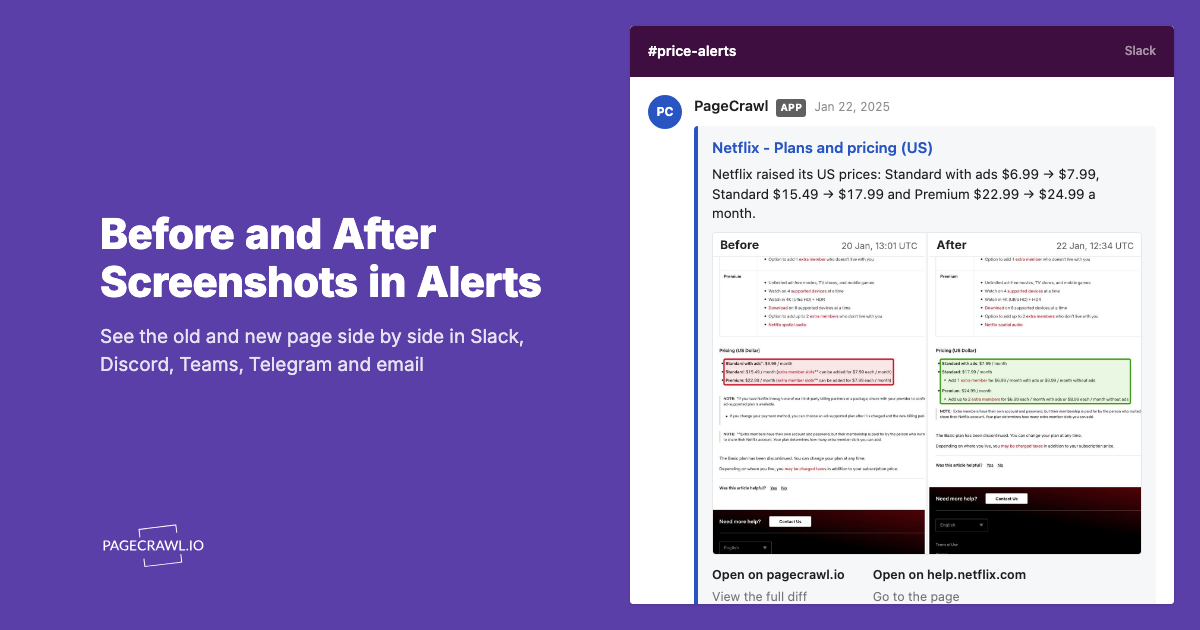
Full page monitoring with AI summary. When the URL does not change per size, monitor the full product page. PageCrawl's AI summarizes what changed, including which sizes became available. An alert might read: "Sizes 9, 10, and 11 now showing as available. Previously all sizes showed Sold Out."
For a must-have shoe, monitor both the general product page and your specific size URL (if available). This catches both full restocks and size-specific inventory additions.
Multi-Retailer Monitoring for a Single Release
For a high-priority release, set up monitors across every retailer that will carry the shoe:
- Nike.com or SNKRS product page
- Foot Locker product page
- JD Sports product page
- Finish Line product page
- Any boutiques with confirmed allocation
This means 4 to 6 monitors for one shoe. With PageCrawl's free tier of 6 monitors, you can cover one release across multiple retailers. The Standard plan's 100 monitors lets you track dozens of shoes across multiple retailers simultaneously.
When monitoring at scale, PageCrawl's bulk editing lets you change the check frequency, notification settings, or tracking mode for hundreds of monitors at once, saving hours of manual configuration. Before a major drop weekend, you can select all your sneaker monitors and increase check frequency to every 15 minutes in one action, then dial it back after the release passes.
Organize monitors in folders by release name. When the release passes, archive or delete those monitors and set up new ones for the next drop.
Notification Strategy for Speed
In sneaker monitoring, your notification setup is as important as the monitoring itself. A 30-second notification delay can mean the difference between securing a pair and seeing "Sold Out."
Telegram: Fastest Mobile Alerts
Telegram push is the quickest channel to your phone once a check has detected a stock change. Keep Telegram installed with notifications enabled and sound on, and follow the help centre walkthrough for Telegram change notifications to connect the bot.
Configure Telegram as your primary notification channel for all sneaker monitors. The app is free, available on every platform, and provides more reliable push notification delivery than email.
Slack for Group Coordination
If you are part of a sneaker group or coordinate with friends, Slack channel alerts provide shared visibility. Everyone in the channel sees the alert simultaneously, so you can coordinate who goes for which retailer.
Set up a dedicated Slack channel for sneaker alerts. PageCrawl posts formatted messages with the product name, retailer, and what changed. Group members can react to claim which retailer they are attempting.
Webhook for Advanced Automation
Webhook notifications send structured JSON data when stock changes are detected. This enables custom automation:
- Forward alerts to multiple platforms simultaneously
- Filter alerts based on specific criteria (only notify for certain sizes)
- Log all stock changes to a spreadsheet for pattern analysis
- Trigger a script that opens the product page automatically
For technically inclined sneaker enthusiasts, webhooks provide the most flexibility.
Push Notifications: Why Speed Matters
Email is too slow for sneaker monitoring. Even with fast email delivery, the delay between send and notification can be minutes. Minutes you do not have.
The help centre guide to web push notifications for change alerts covers desktop alerts for when you are at your computer. Combined with Telegram for mobile, you hear about every detected change regardless of where you are.
Configure multiple channels with redundancy. Telegram plus email ensures that if one channel has a delivery hiccup, the other still reaches you.
Monitoring Strategies by Release Type
Different release types require different monitoring approaches.
Confirmed Release Dates
When a shoe has an announced release date and time, set up monitors in advance. Create the product page monitor as soon as the retailer publishes the product page (often days before the release). This lets PageCrawl learn the page's "Sold Out" or "Coming Soon" baseline state, so the first check after the switch flags the transition to "Available."
On release day, your monitoring is already running. Once a check sees the "Add to Cart" or "Buy Now" button appear, you get notified.
Surprise Restocks
Many sought-after shoes restock without warning. Nike occasionally restocks Jordan retros. Adidas brings back popular collaborations and World Cup 2026 jersey restocks. These surprise restocks are where monitoring provides the biggest advantage, because there is no scheduled time to prepare for.
For shoes you want that originally sold out, keep monitors running on all retailer pages indefinitely. Check frequency of every 30 minutes to 1 hour is sufficient for surprise restocks, which typically remain available for longer than initial drops.
Shock Drops
Some brands release shoes with zero advance notice. The product page appears, and the shoe is on sale right away. Monitoring brand pages (Nike's "New Releases" section or Puma's new releases, for example) catches shock drops by detecting when new products appear.
This is search-result-style monitoring rather than individual product monitoring. Monitor the New Arrivals or Latest Releases page on each retailer and let AI summaries tell you what appeared.
Tips for International Drops
Sneaker releases vary by region, creating opportunities for global shoppers.
Time Zone Advantages
European retailers often release shoes before US retailers. If you are in the US and a shoe drops on Nike EU at 9:00 AM CET, that is 3:00 AM Eastern. Monitoring EU retailer pages provides earlier access, though international shipping costs and logistics apply.
Asian markets sometimes have exclusive colorways or earlier access windows. Japanese retailers (Atmos, ABC-Mart) and South Korean sites occasionally release globally available shoes before other regions.
Regional Exclusives
Some colorways are region-specific. Monitoring international retailer pages, which sometimes needs residential proxies to reach geo-restricted storefronts, reveals availability for shoes that may not release in your region at all, allowing you to purchase through international shipping or forwarding services.
Currency Monitoring
International purchases involve currency conversion. An apparently good price on a European retailer might be more expensive after conversion and shipping. Combining sneaker stock monitoring with a general understanding of exchange rates helps evaluate international purchase decisions.
Combining Stock and Price Monitoring
Sneaker monitoring is not just about catching retail releases. Price monitoring on the resale market helps you make smart buying and selling decisions.
Resale Market Timing
After initial sellout, resale prices often spike within hours, then gradually decline over weeks or months as more pairs enter the secondary market. Some shoes eventually fall below retail price. Monitoring resale listings on StockX or GOAT helps you identify optimal buying windows.
Set up price tracking on resale marketplace listings for shoes you missed at retail. When the resale price drops to your target, you get an alert.
Retail Sale Monitoring
Not all sneakers are limited. General release shoes that initially sell at full price often go on sale weeks or months later. Monitoring the product page for price drops catches these discounts. Sneakers that sat on shelves might end up at 30-40% off during sales events.
Competitor price tracking tools designed for retail monitoring work well for this purpose. Track the same shoe across multiple retailers and buy from whichever offers the best price.
Below Retail Opportunities
Occasionally, resale prices drop below retail. This happens when hype fades, supply exceeds demand, or sellers need to liquidate inventory. Monitoring resale markets for below-retail pricing on shoes you want is a patience-rewarding strategy.
Managing Your Sneaker Monitoring Dashboard
Active sneaker enthusiasts might monitor dozens of shoes simultaneously. Organization matters.
Prioritize Ruthlessly
Not every shoe deserves 15-minute monitoring. Classify releases:
- Must-cop (15-minute checks, all retailers): The one or two releases per month you absolutely want
- Would-be-nice (hourly checks, select retailers): Shoes you like but will not pay resale for
- Tracking (daily checks): General interest, market intelligence, or future purchase consideration
Retire Monitors When Appropriate
After you secure a pair, delete the monitor. After a general release has been available for weeks, reduce check frequency or remove the monitor. Keeping stale monitors active wastes your plan's monitoring quota.
Release Calendar Integration
Follow sneaker news sources for upcoming release information. Set up monitors 3 to 5 days before confirmed releases. This gives PageCrawl time to baseline the page and ensures monitoring is active when the drop happens.
Maintain a running list of upcoming releases and the dates you need to create monitors. Batch setup a few days before a heavy release weekend to have everything ready.
What mistakes make sneaker restock alerts fail?
Four recurring ones: monitoring a search or category page instead of the product page, assuming the retailer's app and website show the same stock, setting alerts for every shoe until you tune them out, and never testing the alert path before a drop.
Monitoring the Wrong Pages
Product pages and search result pages look similar but serve different purposes. Monitor the product page (with the specific SKU and size selector) for restock alerts. Monitor search results or category pages for new product appearance alerts.
If you monitor a search results page expecting a restock alert for a specific shoe, you will get noise from every listing change in those results.
Ignoring Mobile App Differences
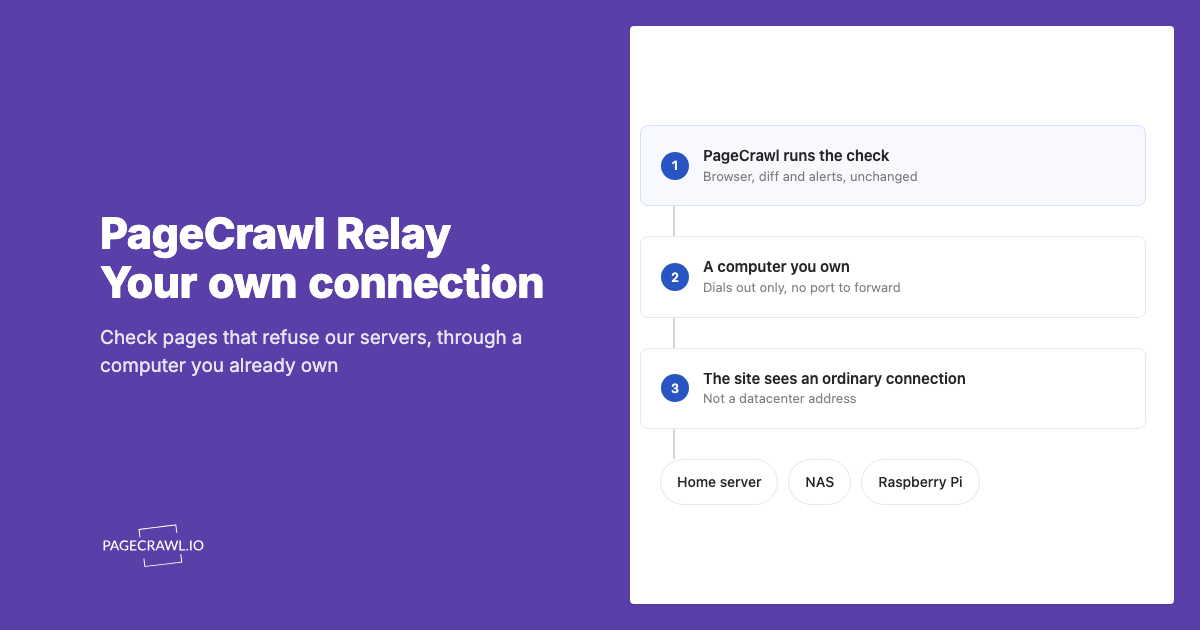
Some retailers show different availability on their app versus their website. Nike SNKRS app drops might not simultaneously appear on nike.com. When possible, monitor the web version of the retailer, as web monitoring tools access websites, not native apps. For app-exclusive drops, supplementary strategies (SNKRS notification, community alerts) fill the gap.
Over-Monitoring and Alert Fatigue
Setting up alerts for every shoe you have mild interest in leads to notification overload. When your phone buzzes 20 times a day with sneaker alerts, you stop paying attention and miss the one that matters. Be selective. Monitor what you will actually try to buy.
Not Testing Your Setup
Before a major release, verify that your monitoring and notifications work end to end. Check that monitors are active, notifications arrive on your phone, and you can reach the retailer's website quickly from the alert. A test run on a non-limited shoe validates the entire flow.
Troubleshooting Sneaker Monitoring
Note: During high-demand release events (limited drops, collaboration launches), retailer websites experience extreme traffic that can slow their own page loads. PageCrawl reliably monitors protected sites, but during these overloaded periods a check may occasionally return incomplete data because the retailer's own servers are struggling to respond. For the best results, set up monitors well before the expected drop time so PageCrawl has a baseline to compare against.
"Page Not Found" After Sellout
Some retailers remove product pages entirely after a shoe sells out instead of showing a "Sold Out" message. PageCrawl detects this page removal. If the page later returns (for a restock), the change from "not found" to product content triggers an alert.
Slow Notification Delivery
If alerts arrive late, check your notification channel configuration. Telegram is usually the quickest channel, so compare against it. If using email, check spam folders. For webhooks, verify your endpoint is responding quickly and not queuing requests.
Regional Page Differences
Retailer websites may show different content based on your location. PageCrawl monitors from specific regions. If you see "Available" on the retailer's site but PageCrawl shows "Sold Out" (or vice versa), regional content delivery differences may be the cause.
Dynamic Content Changes
Sneaker product pages are highly dynamic, with rotating images, user reviews, and related product recommendations changing frequently. These changes may trigger alerts that are not stock-related. Using availability tracking mode rather than full page monitoring reduces this noise by focusing specifically on stock status elements.
Choosing your PageCrawl plan
PageCrawl's Free plan lets you monitor 6 pages with 220 checks per month, which is enough to validate the approach on your most critical pages. Most teams graduate to a paid plan once they see the value.
| Plan | Price | Pages | Checks / month | Frequency |
|---|---|---|---|---|
| Free | $0 | 6 | 220 | every 60 min |
| Standard | $8/mo or $80/yr | 100 | 15,000 | every 15 min |
| Enterprise | $30/mo or $300/yr | 500 | 100,000 | every 5 min |
| Ultimate | $99/mo or $999/yr | 1,000 | 100,000 | every 2 min |
Annual billing saves two months across every paid tier. Enterprise and Ultimate scale up to 100x if you need thousands of pages or multi-team access.
Sneaker monitoring pays for itself the first time you land a limited release at retail instead of paying 2x on the secondary market. Standard at $80/year gives you 100 monitors, enough to cover every retailer carrying the shoes you follow and still have room for resale price tracking. The 15-minute check frequency on the Standard plan means you hear about a restock within a quarter-hour of it going live, which is fast enough for most drops that stay available longer than the initial sellout window.
Getting Started
Missing sneaker drops because you found out too late is a solvable problem. Automated monitoring watches retailer product pages around the clock and alerts you as soon as a check finds stock available, whether it is a scheduled release at 10 AM or a surprise restock at 2 AM.
Start with the one shoe you want most. Set up monitors on 3 to 4 retailers that will carry it, configure Telegram for fast mobile alerts, and test that everything works. Once you see how the flow works, expand to cover multiple releases.
PageCrawl's free tier includes 6 monitors, enough to cover one shoe across multiple retailers or a few shoes on their primary retailers. For serious sneaker enthusiasts tracking multiple drops per month, the Standard plan at $80/year supports 100 monitors, and the Enterprise plan at $300/year covers 500 monitors for resellers and community leaders managing alerts for groups.
The combination of availability monitoring, AI-powered change summaries, screenshot verification, and multi-channel notifications gives you the awareness advantage that manual checking cannot match. Set it up once, and your phone becomes your personal sneaker stock radar.
Create a free PageCrawl account and start monitoring your next must-have release.