The NBA Finals schedule drops. You check Ticketmaster right away. Every game shows "Sold Out." You try the team website. Same thing. You look at StubHub, and resale prices are $1,200 per seat. A week later, a friend mentions he got face-value tickets for Game 3 because "they released more seats on Thursday morning." You had no idea new inventory appeared. Nobody told you.
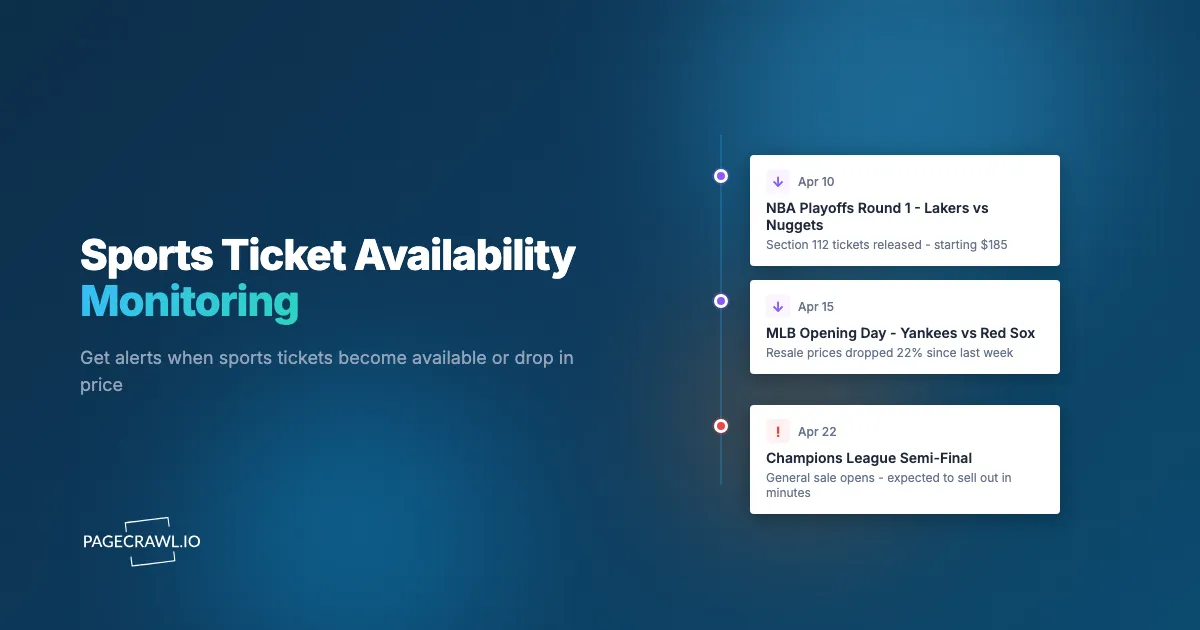
Sports ticket availability is not static. Events that show "Sold Out" frequently release additional inventory: production holds get returned, obstructed-view sections open up, team-held blocks become available, and resale prices fluctuate daily based on team performance, weather, and market sentiment. The fans who consistently get tickets to sold-out games are not luckier than everyone else. They monitor the right pages and act faster than the competition.
This guide covers why sports ticket availability changes constantly, where to monitor across primary and secondary markets, how to set up automated alerts for ticket releases and price drops, and specific strategies for playoffs, rivalry games, and other high-demand events.
Why do sports tickets become available after a sellout?
Because a "Sold Out" label does not mean every seat is permanently accounted for. Production and venue holds get released, platforms stage inventory in waves, resale listings churn daily, and season ticket holders dump games they cannot attend. Several mechanisms return inventory to the market.
Production and Venue Holds
Venues and promoters hold blocks of tickets for production needs, sight-line assessments, sponsor allocations, and venue operational requirements. These holds are released in stages. A venue might hold 200 seats for production, then release 150 of them two weeks before the event after finalizing their setup requirements.
Teams also hold inventory for players, staff, sponsors, and media. Not all of these allocations get used. Unused holds return to the general pool, sometimes just days before the event.
Dynamic Inventory Releases
Ticketmaster and other platforms practice strategic inventory management. Not all tickets go on sale at once. A portion is held back for various sale windows: presales, partner sales, sponsor blocks, and future releases. After the initial "sellout," additional inventory may appear through these channels.
Teams and venues also strategically release tickets in waves to maintain demand signals and optimize pricing. A game that sells out quickly signals high demand, which supports higher prices for released holds and additional sections.
Resale Market Fluctuations
The secondary market (StubHub, Ticketmaster Resale, SeatGeek, Vivid Seats) has its own supply and demand dynamics. Resale prices peak in the hours after a sellout when FOMO is highest. Over time, prices decline as:
- More sellers list tickets (increasing supply)
- The event date approaches (sellers become motivated to avoid unsold inventory)
- Team performance changes expectations (a losing streak reduces playoff game demand)
- Weather forecasts become available for outdoor events
- Competing events draw buyer attention elsewhere
Monitoring resale prices over time reveals predictable patterns that help you buy at optimal moments.
Season Ticket Holder Releases
Season ticket holders who cannot attend specific games release their tickets through team exchanges, Ticketmaster resale, or other channels. These releases happen on unpredictable schedules depending on individual ticket holders' plans. A season ticket holder might list their tickets for a Tuesday night game just 48 hours before, creating late availability for an otherwise sold-out event.
Where should you monitor for sports tickets?
Cover both markets: the primary platforms (Ticketmaster, AXS, and the team's own ticket pages) for released holds and new sections, and the resale platforms (StubHub, SeatGeek, Vivid Seats, Gametime) for price movement. Comprehensive monitoring means watching a handful of pages per event.
Ticketmaster
Ticketmaster is the dominant primary ticket platform for major professional sports in the US and many international markets. NFL, NBA, NHL, MLB, MLS, and many college programs sell through Ticketmaster.
What to monitor:
- Event pages: The specific event page shows ticket availability, section maps, and pricing. Monitor for changes from "Sold Out" to showing available tickets.
- Verified Resale listings: Ticketmaster integrates resale listings directly into event pages. These appear alongside primary inventory and may offer face-value or near-face-value options.
- Presale and special access pages: Ticketmaster runs presales for credit card holders, fan club members, and platform members. Monitor announcement pages for presale access details.
AXS
AXS is the second-largest primary ticket platform, used by specific venue chains and sports properties. Notable AXS clients include the Las Vegas Raiders, many UK sports venues, and several arena chains.
What to monitor:
- Event pages: Same approach as Ticketmaster. Monitor the event-specific page for availability changes.
- Flash sales and promotions: AXS occasionally runs flash sales for slow-moving inventory.
Team Websites
Many teams sell tickets directly through their own websites, sometimes with exclusive inventory not available on Ticketmaster or AXS. Teams also run their own presales, ticket exchange programs, and promotional offers.
What to monitor:
- Team ticket pages: The team's official ticket page for the specific game or season.
- Ticket exchange pages: Programs that allow season ticket holders to resell through the team's platform.
- Promotional pages: Teams run promotions (family nights, student nights, military appreciation) with specially priced tickets released separately from general sales.
Secondary Market Platforms
StubHub
The largest independent resale marketplace. StubHub displays current listings with prices and section details. Monitoring StubHub event pages shows you the cheapest available option at any given time and whether new, lower-priced listings appear.
SeatGeek
Aggregates listings from multiple resale sources and shows a "Deal Score" indicating relative value. SeatGeek's event pages consolidate inventory from various sellers, sometimes surfacing cheaper options than checking individual resale platforms.
Vivid Seats
Another major resale platform with its own inventory. Prices on Vivid Seats sometimes differ significantly from StubHub and SeatGeek for the same event, making cross-platform comparison valuable.
Gametime
A mobile-first resale platform that specializes in last-minute ticket purchases. Gametime often has competitive pricing close to event date, particularly for games where sellers are motivated to sell quickly.
Setting Up Sports Ticket Monitoring with PageCrawl
Automated monitoring replaces the cycle of manually checking multiple platforms multiple times per day.

Monitoring Primary Market Availability
Step 1: Find the Event Page
Navigate to the event on Ticketmaster, AXS, or the team website. Copy the URL for the specific event (not a search results page or a general schedule page). Each game or event has its own dedicated URL.
Step 2: Create a Monitor
Add the event URL to PageCrawl. For ticket availability monitoring, "Full Page" tracking mode works well because it captures the availability status, pricing, and section information all at once. If you want to track a specific element (such as the "Get Tickets" button appearing where "Sold Out" was displayed), use a specific text tracker with a CSS selector.
Step 3: Set Check Frequency
For sold-out events you are actively trying to attend, check every 2-4 hours. Ticket releases can happen at any time, but most primary market inventory releases occur during business hours on weekdays. For events further in the future, daily checks are sufficient until you get closer to the event date.
Step 4: Configure Notifications
Speed matters for ticket purchases. When new inventory appears for a popular event, it can sell out again within minutes. Configure:
- Telegram: Push notifications for the fastest mobile alerts
- Slack or Discord: If you coordinate with friends or family who might also purchase
- Webhook: For advanced automation (more on this below)
See the help centre guide to web push notifications for change alerts for detailed configuration.
Monitoring Resale Prices
For secondary market monitoring, the approach differs. You are not waiting for availability (resale tickets are almost always available). You are waiting for the price to drop to an acceptable level, the same price drop monitoring workflow used on retail product pages.
Step 1: Find the Event Resale Page
Navigate to the event on StubHub, SeatGeek, or another resale platform. Find the page that shows the cheapest available tickets or the section you want.
Step 2: Create a Price Monitor
Add the resale page URL and use "Price" tracking mode. This captures the current lowest price and alerts you when it changes. For section-specific monitoring, navigate to the filtered view for your desired section before copying the URL (many platforms support URL-based section filtering).
Step 3: Set Appropriate Frequency
Resale prices change throughout the day. For events you care deeply about, check every 4-6 hours. For events you would attend only if the price is right, daily checks are sufficient.
Step 4: Use Webhooks for Price Thresholds
Raw price change alerts on resale platforms create noise. Prices fluctuate constantly. Instead, route price data through a webhook to an automation tool that only alerts you when the price drops below your target.
For example: you will attend Game 3 of the NBA Finals if lower-level seats are available under $400. Your automation receives every price update from StubHub silently. When a pair of lower-level tickets lists at $375, it sends you a Telegram alert. The rest of the price fluctuations above your threshold are logged but do not interrupt your day.
Playoff Ticket Strategies
Playoff tickets represent the highest-demand, most competitive segment of sports ticket purchasing.
Early-Round Preparation
Do not wait until a team clinches a playoff spot to start monitoring. When a team is in contention:
- Monitor the team's website for playoff ticket information pages (these are often created weeks before clinching)
- Watch for presale announcements for season ticket holders and team members
- Set up monitors on Ticketmaster for the team's venue, filtering for playoff dates once they are announced
Teams with strong fan bases sell playoff tickets within minutes of public onsale. Presale access through season ticket holder programs, team memberships, or credit card partnerships provides better odds than general public sales.
Home-Field Scenarios
Playoff scheduling depends on seeding, which is not finalized until the regular season ends. Teams sell "potential" home games (Game 3, Game 4) that only become real if the series requires them. Monitor these potential game pages because:
- Prices are often lower for potential games (since they might not happen)
- If the game becomes confirmed, prices jump sharply
- Purchasing potential game tickets early and receiving a refund if the game is not needed is a valid strategy
Championship Event Monitoring
Championships (Super Bowl, World Series, NBA Finals, Stanley Cup Finals) have unique ticketing dynamics:
- Neutral site events (Super Bowl) have different distribution than home-venue events
- Official ticket lottery and presale programs are announced on league websites
- Resale prices for championships follow exaggerated versions of normal patterns (extreme peak at announcement, gradual decline, day-of variability)
Monitor league-level pages for championship ticket information, not just team or venue pages.
Rivalry and High-Demand Regular Season Games
Some regular season games carry playoff-level demand: rivalry matchups, holiday games, record-chasing events, and homecomings.
Known High-Demand Dates
Build a monitoring calendar around predictable high-demand games:
- Rivalry games: Yankees-Red Sox, Lakers-Celtics, Ohio State-Michigan, El Clasico
- Holiday games: NFL Thanksgiving, NBA Christmas, NHL Winter Classic
- Season openers: Opening day for MLB, home openers for all leagues
- Star player returns: Former players visiting their old teams
- Record attempts: When players approach milestones
Start monitoring these events as soon as dates are announced, often months before the games, using event schedule monitoring to catch date and venue changes. Early monitoring catches initial ticket releases, presales, and promotional offers.
Day-of-Game Opportunities
For flexible fans, day-of-game purchases offer the best prices on the secondary market. Sellers with unsold inventory accept dramatic price reductions rather than absorb a total loss.
Monitor resale platforms with high check frequency (every 1-2 hours) on game day. Prices often drop significantly in the 2-4 hours before game time. The tradeoff is less seat selection and the risk of not finding tickets at all.
Season Ticket Waitlist Monitoring
For popular teams, season ticket waitlists stretch for years or even decades. The status of your position on the waitlist and any movement updates are worth monitoring.
Waitlist Status Pages
Many teams provide online portals where waitlist members can check their position. Monitor your waitlist status page for position changes. Even small movements (advancing from position 5,000 to position 4,800) indicate the pace at which the list is moving and help you estimate when your opportunity will arrive.
New Section and Expansion Announcements
Teams occasionally add inventory through venue expansions, new seating sections, or reconfigured layouts. These additions sometimes come with separate sales that bypass the regular waitlist. Monitor team news and venue announcement pages for these opportunities.
Cross-Sport and Multi-Event Monitoring
Serious sports fans often follow multiple teams across multiple leagues.
Building a Sports Monitoring Dashboard
Organize your PageCrawl monitors by league and team:
- NFL: Team ticket page, Ticketmaster event pages for upcoming games
- NBA: Team ticket page, key matchup event pages
- MLB: Team ticket page, rivalry and weekend game pages
- NHL: Team ticket page, rivalry and outdoor game pages
- College: Athletic department pages, conference championship pages
- International: Premier League, Champions League ticket pages
With this structure, you see ticket availability across all your interests in one dashboard.
Combining with Concert Monitoring
Sports venues also host concerts and other events. If you monitor a venue's event calendar, you catch both sports and entertainment ticket opportunities, and the same monitoring approach extends to movie showtime alerts when new cinema screenings go on sale. For concert-specific strategies, see the concert ticket monitoring guide.
What makes sports ticket monitoring tricky?
Four things trip people up: dynamic pricing that moves between checks, event page URLs that change as playoff dates firm up, the same game living on several platforms at once, and the bot protection ticket sites run. Each has a straightforward workaround.
Dynamic Pricing Complexity
Both primary and secondary markets use dynamic pricing. The price you see when you check the page might be different from the price 30 minutes later. PageCrawl captures the price at each check interval, building a record of price movements over time. Use this data to identify pricing trends rather than reacting to individual price points. PageCrawl's noise filtering helps here as well. Using notification conditions and filters, you can configure a change threshold so that minor price fluctuations (a few dollars up or down) do not trigger alerts. Only meaningful price movements, like a drop below your target price, generate notifications. This keeps your alert channel clean and actionable instead of flooding you with noise from every small fluctuation on resale platforms.
Event Page URL Changes
Ticket platforms sometimes change event page URLs as events approach, especially for playoff games where dates and opponents are finalized late. If your monitor stops detecting changes, check whether the URL has been updated and create a new monitor for the current URL.
Multiple Event Pages for the Same Game
A single game might have separate pages on Ticketmaster, the team website, and each resale platform. This is actually an advantage for monitoring. Different platforms may show different inventory and different prices at any given time. Monitor all relevant pages for the same event.
Bot Protection on Ticket Sites
Ticket platforms invest heavily in bot protection to prevent automated purchasing. This protection can sometimes affect page monitoring. PageCrawl renders pages in a full browser environment, which handles most ticket platform pages reliably. If a specific platform page is difficult to monitor, try monitoring the team's own website, which typically has less aggressive protection than third-party platforms.
Timezone Considerations for Away Games
If you are willing to travel for away games, monitor ticket pages for venues in other time zones. Ticket releases and flash sales may happen at times that are unusual for your local time zone but normal for the venue's time zone. Set up monitoring rather than relying on manual checks for events in different time zones.
Using Webhooks for Ticket Automation
Webhook automation transforms ticket monitoring from passive alerts into active purchasing intelligence.
Price Drop Threshold Alerts
Configure webhooks that only notify you when resale prices drop below your budget. This eliminates the noise of constant price fluctuations and only sends alerts that require action.
Multi-Platform Price Comparison
Route webhook data from monitors on Ticketmaster, StubHub, SeatGeek, and Vivid Seats into a single comparison. Your automation identifies the cheapest option across all platforms for the same event and alerts you with the best deal, including a link to purchase.
Availability Change Alerts
For primary market monitoring, configure webhooks that trigger when an event page changes from showing "Sold Out" to showing available inventory. The webhook can open the ticket page in your browser automatically, saving the seconds that matter when inventory is limited.
Logging for Pattern Analysis
Send all ticket price and availability data to a spreadsheet. Over time, this reveals patterns: when teams typically release holds, how resale prices move relative to game day, and which platforms consistently offer the best deals for your team's venue. These patterns inform future monitoring and purchasing strategies.
Choosing your PageCrawl plan
PageCrawl's Free plan lets you monitor 6 pages with 220 checks per month, which is enough to validate the approach on your most critical pages. Most teams graduate to a paid plan once they see the value.
| Plan | Price | Pages | Checks / month | Frequency |
|---|---|---|---|---|
| Free | $0 | 6 | 220 | every 60 min |
| Standard | $8/mo or $80/yr | 100 | 15,000 | every 15 min |
| Enterprise | $30/mo or $300/yr | 500 | 100,000 | every 5 min |
| Ultimate | $99/mo or $999/yr | 1,000 | 100,000 | every 2 min |
Annual billing saves two months across every paid tier. Enterprise and Ultimate scale up to 100x if you need thousands of pages or multi-team access.
For sports fans, a single pair of face-value tickets to a playoff game or rivalry matchup typically costs hundreds of dollars less than the same seats on resale. Standard at $80/year covers 100 monitored pages, enough to track primary and secondary market pages for every team and event you care about across an entire season. Checking every few hours means you are notified within hours of a new inventory release or a meaningful price drop, rather than finding out from a friend who got lucky.
Getting Started
Pick an upcoming event you want to attend that is sold out or close to it. Find the event page on Ticketmaster or the team website and the same event on StubHub. Create monitors for both: the primary market page (to catch new inventory releases) and the resale page with "Price" tracking mode (to track price drops).
Set check frequency to every 4 hours and configure Telegram notifications for speed. Run the monitors for a week and observe how availability and pricing change. For most events, you will see some movement, whether that is new inventory appearing on the primary market or resale price fluctuations that reveal the optimal buying window.
Expand from there: add monitors for additional events, build out your sports monitoring folder structure, and introduce webhook automation for price threshold alerts as your system matures.
PageCrawl's free tier includes 6 monitors, enough to cover a couple of events across primary and resale platforms. For sports fans monitoring multiple teams, leagues, and events throughout the season, paid plans start at $80/year for 100 monitors (Standard) and $300/year for 500 monitors (Enterprise).