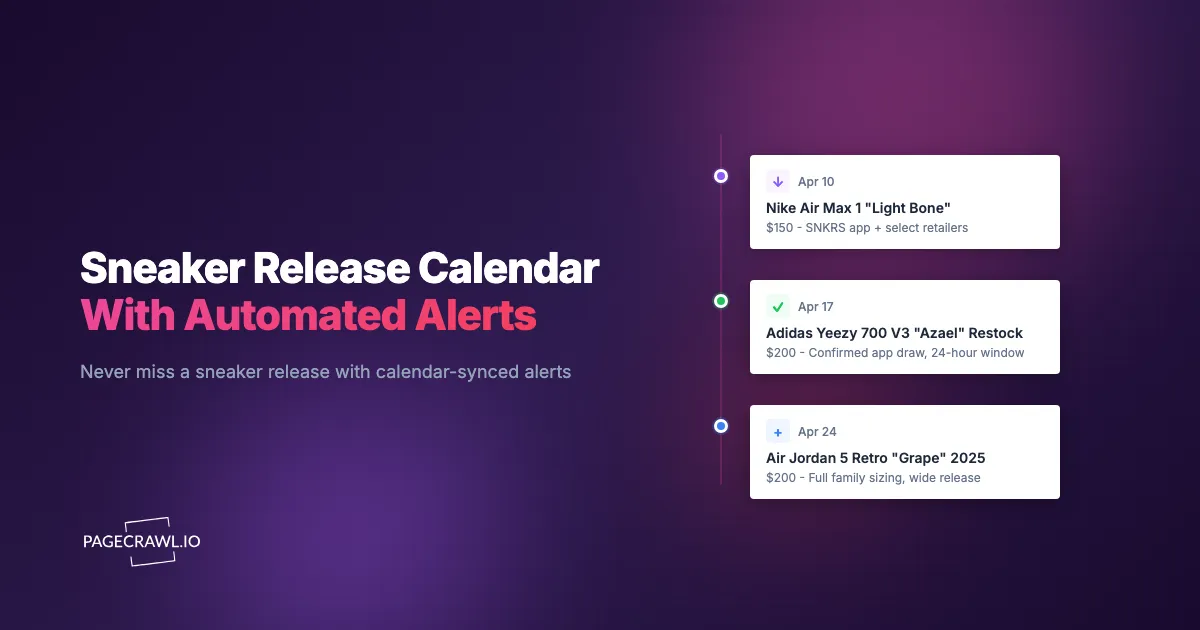
Last month, three major sneaker releases happened on the same Saturday: a Nike Dunk collaboration dropped on SNKRS at 10:00 AM Eastern, an Adidas Forum collab went live on Confirmed at 10:00 AM CET, and a New Balance 990v6 exclusive appeared on Kith's website with no announced time. Each release sold out within minutes. Tracking one brand is hard enough. Tracking every brand across dozens of retailers, boutiques, and regional sites is a full-time job that nobody signed up for.
The sneaker release landscape is fragmented by design. Nike, Adidas, New Balance, Puma, Asics, Reebok, Converse, and dozens of smaller brands all operate independent release schedules with their own platforms, rules, and quirks. Add in the hundreds of boutique retailers that receive their own allocations, and you have a release ecosystem that no single app, website, or social media account covers completely.
This guide covers how to build a comprehensive sneaker release monitoring system that spans every major brand and retailer, how to organize and prioritize dozens of monitors efficiently, and how to route notifications so you never miss a drop that matters to you.
Why is the sneaker release calendar so fragmented?
Because every brand runs its own calendar, every boutique gets its own allocation, and regions release on different days. No single app covers all of it. Before building a monitoring system, it helps to understand the four structural reasons manual tracking keeps failing.
Every Brand Runs Its Own Calendar
Nike publishes upcoming releases on the SNKRS app and the Nike launch calendar. Adidas uses the Confirmed app and its own releases section on adidas.com. New Balance posts releases on their website with limited advance notice. Puma, Asics, and Reebok each maintain their own launch calendars. None of these calendars talk to each other, and none of them include releases from third-party retailers.
A shoe dropping on Nike SNKRS might also release at Foot Locker, JD Sports, and three independent boutiques, all at different times. The SNKRS calendar only shows the SNKRS drop. You need to check each retailer independently to get the full picture.
Boutiques Play by Their Own Rules
Independent sneaker boutiques like Kith, Bodega, Undefeated, A Ma Maniere, Social Status, and Union receive allocations for the same shoes as the big retailers but rarely follow the same schedule. Some boutiques do in-store raffles. Others do online-only drops with no time announcement. A few post products quietly and let them sit until someone notices.
Boutique drops often have less bot competition than major retailer releases, making them genuinely better opportunities for manual shoppers. But you have to know about them first, and no centralized calendar reliably tracks boutique drop timing.
Regional Differences Create Opportunities
A shoe might drop in Europe a full day before it drops in North America. Japanese retailers sometimes have exclusive colorways or earlier release windows. Australian and Southeast Asian retailers follow their own timelines. Regional monitoring expands your chances significantly, but it also multiplies the number of sources you need to track.
Release Information Changes Constantly
Dates shift. Shoes get delayed. Surprise drops happen without warning. A shoe listed for May 15 might move to June, or it might shock-drop on May 10. Release calendars are guides, not guarantees. The only reliable source of truth is the product page itself: when it shows "Add to Cart," the shoe is live.
Brand-by-Brand Monitoring Strategy
Each major brand has specific platforms and pages worth monitoring. Here is what to track for each.
Nike and Jordan Brand
Nike is the largest sneaker brand and the most complex to monitor. Key sources:
SNKRS product pages. When a release is confirmed, Nike publishes a product page on SNKRS days or weeks before the drop. Monitor these pages to detect the transition from "Coming Soon" or "Notify Me" to "Available" or "Enter Draw." The URL typically follows the pattern nike.com/launch/t/shoe-name.
Nike.com product pages. Some releases appear on the main nike.com store separate from or in addition to SNKRS. General releases and restocks often show up on nike.com without SNKRS involvement. Monitor the specific product URL, which usually follows nike.com/t/shoe-name/STYLE-CODE.
Nike Launch Calendar. Monitor the overall launch calendar page to catch newly added releases. When Nike adds a new shoe to the calendar, page monitoring detects the addition and AI summaries describe what appeared. This catches shoes you did not know about.
Nike Factory and Nike Outlet online pages. Previous-season and general-release shoes sometimes appear at discounted prices on outlet sections. For price-conscious shoppers, monitoring these pages catches deals.
Adidas
Adidas splits releases between the Confirmed app and the main website.
Adidas.com product pages. Web-only releases appear on adidas.com with first-come, first-served availability. Monitor specific product URLs for stock status changes. Adidas product URLs include the style code in the path, making them stable and reliable to monitor.
Adidas release calendar page. Like Nike's launch calendar, this page shows upcoming releases. Monitor it to detect new additions and schedule changes.
Adidas Yeezy pages. Yeezy restocks on adidas.com are significant events. Product pages for Yeezy models are worth persistent monitoring even between announced releases, as surprise restocks occur periodically.
New Balance
New Balance has become one of the most sought-after brands in sneakers, with collaborations selling out rapidly.
NewBalance.com product pages. New Balance publishes product pages before releases and updates availability on launch day. The website is the primary release channel for most drops.
New Balance launch page. New Balance maintains an upcoming releases section that receives less traffic than Nike or Adidas equivalents, making it a valuable monitoring target.
Retailer product pages for New Balance. Kith, Bodega, Packer Shoes, and other boutiques that specialize in New Balance collaborations often have their own allocation. Monitor these boutique product pages alongside the brand site.
Puma, Asics, Reebok, and Other Brands
These brands have smaller but dedicated communities and increasingly popular collaborations.
Brand websites. Each brand has a release or new arrivals section on their main website. Monitor these pages for new product additions and stock status changes.
Collaboration partner sites. Many releases from these brands happen primarily through collaboration partners rather than the brand's own site. A Puma x Fenty release might be available on the collaborator's website before Puma's own store. Identify where the collaboration will be sold and monitor those specific pages.
Which retailers and boutiques should you monitor?
Cover the Foot Locker family, JD Sports, Finish Line, and Dick's for volume, then add the boutiques that receive their own allocation: Kith, Bodega, Undefeated, A Ma Maniere, Union LA, Social Status, SNS, END, and BSTN. Monitoring several of them gives you multiple chances at every drop.
Major Retailers
Foot Locker family (Foot Locker, Champs Sports, Kids Foot Locker). These share inventory systems but sometimes release at slightly different times. Foot Locker typically gets the earliest releases in this group. Monitor Foot Locker product pages as the primary source.
JD Sports. Major European retailer that also operates in the US. JD Sports often receives significant allocations and releases shoes at different times than US-based retailers, sometimes earlier.
Dick's Sporting Goods / Going Going Gone. Dick's has expanded its sneaker inventory significantly. They carry many general and mid-tier limited releases. Less bot competition than Foot Locker.
Finish Line. Operates under JD Sports but maintains separate inventory and release timing in the US.
Key Boutiques
Boutique retailers deserve dedicated monitoring because they offer the best manual-shopping odds:
- Kith (Shopify-based, carries Nike, New Balance, Asics, Adidas)
- Bodega (Nike, New Balance, Asics)
- Undefeated (Nike, Adidas, Converse)
- A Ma Maniere (Nike, Jordan, New Balance)
- Union LA (Nike, Jordan)
- Social Status (Nike, Jordan, New Balance)
- SNS (Sneakersnstuff) (All major brands)
- END Clothing (All major brands, Europe-based)
- BSTN (Europe-based, all major brands)
Most of these boutiques run on Shopify, which has consistent URL structures and product page layouts. Product pages follow predictable patterns, making monitoring setup straightforward.
Setting Up a Comprehensive Monitoring System with PageCrawl
Building a monitoring system that covers all brands and retailers requires organization. Here is a step-by-step approach.
Step 1: Identify Your Must-Watch Releases
Start by listing the shoes you actually want over the next month. Check sneaker news sources (Sole Collector, Hypebeast, Nice Kicks, Sneaker News) for confirmed release dates. For each shoe, identify which retailers will carry it.
Most shoppers have 2 to 5 shoes per month they genuinely want. Starting focused prevents monitor overload and helps you learn the system before scaling up.
Step 2: Create Monitors for Each Retailer
For each shoe on your list, create monitors on every retailer that will carry it. A typical high-priority release might need:
- 1 monitor on the brand site (Nike SNKRS, Adidas, New Balance)
- 1 monitor on Foot Locker
- 1 monitor on JD Sports or Finish Line
- 1 to 2 monitors on boutiques with confirmed allocation
That is 4 to 5 monitors per shoe. For availability tracking, set each monitor to track availability status. PageCrawl detects stock status changes automatically, so you get alerted when the page transitions from "Coming Soon" or "Sold Out" to "Available" or "Add to Cart."
Step 3: Set Appropriate Check Frequencies
Not every monitor needs the fastest check interval:
- Release day monitors (the day of the drop): 15-minute checks so availability is picked up as quickly as your plan allows
- Pre-release monitors (days before drop): 1-hour checks to detect page changes, date shifts, or early access
- General restock monitors (shoes you missed that might restock): 30-minute to 1-hour checks
- News and calendar monitors: 6-hour or daily checks to catch new announcements
Adjusting frequencies strategically lets you cover more releases within your plan's monitor quota.
Step 4: Organize Monitors by Brand and Priority
Use folders or tags to group monitors logically:
- By brand: Nike folder, Adidas folder, New Balance folder, Boutiques folder
- By release date: "May 10 Drops" folder, "May 17 Drops" folder
- By priority: "Must Cop" tag, "Want" tag, "Tracking" tag
This organization makes it easy to manage dozens of monitors. After a release date passes, archive or delete monitors for shoes you secured or decided to skip, freeing up quota for upcoming releases.
Step 5: Add Release Calendar Monitors
Beyond individual shoe monitors, set up persistent monitors on release calendar pages:
- Nike SNKRS upcoming releases page
- Adidas release calendar
- New Balance new arrivals
- Foot Locker release calendar
- Your favorite boutiques' "New" or "Coming Soon" pages
These monitors run continuously and alert you when new products appear on any calendar, the same approach as event schedule monitoring that flags shifted dates and new listings. The AI summary describes what was added, giving you early notice of releases you might not have heard about through news sites.
Use automatic page discovery features to detect when retailers add new product pages in their sneaker sections. This catches shock drops and unannounced releases that do not appear on any calendar.
Notification Routing for Different Scenarios
With 20 or more monitors running, raw notifications to a single channel become overwhelming fast. Strategic notification routing keeps alerts useful.
Discord for Community Sharing
If you coordinate with a sneaker group or friends, Discord is the ideal community notification channel. Set up a dedicated Discord server with channels organized by brand:
- #nike-drops
- #adidas-drops
- #new-balance-drops
- #boutique-drops
- #general-restocks
Route each monitor's notifications to the appropriate channel. Group members see alerts in context and can coordinate who is going for which retailer. Discord delivers push notifications quickly, making it viable for time-sensitive drops.
Telegram for Personal Speed
For your highest-priority releases, Telegram is the quickest push channel to your phone once a check has detected the change. That last leg matters when a shoe might sell out in 2 minutes, so pair it with the fastest check frequency your plan allows.
Configure Telegram as the notification channel for your "Must Cop" monitors. Keep Telegram installed with notifications enabled, sound on, and distinct notification tones so you can hear a sneaker alert versus a regular message. For more on configuring fast mobile alerts, see the help centre guide to web push notifications for change alerts.
Email for Weekly Digests and Low-Priority Tracking
Email works well for non-urgent monitoring: release calendar changes, general market intelligence, price tracking on resale platforms, and shoes you are casually interested in. An email digest lets you review all changes at your convenience without phone interruptions.
Webhooks for Custom Automation
Webhook notifications open up advanced possibilities:
- Forward alerts to multiple platforms simultaneously
- Filter alerts to only notify for specific sizes or price points
- Log every stock change to a Google Sheet for pattern analysis
- Trigger a script that opens the product page in your browser automatically
- Feed data into a personal release calendar or dashboard
For an in-depth walkthrough of building webhook-based automations, see our n8n integration guide.
Monitoring Sneaker News for Early Intelligence
Release calendars on brand websites show confirmed drops, but sneaker news sites often report on upcoming releases weeks or months before official announcements. Monitoring these sources gives you a head start.
Key News Sources to Monitor
Sneaker news publication pages. Sites like Sole Collector, Hypebeast sneaker section, Nice Kicks, and Sneaker News publish articles about upcoming releases, often with preliminary dates and retailer information. Monitor their "upcoming releases" or "release dates" pages with news and publication monitoring to catch new information.
Social media profile pages. Instagram accounts and Twitter profiles for leakers and news outlets post release information. While you cannot monitor within these apps directly, some accounts cross-post to web-based platforms that are monitorable.
Brand press release pages. Nike News, Adidas News, and New Balance Newsroom publish official announcements for major collaborations and initiatives. These pages update less frequently but provide confirmed information.
Building a Personal Release Calendar with Webhooks
When a news monitor detects a new release announcement, the webhook payload includes the AI summary of what changed. You can pipe this into a workflow that:
- Parses the release details from the summary
- Creates a calendar event with the shoe name, expected date, and retailers
- Sets a reminder 3 days before release to create product page monitors
- Adds the shoe to a tracking spreadsheet
This creates a self-updating release calendar that grows as new information publishes. You do not need to manually check news sites or maintain a spreadsheet by hand. The automation handles discovery, and you handle the decision of which shoes to actively monitor.
Managing 50+ Sneaker Monitors Efficiently
Serious sneaker enthusiasts and reseller groups often need to track 50 to 100 or more product pages simultaneously. At this scale, organization and lifecycle management are essential.

The Monitor Lifecycle
Every sneaker monitor follows a predictable lifecycle:
- Creation: 3 to 7 days before confirmed release, or as soon as a new product page appears
- Pre-release monitoring: Low-frequency checks watching for page updates, date changes, or early access
- Release day: High-frequency monitoring with alerts on every check
- Post-release: Either the shoe is secured (delete monitor) or it sold out (switch to restock monitoring)
- Restock phase: Reduced frequency, persistent monitoring for surprise restocks
- Retirement: Delete the monitor when you secure the shoe, decide you no longer want it, or the shoe becomes widely available
Actively managing this lifecycle prevents monitor bloat. A monitor that has been watching a sold-out shoe for 3 months with no restocks is using quota that could track a new release.
Batch Operations
When a release weekend has 5 or more drops, set up all monitors in a batch a few days before. After the weekend, review results in a batch: delete monitors for secured shoes, adjust frequency for misses, and remove monitors for shoes you decided to pass on.
PageCrawl's bulk editing makes this batch management practical. As the help centre guide to bulk editing monitored pages shows, you can select multiple monitors at once and change their check frequency, engine, notification settings, or tags in a single action. On the morning of a release, select all monitors for that day's drops and switch them to 15-minute checks simultaneously. After the release, select the same monitors and either pause them, reduce frequency for restock watching, or delete the ones you no longer need. Without bulk editing, managing 50 or more monitors individually before and after each release weekend would be tedious enough to erode the time advantage that monitoring provides in the first place.
Tagging and Filtering
Use tags to create views across your monitor list:
- Tag by brand (Nike, Adidas, NB, Puma)
- Tag by status (Pre-Release, Live, Restock Watch, Archive)
- Tag by priority level (Must, Want, Tracking)
- Tag by retailer type (Brand Direct, Major Retailer, Boutique)
Filtering by tag lets you quickly see all your Nike monitors, all your must-cop monitors, or all your restock watches without scrolling through an unorganized list.
Quota Management Across Plans
PageCrawl's free tier includes 6 monitors, which covers one shoe across multiple retailers or a few shoes on their primary platforms. This is ideal for casual sneaker fans who have one or two must-have releases per month.
The Standard plan at $80/year supports 100 monitors, which is the sweet spot for active sneaker enthusiasts. With 100 monitors, you can track 15 to 20 shoes across multiple retailers simultaneously while keeping persistent monitors on release calendars and news sources.
The Enterprise plan at $300/year supports 500 monitors, designed for reseller groups, community leaders running alerts for members, or anyone tracking releases across international markets. At this scale, you can cover virtually every notable release across every major retailer and boutique.
What are the most common sneaker monitoring mistakes?
The four that cost people pairs: watching category pages instead of product pages, running every monitor at maximum frequency, ignoring international sizing on EU and JP retailer pages, and treating raffle drops like first-come, first-served ones. Each is easy to fix once you know it.
Monitoring Category Pages Instead of Product Pages
A common mistake is monitoring a retailer's "New Releases" category page expecting specific shoe alerts. Category pages change constantly as products rotate in and out, generating noisy alerts that are not actionable. Use category page monitors only for detecting new additions. For stock alerts on specific shoes, always monitor the individual product page.
Setting Everything to Maximum Frequency
Running all 50 monitors at 15-minute checks wastes quota on shoes that are weeks from release or that you have low interest in. Reserve high-frequency monitoring for release day and the days around it. Everything else can run at 1-hour or longer intervals.
Forgetting About International Sizing
If you monitor international retailer pages (EU, UK, Japanese sites), remember that sizing systems differ. A US 10 is a UK 9, EU 44, or JP 28. When the AI summary reports "Size 44 now available," you need to know whether that is your size. Keep a sizing conversion reference handy or note your international sizes when setting up monitors.
Ignoring Raffle and Draw Mechanics
Some releases require entering a raffle or draw rather than first-come, first-served purchasing. Monitoring tells you when the raffle opens, but speed of notification matters less than it does for FCFS drops. Adjust your notification priority accordingly. Raffle monitors can use email notifications rather than Telegram, since you have a window of hours to enter rather than seconds.
Beyond Retail: Resale Market Intelligence
A complete sneaker monitoring system includes resale market tracking for shoes you missed at retail and for understanding market dynamics.
Price Tracking on Resale Platforms
Set up monitors on StockX, GOAT, or eBay listings for shoes you missed at retail. Track the resale price over time. Prices often spike in the hours after a sellout, then gradually decline over weeks as more pairs enter the secondary market. Some shoes eventually drop below retail price.
The out-of-stock monitoring guide covers availability tracking in detail, including strategies for monitoring resale listings.
Market Research for Informed Buying
Monitoring resale prices across multiple shoes tells you which collaborations and brands hold value, which colorways are market-preferred, and when seasonal price dips occur. This intelligence informs both buying decisions (when to pull the trigger on resale) and selling decisions (when to list pairs from your collection).
Choosing your PageCrawl plan
PageCrawl's Free plan lets you monitor 6 pages with 220 checks per month, which is enough to validate the approach on your most critical pages. Most teams graduate to a paid plan once they see the value.
| Plan | Price | Pages | Checks / month | Frequency |
|---|---|---|---|---|
| Free | $0 | 6 | 220 | every 60 min |
| Standard | $8/mo or $80/yr | 100 | 15,000 | every 15 min |
| Enterprise | $30/mo or $300/yr | 500 | 100,000 | every 5 min |
| Ultimate | $99/mo or $999/yr | 1,000 | 100,000 | every 2 min |
Annual billing saves two months across every paid tier. Enterprise and Ultimate scale up to 100x if you need thousands of pages or multi-team access.
Standard at $80/year covers 100 pages across retailers, brand sites, and release calendars, which is enough to track every major drop you care about with 15-minute checks. If it helps you land a single pair at retail price instead of resale, the plan has paid for itself on that one purchase. For collectors tracking dozens of brands and every regional retailer, Enterprise at $300/year scales to 500 pages with 5-minute checks, cutting the window between a drop going live and your alert arriving.
Getting Started
Building a comprehensive sneaker release monitoring system does not happen overnight, but it does not need to be complicated either. Start with the releases you care about most over the next two weeks. Set up product page monitors across 3 to 4 retailers per shoe, add one or two release calendar monitors, and configure Telegram for fast alerts on your must-haves.
Once you see the alerts working, whether that is catching a product page going live or hearing about a new release added to a brand's calendar, you can expand systematically: more brands, more retailers, more news sources, and webhook automations that feed a personal release calendar.
PageCrawl's free tier with 6 monitors lets you cover one or two releases across multiple retailers. The Standard plan at $80/year with 100 monitors supports the volume that active sneaker enthusiasts need, and the Enterprise plan at $300/year with 500 monitors handles full-scale coverage across all brands, retailers, and regions.
The sneaker release landscape is fragmented on purpose. Brands want scarcity and excitement. You do not have to play by those rules. Automated monitoring watches every source in parallel and tells you as soon as a check picks up a change, whether it is a scheduled drop, a surprise restock, or a new release added to a calendar nobody else noticed yet.
Create a free PageCrawl account and set up your first sneaker release monitors today.