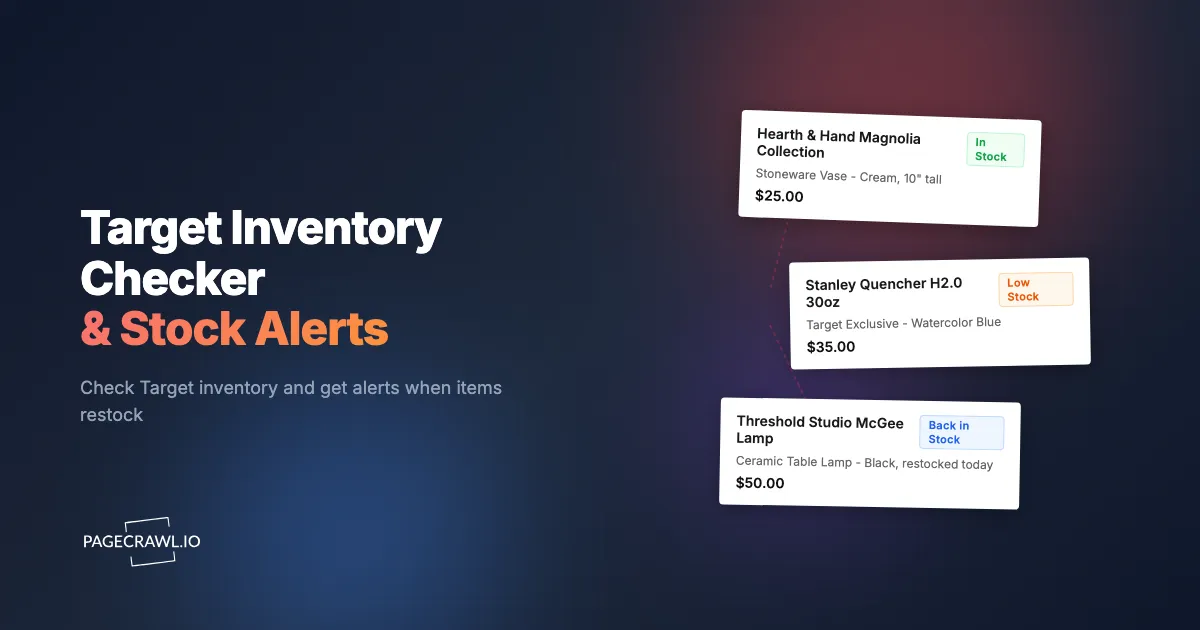
The Hearth and Hand collection drops at Target on a Sunday morning. By Sunday afternoon, the most popular pieces are sold out online. They show as available at a store 45 minutes away, but when you get there, the shelf is empty. The website had not updated yet. Two weeks later, the items restock online at 6am on a Wednesday. They sell out again by 9am. You find out about the restock from an Instagram post at noon.
Target has become a destination for limited releases, designer collaborations, and exclusive products that create genuine scarcity. Unlike Amazon, where most products have unlimited inventory from multiple sellers, Target frequently sells items that are only available through Target, produced in limited quantities, and not restocked once sold out. This makes inventory monitoring at Target fundamentally different from monitoring at other retailers. Missing a restock can mean missing the product entirely.
This guide covers what sells out at Target and why, how Target's inventory system works across online and in-store channels, how to set up automated stock monitoring with PageCrawl, strategies for catching limited releases and exclusive drops, and how to get notified as soon as a check finds an out-of-stock item available again.
What sells out at Target?
Five categories account for most Target sellouts: designer collaborations, seasonal and holiday items, viral trending products, deep-clearance markdowns, and hot toys or gaming bundles. Target cultivates scarcity more deliberately than most retailers, so knowing which category an item falls into tells you how hard to watch it.
Designer Collaborations and Exclusive Collections
Target's designer collaboration model creates predictable sellout events. Collections from designers, brands, and influencers launch with fanfare and sell out quickly. Past collaborations with major fashion brands have sold out within hours of launch. Home goods collaborations like Hearth and Hand with Magnolia, Threshold, and Studio McGee release new seasonal pieces that attract dedicated followers.
These collaborations share common traits: limited production runs, no planned restocks for specific items, and a built-in audience that knows the launch date. Monitoring the product pages before launch means the next check after the listing goes live tells you the item is buyable.
Seasonal and Holiday Items
Target's seasonal inventory is genuinely limited. Holiday decorations, Halloween costumes and decor, back-to-school supplies, and seasonal home goods are produced for a specific window. When they sell out, they are gone until the next year (if the same items return at all).
The most popular seasonal items sell out weeks before the holiday they are intended for. Halloween decor sells out in September. The most sought-after Christmas decorations disappear in early November. Valentine's Day items can sell through in late January.
Stanley Cups and Trending Products
Trending products at Target follow a specific pattern. The product gains social media attention (often through TikTok), demand spikes, and Target cannot keep inventory in stock. Stanley tumblers were the most prominent example, with specific colors and limited editions selling out within minutes of restocking. Similar patterns occur with viral kitchen gadgets, beauty products, and home accessories.
These trends are unpredictable in timing but follow a recognizable pattern once they start. When you notice a product beginning to trend, setting up stock monitoring immediately gives you the best chance of catching restocks before they sell out again.
Clearance and Markdown Items
Target runs progressive markdowns on clearance items: 15% off, then 30%, then 50%, then 70%. The best clearance deals happen at the deepest discounts, but popular items sell out before reaching the lowest tier. Monitoring clearance items lets you watch as prices drop and buy before inventory disappears entirely.
Toys and Gaming
Hot toys during the holiday season sell out repeatedly at Target. Each year brings a handful of must-have toys that parents scramble to find. Gaming console bundles, limited edition controllers, and Target-exclusive game bundles face similar inventory pressure. Pokemon cards, trading card game products, and collectible toys also experience periodic shortages.
How does Target's inventory system work?
Target runs separate inventory pools for online shipping and for individual stores, so one product page can show "out of stock" for delivery while the same item is available for Drive Up or Order Pickup nearby. Understanding which pool a status reflects tells you which page variant to monitor.
Online vs In-Store Inventory
Target maintains separate inventory pools for online orders and store stock. A product showing "out of stock" for shipping might still be available for in-store pickup at your local Target, and vice versa. The product page on Target.com shows both online availability and store-specific inventory.
When monitoring with PageCrawl, the product page shows the online availability status prominently. This is what changes when online inventory restocks. Store availability is shown separately and depends on the ZIP code or store selected on the page.
Same-Day Delivery and Drive Up
Target offers same-day delivery through Shipt and Drive Up (order online, pick up curbside). These fulfillment options draw from store inventory, not the online warehouse. An item might be available for Drive Up at your local store even when it is out of stock for shipping.
For local availability monitoring, the product page with your store selected shows Drive Up and in-store availability. Monitoring this page variant lets you track local restocks specifically.
Order Pickup
Target's Order Pickup (buy online, pick up in store) reserves inventory from the selected store's stock. When a hot item restocks at your local store, the online page updates to show pickup availability. Monitoring the product page catches this update.
Fulfillment Priority
During high-demand periods, Target sometimes restricts fulfillment options. A product might be available for in-store purchase only, with shipping temporarily disabled. Or Drive Up might be available when shipping is not. These restrictions appear on the product page and change as inventory fluctuates.
Setting Up Target Stock Monitoring
Here is how to configure PageCrawl for effective Target inventory monitoring.

Basic Stock Alert Setup
For any Target product you want to monitor for restocks:
Step 1: Navigate to the product on Target.com. Make sure you are on the specific product page, not a search results or category page. If the item has multiple variations (colors, sizes), navigate to the specific variation you want.
Step 2: Copy the full URL from your browser. Target product URLs contain the product ID (DPCI or TCIN number), which ensures you are monitoring the exact item. The PageCrawl browser extension makes this even faster: while browsing Target.com, click the extension icon to add the current page as a monitor without leaving the tab. This is especially useful when you are browsing through seasonal collections or new arrivals and want to add multiple products quickly.
Step 3: Add the URL to PageCrawl. The system detects the product page and identifies the availability status, price, and other key elements.
Step 4: Configure notifications. For items where speed matters (limited releases, trending products), set up push notifications or connect to a messaging platform so the alert reaches your phone as soon as a check spots the restock. For less urgent restocks, email notifications work fine.
Step 5: Set check frequency. For high-demand items, check every 2-4 hours. For general stock monitoring, every 6-12 hours is sufficient. More frequent checks catch restocks faster, which matters when inventory sells out quickly.
Monitoring Specific Availability Elements
Target product pages display availability in several places:
- The main "Add to Cart" button: Changes to "Out of Stock" or "Notify me when it's back" when unavailable
- Shipping availability: Shows whether the item can be shipped to your address
- Store pickup availability: Shows whether the item is available at nearby stores
- Delivery availability: Shows same-day delivery options
You can monitor the full page to catch any availability change, or use specific element tracking to focus on the particular fulfillment method you care about. For monitoring a specific element on the page, see our CSS selector guide for setup instructions.
Monitoring Multiple Variations
Many Target products come in multiple colors, sizes, or configurations. Each variation may have different inventory levels. The white Stanley tumbler might be out of stock while the green one is available.
For products where you want a specific variation, monitor that variation's URL directly. For products where you will take any available variation, monitor the main product page, which typically shows overall availability across variations.
Monitoring Target Circle Offers and Deals
Beyond stock availability, Target Circle offers and promotions can be worth monitoring.
Target Circle Offers
Target Circle (Target's loyalty program) provides member-only discounts that appear on product pages. These offers change regularly and sometimes offer significant savings on items you are already watching. When monitoring a product page, price changes from Circle offers are captured alongside stock changes.
Weekly Ad and Promotional Pricing
Target's weekly ad runs Sunday to Saturday. Promotional prices appear on product pages during the promotional period. Monitoring product pages captures both stock changes and promotional price drops, giving you complete visibility into when both availability and price align for the best purchase opportunity.
Clearance Tracking
Target clearance items display a clearance badge and reduced price on the product page. As clearance prices drop through progressive markdowns, PageCrawl captures each price change. Combined with stock monitoring, you can see when a clearance item hits a deeper discount and whether inventory is still available at that price.
Strategies for Target Exclusive Launches
Target exclusive launches require a different monitoring approach than general stock tracking.
Pre-Launch Monitoring
For announced collaborations and exclusive releases, Target often creates product pages before the launch date. These pages initially show as unavailable or display a "Coming Soon" notice. Adding monitors to these pre-launch pages means the first check after the product goes live sends you the alert, rather than having to manually check on launch day.
Find pre-launch pages by:
- Searching Target.com for the collection or product name
- Watching Target's corporate newsroom and social accounts for product page links
- Checking Target's "New Arrivals" or "Coming Soon" sections
Launch Day Strategy
On launch day for a major release:
- Have your monitors already configured and running at the highest reasonable check frequency
- Route alerts to a channel you actually watch during the day (push, Slack, or text)
- Have your Target account logged in with payment information saved
- Be ready to complete checkout quickly, as popular items sell out in minutes
Post-Launch Restock Monitoring
After initial sellout, keep your monitors running. Target often receives additional inventory in waves, the same way Tesla inventory alerts surface new and used cars that reappear when earlier orders are cancelled. The initial launch sells out immediately, but restocks over the following days and weeks are less competitive because fewer people are actively watching.
Post-launch restocks often happen:
- In the first week after launch as additional shipments arrive
- When cancelled orders return to available inventory
- When store inventory is reallocated to online fulfillment
Your ongoing monitoring catches these restocks automatically.
Notification Best Practices for Target Monitoring
The notification strategy depends on how quickly items sell out.
For High-Demand Items (Minutes to Sell Out)
Products that sell out in minutes (limited editions, viral trending items, major collaboration launches) need the fastest possible notification:
- Turn on browser push notifications so the alert reaches your phone on the next check
- Connect to Slack or Discord for desktop alerts while working
- Have multiple notification channels active so you see the alert wherever you are
Even with fast notifications, checkout speed matters. Prepare in advance: save your payment method, confirm your shipping address, and have the Target app installed and logged in.
For Moderate-Demand Items (Hours to Sell Out)
Products that stay available for hours after restocking (seasonal items, popular toys, trending home goods) allow slightly more relaxed notification:
- Email notifications provide enough lead time for most restocks
- Check frequency of every 4-6 hours catches restocks well within the availability window
- You have time to compare options and make a considered purchase
For Low-Urgency Items (Days to Sell Out)
Products that restock and stay available for days or longer (clearance items, general merchandise, non-exclusive products) need minimal notification urgency:
- Daily email digest of stock changes is sufficient
- Check frequency of every 12-24 hours captures restocks without excessive monitoring
- Focus your more intensive monitoring resources on higher-demand items
Combining Stock and Price Monitoring
For many Target products, the best purchase decision depends on both availability and price.
Waiting for Clearance
If you want a product but are willing to wait for a markdown, monitor the product page for both stock and price changes. PageCrawl captures both, so you see when the item enters clearance and can decide whether to buy at the initial discount or wait for deeper markdowns (with the risk that it sells out).
Target Price Match Guarantee
Target matches prices from select competitors. If you are monitoring the same product at Target and Amazon (see our Amazon in-stock alerts guide), you might find that Target's price is higher but the item is available with convenient pickup. With competitor price data from your monitoring, you can request a price match at Target and get the best price with the most convenient fulfillment.
Seasonal Pricing Patterns
Target follows predictable seasonal pricing patterns. Electronics drop during Target Deal Days and holiday periods. Home goods markdown heavily after seasonal transitions. Understanding these patterns, combined with price monitoring data, helps you decide when to buy versus when to wait.
Monitoring Target for Business Use Cases
Individual shoppers are not the only ones who benefit from Target inventory monitoring.
Resellers and Arbitrage
Resellers monitor Target for clearance deals, exclusive products, and limited releases that can be resold at a premium. Monitoring Target clearance pages and limited-edition product pages is a core part of many reselling operations. See our guide on out-of-stock monitoring for broader inventory tracking strategies.
Competitive Intelligence for Retailers
Retail competitors monitor Target's product launches, pricing, and inventory levels to inform their own merchandising decisions. Knowing what sells out at Target signals consumer demand. Knowing Target's pricing on competitive products informs pricing strategy.
Brand Monitoring
Brands that sell through Target monitor their own product pages for availability, pricing accuracy, and product listing changes. When a brand's product goes out of stock at Target, the brand loses sales. Monitoring catches stockouts early so the brand can work with Target to expedite restocking.
Market Research
Market researchers monitor Target's new arrivals, trending products, and sellout patterns to identify consumer trends. What sells out at Target in September often predicts holiday demand patterns.
What are the most common problems when monitoring Target stock?
Four issues account for most of them: Target's own "Notify me" emails are unreliable, product pages show availability for whichever store the site picked for you, some items are online-only with no store fallback, and "out of stock" does not tell you whether a restock is coming. Each has a workaround below.
"Notify Me" Button Does Not Work Reliably
Target's built-in "Notify me when it's back" feature is unreliable. Many users report never receiving the notification, or receiving it hours after the item restocked and sold out again. Automated stock availability monitoring through PageCrawl provides faster, more reliable restock alerts because it checks the page directly at regular intervals rather than relying on Target's notification system.
Product Page Shows Wrong Store
Target.com defaults to a store based on your location or previous selection. The availability shown on the page corresponds to that store's inventory. When setting up monitoring, be aware that the page you see might show availability for a different store than you intend. The URL for a product page does not typically include store information, so monitored pages show the default online availability.
Limited-Time Online-Only Items
Some Target products are available online only and never appear in stores. These items are especially important to monitor because there is no fallback option of checking a physical store. When the online inventory is gone, the product is unavailable entirely.
Sold Out Permanently vs Temporarily
Target product pages do not always clearly distinguish between temporarily out of stock and permanently discontinued. A product showing "Out of stock" might restock next week or might never be available again. For limited-edition and seasonal products, assume that "out of stock" may be permanent. For regular catalog items, restocks are likely but timing is unpredictable, which is exactly why automated monitoring is valuable.
Choosing your PageCrawl plan
PageCrawl's Free plan lets you monitor 6 pages with 220 checks per month, which is enough to validate the approach on your most critical pages. Most teams graduate to a paid plan once they see the value.
| Plan | Price | Pages | Checks / month | Frequency |
|---|---|---|---|---|
| Free | $0 | 6 | 220 | every 60 min |
| Standard | $8/mo or $80/yr | 100 | 15,000 | every 15 min |
| Enterprise | $30/mo or $300/yr | 500 | 100,000 | every 5 min |
| Ultimate | $99/mo or $999/yr | 1,000 | 100,000 | every 2 min |
Annual billing saves two months across every paid tier. Enterprise and Ultimate scale up to 100x if you need thousands of pages or multi-team access.
The plan pays for itself the first time you catch a limited-edition restock that sells out in under an hour. Standard at $80/year covers 100 product pages, which is more than enough to track the items you are actively waiting on across multiple Target collections, seasonal launches, and clearance cycles simultaneously. Checking every 15 minutes on Standard (versus every hour on Free) is the difference between getting the alert while inventory is still available and finding an empty cart. Enterprise at $300/year adds 500 pages and 5-minute checks, which is the right tier for resellers or brand teams monitoring large product catalogs across multiple retailers.
Getting Started
Pick 3-5 Target products you are waiting to restock or planning to buy during an upcoming sale. Navigate to each product page on Target.com and copy the URL. Add each URL to PageCrawl and configure notifications to a channel you check regularly.
For limited releases or trending items, set check frequency to every 2-4 hours and use push notifications. For less urgent items, daily checks with email notifications are sufficient.
PageCrawl's free tier includes 6 monitors, enough to track several Target products and experience how automated stock alerts work. The Standard plan at $80/year covers 100 pages, which handles monitoring across Target, Amazon, Walmart, and other retailers simultaneously. Enterprise at $300/year handles 500 pages for businesses or serious resellers monitoring large product catalogs.
Target's inventory moves fast, especially for the products people care most about. Automated monitoring replaces the frustrating cycle of manually checking, finding items sold out, and wondering when they will be back. Set it up once, and the next check after your item comes back is the one that tells you.