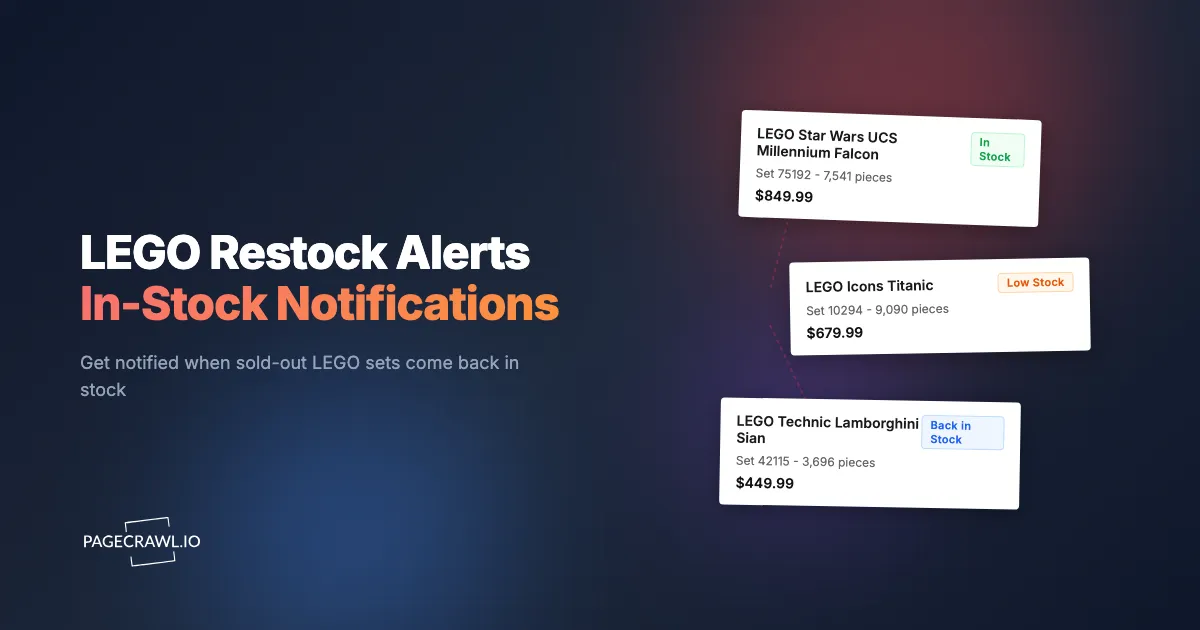
The LEGO set you have been watching for three months finally restocked on LEGO.com at 8:14am on a Wednesday. By 8:47am, it was sold out again. You found out from a Reddit post that evening. The aftermarket price is now double retail.
LEGO scarcity is real and getting worse. Popular sets sell out within hours of restocking. Retiring sets disappear permanently with no second chances. Limited collaborations and Gift With Purchase promotions create frenzied demand that far exceeds supply. The collectors and builders who actually get these sets at retail price are not refreshing web pages all day. They have automated stock availability monitoring watching retailer sites and alerting them as soon as a check finds inventory back on the page.
This guide covers how LEGO inventory and retirement works, which sets and retailers to monitor, and how to set up automated availability tracking that notifies you before sets sell out again.
Why does LEGO stock availability matter?
Because LEGO production is finite. Sets retire permanently after a limited run, exclusives and Gift With Purchase promotions have hard availability windows, and once retailer inventory is gone the only route is the aftermarket at a markup. Understanding these inventory patterns helps you monitor the right products at the right time.
The Retirement Problem
LEGO sets have a limited production window, typically 1-3 years. When a set retires, it stops being produced permanently. There is no reprint. Once retailer inventory is gone, the only option is the aftermarket, where prices escalate rapidly.
Sets approaching retirement often show warning signs: sporadic availability, increasing frequency of "Out of Stock" status, and appearance on retirement rumor lists compiled by LEGO fan communities. The window between "available sometimes" and "gone forever" can be surprisingly short.
The financial stakes are significant. A LEGO set that retailed for $200 might command $400-$800 on the secondary market within a year of retirement. Getting the set at retail price during its final restocks is worth hundreds of dollars.
Limited Editions and Exclusives
LEGO regularly produces sets with inherently limited availability:
- LEGO Ideas sets: Community-designed sets with smaller production runs
- LEGO Icons/Creator Expert: Adult-targeted sets with dedicated followings
- Collaboration sets: Licensed themes with limited production agreements (Star Wars UCS, Marvel, Harry Potter)
- Convention and event exclusives: Sets available only at specific events or through limited channels
- Regional exclusives: Sets available only in certain markets
These categories attract both collectors and resellers, creating intense competition for available inventory.
Gift With Purchase (GWP) Promotions
LEGO.com periodically offers free promotional sets with qualifying purchases. These GWP sets are often highly collectible and available only during specific promotion windows. Popular GWPs sell out the qualifying inventory (the sets you buy to qualify) within hours.
Monitoring for GWP announcements and the availability of qualifying products is a distinct monitoring need from regular set availability.
VIP Early Access
LEGO VIP members sometimes get early access to new releases and restocks before general availability. These early access windows create a two-tier availability system where VIP members have a head start. Monitoring the VIP early access page catches these windows before general release.
Which LEGO sets should you monitor?
Monitor sets with genuine scarcity rather than sets that are readily available: anything approaching retirement, high-demand new releases and pre-orders, and sets with strong aftermarket value such as large licensed builds and exclusive minifigure sets.
Sets Approaching Retirement
Community-maintained retirement lists (Brickset, StoneWars, Promobricks) track which sets are expected to retire in the coming months. Cross-reference these lists with sets you want. Any set on a retirement list that you have not purchased should be actively monitored.
Key retirement indicators:
- Set has been available for 18+ months
- Appearing on community retirement lists
- Increasingly sporadic availability
- "Temporarily out of stock" showing more frequently on LEGO.com
- Retailers beginning to discount (clearance before retirement)
New Releases with High Demand
Major new releases, particularly in popular themes like Star Wars, Harry Potter, and LEGO Icons, often sell out on launch day. Pre-orders may sell out even earlier. Monitor the product page before launch to catch pre-order availability, and continue monitoring after launch to catch restocks.
Aftermarket Value Indicators
Some LEGO sets appreciate significantly in value after retirement. Sets with large piece counts, exclusive minifigures, licensed themes, and architectural significance tend to appreciate most. Monitoring these sets while they are still at retail price is an investment decision as much as a hobby decision.
Where should you monitor LEGO stock?
Watch LEGO.com first, then Amazon, Target, Walmart, and specialty retailers in parallel. Different retailers restock at different times and sometimes carry exclusive inventory, so a set that is sold out everywhere else can quietly reappear on one of them.
LEGO.com
The official LEGO store is the primary source for new releases, exclusives, and GWP promotions. It is also the retailer most likely to restock retired sets during their final production runs.
What to monitor on LEGO.com:
- Individual product pages for sets you want
- The "New" and "Coming Soon" sections for upcoming releases
- The "Back in Stock" section (when it appears)
- VIP early access pages during launch windows
LEGO.com uses a clear availability status system: "Add to Bag" (available), "Temporarily Out of Stock" (may restock), "Sold Out" (unlikely to restock), and "Retiring Soon" (urgent). Monitoring catches transitions between these states.
Amazon
Amazon carries a wide selection of LEGO sets, often with competitive pricing. Amazon availability monitoring catches restocks from both Amazon itself and third-party sellers.
Amazon LEGO pricing is dynamic. Sets approaching retirement sometimes see prices increase above retail (third-party sellers). Sets during promotional periods can drop below retail. Monitor both availability and price for LEGO sets on Amazon.
Target
Target carries LEGO sets in-store and online. Target-exclusive sets exist for some themes. Online availability can differ significantly from in-store stock. Monitor Target's website for online availability.
Target's inventory system updates independently from LEGO.com and Amazon. A set sold out everywhere else might quietly appear on Target's website as returns are processed or new shipments arrive.
Walmart
Walmart carries a broad LEGO selection with occasional Walmart-exclusive sets. Walmart's pricing can undercut LEGO.com during promotional periods. Online availability is worth monitoring separately from LEGO.com.
Specialty LEGO Retailers
Specialty shops like BrickLink (for individual parts and used sets), Zavvi, and regional LEGO distributors carry inventory that major retailers may not. For hard-to-find sets approaching retirement, monitoring specialty retailers increases your chances.
Understanding the Retirement Timeline
LEGO sets follow a rough lifecycle that informs monitoring strategy.
Phase 1: Launch (Months 0-3)
New sets launch with initial stock. Popular sets sell out quickly. Restocks happen within weeks as LEGO fulfills initial production orders. Monitoring during this phase catches restocks between sell-outs.
Phase 2: Stable Availability (Months 3-18)
Most sets settle into generally available status. Occasional sell-outs happen during holiday periods or promotional events but restocks are reliable. Monitoring is less critical during this phase unless you are waiting for a price drop.
Phase 3: Retirement Signals (Months 18-30)
Sets begin appearing on retirement speculation lists. Availability becomes more sporadic. Some retailers begin clearance pricing. This is the critical monitoring window. If you want the set at retail price, monitor aggressively.
Phase 4: Final Availability (Last 1-3 months)
The set disappears from most retailers. Occasional restocks on LEGO.com may happen as final production runs ship. These restocks sell out in hours or minutes. Automated monitoring is essential during this phase.
Phase 5: Retired
No more production. Remaining inventory exists only in retailer warehouses and secondary market. Monitoring aftermarket platforms may catch a reasonable deal, but retail price is no longer possible.
Setting Up LEGO Availability Monitoring with PageCrawl
PageCrawl monitors retailer product pages directly, detecting availability changes and alerting you as soon as a check picks the restock up. Checks run as often as every 2 minutes on paid plans and hourly on the free plan.

Basic Availability Alert
Step 1: Add the product URL
Copy the URL of the LEGO set from the retailer's website. For LEGO.com, use the product page URL (format: lego.com/en-us/product/set-name-SETNUMBER). Create a new monitor in PageCrawl with this URL.
Step 2: Select tracking mode
Use "Full Page" tracking mode for availability monitoring. This captures the entire page state, including the "Add to Bag" button, availability status text, and any messaging about stock levels.
Alternatively, for more focused monitoring, use "Element" tracking mode with a CSS selector targeting the availability button or stock status text. This reduces noise from other page changes (like related product suggestions changing).
Step 3: Set check frequency
For sets in the critical retirement window (Phase 3-4), check every 1-2 hours. For sets with stable availability that you are watching for price drops, every 6-12 hours is sufficient. For new releases around launch day, every 30-60 minutes catches restocks faster.
Step 4: Configure the fastest notification channels
Speed matters for LEGO restocks. Configure the channels that reach you quickest once a check detects the change:
- Telegram: Push alerts land on your phone as soon as the check that found the restock finishes
- Slack/Discord: Good for shared monitoring with family or LEGO groups
- Webhook: For automated purchase workflows (advanced)
Email notifications work but are slower to reach you. For sets that sell out in minutes, push notifications give you the best chance.
For mobile notification setup, see our guide on web push notifications for fast alerts and the help-centre article on enabling browser push notifications for change alerts.
Tracking Multiple Sets and Retailers
PageCrawl's templates feature speeds up this process considerably. Create a template with your preferred settings for LEGO monitoring (check frequency, notification channels, page actions) and apply it when adding new monitors. Instead of configuring each monitor from scratch, you select the template and paste the URL. This is particularly useful when tracking the same set across multiple retailers, since the monitoring settings are identical and only the URL changes. Templates and the rest of the power-user options are covered in advanced configuration options.
For serious LEGO collectors, create monitors organized by urgency:
Folder: Retiring Soon (High Priority)
- LEGO.com product pages for sets on retirement lists
- Amazon listings for the same sets
- Target/Walmart listings as backup sources
- Check frequency: every 1-2 hours
Folder: Wishlist (Normal Priority)
- LEGO.com product pages for sets you want but are not urgent
- Amazon listings for price comparison
- Check frequency: every 6-12 hours
Folder: Upcoming Releases
- LEGO.com "Coming Soon" pages for anticipated sets
- Pre-order pages once URLs are announced
- Check frequency: daily (increase before launch dates)
This organizational approach mirrors cross-retailer product monitoring, tracking the same product across multiple stores to maximize your chances of catching availability.
Monitoring for LEGO Ideas Launches and Collaborations
LEGO Ideas sets and high-profile collaborations (Star Wars Ultimate Collector Series, Architecture landmarks) deserve special monitoring attention.
LEGO Ideas Release Pattern
LEGO Ideas sets move from "Approved" to "In Development" to "Available" over 12-18 months. The LEGO Ideas website and blog announce these transitions. Monitoring the LEGO Ideas blog page catches announcements about new sets entering development and approaching release.
Once a release date is announced, set up product page monitoring on LEGO.com ahead of the launch. Ideas sets have dedicated fan bases that drive heavy demand from launch day.
UCS and Premium Sets
Star Wars Ultimate Collector Series sets, LEGO Technic flagships, and other premium sets (often $200+) have smaller production runs relative to demand. These sets frequently sell out on launch and experience sporadic restocks.
Monitor both LEGO.com and major retailers for premium sets. Retailer-specific availability can differ by days or weeks.
Combining Availability with Price Tracking
LEGO availability monitoring and price monitoring serve different but complementary purposes.
Retail Price Tracking
While a set is available, price tracking identifies the best time to buy. Amazon LEGO pricing fluctuates based on demand, competition, and promotional periods. A set might be $149.99 on LEGO.com but $129.99 on Amazon during a promotion.
Set up price monitoring alongside availability monitoring for sets you want to buy at the best price rather than the first available price.
Aftermarket Value Signals
Price trends signal retirement timing. When Amazon prices for a set start creeping above retail (third-party sellers dominating), it indicates that official stock is drying up. This is a signal to buy at retail without waiting, wherever you can find it.
Conversely, retailer discounts on LEGO sets often signal approaching retirement as stores clear inventory. A 20% discount on a set that is 2 years old might indicate the last batch before retirement, making it both a deal and a urgency signal.
Investment Monitoring
Some LEGO collectors track aftermarket prices on BrickLink and eBay to assess the investment value of sets they already own. Monitoring aftermarket listing pages shows price trends for retired sets.
Advanced Strategies
Monitor LEGO Insiders/VIP Pages
LEGO VIP members get early access to some new releases and restocks. Monitor the VIP-specific pages on LEGO.com during anticipated release windows.
Track Community Sources
LEGO fan sites and communities (BrickSet, Brickfanatics, StoneWars, Promobricks) publish news about upcoming releases, retirement dates, and restock information. Monitoring these sites provides early warning about which sets to watch.
Seasonal Buying Patterns
LEGO pricing and availability follow seasonal patterns:
- January-February: Post-holiday clearance on previous year sets. Good deals on sets approaching retirement.
- March-April: Spring wave launches. Good availability on new sets.
- June-August: Summer wave launches. LEGO.com promotions with GWP sets.
- October-November: Holiday pre-orders begin. Black Friday deals on select sets.
- December: Holiday demand peaks. Popular sets sell out. GWP promotions drive qualifying set scarcity.
Time your monitoring intensity to these patterns. Increase check frequency before and during seasonal events.
LEGO.com Restock Patterns
While restocks are not perfectly predictable, patterns exist. LEGO.com tends to restock in batches, often on weekday mornings (Eastern time). Major restocks sometimes coincide with new product launches or promotional events.
More frequent monitoring during weekday mornings catches these patterns. Setting your monitors to check every hour during 6am-12pm Eastern and less frequently during other times optimizes check usage.
What makes LEGO restock monitoring hard?
Four things: regional store differences, competition from automated purchasing bots, LEGO.com's ambiguous "Temporarily Out of Stock" versus "Sold Out" labels, and product pages that change layout during promotions. Each has a straightforward workaround.
Regional Availability Differences
LEGO.com is region-specific. A set available on lego.com/en-us might be sold out on lego.com/en-gb. Monitor the correct regional store for your location, and use monitoring from residential IPs in that country when a regional storefront redirects or blocks outside traffic.
Scalper and Bot Competition
Like other high-demand products such as limited sneaker drops, LEGO restocks attract automated purchasing bots. Even with fast alerts, popular sets may sell out before you complete checkout. Monitoring gives you the best chance by alerting you on the check that finds the restock, but checkout speed still matters.
Have your payment information saved, be logged into your LEGO VIP account, and have shipping addresses pre-configured. Every second in checkout counts.
"Temporarily Out of Stock" vs "Sold Out"
LEGO.com distinguishes between "Temporarily Out of Stock" (expected to restock) and "Sold Out" (not expected to restock). Monitor both states, but prioritize "Temporarily Out of Stock" sets, as these are most likely to become available again.
Page Layout Variations
Retailer product pages can vary in layout across different product categories and during promotional events. PageCrawl handles most layout variations automatically through full-page rendering and intelligent content detection.
Choosing your PageCrawl plan
PageCrawl's Free plan lets you monitor 6 pages with 220 checks per month, which is enough to validate the approach on your most critical pages. Most teams graduate to a paid plan once they see the value.
| Plan | Price | Pages | Checks / month | Frequency |
|---|---|---|---|---|
| Free | $0 | 6 | 220 | every 60 min |
| Standard | $8/mo or $80/yr | 100 | 15,000 | every 15 min |
| Enterprise | $30/mo or $300/yr | 500 | 100,000 | every 5 min |
| Ultimate | $99/mo or $999/yr | 1,000 | 100,000 | every 2 min |
Annual billing saves two months across every paid tier. Enterprise and Ultimate scale up to 100x if you need thousands of pages or multi-team access.
A single retiring LEGO set purchased at retail rather than the aftermarket can save $200 or more. Standard at $80/year pays for itself the first time you catch a final restock that would have cost you double on the secondary market. The 100 pages it covers are enough to track your priority sets across LEGO.com, Amazon, Target, and Walmart simultaneously. Enterprise at $300/year handles 500 pages for serious collectors monitoring large wishlists, retirement-risk sets, and seasonal release calendars across multiple retailers and regions.
Getting Started
Pick the 3-5 LEGO sets you most want to buy. Check retirement lists to assess urgency. Find the product page URLs on LEGO.com and your preferred alternative retailer. Create monitors in PageCrawl with appropriate check frequencies based on retirement urgency.
Configure Telegram or Slack notifications so alerts reach you as fast as your plan's check interval allows. Save your payment information on retailer sites so you can complete purchases quickly when you get a restock notification.
Run monitoring for a few weeks to understand restock patterns for your target sets. Expand to additional sets and retailers as needed.
PageCrawl's free tier includes 6 monitors, enough to track 3 sets across 2 retailers each and prove the concept. For collectors with larger wishlists, paid plans start at $80/year for 100 monitors (Standard) and $300/year for 500 monitors (Enterprise), covering comprehensive monitoring across multiple sets and retailers.
Stop relying on Reddit posts and Discord channels that tell you about restocks after they have already sold out. Direct monitoring catches availability on the next check after it changes, giving you the best possible chance at retail prices.