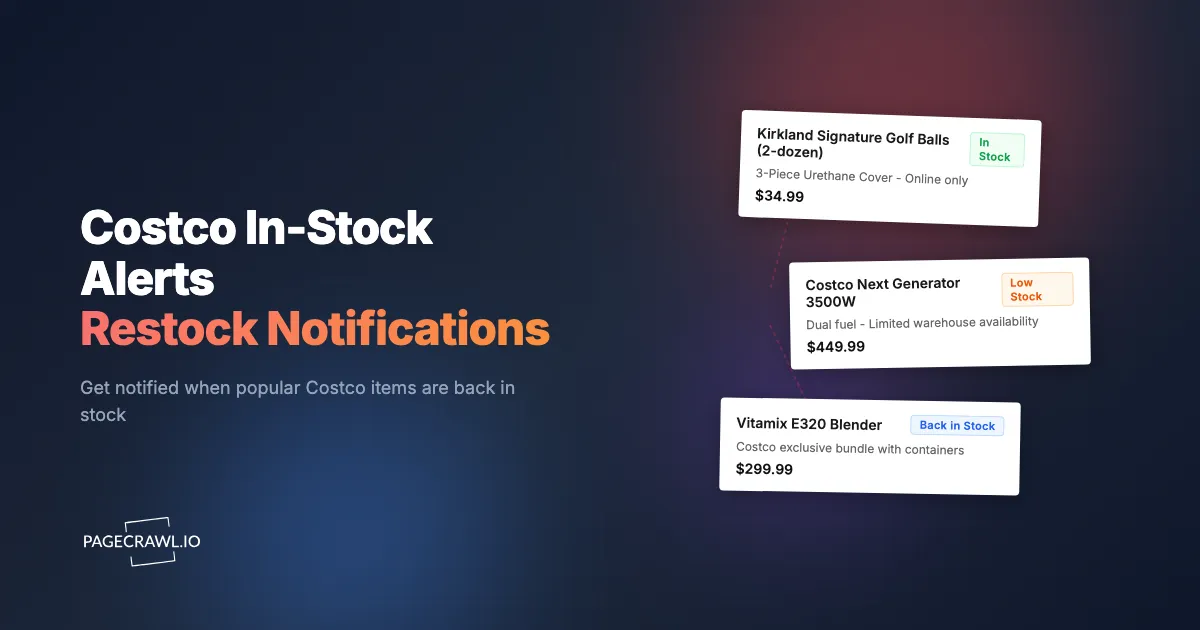
To get Costco restock alerts, add the product page URL to a website monitoring tool like PageCrawl, target the availability element with a CSS selector, and pick a notification channel. When a scheduled check detects the status flip from "Out of Stock" to "Add to Cart," you get an alert. Costco itself offers no notify-me button or waitlist.
This matters because Costco sells items no other retailer carries, from exclusive Kirkland Signature products to warehouse-only furniture sets and seasonal goods that appear once a year. When inventory returns it simply reappears on the site, and when it sells out it vanishes. If you are not watching at the right time, you miss the window.
What sells out at Costco and why?
Seasonal items, well-priced electronics, exclusive Kirkland Signature products, and large-format goods like playground sets and hot tubs sell out most often at Costco. Inventory arrives in waves, sells through, and is frequently never replenished, so the restock window for a popular item can be days or even hours, which is exactly the gap stock availability monitoring with restock alerts is meant to close.
A few patterns worth knowing:
- Seasonal rotation: Patio furniture arrives in spring and can be gone by July, holiday items sell through by early December, and once seasonal stock depletes it is not replenished until next year (if the same model returns at all).
- Electronics: Costco receives allocation in waves, so a TV or laptop can be available, sell out, reappear a week later, and repeat for weeks. End-of-model clearance prices are often the best that model ever reaches, and clearance stock sells through with no reorder.
- Kirkland Signature: Exclusive to Costco, so when the cold brew, golf balls, or protein bars sell out online, there is no alternative retailer at membership pricing.
- Large-format items: Playground sets, hot tubs, and sheds restock in irregular batch shipments, sometimes 2-4 weeks apart, with few units per batch.
- Treasure hunt items: Limited-run products (designer handbags, premium cookware, imported furniture) sell until depleted and then disappear permanently.
How does Costco's online inventory work?
Costco.com shows product pages, prices, and stock status to non-members, so you can monitor availability without logging in. Online inventory is separate from warehouse inventory, and the transition you most want to catch is the status flip from "Out of Stock" to an active "Add to Cart" button.
Note: Some items are restricted to Executive members or display different pricing by membership level, but the availability status itself is typically consistent across tiers.
Availability Status Indicators
Costco.com uses several status indicators:
- "Add to Cart" button active: Item is in stock and available for purchase
- "Out of Stock" message: Item is currently unavailable, may return
- "Delivered and/or Set Up by Appointment": Large items with special delivery (often have different stock patterns)
- Item page removed entirely: Product has been discontinued or completely sold through
Online vs Warehouse Inventory
An item out of stock online might be sitting on the shelf at your local warehouse, and vice versa. Costco does not provide real-time warehouse inventory data on its website (though the app sometimes shows local availability for select items). Automated monitoring covers online availability; for warehouse stock you are limited to physical checks or community reports in forums and Reddit. Note also that some Costco.com items ship only to certain regions, so the availability you see might not match what shoppers elsewhere see.
How do you set up Costco restock alerts with PageCrawl?
Add the Costco product URL to PageCrawl, point a CSS selector at the availability element, set a check frequency, and pick a notification channel. Alerts arrive when the next scheduled check detects the change, and checks can run as often as every 2 minutes depending on plan.

Setting Up Basic Stock Monitoring
Step 1: Find the product page. Navigate to the item on Costco.com. This might be a specific product you know about, or an item from a category page that you have been watching. Copy the full URL from your browser.
Step 2: Add the URL to PageCrawl. Use the "Content Only" tracking mode if you want to monitor the overall page content, or "Price" mode if you want to track both price and availability changes. If catching a price drop matters as much as the restock, our Costco price tracker guide covers that side in detail.
Step 3: Configure the CSS selector to target the availability element on the page. This focuses monitoring on the stock status rather than the entire page, reducing false alerts from unrelated content changes like review additions or image updates. Our CSS selector guide walks through finding the right selector for any page element.
Step 4: Set monitoring frequency. For items that restock unpredictably, check every 1-2 hours. For items with longer restock cycles (seasonal goods, large-format items), every 4-6 hours provides adequate coverage without excessive resource use.
Step 5: Configure notifications. Choose a channel you actually see quickly. Email works if you check it often, but Slack or mobile push notifications are better for time-sensitive restocks. PageCrawl's templates let you save your tracking mode, check frequency, and notification channels once, then apply that configuration to every new Costco product with one click.
Monitoring Category Pages for New Items
Beyond tracking specific products, monitor Costco category pages to catch new arrivals. When Costco adds a new patio furniture set, playground structure, or Kirkland product to a category, PageCrawl detects the new content.
Step 1: Navigate to the Costco.com category relevant to your interests (Patio & Garden, Electronics, Kirkland Signature, etc.)
Step 2: Add the category page URL to PageCrawl
Step 3: Configure content monitoring to detect new product listings
This is especially valuable for seasonal transitions. When Costco begins adding spring patio furniture in February or holiday items in September, category page monitoring catches the first arrivals before they are widely noticed.
Handling Costco's Dynamic Pages
Costco.com loads many elements dynamically. Product prices, availability indicators, and "Add to Cart" buttons may appear after the initial page render. PageCrawl uses real browser monitoring and engine selection to render pages fully, capturing dynamically loaded content that simpler monitoring tools miss, so the availability status is included in the monitored content in most cases.
How should you track different Costco product categories?
Electronics need both product-page and category-page monitors, large items need frequent checks because restock windows are short, Kirkland staples usually only need daily or weekly checks, and seasonal categories should be watched 4-6 weeks before items typically appear. Match check frequency to how fast the item tends to sell through.
Electronics Strategy
For Costco electronics, pair product page monitoring for spec, price, and availability updates with a monitor on the category page. Costco sometimes adds new inventory under a slightly different listing (a new bundle configuration, for example) rather than restocking the original listing.
Monitor the top-level electronics categories for your interest area:
- TVs & Projectors
- Computers & Tablets
- Phones & Wearable Technology
When a new listing appears, you can evaluate whether it matches what you want and set up a dedicated product-level monitor.
Furniture and Large Items Strategy
Large items (playground sets, hot tubs, furniture sets) tend to restock in batch shipments. The item might show "Out of Stock" for weeks, then become available for a few days before selling through again.
Set monitoring to every 2 hours for items you are actively trying to purchase. These high-value, low-volume items do not restock frequently, but when they do, the purchase window is short, so a frequent check schedule gives you the best chance.
Kirkland Signature Strategy
For Kirkland items you purchase regularly, set up long-term monitoring with lower urgency. These products almost always come back in stock, but the timing is unpredictable. Weekly checks or daily checks suffice for most Kirkland products. Reserve frequent monitoring for items with true scarcity (limited-edition Kirkland products or items that have been out of stock for extended periods).
Seasonal Items Strategy
Begin monitoring seasonal category pages 4-6 weeks before you expect items to appear:
- Patio and outdoor: Start monitoring in January for spring arrivals
- Back-to-school: Start monitoring in June for July arrivals
- Halloween and fall: Start monitoring in August for September arrivals
- Holiday and Christmas: Start monitoring in September for October arrivals
Early arrivals often have the best selection and availability, and items that sell out later in the season rarely come back. The same logic applies across the calendar: holiday gift items and one-time seasonal foods (Advent calendars, cookie tins) peak in October and are never restocked, summer outdoor items rarely see deep markdowns so buy when they first appear, and back-to-school laptop and tablet selection rotates fastest from June through August.
Which notification channel works best for restock alerts?
Push-style channels like Slack, Discord, or mobile alerts work best for items you are actively trying to buy, email suits lower-urgency tracking like Kirkland staples, and webhooks let power users trigger automated workflows. Whichever channel you choose, pair it with a targeted selector so you are not alerted for review or banner changes.
Choosing the Right Channel
Push notifications (via Slack, Discord, or web push notifications for website change alerts): Best for items you are actively trying to purchase. Get an alert, open the Costco app or website, and complete the purchase.
Email: Suitable for lower-urgency monitoring where you want to be informed but are not racing to purchase. Good for tracking Kirkland product restocks or general category monitoring.
Webhooks: For power users who want to automate their response to restocks, webhook integration can trigger custom workflows. Log restock events to a spreadsheet, send alerts to a family group chat, or trigger a reminder in your task management app.
Whatever the channel, remember that not every page change is a restock. A CSS selector targeting the "Add to Cart" button or stock status message keeps alerts focused on the flip from unavailable to available, not new reviews or banner swaps.
Can you monitor Costco alongside other retailers?
Yes. Add each retailer's product page as a separate PageCrawl monitor and route every alert to the same channel. Some Costco items also appear at Amazon, Walmart, Target, and specialty stores, so parallel monitors catch whichever retailer restocks first or offers the best deal. The same approach works for sold-out handmade and vintage listings.
Set up parallel monitors across retailers for high-demand items like sneaker drops. Our guides for Amazon in-stock alerts, Walmart price tracking, and out-of-stock monitoring cover the specifics for each retailer.
Why did the item disappear from Costco.com?
When Costco fully discontinues an item, the product page often redirects to a category page or returns a "page not found" error instead of showing "Out of Stock." PageCrawl detects and alerts on this change, but it usually means the item is gone for good rather than awaiting restock. Check whether a replacement was listed under a different SKU, and keep a category-page monitor running to catch it.
How quickly do restock alerts arrive?
Alerts arrive when the next scheduled check detects the change, so latency depends on your check frequency. Depending on your PageCrawl plan, checks can run as often as every 2 minutes (Free plans check hourly). For hot items with short restock windows, a frequent check schedule meaningfully improves your odds of catching the window.
Can you track multiple Costco items at once?
Yes. Each product or category page is a separate monitor, and you can run as many as your plan allows. Save your preferred settings (tracking mode, check frequency, notification channel) as a template and apply it to each new item, which is especially useful during seasonal shopping when you add many monitors at once.
Choosing your PageCrawl plan
PageCrawl's Free plan is available to everyone and is enough to validate the approach on your most-wanted items, with checks running hourly. Most shoppers graduate to a paid plan once they see the value.
| Plan | Price | Pages | Checks / month | Frequency |
|---|---|---|---|---|
| Standard | $8/mo or $80/yr | 100 | 15,000 | every 15 min |
| Enterprise | $30/mo or $300/yr | 500 | 100,000 | every 5 min |
| Ultimate | $99/mo or $999/yr | 1,000 | 100,000 | every 2 min |
Annual billing saves two months across every paid tier. Enterprise and Ultimate scale up to 100x if you need thousands of pages or multi-team access.
For most Costco shoppers, Standard at $80/year is all they need. The 100 monitor limit covers product pages, seasonal category pages, and parallel retailer pages at the same time, and a single playground set or electronics buy caught during a restock window you would otherwise miss typically exceeds the annual cost. With 15-minute checks, you find out about most restocks within a quarter-hour of inventory going live.
Getting Started
Choose 3-5 Costco items you have been unable to purchase due to stock issues. Find each product page on Costco.com, copy the URL, and add it to PageCrawl. Use a CSS selector targeting the availability element if possible, or "Content Only" mode for general page monitoring. Set checks to every 1-2 hours for items you need urgently.
Configure push notifications through Slack or your mobile device so you can act as soon as an alert lands. Popular items may only stay in stock for hours, so a frequent check schedule matters.
You can start on the Free plan to cover your most-wanted Costco items, then move to Standard or Enterprise if you are tracking many items across categories or monitoring Costco alongside other retailers.
Costco does not make restock notification easy, but that does not mean you have to refresh product pages manually. Automated monitoring watches for you around the clock and flags the change on the next check after the item becomes available. Stop playing the Costco restock lottery and start getting reliable alerts.