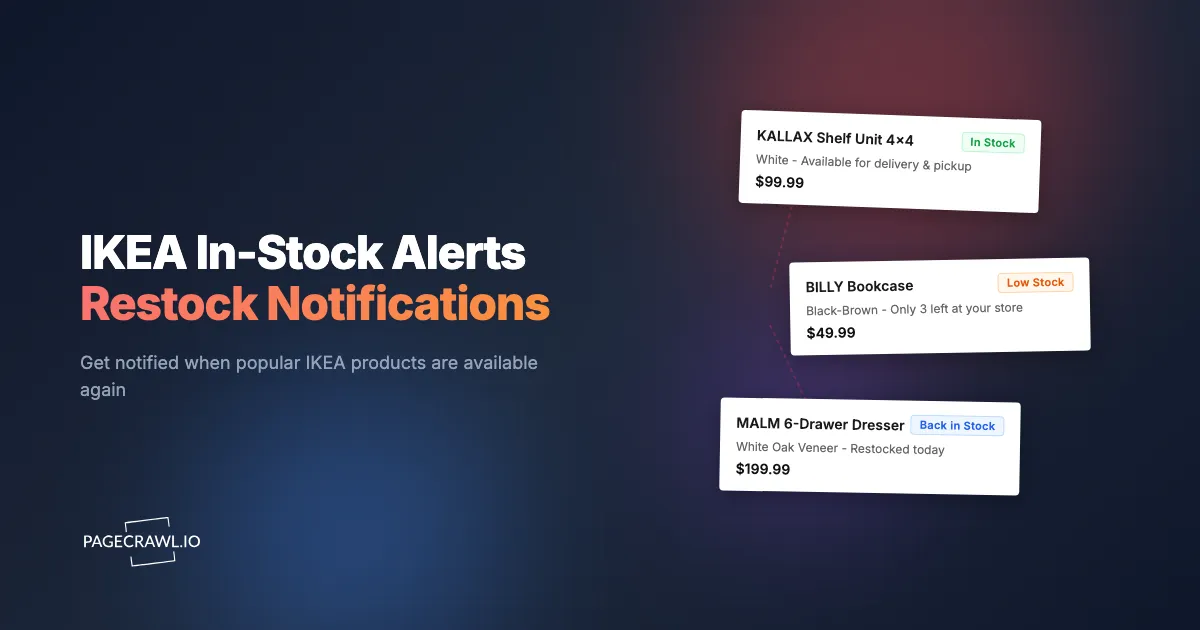
You have spent an hour planning your KALLAX shelf configuration in the IKEA online planner. The design is perfect. You go to add the pieces to your cart and three of the five components show "Out of stock" at every store within 100 miles. The IKEA website says "Check back later." Later could mean next week or next quarter. There is no way to know.
IKEA stock shortages affect some of the most popular furniture lines in the world. The BILLY bookcase, the MALM dresser, the PAX wardrobe system, KALLAX shelving, POANG chairs, and countless kitchen components cycle through periods of limited availability. Unlike electronics retailers where shortages are driven by chip supplies or hype, IKEA shortages stem from a fundamentally different supply chain model: flat-pack furniture shipped from a small number of global manufacturing facilities to stores worldwide. When demand spikes or supply chains slow, popular items disappear for weeks.
This guide covers why IKEA stock is so unpredictable, what tools IKEA provides (and their limitations), and how to set up automated restock notifications so you get alerted when the next check detects your items are available.
Why do IKEA stock shortages keep happening?
IKEA's availability problems are structural, not temporary. Most products come from a single manufacturing source, flat-pack systems go out of stock component by component, a handful of famous product families absorb worldwide demand, and inventory is allocated store by store. Understanding those four causes helps you monitor more effectively.
Global Supply Chain, Local Demand
IKEA manufactures products in a relatively small number of facilities and distributes globally. A BILLY bookcase sold in Minneapolis was likely manufactured in Poland or China, shipped to a regional distribution center, and then trucked to the local store. Any disruption along this chain, from manufacturing delays to shipping congestion to distribution center bottlenecks, creates local stock-outs.
Unlike retailers that source from multiple suppliers, most IKEA products have a single manufacturing source. When that source slows, every store in every country feels the impact simultaneously.
The Flat-Pack Problem
IKEA's flat-pack model means products occupy less warehouse space than assembled furniture. But it also means individual components within a product system can go out of stock independently. You might find the KALLAX 4x4 shelf unit available, but the KALLAX insert drawers and doors are out of stock. Or the PAX wardrobe frame is available in white but not in black-brown.
This component-level stock variation is uniquely frustrating. You cannot complete your planned configuration because one specific piece is missing. And there is no substitute: IKEA components are designed to work together, not interchangeably with other brands.
High-Demand Product Lines
Certain IKEA product families consistently face stock pressure:
KALLAX: The modular shelving system is one of IKEA's most popular products globally. Its interchangeable inserts (drawers, doors, baskets) create combinatorial demand. When the shelf frames are available, the inserts run out. When inserts are available, specific colors or sizes of frames are gone.
BILLY: One of the best-selling bookcases in the world, produced in enormous volumes. Despite that, specific configurations (particularly the BILLY with glass doors or the OXBERG doors alone) go through shortage periods.
MALM: The MALM dresser line, particularly the 6-drawer version, faces periodic availability issues across multiple markets. Regional safety concerns and recalls have added complexity to MALM availability in certain countries.
PAX: The PAX wardrobe system's made-to-order nature means components have long lead times. Specific interior organizers, hinges, and sliding door panels cycle through availability.
ALEX: The ALEX drawer unit, popular as a desk component, frequently goes out of stock. Its use in the "ALEX + KARLBY" desk combination (a viral setup in home office and gaming communities) drives demand that consistently outpaces supply.
Kitchen Components (SEKTION/METOD): IKEA kitchen cabinets and fronts are sold as systems with many individual components. A single missing door front or filler panel can halt an entire kitchen renovation. Kitchen component availability is among the most frustrating IKEA stock issues because of the dependency between pieces.
Store-Specific Inventory
IKEA allocates inventory to individual stores based on regional demand forecasts. The same product can be available at one store and out of stock at another store 50 miles away. IKEA's website shows store-level availability, but checking each store manually is tedious if you live near multiple locations.
Stock transfers between stores are possible but not always immediate. A product available at a distant store does not necessarily mean it can be shipped to your local store on demand.
What stock checking tools does IKEA provide?
Four, and none of them watch a product for you: the per-store availability display on every product page at ikea.com, the same view inside the mobile app, an inconsistent "Notify me when available" email form, and customer service, which can sometimes quote a rough restock window. All of them still require you to go and look.
The IKEA Website Stock Checker
Every IKEA product page shows availability by store location. You select your local store, and the page displays whether the product is in stock, out of stock, or available for delivery. This is the most accurate real-time source for IKEA availability.
Limitations:
- No alert functionality. You must manually check the page each time.
- Availability is shown per store, so checking multiple locations requires selecting each one individually.
- Delivery availability may differ from in-store pickup availability.
- The page does not show when out-of-stock items are expected to return.
The IKEA App
The IKEA mobile app mirrors the website stock checker. You can check availability at your preferred store, add items to a shopping list, and see delivery options. The app does not send proactive restock alerts. You have to open the app and check each product manually, just like the website.
"Notify Me When Available"
Some IKEA product pages display a "Notify me" option when items are out of stock. This is supposed to send an email when the product restocks. In practice, this feature is inconsistent. Many users report never receiving notifications, or receiving them days after the product restocked and sold out again. The feature does not exist on all product pages, and its availability varies by market.
IKEA Customer Service
Calling or chatting with IKEA customer service can sometimes provide estimated restock dates. Representatives can see supply chain information not available on the website. However, the estimates are often vague ("sometime in the next 4-6 weeks") and subject to change.
Monitoring IKEA Product Pages with PageCrawl
Automated web monitoring solves the core IKEA stock problem: you need to check a specific product page repeatedly until the availability status changes, and then act immediately.

Basic Restock Alert Setup
For any IKEA product you are waiting for:
Step 1: Go to the product page on IKEA.com (or your regional IKEA website). Select your preferred store location. The page now shows the current availability for that store.
Step 2: Copy the URL from your browser. The URL includes your store selection, so the monitored page will show availability for that specific location.
Step 3: Add the URL to PageCrawl. The system loads the page and detects the current content, including the availability status.
Step 4: Choose your check frequency. For items you need urgently, checks every 6 hours provide same-day awareness of restocks. For items you are waiting on without time pressure, daily checks are sufficient.
Step 5: Configure notifications. For personal purchases, email or web push notifications work well. For urgent needs, Telegram pushes each alert to your phone as soon as a check detects the change, and our help article on Telegram notifications for website changes covers the bot setup.
When the availability status changes from "Out of stock" to "In stock" (or to "Available for delivery"), you get alerted as soon as the next check detects the change.
Monitoring Specific Store Availability
IKEA product pages are dynamic, showing different availability based on your selected store. The URL you copy includes store information, so each monitor tracks availability at a specific location.
If you can reach multiple IKEA stores, set up separate monitors for each. A product might restock at one store days before another. Monitoring multiple locations maximizes your chances of catching the first available restock.
For example, if you live between the IKEA locations in Burbank and Carson (or Brooklyn and Paramus, or Schaumburg and Bolingbrook), monitoring both stores independently doubles your detection coverage.
Handling IKEA's Dynamic Pages
IKEA's website relies heavily on JavaScript to load product information, availability data, and pricing. The page you see in your browser renders dynamically as data loads from IKEA's backend systems.
PageCrawl handles this automatically. It renders pages the way a real browser does, waiting for dynamic content (including availability status) to load before capturing the page state. You do not need to configure anything special for IKEA's JavaScript-heavy pages. PageCrawl also applies noise filtering to ignore insignificant page changes (like rotating recommendations or ad banners) and only alerts you when the actual availability status or content you care about changes. This prevents false notifications from IKEA's frequently updating page elements that have nothing to do with stock status.
Some IKEA pages display availability through interactive elements (dropdown store selectors, expandable sections). If the availability sits behind an interaction like a store dropdown or an expandable section, PageCrawl can run page actions such as clicking, selecting, or waiting to reveal it before capturing the page.
Tracking Multiple Components
For system furniture (PAX wardrobes, SEKTION/METOD kitchens, KALLAX configurations), you often need multiple components that may have different availability timelines.
Set up a separate monitor for each component. Organize them in a folder named after your project (e.g., "Kitchen Renovation" or "Home Office PAX"). When all components show as available, you know it is time to place the order.
This approach also reveals which component is the bottleneck, much like supply chain monitoring surfaces which supplier is holding up an order. If four out of five components have restocked but one remains unavailable, you know exactly what you are waiting on.
Monitoring for Delivery vs. In-Store Pickup
IKEA separates delivery and in-store pickup availability. An item might be available for delivery from a warehouse but out of stock at your local store, or vice versa.
Delivery Availability
IKEA's delivery availability comes from distribution center inventory, which is separate from store inventory. For bulky items (sofas, bed frames, kitchen cabinets), delivery is often the more practical option.
Monitor the product page with delivery selected as your fulfillment method. The availability status will reflect distribution center stock rather than local store stock.
Click and Collect
IKEA's Click and Collect service lets you order online for store pickup. Availability for Click and Collect matches in-store inventory at the selected location.
If you prefer Click and Collect over delivery, monitor the product page with your preferred pickup store selected. The availability status matches what you would find if you walked into the store.
Dual Monitoring
For maximum coverage, consider setting up two monitors for critical items: one for delivery and one for in-store pickup at your nearest location. Whichever fulfillment method shows availability first gives you the option to act immediately.
Tips for Kitchen and PAX Planning Orders
Kitchen and wardrobe system orders are the highest-stakes IKEA purchases because of the number of components involved and the dependency between pieces.
Plan First, Then Monitor
Use IKEA's online planning tools (the Kitchen Planner or PAX Planner) to finalize your design before setting up monitoring. The planner generates a complete parts list with article numbers and quantities.
Take that parts list and check each item's availability. For items that are out of stock, set up monitors. This ensures you are monitoring exactly the components you need, not approximations.
Track Every Component
Kitchen installations especially cannot proceed with missing components. A single missing filler panel or hinge pack can stall an entire installation. Monitor every component on your parts list, even the small accessories and hardware.
The monitoring investment is trivial compared to the cost of delayed installation. Contractors charge for extra visits. Kitchen disruption affects daily life. Catching the restock of a missing component quickly can save days or weeks of delay.
Order When Available, Even If Not All Components Are Ready
For large system orders, consider purchasing available components as they become available rather than waiting for everything to be in stock simultaneously. IKEA allows partial orders. Items can be held at the store (subject to store policies) or delivered separately.
This strategy works because individual components restock at different times. If you wait for everything to be available at once, you might wait indefinitely as components cycle in and out of stock.
Monitor all components. When each one becomes available, purchase it. When you have everything, schedule installation.
Check Alternative Article Numbers
IKEA sometimes releases updated versions of components with new article numbers while discontinuing old ones. If a specific article number has been out of stock for an extended period, it may be discontinued. Check the IKEA website for replacement articles that serve the same function.
Managing Multiple IKEA Monitors
For people tracking more than a few items, organization matters.
Folder Organization
Group monitors by project or purpose:
- "Living Room KALLAX" containing monitors for each shelf component and insert
- "Kitchen Reno" containing all SEKTION cabinet, front, and hardware monitors
- "Bedroom PAX" containing wardrobe frame, door, and interior organizer monitors
This structure lets you see at a glance which project has all components available and which is still waiting on items. See organizing monitored pages with labels, folders, and workspaces for how nested folders and colour-coded labels work together on a long parts list.
Notification Strategy
For personal purchases, a single notification channel (email or Telegram) works fine. For complex projects with many components, consider routing Slack notifications to a dedicated channel where household members can all see restock alerts.
For home renovation projects involving contractors, sharing restock status helps with scheduling. When the contractor knows that kitchen cabinets just came back in stock, they can adjust the installation timeline accordingly.
Checking Cadence Priorities
Not all items deserve the same check frequency. Prioritize based on urgency and scarcity:
Every 6 hours: Items you need for a project with a deadline. Kitchen components with contractors scheduled. High-demand items (ALEX units, specific KALLAX configurations) that sell out quickly after restocking.
Daily: Items on your shopping list without a hard deadline. Furniture you want but do not urgently need. Components for future projects.
Every few days: Products you are casually watching. Items where you are tracking price drops or new color availability rather than stock status.
What are the alternatives to waiting for a restock?
Three: the in-store As-Is section, which lists returned and ex-display pieces that never appear online; resale channels, which are often the only route to a discontinued item; and a close substitute from IKEA's own range. Monitoring still catches most restocks, but sometimes the wait is too long or too unpredictable to bet on.
IKEA As-Is Section
Every IKEA store has an As-Is section with returned, slightly damaged, or display model furniture at reduced prices. As-Is inventory is not listed online (in most markets), so this requires in-store visits. But for commonly out-of-stock items, the As-Is section sometimes has exactly what you need.
IKEA Marketplace and Resale
IKEA's own resale programs and third-party marketplaces (Facebook Marketplace, Craigslist, AptDeco) sometimes have the specific items you need. For discontinued items, resale may be the only option.
Alternative Products
IKEA's product range is vast. Sometimes a similar product is available when your first choice is not. The KALLAX is unique enough that alternatives are limited, but for simpler items (basic shelving, storage boxes, desk components), checking similar IKEA products may yield an available alternative.
Common Questions
How long do IKEA stock-outs typically last?
It varies enormously by product and market. Common items like standard BILLY shelves might restock within 1-2 weeks. Specific configurations, colors, or system components can be out of stock for months. Kitchen and PAX components during high-demand periods (post-holiday, spring renovation season) may have extended delays.
Does IKEA restock all stores at the same time?
No. Distribution goes to stores based on regional allocation. Stores closer to distribution centers or in higher-demand markets may restock first. Monitoring multiple stores increases your chances of catching the earliest restock.
Can I monitor IKEA in other countries?
Yes. IKEA operates regional websites such as the US site and the UK site, plus equivalents for every market it trades in. Monitoring works on any of these. If you are near a border (e.g., Canada/US, or within the EU), monitoring both country websites can reveal availability differences.
What if the product page disappears?
If an IKEA product page returns a 404 error or redirects, the product may be discontinued. PageCrawl detects page errors and notifies you. Discontinued products will not restock. Check IKEA's website for a replacement product with a new article number.
Do IKEA prices change like Amazon?
IKEA prices are relatively stable compared to Amazon. Prices change typically once or twice per year, usually as modest increases. IKEA does not run frequent promotional discounts. The IKEA Family loyalty program offers periodic member discounts, but these are predictable and modest. Stock availability is almost always a bigger concern than price timing for IKEA products.
Choosing your PageCrawl plan
PageCrawl's Free plan lets you monitor 6 pages with 220 checks per month, which is enough to validate the approach on your most critical pages. Most teams graduate to a paid plan once they see the value.
| Plan | Price | Pages | Checks / month | Frequency |
|---|---|---|---|---|
| Free | $0 | 6 | 220 | every 60 min |
| Standard | $8/mo or $80/yr | 100 | 15,000 | every 15 min |
| Enterprise | $30/mo or $300/yr | 500 | 100,000 | every 5 min |
| Ultimate | $99/mo or $999/yr | 1,000 | 100,000 | every 2 min |
Annual billing saves two months across every paid tier. Enterprise and Ultimate scale up to 100x if you need thousands of pages or multi-team access.
IKEA furniture is not cheap, and kitchen or wardrobe projects routinely run into the thousands. Standard at $80/year covers 100 product pages, which is enough to monitor every component in a complex PAX or SEKTION build plus a few extra sets of eyes on hard-to-find items. If catching a single restock in time saves you one contractor revisit fee or one aftermarket premium on a discontinued component, the plan is paid for. For larger renovation projects or anyone tracking multiple stores simultaneously, Enterprise at $300/year handles 500 pages with checks every 5 minutes, so even a brief mid-week restock will not slip by unnoticed.
Getting Started
Identify the specific IKEA products you are waiting on. Navigate to each product page, select your preferred store or delivery option, and copy the URL.
Add each URL to PageCrawl. For items you need soon, set checks every 6 hours. For items without time pressure, daily checks work well. Configure notifications to your phone (Telegram is fastest) or email.
If you are planning a kitchen or wardrobe project, take your complete parts list from the IKEA planner and set up monitors for every out-of-stock component. Organize monitors in a project folder so you can see overall progress at a glance.
PageCrawl's free tier includes 6 monitors, enough to track the key components of a single project. For larger projects with many components, Standard plans ($80/year for 100 monitors) cover even the most complex kitchen or wardrobe build. For cross-retailer monitoring across IKEA and other furniture retailers, the same plan handles all of your stock tracking needs.
The difference between getting your furniture this month or in three months often comes down to catching the restock notification and acting within hours. Automated monitoring makes that possible.