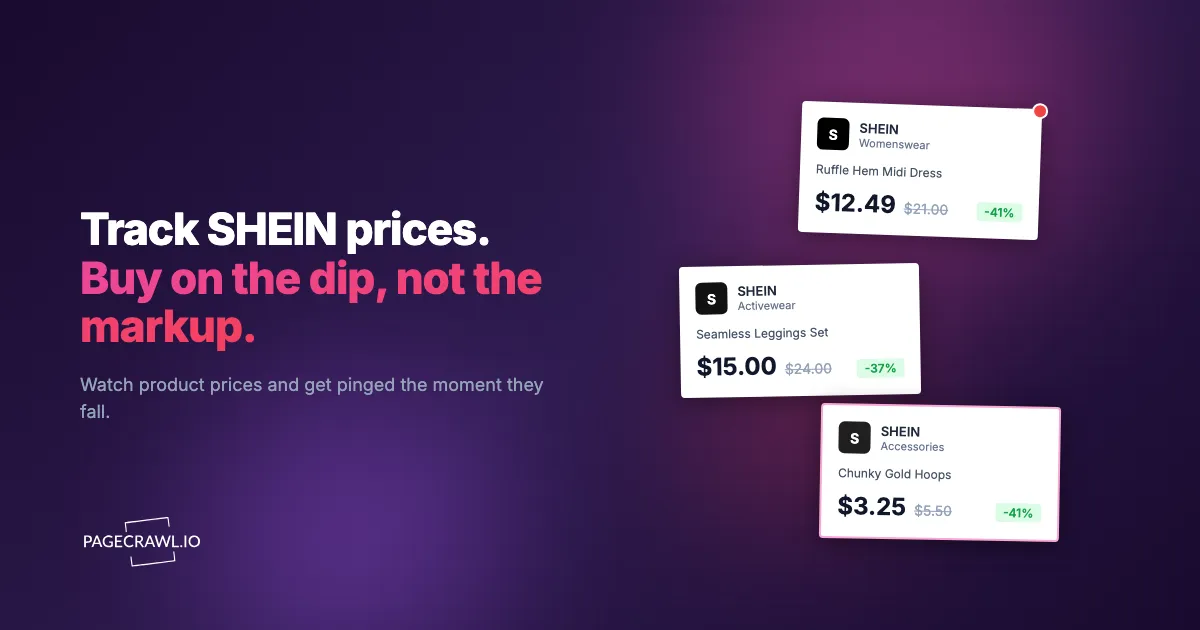
Shein prices rarely sit still. A dress listed at $21.99 on Monday can appear at $13.49 during a midweek flash sale, then climb back to $18.00 by the weekend once a coupon expires. The app and site run overlapping promotions, app-only coupons, point-based discounts, and limited-time "Flash Sale" timers that make it hard to know whether the price in front of you is a genuine low or just a number waiting to drop further.
This matters whether you are a shopper trying to buy at the right moment, a reseller tracking sourcing costs, or a fast-fashion brand watching how Shein is undercutting your own pricing. Without automated tracking, you are relying on luck and manual refreshing to catch the best price before the timer runs out or the size you want sells out.
This guide covers how Shein pricing works, every practical method for tracking Shein prices in 2026, and step-by-step instructions for setting up automated price drop alerts.
How does Shein pricing work?
Shein pricing is built around urgency and volume: prices move several times a week, flash sales run on short countdown timers, coupons stack at checkout, and some deals exist only in the app. Understanding the mechanics helps you separate real discounts from manufactured savings and track prices more effectively.
Constant Price Fluctuation
Shein adjusts prices frequently based on demand, inventory, and promotional cycles. A single item can change price several times in a week. Unlike retailers with stable seasonal pricing, Shein treats most listings as dynamic, which means the price you saw yesterday is not a reliable reference point for today.
Flash Sales and Countdown Timers
Many Shein products carry a "Flash Sale" badge with a countdown timer. These sales offer deeper discounts than the standard price but run on short windows. When the timer ends, the price reverts. Flash sale stock is often limited, so popular sizes and colors sell out before the timer does. Missing a flash sale window can mean paying substantially more for the identical item a day later.
Coupon Stacking and Promo Codes
Shein layers multiple discount mechanisms: site-wide coupons, category coupons, free-shipping thresholds, and time-limited promo codes during events like Black Friday or the brand's own sale weekends. The displayed price often reflects only a subset of available discounts. The real lowest price requires applying the right coupon at checkout, which makes the product page price an incomplete signal on its own.
Points and App-Only Pricing
Shein runs a points program where reviews, daily check-ins, and purchases earn points that convert to small discounts. Some deals and coupons appear only inside the mobile app and never on the desktop website. The web version is the most consistent surface for automated monitoring, but it may not always reflect the lowest price an app user with points sees.
Inflated Reference Prices
Shein listings frequently show a crossed-out higher price next to the current price. As with many fast-fashion sites, that reference price may not represent a price the item genuinely sold at recently, which is why reference-price claims are policed in the US by the Federal Trade Commission. Historical tracking is the only reliable way to know whether a "60% off" badge reflects a real low or just the item's normal price dressed up with a big discount number.

Why should you track Shein prices?
Track Shein prices because the same item can swing by half its price inside a single week, and the displayed price alone tells you nothing about whether it is a genuine low. Shoppers buy at the bottom of the cycle, resellers protect their margin, and competing brands see the price floor their customers compare against.
Shopper Savings
Because Shein prices swing so widely, timing matters more than on most retailers. An item at $19 today might hit $11 during a flash sale next week. Automated price monitoring with drop and restock alerts tells you whether the current price is genuinely low or whether waiting is worth it. Across a full cart of fast-fashion items, the difference adds up quickly.
Reseller Sourcing
Resellers who source Shein items to flip on other platforms need tight control over cost. A piece that is profitable at an $8 sourcing cost stops working at $13. Automated tracking ensures you buy at the right price and alerts you as soon as a check detects costs moving against you.
Competitive Pricing for Brands
If you run a fast-fashion or DTC clothing brand, Shein is often the price floor your customers compare against. When a comparable style appears on Shein at a fraction of your price, you want to know before your conversion rate tells you. Tracking Shein pricing feeds directly into your own pricing and promotion strategy, the same job that competitive intelligence monitoring of rival pricing and product changes does for the rest of your market. For a broader view of this discipline, see the competitor price monitoring guide.
Method 1: Manual Price Checking
The simplest approach. Open the Shein product page, note the price, and check back periodically.
Pros
- No tools or setup required
- You see exactly what a shopper sees
- Free
Cons
- Time-consuming and easy to forget
- You will miss flash sales that start and end between checks
- No price history to spot trends or verify a "real" low
- Impractical beyond a couple of items
- Coupon availability shifts between visits, making comparison unreliable
Best For
Watching one or two items you plan to buy within a few days, where the savings do not justify setting up automated monitoring.
Method 2: Browser Extensions
Most price-tracking extensions are built for Amazon and major US retailers, and Shein support is thin.
Current State of Extension Support
Popular trackers like Keepa and CamelCamelCamel are Amazon-focused and do not track Shein. Coupon extensions such as Honey or Capital One Shopping may surface the occasional Shein promo code at checkout, but they do not maintain reliable price history or per-product drop alerts for Shein listings.
Some general coupon extensions detect the Shein checkout and try codes automatically, but they offer no price-history charts, no historical tracking, and no alerts when a specific item drops.
Pros
- Free to use
- Might find an active coupon code at checkout
- No technical setup
Cons
- No Shein price history or trend data
- No price drop alerts for specific products
- Limited or no Shein support from major extensions
- Only works while your browser is open
- Shein coupon databases are often stale or incomplete
Best For
Catching the occasional coupon code at checkout. Not a workable solution for systematic Shein price tracking.
Method 3: Automated Price Monitoring with PageCrawl
Web monitoring is the most reliable way to track Shein prices. Instead of depending on an extension that may not support Shein at all, you monitor the actual product page directly and extract the price yourself.

How It Works
PageCrawl loads the Shein product page in a real browser, rendering the JavaScript, dynamic pricing, and promotional overlays exactly as a shopper would see them. It extracts the price element, records it, and compares it against previous checks. When the price changes, you get alerted on the channels you choose.
Step-by-Step Setup
Step 1: Get the Shein product URL
Copy the product URL from your browser address bar while viewing the item on Shein's desktop website, not a shortened app share link. Shein product URLs typically end with a numeric product ID, for example https://www.shein.com/item-name-p-XXXXXXXX.html.
Step 2: Create the monitor
In PageCrawl, create a new monitor and paste the Shein product URL. Select "Price" as the tracking mode. This detects the price element on the page and begins tracking it automatically, building the numeric value history and charts described in the help centre.
Step 3: Set your check frequency
For Shein, checking every 2 to 4 hours is a solid baseline because flash sales run throughout the day. During major sale events, increase to hourly. For an item where you are only watching a general trend, every 6 hours or daily is enough.
Step 4: Configure alerts
Set up notifications for price changes:
- Email: A message with the old price, new price, and percentage change. See the email alerts setup guide.
- Slack or Discord: Fast alerts in your workspace channels. See the Slack alerts guide and the Discord alerts guide.
- Webhook: Structured JSON for your own systems or automation tools.
Step 5: Enable page actions
By default, new monitors ship with screenshots enabled and the "Remove cookie banners" and "Remove overlays" actions turned on. Keep them on for Shein. The site displays promotional pop-ups, region prompts, app download nags, and spinning-wheel offers that can otherwise interfere with price extraction. These actions clean up the page before the price is captured, and the guide to hiding popup overlays when monitoring pages covers what to do when one slips through.
Step 6: Verify the first check
After the first check runs, review the screenshot and extracted value in PageCrawl. Confirm the captured price matches what you see on the product page. If the monitor grabs the wrong element (a shipping fee or a crossed-out reference price), switch to "Element" mode and specify the correct CSS selector for the current price. For trickier layouts, the XPath and CSS selectors guide walks through targeting a specific element.
Tips for Monitoring Shein Products
Use the canonical product URL. Shein URLs often carry campaign and tracking parameters. Strip these to the base product URL to avoid redirects and inconsistent loads.
Watch the currency and region. Shein localizes prices by detected region. A price that appears to "change" may simply reflect a different region being detected, so note which region each monitor targets.
Track the current price, not the reference price. Shein pages show a crossed-out original alongside the live price. The live price is what you pay and what matters. Price mode targets it by default, but verify on the first check.
Pros
- Works with Shein regardless of extension support
- Tracks any visible element on the page (price, size availability, badges)
- Custom check frequencies from minutes to daily
- Multiple notification channels including webhooks
- AI-powered change summaries explain what changed
- Screenshot archive gives visual proof of every price point
- Full price history retained for trend analysis
Cons
- Requires initial setup per product
- Free tier limited to 6 monitors
- Cannot access app-only pricing or points-adjusted prices (monitors the web version)
Tracking Shein Flash Sales and Coupons
Beyond individual products, you can monitor Shein's promotional pages to catch broader deals as they launch.
Monitoring Flash Sale Pages
Shein has dedicated flash sale and daily deals pages that rotate featured products. Set up a monitor on the flash sale page using "Full Page" tracking mode. You will not get per-item price data this way, but the next check tells you when new products enter the rotation or a new sale event begins.
Tracking Sale and Coupon Pages
Monitor Shein's sale landing pages and coupon or promo pages to get alerted when new site-wide or category discounts appear. Combine this with individual product tracking so you can stack a fresh coupon on top of an already-low flash sale price.
Monitoring Category Pages
If you care about a category (dresses, denim, shoes), monitor the category sale page rather than dozens of individual items. When Shein runs a category-wide promotion, you get one alert and can then check the specific pieces you want. This approach pairs well with the techniques in the out-of-stock monitoring guide for tracking when sold-out sizes return.
Comparing Shein Prices Across Retailers
Many fast-fashion styles sold on Shein also appear on other marketplaces and competitors, sometimes from the same factories under different brand names at different prices.
Cross-Retailer Price Monitoring
Set up monitors for comparable items across platforms and let PageCrawl's cross-retailer price comparison feature group related products into a side-by-side view. A top listed at $9.99 on Shein might be $6.50 on a marketplace seller with slower shipping, or $24.99 from a brand with faster delivery and easier returns. Tracking all three lets you decide based on price, shipping time, and trust rather than guesswork.
For a broader overview of marketplace monitoring options, see the ecommerce monitoring tools roundup. If your comparison set leans toward other ultra-low-cost platforms, the Temu price tracker and AliExpress price tracker guides cover the same workflow for those sites.
Shein vs Mainstream Retailers
Shein frequently carries styles that resemble items from mainstream fast-fashion brands at a fraction of the price, with the tradeoff of longer shipping and variable quality. Tracking both sides helps you decide whether the Shein savings justify the wait. When a mainstream retailer runs a sale that closes the gap, the better-shipping option wins. The same approach applies to monitoring back-in-stock and sale events at brands like the one covered in the ASOS back-in-stock and sale alerts guide.
What are the common challenges with Shein monitoring?
The recurring problems are session-dependent URLs, region-based pricing, app-only deals that never appear on the web, variant pricing, and aggressive promotional overlays. All but the app-only pricing have a straightforward fix, and most of them show up on the very first check.
Dynamic and Session-Dependent URLs
Shein generates URLs that sometimes include session tokens, campaign parameters, or region codes. These can cause the page to load differently between checks or redirect elsewhere. Strip tracking parameters and use the canonical product URL when setting up your monitor.
Region-Specific Pricing
Shein adjusts prices and currency based on the detected region, and each regional storefront such as the US site has its own catalogue. A piece might show $11.99 in the US and a different figure in Europe. If you compare across regions, set up separate monitors and label which region each targets. Apparent price changes may simply reflect region detection.
App-Only Deals and Points Pricing
Some Shein deals and coupons live only inside the mobile app, and points-based discounts apply at the account level. Web-based monitoring, including PageCrawl, tracks the desktop web version. App-exclusive flash sales will not be captured. There is no reliable automated solution for app-only pricing, so check the app manually during major sale events if you want to catch those.
Size and Variant Pricing
Shein occasionally prices variants (plus sizes, bundles, color packs) differently, and the price shown can depend on the selected variant. Confirm which variant your monitor captures on the first check. If you care about a specific size, point the monitor at the URL or selector that reflects that variant's price.
Promotional Pop-ups and Overlays
Shein's site shows aggressive overlays: new-user offers, app prompts, region selectors, and spinning-wheel promotions. These can block the product content. The default overlay-removal actions handle most of them, but if you notice the monitor capturing a pop-up instead of the price, review and adjust the page actions.
Listing Volatility
Shein adds and removes listings constantly, and fast-moving styles disappear when they sell out. When a product is pulled, your monitor detects the page change (often a 404 or redirect). Keep alerts on for these so the next check tells you a listing has vanished and you can find the replacement URL if it returns.
Choosing your PageCrawl plan
PageCrawl's Free plan lets you monitor 6 pages with 220 checks per month, which is enough to validate the approach on your most critical pages. Most teams graduate to a paid plan once they see the value.
| Plan | Price | Pages | Checks / month | Frequency |
|---|---|---|---|---|
| Free | $0 | 6 | 220 | every 60 min |
| Standard | $8/mo or $80/yr | 100 | 15,000 | every 15 min |
| Enterprise | $30/mo or $300/yr | 500 | 100,000 | every 5 min |
| Ultimate | $99/mo or $999/yr | 1,000 | 100,000 | every 2 min |
Annual billing saves two months across every paid tier. Enterprise and Ultimate scale up to 100x if you need thousands of pages or multi-team access.
The math is straightforward. Standard at $80/year covers 100 product pages. If monitoring catches one $20 price drop, one mispriced competitor SKU, or one restock you would otherwise miss each month, the plan has paid for itself roughly four times over in the first year. For teams running real competitive pricing programs, Enterprise at $300/year tracks 500 SKUs, which is usually enough to cover a full category across every major competitor.
Getting Started
Pick one Shein item you are considering buying. Copy the product URL from the Shein website, create a PageCrawl monitor with "Price" tracking mode, and set up email alerts. Within 48 hours you will have price data showing how the item moves through Shein's flash sale and coupon cycles. If it enters a flash sale, the next check picks up the new price and sends the alert.
Once you see how the tracking works, expand to more products. Add comparable items from other retailers so you can compare across platforms, and use webhook automation to feed price data into spreadsheets or workflows.
PageCrawl's free tier includes 6 monitors, enough to track a handful of Shein products alongside items from other stores. Paid plans start at $8 per month for 100 pages and $30 per month for 500 pages when you need to scale up.