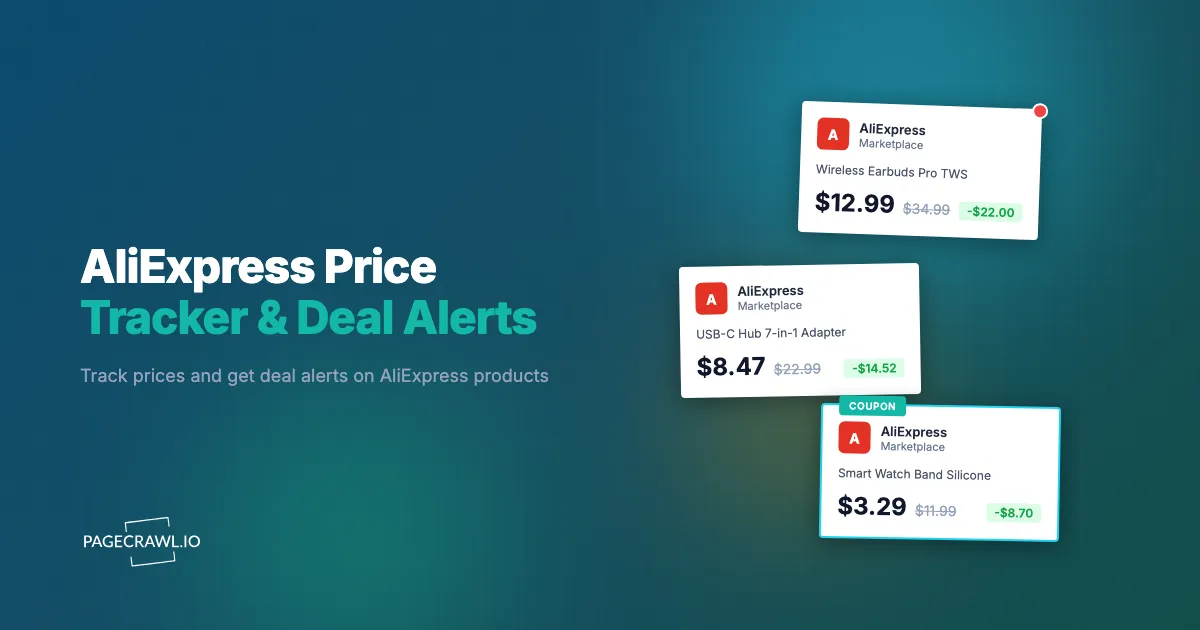
AliExpress has millions of products with prices that fluctuate based on seller promotions, platform sales events, and currency changes. The same product from different sellers can vary by 50% or more, and the cheapest option today may not be the cheapest option tomorrow.
For consumers, this means overpaying is easy unless you are watching prices consistently. For dropshippers, sourcing cost changes can wipe out margins overnight. For businesses tracking supplier pricing, manual checks across dozens of product listings are not sustainable.
This guide covers how AliExpress pricing works, why tracking matters, and every method available for monitoring prices and getting deal alerts in 2026.
How does AliExpress pricing work?
AliExpress pricing combines multiple sellers per product, two stacking coupon systems, seasonal sale events, shipping-fee games, and currency conversion, which makes it more complex than most Western marketplaces. Understanding these mechanics helps you set up effective tracking.
Multiple Sellers, Same Product
Unlike Amazon, where a single product page aggregates sellers behind a Buy Box, AliExpress often has dozens of independent sellers listing identical products on separate pages. A phone case that costs $3.50 from one seller might be $7.80 from another. Seller ratings, order volume, and store age vary widely, and lower price does not always mean better value.
Tracking a single listing is not enough if you want the best deal. You need to monitor multiple sellers for the same product or track search results that surface new sellers.
Store Coupons vs Platform Coupons
AliExpress has two separate coupon systems. Store coupons are issued by individual sellers and apply only to their products. Platform coupons are issued by AliExpress itself and apply across the site, usually with a minimum spend requirement.
During major sales, both types stack. A product listed at $20 might have a $3 store coupon and a $4 platform coupon, bringing the actual price to $13. The listed price on the product page does not reflect these coupons, making the displayed price misleading during sale events.
11.11, Anniversary Sale, and Other Events
AliExpress runs several major sale events each year. The biggest is 11.11 (November 11, Singles' Day), followed by the Anniversary Sale (late March), the Summer Sale (June/July), and Black Friday/Cyber Monday in November. During these events, discounts of 40-70% are common on selected products.
However, prices often inflate in the weeks leading up to a sale. A product normally priced at $15 might rise to $22, then get "discounted" to $14 during 11.11. Without historical price data, the sale price looks like a bargain when it is actually close to the regular price.
Shipping Cost Tricks
Some sellers list products at extremely low prices but offset the difference with high shipping fees. A $2 item with $8 shipping is really a $10 purchase, but it appears first in search results sorted by lowest price. Other sellers build shipping into the product price and offer "free shipping" as a perceived benefit.
When tracking AliExpress prices, the total cost (product plus shipping) is what matters. Monitoring only the product price misses half the equation.
Currency and Regional Pricing
AliExpress displays prices in your local currency based on your location settings. Exchange rate fluctuations mean the same product costs different amounts on different days, even if the seller has not changed the price. Sellers price in USD or CNY, and what you see is a conversion that updates regularly.
Why track AliExpress prices?
Tracking AliExpress prices protects shoppers from inflated "sale" discounts, protects dropshipper margins from silent sourcing-cost increases, and gives procurement teams supplier trend data without manual checks. Whatever your role, the payoff is the same: you act on real price movements instead of marketing badges.
Consumers Waiting for Deals
Tracking prices over time with a price monitoring and drop alert setup reveals the real low point rather than relying on sale badges. You can set target prices and get notified when products actually reach your budget, rather than checking manually during every sale event. This is especially useful for electronics, tools, or hobby equipment where saving 30-40% is meaningful, and the same drop-alert approach pays off on big-ticket purchases like cruise fares.
Dropshippers Monitoring Sourcing Costs
Dropshipping margins depend on the gap between your selling price and your sourcing cost. When an AliExpress supplier raises prices by even a small amount, your margin shrinks. Automated monitoring alerts you to price increases so you can adjust your store prices, find alternative suppliers, or stock up before further increases.
Businesses Tracking Supplier Pricing
Companies that source products or components from AliExpress need to track pricing trends across suppliers. Bulk pricing changes, shipping cost adjustments, and minimum order quantity shifts all affect procurement decisions. Automated supply chain and supplier monitoring feeds this data into purchasing workflows rather than requiring someone to manually check supplier pages.
Method 1: AliExpress Wishlist and Price Alerts
AliExpress has built-in tools for tracking products, though they are limited.
How It Works
Add products to your AliExpress Wishlist. The platform occasionally sends email notifications about price drops on wishlisted items. During sale events, AliExpress highlights wishlist items that are discounted.
Pros
- Free and built into AliExpress
- No setup beyond adding to wishlist
- Sale event discounts highlighted automatically
- Works on mobile app
Cons
- Notifications are inconsistent and often delayed
- No control over alert thresholds or frequency
- Does not account for shipping cost changes
- Cannot compare multiple sellers for the same product
- No webhook, Slack, or API output
- No historical price data
- AliExpress may prioritize promoting items over genuinely alerting about price drops
Best For
Casual shoppers who want minimal effort and do not need reliable or timely alerts.
Method 2: Third-Party Browser Extensions
Several browser extensions offer AliExpress price tracking, with AliTools being the most well-known.
How They Work
Extensions like AliTools inject price history charts into AliExpress product pages, show seller ratings and trust scores, and offer price drop alerts. Some also compare the same product across sellers.
Pros
- Visual price history on AliExpress pages
- Seller trust analysis and ratings
- Free for basic features
- Some include cross-seller comparison
Cons
- Only works in your browser on desktop
- Data collection and privacy concerns (extensions can access all browsing data)
- Limited notification options, usually email only
- No webhook or API output for automation
- Extension availability depends on browser store policies, and some get removed
- Cannot run 24/7 independently of your browser session
Best For
Individual shoppers who want price history context while browsing AliExpress on desktop.
Method 3: Automated Monitoring with PageCrawl
For reliable, continuous monitoring with flexible alerts and data output, web monitoring tools provide the most capable approach.

How It Works
PageCrawl loads AliExpress product pages in a real browser, extracts the price (and any other element you specify), and alerts you when changes occur. Because it uses a full browser environment, it handles the JavaScript rendering that AliExpress relies on for displaying prices, discounts, and shipping information.
Setting Up AliExpress Price Tracking
Step 1: Add the product URL. Copy the AliExpress product page URL. In PageCrawl, create a new monitor and paste the URL. Select "Price" as the tracking mode. PageCrawl auto-detects the product price element.
Step 2: Verify initial detection. Check that the detected price matches what you see on the product page. If you want to track a specific variant (color, size, storage capacity), navigate to that variant on AliExpress first and use that URL, as variant selection can change the displayed price.
Step 3: Set your check frequency. For general price watching, every 12 or 24 hours is sufficient. AliExpress prices do not change as rapidly as Amazon. During sale events like 11.11 or the Anniversary Sale, increase to every 2-4 hours to catch flash deals and limited-time coupons.
Step 4: Configure notifications. Choose how you want to be alerted:
- Email: Price change summary with old and new values
- Slack or Discord: Channel notifications for team visibility, delivered promptly after a check detects a change
- Telegram: Mobile push notifications for fast action
- Webhook: Structured JSON data for feeding into spreadsheets, databases, or automation tools like n8n or Zapier
Step 5: Enable page cleanup actions. Enable "Remove cookie banners" and "Remove overlays", the built-in actions for blocking cookie popups and ads, to clear AliExpress popups (app download prompts, coupon collection dialogs, location selectors) that can interfere with price extraction.
Tracking Multiple Sellers for the Same Product
To compare pricing across sellers for the same product:
- Search for the product on AliExpress and open 3-5 listings from different sellers
- Create a monitor for each listing using "Price" tracking mode
- Organize them in a PageCrawl folder named after the product
- As a custom capability you can ask us to enable, PageCrawl's product comparison feature can automatically group identical products and show you which seller has the lowest price at any point
This approach catches price changes across all sellers simultaneously, so when one seller drops their price or another raises theirs, you see the shift on the next check.
Setting Up Drop Alerts
For target-price alerts, use notification conditions and filters so alerts trigger only when the price falls below a specific threshold. Combine this with AI-powered change summaries that tell you exactly what changed: "Price dropped from $24.99 to $16.50 (34% decrease)." This eliminates the need to visit the page for every notification.
Pros
- Tracks any element on the page, not just price
- Custom check frequencies you control
- Multiple notification channels including webhooks
- AI-powered change summaries
- Screenshot verification on every check
- API access for bulk operations
- Works reliably with AliExpress's JavaScript-heavy pages
Cons
- Monthly cost for paid plans (free tier covers 6 monitors)
- Requires initial setup per product
- Cannot apply coupons (tracks displayed price, not post-coupon price)
Monitoring AliExpress Sale Events
AliExpress sale events offer the biggest discounts, but only if you are prepared. Here is how to monitor them effectively.
The Major Sales Calendar
- Anniversary Sale (late March): Usually 3-5 days. Discounts on tech, fashion, and home categories.
- Summer Sale (June/July): Varies by year. Often focused on outdoor, sports, and seasonal items.
- 11.11 Singles' Day (November 11): The biggest sale of the year. Flash deals, stacked coupons, and category-wide discounts.
- Black Friday/Cyber Monday (late November): Smaller than 11.11 but still significant discounts, often targeting Western markets where shoppers also hunt Walmart Black Friday deals.
Pre-Sale Monitoring Strategy
Start monitoring your target products 4-6 weeks before a major sale. This captures the pre-sale price so you can verify whether the "discounted" price during the sale is genuinely lower. Without this baseline, you cannot tell if a 50% off badge is real or inflated.
Set up monitors on the products you plan to buy and let them run. By the time the sale starts, you have weeks of price data showing the actual regular price.
Monitoring Deal Pages
During sales, AliExpress creates dedicated deal pages and flash sale landing pages. Monitor these pages using "Full Page" tracking mode to get notified when new deals appear or when featured products change. The AI summary tells you what was added or removed from the deal page, saving you from refreshing it manually.
Comparing AliExpress with Other Marketplaces
Many products available on AliExpress also sell on Amazon, Temu, TikTok Shop, and other retailers. Cross-marketplace comparison helps you find the best total value.
AliExpress vs Amazon
The same product (often from the same manufacturer) frequently appears on both platforms. AliExpress is typically cheaper for the base price but has longer shipping times (1-4 weeks vs 1-2 days with Prime). Amazon offers buyer protection, faster returns, and consistent delivery, but at a premium.
Monitor the same product on both platforms to decide whether the Amazon premium is worth the convenience. For time-sensitive needs, Amazon price tracking helps you find the best Amazon price.
AliExpress vs Temu
Temu sources from many of the same suppliers as AliExpress but often at lower prices due to aggressive subsidies. Product quality and descriptions can be less reliable on Temu. Monitor both platforms for the same product to compare real prices including shipping.
Cross-Retailer Setup
With PageCrawl, you can monitor the same product across AliExpress, Amazon, eBay, and other marketplaces simultaneously. Ask us to enable the cross-retailer comparison feature to see all prices side by side and get alerted when any retailer becomes the cheapest option.
This is especially valuable for dropshippers sourcing from AliExpress and selling on Amazon or eBay. For a broader look at monitoring tools across platforms, see our ecommerce monitoring tools guide.
Tips for Reliable AliExpress Monitoring
Handle Dynamic URLs
AliExpress product URLs often contain tracking parameters, session data, and referral codes. Strip these down to the core URL format: https://www.aliexpress.com/item/PRODUCT_ID.html. The shorter, cleaner URL is more stable and less likely to redirect or change behavior between checks.
Avoid using URLs from the AliExpress mobile app, as these use a different format that may not load correctly in a desktop browser environment.
Lock Your Currency Settings
AliExpress converts prices based on your detected location. Exchange rate fluctuations create noise in your tracking data when they are not actual seller price changes. Use URLs from a consistent AliExpress regional domain to track prices in a single currency.
Account for Shipping in Total Cost
The displayed product price is not the full cost. Some sellers charge $1 for the product and $10 for shipping. When comparing sellers, factor in both the product price and shipping fee. You can track shipping cost as a separate element using CSS selectors to target the shipping price element on the page.
Verify Seller Reliability
A low price means nothing if the seller is unreliable. Before acting on a price alert, check the seller's store rating, order count, and how long they have been on AliExpress. New stores with very few orders and rock-bottom prices are higher risk.
Expect Listing Volatility
AliExpress sellers frequently remove and re-list products, change product titles, or merge listings. A monitored listing may disappear and reappear under a different URL. For products you track long-term, monitoring the search results page for the product name catches new listings from any seller, not just the one you originally bookmarked.
Choosing your PageCrawl plan
PageCrawl's Free plan lets you monitor 6 pages with 220 checks per month, which is enough to validate the approach on your most critical pages. Most teams graduate to a paid plan once they see the value.
| Plan | Price | Pages | Checks / month | Frequency |
|---|---|---|---|---|
| Free | $0 | 6 | 220 | every 60 min |
| Standard | $8/mo or $80/yr | 100 | 15,000 | every 15 min |
| Enterprise | $30/mo or $300/yr | 500 | 100,000 | every 5 min |
| Ultimate | $99/mo or $999/yr | 1,000 | 100,000 | every 2 min |
Annual billing saves two months across every paid tier. Enterprise and Ultimate scale up to 100x if you need thousands of pages or multi-team access.
For dropshippers and sourcing teams, Standard at $80/year pays for itself the first time monitoring catches a supplier price increase before it wipes out a month of margin. 100 pages covers a meaningful sourcing catalog across multiple sellers, and 15-minute checks keep you ahead of sale-event price inflations like the 11.11 pre-sale creep. Enterprise at $300/year handles up to 500 SKUs across multiple sellers, with 5-minute checks during major sale windows when deals appear and sell out within hours.
Getting Started
Pick 2-3 AliExpress products you are actively considering purchasing. Set up monitors with "Price" tracking mode in PageCrawl and configure email or Telegram notifications. Let them run for two weeks to observe how prices move and whether sale badges reflect genuine discounts.
Once you see the patterns, expand your monitoring. Track multiple sellers for the same product, ask us to enable cross-retailer comparisons with Amazon and eBay, and use webhooks to feed price data into your own systems.
PageCrawl's free tier includes 6 monitors, enough to track several AliExpress products and prove the value before scaling up. Paid plans start at $8/month for 100 monitors or $30/month for 500 monitors if you need broader coverage.
Create a free PageCrawl account and set up your first AliExpress price monitor today.