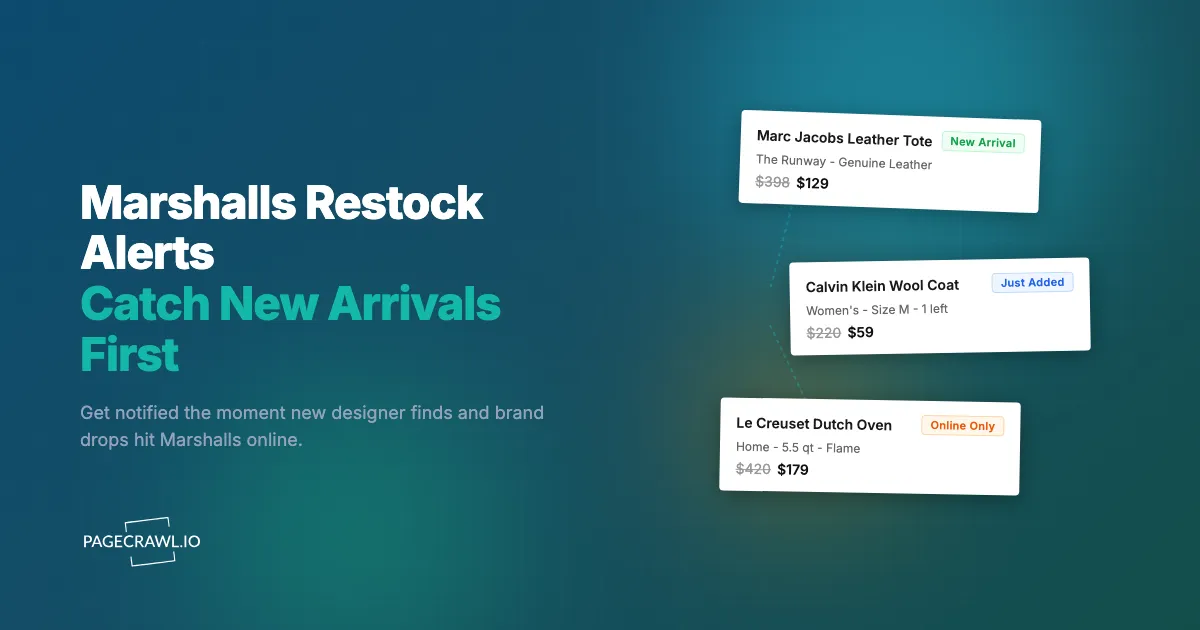
A Marc Jacobs leather tote listed on Marshalls online for $129, down from $398, at some point during a Wednesday morning. By the time you opened the site after work, the product page read "This item is no longer available" and the search results had pushed it off the first page. There was exactly one of them, in one color, and it was gone. There will never be another listing for that specific tote at that specific price.
That is the whole point of Marshalls, and it is also the problem. As part of the TJX Companies family alongside sister store TJ Maxx, HomeGoods, and Sierra, Marshalls runs an off-price treasure-hunt model: buyers grab opportunistic lots of brand-name and designer goods, the assortment changes constantly, quantities are tiny, and almost nothing is reordered. When an item sells through, it is usually one-and-done. The online store surfaces a rotating slice of that inventory, refreshed daily, with no reliable way to be told when something you want appears.
This guide covers why Marshalls inventory moves so fast, what is actually worth monitoring on marshalls.com, where the brand's own alerts fall short, and how to set up automated notifications that fire as soon as a check spots new arrivals and designer finds.
Why does Marshalls inventory move so fast?
Marshalls inventory moves fast because the off-price model is built on opportunistic, one-time buys rather than a stable catalog. Buyers purchase closeout lots and excess brand-name stock in small quantities, list them online in a constantly rotating subset, and rarely reorder. When a style sells out, it is typically gone for good, which makes timing everything.
One-of-a-kind, one-and-done listings
Unlike a brand's own store, Marshalls does not maintain a fixed product line that restocks on a schedule. Each item online is part of a specific purchased lot. Once that lot sells through, the listing disappears and almost never comes back at the same price or in the same color. "Restock" at Marshalls usually means a different unit of a similar item appearing as a fresh listing, not the exact product returning. You are not waiting for a known item to come back, you are racing to catch new listings as soon as they surface.
Tiny quantities per style and size
Marshalls often stocks just a handful of units per style, sometimes a single size in a single color. Popular mid-range sizes in apparel and shoes sell out within hours of a listing going live. There is no warehouse depth behind most items, so that window between "available" and "gone" is short and unpredictable.
The Runway and designer finds
The Runway at Marshalls is the brand's premium designer department, carrying labels like Marc Jacobs, Burberry, and Stuart Weitzman at deep discounts. These pieces draw the most demand and have the smallest quantities. A designer handbag or coat in The Runway can list and disappear the same day. If you are hunting genuine designer deals, this section deserves your closest watch.
The online assortment is a rotating subset
Marshalls online shows only a fraction of what flows through the company's supply chain, and that fraction refreshes constantly. Because the online catalog is a moving target, the only way to catch the items you care about is to watch the pages where new inventory surfaces, rather than checking a single product URL that may never restock.
What should you monitor on Marshalls?
The highest-value targets on Marshalls are the pages where new inventory appears: New Arrivals by category, specific brand pages, The Runway designer department, and individual product pages for size availability. Because most items are one-and-done, broad new-arrival monitoring catches more opportunities than waiting on any single product to return.
New Arrivals pages by category
Marshalls organizes new inventory into category-level New Arrivals pages (women's clothing, shoes, handbags, men's, kids, home, beauty). These pages update frequently as fresh lots go live. Monitoring a New Arrivals page tells you on the next check after new products appear in a category you care about, before they get buried under the next wave of listings or sell out in popular sizes.
Use content change monitoring on the New Arrivals URL for your category. When the grid of products changes, you get an alert that something new landed. For a complete overview of availability tracking that applies to any retailer, see our out-of-stock monitoring guide.
Brand pages for labels you collect
If you specifically want a brand Marshalls carries, such as Patagonia, Calvin Klein, Adidas, or Le Creuset, filter the site to that brand and monitor the resulting page. When a new unit of that brand is listed, the page content changes and you get notified. This is far more efficient than scanning the whole New Arrivals feed. The same approach works for tracking deals on outdoor labels in our Patagonia and Arc'teryx restock guide.
The Runway (designer department)
The Runway is where the rarest, fastest-moving items live. Monitor the main Runway landing page and any sub-filters you care about (designer handbags, designer shoes, women's designer apparel). Set these to your highest check frequency. A single Marc Jacobs or Burberry listing can be the difference between a once-a-season score and a missed opportunity, and these pieces do not linger.
Specific product pages for size availability
When you do find a product you want but your size is unavailable, monitor that exact product URL. Marshalls product pages show size options as selectable buttons, and an unavailable size appears greyed out. If that size flips to available (because a cart hold expires or a second unit is processed), the page content changes and you get an alert. To target the precise on-page element that signals availability, our CSS selector guide walks through how to pin monitoring to the exact part of the page that matters.
Clearance and final markdowns
Marshalls online surfaces additional markdowns as items age out of the assortment, so monitoring a clearance or sale category page catches deeper price cuts on items that did not sell at the first markdown. Popular pieces at clearance pricing disappear even faster than full-price new arrivals, so fast notification is essential.
Why do Marshalls' own alerts fall short?
Marshalls' own alerts fall short because the brand offers no reliable, item-level restock notification. Email signups deliver broad promotional blasts, not targeted "your size is back" messages. There is no push channel, no per-size alerting, and no notice when new arrivals or designer finds go live. For a one-and-done model, generic marketing email is far too slow.
No size-specific notifications
Even when an item is sold out, Marshalls does not offer a robust "notify me in my size" option the way some single-brand retailers do. You cannot tell the site "alert me when this jacket is back in medium." That granularity simply is not available, so the burden of checking falls entirely on you.
Email only, no push or webhook
Marshalls communicates through email alone. There is no native push notification to your phone, no Slack or Discord message, no webhook into your own automation. Promotional email tells you a sale is happening, not which exact products you wanted are in stock, and minutes matter when there is a single unit.
No alert when new inventory lands
The most valuable signal at Marshalls is "new arrivals just dropped in this category," and the brand provides no notification for that at all. You only discover it by manually loading New Arrivals pages and comparing them against your last visit, the kind of repetitive checking automated monitoring eliminates.
How do you set up Marshalls monitoring with PageCrawl?
PageCrawl monitors the actual Marshalls web pages and alerts you through your preferred channel as soon as a check detects a change. Checks run as often as every 2 minutes on paid plans and hourly on the free plan. It renders pages fully like a real browser, so dynamically loaded products, prices, and stock indicators are captured accurately. Here is how to set it up, starting with the highest-value target: New Arrivals.

Monitoring New Arrivals in a category
Step 1: On marshalls.com, navigate to the New Arrivals page for the category you care about (for example, women's handbags or men's shoes). Apply any filters you want, such as a price ceiling or a specific brand, then copy the final URL with the filters applied.
Step 2: Add the URL to PageCrawl using content change monitoring mode. PageCrawl captures the current set of products on the page as your baseline.
Step 3: Set your check frequency. For high-demand categories like The Runway or handbags, check every 1 to 2 hours. New listings can appear at any time and the best pieces sell out the same day. For slower categories, 4 to 6 hours is enough.
Step 4: Configure notifications. For one-and-done inventory, speed wins, so choose a push channel. Set up browser push notifications or route alerts to Telegram so you hear about new arrivals on your phone as soon as a check detects them. Prefer a slower cadence? You can still use email alerts for low-priority categories.
Step 5: Enable screenshot capture. Marshalls listings are visual, and a screenshot lets you see the new products at a glance when an alert arrives, so you can decide whether to act before you even open the site.
Monitoring a specific product page for your size
Step 1: Open the exact product page for the item you want, including the color, and copy the URL.
Step 2: Add it to PageCrawl using stock availability monitoring mode. PageCrawl identifies the stock status indicators and your selected size options on the page. The help centre rundown of available tracked element types explains when availability mode beats plain content tracking.
Step 3: Set a high check frequency (every 1 to 2 hours) because size availability on a single unit changes briefly and unpredictably, often when a cart hold expires.
Step 4: Add a keyword or condition so you are only alerted on the change that matters. With conditional alerts, you can trigger only when an "Add to Bag" state or your specific size appears, rather than on every minor page tweak.
Tracking brand pages and The Runway
Step 1: Filter Marshalls to a brand you collect, or open the main Runway landing page, and copy the URL.
Step 2: Add it to PageCrawl with content change monitoring so any new listing under that brand or in The Runway triggers an alert.
Step 3: Set The Runway and your top brands to your fastest cadence. These move quickest and reward being first.
Step 4: For team or household awareness, route alerts to a shared channel. Our guide on website change alerts in Slack shows how to keep a group notified so whoever is free can grab the find.
PageCrawl's free tier covers 6 monitors and 220 checks per month, which is enough to watch a focused set: New Arrivals for your two favorite categories, The Runway, a couple of brand pages, and one specific product. That is a complete starter strategy at no cost.
When does Marshalls update online inventory?
Marshalls refreshes its online assortment continuously rather than on one fixed weekly drop, with new listings appearing most days. Because the company is constantly receiving and processing opportunistic lots, there is no single "drop day" to circle on your calendar, which is precisely why automated monitoring beats manual checking. You cannot predict the day, so you watch every day.
Morning processing windows
New listings frequently appear in the morning hours as overnight inventory processing completes. Items absent at midnight often show up by mid-morning, and the most desirable pieces can be gone by afternoon. Setting your monitors to check hourly in the morning improves your odds of catching the freshest arrivals first.
Seasonal resets
Marshalls turns over its assortment heavily at season transitions, clearing outgoing seasonal merchandise and bringing in the next season's lots. These transitions flood New Arrivals pages with fresh inventory and push aging items into deeper clearance. Monitoring through season changes (roughly late winter, late spring, late summer, and late fall) catches both the new-season arrivals and the final markdowns on outgoing stock.
How should you structure a complete Marshalls strategy?
A complete Marshalls strategy combines broad discovery monitors with a few targeted ones, organized by priority. Watch New Arrivals and The Runway for discovery, brand pages for the labels you collect, and specific product pages for size availability. Tier them by how badly you want each, and assign check frequency accordingly.
Tiered monitoring approach
Organize your monitors by urgency. Tier 1 is The Runway and your most-wanted brand or category New Arrivals pages, checked every 1 to 2 hours with push notifications. Tier 2 is secondary categories and brands you would buy at the right price, checked every 4 to 6 hours. Tier 3 is clearance and sale pages for opportunistic deals, also at 4 to 6 hours, keeping your fastest checks reserved for the inventory that disappears soonest.
Combining brand and category monitors
Pair a brand monitor with a category monitor for the strongest coverage. For example, watch the women's handbags New Arrivals page for general discovery while also watching a specific designer brand page in The Runway. The category monitor catches anything new, and the brand monitor guarantees you never miss your priority label when it is buried deep in the feed. The same off-price logic applies across fashion retailers, including the fast-fashion drops covered in our Zara and H&M restock guide.
Community intelligence as a supplement
Deal communities on Reddit, Slickdeals, and Facebook share Marshalls online sightings, but they are reactive. By the time someone posts about a great find, the single unit is usually claimed. Use community chatter for context on what is worth hunting, but rely on your own automated monitors for the actual head start. Being first to the listing, not first to read the post, is what gets you the item.
What are the common challenges with Marshalls monitoring?
The main challenges are dynamically loaded content, page noise, and the one-and-done nature of inventory. Marshalls loads products after the initial page render, includes elements that change without reflecting real inventory, and rarely restocks exact items. PageCrawl handles the first two automatically, and the third is solved by monitoring new-arrival feeds instead of dead product URLs.
Dynamically loaded product grids
Marshalls product grids and details load after the initial page request. PageCrawl renders pages with a full browser engine, so products, prices, and stock indicators load completely before the page state is captured. You get the same view a shopper sees, not an empty shell.
Filtering out page noise
Marshalls pages include elements that shift without reflecting real inventory changes: recommendation carousels, recently viewed items, and rotating promotional banners. PageCrawl's noise filtering lets you click any detected change to ignore it on future checks. After a couple of cycles, you only receive alerts for genuine new arrivals or availability changes. The help centre guide to reducing false positive notifications collects the rest of the techniques for busy retail pages.
Accepting the one-and-done reality
The biggest mindset shift is that a sold-out Marshalls item rarely returns as the exact same listing. Do not pour all your monitors into dead product URLs hoping for a restock that will not come. Weight your strategy toward New Arrivals, brand, and Runway pages, where fresh equivalents constantly appear. Reserve specific product monitoring for items where a brief size flip is realistic.
Choosing your PageCrawl plan
PageCrawl's Free plan lets you monitor 6 pages with 220 checks per month, which is enough to validate the approach on your most critical pages. Most shoppers graduate to a paid plan once they see how often Marshalls inventory turns over.
| Plan | Price | Pages | Checks / month | Frequency |
|---|---|---|---|---|
| Free | $0 | 6 | 220 | every 60 min |
| Standard | $8/mo or $80/yr | 100 | 15,000 | every 15 min |
| Enterprise | $30/mo or $300/yr | 500 | 100,000 | every 5 min |
| Ultimate | $99/mo or $999/yr | 1,000 | 100,000 | every 2 min |
Annual billing saves two months across every paid tier. Enterprise and Ultimate scale up to 100x if you need thousands of pages or multi-team access.
Marshalls designer finds routinely list at a fraction of retail, and a single Runway score, a $129 tote that retails for $398, more than covers a year of Standard. The Standard plan at $80/year and its 15-minute checks let you watch 100 pages: New Arrivals across every category, The Runway, a dozen brand filters, and clearance. For resellers tracking broad catalogs, Enterprise at $300/year handles 500 pages with 5-minute checks, fast enough to be first on inventory that lists and sells the same hour.
Getting Started
Pick the one thing you want from Marshalls most right now, whether it is a designer handbag in The Runway, a specific brand of outerwear, or simply the best deals in a category. Find the New Arrivals or brand page for it, copy the URL, and set up a content change monitor in PageCrawl with push notifications to your phone.
Run it for a week. You will be surprised how often fresh inventory lands and how quickly the good pieces vanish, which is exactly the pattern that makes manual checking hopeless and automated monitoring worth it. Once you see it work, expand: add The Runway, your top brands, and a clearance page, and let the alerts do the hunting.
Stop refreshing Marshalls. Let the treasure come to you.