A Zara dress goes viral on TikTok on a Tuesday afternoon. By Wednesday it is sold out in every size between XS and L on the US site. The product page still loads, the photos still look great, but every size button is greyed out. Three weeks later it reappears in a single overnight restock, sells through the popular sizes again within a few hours, and disappears. If you were not refreshing the page at the right moment, you never knew it came back.
This is the normal rhythm of fast fashion. Zara and H&M, the two largest fast-fashion chains in the world, publish new SKUs continuously, run rolling markdowns rather than fixed clearance windows, and restock popular items on schedules that no shopper can predict. Neither retailer runs a reliable back-in-stock notification system. Zara has a notify-me option on some sold-out items but not all, and its delivery is inconsistent. H&M's equivalent is similarly hit-or-miss. Size and color are the real bottleneck: an item can be "in stock" on the page while the only sizes left are the two nobody wears.
This guide covers how Zara and H&M publish their stock and price data, which patterns separate catching a restock from missing it, and how to set up monitors that surface restocks and markdowns on the first check after they happen.
Why do Zara and H&M reward continuous monitoring?
They reward continuous monitoring because nothing about their inventory is scheduled. New pieces land on random weekdays, markdowns happen item by item with no announcement, restocks arrive overnight, and per-size availability changes independently of the item as a whole. Fast fashion moves faster than almost any other retail category, which makes manual checking hopeless.
New Inventory Lands Constantly, Not On A Schedule
Zara is famous for getting new designs from sketch to shelf in a few weeks and refreshing collections continuously, a model its parent company Inditex built its business on. H&M Group rotates new arrivals and collaboration drops on a similar cadence. There is no single "drop day" to circle on a calendar. A piece you want might appear on a random weekday morning, sell out by lunch, and never return. Continuous monitoring is the only way to see new arrivals as they land.
Markdowns Are Rolling, Not Seasonal
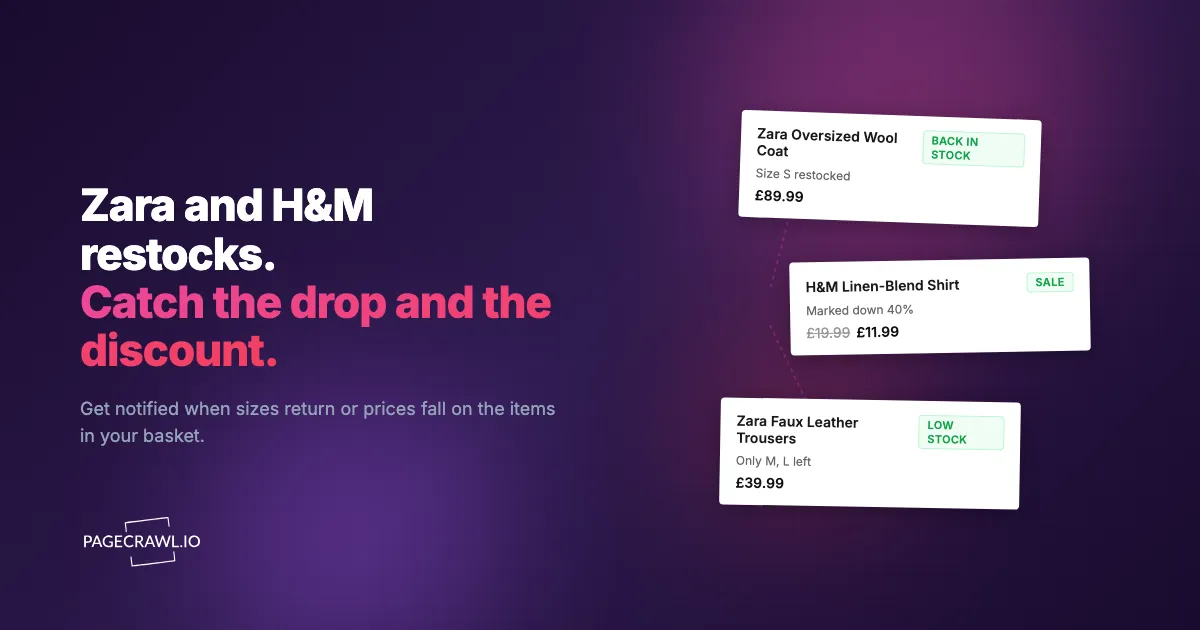
Both retailers mark items down individually and continuously. A jacket sitting at full price for three weeks can quietly drop 40% on a Thursday with no announcement, no email, and no banner. The price simply changes on the product page. If you are tracking that page with price monitoring and drop alerts, you see the markdown on the first check after it lands. If you are not, you find out when it is already picked over.
Size And Color Availability Drives Most Of The Signal
For clothing, "back in stock" only matters if it is back in your size. Both Zara and H&M render per-size availability on the product page, with sold-out sizes shown as disabled or struck through. A restock that brings back a size 4 when you wear a 12 is no use to you. Monitoring the product page with stock availability and restock alerts catches your specific size-color combination the first time a check sees it flip from sold out to available.
Collaboration And Limited Drops Sell Through In Hours
Zara's designer capsules and H&M's high-profile designer collaborations are the most extreme version of this. They launch at a fixed time, sell through in minutes to hours, and rarely restock. For these, alert latency matters more than anything. A monitor that fires on the first check after the collection page changes is the difference between checking out and watching the resale market.
How Zara And H&M Pages Are Structured
Both retailers expose stable product detail page URLs and category pages you can point a monitor at.
https://www.zara.com/us/en/{product-slug}-p{product-id}.html
https://www2.hm.com/en_us/productpage.{product-id}.html
Product detail pages render the price, the size selector with per-size stock status, and the color swatches. When an item is marked down, the page typically shows the old price struck through next to the new price. When a size is unavailable, its button is disabled. When the whole item is sold out, the add-to-cart action is replaced by a notify-me prompt or removed entirely.
Category and sale pages render a grid of products. New markdowns add or update tiles in the sale grid. New arrivals add tiles to the new-in grid. These pages are noisier than product pages (the grid reshuffles often), so they are best for catching new arrivals and broad sale activations rather than tracking one specific item.
For most shoppers, the highest-signal monitor is the individual product detail page, because it captures the exact price and the exact size-color availability you care about. The sale and new-in category pages are useful secondary monitors for discovery.
Comparing Approaches
| Approach | Cost | Latency | Coverage | Best For |
|---|---|---|---|---|
| Native notify-me email | Free | Hours to days, often missed | Per-product, when offered | Light users |
| Manual page refresh | Free | Whenever you remember | One item at a time | Casual shoppers |
| TikTok and Reddit fashion communities | Free | Hours, crowd-sourced | Whatever is trending | Trend followers |
| Browser extensions | Free / Paid | Variable, often unreliable | Limited | Tech-savvy shoppers |
| PageCrawl on product pages | Free tier to $80/year | 15 minutes to hours | Any URL, any country site | Active shoppers and resellers |
The native notify-me systems on both sites exist but cannot be relied on. Shoppers routinely report signing up and never receiving the email, or receiving it after the restock has already sold through. Directly monitoring the product page sidesteps the retailer's notification backend entirely and watches the page itself, which is the source of truth.
Setting Up Monitoring With PageCrawl
PageCrawl monitors any public URL and alerts you when the page changes. New monitors come with screenshots enabled and sensible page-cleanup defaults out of the box, so a Zara or H&M product page renders the way a shopper would see it. Here is the setup, step by step.

Step 1: Build a focused wishlist
Pick the 10 to 30 specific items you would actually buy at full price or on markdown, and be honest about sizes and colors you would actually wear. A vague aspirational list of 80 items just buries the alerts that matter. The Zara viral dress in your size and the H&M coat you have been eyeing belong on the list. The "maybe someday" items do not.
Step 2: Add each product detail page URL
For each item, create a monitor on the product detail page URL. Use full-page content monitoring so any change to price or size availability is captured. Keep screenshots on (the default) because availability state is visual on these pages, and a screenshot lets you confirm the restock at a glance from the alert.
If you only care about the price and want a clean numeric trigger, you can use price tracking mode and point it at the price element with a CSS selector. For most fast-fashion monitoring, full-page content monitoring is simpler and catches both price and size changes at once. If you want to target a specific element precisely, the CSS selector guide and the XPath and CSS selectors reference walk through how.
Step 3: Add sale and new-in category pages
https://www.zara.com/us/en/woman-sale-l1314.html
https://www2.hm.com/en_us/sale.html
Add each as a content monitor. These catch broad sale activations and new arrivals. Expect them to be noisier than product pages, so route them to a lower-urgency channel like email.
Step 4: Set the check frequency to match the urgency
For viral items and limited drops where the window is hours, use the most frequent checks your plan allows. On the Standard plan that is every 15 minutes, which is the minimum viable cadence for items that sell through in two or three hours. For routine sale watching, hourly or daily checks are plenty. There is no point burning checks on a coat that has been on the site for three months.
Step 5: Route alerts to the right channel
PageCrawl sends alerts through multiple channels: email, web push, Slack, Discord, and webhooks. Route your hot restock items to web push, which reaches your phone or desktop as soon as the check that found the change finishes, and route the broad sale and new-in pages to email, where the markdown event matters more than minute-level timing. If you run a buying operation in a team chat, route everything to a Slack or Discord channel so the whole team sees the drop at once.
Step 6: Tag and group into folders
Create folders per retailer or per category (Zara coats, H&M dresses, viral wishlist) and tag your monitors, as the guide to labels, folders, and workspaces explains. The folder view rolls up the whole watchlist on one page, so you can see at a glance which items have moved.
Worked Example: Catching A Viral Zara Restock
A shopper wants a specific Zara dress in size M that went viral and sold out. The setup:
- Add the dress product page on 15-minute checks (1 monitor).
- Add three more Zara wishlist items on hourly checks (3 monitors).
- Add one H&M coat on hourly checks (1 monitor).
- Add the Zara woman-sale page on daily checks (1 monitor).
- Tag everything
summer-wishlistand route the dress to web push.
Eleven days later, the dress restocks at 4:02am Eastern in an overnight inventory push. The web push alert fires at 4:11am on the next 15-minute check. The shopper checks out the next morning before work, well before the size M sells through again by mid-afternoon. The whole watchlist fits inside the six-monitor free tier, so the catch cost nothing.
Patterns Worth Watching
Size availability flipping from sold out to bookable. This is the core restock signal. The size button changes from disabled to active, which is a content change on the product page that monitoring catches on the next check.
Strikethrough price appearing. When an item is marked down, the page shows the original price struck through next to the new lower price. The appearance of that markup is a reliable markdown signal.
Price dropping on a watched item. A direct price change is the simplest signal. Even without a strikethrough, the number on the page changes and the monitor catches it.
New tiles on the new-in grid. Fresh SKUs appearing on the new-arrivals page indicate a collection refresh. Useful for discovery rather than for a specific item.
Collaboration collection pages going live. For designer capsules and collaborations, the collection landing page changes the moment the drop opens. A frequent monitor on that page is your earliest possible signal.
Sale percentage deepening. A "30% off" tag becoming "50% off" or "up to 70% off" marks the deepest discount moments on items that have been sitting in the sale section.
Combining Restock Alerts With Other Signals
Pair with cross-retailer comparison. The same or similar pieces sometimes appear across multiple fast-fashion sites, and the same restock chase plays out at mall brands like Abercrombie & Fitch. Watching several retailers at once surfaces the occasional price gap. See the cross-retailer price comparison guide for how to set that up.
Pair with other fast-fashion and mid-market trackers. If your wishlist spans more than two brands, the ASOS back-in-stock and sale alerts guide, the Aritzia, Free People, and Anthropologie sale tracker, and the American Eagle and Aerie restock alerts guide cover adjacent retailers with the same techniques.
Pair with general out-of-stock monitoring. The mechanics of watching an availability state apply far beyond clothing, from accessories like Coach Outlet bag restocks to electronics. The out-of-stock monitoring guide covers the broader pattern, and the Sephora sale and restock alerts guide shows the same approach for beauty.
Pair with automated workflows. If you want restock alerts to trigger something downstream, like logging to a spreadsheet or posting to a channel, route the monitor through a webhook automation or have an AI agent react to the change.
Use Cases
Everyday shoppers. Same-day awareness of a restock or markdown on the one item you actually want, instead of finding out from a TikTok comment after it is gone again.
Resellers. Limited drops and designer collaborations hold resale value. Catching the drop within minutes is the entire game, and a frequent monitor on the collection page is the earliest signal you can get.
Personal shoppers and stylists. Client-specific item monitoring. A stylist with five clients each chasing two pieces runs a 10-item watchlist routed to a per-client folder.
Content creators. Restock and sale awareness ahead of the audience. Covering a Zara restock at 4:15am earns the affiliate click before the comment section even knows it is back.
Budget-conscious buyers. Tracking a full-price item until it hits a markdown you are willing to pay, then buying the moment the price drops.
Why is the native Zara and H&M notify-me so unreliable?
Notify-me depends on the retailer's own backend firing an email when stock returns, and that logic frequently misses small or overnight restocks. Monitoring the product page directly watches the page itself, which always reflects the true state regardless of whether the retailer's email ever goes out.
Can I monitor a specific size and color?
Yes, as long as the product page renders per-size and per-color availability, which both Zara and H&M do. Full-page content monitoring catches the change when your size flips from disabled to available, and the screenshot in the alert lets you confirm it before you click through.
How fast are the restock alerts?
The alert arrives on the first check that sees the change. On 15-minute checks (Standard plan) that is within 15 minutes of the page changing; on hourly checks, within an hour. For viral items that sell through in two or three hours, 15-minute checks are the realistic minimum.
Does this work on the Zara and H&M sites for other countries?
Yes. Any country site with a stable product URL works, including Zara UK, Zara Canada, and the regional H&M storefronts. Add the country-specific product URL as its own monitor, since stock and pricing differ between markets for the same item.
Will it catch a sale banner or promo code change?
Yes. Promotional banners and discount messaging are page content like anything else, so a full-page content monitor catches them when they activate, including site-wide sale announcements that never reach your inbox.
Do I need a paid plan for Zara and H&M alerts?
For a small watchlist of five or six items, the free tier covers it. For a serious 20-plus item watchlist with 15-minute checks on the hot items, Standard at $80/year is the right step.
Choosing your PageCrawl plan
PageCrawl's Free plan lets you monitor 6 pages with 220 checks per month, which is enough to validate the approach on your most critical pages. Most teams graduate to a paid plan once they see the value.
| Plan | Price | Pages | Checks / month | Frequency |
|---|---|---|---|---|
| Free | $0 | 6 | 220 | every 60 min |
| Standard | $8/mo or $80/yr | 100 | 15,000 | every 15 min |
| Enterprise | $30/mo or $300/yr | 500 | 100,000 | every 5 min |
| Ultimate | $99/mo or $999/yr | 1,000 | 100,000 | every 2 min |
Annual billing saves two months across every paid tier. Enterprise and Ultimate scale up to 100x if you need thousands of pages or multi-team access.
The math is straightforward. Standard at $80/year covers 100 product pages. If monitoring catches one $20 price drop, one mispriced competitor SKU, or one restock you would otherwise miss each month, the plan has paid for itself roughly four times over in the first year. For teams running real competitive pricing programs, Enterprise at $300/year tracks 500 SKUs, which is usually enough to cover a full category across every major competitor.
Getting Started
Start with your three or four most-wanted items. Add each Zara and H&M product detail page on a 15-minute or hourly check, keep screenshots on, and route the hottest one to web push. Run it for two weeks and watch how many restocks and markdowns you would otherwise have missed land in your alerts.
Once you see the value, expand to your full wishlist and add the sale and new-in category pages for discovery. A focused watchlist of five or six items fits comfortably inside PageCrawl's free tier, which includes six monitors and screenshot verification, so you can confirm the approach works before paying for anything.