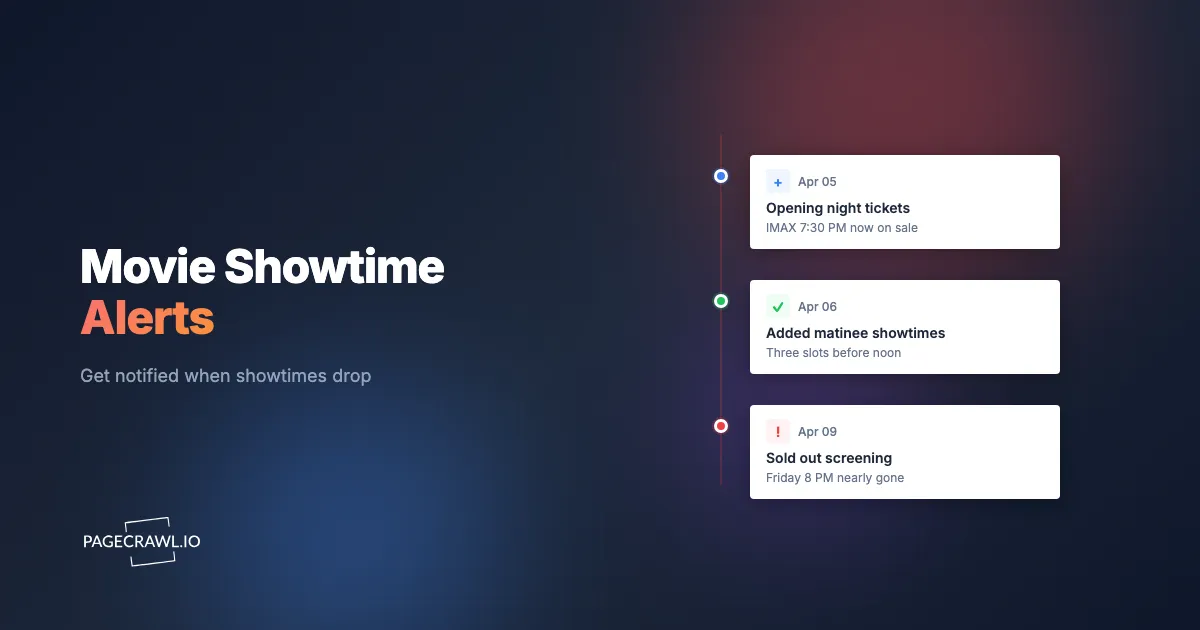
The IMAX 70mm screenings for the film you have waited two years to see went on sale at 12:01am on a Friday. You found out at 8am from a group chat, opened the cinema page, and every Friday and Saturday evening slot already said "Sold Out." The only seats left were a 10:40am Tuesday matinee and a single neck-craning front row for the late show. You did not refresh the page too late. You simply were not refreshing it at the exact minute the showtimes dropped.
Cinema ticketing rewards the people who are already looking at the page when inventory appears. Opening weekend for a major release, a premium format like IMAX or Dolby Cinema, a one-night fan event, or a limited 70mm run all share one problem: few seats, an unannounced on-sale time, and demand that empties the best showings within minutes. The chains and ticketing sites rarely tell you precisely when a film's showtimes will go live, and their own reminder lists are slow and vague.
This guide covers why the best movie showtimes sell out so fast, when new showtimes actually go on sale, what to monitor across cinema and ticketing sites, and how to set up automated alerts that reach you as soon as a check finds new showtimes, premium formats, or fresh seats.
Why do the best movie showtimes sell out before you can book?
The best showtimes sell out fast because cinemas release a fixed number of seats for a small set of desirable slots (Friday and Saturday evenings, premium formats, opening night) at an unannounced moment, and committed fans all converge at once. Three forces compound the squeeze.
Premium formats have far fewer seats
A multiplex might have fifteen standard screens but only one IMAX auditorium and one Dolby Cinema room. When a tentpole opens, demand that could fill a dozen showings funnels into the one or two premium screens everyone wants. IMAX 70mm prints are rarer still, playing in a handful of locations worldwide, which is why those screenings vanish within minutes of going on sale.
Opening weekend is front-loaded
For an anticipated release, the opening Thursday preview and the Friday and Saturday evening shows carry most of the demand, because fans want to see it before spoilers spread. That concentrates buyers onto the earliest, best showtimes, the exact slots with the least supply relative to demand.
On-sale timing is unpredictable
Cinemas do not publish a reliable "tickets go on sale at this minute" schedule for every film. A given week's showtimes typically populate a few days ahead, but special engagements (early access screenings, fan events, 70mm runs, anniversary re-releases) appear on their own timeline. By the time a fan forum announces "tickets are live," the page has often been open for an hour and the prime seats are gone.
When do new movie showtimes actually go on sale?
New showtimes for the upcoming week usually appear a few days in advance, with most chains loading the next week's schedule midweek (commonly Monday through Wednesday) for screenings starting that Thursday or Friday. Special engagements and premium formats follow their own timeline and often go live with little or no warning.
There are a few recurring patterns worth knowing:
- Weekly schedule refresh: Standard showtimes for the coming weekend tend to populate two to four days ahead. A film opening Friday often has its Friday and Saturday times visible by Tuesday or Wednesday.
- Advance tickets for tentpoles: For the biggest releases, chains open advance sales weeks ahead, frequently timed to a trailer launch or a marketing beat. These on-sale moments are sometimes teased but rarely pinned to an exact minute.
- Premium format drops: IMAX, Dolby Cinema, 70mm, and large-format screenings are often added in a separate wave once the format allocation is confirmed for each location.
- Fan events and early access: One-night events, early access Thursdays, and anniversary re-releases run on bespoke schedules and sell out fastest of all because supply is a single showing.
The takeaway: you cannot rely on a predictable clock. The reliable strategy is to watch the page on a tight schedule and be told as soon as a check spots the change.
What should you monitor on cinema and ticketing sites?
Monitor the specific film's page on your cinema chain or ticketing site, so the next check after new showtimes, premium formats, or fresh seats appear is the one that alerts you. The most effective setups combine a targeted page for the exact film and cinema with a broader watch for premium formats and sellouts, the same event schedule monitoring pattern that catches shifted dates and newly added sessions.
The specific film page at your local cinema
The most targeted approach watches the page for one film at one cinema location. When new showtimes are loaded, the page content changes from "no showtimes available" or "coming soon" to a list of bookable times. That content change is exactly what automated monitoring detects, and it is the difference between booking a 7pm Friday IMAX seat and settling for a Tuesday matinee.
On the major chains (AMC, Regal, Cinemark) and aggregators (Fandango, Atom Tickets), each film at each location has a distinct URL with a date selector. Monitor the URL for your film, your cinema, and where possible the opening date you care about.
Premium format pages (IMAX, Dolby, 70mm)
Premium formats are where the scarcity is most acute, so they deserve their own monitor. Watch the film's page filtered to IMAX, Dolby Cinema, or a large-format experience, or the dedicated format finder some chains provide. When a 70mm or IMAX screening is added for opening weekend, the format listing changes, and you want to be near the front of the queue because those seats clear fastest.
If your priority is "any IMAX showing of this film within driving distance," monitor the format-specific listing rather than a single time. A new screening appearing anywhere in your radius is the alert that matters.
Ticketing aggregator pages for cross-cinema coverage
Aggregators like Fandango and Atom Tickets list showtimes across multiple cinemas in one place. Monitoring an aggregator's page for a film in your ZIP code catches new showtimes across every participating cinema at once, which is ideal when you are flexible on location but want the earliest opening-weekend seat. This is the same cross-source approach fans use for live events, covered in our piece on concert ticket drop and presale monitoring.
Sellout and seat-availability changes
Sometimes the showtimes already exist and you are waiting for seats to free up, which is the ticketing version of stock availability and restock monitoring. Cinemas release held seats, process cancellations, and occasionally add a second screening when demand is high. Monitoring a specific showing's seat map or its "Sold Out" status catches a screening flipping back to available on the very next check, the same dynamic that drives sports ticket availability monitoring for sold-out games.
Why do cinema "notify me" and reminder lists fall short?
Cinema reminder features tell you a film is "now playing" or "tickets available soon," but they are slow, batched, and vague about the specific showtimes and formats you actually care about. They were built to drive general awareness, not to win a race for opening-weekend IMAX seats.
Notifications are batched and delayed
A chain's "remind me" email or app message does not fire at the same minute your specific showtimes load. These messages go out on the chain's marketing schedule, often hours after tickets are genuinely live. For a premium screening that sells out in minutes, an alert that arrives an hour late is worthless.
No format or showtime specificity
The typical reminder says "Tickets are now on sale" without telling you whether the Friday 7pm Dolby Cinema slot exists, whether 70mm was added, or whether your preferred location got an opening-night show at all. You rush to the page only to find the only new times are weekday matinees in standard format.
One channel, usually email
Most cinema reminders are email-only, and email is the slowest channel for time-sensitive drops. There is no push to your phone, no message to a group chat, and no way to route the alert into an automation. Web push notifications land on your phone as soon as a check detects the change, far ahead of a batched marketing email.
Nothing for sellouts or re-releases
The built-in reminders do not tell you when a sold-out screening reopens, when a second show is added, or when an anniversary re-release or fan event gets a showtime. Those are exactly the events worth catching, and they go unannounced.
How do you set up movie showtime monitoring with PageCrawl?
PageCrawl works around the limits of cinema reminders by watching the actual film pages on a schedule you set, then alerting you through your chosen channel as soon as a check finds new showtimes, formats, or seats. Here is the setup, step by step.

Basic showtime-drop monitor
Step 1: Go to the page for your film at your cinema or aggregator. Select the location and, if the site allows, the opening date you care about. Copy the exact URL, including any location or date parameters, so the monitor watches the precise listing you want.
Step 2: Add the URL to PageCrawl using content tracking mode. Content mode watches the showtime listing area and detects when "no showtimes" or "coming soon" turns into a list of bookable times, or when new times are added to an existing list.
Step 3: Set your check frequency. For a hotly anticipated opening or a premium format, check as often as your plan allows (every 5 to 15 minutes on a paid plan). On-sale moments are unpredictable, and the gap between checks is your exposure window. For less competitive films, hourly checks are plenty.
Step 4: Configure notifications. For time-sensitive drops, route alerts to a fast channel. Telegram alerts, Discord notifications, and browser push notifications all fire on the same check, so the only real delay is your check interval. Email is fine for low-stakes films but too slow for opening-night IMAX.
Step 5: Enable screenshot capture. A screenshot of the showtimes section lets you confirm at a glance which times and formats actually appeared, so you can decide whether to book before you even open the site.
Watching for premium formats (IMAX and Dolby)
Step 1: Open the film's page and apply the IMAX, Dolby Cinema, or large-format filter, or use the chain's format finder for your area. Copy that filtered URL.
Step 2: Add it to PageCrawl in content tracking mode so the monitor specifically watches the premium-format listings, separate from your standard-showtime monitor.
Step 3: Set a high check frequency for the days around the expected on-sale. Premium screenings are often added in their own wave and sell out fastest, so a tight interval pays off here more than anywhere.
Step 4: Use keyword conditions to cut noise and sharpen the trigger. With keyword and trigger-word monitoring, you can have the alert fire when terms like "IMAX," "70mm," or "Dolby" appear in the showtime list, so you are notified for format additions specifically rather than every minor page tweak.
Covering multiple cinemas at once
Most fans will drive a bit further for the right format or the right time. A practical monitoring list for a single big release might look like this:
- Film page at your nearest AMC, content mode, every 10 minutes
- Same film at the closest IMAX location, format-filtered, every 10 minutes
- Aggregator listing (Fandango or Atom) for your ZIP, content mode, every 15 minutes
- The opening-night Dolby showing's seat map, watched for "Sold Out" flipping back to available
Group these in a PageCrawl folder named for the film (for example, "Avatar Opening Weekend") so the whole campaign is in one place and easy to switch off once you have your tickets. For a focused two-to-four-film slate, PageCrawl's free tier (6 monitors and 220 checks per month) covers it, which is enough to validate the approach on the releases you care about most.
Catching sellouts that reopen
Step 1: For a screening that is already sold out, open its seat map or its detail page and copy the URL.
Step 2: Add it to PageCrawl and watch for the "Sold Out" indicator changing to an available state, the same availability pattern covered in our out-of-stock monitoring guide.
Step 3: Use conditional alerts so you are only notified when availability genuinely returns, not on every cosmetic refresh. Cancellations and released holds create short windows, and a precise trigger means you act on the ones that matter.
How fast do you actually need to be notified?
For a major opening or a premium format, you need to know within a minute or two, because the best seats can clear before a batched email is even sent. For ordinary midweek showings of a non-tentpole film, an hourly heads-up is more than enough. Match your check frequency and notification channel to the stakes.
As a simple rule: check every 5 to 15 minutes and route to push (Telegram, Discord, or web push) for opening weekend, IMAX, 70mm, and fan events, where speed wins; every 15 to 30 minutes for standard showtimes of a popular film; and hourly with email for casual viewing, weekday matinees, and smaller releases where convenience matters more than the race.
The check interval is your real exposure window. If you check hourly, you could be up to an hour behind the drop, and for the screenings that sell out in minutes that gap is the difference between front-row leftovers and the perfect center seat.
Building a complete movie-release strategy
Tier your monitors by how badly you want the seat
Organize by priority so your check frequency goes where it matters. Tier 1 is the must-have combination of film, format, and opening-night time, checked at the tightest interval with push notifications. Tier 2 is the same film in standard format or at an alternate location, checked every 15 to 30 minutes. Tier 3 is discovery: aggregator listings and "coming soon" pages for films you are interested in but not desperate for, checked hourly.
Combine showtime and seat-availability monitoring
For a screening you must attend, run two monitors at once: one on the film page to catch the showtime appearing, and one on the specific show's seat map to catch sellouts reopening. The first gets you in on day one; the second is your safety net when a released hold or a cancellation frees up a seat.
Use community intelligence as context, not your alarm
Subreddits, fan Discords, and social accounts are great for learning that advance tickets are "coming this week," but they are reactive: by the time someone posts "tickets are live," the prime seats are already going. Let your monitors be the alarm and the communities be the context that tells you which films and formats are worth setting up.
What makes cinema sites tricky to monitor?
Four things: showtimes that load after the page renders, dates that live in in-page selectors rather than the URL, constant cosmetic churn from trailers and ad slots, and seats held in abandoned carts. All four are workable once you know what to expect.
Dynamic showtime widgets
Many cinema and aggregator pages load showtimes after the initial page renders, sometimes inside a date picker or a third-party booking widget. PageCrawl renders pages with a full browser engine, so dynamically loaded showtimes, format filters, and seat maps are captured the same way your own browser shows them, fully populated before the page state is recorded.
Date selectors and shifting URLs
Showtimes are usually tied to a selected date, and some sites change the URL when you switch days while others use in-page controls. When you set up a monitor, lock in the URL that already has your target date or location applied. If the site uses in-page selectors that do not change the URL, monitor the default view and rely on the content change when new times populate.
Page noise and false positives
Cinema pages are full of elements that change constantly without reflecting real showtime updates: rotating trailers, "people viewing now" counters, recommended films, and ad slots. PageCrawl's noise filtering lets you click any detected change to ignore it going forward, which you can pair with keyword conditions so alerts only fire on showtime and format terms. For a deeper walkthrough, see our guide to reducing monitoring false positives and the help centre article on excluding a part of the page. After a check or two, the noise drops away and you only hear about genuine showtime changes.
Held seats and micro-availability
Cinemas hold seats in carts briefly after someone selects them, so a screening can show "Sold Out" while units sit in abandoned baskets. When those holds expire, the show flips back to available for a short window. High-frequency monitoring catches some of these micro-openings, but they are brief and unpredictable, so treat them as a bonus rather than a guarantee.
Choosing your PageCrawl plan
PageCrawl's Free plan lets you monitor 6 pages with 220 checks per month, which is enough to validate the approach on your most anticipated release. Most movie fans graduate to a paid plan once a big opening or a premium format run is on the calendar.
| Plan | Price | Pages | Checks / month | Frequency |
|---|---|---|---|---|
| Free | $0 | 6 | 220 | every 60 min |
| Standard | $8/mo or $80/yr | 100 | 15,000 | every 15 min |
| Enterprise | $30/mo or $300/yr | 500 | 100,000 | every 5 min |
| Ultimate | $99/mo or $999/yr | 1,000 | 100,000 | every 2 min |
Annual billing saves two months across every paid tier. Enterprise and Ultimate scale up to 100x if you need thousands of pages or multi-team access.
Premium-format tickets run well above a standard seat, and the best opening-weekend showings do not wait for a batched email. Standard at $80/year gives you 15-minute checks and a hundred monitors, enough for several films across multiple cinemas and formats. For a true on-sale race, Enterprise at $300/year drops checks to every 5 minutes, narrowing your exposure window so you reliably beat the crowd to opening-night IMAX and Dolby seats.
Getting Started
Pick the one release you most want to see in the format you most want to see it in. Find the film's page at your cinema, copy the URL with your location and date applied, and set up a content monitor in PageCrawl. Add a second monitor on the IMAX or Dolby listing for the same film, and route both to Telegram, Discord, or web push so the alert lands on your phone on the next check.
Run it through the on-sale window and see the showtimes appear on your own schedule instead of finding out from a group chat an hour later. The free tier's 6 monitors are plenty for one big opening across a couple of locations and formats, and once you see how much earlier you get the good seats, expanding to a full slate is the easy part.
Stop refreshing the cinema page at midnight. Let the showtimes come to you.