
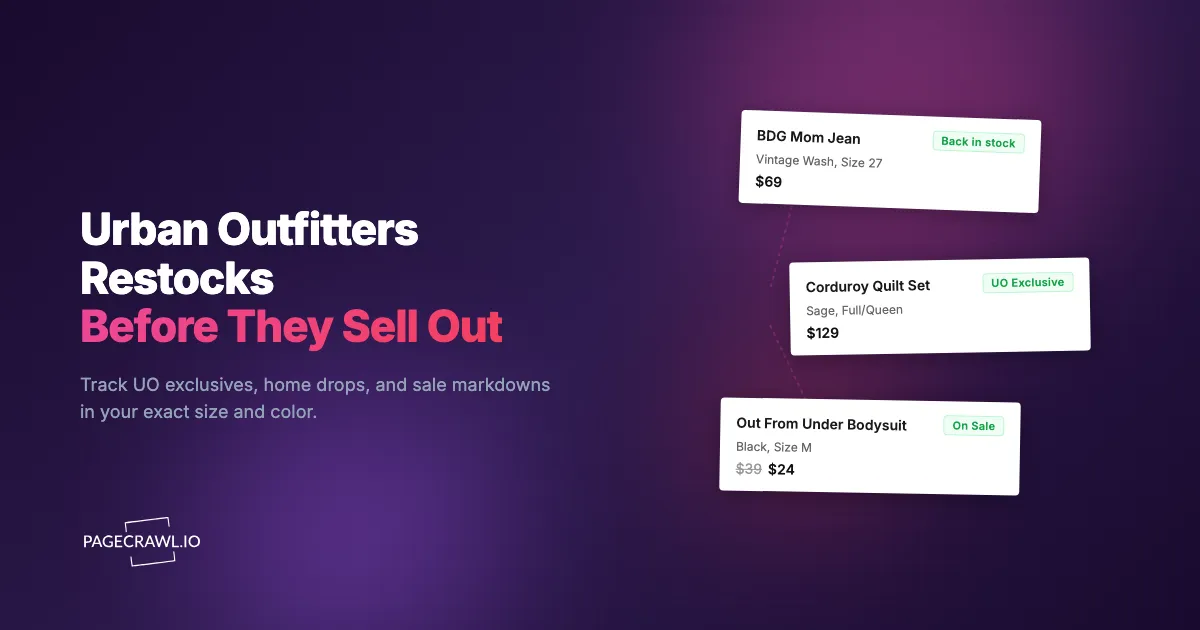
The UO-exclusive corduroy quilt set in Sage came back in stock at 5:47am Eastern on a Thursday. You had been checking the product page every morning for two weeks, saw "Sold Out" again at 7:15am over coffee, and assumed it was gone for good. By the time a comment in the dorm-decor subreddit tipped you off that afternoon, the only size left was the throw pillow nobody wanted. That was the third Urban Outfitters home drop you missed this semester, and every one of them sold through before lunch.
Urban Outfitters runs on trend velocity. Apparel, home, beauty, and music collide in a catalog that churns weekly, and the pieces people actually chase (UO exclusives, viral home decor, BDG denim in the right wash, Out From Under basics) ship in small runs and restock on no fixed schedule. A color that looks permanent today can vanish by next weekend, and the most-wanted sizes sell out first while the extremes linger. The native "Notify Me" button exists, but it is slow, email-only, and blind to your size.
This guide covers why Urban Outfitters sells out so fast, what is worth monitoring across apparel and home, when restocks and markdowns happen, and how to set up automated alerts that reach your phone as soon as a check spots your size and color back in stock.
Why does Urban Outfitters sell out so fast?
Urban Outfitters sells out fast because its inventory is built around trend velocity and scarcity, not steady replenishment. Exclusive and collab pieces ship in small runs, the assortment refreshes weekly so popular items are not reordered, and home drops carry tiny per-color allocations. When something resonates, demand outpaces a deliberately limited supply within hours.
UO exclusives and collabs are produced in small runs
A large share of the inventory on Urban Outfitters' online store is exclusive to the brand: UO-only colorways, in-house labels like BDG, Out From Under, and iets frans, plus rotating collaborations. These pieces ship in limited quantities and frequently never get reordered once they sell through. You cannot assume an exclusive color or print will return, which is exactly why hearing about a restock within minutes is so valuable.
The assortment churns every week
Urban Outfitters refreshes its apparel and home assortment constantly, with new arrivals landing throughout the week rather than in quarterly waves. When a trend-driven piece reaches the end of its run, the remaining inventory sells through and is not replenished. Monitoring catches the final restock of an item before it disappears, and picks up brand-new arrivals on the first check after they appear instead of relying on a homepage refresh.
Home and dorm drops have tiny allocations
Urban Outfitters home (tapestries, quilt sets, shower curtains, furniture, dorm decor) sells in small per-color allocations, and back-to-school season concentrates demand into a few weeks. A quilt set in a popular shade or a piece of small-space furniture can sell out site-wide in a single morning, then trickle back as returns and replenishment get processed. These are the drops where a few minutes of lead time decides whether you get the color you wanted.
Apparel sizes follow a bell curve
Urban Outfitters apparel follows a familiar size distribution: the middle of the curve sees the highest demand and sells out first, while the extremes get smaller allocations and can vanish even faster on niche fits. If your size sits in the high-demand middle, you are competing with the largest group of buyers for the smallest relative allocation. Size-specific monitoring is the only way to know your size, not just the item, is actually back.
What should you monitor on Urban Outfitters?
Monitor four things on Urban Outfitters: the exact product page for the color and size you want, the Sale section for your category, the new-arrivals or "What's New" feed, and the category page for any line you are chasing. Each answers a different question, from "is my size back?" to "did anything new just drop?"
Individual product pages by size and color
The most targeted approach monitors the specific product page for the item, color, and size you want. When your size restocks, the page content changes from unavailable to available and triggers a back-in-stock alert. Urban Outfitters shows size availability as selectable buttons; out-of-stock sizes appear disabled or crossed out, and a restock flips the button active again. Use the color variant's URL, not the general product page, so you watch the exact piece you want. For the full picture of availability tracking across any retailer, see our out-of-stock monitoring guide.
The Sale section
Urban Outfitters runs a deep, fast-moving Sale section where overstock and end-of-run pieces get marked down continuously, not just at quarterly clearance. Popular items at markdown prices sell out even faster than at full price, and pieces sometimes appear in Sale briefly, sell out, and reappear as inventory shifts. Monitor the Sale category page (women's, men's, home, beauty) with content tracking so you get a "something new appeared in Sale" alert and can act before your size is gone at the discounted price.
New arrivals and "What's New"
Urban Outfitters adds products and colors throughout the week, and the "What's New" and new-arrivals pages surface them first. Monitoring this page flags new exclusives and colorways on the first check after they go live. For a drop the brand teases on social first, an alert that lands minutes after it appears gives you the best shot at your size before the rest of the audience refreshes their way in. This is the same pattern that works for fast-fashion drops at Zara and H&M and ASOS.
Category pages for a specific line
If you want any new BDG jeans, any new tapestry, or any new Out From Under piece regardless of the specific style, monitor that category or line page. When a new color or product is added, the page content changes. This is broader than watching individual product URLs, but it catches releases you would never have known to look for, the discovery layer underneath your targeted product monitors.
Why isn't Urban Outfitters' own "Notify Me" enough?
Urban Outfitters' "Notify Me" button is unreliable as a primary restock strategy because it is delayed, size-blind, and email-only. You enter your email on a sold-out item, and the brand theoretically emails you on restock. In practice the alert lands late, frequently ignores your specific size, and never covers Sale markdowns, so the fastest buyers are already checking out by the time you see it.
The email arrives late
Native restock emails are batched and sent on the retailer's own schedule, not as soon as inventory flips. By the time the message reaches your inbox and you navigate to the site, a popular item can already be sold out again. For a trending UO exclusive in a common size, a delay of even 20 to 30 minutes often means missing the window entirely. Speed is the whole game, and email is the slowest channel.
It ignores your size
The basic notification usually does not distinguish between sizes. You might get a "back in stock" alert, rush to the page, and find only the smallest and largest sizes returned while yours never did. Targeted, size-specific monitoring only alerts you when the exact size-color combination you care about is actually available.
It is email only
Urban Outfitters' notification is email and nothing else: no push to your phone, no Telegram, Discord, Slack, or webhook into your own automation. Email is the slowest, easiest-to-miss channel for time-sensitive restocks. Routing alerts through fast web push notifications or a chat app you actually watch closes the gap between "it restocked" and "you bought it."
It says nothing about Sale
The native system covers restocks of out-of-stock items, but it will not tell you when something moves into the Sale section or drops in price. You can only catch UO markdowns by checking Sale manually or monitoring it externally. That blind spot alone is a reason to run your own monitor.
How do you set up Urban Outfitters monitoring with PageCrawl?
Set up Urban Outfitters monitoring by adding the exact product URL to PageCrawl, choosing an availability or price tracking mode, setting a check frequency that matches how hot the item is, and routing alerts to a fast channel like Telegram or Discord. PageCrawl watches the live page and messages you as soon as a check detects a stock or price change, working around every limitation of the native button.

Basic restock monitoring setup
Step 1: Open the Urban Outfitters product page for the exact item and color you want, then copy the URL. Confirm you are on the specific color variant's page, not the general product page that shows every color, so the monitor watches the right inventory.
Step 2: Add the URL to PageCrawl. For a straight restock watch, use availability tracking mode; PageCrawl analyzes the page and identifies the stock-status indicators. For an item where you also care about the price, use price mode, which tracks both availability and the number. The reference list of available tracked element types covers every mode if you are unsure which fits an item.
Step 3: Set your check frequency. For high-demand pieces (UO exclusives, viral home drops, BDG denim in popular washes), check every 1 to 2 hours, because restocks land at any time and sell out within hours. For lower-competition items, every 4 to 6 hours gives solid coverage without spending checks you do not need.
Step 4: Configure notifications. Telegram or Discord push gives you the fastest alert for a time-sensitive restock, since you need to know within minutes, not hours. If you want a shared channel so friends or a household can pounce together, route alerts to Slack or Telegram instead of one inbox.
Step 5: Enable screenshot capture. Urban Outfitters shows size availability visually, and a screenshot attached to your alert lets you confirm which sizes are actually back before you even open the site. That second of certainty matters when an item is selling through in real time.
Monitoring multiple sizes across multiple products
Most Urban Outfitters shoppers are chasing several pieces in one specific size at once, the same size-by-size approach behind Nordstrom restock alerts for designer and clearance pieces. A typical monitoring list might look like:
- BDG Mom Jean in Vintage Wash, size 27
- Corduroy quilt set (UO exclusive) in Sage, full/queen
- Out From Under seamless bodysuit in Black, size M
- iets frans oversized hoodie in Washed Brown, size S/M
Each item needs its own product page monitor at the specific color variant URL. Group them in a PageCrawl folder called "Urban Outfitters Wishlist" so you can review every active monitor in one place and add or drop pieces as the season changes; the guide to organizing monitors with labels, folders, and workspaces shows how to nest wishlists once the list grows. For a focused list of four to six items, PageCrawl's free tier (6 monitors, 220 checks per month) covers you completely.
Monitoring the Sale section
Urban Outfitters Sale is best watched as a content change rather than a single-item availability check:
Step 1: Open the Sale section for your category (women's, men's, home, beauty) and copy the category-level Sale URL.
Step 2: Add it to PageCrawl using fullpage content monitoring so the monitor flags when new products appear or markdowns shift.
Step 3: Set the frequency to every 2 to 4 hours. Markdowns land throughout the week rather than on one fixed day, so steady coverage beats a single daily check.
Step 4: When an alert fires, PageCrawl shows you exactly what changed on the page so you can spot the newly added or freshly discounted items and grab your size before the deal sells through. To only hear about it when a price actually crosses a threshold you care about, layer on conditional price and keyword rules.
Tracking new drops and exclusives
To catch new UO exclusives and colorways shortly after they go live:
Step 1: Identify the line or category you care about (BDG denim, UO home, Out From Under, a specific collab landing page).
Step 2: Monitor that line's main page with fullpage content tracking. When a new product or color is added, the page content changes and triggers your alert.
Step 3: Set the frequency to every 2 to 4 hours. Hyped drops are often teased on social before they appear, so the monitor confirms when the drop actually goes live and lets you reach your size before most shoppers know it exists.
When do Urban Outfitters restocks and drops happen?
Urban Outfitters restocks and drops do not follow one rigid weekly calendar. New arrivals land throughout the week, restocks of sold-out items cluster in the early-morning hours when inventory systems process returns and shipments, and home demand spikes hard during back-to-school. The practical takeaway is to monitor continuously rather than bet on a single day.
New arrivals and early-morning restocks
Urban Outfitters adds products and colors across the week, not in one scheduled wave, so there is no single "drop day" to camp on and a continuous monitor is what catches new exclusives as they appear. Restocks of sold-out items frequently surface between roughly 4am and 8am Eastern, when inventory systems process returns and shipments. An item that read "Sold Out" at midnight can show available at 6am and be gone by 10am, so monitoring earns its keep by catching the windows that open and close while you are asleep.
Back-to-school and dorm season
Urban Outfitters home demand concentrates sharply in late summer as students furnish dorms and apartments. Quilt sets, tapestries, small-space furniture, and decor in popular colors sell out fastest during this window, then restock in small, short-lived batches. If you are chasing a specific home piece, tighten your check frequency through August and early September when competition peaks.
Sale churn is continuous
Urban Outfitters marks items down continuously rather than waiting for quarterly clearance, so a piece you have watched at full price can drop on an ordinary Tuesday. Because the timing is unpredictable, a steady Sale-section monitor beats guessing a clearance date. This is the same continuous-markdown behavior seen across the sister brands owned by URBN, which is why many shoppers also run an Aritzia, Free People, and Anthropologie sale tracker alongside their UO monitors.
How do you build a complete Urban Outfitters monitoring strategy?
Build a complete strategy by tiering your monitors by urgency, pairing availability watches with price watches on items you would only buy on sale, and treating community chatter as backup rather than your primary signal. The goal is focused coverage: tight frequency on the pieces you must have, lighter frequency on discovery, and the fastest channel on everything urgent.
Tier your monitors by priority
Organize monitoring by how badly you want each item:
Tier 1 (must-have items): The exact product, color, and size combinations you want most. Check every 1 to 2 hours with push notifications.
Tier 2 (nice-to-have items): Pieces you would buy if they came back or hit a good price. Check every 4 to 6 hours.
Tier 3 (discovery): The Sale section, "What's New," and category pages for spotting deals and fresh exclusives. Check every 4 to 6 hours.
This keeps your monitoring focused on what matters while still catching opportunities across the catalog.
Combine price and availability
Some Urban Outfitters pieces are in stock at full price right now, but you would rather wait for a markdown. For those, monitor both the product page (for availability in your size) and the Sale section (for when the item drops in price). When both line up, you get the item you want at the price you want. The same paired approach works for resale or alternative listings elsewhere, including Amazon price drops.
Use community intelligence as backup
Urban Outfitters has active fan communities on Reddit, TikTok, and Discord where members share restock sightings and drop tips. These are useful for context, but they are reactive: by the time someone posts that an item is back, it is often already selling out. Automated monitoring gives you the information first; the community gives you the why.
What makes Urban Outfitters pages tricky to monitor?
Urban Outfitters pages are tricky because content loads dynamically, the pages carry noisy elements that change without reflecting real stock, color names shift across seasons, and cart holds can mask true availability. PageCrawl is built for exactly these conditions, rendering the full page and filtering noise so your alerts stay accurate.
Dynamic content and visual noise
Urban Outfitters loads product details and availability after the initial page renders. PageCrawl renders pages with a full browser engine, so size availability, pricing, and stock indicators load completely before the page state is captured, the same way they would in your own browser. The pages also carry elements that change constantly without reflecting real stock, such as "recently viewed," recommendation carousels, and rotating promo banners. PageCrawl's noise filtering lets you click any detected change to ignore it going forward, so after a couple of checks you only get alerts for genuine availability or price changes.
Color names, redesigns, and cart holds
Urban Outfitters rotates creative color and print names, and the same shade can carry a different name in a new season, so always monitor by the product URL rather than a color name. The URL uniquely identifies the exact variant and will not drift when the marketing copy changes. The brand also redesigns its site periodically; PageCrawl's content analysis adapts to most layout changes automatically. Finally, Urban Outfitters holds items in carts for a window after they are added, so a piece can read "Sold Out" while units sit in abandoned carts and briefly reappear when those holds expire. These micro-restocks are real but extremely short-lived, and high-frequency hourly monitoring is what catches them.
Choosing your PageCrawl plan
PageCrawl's Free plan lets you monitor 6 pages with 220 checks per month, which is enough to validate the approach on your most critical pages. Most teams graduate to a paid plan once they see the value.
| Plan | Price | Pages | Checks / month | Frequency |
|---|---|---|---|---|
| Free | $0 | 6 | 220 | every 60 min |
| Standard | $8/mo or $80/yr | 100 | 15,000 | every 15 min |
| Enterprise | $30/mo or $300/yr | 500 | 100,000 | every 5 min |
| Ultimate | $99/mo or $999/yr | 1,000 | 100,000 | every 2 min |
Annual billing saves two months across every paid tier. Enterprise and Ultimate scale up to 100x if you need thousands of pages or multi-team access.
Urban Outfitters pieces run roughly $30 to $150 each, and the UO exclusives and home drops worth chasing do not wait for you to refresh the page on a coffee break. Standard at $80/year covers 100 pages, enough for a full wishlist of specific color and size variants alongside Sale-section and new-arrivals monitors. Catching a single size-specific restock or a deep markdown before it sells out again covers the cost for the year. Enterprise at $300/year handles 500 pages, which is practical for resellers or personal shoppers tracking broad catalogs across apparel and home.
Getting Started
Pick the one Urban Outfitters piece you want most right now. Open the product page for your exact color and size, copy the URL, and set up an availability monitor in PageCrawl. Configure Telegram or Discord notifications so a restock reaches your phone within minutes instead of your inbox an hour late.
Run it for a week and watch how the availability moves. You will almost certainly see at least one restock or markdown event, even on a hot item, and seeing the pattern firsthand makes the case that automated monitoring beats manual checking. Then expand: add your full wishlist, set a Sale-section monitor for your favorite category, and add a "What's New" tracker so new exclusives show up in your alerts soon after they drop.
Stop refreshing the Urban Outfitters page. Let the alerts come to you.


