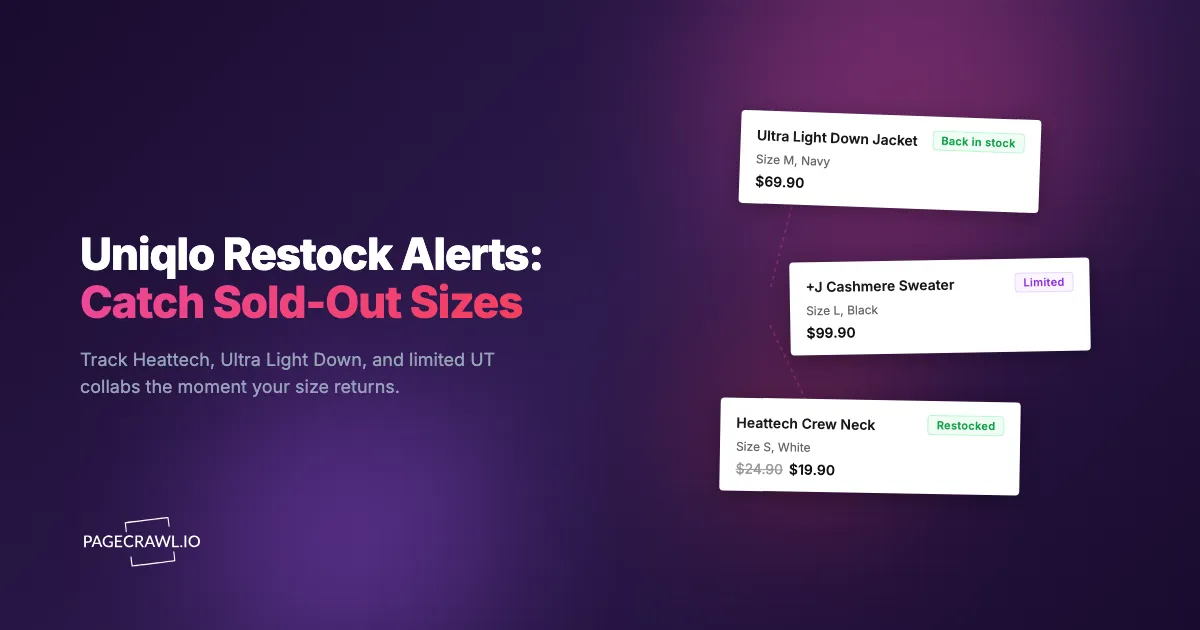
The +J Ultra Light Down jacket in navy went live on the Uniqlo site at 9:00am. You added it to your cart at 9:18am, went to select your size, and the medium was already greyed out. By the time you refreshed, the large was gone too. You were left staring at a size XS and a size XXL, neither of which fits. This was the second collaboration you missed this season because you happened to be in a meeting when it dropped.
Uniqlo runs two very different inventory games at once. Its core lineup (Heattech base layers, Airism innerwear, Ultra Light Down, fleece, and Supima cotton tees) restocks constantly but burns through popular sizes fast, especially during seasonal swings. Its limited collaborations (UT graphic tees, designer partnerships, and IP licensing drops) behave like limited-edition sneaker releases: small allocations, no warning, and sellouts measured in minutes. Both situations punish the shopper who checks the site manually.
This guide covers why Uniqlo sells out, which items to monitor, and how to set up automated alerts that fire as soon as a check finds your exact size and color back in stock, whether that is a Heattech crew neck or a one-and-done designer collab.
Why does Uniqlo sell out so fast?
Uniqlo sells out for two separate reasons: core items run thin in mid-range sizes during seasonal demand spikes, and limited collaborations ship in deliberately small quantities that never restock. Understanding which category an item falls into tells you whether to wait for a restock or treat the drop as a single, time-boxed window.
Limited collaborations sell out in minutes
Uniqlo's collaboration drops are the hardest items to catch. Designer partnerships like +J, Uniqlo U, JW Anderson, Marni, and Clare Waight Keller's UNIQLO:C arrive in limited runs and frequently sell through popular sizes within the first hour. UT graphic tees tied to anime, gaming, and art licenses (One Piece, Pokemon, KAWS, museum collections) behave the same way. Some never restock, while others see a single small replenishment days later as cancelled orders release. Because you cannot assume a collab will return, the value is in hearing about it within minutes rather than hours. A restock can last ten minutes. If you find out an hour later from a Reddit thread, you have already lost.
Core items run out in the sizes everyone wants
Heattech, Airism, Ultra Light Down, and the basic Supima tee are produced in volume by parent company Fast Retailing, but demand concentrates in the middle of the size curve. Sizes S, M, and L disappear first, particularly in popular colors like black, navy, and white, while the extremes (XS and XXL) often linger. If you wear a common size, you are competing with the largest pool of buyers for a relatively small slice of stock. Core items do restock, sometimes weekly, so monitoring pays off differently here. You are not racing a one-time drop, you are waiting for your size to reappear in an item that cycles in and out of availability all season.
Seasonal demand creates predictable crunches
Uniqlo's bestsellers are seasonal. Ultra Light Down and Heattech sell out across sizes the moment temperatures drop in autumn, while Airism shorts and mesh layers thin out in early summer. When a season peaks, even high-volume staples go out of stock in popular colors, then restock irregularly as supply catches up. Some colors and extended sizes are also online-only and made in smaller runs, so they behave more like limited drops than guaranteed restocks. Monitoring through these crunch windows is the difference between buying your size and waiting weeks for it to return.

What should you monitor on the Uniqlo website?
Monitor three things on Uniqlo: the specific product pages for the size and color you want, the Limited Offers and sale sections for markdowns, and the new-arrivals or collaboration pages to catch drops shortly after they go live. Each serves a different purpose, from targeted restock alerts to broad discovery.
Individual product pages by size and color
The most precise approach watches the exact product page on Uniqlo's official online store for the item, color, and size you want. Uniqlo renders size availability as selectable buttons: out-of-stock sizes are disabled or crossed out, and when a size restocks the button becomes active again, which is a content change that automated monitoring detects and turns into an alert.
Uniqlo also uses distinct URLs for each color, so product page monitoring can target exactly the variant you want rather than the whole product family. For a broad walkthrough of availability tracking that applies to any retailer, see our out-of-stock monitoring guide. The same size-aware logic that works for ASOS back-in-stock alerts applies directly to Uniqlo product pages.
The Limited Offers and sale sections
Uniqlo's Limited Offers and weekly sale pages are where staples get marked down for a fixed window, the same kind of sale drops shoppers track at J.Crew. Popular items at a reduced price sell out faster than at full price, and items occasionally appear, sell through, and reappear within the same promotion. Monitor the relevant category section (men's tops, women's outerwear, kids) using content tracking mode so you get a broad "something new was added" alert rather than a single-product availability check. This is the same pattern that works for tracking Zara and H&M restocks and sales across fast-fashion peers.
New arrivals and collaboration landing pages
Uniqlo adds new colors, prints, and collaborations throughout the week, and collab launches are usually pre-announced with a date but not an exact minute. Monitoring the new-arrivals or collaboration landing page catches the change on the first check after products go live. When a designer page exists as a teaser before items are buyable, a content change on it is your earliest signal that the collection has gone on sale. The same logic covers category pages: watch the Ultra Light Down category to catch any new shade you would not have known to search for.
Why is Uniqlo's own "Notify Me" unreliable?
Uniqlo's built-in back-in-stock email is slow, inconsistent about sizes, and email-only. Its emails are batched and sent on Uniqlo's own schedule rather than as soon as inventory returns, so by the time one lands and you reach checkout, popular sizes can already be gone again. For collabs and seasonal crunches, that delay is the whole ballgame.
Delayed and batched notifications
The back-in-stock email does not fire the second an item returns. It arrives on a batch schedule, which can mean a delay of many minutes to hours after the actual restock. For a designer collab that sells through in ten minutes, a notification that arrives forty minutes late is worthless. You need alerting measured in minutes.
Inconsistent size handling
A generic restock notification does not always confirm your specific size returned. You can receive an alert, rush to the page, and find only XS and XXL available while your medium never came back. Monitoring the exact size variant avoids this false alarm by only alerting when the page state for your size changes.
Email-only, no fast channels
Uniqlo's notification is email, the slowest channel for a time-sensitive restock. There is no phone push, no Slack message, no webhook into an automation. PageCrawl lets you route alerts to fast web push notifications, Telegram, Discord, or a Slack channel for shared awareness, so the alert reaches the device you actually watch.
How do you set up Uniqlo monitoring with PageCrawl?
Set up Uniqlo monitoring by adding the specific color-variant URL to PageCrawl, choosing availability or price tracking, setting a check frequency that matches the item's urgency, and routing alerts to a fast channel like Telegram or Discord. The walkthrough below takes about two minutes per item and works on the free tier.

Basic restock monitoring setup
Step 1: Navigate to the Uniqlo product page for the item and color you want. Copy the URL. Confirm you are on the specific color variant's page, not a general product page that switches colors without changing the address.
Step 2: Add the URL to PageCrawl and choose availability tracking mode for a pure restock alert, or price mode if you also want an alert when the item is marked down in Limited Offers. PageCrawl analyzes the page and identifies the stock-status indicators automatically, and the reference list of available tracked element types explains when to pick availability, number, or full-page tracking.
Step 3: Set your check frequency. For high-demand items (collab pieces, Ultra Light Down in peak season, popular Heattech colors), check as often as your plan allows. Restocks can land at any hour and vanish within minutes. For lower-competition items, every few hours is plenty.
Step 4: Configure notifications. Telegram or Discord push delivers the fastest alerting for time-sensitive restocks, and you can set up Telegram monitoring alerts in a couple of minutes. You want the alert on your phone within minutes, not buried in an inbox.
Step 5: Enable screenshot capture. Uniqlo shows size availability visually, so a screenshot attached to the alert lets you confirm which sizes are live without opening the site first.
The free tier covers 6 monitors and 220 checks per month, which is enough to track a focused list of must-have items and prove the approach before you scale up.
Monitoring multiple sizes across multiple items
Most Uniqlo shoppers want several pieces in one specific size. A realistic list might look like:
- Ultra Light Down Jacket in Navy, size M
- Heattech Extra Warm Crew Neck in Black, size S
- +J Supima Cotton Oversized Shirt in White, size L
- UT KAWS graphic tee in Black, size M
Each item needs its own monitor at the specific color-variant URL. Group them in a PageCrawl folder named "Uniqlo Wishlist" to review and prune as your list changes. A four-to-six item wishlist fits the free tier completely. Add Limited Offers and new-arrivals pages on top and you will want the Standard plan's 100 monitors.
Monitoring Limited Offers and collaboration drops
For markdowns, watch the Limited Offers and weekly sale sections as content changes rather than single-item availability checks. Add the category-level URL (men's outerwear, women's tops, kids) using fullpage content monitoring mode and check every few hours; promotions refresh weekly but items rotate in and out across the week. When you get an alert, PageCrawl shows exactly what changed so you can spot the newly discounted product and act before popular sizes sell through at the markdown price.
For drops, monitor the collaboration landing page or new-arrivals URL with content tracking, so a teaser page going shoppable trips the alert. Set the highest frequency your plan allows in the run-up to a known launch date, and layer conditional alerts on keywords or thresholds so a generic page edit does not fire, only a meaningful "available now" change does. That gets you in before the crowd still waiting on the official email, which for limited drops is the whole difference between checkout and "sold out."
When does Uniqlo restock and drop new items?
Uniqlo follows semi-predictable rhythms: weekly promotions and new arrivals refresh on a regular weekly cycle, collaborations launch on pre-announced dates (often early morning local time), and seasonal core stock surges and thins with the weather. You cannot time a restock to the minute, but you can raise your check frequency during the windows that matter most.
Weekly promotion and new-arrival cycles
Uniqlo refreshes Limited Offers and adds new arrivals on a weekly cadence. Increase your check frequency around the start of each promotional week to catch markdowns and new colors before popular sizes thin out.
Collaboration launch mornings
Designer collabs and major UT drops launch on announced dates, frequently early in the morning local time, and the most coveted sizes can be gone within the first hour. Run your monitor at maximum frequency starting before the announced launch time. The same launch-day discipline that sneaker shoppers apply to restock-style drops works here: monitor early, get the push, check out fast.
Seasonal surges and end-of-run restocks
Heattech and Ultra Light Down sell out fastest as cold weather sets in, then see irregular restocks through the season; Airism layers do the same in summer. At the end of a season, outgoing colors get their final small restocks as returns are processed, the last chance to grab a shade before it disappears for the year, the same way collectors chase restocks of retired Jellycat plush. These restocks are small and fast, so notification speed matters most.
How do you build a complete Uniqlo monitoring strategy?
Build a complete strategy by tiering your monitors: high-frequency push alerts for must-have items and collabs, moderate-frequency checks for nice-to-have pieces, and broad discovery monitors on category and Limited Offers pages. Pair availability tracking on product pages with content tracking on sale sections to catch both restocks and markdowns.
Tiered monitoring approach
Organize your monitors by priority. Tier 1 is the specific product, color, and size combinations you want most, checked at high frequency with push notifications. Tier 2 is pieces you would buy if they show up at a good price, checked every few hours. Tier 3 is discovery: Limited Offers, new arrivals, and category pages. This keeps urgent alerts fast and noise-free while still surfacing deals across the catalog.
Combining availability and price
Some Uniqlo items are available now at full price, but you would rather wait for a Limited Offers markdown. Monitor both the product page (for availability in your size) and the Limited Offers section (for when it is discounted), and act when both line up. Community channels help as backup: Uniqlo has active fan groups on Reddit and Discord, but they are reactive. By the time someone posts "the navy ULD medium is back," it is often already selling out. Automated monitoring gives you the signal first, and the community fills in the why.
What makes Uniqlo monitoring tricky?
Uniqlo monitoring has a few quirks: pages load availability dynamically, product pages carry recommendation noise, color and size naming can be confusing, and the site is periodically restructured. PageCrawl handles each of these so your alerts stay accurate.
Dynamic page content and recommendation noise
Uniqlo loads product details and size availability after the initial page renders, so a basic scraper that reads raw HTML misses them. PageCrawl loads the full page exactly as your own browser would, so availability, pricing, and stock indicators are all present before the page state is captured. Product pages also include "you may also like" carousels, recently viewed items, and rotating banners that change without reflecting real stock. PageCrawl's noise filtering lets you click any detected change and ignore it in future checks, so after a couple of cycles you only get alerts for genuine changes. The help centre guide to reducing false positive notifications covers the other filters worth applying to busy retail pages.
Size, color naming, and site redesigns
Uniqlo reuses descriptive color names across seasons and sometimes labels sizes differently between regions. Always monitor by the product URL rather than by color name, because the URL uniquely identifies the exact variant and avoids confusing a returning shade with a new one that shares a name. Uniqlo also redesigns its site occasionally, which can shift how stock indicators appear. PageCrawl's content analysis adapts to most layout changes automatically, and if a major redesign ever breaks a monitor, recreating it against the updated page takes under a minute.
Choosing your PageCrawl plan
PageCrawl's Free plan lets you monitor 6 pages with 220 checks per month, which is enough to validate the approach on your most critical items. Most shoppers graduate to a paid plan once they catch their first sold-out size.
| Plan | Price | Pages | Checks / month | Frequency |
|---|---|---|---|---|
| Free | $0 | 6 | 220 | every 60 min |
| Standard | $8/mo or $80/yr | 100 | 15,000 | every 15 min |
| Enterprise | $30/mo or $300/yr | 500 | 100,000 | every 5 min |
| Ultimate | $99/mo or $999/yr | 1,000 | 100,000 | every 2 min |
Annual billing saves two months across every paid tier. Enterprise and Ultimate scale up to 100x if you need thousands of pages or multi-team access.
Uniqlo staples run $15 to $70 and collab pieces climb past $100, and popular sizes do not wait for you to refresh during a meeting. Standard at $80/year covers 100 pages, enough for a full wishlist of color and size variants alongside Limited Offers and new-arrivals trackers. Catching one collab in your size, or one Ultra Light Down restock before it sells out again, covers the cost for the year. Enterprise at $300/year handles 500 pages for resellers and personal shoppers tracking broad catalogs across multiple Uniqlo lines.
Getting Started
Pick the one Uniqlo item you want most right now. Find the product page for your exact color and size, copy the URL, and set up an availability monitor in PageCrawl. Configure Telegram or Discord notifications so restock alerts reach your phone within minutes instead of waiting on a batched email.
Run it for a week and watch how availability moves, even for a "permanently sold out" size. You will almost certainly see at least one restock window, and seeing it firsthand is what makes the case for automation over manual checking. Then expand: add your full wishlist, set a Limited Offers monitor for your favorite category, and point a tracker at the next collab landing page.
Stop refreshing the Uniqlo size dropdown. Let the alert come to you.