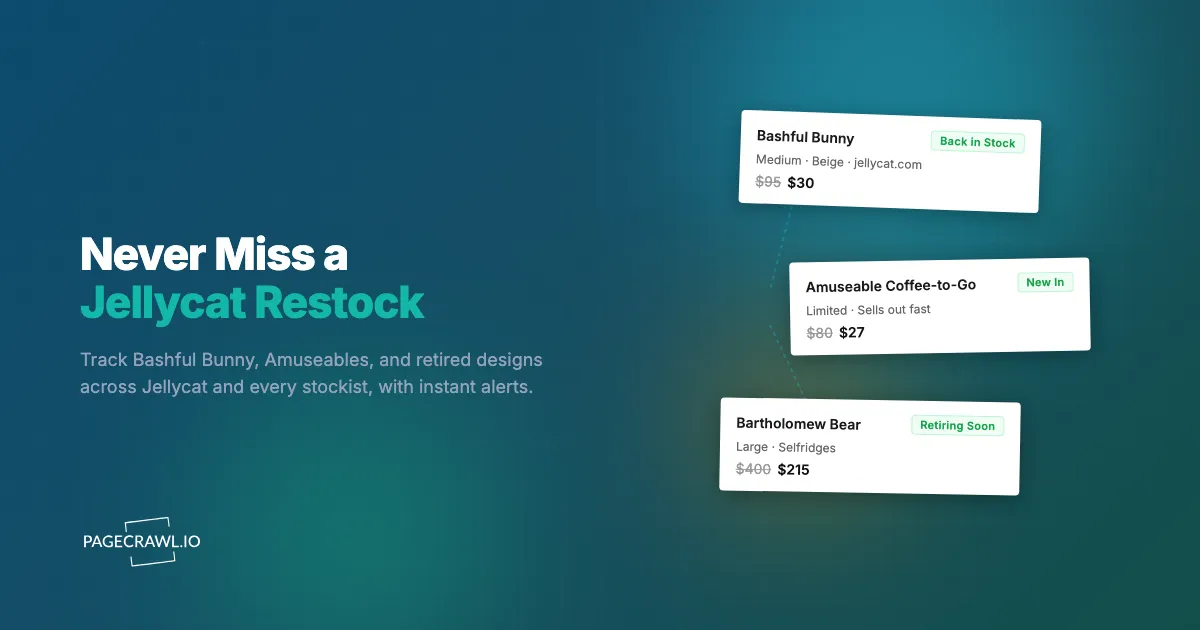
The Jellycat Amuseable Coffee-to-Go reappeared on jellycat.com at 7:02am on a Thursday. By the time you refreshed during the school run at 8:40am, the "Add to Basket" button had gone grey and read "Out of Stock" again. It was the second time in a month you had watched the same plush vanish before you could check out, and the resale listings were already asking triple the retail price.
Jellycat has built genuine scarcity into the way it sells. Designs are produced in limited runs, the catalogue is pruned twice a year through formal retirements, and the most-loved characters draw a collector following that outruns supply. A Bashful Bunny in the right color or a seasonal Amuseable can sell out within hours of landing, on the official site and at premium stockists like Selfridges, John Lewis, Harrods, and Nordstrom alike.
This guide covers why Jellycat sells out so fast, which pages are worth watching, the limits of its own "email me" feature, and how to set up automated alerts that fire as soon as a check finds your character back in stock.
Why does Jellycat sell out so fast?
Jellycat sells out because of a deliberate mix of limited production, scheduled retirements, and intense collector demand. Each design is made in finite batches, popular characters are pruned from the range twice a year, and a dedicated community competes for every restock. Understanding these mechanics tells you when and where to watch.
Limited production runs
Jellycat produces designs in batches rather than keeping unlimited stock on hand. When a popular character sells through, the next batch may be weeks or months away, with no guarantee about quantity. A character can be "in stock" one morning and gone by lunchtime, then absent for a long stretch before quietly reappearing. That unpredictability is why checking the site manually rarely works: you cannot guess the window, so you have to be watching when it opens.
Scheduled retirements
Jellycat formally retires designs on a recurring basis, typically in waves at the start and middle of the year. Once a design is retired, it is gone for good at retail. Remaining stock sells through quickly as collectors race to grab the last units, and resale prices climb sharply afterward. The "retiring soon" window is the most urgent time to monitor a character you love, because every restock during that period is genuinely a last chance.
Collector demand
Jellycat has a large, organized collector base that tracks new releases, trades retired pieces, and shares restock sightings across Reddit, Facebook groups, TikTok, and Discord. This is the same dynamic that drives Labubu blind-box restocks and Funko Pop exclusive drops: when supply is capped and a fandom is coordinated, inventory evaporates in minutes. Community channels are useful for context, but by the time someone posts "it's back," the popular variants are usually already gone.
Seasonal and limited editions
Jellycat releases seasonal characters for Christmas, Halloween, Easter, and Valentine's, plus occasional collaborations and store exclusives. These are produced for a short window and not replenished once the season passes. The Amuseable range (plush food, drinks, and everyday objects) is especially prone to fast sell-outs, and a seasonal Amuseable can be a one-and-done that never returns at retail.

What should you monitor on Jellycat and its stockists?
Monitor three things: the individual product pages for the exact characters you want, the "New In" pages where fresh designs appear, and the equivalent Jellycat pages at major stockists. Watching the official site alone misses restocks that land first at Selfridges, Harrods, John Lewis, or Nordstrom, so spread your coverage.
Individual product pages
The most targeted approach watches the specific product URL for the character you want, the same product page monitoring pattern that works at any retailer. When a sold-out item returns, the page content flips from "Out of Stock" to an active "Add to Basket" button, and that change triggers your alert. Because each size is often its own listing or variant, monitor the exact size you are after. For a full walkthrough of availability tracking across any retailer, see our out-of-stock monitoring guide.
New In and new release pages
Jellycat groups fresh designs on "New In" pages. Monitoring these in content mode alerts you on the next check after a new character or seasonal Amuseable is added, the same way it catches new online arrivals at Marshalls, often before it shows up in newsletters or on social media. For an anticipated launch, hearing about a design within minutes of it going live is the difference between adding it to your basket and reading about it after it sold out.
Stockist pages
Jellycat is sold through premium retailers, and stock does not arrive everywhere at the same time. A character that is sold out on jellycat.com may be sitting in stock at Selfridges, Harrods, John Lewis, Nordstrom, Bloomingdale's, or an independent gift shop. Monitor the Jellycat brand pages or specific product pages at the stockists you can actually buy from, favoring the ones in your country to avoid international shipping. Spreading monitors across several retailers dramatically increases your odds of catching a restock.
Retiring soon and collector watch lists
If you know a character is approaching retirement, treat its product page as a high-priority monitor. Final restocks during the retirement window are small, fast, and irreplaceable. Some collectors also keep a watch list of characters they expect to be retired next, monitoring each one to grab a last unit before it leaves retail forever.
How reliable is Jellycat's own "email when available"?
Jellycat and most of its stockists offer a basic "email me when back in stock" form, but it is unreliable as your primary strategy. Notifications are batched and delayed, they are email-only, they rarely distinguish between sizes, and they do nothing to help you watch the multiple stockists where restocks actually land first.
Delayed, batched notifications
The "email me" message is not sent as soon as stock returns. These messages are queued and go out on the retailer's own schedule, which can lag the actual restock by many minutes or longer. For a character that sells out in under an hour, that delay is often the whole window. By the time the email lands and you reach the page, the "Add to Basket" button may already be grey again.
No channel choice
The built-in form is email-only. There is no push notification to your phone, no Slack or Discord message, and no webhook into an automation. Email is the slowest channel for a time-sensitive restock, and it competes with everything else in your inbox. Faster channels exist, but the retailer will not send to them.
No size or variant precision
A single "back in stock" email often covers the listing as a whole, not your specific size. You can rush to the site only to find the Huge size returned while the Medium you wanted is still gone. The notification fired, but not for the variant you care about.
It only watches one store
A Jellycat "email me" form only watches Jellycat. It will not tell you that the same character just restocked at John Lewis or Nordstrom. Because stockists receive inventory independently, the store that restocks first is frequently not the official site, and the built-in alert leaves you blind to it.
How do you set up Jellycat restock alerts with PageCrawl?
PageCrawl watches the actual product and listing pages and notifies you through the channel you choose as soon as a check sees availability change, the same stock availability and restock alert setup collectors run across every store they buy from. It works across the official site and every stockist at once, sends to push channels rather than slow email, and lets you target the exact character and size you want. Here is the setup.

Basic restock monitoring setup
Step 1: Open the product page for the exact Jellycat character and size you want, on jellycat.com or your preferred stockist, and copy the URL. Make sure you are on the specific size or variant page, not a general listing that shows every size.
Step 2: Add the URL to PageCrawl and choose availability tracking mode. PageCrawl renders the page fully like a real browser and reads the stock-status indicators, so it sees "Out of Stock" versus "Add to Basket" the same way you would. If you would rather watch the price or a single size button, the help centre covers the full range of available tracked element types.
Step 3: Set your check frequency. For hot characters (new Amuseables, seasonal limited editions, anything retiring soon) check as often as your plan allows, every few minutes on a paid tier. Restocks land and sell out fast, so frequency directly determines whether you catch the window.
Step 4: Configure notifications. For time-sensitive restocks, point alerts at a fast push channel like Telegram or web push so the alert lands on your phone as soon as a check detects the restock. If you coordinate buying with family or a collector group, you can also route alerts to Slack or stick with email for lower-priority watches.
Step 5: Enable screenshot capture. Jellycat and stockist pages show availability and size buttons visually, so a screenshot in your alert lets you confirm the exact size is buyable before you open the site, saving seconds at checkout.
Monitoring several characters at once
Most Jellycat shoppers want more than one piece, so a realistic watch list might be:
- Bashful Bunny in Beige, Medium, on jellycat.com
- Amuseable Coffee-to-Go on John Lewis
- A retiring-soon character on its product page at Selfridges
- The seasonal Christmas Amuseable on the official "New In" page
Create one monitor per URL and group them in a PageCrawl folder called "Jellycat Wishlist," following the help centre guide to organizing monitored pages with labels, folders, and workspaces. That keeps everything in one view so you can add or remove characters as the range changes and retirements are announced. A focused list of up to six characters fits comfortably in PageCrawl's free tier (6 monitors, 220 checks per month).
Watching "New In" for fresh drops
To catch new characters shortly after they appear, add the Jellycat "New In" page (or a category page like soft toys or Amuseables) using fullpage content monitoring rather than availability mode. When a new design is added, the page content changes and you get an alert. Check this frequently during known launch periods so you see new arrivals before the wider community does.
Spreading monitors across stockists
For a character you really want, create a small cluster of monitors: the official product page plus the same character at two or three stockists you can buy from. Because retailers restock independently, this multiplies your chances of catching the first available unit. To target a precise element on a busy retailer page (a particular size button or a stock label), our CSS selector guide shows how to pin the monitor to exactly that element.
When do Jellycat drops and restocks happen?
Jellycat follows semi-predictable rhythms: new collections and retirements cluster around the start and middle of the year, seasonal characters arrive ahead of each holiday, and individual restocks often appear in the early morning as inventory systems process returns and new shipments. Knowing these patterns tells you when to raise your check frequency.
New collections and retirement waves
Jellycat typically introduces new ranges and retires older designs in waves, concentrated near the beginning and middle of the calendar year. These windows bring the largest batches of new characters and the final restocks of soon-to-be-retired ones. Raise your monitoring frequency around these waves, when both arrivals and last-chance stock are in play.
Seasonal releases
Holiday-themed characters appear ahead of Christmas, Halloween, Easter, and Valentine's in short production windows. Start monitoring the "New In" page and the seasonal characters you want several weeks before each holiday, because the most popular designs sell out well before the date itself. The same gift-season crunch hits the wider toy market, as our holiday toy restock guide covers.
Early-morning restocks
Restocks of sold-out characters frequently surface in the early morning, when retailers process returns, cancelled orders, and fresh shipments. A character that was unavailable at midnight may quietly show as buyable at 6am and be gone again by mid-morning. Automated monitoring is most valuable here, catching restocks that happen while you sleep and that no amount of manual refreshing would find.
How do you build a complete Jellycat monitoring strategy?
Build your strategy in tiers, combine the official site with multiple stockists, and use community channels for context rather than as your alert system. Tiering keeps your check budget focused on the characters that matter most.
A tiered monitoring approach
Sort your monitors by urgency. Tier 1 is must-have characters in a specific size and color, plus anything retiring soon: check as frequently as your plan allows, run parallel monitors on jellycat.com and your stockists, and route them all into one push channel so you act on whichever restocks first. Tier 2 is nice-to-have pieces you would buy if available: check every few hours. Tier 3 is discovery, the "New In" and category pages that surface new designs and seasonal drops: a few times a day is plenty.
Using community intelligence
Jellycat collectors are active on Reddit, Facebook, TikTok, and Discord, sharing restock sightings and retirement rumors that add useful context. The catch is that these channels are reactive: by the time someone posts about a restock, the best variants are often already gone. Let automated monitoring deliver the signal first, and use the community to interpret it.
What are the common challenges with Jellycat monitoring?
The main challenges are dynamically loaded availability, size and variant confusion, stockist queue pages during big drops, and fleeting cart-hold micro-restocks. PageCrawl handles most of these automatically by rendering pages fully and letting you filter out noise, but knowing each one helps you set monitors up correctly the first time.
Dynamically loaded availability
Jellycat and stockist pages often load stock status and size buttons after the initial page render. PageCrawl renders pages fully like a real browser, so availability, pricing, and size indicators have finished loading before the page state is captured. You get the real "in stock" or "out of stock" reading, not a half-loaded snapshot.
Size and variant confusion
Many characters come in several sizes (Bashful Bunny runs Tiny, Small, Medium, Large, Really Big, and Huge), and each can have its own availability. Monitor the exact size you want rather than a general listing, so an alert means your size returned, not just some size. Where a page shows all sizes together, target the specific size element so the monitor only fires for the one you care about.
Stockist queue and waiting-room pages
During major drops, some retailers put shoppers through a virtual queue or waiting-room page, which can show the queue instead of the product. Point your monitor at the product page itself and verify with screenshot capture, so you can confirm you are reading the real listing rather than a holding page.
Cart holds and micro-restocks
When a shopper adds a Jellycat to their basket, the retailer often holds that unit for a period. If the order is abandoned, the unit returns to stock, creating brief micro-restocks that appear and vanish within minutes. These windows are short and unpredictable by nature, so the more often you check, the better your odds of catching one.
Choosing your PageCrawl plan
PageCrawl's Free plan lets you monitor 6 pages with 220 checks per month, which is enough to validate the approach on your most critical pages. Most teams graduate to a paid plan once they see the value.
| Plan | Price | Pages | Checks / month | Frequency |
|---|---|---|---|---|
| Free | $0 | 6 | 220 | every 60 min |
| Standard | $8/mo or $80/yr | 100 | 15,000 | every 15 min |
| Enterprise | $30/mo or $300/yr | 500 | 100,000 | every 5 min |
| Ultimate | $99/mo or $999/yr | 1,000 | 100,000 | every 2 min |
Annual billing saves two months across every paid tier. Enterprise and Ultimate scale up to 100x if you need thousands of pages or multi-team access.
Jellycat characters run from around $25 for a small plush to well over $200 for the largest bears, and retired designs resell for several times their original price. A focused wishlist fits the free tier. If you want to watch one character across the official site and several stockists, plus "New In" pages and a retirement watch list, the Standard plan at $80/year (100 pages, 15-minute checks) pays for itself the first time you catch a sold-out character before it is gone. Collectors and resellers tracking broad catalogs across many characters and retailers will want Enterprise at $300/year for 500 pages and 5-minute checks.
Getting Started
Pick the one Jellycat character you want most right now. Open its product page in your size, copy the URL, and set up an availability monitor in PageCrawl with a fast push notification to your phone. Add the same character at one or two stockists so you hear about whichever restocks first.
Let it run for a week or two and watch how often availability flips. Even for popular characters you will usually see at least one restock event, and watching it happen firsthand shows why monitoring beats refreshing the page yourself. Then expand: add your full wishlist, a "New In" monitor for fresh drops, and a retirement watch list for the characters you cannot bear to lose.
PageCrawl's free tier covers a focused Jellycat wishlist of six monitors. Stop refreshing the basket page. Let the alerts come to you.