On 21 October 2026 the PHP project shipped PHP 8.5.12, 8.4.27, 8.3.36 and 8.2.35 to fix two critical remote code execution flaws, CVE-2026-109618 and CVE-2026-109619, now known as "php2shell". Both are rated 9.2 on CVSS v4.0, and the php.net advisory says they put "all PHP installations serving web requests" at risk. The fix was meant to land on 22 October. It came out a day early because the CVE identifiers leaked on 20 October.
Most teams do not miss a CVE like this because nobody published it. They miss it because the warning arrived as one more alert in a stream they had stopped reading. The fix is not more alerts. It is one daily CVE summary that covers every source you care about, ranks each new advisory by risk, and pushes the rare critical one out without waiting for the next morning. This guide walks through php2shell step by step to show how to set that up.
The PageCrawl web application runs on PHP. We patched our web servers as soon as the fixed releases became available on 21 October. PageCrawl customers do not need to do anything.
What happened with php2shell?
php2shell is a pair of PHP engine bugs that can let an unauthenticated attacker run code on a server. CVE-2026-109618 involves out-of-memory handling that leaves request data half initialised, and CVE-2026-109619 involves request state that survives after its memory is freed. Every PHP release from 5.4 up to the fixed versions is affected.
The timeline shows how little warning defenders get, even for a project with a careful disclosure process:
| Date | What happened |
|---|---|
| 20 October | The CVE identifiers appeared on Hacker News and social media before any advisory existed. |
| 20 October | PHP posted an advance notice on php.net, moving the release forward to 21 October. |
| 20 October | CERT-EU published an advisory naming both CVEs. |
| 21 October | PHP released the fixed versions and published the full advisories (GHSA-w8hw-w9fx-j79w and GHSA-6wmf-4rv5-p3rp). |
| 21 October | CISA published Critical Vulnerabilities in PHP Require Immediate Patching. |
| 21 October | Security vendors reported early exploitation attempts against unpatched servers. |
Anyone watching the php.net announcements page had a full day of notice before the fix shipped, enough time to inventory every PHP server, line up a maintenance window and apply the interim settings. Anyone waiting for a weekly security newsletter heard about it after the first attacks.
Why do teams miss critical CVEs?
Teams usually miss a critical CVE because the warning arrives through a channel nobody is watching closely. The CVE number, the vendor advisory, the fixed packages and the government alert are published separately, on different sites, sometimes days apart, and per-source alerts arrive at all hours mixed in with routine noise.
The common gaps look like this:
- Alert fatigue. A feed of every release candidate, documentation fix and changelog edit trains people to ignore the channel. When the critical advisory arrives, it looks like everything else.
- The upstream project posts first. For php2shell, the advance notice on php.net came a day before the fix. A team that only follows CVE databases or a newsletter gets the news later.
- Your packages come from someone else. If you install PHP from your Linux distribution or a third-party repository, the fixed package can appear hours or days after the upstream release. Help Net Security noted that one widely used third-party PHP repository had no updated packages on release day.
- Software hides its dependencies. CISA's alert specifically asks teams to inventory PHP bundled inside other products, because control panels, appliances and hosted applications often run PHP without saying so.
- End-of-life versions get no fix. PHP 8.1 and earlier no longer receive official releases. The PHP supported versions page shows which branches still get security updates.
What is a daily CVE summary?
A daily CVE summary is one digest, sent at the same time every morning, that collects every new advisory, release and security notice from the sources you monitor, scores each for importance and groups them by risk. Routine edits drop out, critical items rise to the top, and the most urgent ones are sent ahead of the digest.
In PageCrawl this is a scheduled report built from the Security Advisories template. It covers every monitor with a chosen tag and comes preconfigured for security work:
- Daily at 08:00, including weekends, because advisories do not wait for Monday.
- A focus prompt under What matters in this report that tells the AI to concentrate on new CVEs and vulnerabilities, security incidents, patch releases, breaking security changes and end-of-life notices, and to drop policy boilerplate and routine doc edits.
- A Risk assessment summary at the top, which sorts the day's changes into high, medium and low risk with a short explanation of each.
- A minimum importance, so low-scoring changes such as a release candidate announcement stay in the history without cluttering the digest.
- Grouped by domain, so each vendor's advisories sit together, and every change listed rather than only the latest per source.
- Failing pages included, so a blocked or broken advisory page is not mistaken for a quiet one.
- Priority escalation, which sends a change scoring above the Escalation threshold (0-100) to Slack and email on the check that finds it, then includes it in the next digest as well.
- Review board actions, so the team can mark each item as reviewed and nothing gets triaged twice or not at all.
The digest goes to email and Slack by default, and can also go to Microsoft Teams, Discord, Telegram, the PageCrawl mobile app or Notion. Each digest has its own link to share with people outside the security team.
Which sources should a daily CVE summary cover?
Cover the upstream project's announcements, its security advisories, your operating system vendor's security notices and one government alert feed for each critical component you run. Together they catch the advance notice, the technical details, the package you will actually install and the official urgency rating, all in the same digest.
For a PHP stack, that list looks like this:
| Source | Address | What it tells you |
|---|---|---|
| PHP news feed | https://www.php.net/feed.atom |
Advance notices and release announcements, usually the earliest official signal |
| PHP security advisories | https://github.com/php/php-src/security/advisories |
Full technical detail, affected versions and mitigations |
| PHP supported versions | https://www.php.net/supported-versions.php |
When a branch stops receiving security fixes |
| Ubuntu security notices | https://ubuntu.com/security/notices/rss.xml |
When the patched package you will install is available |
| Debian security advisories | https://www.debian.org/security/dsa |
The same, for Debian systems |
| CISA KEV catalog | https://www.cisa.gov/known-exploited-vulnerabilities-catalog |
Official urgency and confirmed exploitation |
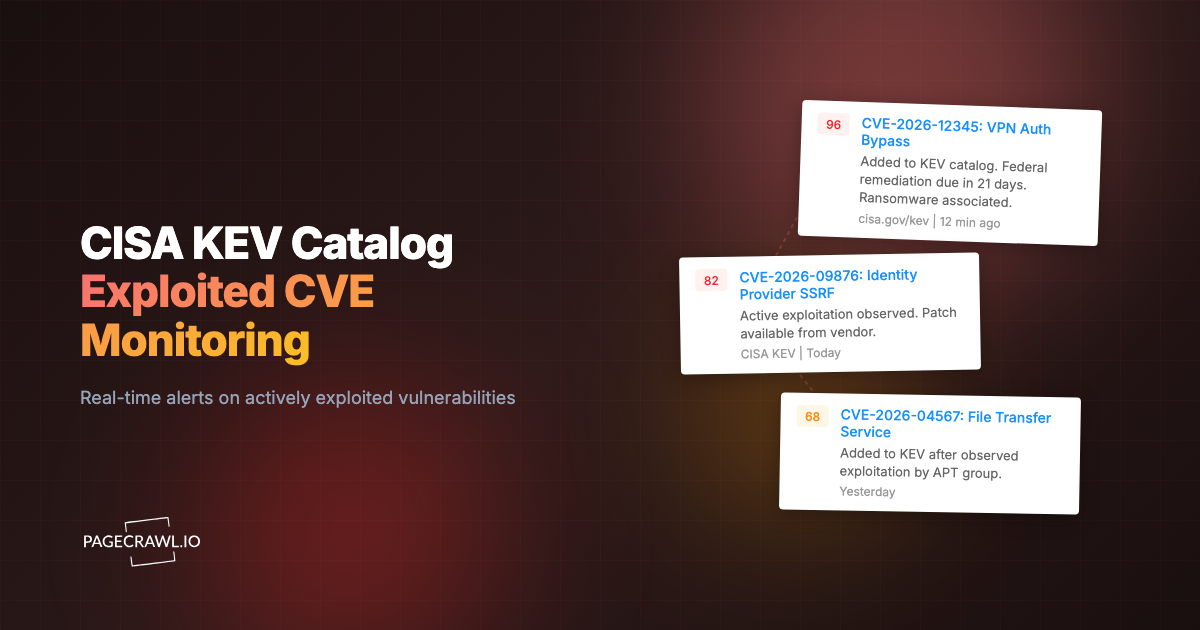
Repeat the pattern for every component that faces the internet: your web server, database, language runtimes, VPN, CMS and any appliance with a management interface. Most projects publish an announcements feed and a security advisories page, and GitHub and GitLab releases feeds cover most open source components. For exploited vulnerabilities across every vendor, add the catalog described in our guide to CISA KEV catalog monitoring.
How do you set up a daily CVE summary in PageCrawl?
Add a monitor for each source, give them all the same tag, then create a Security Advisories report scoped to that tag. The setup takes a few minutes once the monitors exist, and new sources join the next digest as soon as they get the tag.
- Click Track New Page and paste
https://www.php.net/feed.atom. PageCrawl recognises the Atom feed and switches to Feed mode, so each new announcement is recorded with its title and link. - Add the other sources from your list the same way and give every one the same tag, for example
security. - Go to Settings > Notifications, find Scheduled Summary Reports, click + Add Report and choose Security Advisories.
- Under Include changes from, pick your
securitytag. Change the Time if 08:00 does not suit your team, and set the channels under Delivery. - Rewrite What matters in this report for your own stack (the next section shows how). The template's prompt is generic; naming the software and versions you run is what makes the digest rank your advisories above everyone else's.
- Check the Escalation threshold (0-100) and the Escalation channels. This is what gets a php2shell-level advisory to your on-call channel before the next digest. Under Slack escalation you can give escalations their own Webhook URL, so the daily digest goes to
#securitywhile critical items land in#oncall. - Click Create report. To see a digest straight away, use Generate now from the reports list.
Each source is checked on its own schedule, as often as every 2 minutes depending on your plan, and escalated items go out when the check that finds them runs. For upstream security feeds of internet-facing software, check at least hourly. If you also want a webhook to open a ticket for every change, webhooks keep receiving every change while the digest is on.
How do you use What matters to rank CVEs for your stack?
What matters is a plain-English instruction that tells PageCrawl's AI which changes are important to you. Write it at two levels: What matters in this report for the whole CVE digest, naming the software and versions you run, and What matters on a single monitor to quiet a noisy source. A precise prompt is the difference between a ranked digest and a list of every release.
What matters in this report
This field sits under Include AI executive summary in the report form. It shapes the summary at the top of every digest, deciding what goes under High, Medium and Low Risk. When a monitor belongs to only one report with a prompt, the same instruction is also used when that monitor's changes are scored for importance. That score decides whether a change makes the digest and whether it crosses the escalation threshold.
A good report prompt does three things: it names your stack, it says what high risk means for you, and it says what to ignore. For a PHP shop:
We run PHP 8.4 (PHP-FPM) and nginx on Ubuntu 24.04. High risk: remote code execution, auth bypass or exploited flaws in PHP, nginx or OpenSSL, and end-of-life notices for our versions. Ignore release candidates, betas, events and doc edits.With that prompt, a php2shell advisory is high risk because it matches every part of the rule, a security fix in a database you do not run moves down, and the PHP 8.6.0 release candidate announcement drops out.
What matters on a single monitor
When you add a page with Track New Page, the What matters: when to notify me card takes a rule for that one source. Later you can change it in the monitor's settings, where it is labelled What matters. PageCrawl checks each detected change against the rule. The form's own hint says the pattern "Notify me when X. Ignore Y." works best. For the php.net news feed:
Notify me about security releases, security advisories and end-of-life announcements for PHP 8.3 and 8.4. Ignore release candidates, alphas, betas and conference news.A monitor's own rule is more specific than the report's, so it wins when the two disagree. Use the report prompt for what matters across your whole stack, and a monitor rule only for sources that need extra filtering, such as a vendor feed that mixes security advisories with product news.
How to write What matters prompts that work
- Name exact products and versions. "PHP 8.4 on Ubuntu 24.04" ranks better than "our web stack", because the AI can match it against the text of the advisory.
- Define high risk in your own terms. Remote code execution, authentication bypass, known exploitation and end-of-life notices are a sensible default for internet-facing software.
- Say what to ignore. Release candidates, betas, events, documentation edits and marketing posts are the most common noise on vendor feeds.
- Keep it short. A few sentences is enough. Long prompts that list every product dilute what matters most.
- Update it when your stack changes. An upgrade from PHP 8.3 to 8.4, or a new component, belongs in the prompt the same day.
How would php2shell have appeared in a daily CVE summary?
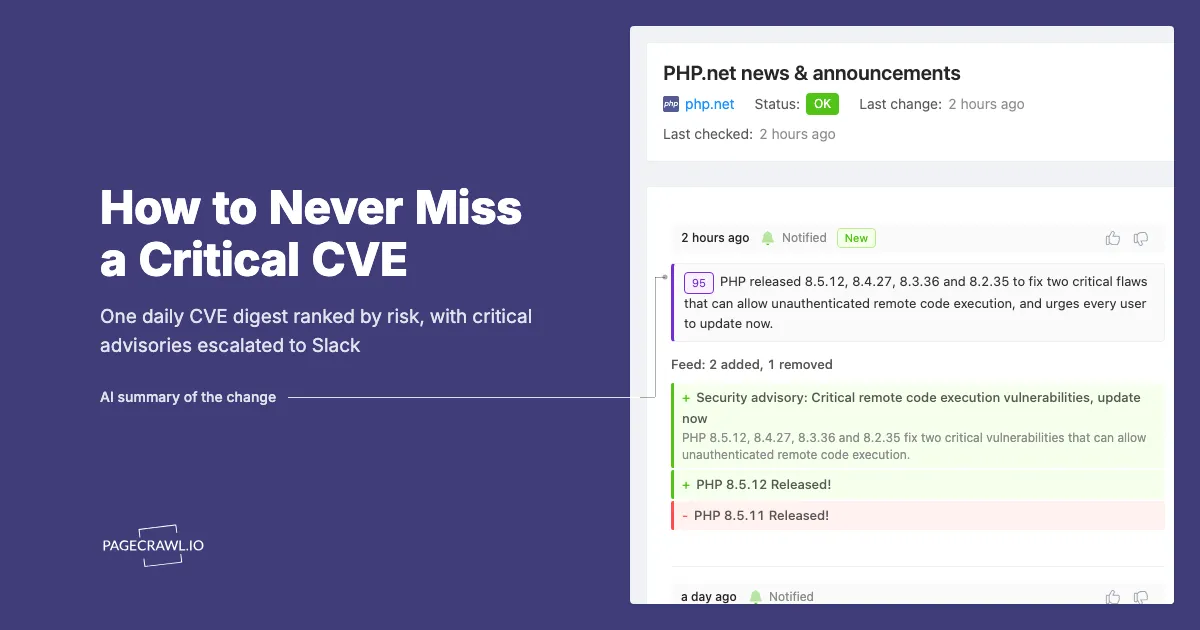
With a monitor on the php.net news feed in a Security Advisories report, the 20 October advance notice is a high-importance change that crosses the escalation threshold, so it reaches Slack and email on the check that finds it. The next morning's digest then puts it at the top of the High Risk section, next to the release itself.
A day like 21 October in that digest looks roughly like this:
- High Risk: php.net posts "Security advisory: Critical remote code execution vulnerabilities, update now", with PHP 8.5.12, 8.4.27, 8.3.36 and 8.2.35 released the same day. The summary explains that both CVEs allow unauthenticated remote code execution and that every PHP version serving web requests is affected.
- High Risk: CISA publishes an alert asking organisations to patch internet-facing PHP systems first and take unpatchable ones offline.
- Medium Risk: the distribution notices feed shows the patched PHP packages, which tells the team the fix can now be installed.
- Not in the digest: a release candidate announcement from earlier in the month, which scores below the minimum importance and stays in the monitor's history.
Without the digest, those items arrive as separate alerts from separate sites over two days. With it, the person on call gets one escalation when it matters and one ranked list the next morning that shows the advisory, the government guidance and the package all in one place.
What does a priority escalation look like in Slack?
A priority escalation arrives in Slack as a single message headed "🚨 Critical change detected" for scores of 90 and above, or "🚨 Important change detected" from 60. It names the monitor, gives the AI summary and the importance score, lists what changed, and has buttons to open the change in PageCrawl or on the source site.
For the php.net security advisory, the message in your on-call channel would read like this:
🚨 Critical change detected
PHP.net news & announcements
Summary: PHP released 8.5.12, 8.4.27, 8.3.36 and 8.2.35 to fix two critical flaws that can allow unauthenticated remote code execution, and urges every user to update now.
Importance: 🟣 95/100
+ Security advisory: Critical remote code execution vulnerabilities, update now + PHP 8.5.12 Released!
Open on pagecrawl.ioOpen on php.net👍👎
The importance dot follows the score: purple for critical (90 and above), red for high, orange for medium and green for low. The 👍 and 👎 buttons mark the change as important or as noise without signing in, which over time helps PageCrawl show you more of the changes that matter. Each button can be hidden in the Slack integration settings (Open on pagecrawl.io, Open on the monitored site and Feedback buttons).
The same change then appears again in the next morning's digest, at the top of the High Risk section, so the people who were not on call see it too. Teams that prefer one place for everything can send escalations to the same channel as the digest. Teams with an on-call rotation usually give escalations their own channel, so a critical advisory never sits underneath a routine digest.
How do you go from the digest to patched servers the same day?
Decide the steps before the next critical CVE arrives: who owns the digest and escalations, how you find affected systems, what interim mitigation you apply, and how you confirm the fix. A written runbook turns a stressful afternoon into a routine change, and it is what lets a small team patch on release day.
For php2shell, a same-day runbook looks like this:
- Confirm exposure. List every server, container image and appliance that runs PHP, including software that bundles it.
php -von the command line is not enough on its own, since a web server can run a different PHP build from the one on the shell path. - Apply interim mitigations while you wait for packages. The PHP advisory lists settings that reduce exposure, including
session.upload_progress.enabled = 0, and says to restart every PHP worker after changing them. It is clear that these settings reduce risk without making a server safe. - Patch internet-facing systems first. Update to 8.5.12, 8.4.27, 8.3.36 or 8.2.35, whichever matches your branch. CISA advises taking systems offline if they cannot be patched or still run PHP 8.1 or earlier.
- Restart and verify. Long-running PHP worker processes keep running the old code until they restart. Check the version each web server actually reports after the restart, not just the package version.
- Watch for signs of compromise. CISA recommends monitoring for PHP worker processes launching shells or downloading tools, particularly on servers that were exposed before the patch.
- Close the item on the review board. Moving the change to Reviewed records who handled it, and the digest's link and Excel export keep a dated record of when you were told and what you did.
What did PageCrawl do about php2shell?
The PageCrawl web application runs on PHP, so our web servers were in scope for CVE-2026-109618 and CVE-2026-109619. We updated them as soon as the fixed releases became available on 21 October, the day the fix was published. PageCrawl customers do not need to take any action.
If you run PHP yourself, check your own servers today, including any hosting accounts, staging environments and old sites that are easy to forget.
Should a daily CVE summary replace real-time alerts?
A daily CVE summary should replace most real-time alerts, but not the critical ones. The digest is where the team reviews everything once a day, and priority escalation is the exception path that sends a change above your threshold on the check that finds it. Together they keep the channel quiet enough that an escalation gets read.
Tune the two settings together. If escalations fire for routine releases, raise the Escalation threshold (0-100) or make What matters in this report more specific about your stack. If the digest is long, raise the minimum importance or narrow the tag. For the full report options, see the guide to a daily security advisories report.
Is monitoring the CVE databases enough?
CVE databases alone are usually not enough, because a CVE record often appears before it has useful detail and long after the vendor's own announcement. For php2shell the identifiers circulated before any advisory existed. Put the vendor's announcements in your daily summary for the earliest official signal, and use the CVE database for the formal record.
The CVE Program and the National Vulnerability Database are the right places to look up a CVE you already know about, check its score and find references. They are a poor early warning system for your specific stack, because they publish a large volume of records and almost all of them are irrelevant to any one stack. Watching the vendors you depend on, and letting the digest rank their advisories, keeps the signal high.
How many sources should a daily CVE summary cover?
A small team should cover three or four sources for each critical, internet-facing component: the vendor's announcements, its security advisories, the operating system vendor's notices for that package, and one government alert feed shared across everything. For a typical web application that is 10 to 20 monitors in one digest.
Start with the components an attacker can reach without logging in: the web server, the language runtime, the CMS or framework, and any VPN or remote access product. Add internal components once those are covered. If you also depend on open source packages, our guide to npm and PyPI security release monitoring covers the next layer, and those monitors can join the same digest with the same tag.
Getting started
Pick the three components you would least like to read about in a CISA alert, add their announcement feeds and advisory pages to PageCrawl with a security tag, and create a Security Advisories report for that tag. Create a free account to add the first monitors, starting with https://www.php.net/feed.atom if you run PHP. The next time a critical CVE lands, it reaches your team as an escalation, and the next morning's digest shows everything else that changed alongside it.