Last reviewed: November 5, 2026. Prices and plan details come from each vendor's public pages on that date and can change, so confirm on the vendor's site before buying. Where a vendor's public pages did not state something, we left it out rather than guess.
A person watching a restock page needs one thing: an alert when it changes. A business needs more. A compliance team has to prove what a regulator's page or a supplier's terms said on a given date. A competitive intelligence team needs changes triaged and routed to the right owner, not dumped into one inbox. IT needs single sign-on and user roles. Procurement needs an invoice, a signed Data Processing Agreement and a clear answer on where data is stored.
Most website change monitoring tools detect changes reasonably well. The differences that decide a business purchase show up later: when a team has to review a change, share it, act on it and later prove it happened. This guide compares eight tools on exactly those points.
A disclosure up front: PageCrawl is our product. We have tried to make this a fair comparison, including a section on when you should pick something else. If you are looking for no-cost options instead, see our separate guide to the best free website change monitoring tools.
Our picks at a glance:
- PageCrawl: compliance, legal and competitive intelligence teams that need a review workflow and verifiable evidence of what a page said.
- Visualping: teams that want a widely recognised, visual-first monitor and are comfortable on its Business tier.
- ChangeTower: compliance teams that want approval workflows and full-page archiving under an enterprise contract.
- Distill.io: analysts who want alert conditions and the option to run checks in their own browser.
- Fluxguard: regulated-industry buyers who value a vendor owned by LegitScript and think in whole sites.
- Hexowatch: marketing and agency teams that want many monitor types (WHOIS, tech stack, uptime) in one subscription.
- Wachete: teams watching office documents and simple pages who want value history with charts and spreadsheet downloads.
- Changedetection.io: IT teams that must run monitoring on their own infrastructure.
What does a business need from a website change monitoring tool?
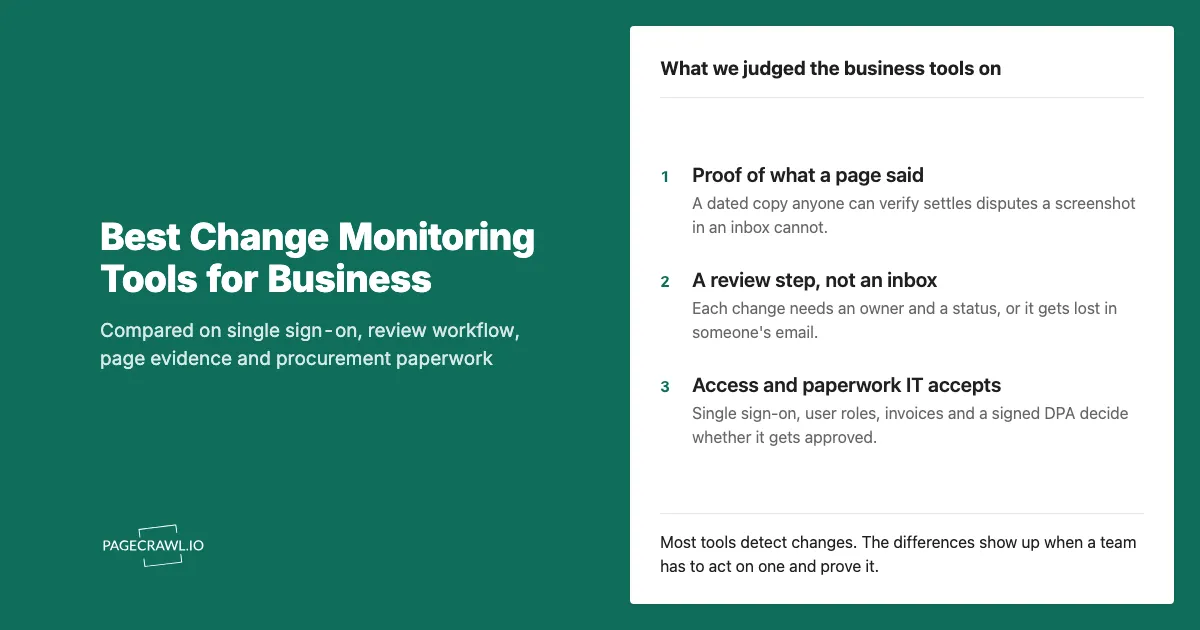
A business needs more than change alerts. It needs team access with single sign-on and user roles, a record of what a page said that holds up in a dispute, a review step so every change has an owner, an API for its own systems, and paperwork procurement accepts: invoices, a signed DPA and clear data hosting.
In more detail, these are the requirements that separate a business tool from a personal one:
- Team access and identity. Several users, separate workspaces for separate teams or clients, user roles so a viewer cannot delete monitors, and SAML single sign-on so access follows your identity provider. SAML 2.0 is an OASIS open standard, which is why it shows up on almost every security questionnaire.
- Evidence of what a page said. A screenshot in an email is easy to dispute. A dated, complete copy of the page that anyone can verify is much harder to argue with.
- A review workflow. Changes should land in a queue with a status (to review, flagged, reviewed), not scatter across personal inboxes where nobody knows who looked.
- Noise control. A team that gets twenty alerts a day about cookie banners stops reading alerts. Importance scoring and summaries decide whether people keep trusting the tool.
- Integrations and an API. Slack or Microsoft Teams for the people, webhooks and a REST API for your own systems.
- Procurement paperwork. Invoice or purchase order billing, a Data Processing Agreement under Article 28 of the GDPR if you process EU personal data, and a straight answer on where data is hosted.
- Coverage of difficult pages. Pages behind a login, JavaScript-heavy apps and heavily protected sites. A tool that quietly monitors an error page is worse than no tool.
How did we review these tools?
We read each vendor's public pricing, plan comparison and enterprise pages on November 5, 2026 and compared them on team users, single sign-on, API access, evidence and history, review workflow and billing. If a vendor's public pages did not mention a capability, our table says "Not listed" rather than assuming it is missing.
"Not listed" does not mean a vendor cannot do something. Enterprise features are often available on request, so ask each vendor directly about anything that is a hard requirement for you. Prices are in US dollars as shown on each vendor's site.
How do the business plans compare?
The table below compares the eight tools on the points that usually decide a business purchase. Only PageCrawl, Visualping and ChangeTower publish single sign-on, only changedetection.io can be self-hosted, and PageCrawl is the only one whose public pages describe archives that third parties can verify.
| Tool | Best for | Team users | SSO | API | Evidence and history | Billing for organisations |
|---|---|---|---|---|---|---|
| PageCrawl | Compliance, legal and CI teams | Enterprise from 4 users, Ultimate 6 per seat | SAML on Enterprise and Ultimate | Every plan, plus an MCP server | Unlimited history on Enterprise and up; tamper-evident web archives on Ultimate | Invoice and PO on 30 day terms plus a signed DPA on annual Ultimate |
| Visualping | Visual-first monitoring for a familiar name | 5 to 11 users on Business | On Enterprise solutions (from $3,000/yr) | Every plan | Not listed on the pricing page | Card, PayPal or wire transfer |
| ChangeTower | Approval workflows and archiving | 1 to 5 additional members, custom on Enterprise | SAML on Enterprise | Listed, tier not stated | Snapshot history from 30 days to 6 months; every-check archiving on Enterprise | Card; Enterprise priced on page count |
| Distill.io | Alert conditions and local checks | Multiple user accounts on Enterprise | Not listed | On request for Enterprise | Version history | Centralised billing via Enterprise |
| Fluxguard | Compliance-owned vendor, site-level plans | 3, 5 or 10 users | Not listed | API and webhooks mentioned; webhooks on Premium | 25 to 100 saved versions per page | Annual billing with 2 months free |
| Hexowatch | Many monitor types in one plan | 3 on Plus, 10 on Scale | Not listed | Plus and up | Not listed by plan | Custom plan with security review and invoicing |
| Wachete | Documents and value history | Share a subscription with other accounts | Not listed | REST API covering all web operations | Up to 12 months of history | Not listed |
| Changedetection.io | Self-hosting on your own servers | Not listed | Not listed | Full REST API | Whatever you store on your own servers | Hosted plan $8.99/mo |
Which are the best website change monitoring tools for businesses?
The best website change monitoring tool for a business depends on the job. PageCrawl fits teams that need review workflows and verifiable evidence; Visualping and ChangeTower fit teams that want an established visual monitor or enterprise approval workflows; Distill, Fluxguard, Hexowatch and Wachete fit narrower needs; changedetection.io fits teams that must self-host.
PageCrawl

PageCrawl monitors websites for changes and uses AI to tell you which ones matter. Every change gets a plain-language summary and an importance score from 0 to 100 on every plan, so a team can set a threshold and only see the changes worth their time. It tracks whole pages or specific parts of a page (prices, tables, availability, feeds and documents such as PDF, Word, Excel and CSV files), and it monitors pages behind a login on Standard and up.
What it offers a business:
- Review board. On Standard and up, every detected change becomes a card in a Kanban-style review board with To Review, Flagged and Reviewed lanes that you can rename to fit your process.
- Scheduled digests. Scheduled reports group monitors into daily, weekly or monthly digests for stakeholders who do not want individual alerts. Standard includes two saved reports per workspace; Enterprise and Ultimate are unlimited.
- Team access. Enterprise includes 3 users plus 1 per seat, Ultimate includes 6 users per seat. Both include SAML single sign-on (Okta, Microsoft Entra ID, Google Workspace and other standards-compliant identity providers) and user access roles: Owner, Administrator, Standard User, Viewer and Billing manager.
- Evidence. On Ultimate, web archiving saves a complete copy of the page each time it changes. Each archive is sealed and date-stamped by independent third parties, and anyone can verify an archive without a PageCrawl account. Change history is unlimited on Enterprise and Ultimate.
- Integrations. Email, Slack, Microsoft Teams, Discord, Telegram, webhooks, Zapier, n8n, Make and Google Sheets. The REST API and webhooks are on every plan, and the MCP server lets AI assistants such as Claude, ChatGPT and Cursor set up monitors and read changes for you.
- Procurement. Annual Ultimate unlocks invoice and purchase order billing on 30 day terms and a signed DPA. PageCrawl is an EU company and its data is hosted in the EU.
Limitations:
- Cloud-hosted only. There is no self-hosted edition.
- Standard is a single-user plan, so teams start on Enterprise.
- Web archiving and recording of every check are Ultimate-only.
- Some heavily protected websites can still block checks.
- It is a change monitor, not an uptime monitor.
Pricing: Standard $8/month, Enterprise $30/month and Ultimate $99/month per seat, or $80, $300 and $999 a year with annual billing (up to 2 months free). Organisation contracts start from $999 a year on annual Ultimate. See pricing or talk to sales.
Best for: compliance, legal and competitive intelligence teams that need changes triaged in a shared workflow and a verifiable record of what a page said.
Choose something else if: you must run the software on your own servers, or you need only a handful of pages watched by one person.
Visualping

Visualping is one of the best-known names in website change monitoring, with a visual, screenshot-first approach that non-technical colleagues pick up quickly. Its pricing page includes AI summaries on every plan and REST API and MCP server access on every plan, including the free one.
What it offers a business:
- Business plans from $140/month ($1,200 a year) with 5 users and 200 pages, scaling to $350/month with 11 users and 500 pages.
- Slack and Microsoft Teams on Business plans.
- An Enterprise solutions tier described as a fully managed, custom solution from $3,000 a year, with single sign-on and team access control.
- Payment by card, PayPal or wire transfer.
Limitations:
- Team chat channels are not available on Personal plans.
- Its pricing page does not describe archiving or user roles beyond inviting and managing users on Business.
Best for: teams that want a widely recognised, visual-first monitor that colleagues will understand without training.
Choose something else if: you need SSO without moving to an enterprise contract, or you need verifiable archives of each change.
ChangeTower

ChangeTower puts its compliance features (single sign-on, approvals and full-page archiving) in its Enterprise plan. Its self-serve plans scale from 25 to 200 pages, with hourly checks on Essential and Business, and Enterprise is priced on your page count.
What it offers a business:
- Additional team members on paid plans: 1 on Lite, 3 on Essential, 5 on Business, custom on Enterprise.
- Snapshot history from 30 days on Lite to 6 months on Business, and custom retention "set to your records policy" on Enterprise.
- An activity log of actions taken on notifications on all plans.
- On Enterprise: SAML single sign-on, approval-style review workflows with a record of who acted, and full-page archiving that captures the page on every check.
- Slack on Business and Enterprise.
Limitations:
- Many of the compliance features buyers ask about (SSO, approvals, every-check archiving) are Enterprise-only.
- The fastest published schedule below Enterprise is hourly.
Pricing: Lite $12/month, Essential $36/month and Business $78/month ($62/month billed annually); Enterprise is custom.
Best for: compliance teams that want approval workflows and archiving and are ready for an enterprise contract.
Choose something else if: you need faster than hourly checks without an enterprise contract.
Distill.io

Distill.io runs monitors in two places: locally in its browser extension or desktop app on your own device, and in the cloud on Distill's servers. That makes it popular with analysts who want to watch pages through their own browser session. It supports alert conditions, so a monitor only notifies when the detected change matches a rule you set.
What it offers a business:
- Paid cloud plans from $15/month (Starter) to $35/month (Professional, 5-minute checks) and Flexi from $80/month (2-minute checks).
- Email, SMS, mobile push, Slack, Microsoft Teams and Discord alerts, plus webhooks.
- An Enterprise offering with multiple user accounts, a single watchlist, webhooks, import and export, labels and version history, with API access for developers and teams on request.
Limitations:
- Its public pricing and enterprise pages do not mention SSO or user roles.
- Local monitors only run while your device and browser are on.
Best for: analysts and small research teams who want alert conditions and the option to run checks in their own browser.
Choose something else if: IT requires SSO, or you need a team review workflow.
Fluxguard

Fluxguard is published by LegitScript (its site footer and terms name LegitScript LLC as the parent company), and its terms note that Fluxguard includes the trade name Versionista (see our Versionista comparison if you are an existing Versionista customer). Its plans are priced by site rather than by page.
What it offers a business:
- Standard $110/month (25 sites, 3 users), Plus $220/month (50 sites, 5 users) and Premium $550/month (100 sites, 10 users). Its footnote assumes about 10 pages per site, each crawled once a day.
- AI summarization from Plus, and consolidated AI email summaries plus webhooks on Premium, which also checks as often as every 5 minutes.
- Saved versions per page from 25 on Standard to 100 on Plus and Premium.
- Annual billing with 2 months free.
Limitations:
- The pricing page does not mention SSO, Slack or archiving.
- The pricing page states no check frequency below Premium.
Best for: regulated-industry buyers who value a vendor owned by LegitScript and think in whole sites.
Choose something else if: you watch many single pages on different sites, or need frequent checks below the top plan.
Hexowatch

Hexowatch, from Hexact, covers more monitor types in one subscription than most tools: page, RSS, sitemap and JSON on every plan, WHOIS and tech stack from Personal, and HTML and uptime monitoring from Plus. Its pricing page now presents the product as Hexowatch OR:ON.
What it offers a business:
- Plus at $462 a year (50 watches, 3 users) and Scale at $1,596 a year (400 watches, 10 users), with checks as often as every 5 minutes. Annual billing saves 30%.
- AI change analysis from Personal, and AI alert summaries from Plus.
- Slack, API, webhooks and MCP on Plus and Scale.
- A Custom plan offering security review and invoicing for larger teams.
Limitations:
- The pricing page does not list SSO.
- Integrations and the API start at Plus.
Best for: marketing and agency teams that want WHOIS, tech stack and uptime monitoring alongside page changes in one subscription.
Choose something else if: you need SSO or verifiable evidence of page content.
Wachete

Wachete is a straightforward page monitor with mobile apps for iOS, Android and Windows. It watches the text inside PDF, Word and Excel files, monitors pages that need a username and password, and keeps up to 12 months of history with charts and spreadsheet downloads.
What it offers a business:
- Alerts by email, phone notification, Slack, Microsoft Teams, Discord and Telegram, plus webhooks.
- A REST API that supports every operation available on the web.
- Subscription sharing: you can share a subscription with other accounts and set how many monitors each user may have.
- Pricing based on the number of pages and the check interval, with no monthly check cap.
Limitations:
- Its public pages do not mention SSO or user roles; team access works by sharing a subscription.
- We could not read its current paid prices from its public pages on the review date, so check them on Wachete's site.
Best for: teams that watch office documents and simple pages and want value history with charts and spreadsheet exports.
Choose something else if: you need SSO, roles or a shared review workflow.
Changedetection.io

Changedetection.io is open source under the Apache 2.0 licence. You can run it on your own servers with Docker, which makes it the only tool in this list that keeps the whole monitoring system inside your infrastructure. A hosted subscription is also available.
What it offers a business:
- Self-hosting under a permissive licence, with no recurring software fee.
- A full REST API for managing watches, tags and notifications.
- Browser Steps to fill in forms and click buttons, including logging into websites.
- Notifications to a long list of services through the Apprise library.
- A hosted plan at $8.99/month for up to 5,000 URLs, with re-checks from about 5 minutes.
Limitations:
- Its public pages do not mention team accounts, SSO or user roles.
- Self-hosting means your team patches, backs up and scales the instance.
Best for: IT and security teams that must keep monitoring on their own infrastructure and have engineers to run it.
Choose something else if: nobody on the team wants to maintain a server, or you need business features such as SSO and a review workflow out of the box. Our build vs buy guide covers the real cost of running monitoring yourself.
When should a business choose a tool other than PageCrawl?
Choose another tool when your hard requirement is something PageCrawl does not offer. If monitoring must run on your own servers, use changedetection.io. If you want WHOIS, tech stack and uptime checks bundled with page changes, look at Hexowatch. If you want approval sign-off and every-check archiving under one enterprise contract, compare ChangeTower.
A few more cases where another tool is the honest recommendation:
- One person, a handful of pages. Business features add nothing. A free plan from any tool here will do.
- You want monitoring to run in your own browser session. Distill's local monitors run on your device.
- Your organisation already knows a vendor. A familiar name like Visualping can shorten procurement, and that is a legitimate reason to choose it.
- You think in whole sites with daily crawls. Fluxguard's per-site pricing may fit better than per-page pricing.
Why does evidence of what a page said matter to a business?
Evidence matters because disputes are about what a page said on a date, and a screenshot is easy to challenge. A complete, timestamped archive of the page that a third party can verify settles questions about changed terms, pricing, advertising claims or regulatory guidance far faster than an email attachment someone could have edited.
Two open standards make this work. WACZ packages a full web capture (HTML, styles, images and scripts) into one file that replays the page as it appeared. Trusted timestamps, defined in RFC 3161, let an independent authority attest that a file existed at a specific time and has not changed since.
PageCrawl's Ultimate plan combines both: every detected change can produce a WACZ archive that is sealed and date-stamped by independent third parties, and a public verification page lets a regulator, auditor or opposing counsel check the archive without an account. Our help centre explains how to package an audit trail for a regulator, and the website evidence capture page covers the wider use case.
What paperwork will procurement ask a monitoring vendor for?
Procurement teams typically ask for a Data Processing Agreement, a security questionnaire or security documents, a sub-processor list, single sign-on details, and invoice or purchase order billing on payment terms. They also ask where data is hosted. Checking these early saves a stalled purchase after the trial has already proved the tool works.
For PageCrawl specifically:
- DPA and contract. A signed DPA is available on the annual Ultimate plan and on custom plans. Custom MSAs and security addenda are reviewed and signed for annual contracts. On other plans, PageCrawl sends its Technical and Organizational Measures, Information Security Policy and AI Disclosure Statement on request.
- Billing. Invoice and purchase order billing on 30 day terms is available on annual Ultimate, by ACH, SEPA or international wire.
- Single sign-on. SAML 2.0 on Enterprise and Ultimate, with help configuring your identity provider during onboarding.
- Data location. PageCrawl is an EU company, and account data, monitoring history and stored captures are held in EU data centres.
The sales page is the place to start an annual contract, and the compliance monitoring use case shows how regulated teams set PageCrawl up.
How should a team evaluate a website change monitoring tool before buying?
Evaluate with your own pages, not the vendor's demo. Pick 10 to 20 pages that matter, including the difficult ones (pages behind a login, JavaScript-heavy apps, protected retail sites), run two tools side by side for two weeks, and count missed changes, false alerts and the time your team spent reviewing.
A practical evaluation plan:
- Choose real pages. Include a regulator page, a competitor pricing page, a supplier's terms and at least one page that has given other tools trouble.
- Match the schedule. Use the same check frequency in each tool, so the comparison is fair. Alerts arrive when the next scheduled check detects a change, so the interval you choose sets the worst-case delay.
- Score the output. For each real change, did the tool catch it, was the summary right, and did it reach the right person?
- Count the noise. Note every alert that did not matter. Noise is what makes teams stop reading alerts.
- Test the business layer. Connect SSO, invite a colleague with a restricted role, export history and ask for the DPA before the trial ends.
For a deeper look at building the internal case, see our guide to the business case for website change monitoring, and for competitive intelligence setups, the competitive intelligence use case.
Which website change monitoring tool should your business choose?
Choose by the job your team does. Compliance and legal teams that need evidence and a review workflow should start with PageCrawl, or compare ChangeTower's enterprise plan. Teams that must self-host should use changedetection.io. Marketing teams that want many monitor types should look at Hexowatch, and teams wanting a familiar visual tool should consider Visualping.
Whatever you pick, run it on your own pages first. Every tool in this list offers a way to try before committing, and two weeks of real changes tell you more than any comparison table. To try PageCrawl with a team, see the pricing page for self-serve plans or contact sales for an annual contract with SSO, invoice billing and a signed DPA.
For head-to-head detail on any tool covered here: