In January, a platform engineer at a 40-person SaaS company gets a Slack message from the head of product: "Can we get an alert when any of our competitors change their pricing pages?" It sounds like an afternoon of work, and the first version genuinely is: a script on a cron schedule that fetches eight pages, hashes each response, compares to last time, and emails when a hash differs. It ships the same day. By February the alerts have gone quiet, not because nothing changed but because two of the pages render their prices client-side and the fetch has been comparing an empty shell to an empty shell. In March, one competitor's page starts embedding a session token, so the hash flips on every single check and product mutes the email filter. In April a redesign breaks the extraction on three more pages, silently. In May, compliance hears about the script and asks for regulator pages, chat alerts, and a change history they can show an auditor. In June the engineer changes teams, and the script becomes the thing nobody on the standup can explain.
Six months, five distinct failure modes, and the original requirement, "tell us when these pages change," still is not reliably met. None of this happened because the engineer was careless. It happened because change monitoring looks like a script and behaves like a product. This guide is the comparison we wish more teams ran before writing that first version: what the build actually consists of, what it costs over a year, the failure modes that never appear in the initial estimate, and the genuine cases where building is the right call anyway.
What does it actually take to build website change monitoring in-house?
The naive version takes a day; a version your team can rely on takes months of accumulated work across five layers: scheduling, rendering, diffing, storage, and alerting. The gap between the two is everything that happens after the first successful fetch, and each layer arrives as its own urgent little project once the previous one starts failing in production.
Walk the stack honestly, because this is the system you are actually signing up to build:
- A scheduler. Cron works for ten pages checked hourly. It stops working when different pages need different frequencies, when checks need retries with backoff, when a slow site blocks the whole run, and when you need to know that a check silently did not happen. You end up with a job queue, worker processes, and monitoring for the monitor.
- Fetching and rendering. A large share of modern pages assemble their content in the browser (the HTTP Archive Web Almanac documents how heavily the web now leans on JavaScript), so a plain HTTP fetch sees a skeleton with no prices, no stock status, no article text. The fix is running headless browsers on your own infrastructure, which brings browser process management, memory leaks that accumulate over days, version upgrades that change rendering behavior, and a per-check cost measured in seconds of CPU rather than milliseconds.
- Diffing and noise filtering. Raw comparison produces alerts nobody reads, because pages change constantly without changing meaningfully: timestamps, session tokens, rotating recommendations, cookie banners, A/B test variants, ad slots. The filtering layer, deciding which changes are real, is where most of the engineering actually lives, and it has to be tuned per site because every site is noisy in its own way.
- Storage and history. "It changed" is only half the requirement; "what did it say before?" is the other half. That means storing every version of every page, plus screenshots and timestamped archives if anyone ever needs verifiable evidence, plus a way to search six months of history when someone asks when exactly a competitor's price moved.
- Alerting and the product layer. Routing to email and chat, per-page recipients, digest batching so a busy day does not produce forty pings, and, sooner than you expect, a way for non-engineers to add and edit pages without filing a ticket. This last item is the one that turns the script into an internal product with users, requests, and an implicit SLA.
There is a sixth layer that deserves its own mention: access reliability. Popular sites rate-limit and block repeated automated visits, and keeping monitors alive across many sites, with rotating network infrastructure and constant small adjustments, is an ongoing operational chore rather than a one-time fix. Each layer is individually tractable. The trap is that they arrive one at a time, each as a small fix to an existing system, and the sum quietly becomes infrastructure with an on-call expectation and no appointed owner.
How much does an in-house monitor really cost per year?
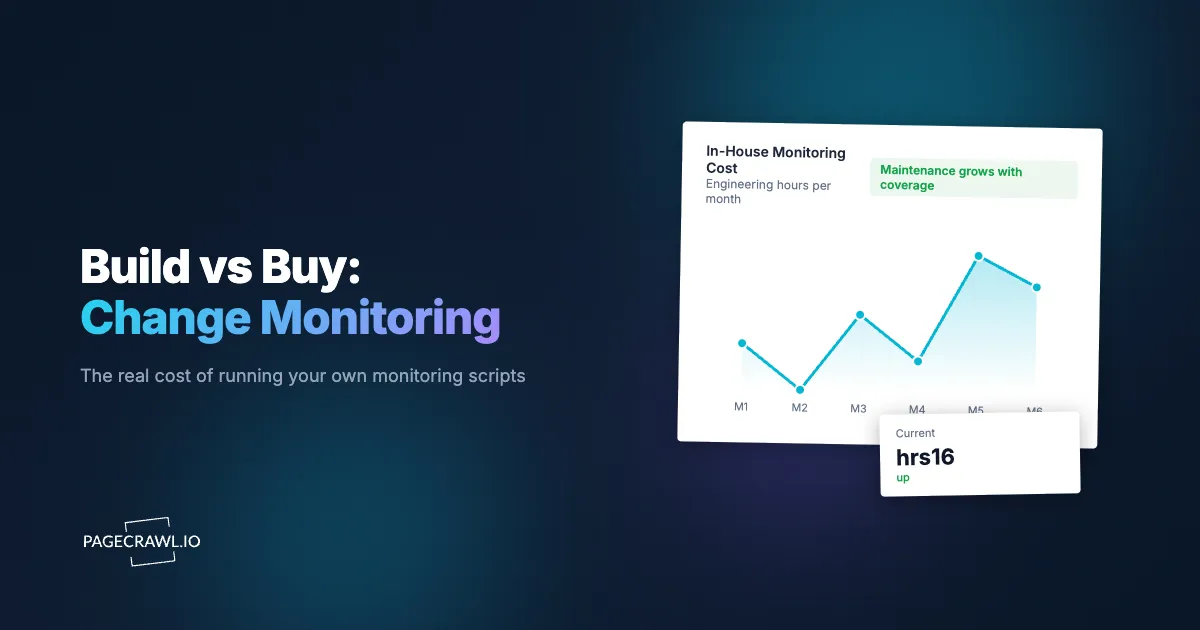
Budget engineering time, not server bills. The servers for a small monitoring fleet cost tens of dollars a month; the maintenance costs engineering hours, and at loaded rates (the median US software developer earns well over $100,000 a year, per the US Bureau of Labor Statistics) even three or four hours a month is several thousand dollars a year. That is the honest unit of comparison against a managed plan measured in tens of dollars a month.
A side-by-side across the dimensions that actually matter looks like this:
| Dimension | Build in-house | Managed service |
|---|---|---|
| Initial cost | 1 to 3 weeks of engineering for a usable v1 | An afternoon of setup |
| Ongoing cost | 3 to 8 engineering hours/month in fixes and tuning | Subscription ($80 to $999/year) |
| Rendering coverage | Only what you build; client-rendered pages need headless browsers you operate | Included, maintained by the vendor |
| Noise filtering | Hand-tuned rules per site, rebuilt after redesigns | Configurable modes plus AI-assisted relevance filtering |
| Alert routing | Email first; chat, webhooks, digests each built on request | Slack, Teams, email, webhooks, digests out of the box |
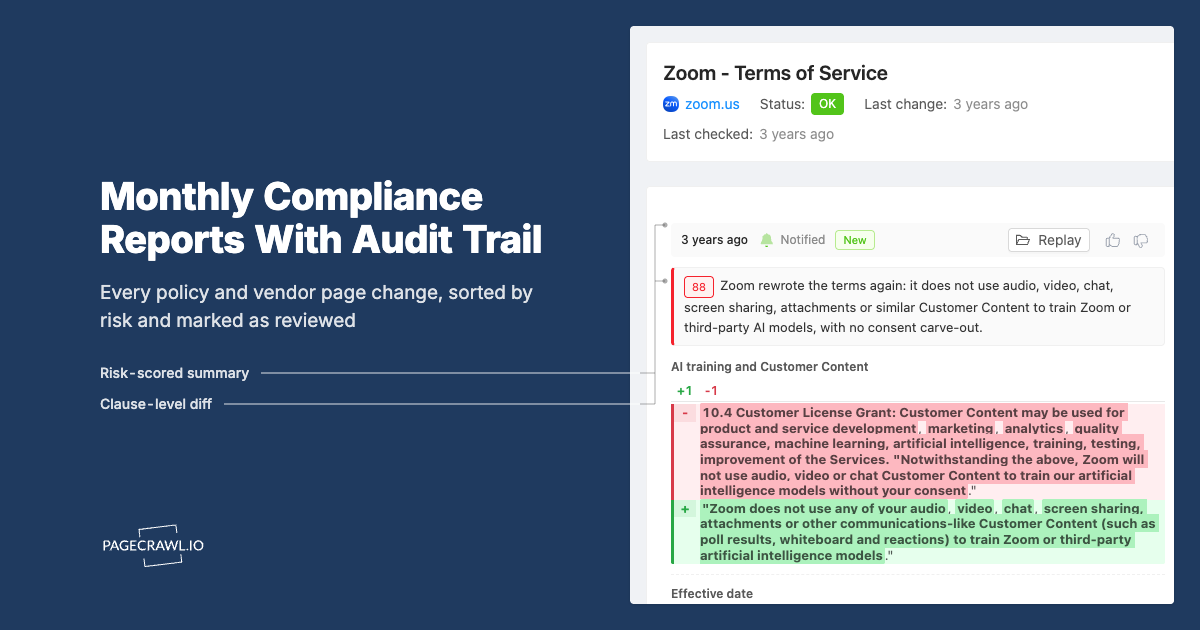
| History and audit trail | Only if you build storage, retention, and search | Timestamped diffs and screenshots by default |
| Non-engineer access | A ticket to the script's owner | A UI anyone on the team can use |
| Failure detection | You must monitor the monitor | Vendor's job, with check status visible per page |
The recurring cost clusters in three places. Breakage response: sites redesign, markup changes, and monitors fail silently until someone notices the alerts stopped, which for a monitoring tool is the worst possible failure mode because silence looks identical to stability. Scope creep: the second team that wants alerts brings requirements the script was never designed for. And knowledge concentration: the script's behavior lives in one engineer's head, so every incident routes through them, and their departure turns the tool into archaeology. None of this appears in the initial estimate, because the initial estimate prices the happy path. The happy path is real; it is just short.
Which hidden costs do engineers underestimate most?
The costs that sink in-house monitors are the ones that never appear in the build estimate: silent breakage, redesign churn, browser infrastructure at scale, unowned on-call, and the second team's requirements. Each is individually survivable; together they are why the twelve-month cost routinely lands at a large multiple of the initial guess.
- Silent breakage. When a selector stops matching or a page starts returning an error shell, most scripts do not alert, they just stop finding changes. Weeks can pass before someone notices the quiet, and by then you do not know what you missed. Detecting "the monitor is broken" is a separate system from detecting "the page changed," and almost nobody builds it.
- Site redesigns. Every site on your watchlist will redesign eventually, and each redesign is unscheduled work for you. Ten sites means roughly a redesign a quarter somewhere on the list, each one a small emergency: the extraction breaks, the noise profile changes, and the tuning starts over.
- Scaling headless browsers. One browser instance checking ten pages hourly is easy. Fifty pages at 15-minute intervals means concurrent browser processes, memory management, crash recovery, and queueing, which is real infrastructure work with real failure modes, for a workload that is nobody's actual job.
- On-call ownership. When the compliance team's regulator alert did not fire, who gets paged? An informal script has no on-call rotation, no runbook, and no SLA, right up until the day someone important assumed it had all three.
- The second team's requirements. The script was built for one team's eight pages. The second team brings different sites with different noise, wants chat alerts instead of email, and needs an audit trail. Each accommodation is reasonable; the sum is a rewrite you never scheduled.
When is building in-house the right choice?
Build when monitoring is close to your product, not close to your operations. If change detection feeds a data product you sell, if you need custom extraction logic deeply coupled to your own pipeline, or if you are monitoring internal systems no external service can reach, in-house is the defensible choice and its maintenance is simply part of your cost of goods.
Three situations pass that test cleanly. First, monitoring as product input: if you sell pricing intelligence, aggregate listings, or resell extracted data, the extraction pipeline is your product, and owning it end to end is a competitive necessity rather than a distraction. Second, extreme scale: if you are watching hundreds of thousands of pages, per-page pricing eventually dominates and you likely already employ a team whose actual job is running crawling infrastructure. Third, internal-only systems: intranets, admin panels, and pre-production environments that no external service can reach must be monitored from inside, full stop.
Buying wins in the wide middle: a few dozen to a few hundred pages watched for operational awareness. Competitor pricing, regulator guidance, vendor terms and policy pages, partner documentation, your own site's integrity. That range is too much surface area to stay a trivial script, and too little strategic value to deserve a dedicated owner. It is exactly the shape where a managed service's fixed cost beats an in-house tool's unbounded one, and it is where most teams asking the build-vs-buy question actually sit. A useful tiebreaker: if the answer to "who owns this in two years?" is a shrug, buy.
Can you migrate from scripts to a managed service incrementally?
Yes, and incremental migration is the lowest-risk way to run the comparison. Keep the script running, add the same pages to a managed account, and let the two systems overlap for a few weeks. Nothing is decommissioned until the replacement has demonstrably caught everything the script caught, plus whatever the script was silently missing.
A practical sequence: start with the pages that cause the most maintenance pain, typically the client-rendered ones and the sites that block automated visits, because those are where the managed service's advantage is largest and your script's reliability is lowest. Route the managed alerts into the same channel the script's alerts already land in, so consumers see both streams side by side without changing habits. After two or three weeks, compare: what did each catch, what did each false-alert on, and how many engineering interruptions did each cost? Then migrate folder by folder rather than all at once, keeping the script alive for any genuinely custom extraction until you have decided whether that piece justifies staying in-house. Where the script fed data into other systems, the API and webhooks your automations can consume replace the plumbing, so downstream consumers do not need to know the source changed.
What about open-source self-hosted tools?
Self-hosted open-source monitoring sits between build and buy: you skip writing the diff engine but keep operating the infrastructure, the upgrades, the rendering fleet, and the access-reliability fight. For teams whose constraint is data locality or policy, that trade can be right; for teams trying to reduce operational load, it mostly relocates the load.
The honest framing is that self-hosting swaps development cost for operations cost. You inherit a working scheduler and diff engine on day one, which is a real head start over a homegrown script. You also inherit everything the script owner had: keeping the host patched, scaling headless rendering as the page count grows, staying reachable to sites that block automated visits, and being the person things route to when checks stop. The maintenance never reaches zero; it just starts from a better baseline. If your team is weighing that specific option, our detailed comparison of self-hosted versus managed monitoring walks through where each approach wins, including the cases where self-hosting is genuinely the correct answer.
For business monitoring, we recommend Enterprise or Ultimate with their included managed connection options, so checks do not depend on a computer your team keeps online. For personal monitoring where you want to use your own connection, PageCrawl Relay has no additional PageCrawl fee, including on Free. You provide an online computer and bandwidth; normal monitoring limits apply. Relay supports public pages, so it does not replace self-hosting for private intranets or local data storage.
What do you give up by using a managed service?
Control over the extraction logic, and per-check visibility into exactly how a page was fetched. If you need to run custom code against every page or integrate the raw fetch into your own pipeline, a managed tool's configuration surface, selectors, tracking types, and advanced per-monitor settings, may feel constraining compared to code you own.
What you get back is everything from the build list as someone else's job: rendering that handles client-side pages, noise filtering via configurable and AI-assisted relevance rules, reliable access to sites that block ordinary tools, alert routing to Slack, Teams, and webhooks, searchable history with screenshots, and a UI your non-engineering colleagues can use directly, which quietly removes the ticket queue the script created. Alerts arrive when the next scheduled check detects the change, with checks as frequent as every 2 minutes depending on plan, which for operational awareness is the practical equivalent of always-on coverage without the fleet that provides it.
Note: the give-up is smaller than it first appears if you use the integration surface. Teams that need the data inside their own systems keep their pipeline and treat the managed service as the detection layer, consuming changes through the REST API and webhooks instead of running the fetch themselves. That split, buy the detection, keep the custom logic downstream, is often the best of both answers.
Choosing your PageCrawl plan
PageCrawl's Free plan lets you monitor 6 pages with 220 checks per month, which is enough to run the buy side of this comparison on your real pages before deciding anything. Most teams graduate to a paid plan once they see the value.
| Plan | Price | Pages | Checks / month | Frequency |
|---|---|---|---|---|
| Free | $0 | 6 | 220 | every 60 min |
| Standard | $8/mo or $80/yr | 100 | 15,000 | every 15 min |
| Enterprise | $30/mo or $300/yr | 500 | 100,000 | every 5 min |
| Ultimate | $99/mo or $999/yr | 1,000 | 100,000 | every 2 min |
Annual billing saves two months across every paid tier. Enterprise and Ultimate scale up to 100x if you need thousands of pages or multi-team access.
At an engineering hourly rate, Standard at $80/year pays for itself the first time you catch a breaking API change, a deprecated endpoint, or a silent config change before it takes down production. 100 monitored pages is enough to cover the changelogs and docs of every third-party API your stack depends on. Enterprise at $300/year adds 5-minute checks and 500 pages. All plans include the PageCrawl MCP Server, which plugs directly into Claude, Cursor, and other MCP-compatible tools. Developers can ask "what changed in the Stripe API docs this month?" and get a summary pulled from your own monitoring history. AI assistants can create monitors through conversation on every plan, including Free, turning your tracked pages into a living knowledge base instead of a pile of alert emails.
Getting Started
Run both sides of the comparison for two weeks. Keep your script if you have one, add the same pages to a free PageCrawl account, and compare what each catches, what each false-alerts on, and how much attention each one costs you. That head-to-head answers the build-vs-buy question with your own pages and your own noise, which is the only version of the answer that matters.
If the managed side wins, migrate the watchlist and reassign the script's owner to work that is actually theirs. If the build side wins, you now know exactly which capabilities justified it, and you can budget its maintenance honestly instead of discovering it one outage at a time.