
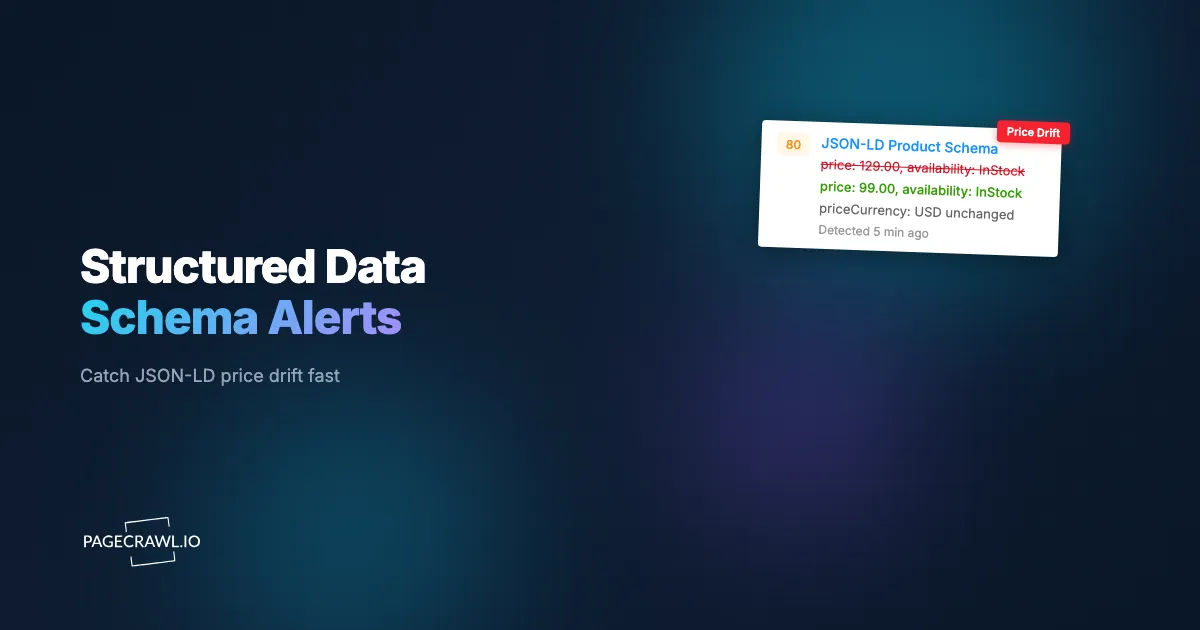
At 9:14 on a Tuesday morning, an ecommerce team shipped what looked like a harmless template refactor. The visible price on every product page was correct. The "Add to cart" button worked. QA signed off. What nobody noticed was that the <script type="application/ld+json"> block in the page head still carried the old flash-sale price of $39.99, while the on-page price had quietly reverted to the regular $59.99. The two numbers no longer matched. For sixteen days the discrepancy sat invisible, because the only thing that reads JSON-LD is a machine. On day sixteen Google Merchant Center disapproved the affected product listings with the error "Mismatched value (price)," Shopping ads stopped serving, and the team spent the following days firefighting a problem that a single character diff would have caught on day one.
This is the quiet failure mode of structured data. JSON-LD lives in a script tag that no human ever looks at. It powers your rich snippets, your star ratings, your price and availability badges in search, and your eligibility for Shopping and free product listings. When it breaks, the page still looks perfect to a person, so it sails through visual review, smoke tests, and most monitoring setups. The damage only surfaces later as a ranking dip, a disapproval email, or a rich result that silently vanished from the SERP.
This guide explains how JSON-LD breaks, why the schema-price-versus-visible-price mismatch is so costly, why audit tools miss it between recrawls, and how to monitor the schema block as plain watched text so you get an alert on the next check after a deploy mangles your structured data.
What is JSON-LD structured data and why does it break silently?
JSON-LD is a JSON object embedded in a <script type="application/ld+json"> tag that describes a page to search engines using the schema.org vocabulary, and it is the structured data format Google Search Central recommends. It breaks silently because it is invisible to users: a missing field, an unescaped quote, or a stale price never changes how the page looks.
A typical product page carries a Product object with nested Offer, aggregateRating, and review properties. An article carries Article or NewsArticle. A support page might carry FAQPage. Search engines parse these blocks to build rich results: the price and availability badge, the 4.6-star rating with review count, the breadcrumb trail, the FAQ accordion.
Because the block is generated by templates, a CMS plugin, or a tag manager, it has a long list of ways to silently regress. A theme update drops the offers node. A migration changes the currency symbol but not priceCurrency. A plugin conflict prints two competing Product objects on one URL. A trailing comma makes the entire block invalid JSON, and Google discards all of it. None of these touch a single visible pixel, which is exactly why they go unnoticed. This is the same class of invisible, deploy-introduced regression covered in how to monitor website changes, applied to the one part of the page no one ever reads.
How does a JSON-LD schema price drift from the visible on-page price?
Schema price drift happens when the price value inside the Offer object stops matching the price rendered on the page. The two are produced by different code paths: the visible price often comes from a live pricing service or a sale rule, while the schema price is baked into a template or cached field.
The drift is usually introduced in one of a few ways. A sale ends and the storefront updates the displayed price, but the structured data is cached and keeps the discounted figure. A currency or rounding change is applied to the visible price only. A bulk import overwrites price in the schema without re-rendering the page. A priceValidUntil date passes, so Google treats the offer price as expired even though the page still shows it.
Google Merchant Center requires that the price in your structured data match the price shown to customers. When they diverge, Google flags "Mismatched value (price)" and disapproves the affected products, pulling them from Shopping ads and free listings. In the European Union, displayed and reference prices also have to follow the Omnibus Directive rules, so a stale schema price can create a compliance problem on top of an advertising one. Watching the schema price as a tracked numeric value, alongside the visible price you already monitor in any ecommerce price monitoring workflow, catches the gap the day it appears instead of weeks later.
Why a one-cent mismatch still disapproves the listing
Merchant Center does not grade price mismatches on a curve. A schema price of $59.98 against a displayed $59.99 is treated the same as a wildly wrong figure: the listing is disapproved. There is no tolerance band you can rely on, so even rounding bugs and tax-display differences are enough to pull a product from Shopping. That is why a literal character-level comparison of the two numbers is the right test.
What happens when Product, Offer, Review, or FAQ schema disappears?
When a schema type disappears, you lose the rich result it powered, usually without any warning. A dropped Offer removes your price and availability badge from search. A dropped aggregateRating removes your star ratings. A dropped FAQPage removes the FAQ accordion. The page still ranks, but the enhanced listing that earned the extra clicks is gone.
The business impact differs by type:
- Product / Offer disappearing: you lose price, availability, and condition signals. Eligibility for Shopping and free product listings depends on this, so a missing
offersnode can quietly drop you out of the Shopping surface entirely. - Review / aggregateRating disappearing: the star rating snippet vanishes. Star ratings are one of the highest click-through boosters in organic results, so losing them is a measurable traffic hit even when rank is unchanged. If your reviews come from third-party widgets, a broken feed strips the snippet, so watch the rating fields directly.
- FAQ / HowTo disappearing: Google limited FAQ rich results to authoritative government and health sites in August 2023 and deprecated HowTo rich results in September 2023, so for most sites these no longer render. But invalid
FAQPagemarkup can still generate errors in Search Console and clutter your structured data reports, so you want to know when it changes. - Breadcrumb or Article disappearing: you lose the breadcrumb trail in results and, for publishers, eligibility for Top Stories and article enhancements.
A disappearance is rarely deliberate; it is usually a side effect of a theme change, a plugin deactivation, or a tag manager edit. Treating the schema block as watched content surfaces the removal as a diff, the same way a deleted paragraph would.
Why do audit tools miss schema breakage between recrawls?
Audit tools miss schema breakage because they are snapshot tools, not continuous monitors. Google's Rich Results Test, the Schema Markup Validator, and crawl-based SEO suites only evaluate a URL at the moment you run them. A regression introduced an hour after your weekly crawl stays invisible until the next manual recrawl, which can be days or weeks later.
That gap is where the real cost accrues. Most structured data problems are introduced by deploys, plugin updates, or pricing changes that land on an ordinary weekday, not on the day you happen to run an audit, which is the same reason website QA and visual regression monitoring runs continuously rather than on a schedule. Search Console's structured data reports do surface errors, but they lag by days because they depend on Google recrawling the page, and they aggregate at the property level rather than alerting you about a specific URL on the check where it breaks.
Continuous monitoring flips the model. Instead of asking "is the schema valid right now, when I remembered to check," you ask "tell me as soon as a check sees the schema change from its last known-good state." That is a change-detection problem, not an audit problem, and it is the same approach that makes SEO monitoring and noindex and canonical regression monitoring effective: watch the machine-readable signals that humans never look at, and fire an alert on the diff.
How does PageCrawl monitor the JSON-LD block as text?
PageCrawl monitors structured data by treating the JSON-LD block as watched content. It renders the page fully, including any markup injected by JavaScript or a tag manager, captures the <script type="application/ld+json"> contents, and compares them check over check. Any change to a field, a value, or the block's existence shows up as a precise, highlighted diff.

You have two complementary ways to track it:
Watch the raw schema block with keyword and text tracking
Point a text-tracking monitor at the JSON-LD script contents. PageCrawl stores the exact string and diffs it on every check, so a removed offers node, a flipped availability value, a new trailing comma, or a duplicated Product object all surface as added and removed lines. This is the broadest safety net because it catches anything that changes in the block, including problems you did not think to watch for specifically. Set a keyword condition on a value you require, such as "@type":"Product" or "InStock", so the alert fires on the first check where that exact substring is missing.
Extract and compare specific fields with JSON field tracking
For the schema price and other structured values, JSON field tracking is sharper. Because JSON-LD is already valid JSON, you can target individual nodes with a JSONPath expression, the same technique described in monitoring JSON and API fields with JSONPath. Extract offers.price as a numeric value and watch it as a tracked number, with a separate price-tracking monitor on the visible on-page price. When the two values diverge by even a cent, you have caught a Merchant Center disapproval before Google does. You can also extract offers.availability, offers.priceValidUntil, and aggregateRating.ratingValue as their own fields and alert on each independently. The help centre lists the JSON path option alongside every other mode in available tracked element types.
For pages behind a login, PageCrawl supports login-gated monitoring so you can watch schema on member-only product or account pages too. New monitors capture screenshots by default, giving you a visual record of the rendered page alongside the schema diff.
Which schema fields should you watch most closely?
Watch the fields that directly drive eligibility and rich results: the offer price and currency, availability, the price-valid-until date, aggregate rating and review count, and the @type declarations themselves. These are the values that, when they drift or vanish, cause disapprovals or strip your enhanced listings, so they earn the tightest SEO monitoring and change detection coverage you run.
A practical priority order:
offers.priceandoffers.priceCurrency: the mismatch that triggers Merchant Center disapprovals. Compare against the visible price on every check.offers.availability:InStock,OutOfStock,PreOrder,BackOrder. A wrong value here misrepresents stock in search and can trigger disapprovals. This pairs naturally with the availability tracking you would use for out-of-stock monitoring.offers.priceValidUntil: an expired date causes Google to drop the price from rich results. Watch for the date passing or being removed.aggregateRating.ratingValueandreviewCount: losing these strips your star snippet. A sudden drop to zero usually means the review feed broke.@typeand@context: if"@type":"Product"becomes a genericThing, or@contextstops pointing at schema.org, the whole block is effectively dead.itemCondition,brand,gtin,mpn: required or strongly recommended for Shopping; missing identifiers degrade listing quality.
Note: if your page emits multiple JSON-LD blocks, track each one, because a plugin conflict that injects a second competing Product object is one of the most common ways structured data quietly breaks.
How do you avoid false positives on dynamic schema fields?
You avoid false positives by scoping the monitor to the fields that matter and ignoring the ones that legitimately change every check. Some schema values, like a priceValidUntil rolling date, a server timestamp, or a session token, update constantly and would otherwise generate noise. Field-level extraction and threshold rules let you watch the meaningful values without tripping on churn.
Three techniques keep alerts clean:
- Extract specific fields instead of diffing the whole block when only a few values matter. A JSONPath on
offers.priceignores cosmetic reformatting elsewhere in the block. - Set numeric thresholds and direction rules on the schema price so a planned price change does not alert, but an unexpected divergence from the visible price does. The full set of options is covered in conditional price, keyword, and threshold rules.
- Use keyword presence conditions for the values that must never disappear, like
"@type":"Product"or yourpriceCurrency, so the alert is specifically "this required value is gone," not "something reformatted."
This is the same discipline that keeps any change-detection program useful rather than noisy. Tightly scoped monitors mean every alert you get is one worth acting on.
How do you set up structured data monitoring with PageCrawl?
Setting up structured data monitoring takes a few minutes per page. You create a monitor on the product or article URL, choose how to track the schema, set a check frequency that matches how often the page changes, and route alerts to where your team already works. Here is the full sequence.
Step 1: Choose your tracking mode. For a broad safety net, use fullpage content tracking or keyword and text tracking pointed at the JSON-LD block, so any change to the schema is diffed. For the schema-price-versus-visible-price check, add JSON field tracking with a JSONPath like $.offers.price extracted as a numeric value, plus a price or number tracking monitor on the visible on-page price. Run both so you catch structural breakage and value drift.
Step 2: Set your check frequency. Match the cadence to how the page changes. High-velocity product pages with frequent repricing warrant checks every 5 to 15 minutes so a bad deploy or stale cache is caught within one pricing cycle. Stable article or FAQ pages can be checked hourly or daily. More frequent checks shorten the window between a schema breaking and you finding out.
Step 3: Pick your notification channel. Route alerts to where the responsible team already lives. Send schema breakage to your engineering or SEO channel in Slack, Telegram, or Discord, or fire a webhook into your incident tooling or a CI gate so a price mismatch can automatically open a ticket. Email works for lower-urgency article-schema changes.
Step 4: Keep screenshots on. New monitors capture screenshots by default, and you should leave that enabled. The visual snapshot gives you a rendered record of the page when the schema changed, making it obvious whether a deploy also altered the visible price, layout, or buy button.
Step 5: Configure thresholds and conditions. On the schema price field, set a rule that compares it against the visible price and alerts on any divergence, with a direction or amount threshold so planned changes stay quiet. Add keyword conditions for required values such as "@type":"Product", priceCurrency, and "InStock" so the disappearance of any of them triggers an alert on the next check. The help centre article on notification conditions and filters covers the keyword and threshold rules in detail.
Step 6: Scale across your catalog. A single product page is a proof of concept; the value is in covering the whole catalog. Use bulk URL monitoring to spin up the same schema checks across hundreds of product or article URLs at once, and tag them by template so you can tell at a glance whether a regression is isolated to one page or spread across a shared template.
Choosing your PageCrawl plan
PageCrawl's Free plan lets you monitor 6 pages with 220 checks per month, which is enough to validate the approach on your most critical pages. Most teams graduate to a paid plan once they see the value.
| Plan | Price | Pages | Checks / month | Frequency |
|---|---|---|---|---|
| Free | $0 | 6 | 220 | every 60 min |
| Standard | $8/mo or $80/yr | 100 | 15,000 | every 15 min |
| Enterprise | $30/mo or $300/yr | 500 | 100,000 | every 5 min |
| Ultimate | $99/mo or $999/yr | 1,000 | 100,000 | every 2 min |
Annual billing saves two months across every paid tier.
Enterprise and Ultimate add higher page counts, faster check frequencies, and multi-team access for larger catalogs.
How should you start monitoring structured data?
Start with your highest-revenue product page on the Free plan, point a monitor at its JSON-LD block, and add the schema-price-versus-visible-price check. The fix is not another quarterly audit; it is a continuous monitor that tells you on the next check after a price drifts or an Offer node vanishes.
Structured data earns rich results and fuels Shopping eligibility, yet never once gets looked at by a human, which is exactly why it breaks in the dark and costs you weeks before anyone notices. Catch the next mismatch the morning it ships, not the afternoon Merchant Center disapproves your catalog.


