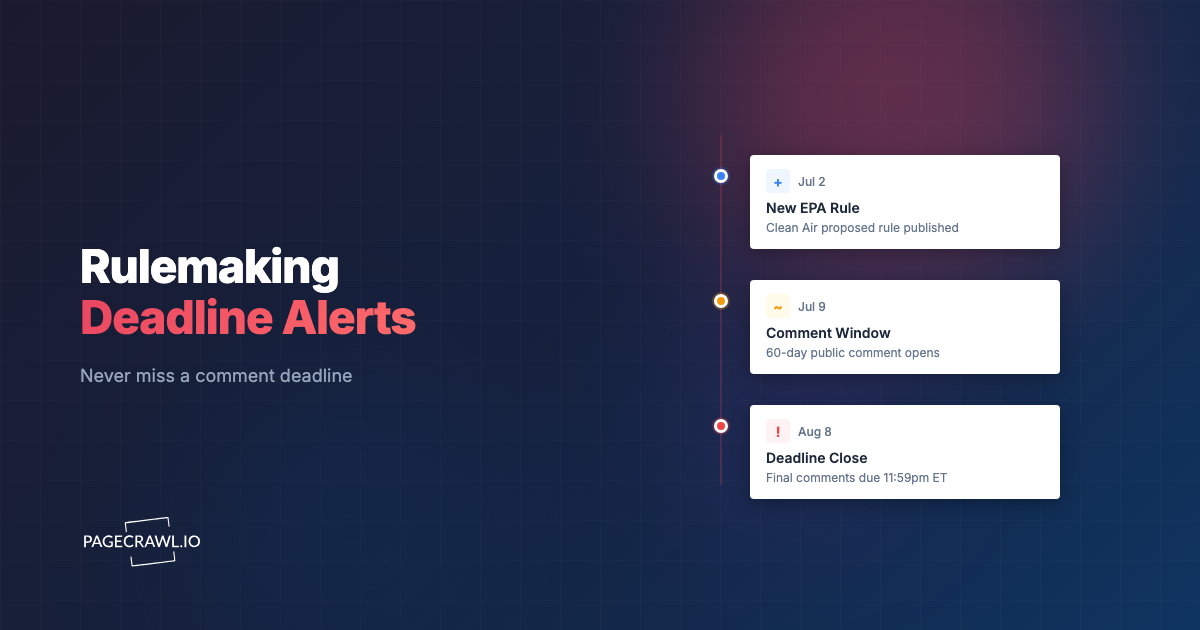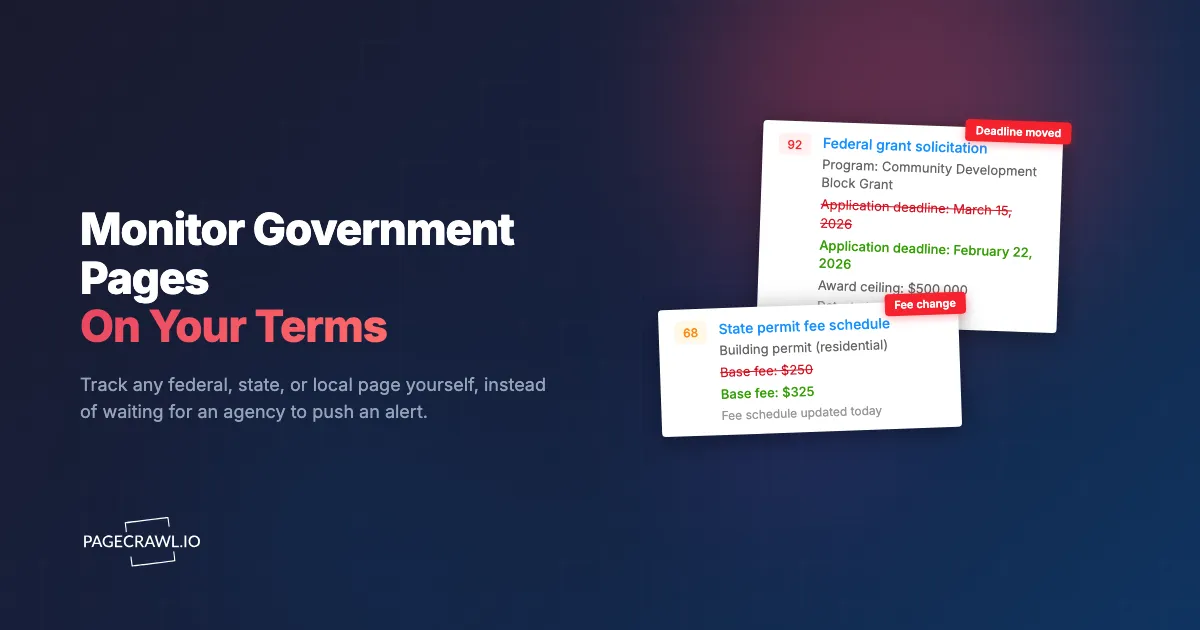
The grant solicitation you were tracking moved its application deadline up by three weeks, and you found out the morning after it closed. You had dutifully subscribed to the agency's GovDelivery bulletins months ago. You got the welcome email, the occasional newsletter, and a survey request. What you never got was the one alert that actually mattered, because the program office quietly edited the deadline on the funding page and never sent a bulletin about it.
This is the structural blind spot in GovDelivery (now part of Granicus). It is an excellent tool for what it does, which is letting an agency broadcast announcements to people who opted in. But it is a publisher-push system. You receive a message only when someone inside the agency decides to compose and send one. If the agency does not use GovDelivery, or uses it for some topics but not others, or edits a page without announcing it, you are in the dark. You cannot subscribe to "that specific table on that specific page," only to the topics the agency chose to offer.
This guide explains exactly where GovDelivery leaves gaps, what a good alternative looks like, and how to monitor any government page yourself, federal, state, or local, so the page itself becomes your source of truth instead of an agency's mailing list.
What is GovDelivery and what does it actually do?
GovDelivery is a subscription notification platform that government agencies pay for so they can email or text updates to people who sign up for topics. You have used it if you ever clicked a red "GovDelivery" envelope or a "Get email updates" box on a federal or state site. The key fact: agencies control what gets sent, when, and whether your page is covered at all.
It is genuinely useful for one-way broadcasts. The IRS sends tax tips, the CDC sends health advisories, a state DMV sends office-closure notices. The model works beautifully when the agency is diligent, uses GovDelivery for the topics you care about, and sends a bulletin every time the underlying page changes. The problem is that all three conditions have to hold at once, and across thousands of government pages, they frequently do not.

Where does GovDelivery leave you exposed?
GovDelivery leaves you exposed anywhere the agency controls the signal instead of you. You depend on staff choosing to send a bulletin, on the agency having bought the product, and on topic lists that rarely map to the exact page you care about. Silent edits, uncovered agencies, and email-only delivery are the recurring failure modes.
You are at the mercy of the publisher, not the page
The single biggest limitation is that GovDelivery is push, not pull. A human at the agency has to notice a change, decide it is worth a bulletin, write it, and send it. Plenty of consequential edits never clear that bar: a fee schedule updated by one line, a deadline shifted, a guidance PDF swapped for a new version. The page changed, your obligations changed, and no bulletin went out. A reader-controlled tool flips this around: you watch the page directly, so a change is a change whether or not anyone announced it. This is the core idea behind regulatory intelligence monitoring, watching primary sources instead of waiting for a summary.
Many agencies and pages simply are not covered
GovDelivery only works where the agency has purchased and configured it. Huge swaths of government are not on it at all, or use it for a press office while the program pages you actually depend on have no subscription option. Small municipalities, county boards, special districts, state licensing boards, court clerks, and foreign government portals frequently offer no GovDelivery list whatsoever. If you need to track a local zoning or planning permit page or a county commission agenda, there is often nothing to subscribe to. The page exists; the mailing list does not.
Topic lists are too coarse to be useful
Even when a list exists, you usually subscribe to a broad topic, not a specific page. You sign up for "Grants and Funding" and receive everything the office decides to send under that banner, which is both too much (newsletters, events, unrelated programs) and too little (the one deadline edit you needed). There is no way to say "tell me when the number in this cell changes" or "alert me only if the words 'comment period' appear." That granularity is exactly what a page-level monitor gives you, and it is why teams tracking federal contract opportunities on SAM.gov and grant and funding opportunity pages watch the listings directly.
No diff, no before-and-after, no proof
A GovDelivery bulletin tells you, in prose written by staff, that something happened. It does not show you the exact text that changed. When a regulation's wording shifts or a fee moves from $250 to $325, you want the precise before-and-after and a timestamped record you can cite later. GovDelivery was never built to be an evidence trail, and for compliance, legal, and journalism work that diff and timestamp are the entire point.
Email and SMS only, with no filtering or prioritization
GovDelivery delivers to email and text. There is no routing to a team Slack channel, no webhook into your case-management system, no importance score to separate a critical rule change from a routine newsletter. Subscribe to enough agency lists and your inbox becomes a firehose you stop reading, so you miss the important bulletin for the same reason you would have missed the page edit.
You cannot add the pages you actually care about
This is the deal-breaker for most professional use. GovDelivery is a menu the agency wrote. You cannot add an arbitrary URL. If the page you care about is a contractor portal, a drug-shortage list, an enforcement docket, a health insurance marketplace plan or formulary page, or a permit and license status lookup, and the agency did not build a subscription for it, you are stuck checking it by hand. Monitoring it yourself removes that ceiling entirely.
What should a GovDelivery alternative actually do?
A real alternative puts you in control of the signal. It should monitor any URL you paste (not a fixed topic menu), detect silent edits the agency never announces, show you the exact change, let you filter to the section that matters, and route alerts wherever your team already works. Here is the checklist.
- Monitor any URL you choose. Federal, state, county, city, court, or foreign portal. If it has a web address, you can watch it.
- Detect changes the agency never announces. It checks the live page on a schedule, so a quiet edit triggers an alert even with zero bulletin.
- Show the exact before-and-after. A real diff of the changed text, plus a screenshot record you can keep for evidence.
- Section-level targeting. Watch a specific table, fee, or deadline, or only changes that contain certain keywords, so you cut the noise.
- Plain-language summaries and prioritization. A short explanation of what changed and how important it is, so a typo does not read the same as a rule change.
- Flexible delivery. Email, Slack, Teams, Discord, Telegram, webhooks, and web push, so alerts land where your team already works.
- Handles real government sites. Many pages render content dynamically or hide it behind tabs and lookups, so the tool must capture what a real visitor sees.
- An API for the data nerds. Pipe change events into your own dashboards, case files, or compliance logs.
GovDelivery vs PageCrawl: how do they compare?
The honest framing is that they solve different problems. GovDelivery is a free broadcast list run by the agency; PageCrawl is a reader-controlled monitor you point at any page. GovDelivery is great when the agency does the work for you. PageCrawl is what you reach for when it does not, which, across government, is most of the time.
| Capability | GovDelivery | PageCrawl |
|---|---|---|
| Who controls the signal | The agency (publisher) | You (the reader) |
| Monitor any URL you choose | No, only offered topics | Yes, any page |
| Covers agencies not on GovDelivery | No | Yes |
| State, county, city, and court pages | Only if that body bought it | Any page |
| Detects silent edits with no bulletin | No | Yes |
| Exact before-and-after diff | No | Yes |
| Screenshot history for evidence | No | Yes, all plans |
| Plain-language change summaries | No | Yes, all plans |
| Importance scoring and noise filtering | No | Yes |
| Section, table, or keyword targeting | No (topic-level only) | Yes |
| Notification channels | Email and SMS | Email, Slack, Discord, Teams, Telegram, webhooks, web push, Google Sheets |
| API access | No | Yes, all plans |
| Cost to you | Free to subscribe | Free tier, paid from $8/mo |
GovDelivery costs you nothing to subscribe to, and you should keep your subscriptions where they exist. The point of an alternative is not to replace a working bulletin; it is to cover the enormous gap where no working bulletin exists.
How is PageCrawl better for government pages?
PageCrawl is built around the page, not the publisher. You point it at any government URL, it checks the live page on a schedule, and it tells you exactly what changed with a screenshot, a plain-language summary, and an importance score. Below are the capabilities that matter most for a government website.
You decide what to watch, not the agency
Paste a URL and you have a monitor. There is no menu to pick from and no waiting for the agency to build a subscription. A state licensing board with no email list, a county procurement page, a regulator's enforcement docket, a bill or law tracking page: all of them become watchable the moment you add the link. This is the difference between a curated mailing list and a tool that treats the open web as your source of truth.
Silent edits trigger real alerts
Because PageCrawl checks the live page on a schedule, a change is detected whether or not anyone announced it. The quietly edited deadline, the swapped PDF, the fee that ticked up by one line: these are precisely the events GovDelivery misses and PageCrawl catches, with no staffer needed to remember to send a bulletin.
You see the exact change, with a record to keep
When a monitored page changes, PageCrawl shows you the before-and-after text diff and captures a screenshot of how the page looked at that moment. For compliance, legal, and journalism work, that timestamped visual record is invaluable: you can prove what a government page said on a given date, not just that "something changed." The AI summary on top tells you in plain language what moved, for example "the public comment deadline changed from March 15 to February 22."
Target the section that matters and skip the noise
Government pages are full of boilerplate: navigation, banners, "last reviewed" dates that update automatically. PageCrawl lets you watch only a specific element (a fee table, a status field, a deadline) or only changes containing certain keywords. Built-in noise filtering and an importance score keep a cosmetic tweak from waking your team at 2 a.m. while still surfacing the rule change buried three paragraphs down. It is the same approach behind monitoring government agency news pages at scale without drowning in alerts.
Alerts go where your team already works
Instead of one more inbox you stop reading, route government alerts to the channel that fits: fee-schedule changes to a Slack channel for your compliance team, a critical rule change to email for the people who need a paper trail, and a webhook into your case-management or grants-tracking system for everything else. Different pages, different urgencies, different destinations.
How do you monitor government pages yourself, step by step?
You can set this up in about fifteen minutes on PageCrawl's free tier, which gives you 6 monitors and 220 checks per month, enough to cover your most critical government pages before you ever pay anything. Here is the full walkthrough.

Step 1: List the pages you actually depend on
Write down the government URLs you currently check by hand or wish GovDelivery covered. Be specific: not "the SBA site" but the exact funding-opportunity page; not "my state DEQ" but the specific permit-status lookup or fee schedule. Note for each one what you are really watching, a deadline, a dollar amount, a status word, or general text.
Step 2: Create a free PageCrawl account
Sign up at pagecrawl.io. No credit card is required. The free plan includes 6 monitors with AI change summaries, every notification channel, and screenshot history, which is plenty to validate the approach on your highest-stakes pages.
Step 3: Add each page and pick a tracking mode
For each URL, click "Track new page," paste the link, and choose how to watch it. The reference on available tracked element types covers every mode in detail:
- Reader mode for long policy documents, guidance, and statutes. It extracts the main body text and ignores surrounding chrome.
- Content only for pages with heavy navigation and footers around shorter content, like an agency news item or a program overview.
- Specific element for a single table, status field, or deadline. Target it with a selector so you watch only that region.
- Number or price mode for fee schedules, auction yields, or any monitored value where you care about the figure moving up or down.
- Fullpage as a catch-all when you want to know about any visible change.
Step 4: Narrow to the section that matters
If you only care about one part of the page, narrow the monitor. Add a keyword rule under notification conditions and filters so alerts fire only when terms like "deadline," "comment period," "effective date," or "rescinded" appear, and add global ignore rules for the auto-updating "last reviewed" dates and view counters that government templates love to include. This is what turns a noisy page into a clean signal.
Step 5: Choose where alerts go
Set your notification channels. Pick email for pages that need a paper trail, Slack or Teams for pages your team triages together, and a webhook for anything you want to flow into another system. You can set workspace defaults that apply to every monitor or configure channels per page, so the urgent regulator docket and the routine bulletin do not land in the same place.
Step 6: Tune the importance threshold
Let the AI importance score do the triage. Each detected change gets a score from 0 to 100 with a plain-language summary, so you can auto-dismiss trivial edits and escalate the meaningful ones. Start conservative, watch a week of real changes, then raise or lower the threshold until alerts match what you would have flagged by hand.
Step 7: Review the first changes and adjust
Trigger an initial check on each monitor to capture a baseline, then review the first real change events. If a monitor is too chatty, tighten the element or add an ignore rule. If it missed something, broaden the scope. Within a few cycles you will have a set of government pages that report to you directly, on your schedule, in your channels.
When does GovDelivery still make sense?
GovDelivery still makes sense as a complement, not a competitor. Keep the subscriptions you have, especially where an agency is diligent about bulletins and the topic maps cleanly to what you need. The two approaches stack well: let the agency push what it chooses, and monitor the pages yourself for everything it does not.
There are real cases where the bulletin alone is fine. If you just want general awareness of an agency's press releases without exact diffs or precise timing, the free email list is effortless. And for purely informational topics (newsletters, events, public-service reminders) where a missed message has no cost, GovDelivery is perfectly adequate.
The moment a missed change has a cost, a passed deadline, a fee you did not budget for, a rule you unknowingly violated, an opportunity you did not bid on, you want a reader-controlled monitor watching the page itself. That is also true for the long tail of government where no bulletin exists at all: local boards, court clerks, licensing portals, and foreign agencies. For those, monitoring yourself is the only option. Many teams running a broader compliance and regulatory monitoring program use both, GovDelivery for the easy wins and PageCrawl for the gaps.
Choosing your PageCrawl plan
PageCrawl's Free plan lets you monitor 6 pages with 220 checks per month, which is enough to cover your most critical government pages and prove the approach before you spend anything. Most people graduate to a paid plan once they see how many silent edits the free monitors catch.
| Plan | Price | Pages | Checks / month | Frequency |
|---|---|---|---|---|
| Free | $0 | 6 | 220 | every 60 min |
| Standard | $8/mo or $80/yr | 100 | 15,000 | every 15 min |
| Enterprise | $30/mo or $300/yr | 500 | 100,000 | every 5 min |
| Ultimate | $99/mo or $999/yr | 1,000 | 100,000 | every 2 min |
Annual billing saves two months across every paid tier. Enterprise and Ultimate scale up to 100x if you need thousands of pages or multi-team access.
For most government-monitoring work, Standard at $80/year is the sweet spot: 100 pages checked every 15 minutes, with AI summaries and screenshots included, covers a serious watchlist of federal, state, and local pages for less than the cost of one missed deadline. Compliance and research teams tracking hundreds of agency pages move to Enterprise for 500 pages at 5-minute frequency. All plans include the PageCrawl MCP Server, which turns your monitoring archive into something you can query directly from Claude, so instead of skimming alerts you can ask for a digest of every government page that changed on your watchlist this week and get a structured answer. AI assistants can create monitors through conversation on every plan, including Free.
Getting Started
Start with the three government pages that would hurt most to miss: the funding deadline, the fee schedule, the rule that governs how you operate. Set them up on PageCrawl's free tier (6 monitors, AI summaries, every notification channel included) and keep your GovDelivery subscriptions running alongside. Within a couple of weeks you will see the pattern: the bulletins arrive for some changes, and PageCrawl catches the ones nobody ever sent.
Always confirm a deadline, fee, or requirement on the agency's own page before you act on an alert; this article is informational, not legal advice.
Government pages do not owe you a notification. Stop waiting for one and watch the page yourself at pagecrawl.io.