Last reviewed November 2, 2026: app descriptions, release dates and image sources checked against the linked developer pages and current App Store listings.
This shortlist focuses on six apps with considered layouts and a concrete reason to use iPhone Duo's screen. PageCrawl, GoodLinks, Tasks, SuperPlanner, Finalist and Mercury Weather cover monitoring, reading, planning and forecasts. We chose them for clear typography, coherent controls and useful relationships between the two sides of the display.
We build PageCrawl, so this is our own shortlist, with a closer look at the design choices in our app. Our team had been looking forward to iPhone Duo for a long time. Upgrading gave us the opportunity to rethink how reviewing website changes should work with the extra space. The other apps are described from the developers' own Duo media, guides and release notes, linked beside each example.
Every app has at least five images showing its actual Duo interface. The PageCrawl views are our own captures from the released app; the other galleries use official developer screenshots and press artwork, credited in each caption. All six apps have released their Duo updates. Open any image for a closer look.
Which six apps make the best use of iPhone Duo's screen?
Choose an app around the task you want Duo to improve. PageCrawl keeps website changes in context, while the other picks make room for articles, project boards, schedules and forecasts. Each gallery shows how the layout supports that task, whether the phone is closed, open or partly folded.
| App | Best fit for this shortlist | What to notice on Duo |
|---|---|---|
| PageCrawl | Reviewing website changes | Timeline beside the selected change, with its summary and text differences together |
| GoodLinks | Saving articles and highlights | Article list beside the reader on the inner display |
| Tasks | Managing project boards | One column closed, a full board open, with task cards clear of the crease |
| SuperPlanner | Planning a day with time blocks | The day beside its summary, with activity tasks below or beside it when partly folded |
| Finalist | A daily plan for every pose | Remembered Daily layouts for each way you hold Duo |
| Mercury Weather | Comparing forecasts | Locations beside the forecast, or two weather windows together |
The useful design question is what opening the phone helps you do. A second column can preserve context, while a larger canvas can make the content easier to follow. PageCrawl uses both ideas: the timeline stays beside a change, and screenshots can appear together for comparison.
1. Why is PageCrawl a good fit for iPhone Duo?
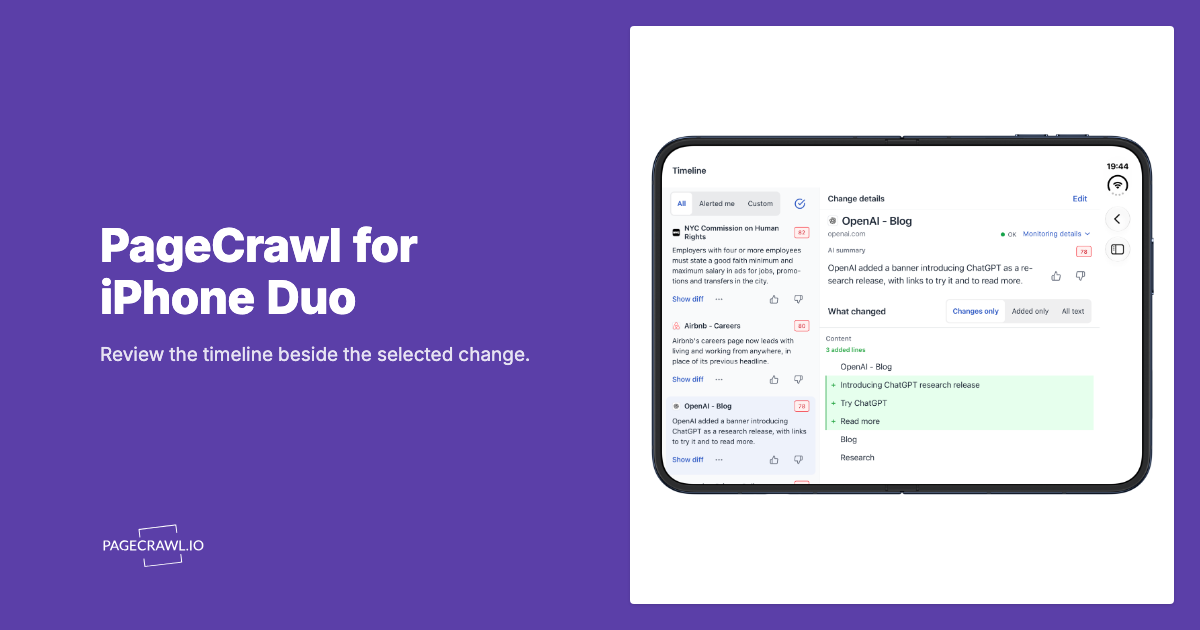
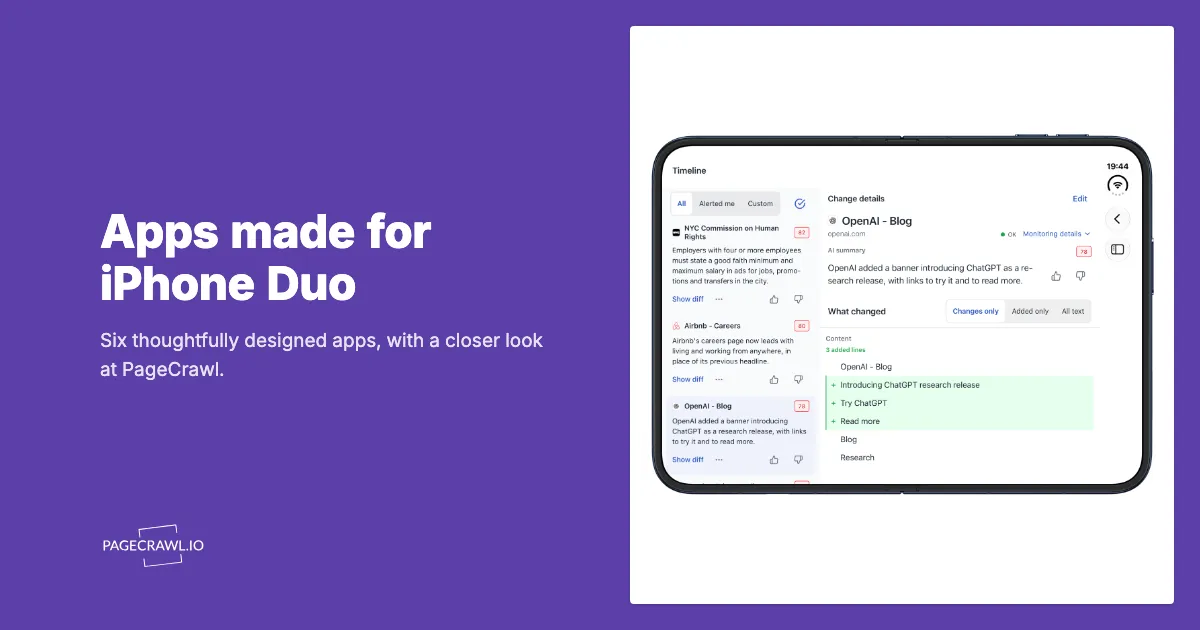
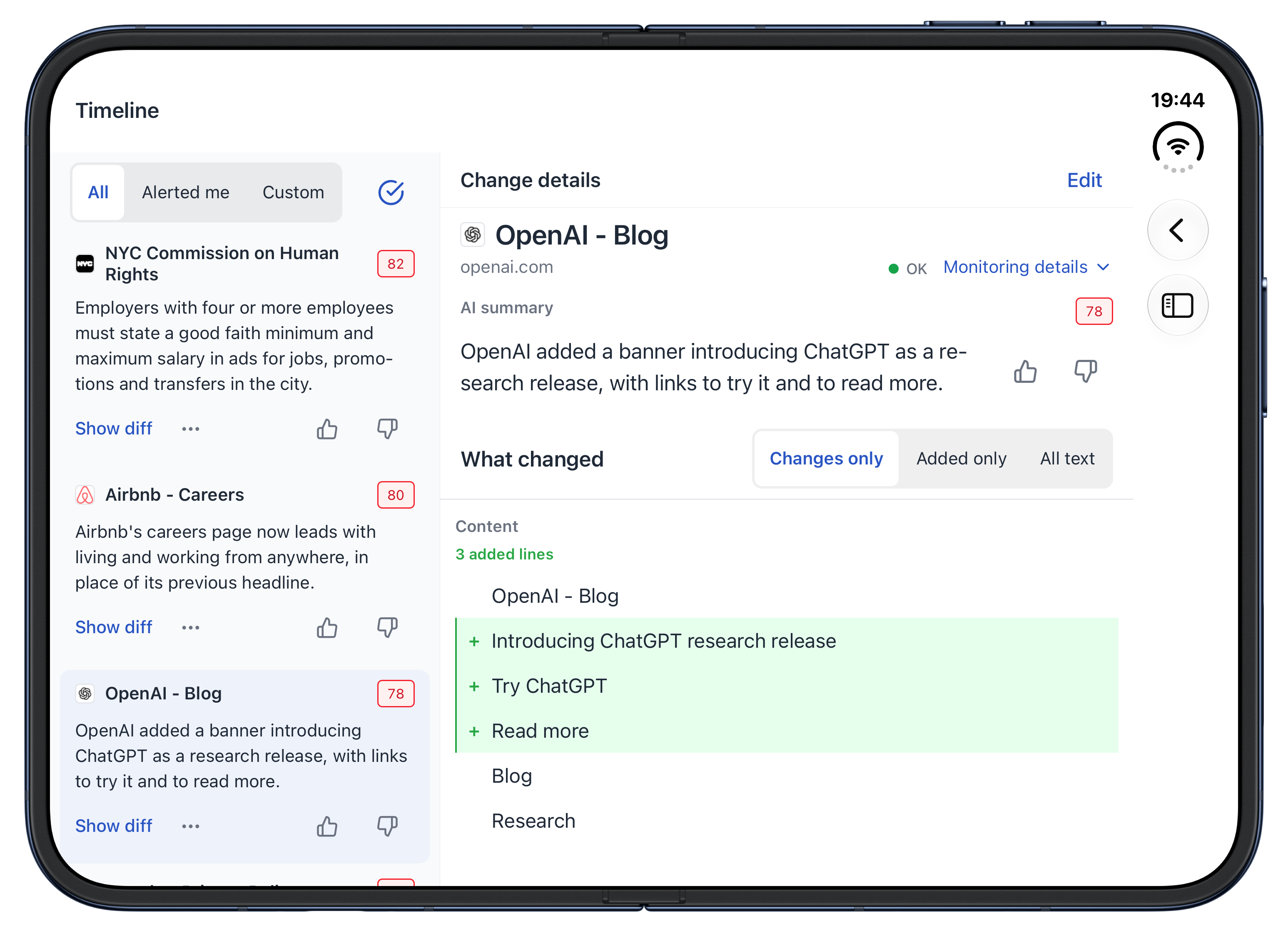
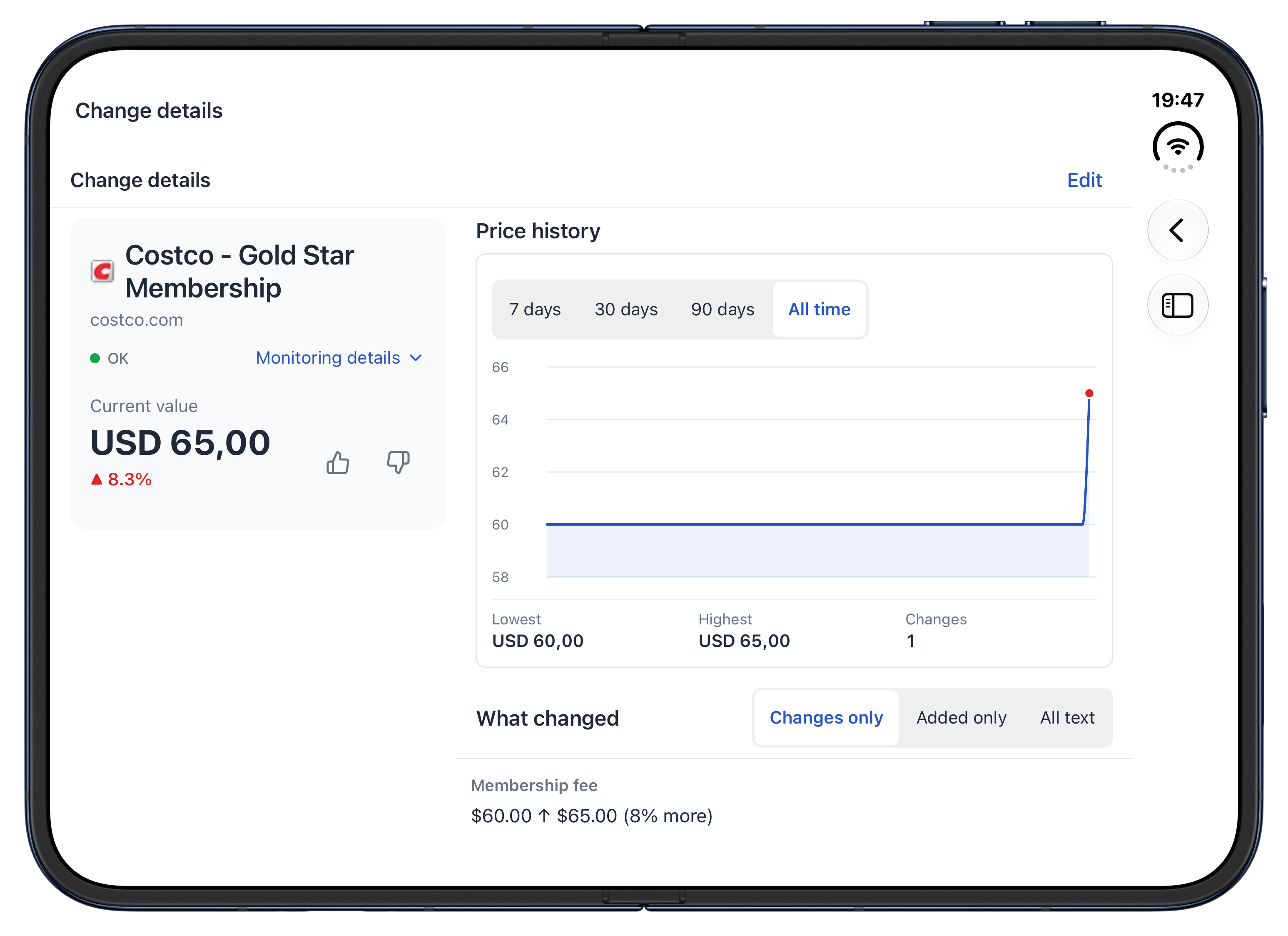
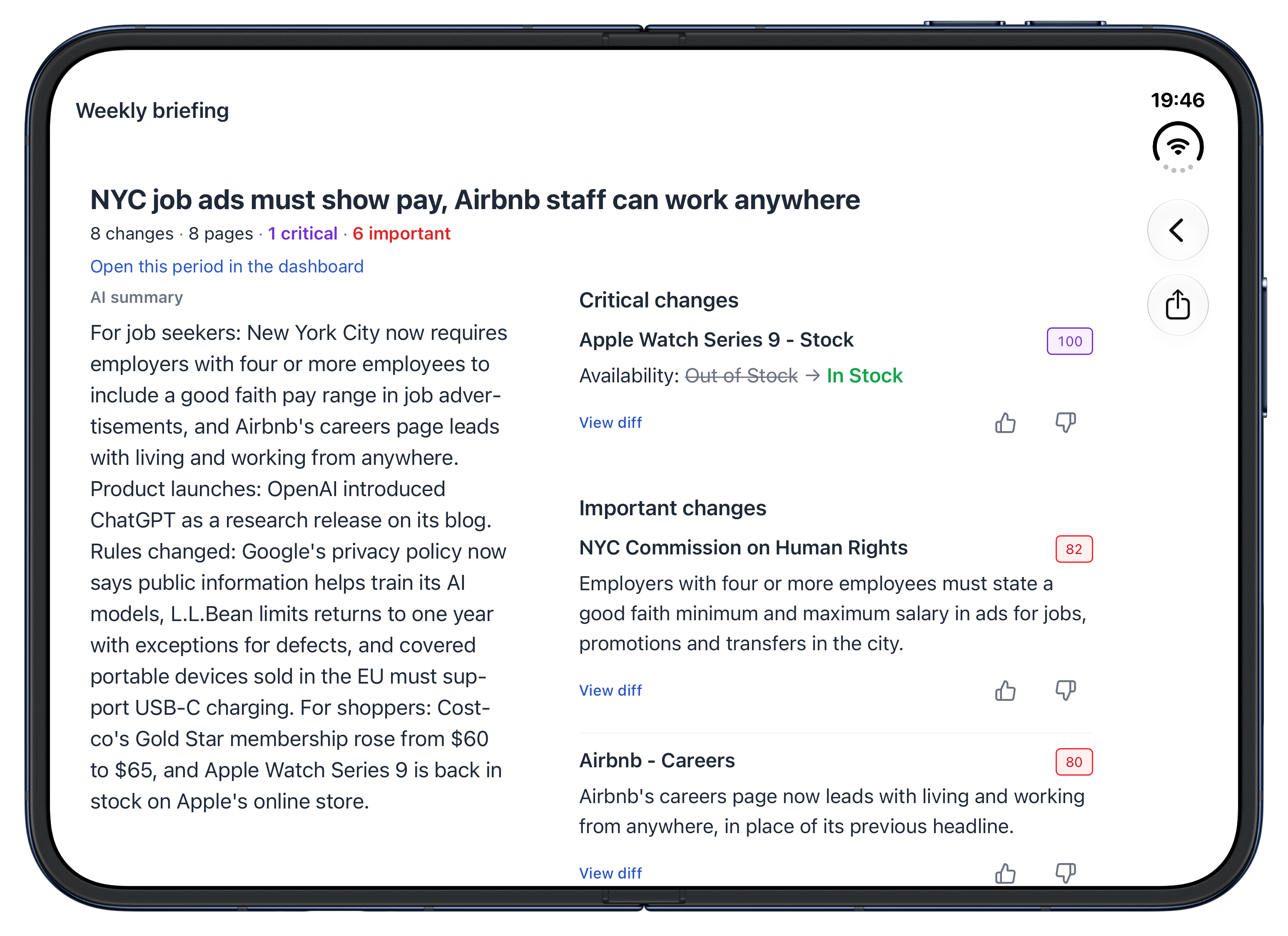
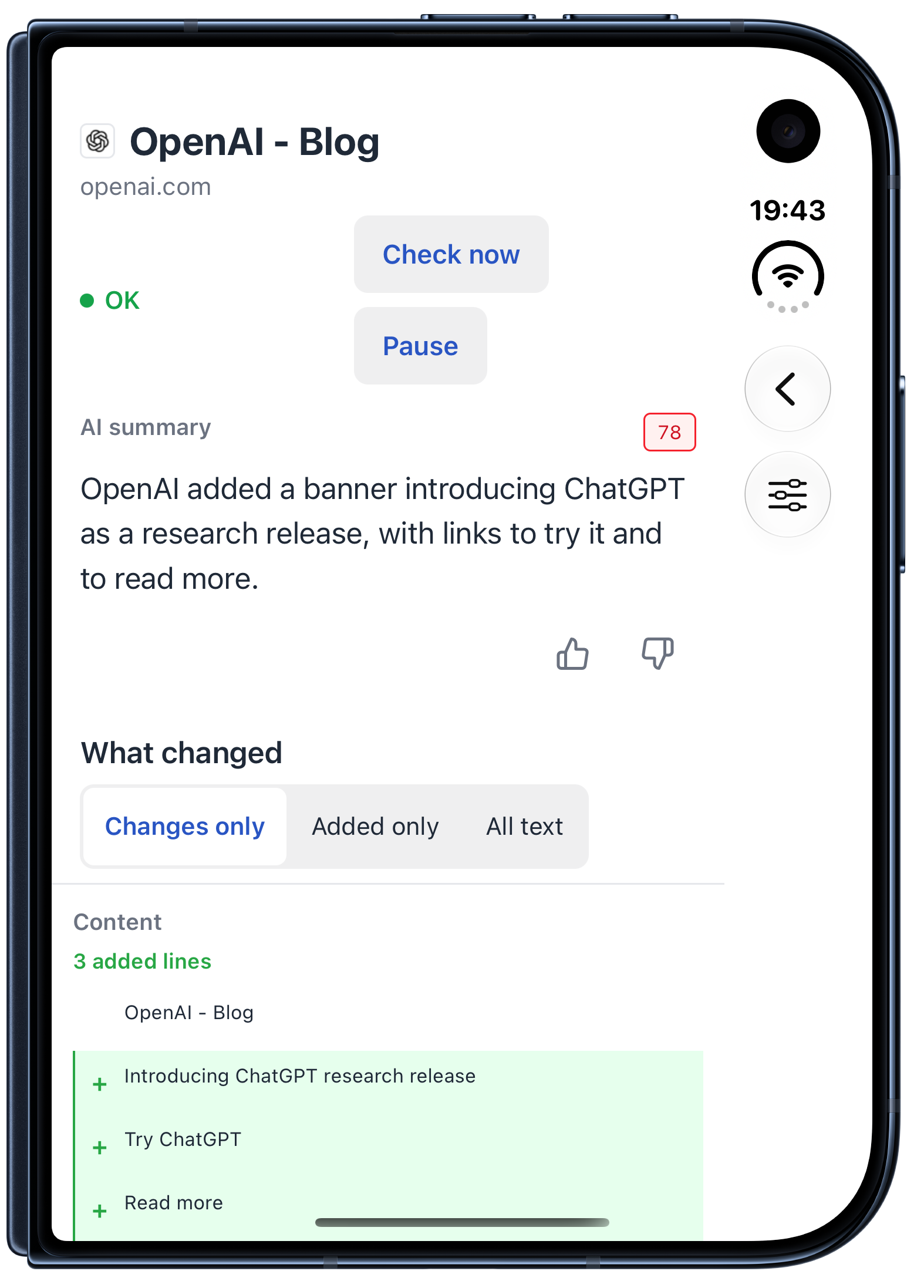
PageCrawl uses Duo's larger display to keep your timeline beside the website change you are reviewing. Choose an update on the left, then read its AI summary and actual text differences on the right. When there is enough room for both panes, the next update stays in view while you inspect the current one.
PageCrawl: five views on iPhone Duo
1 of 5: Duo: Timeline and change
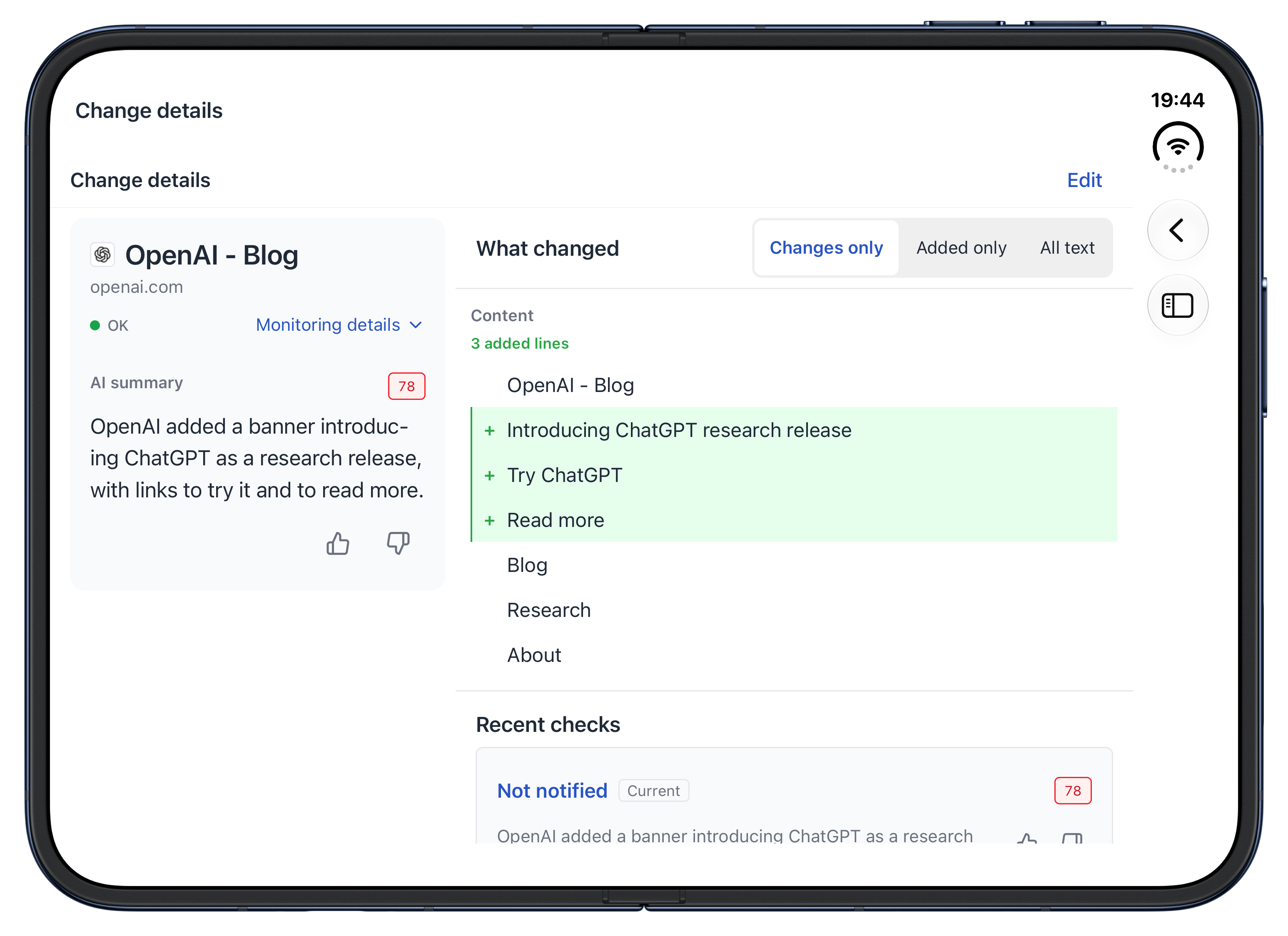
These views show PageCrawl 1.3.0 on Duo's inner and outer displays, using the Demo workspace. The monitored changes are real historical examples, not current news, prices or stock updates.
Timeline and Focus on change
Timeline lists changes across your monitored pages. Choose a row to open its summary and the actual text differences, shown as Changes only, Added only or All text. When you need to read closely, Focus on change hides the timeline and gives the selected change the whole display; Show timeline brings the list back without losing your place.
Before and Now screenshots together
For monitors that save screenshots, the comparison viewer shows Before on the left and Now on the right when there is enough room, and you can zoom into either one. On a narrower display, touch and hold the screenshot to see Before.
Overview, reports and price history
Overview groups changes by importance over Today, 7 days, 30 days or 90 days, with recent summary reports near the top. A product monitor adds price, stock or availability history, so a single update can be read as part of a longer pattern.
Open, close or move to iPad without changing the task
Open Duo to bring the timeline alongside the selected change; close it to keep reading that change on the outer display. The selected text-comparison mode carries across, and the same review adapts to an iPad window as it widens or narrows.
The PageCrawl Duo walkthrough covers Pages, setup, reports, filters and alert settings in more detail. For app links, visit the PageCrawl mobile app page.
2. Why try GoodLinks for reading and research?
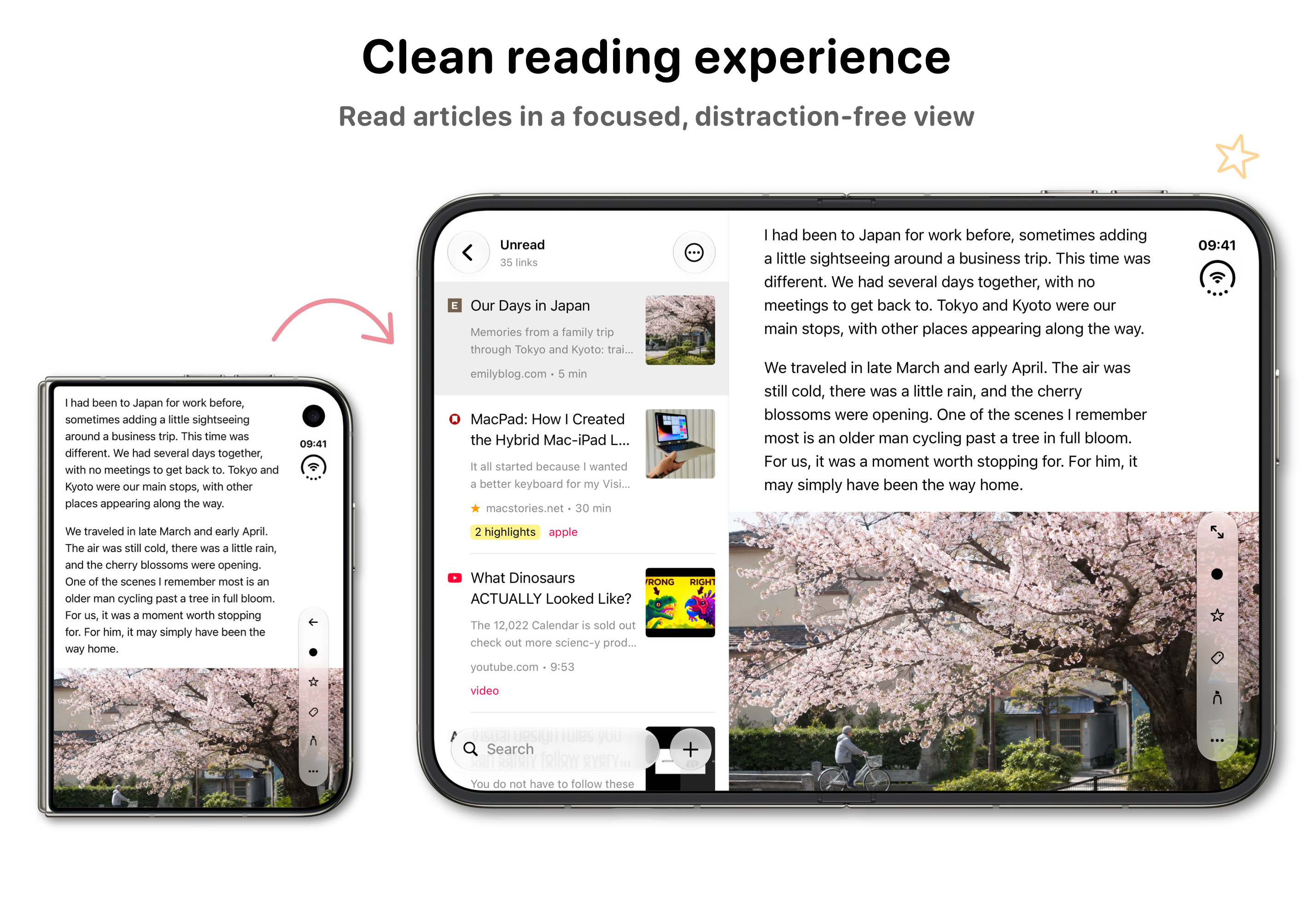
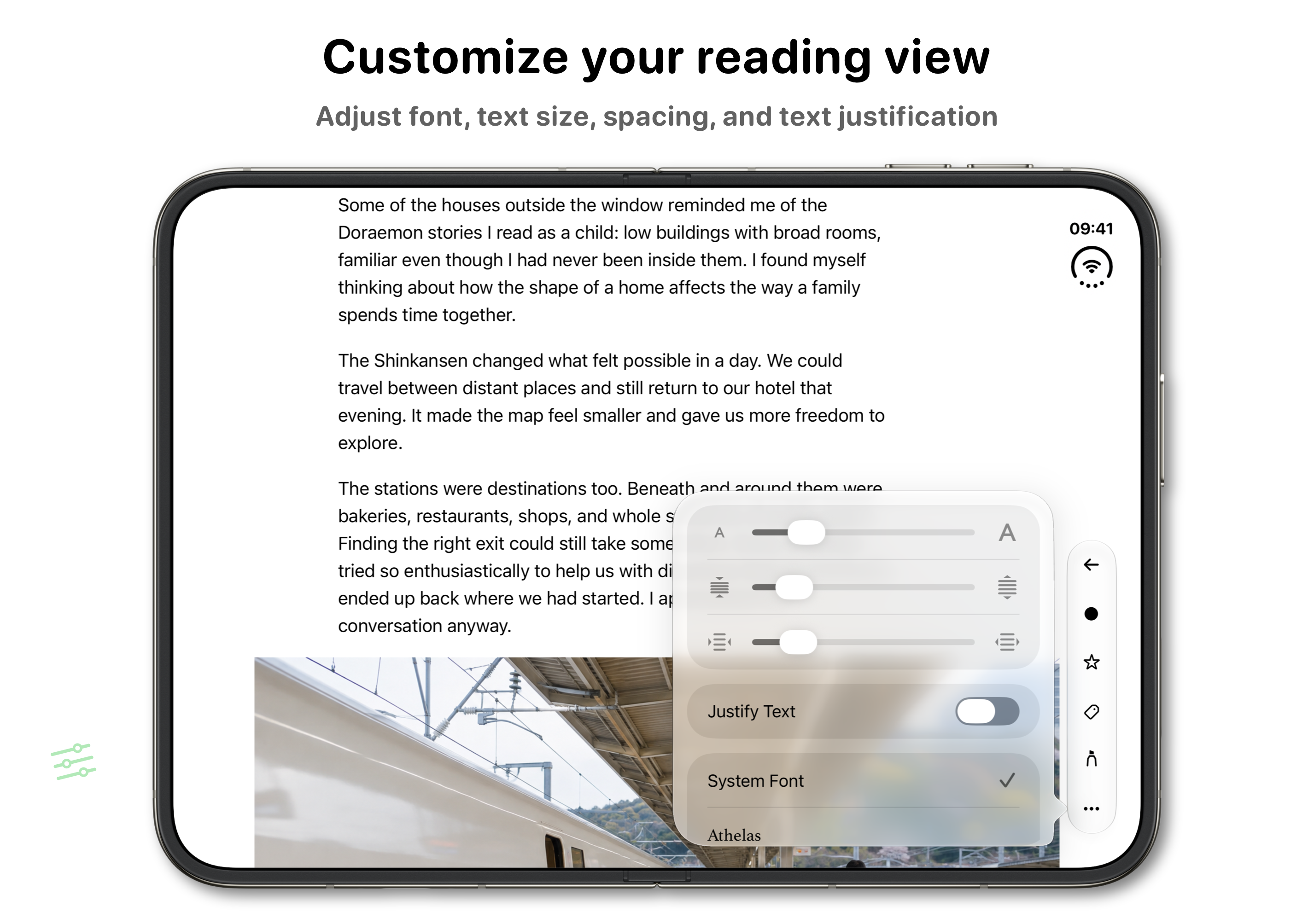
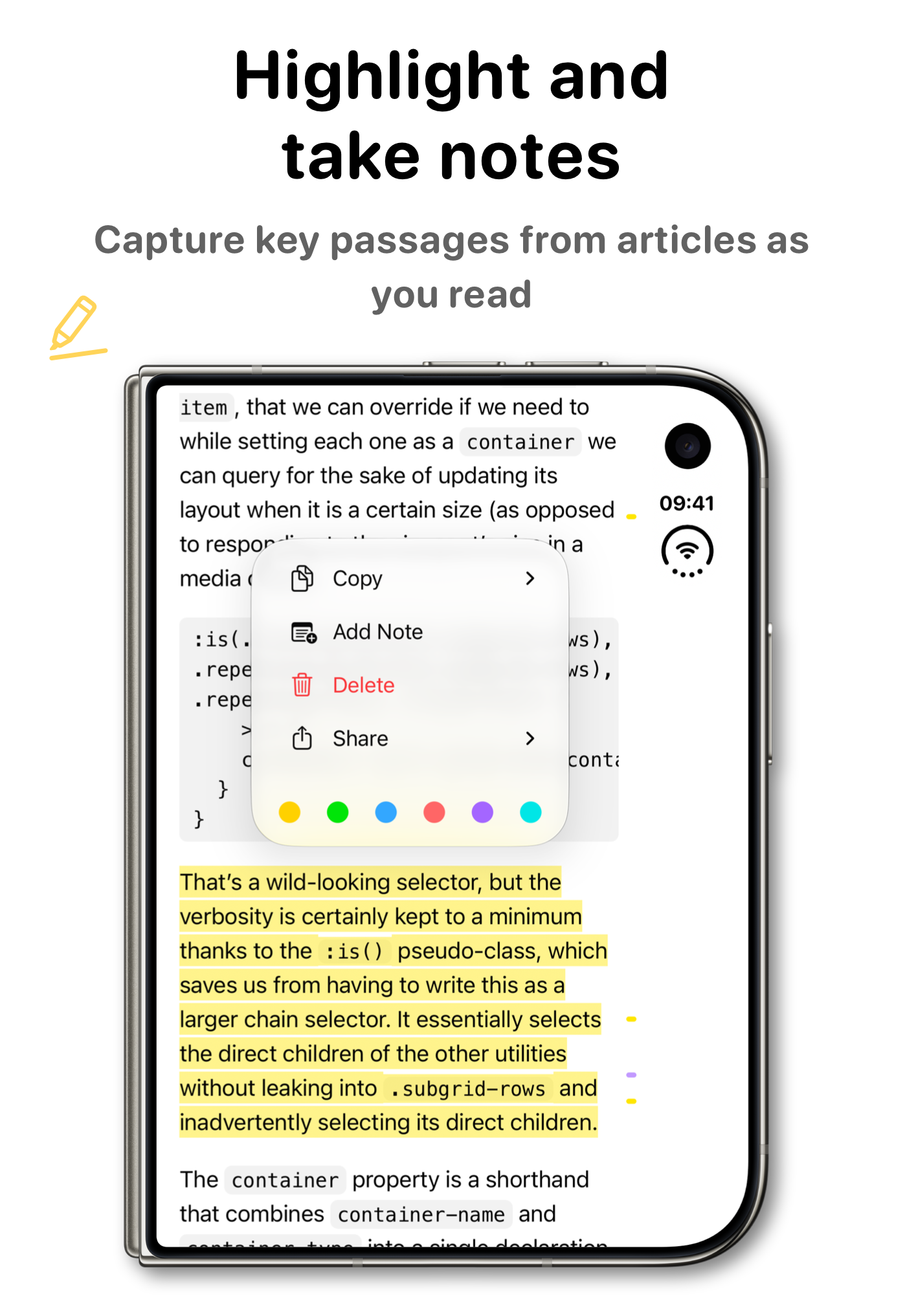
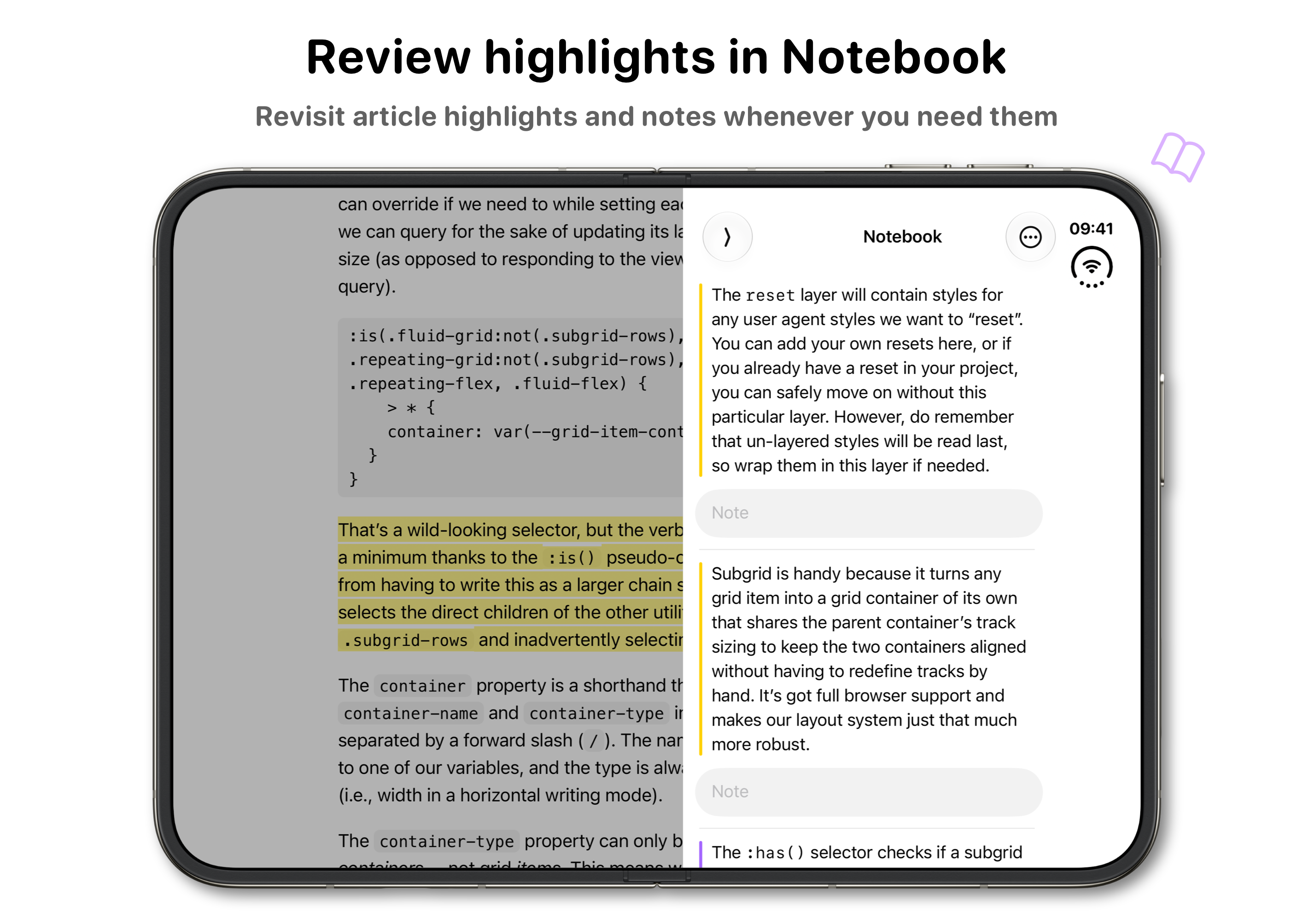
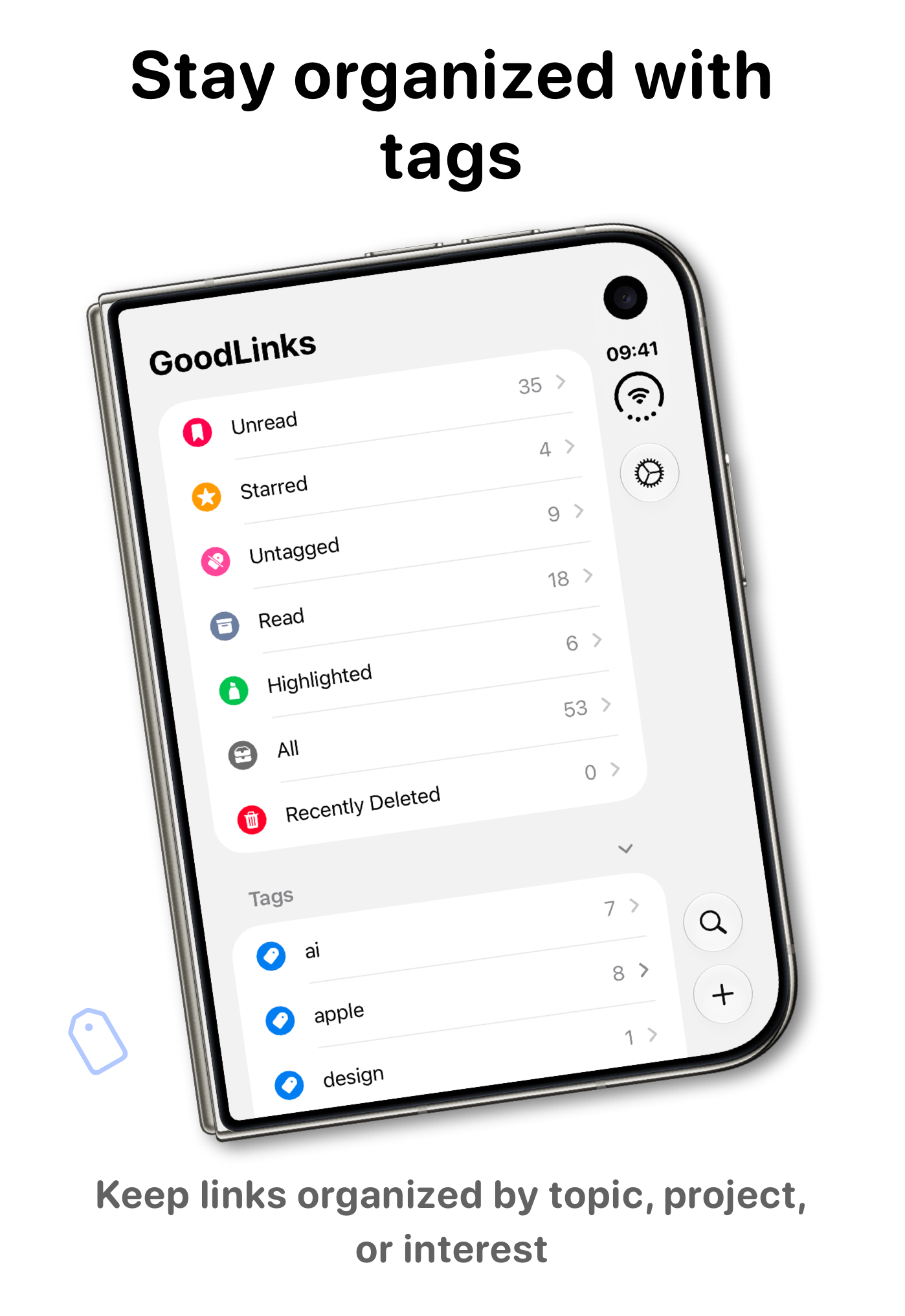
GoodLinks is a useful reading companion for Duo: save articles for offline reading, organize them with tags, and keep highlights and notes together. Its official Duo images show the article list beside the reader on the inner display, with compact reading and highlighting on the outer screen, as shown in the GoodLinks press kit.
GoodLinks 4.1, released on October 12, 2026, added iPhone Duo support. The gallery uses the developer's own Duo press images.
GoodLinks screenshots
1 of 5: Duo: Reading
3. Why try Tasks for a board that follows the fold?
Tasks makes the fold useful when you move between a board and an individual task. Its official Duo images show one column on the cover, several columns when open, and task cards placed within one half of a partly folded screen. You can inspect a task without losing the board behind it, as the Tasks press kit shows.
The developer's Tasks 5.2 release story, published October 13, 2026, describes keeping the selected column and any half-typed task as the phone folds. The gallery uses five official Duo press compositions.
Tasks: iPhone Duo gallery
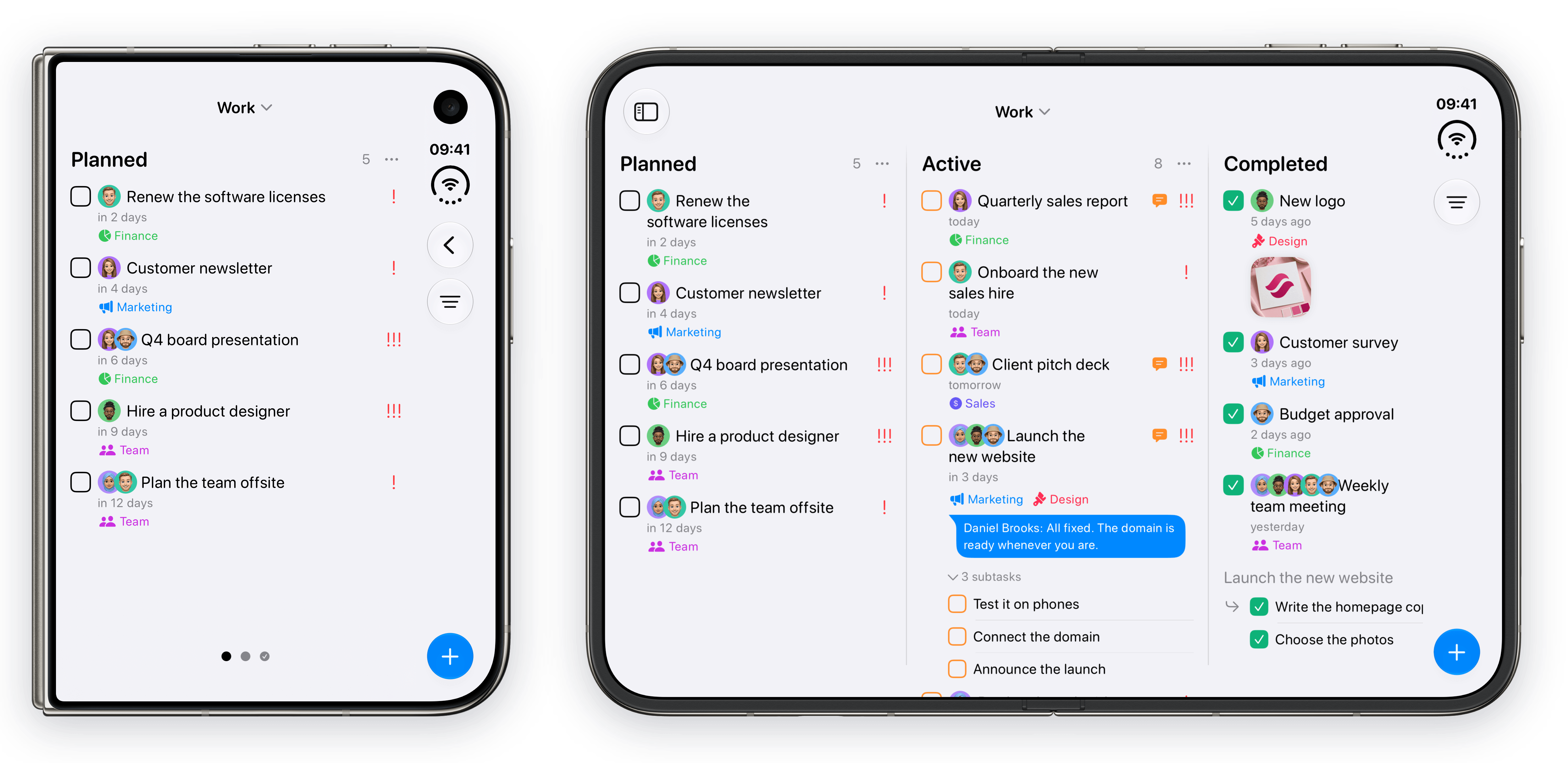
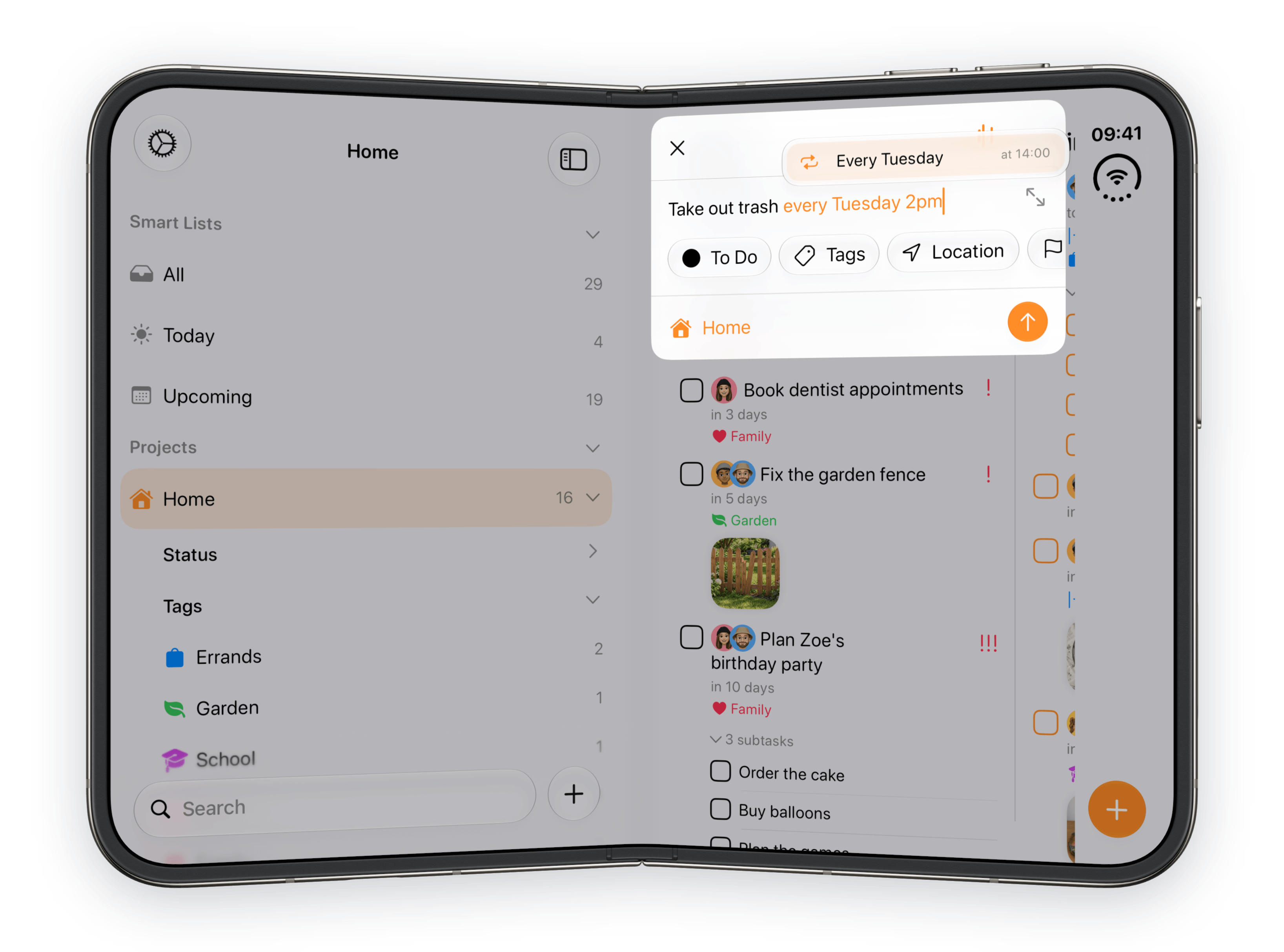
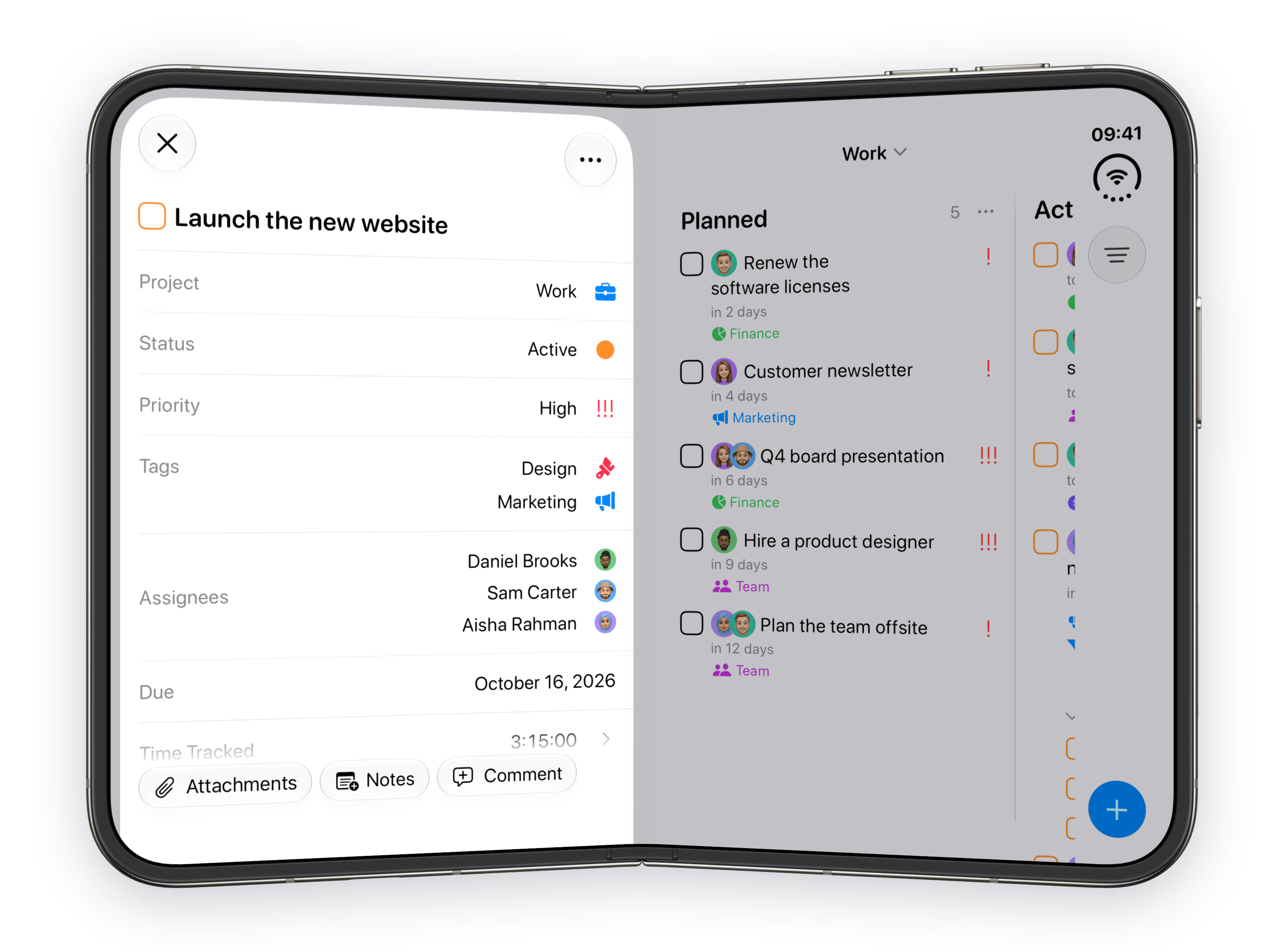
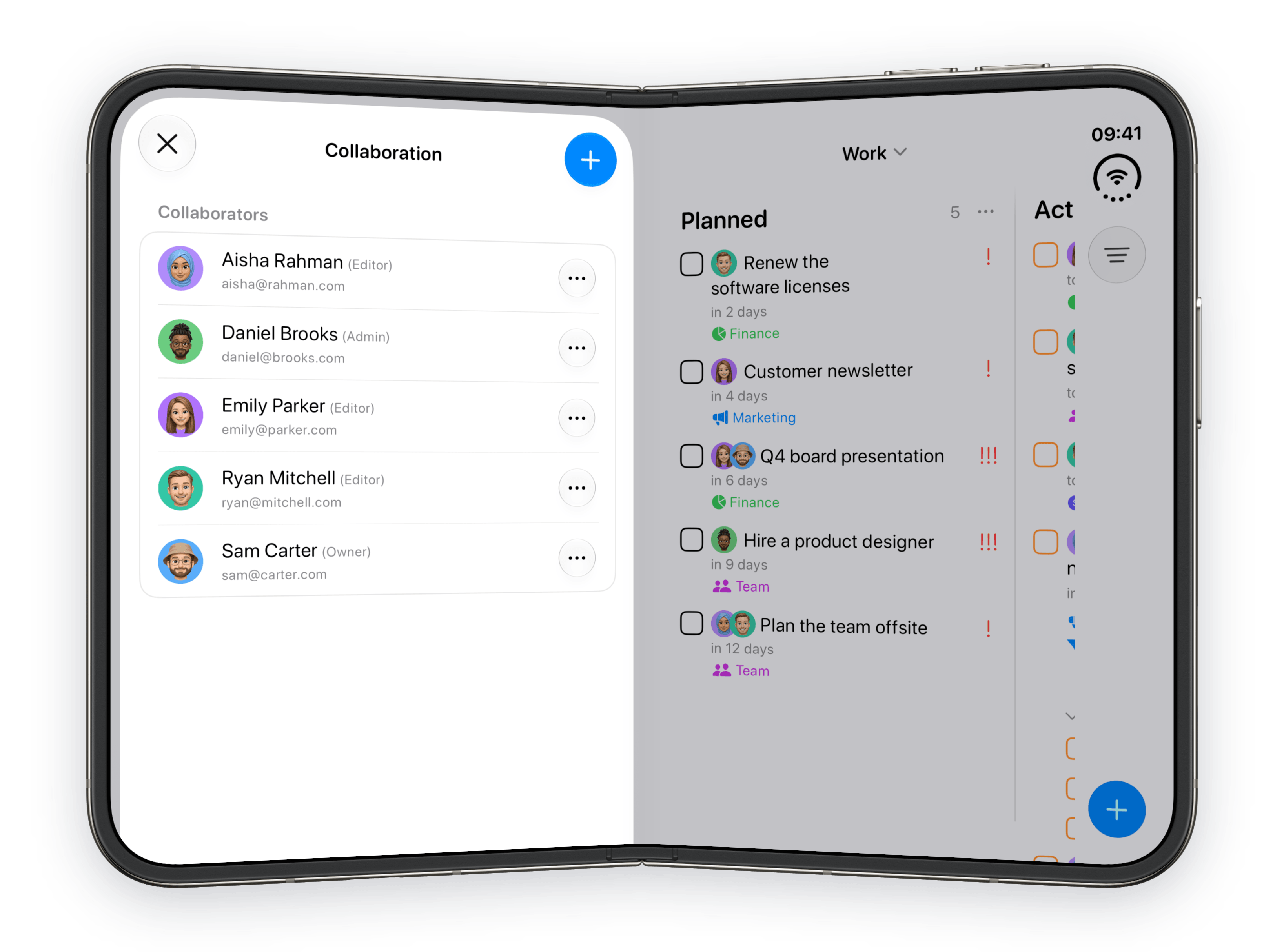
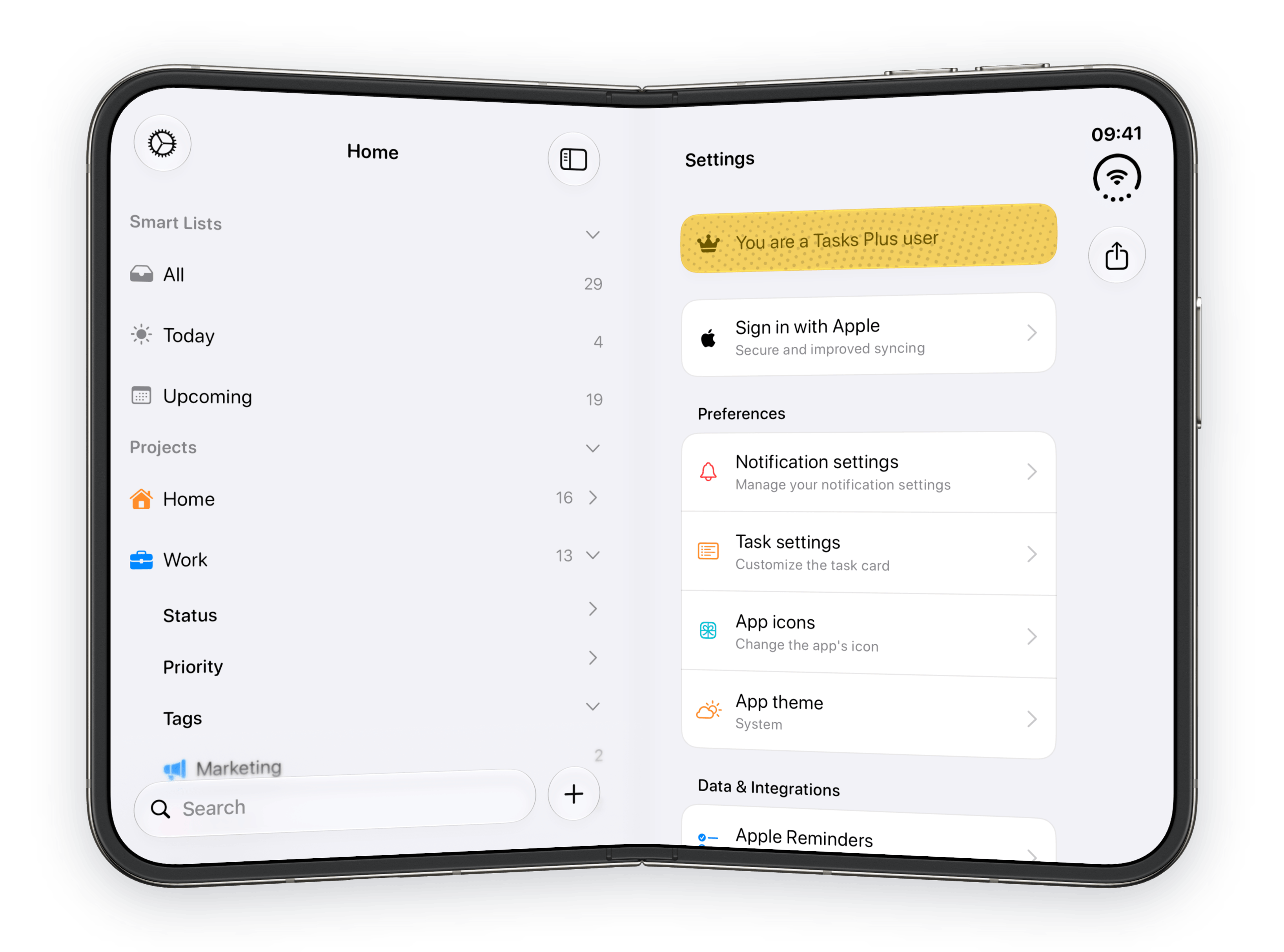
1 of 5: Duo: Folded open
4. Why try SuperPlanner for planning with more context?
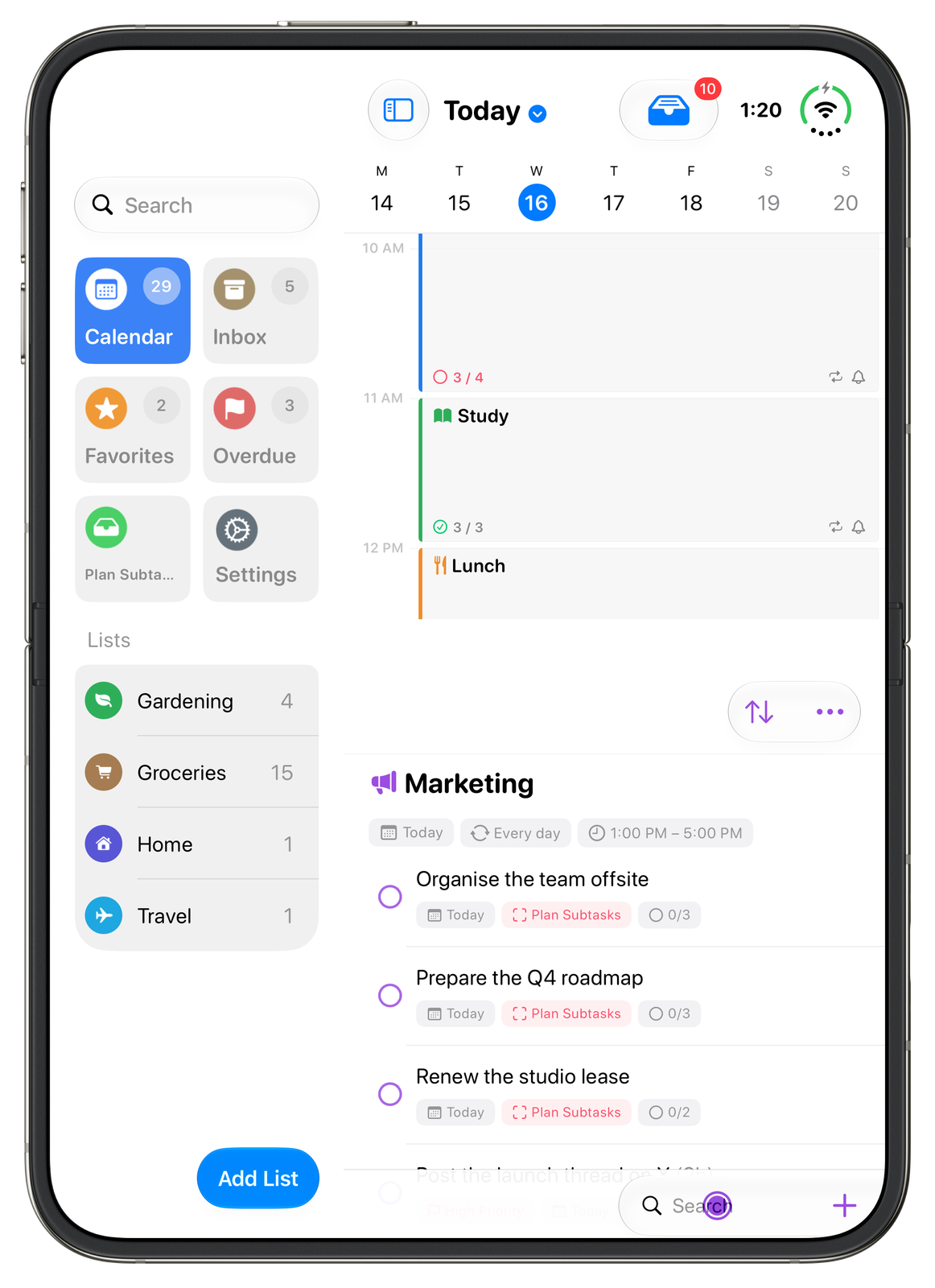
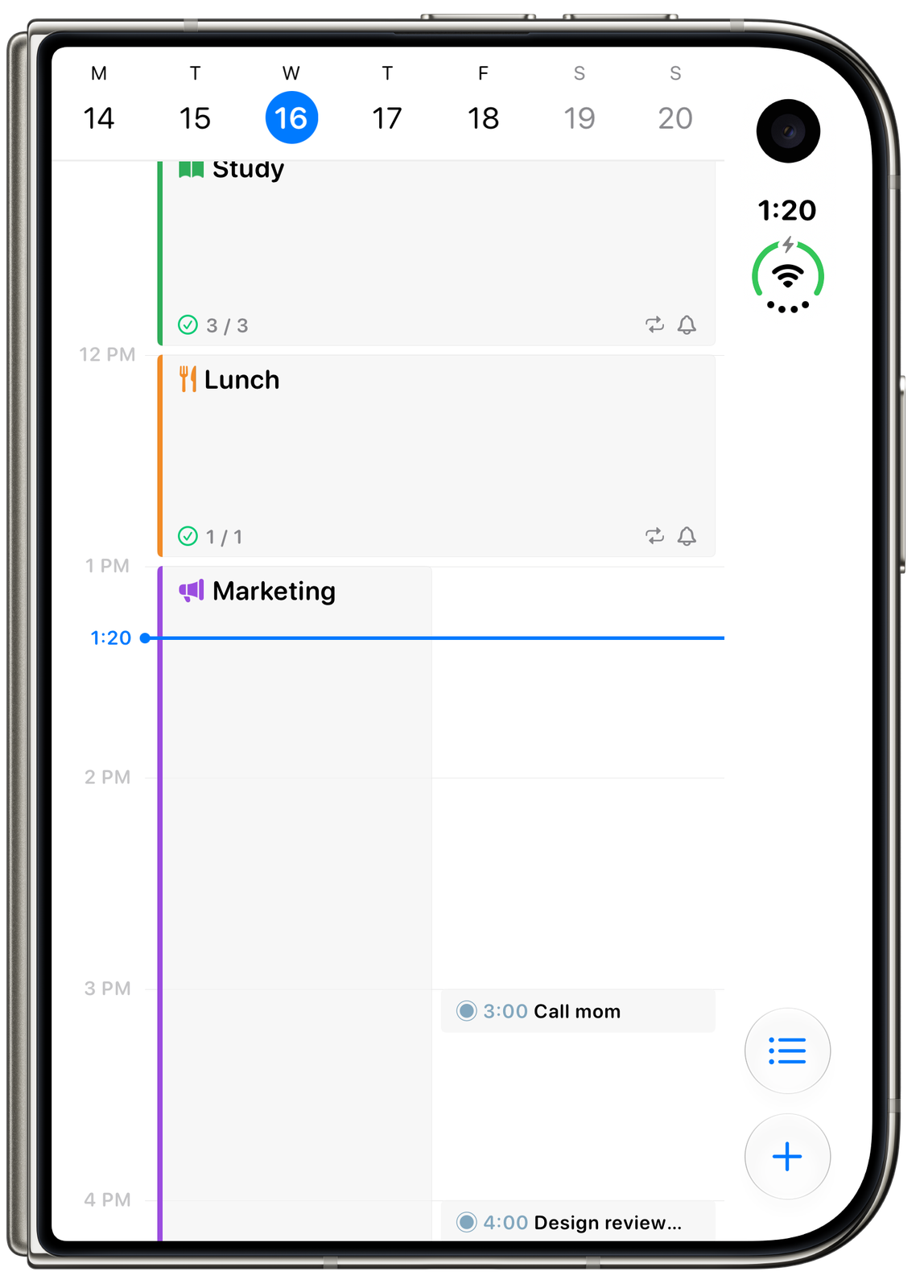
SuperPlanner puts the schedule and the work inside it together. Open Duo in landscape to see the day beside its summary, or partly fold it to bring an activity's tasks beside or below the timeline. Sectioned lists use two columns, while the outer display keeps the day's schedule within reach, according to the SuperPlanner press kit.
These five developer images show the actual Duo layouts for a daily summary, a list, book and tabletop arrangements, and the outer display. Duo support requires iOS 27.1 or later.
SuperPlanner: iPhone Duo gallery
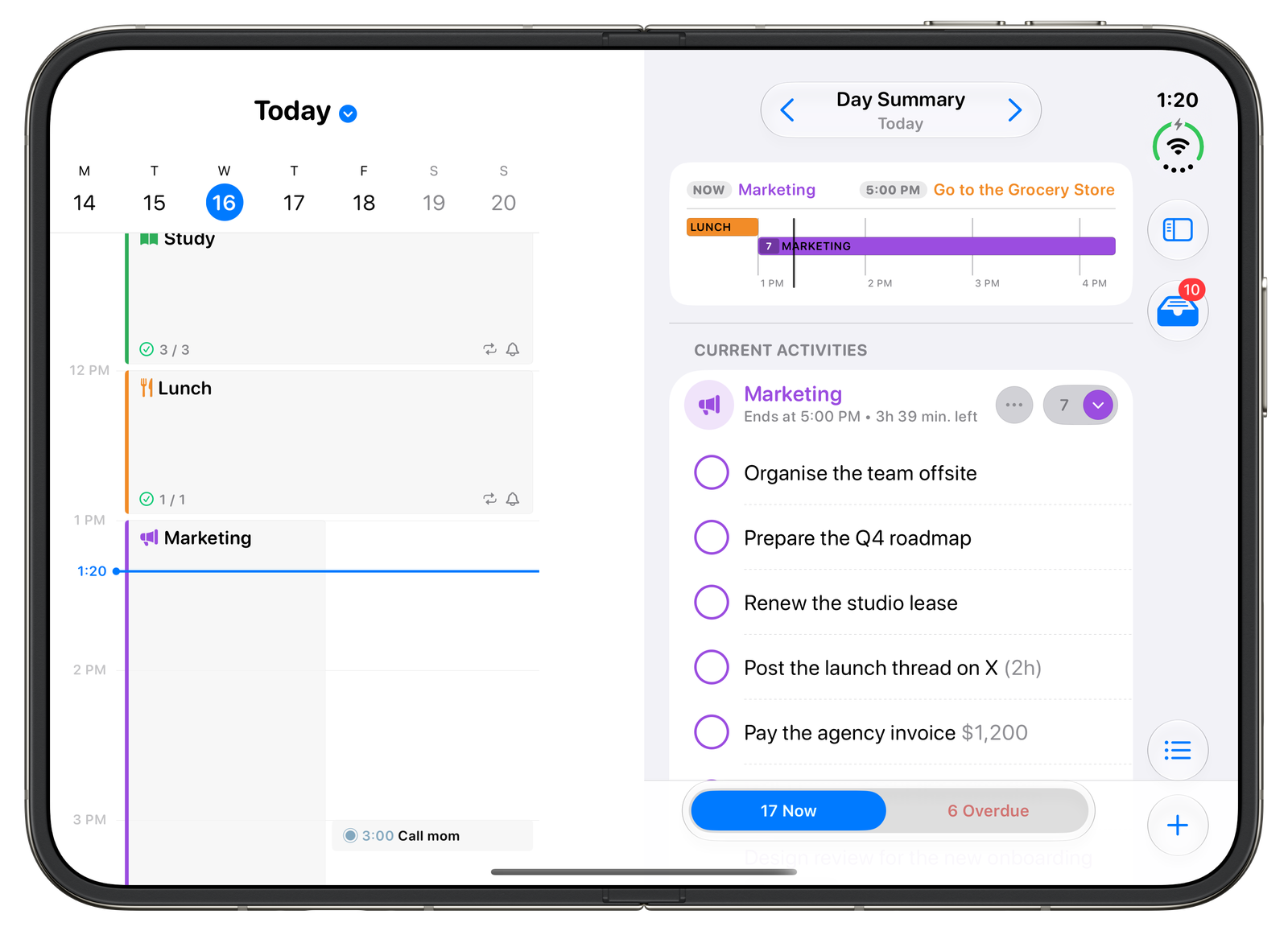
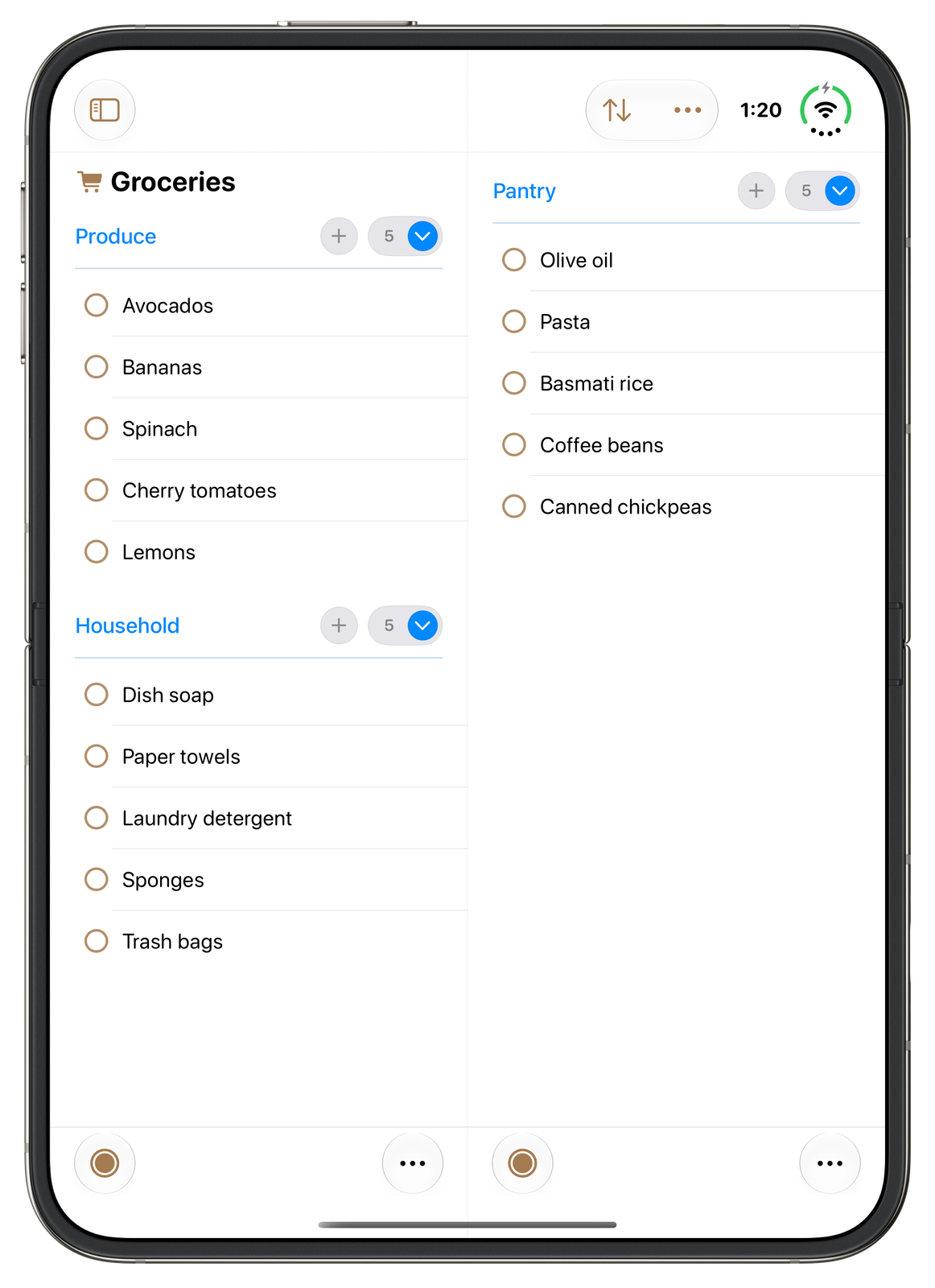
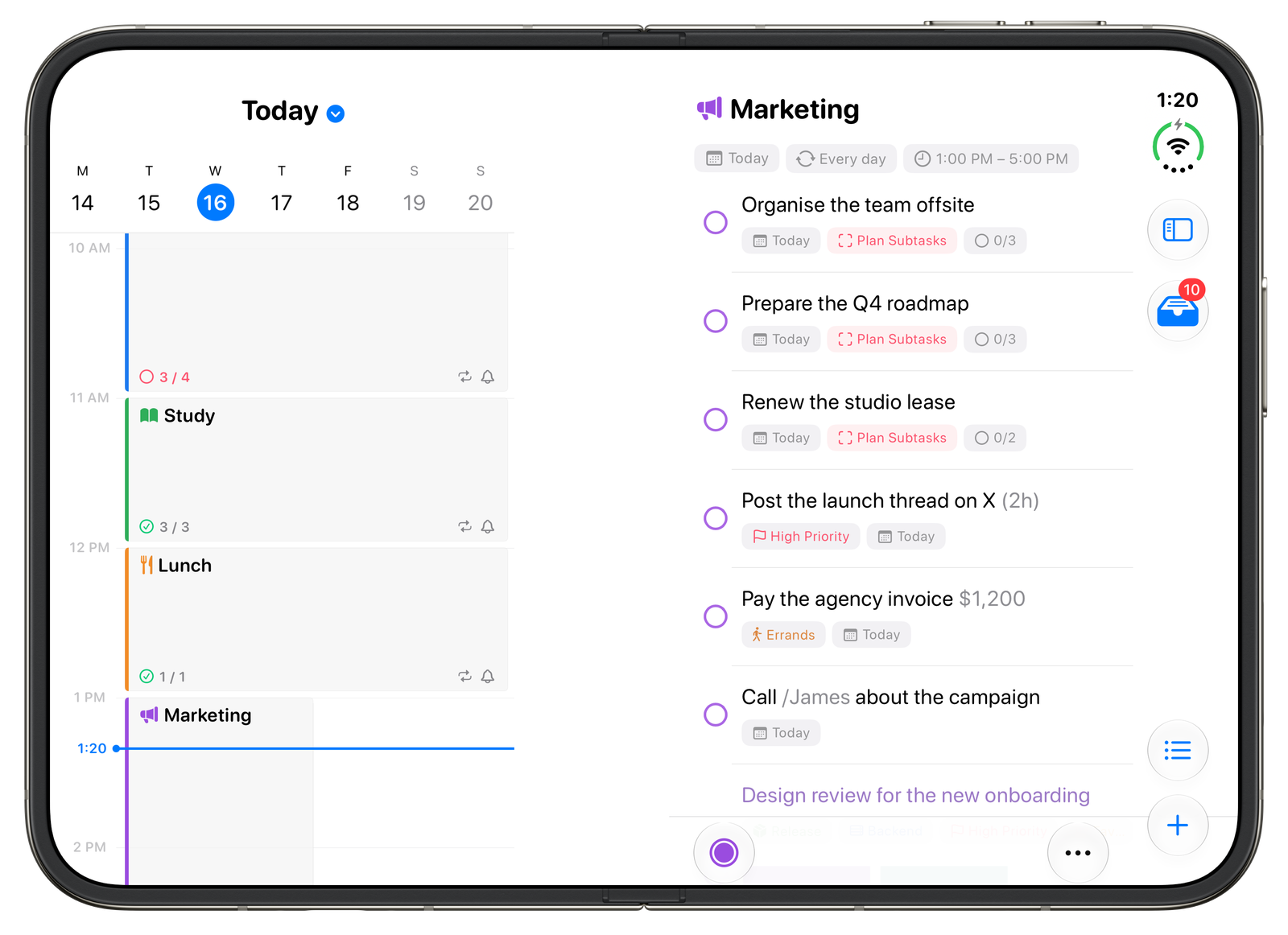
1 of 5: Duo: Day summary
5. Why try Finalist for planning in different poses?
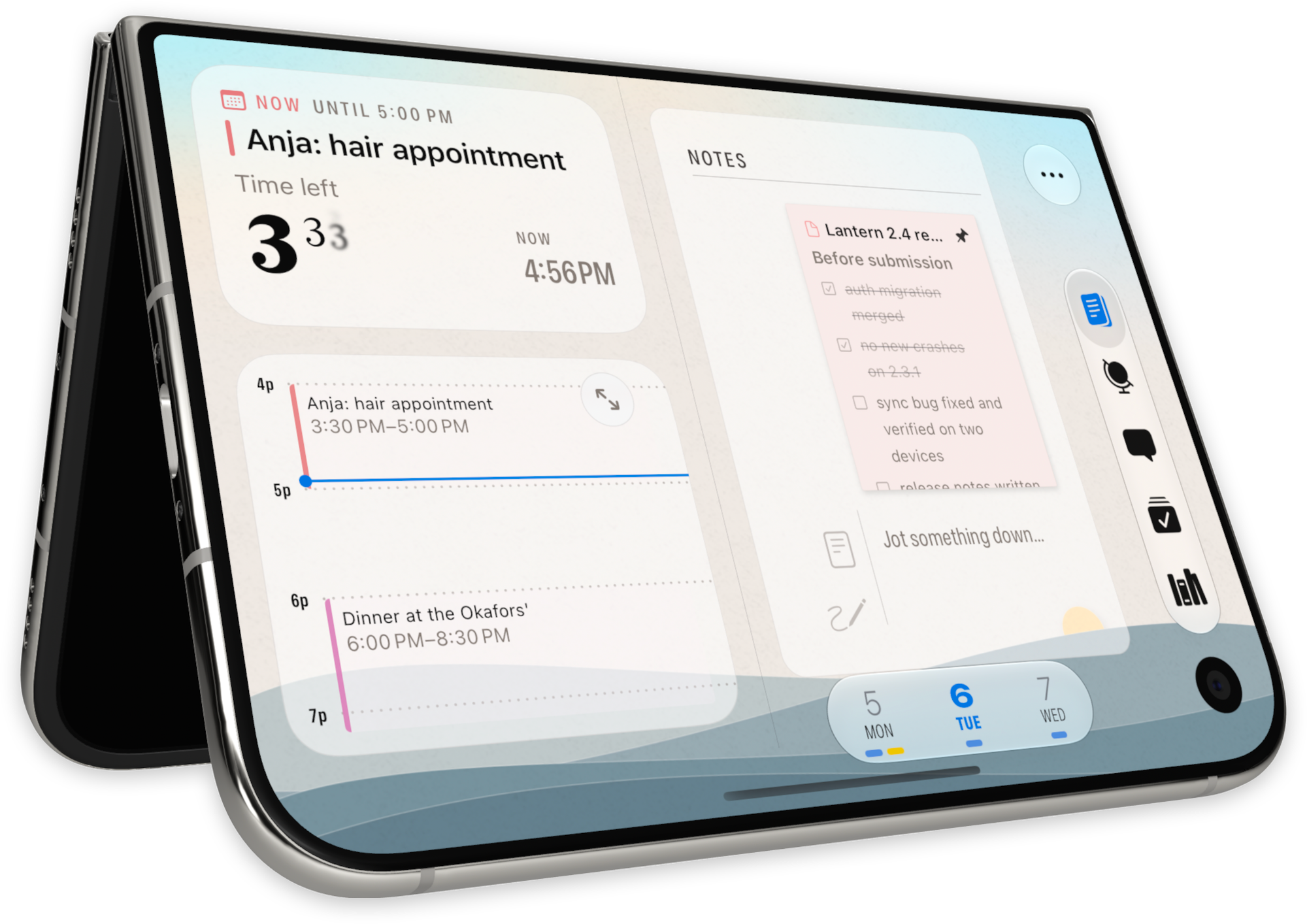
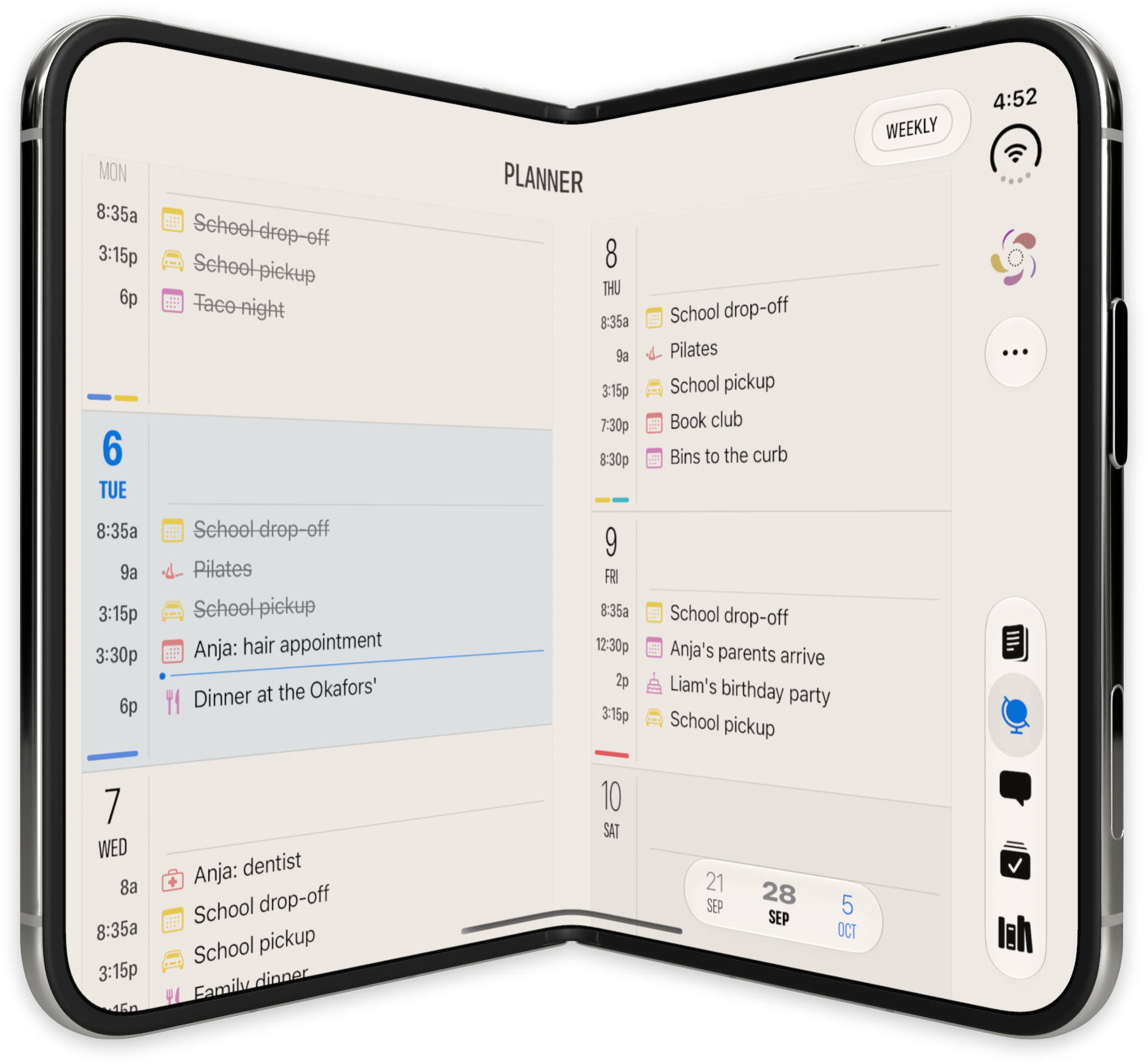
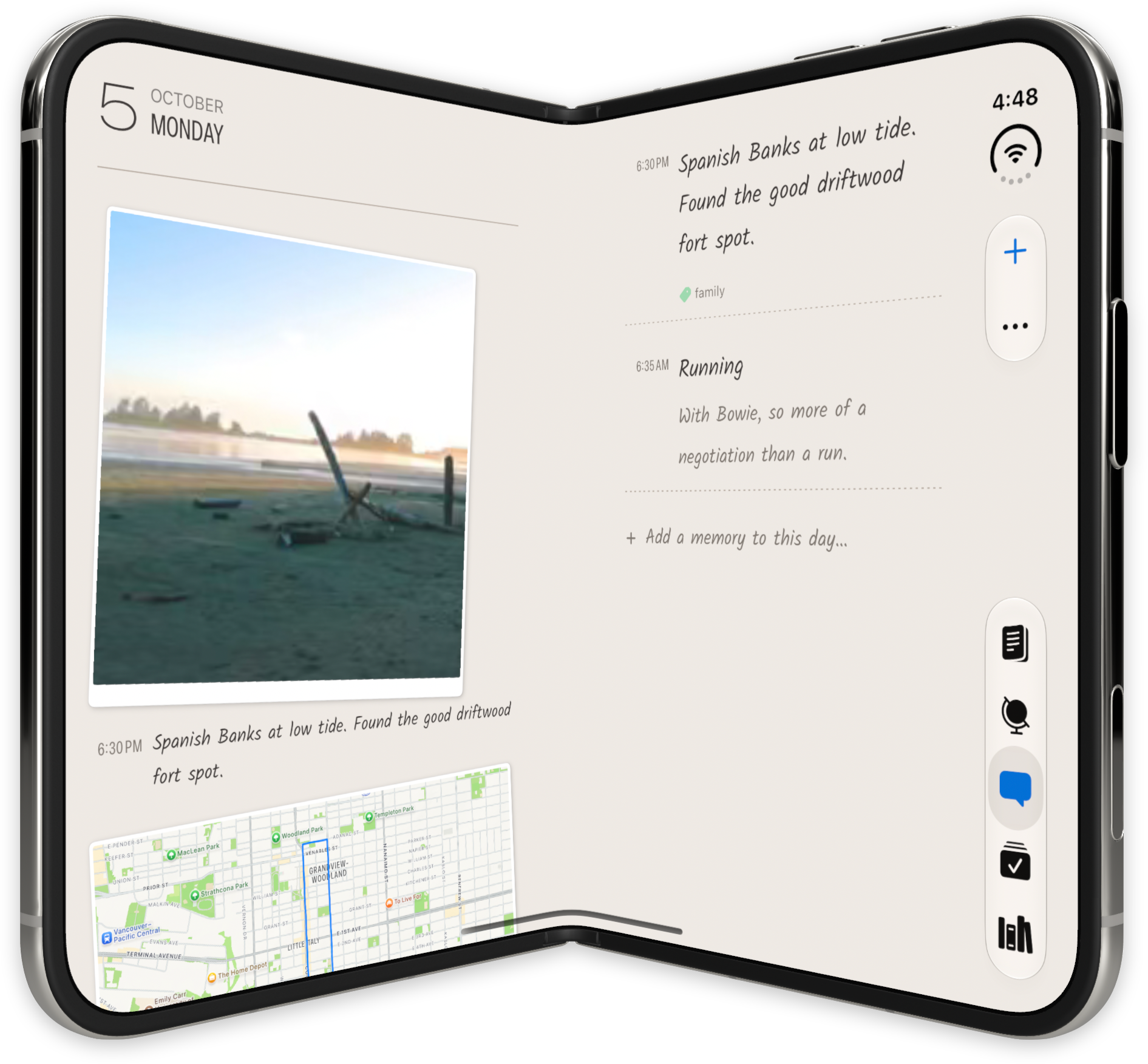
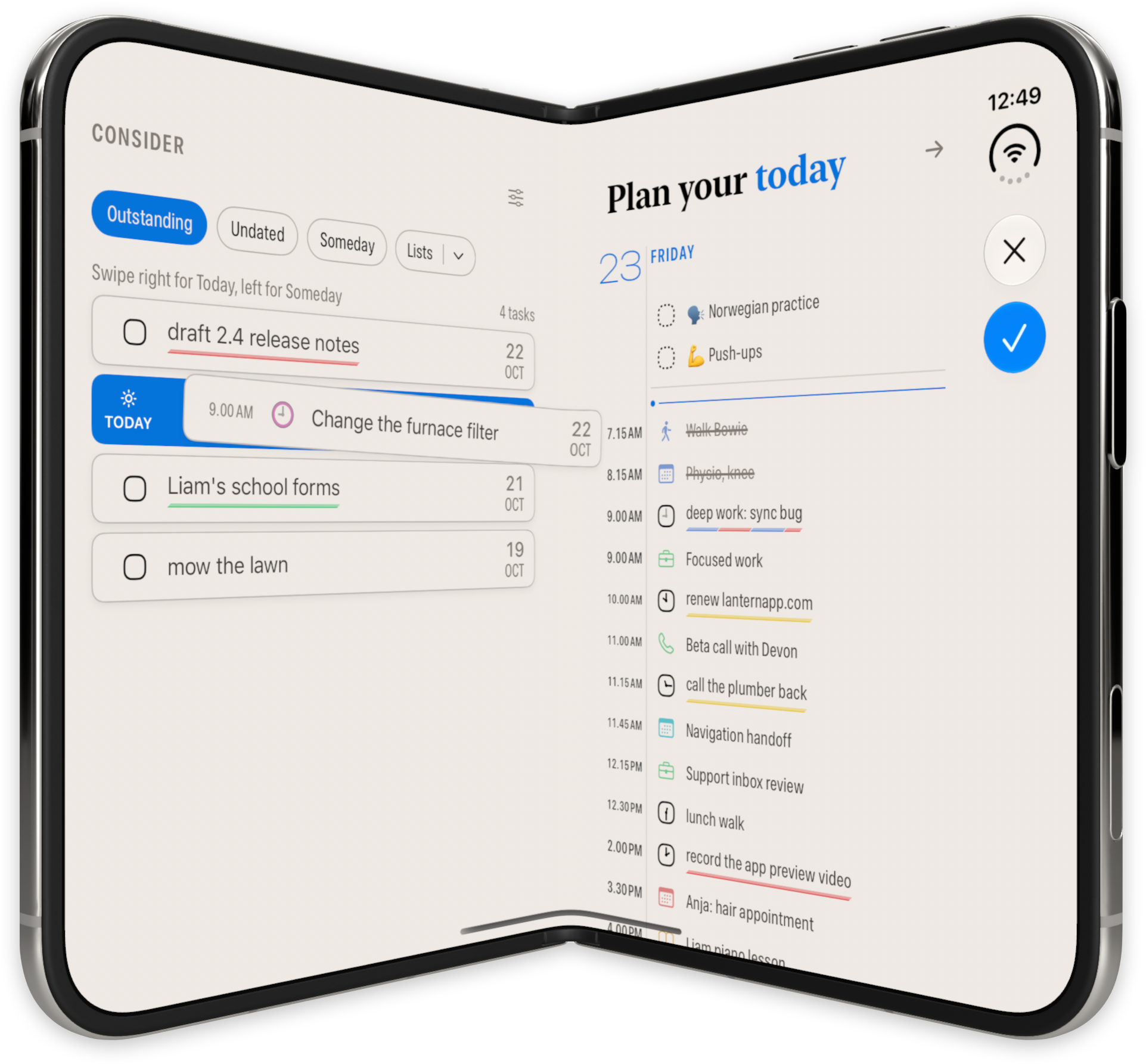
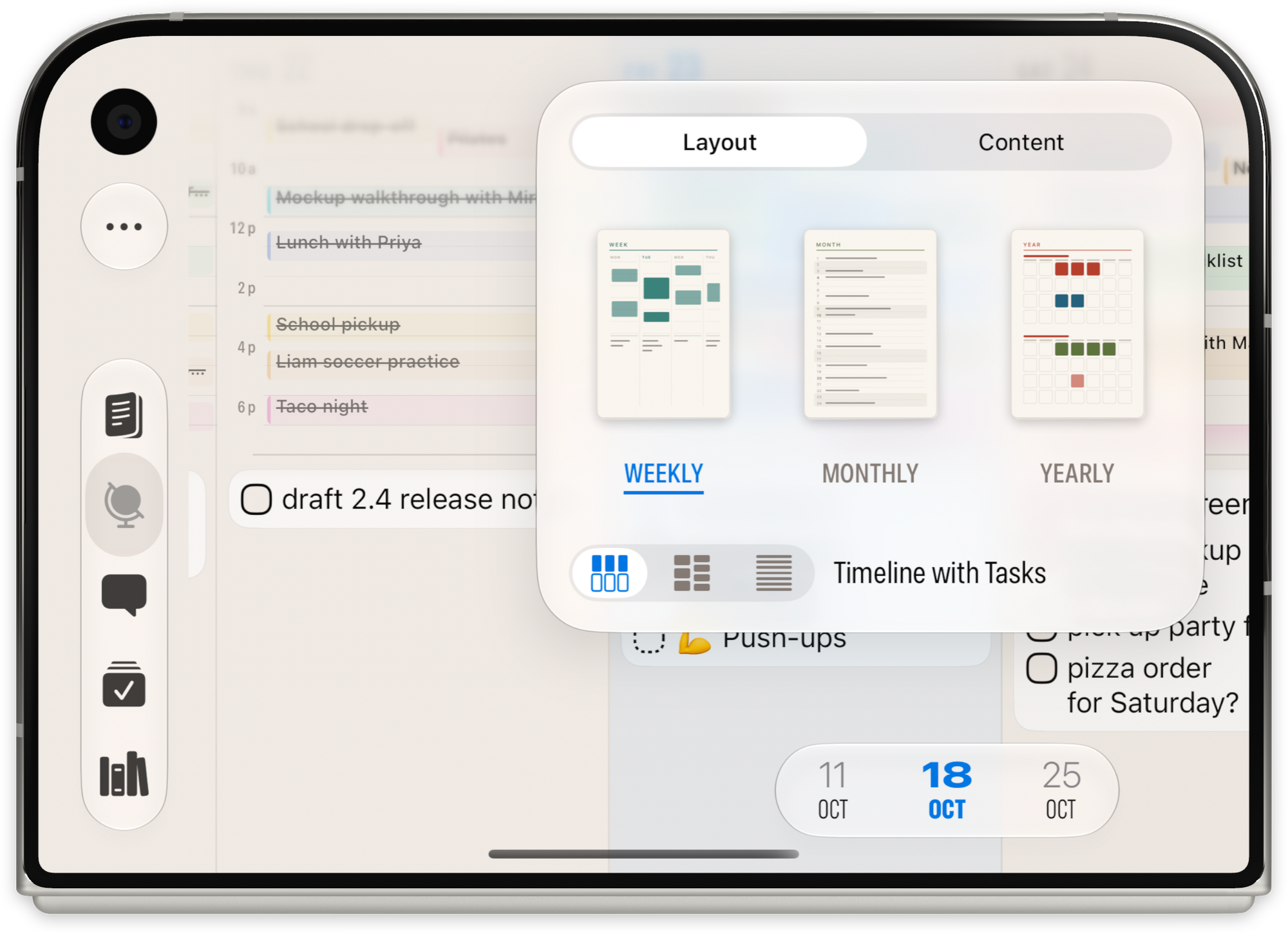
Finalist makes the way you position Duo part of planning your day. Its developer shows the agenda and timeline together in the book pose, a Desk Clock when propped open, and a wider planner when unfolded. Daily remembers a layout for each screen setup, so your preferred arrangement can return. The developer describes these poses in its Duo walkthrough and the Finalist 4.2 release notes, published October 13, 2026.
These are the developer's own Duo images, showing different screens and poses. They give a more specific picture of the design than a general claim that an app supports a larger screen.
Finalist: five Duo views
1 of 5: Duo: Daily view
6. Why try Mercury Weather for comparing places?
Mercury Weather makes the larger display useful when you care about more than one location. Its Duo release notes describe locations alongside the forecast when open, with the familiar phone layout when closed. You can also open two Mercury windows together to compare the weather in two places, according to Mercury's App Store release notes.
These five official press images show compact and expanded forecasts, light and dark appearances, and Home Screen widgets; the final one is the developer's announcement artwork. Images come from Mercury's press kit.
Mercury Weather: official iPhone Duo press artwork
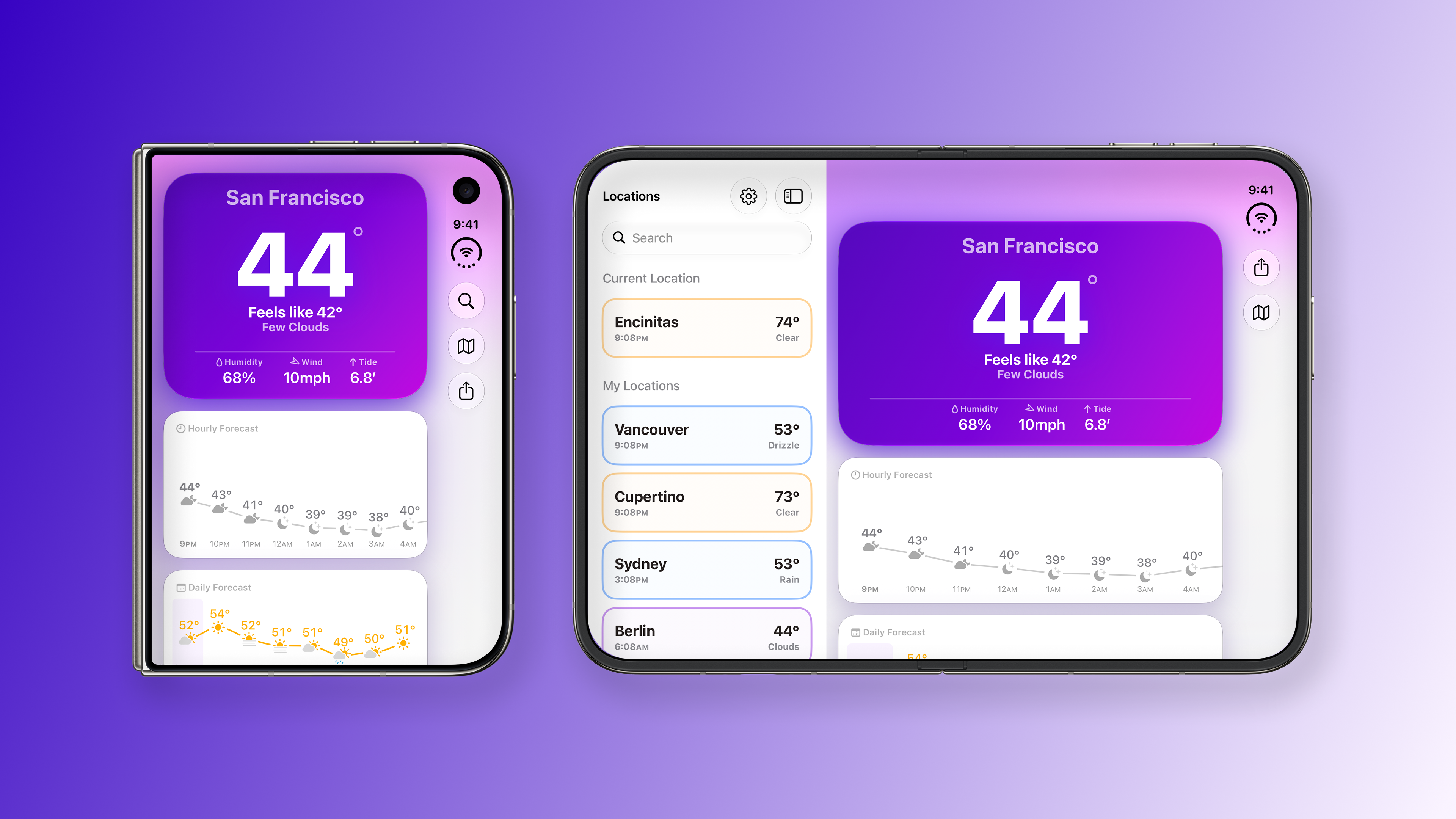
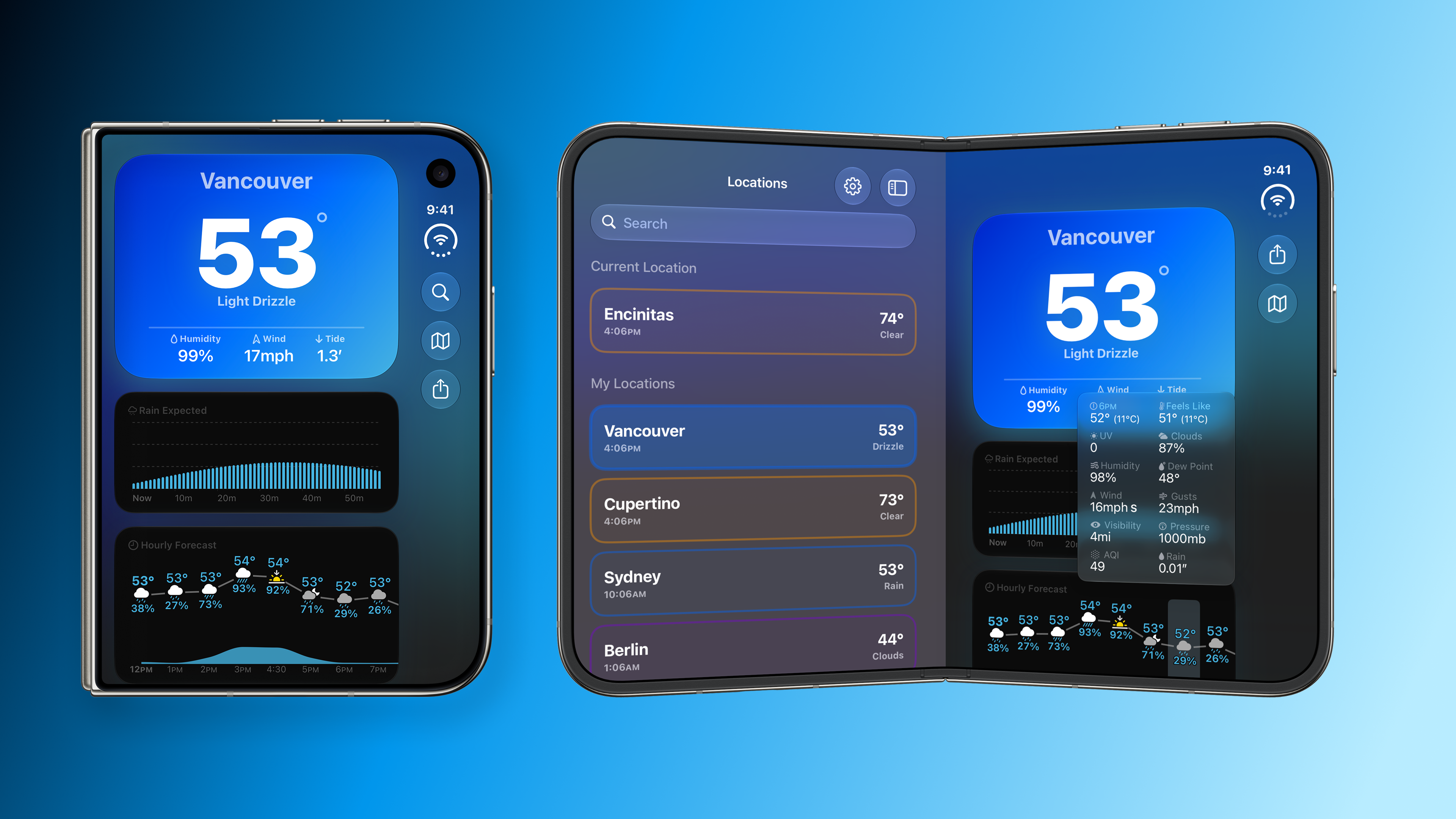
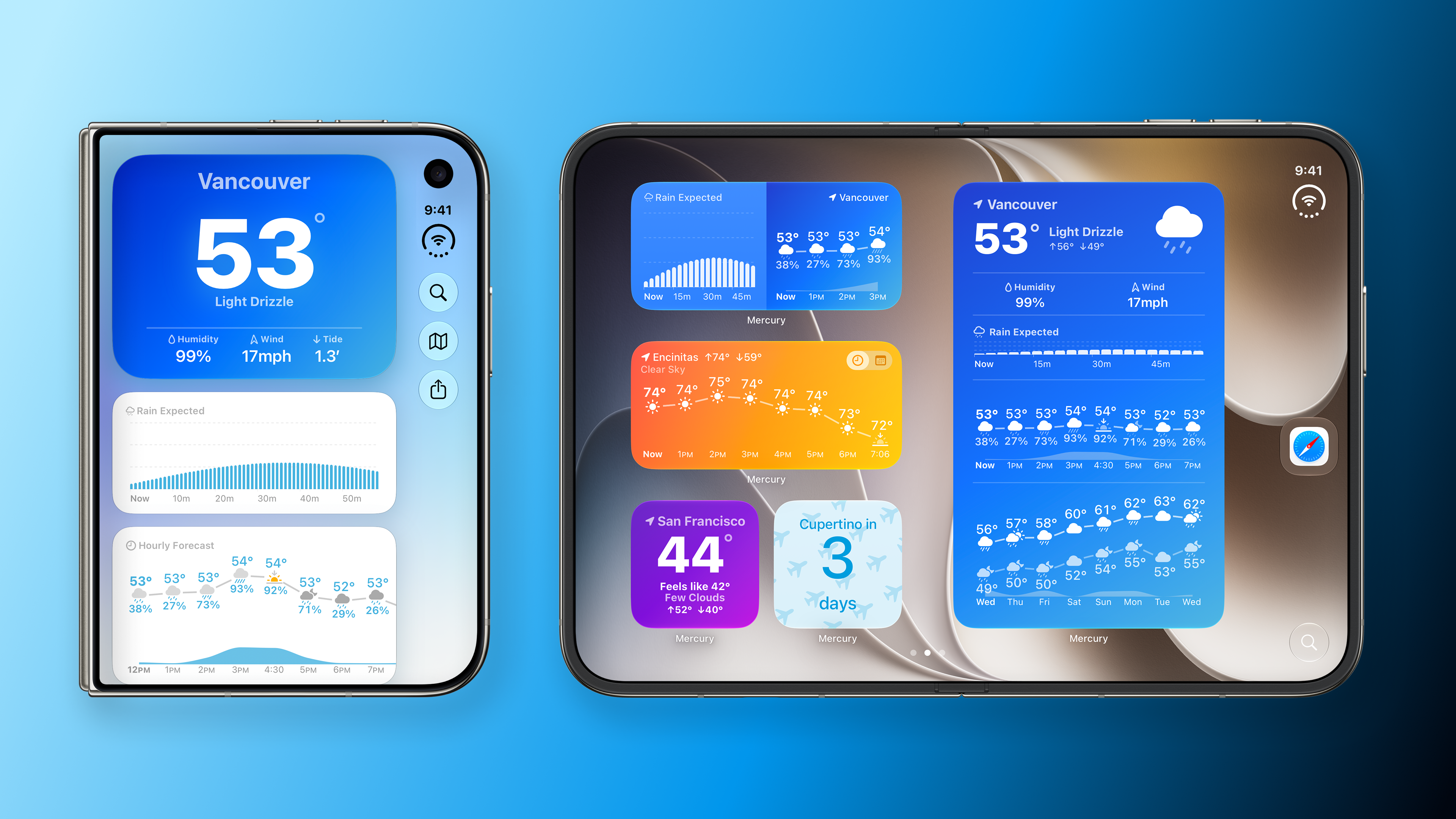
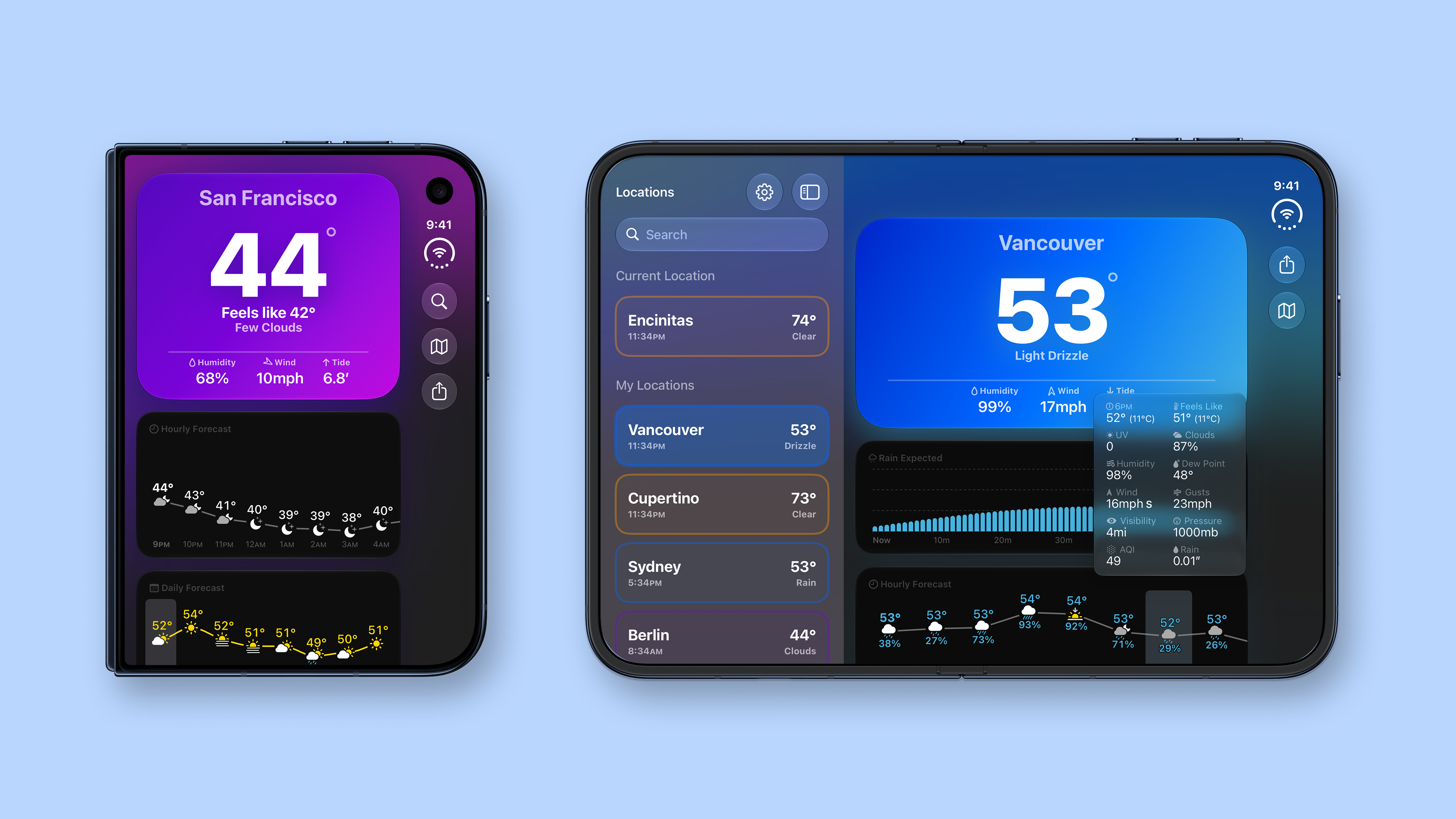
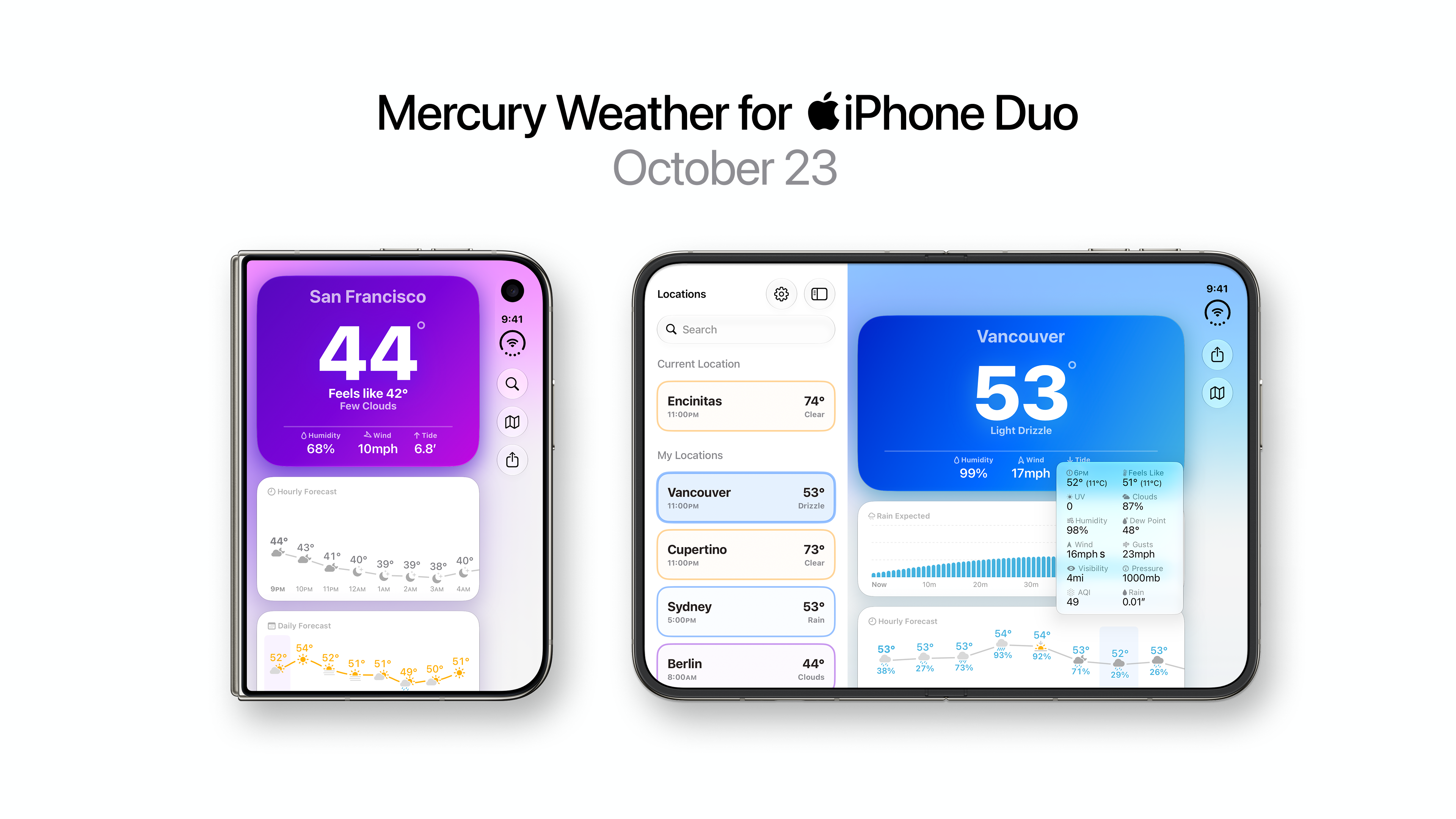
1 of 5: Duo: Locations and forecast
Which app should you try first?
Start with a task you already do. PageCrawl keeps a website change beside its context, GoodLinks brings a reading list alongside an article, and Tasks opens a whole project board. SuperPlanner and Finalist offer different ways to plan a day. Mercury Weather brings forecasts together.
For PageCrawl, open Timeline, choose a change and compare the compact and expanded views. Notice how the selected row, summary and actual differences stay connected. Those small design decisions are what make a larger screen useful during a real review.
The other apps are described from linked developer documentation and official Duo images. We have not tested their Duo experiences hands-on. Check each app's current listing and release notes for feature availability in your region.