It's 6:14am on a Tuesday in January. Eight inches of snow fell overnight, and you are standing in the kitchen in your coat, car keys already in hand, trying to decide whether to wake the kids for the bus or let them sleep. The district's robocall has not come yet. The school's Facebook page still shows yesterday's post about the spring fundraiser. The local TV station's crawl lists forty other districts but not yours. You refresh the district homepage one more time, and there it is: a thin red banner that went live at 5:51am reading "All schools closed today due to weather." That banner had been sitting on the public website for twenty-three minutes while you stood there guessing, and the automated phone call would not reach you for another nine.
This is the quiet frustration of every winter morning for parents, bus drivers, crossing guards, cafeteria staff, and substitute teachers. The information almost always exists on the district website before any push notification reaches you. The homepage banner, the dedicated "school status" page, and the announcements feed get updated by a communications staffer the moment the superintendent makes the call. The robocall, the text blast, and the social posts all trail behind, because they depend on third-party systems, queues, and a human remembering to hit send on three different platforms.
If you would rather find out as soon as the website says "closed," "2-hour delay," or "early dismissal," you can monitor those pages yourself and get an alert on the first check that sees the words change. This guide covers what to watch on a district website, which words to track, how to avoid false alarms, and how to set it up with PageCrawl so the answer lands in your family group chat first.
Why are school district notifications so slow and easy to miss?
District notification systems are slow because they are a relay race, not a broadcast. A staffer first updates the website, then logs into a separate mass-notification platform to queue robocalls and texts, then posts to social media. Each hop adds minutes, and any single missed channel means you never hear it. The website is almost always updated first.
The robocall and SMS systems most districts use are batch tools. When a superintendent decides to close at 5:40am, the staffer types the message on the website, then re-enters it into the alert platform, which fans out tens of thousands of calls in a queue. Calls get screened as spam, voicemail boxes fill, and one wrong digit in the district database can drop you off the list for a whole year.
Social media is worse for time-sensitive news. Algorithmic feeds do not show every post to every follower, so a closure can sit unseen below three days of lunch-menu photos. The website is the single source of truth that updates first, because the district treats its homepage as the official public record, exactly like the agency and municipal pages covered by government and public records monitoring. Watching that page directly, the way you would monitor any website for changes, sidesteps every weak link in the relay.
What should you monitor on a school district website?
Watch four specific page types: the district homepage (where an emergency banner appears), the dedicated "school status" or "weather closings" page, the news and announcements feed, and the official calendar page. Closures and delays show up on at least one of these first, usually the homepage banner, often minutes before any phone or text alert goes out.
The homepage emergency banner
Most districts reserve a strip across the top of their homepage for urgent messages. On a normal day it is empty. On a snow day it reads "School closed" or "2-hour delayed start." Because this banner is the most visible spot on the site, staff update it first, which makes monitoring the homepage for new banner text the highest-value single thing you can do.
The dedicated school status page
Many districts maintain a permanent page titled "School Status," "Emergency Closings," or "Inclement Weather." It is purpose-built to flip between "Schools are open and on a normal schedule" and a closure or delay message. Because the only reason this page ever changes is an actual status change, it produces very few false alarms, which makes it an ideal target.
The news and announcements feed
The announcements section often carries the full detail: which schools are affected, whether after-school activities and athletics are cancelled, and whether the closure extends to the district office and daycare. If you have children at multiple buildings, drive a route, or staff an after-school program, this page tells you what the one-line banner leaves out.
The calendar page
Snow days ripple into the calendar. Make-up days get added, early-release days move, and conference schedules shift, which is exactly what event schedule monitoring is designed to surface. Watching the official calendar page catches the slower-moving changes that follow a weather event, which matters if you are arranging childcare or coordinating a carpool weeks ahead.
Which keywords signal a closure, delay, or early dismissal?
Track a short, specific set of words: "closed," "closing," "cancelled," "canceled," "delay," "delayed," "2-hour delay," "two hour delay," "early dismissal," "early release," and "remote learning." When any of these appear on a page that did not contain them before, you have a status change worth a fast alert. Keyword tracking turns a wall of text into a yes-or-no trigger.
The power of keyword tracking is that it ignores the parts of the page you do not care about and fires only when a meaningful word shows up. You do not want an alert every time the district swaps a hero photo or updates the lunch menu. You want one alert on the first check that finds "closed" or "delay" on the homepage. Setting up keyword and threshold-based conditional alerts lets you say, in effect, "only notify me when these words appear," which is exactly the rule a winter morning calls for.
Watch for delay variations
Districts are inconsistent in how they phrase a delayed start. The same two-hour delay might be written "2-Hour Delay," "2 Hr Delay," "Two-Hour Delayed Opening," or "Delayed Start at 10:00 AM." Tracking the broad root word "delay" catches more cases than matching one exact phrase. Add "early dismissal" and "early release" as separate triggers so an afternoon change does not slip past a morning-only rule.
Distinguish closed from cancelled
"Closed" usually means the whole building is shut. "Cancelled" frequently refers to a specific activity, an evening event, a game, or a club, while regular classes still run. Tracking both words, and reading the surrounding sentence in the alert, keeps you from waking the kids when only the chess club meeting got called off.
How do you avoid false alarms from routine website updates?
Avoid false alarms by tracking specific keywords or a single page element rather than the entire page, and by pointing your monitor at the stable "school status" page whose only purpose is to announce status. Busy district homepages change daily with photos and menu swaps, so a raw full-page monitor cries wolf constantly. Narrow the scope and the noise disappears.
The most common mistake is monitoring an entire busy homepage for any change at all. That page gets touched dozens of times a week for reasons unrelated to weather, and every edit would ping your phone. The fix is to be selective. PageCrawl lets you track just the keywords that matter or just the banner element, so a new staff photo never triggers an alert. Learning to reduce false positives in website monitoring is the difference between an alert you trust at 5:51am and one you ignore, and the complete guide to reducing false positives walks through each filter one by one.
A second guard is the dedicated status page. Because a page titled "Inclement Weather" exists for one reason, almost any change on it is real news. Pair a tightly scoped keyword monitor on the homepage banner with a broader monitor on the status page: the first catches the banner text itself, the second confirms the official detail.
How do you set up school closure alerts with PageCrawl?
You set up school closure alerts in about five minutes: add the district page as a monitor, choose keyword or text tracking, set a winter-appropriate check frequency, pick a channel like Telegram or Slack, and define the trigger words. Screenshots stay on by default, so every alert includes a page snapshot. Here is the step-by-step.

Step 1: Add the district pages as monitors. Paste the district homepage URL into PageCrawl and create a monitor. Repeat for the dedicated "school status" page, the announcements feed, and the calendar page. Each gets its own monitor, so you can tune keywords and frequency independently. If your family attends more than one building, add each school's status page too.
Step 2: Choose the right tracking mode. For the homepage and status page, choose keyword or text tracking and enter the words you care about: closed, closing, cancelled, canceled, delay, delayed, early dismissal, early release, remote learning. For the calendar and announcements pages, use fullpage content tracking so any change is detected. Keyword and fullpage are the two modes that matter for school status, though the full list of tracked element types covers cases like watching only the banner element.
Step 3: Set a winter-appropriate check frequency. During snow season, set the homepage and status-page monitors to check as often as your plan allows, every 5 to 15 minutes in the pre-dawn window when closures get announced. The tighter the interval, the smaller the gap between the banner going live and your phone buzzing. Relax the frequency in spring when weather closures are rare.
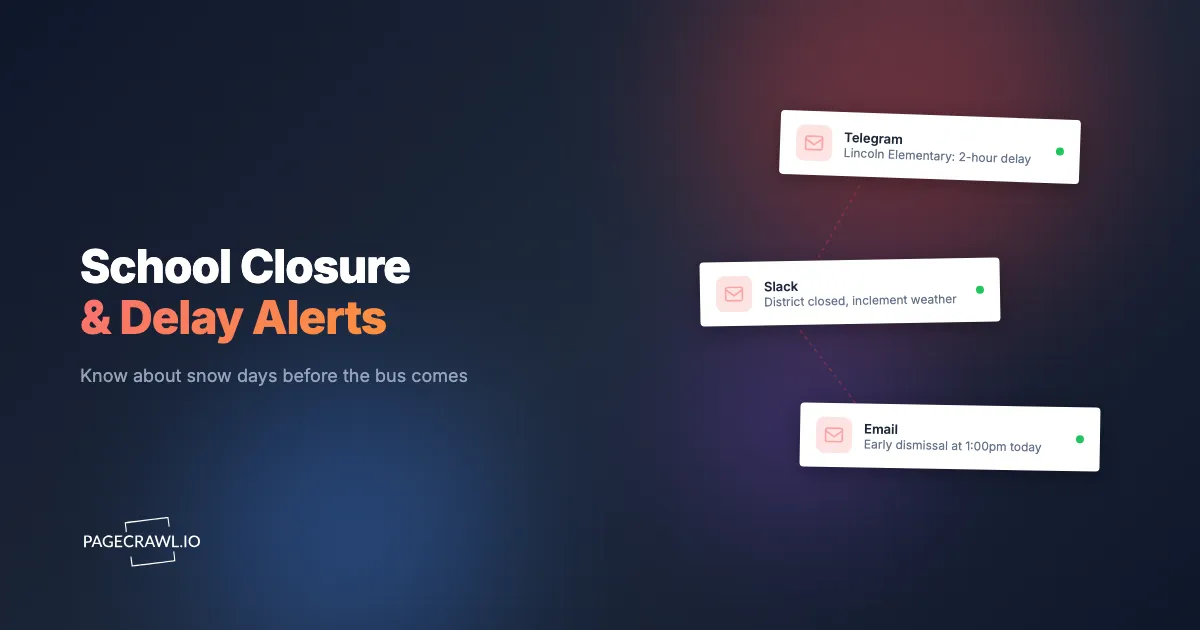
Step 4: Pick your notification channel. Route alerts to wherever your family looks first thing in the morning. PageCrawl can push to Telegram, Discord, Slack, email, and web push. For most families, a Telegram or Slack channel the whole household shares works best, because everyone sees the same alert at once and nobody has to forward a screenshot. To make the alert vibrate your phone on the lock screen without opening an app, turn on web push notifications as well.
Step 5: Confirm screenshots are on. New monitors keep screenshots enabled by default, and you should leave them on. When the alert fires, it arrives with an image of the page as it looked, so you can read the full banner ("2-hour delay, buses run on schedule, breakfast served") at a glance instead of clicking through to verify.
Step 6: Set your trigger thresholds. Configure the monitor to alert only when one of your keywords appears, not on every minor edit. For the homepage banner, set the rule so a new occurrence of "closed," "delay," or "cancelled" fires the notification. For the dedicated status page, a single change is enough, because the page only ever changes for real reasons. Tightening these thresholds keeps the system quiet on ordinary days and loud on the one morning it counts.
Note: Run a quick test the night before the first big storm of the season. Trigger a manual check and confirm the alert lands in your chosen channel. It is far better to discover a misconfigured Telegram bot at 9pm than at 5:51am.
How often should you check school pages during winter?
Check the homepage and status pages every 5 to 15 minutes during the winter morning window, roughly 4:30am to 8:00am on days when the National Weather Service has snow or ice in the overnight forecast. That is when superintendents make and post the call. Outside the season, a 60-minute check is plenty, because off-season closures (power outages, water-main breaks, heat days) are far less common and less time-critical.
The reason to tighten the interval in winter is simple arithmetic. If a closure banner goes live at 5:51am and your monitor checks once an hour on the hour, you might not see it until 6:00am, losing nine minutes when every minute changes whether you wake the kids. A 5-minute interval shrinks that worst-case gap to a few minutes.
Be smart about scope, too. Many parents run their fastest monitors only from December through March and dial them back the rest of the year, which keeps total checks well within plan limits. If you are watching many districts or schools at once, monitoring URLs in bulk lets you manage the whole set from one place and adjust the seasonal frequency across all of them together.
Where should school closure alerts get sent?
Send alerts to the channel your household already watches at 6am, which for most families is a shared messaging group. PageCrawl can deliver to Telegram, Discord, Slack, email, and web push, and you can send the same alert to several at once. The goal is that every adult who needs to make a wake-the-kids decision sees the same message.
A shared family group chat is the natural home for these alerts. When the monitor fires into a Telegram or Discord group that includes both parents and the grandparent who does pickup, nobody has to relay the news. For staff and operations use, a Slack channel dedicated to closure alerts lets bus coordinators, cafeteria managers, and after-school leads all react to the same trigger.
If you want the alert to reach you outside any app, layer on web push notifications so the message hits your lock screen on the next check after the page changes. And if the closure needs to kick off a chain of actions, such as notifying a babysitter or updating a shared calendar, you can connect PageCrawl to an automation workflow with Make.com and let one website change drive the whole morning's logistics.
Can you monitor multiple schools, districts, or bus routes at once?
Yes. Add a separate monitor for each school's status page, each district homepage, or each route's transportation page, and manage them together. Parents with kids in two districts, families coordinating across a neighborhood, and bus operators covering several buildings all run side-by-side monitors so one storm produces one consolidated set of alerts instead of a frantic round of phone calls.
For a single family with children at an elementary, a middle, and a high school in the same district, three monitors cover the case where one building closes while another runs a delay. When you are juggling more than a handful of pages, bulk URL monitoring keeps the whole set organized, and you can adjust frequency or keywords across all of them at once.
Bus operators and route coordinators often want a running record of which buildings closed and when, not just a momentary ping. You can pipe every closure alert into a live dashboard in Google Sheets so the morning's status across every school lands in one timestamped spreadsheet, shareable with drivers, dispatch, and substitute coordinators.
What about early dismissals, calendar changes, and other weather events?
Closures are only half the winter story. Early dismissals announced mid-morning, make-up days added to the calendar, and non-snow events like power outages all change the school day, and the website shows them first. Track "early dismissal" and "early release" as their own keywords, and put a fullpage monitor on the calendar.
Early dismissals are sneaky because they get decided after the school day has already started, often when a forecast deteriorates faster than expected. A monitor that only looks for morning closures will miss a 10:30am decision to send everyone home at noon. Adding "early dismissal" and "early release" as explicit triggers closes that gap and gives you time to rearrange the afternoon before the buses roll.
Calendar changes move slower but matter just as much. When two snow days push the last day of school later, the official calendar is updated quietly, with no robocall at all. A fullpage content monitor on the calendar page catches these silent edits. The same approach works for any non-snow disruption, a boil-water advisory or a heat day, because they flow through the homepage banner and announcements feed you are already watching. Pairing that with the winter-storm guidance on Ready.gov gives you both the forecast and the district's actual decision in one morning routine.
Choosing your PageCrawl plan
PageCrawl's Free plan lets you monitor 6 pages with 220 checks per month, which is enough to validate the approach on your most critical pages. Most teams graduate to a paid plan once they see the value.
| Plan | Price | Pages | Checks / month | Frequency |
|---|---|---|---|---|
| Free | $0 | 6 | 220 | every 60 min |
| Standard | $8/mo or $80/yr | 100 | 15,000 | every 15 min |
| Enterprise | $30/mo or $300/yr | 500 | 100,000 | every 5 min |
| Ultimate | $99/mo or $999/yr | 1,000 | 100,000 | every 2 min |
Annual billing saves two months across every paid tier.
Enterprise and Ultimate scale to hundreds or thousands of monitored pages with multi-team access when you need them.
Getting Started
You do not have to spend another winter morning refreshing a homepage in your coat, guessing whether the bus is coming. Add your district's homepage and status page as monitors, point keyword tracking at "closed," "delay," and "cancelled," set a tight check frequency for the season, and route the alert to your family group chat. The next time snow falls overnight, your phone buzzes on the first check that sees the banner go live, and you make the call with the kids still warm in bed. Set it up tonight, test it once, and let the website tell you first.