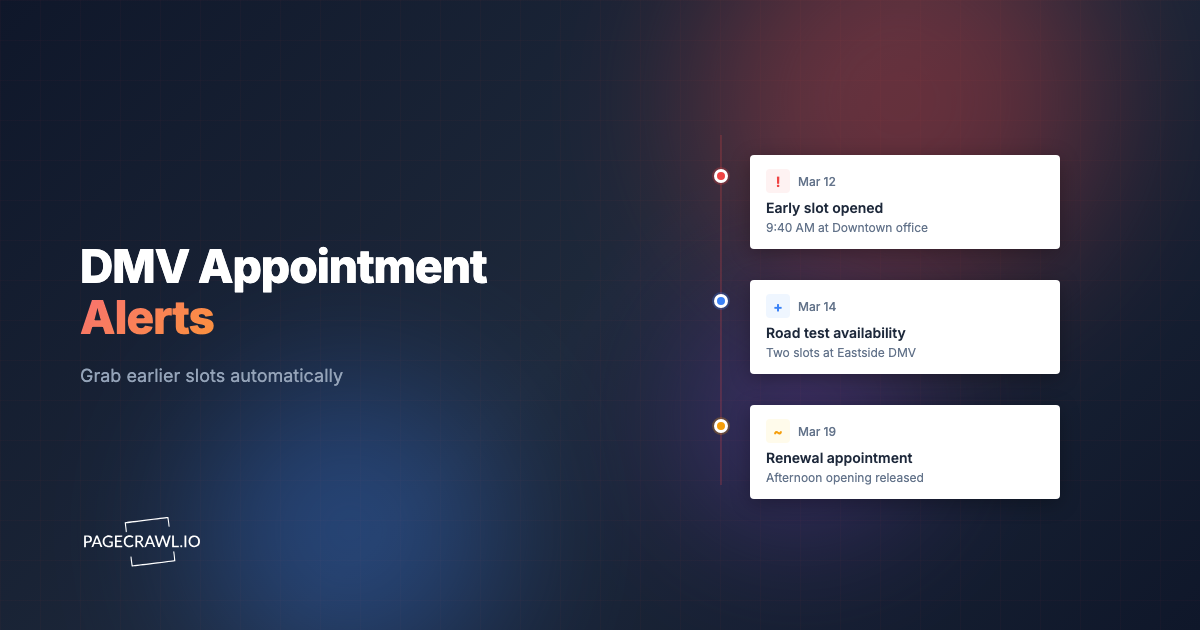
Jordan's learner permit expires on the 3rd of next month. She booked her road test the day she became eligible, and the earliest slot her state's scheduler offered was nine weeks out, at an office an hour from home, four days after the permit lapses. Her mother has now taken to opening the scheduling page during meetings, at traffic lights, and once at 5:40am, because slots at the closer office keep appearing and vanishing before she can select a date and confirm.
That is the whole problem in one family. Road tests are the scarcest thing a motor vehicle agency sells, because unlike a renewal or an address change they cannot be pushed online. Each one needs an examiner, a vehicle, and a block of calendar time at a physical site. When demand spikes (a wave of sixteen-year-olds, a driving school running a summer cohort, a commercial driver who needs a skills test to start a job), the queue does not stretch politely. It hardens into a two-month wall.
What almost nobody exploits is that the wall is full of holes. Cancellations, reschedules, expired holds, and newly staffed examiner blocks push earlier dates back onto the public calendar all day long. Those openings survive for a few minutes because somebody else is refreshing too. The person who books them is not more deserving or better prepared. They found out first.
This guide is specifically about the road test and skills exam side of motor vehicle scheduling: why those slots behave differently from counter appointments, which public pages actually carry the availability signal, how to monitor several offices and third-party testers at once, and how to route an alert to your phone on the check that finds an opening. If you need the broader picture across every service (title transfers, renewals, REAL ID counter visits), our companion guide to DMV appointment availability alerts covers the wider set of pages.
Note: PageCrawl watches the content of public scheduling and availability pages and tells you when that content changes. It does not sign into booking systems, hold slots, or reserve appointments for you. When an alert lands you still book through the official state site yourself, which keeps you inside the agency's own terms. Requirements and booking rules vary by state, so confirm yours on the official agency page.
Why are road test appointments harder to get than other DMV appointments?
A road test consumes an examiner, a vehicle, a route, and a fixed block of time, so a single office can only run a few dozen a day. Counter services can be batched, extended, or moved online. A driving test cannot. That hard ceiling, plus permit expiry deadlines that force everyone to book in the same window, is why road tests queue out furthest.
Capacity is measured in examiner-hours, not desks
An office can add a clerk to a counter and clear a renewal line faster. It cannot add a road test without an examiner free to sit in a car for twenty to thirty minutes and a safe test route. New York's DMV road test page walks applicants through scheduling and site-specific requirements, because where you test is as constrained as when.
Everyone is on the same clock
Learner permits expire. School schedules bunch teenagers into summer and the weeks after birthdays. Commercial applicants need a skills test before a start date. Demand stacks into the same weeks rather than spreading across the year, so a calendar that is adequate in November is hopeless in July.
A failed test doubles your exposure
Most states impose a waiting period before you can retest, and you rejoin the same queue at the back. That means a candidate who fails in a nine-week-out system may not test again for another two to three months. The cost of a bad first booking is not one appointment, it is an entire season of driving, so getting an earlier date matters twice over.
The default view hides the good office
Schedulers usually surface the site closest to your address, which in a metro area is the most oversubscribed one. An office two towns out, or one that recently added Saturday testing, can be weeks earlier and you will never see it unless you check that office by name. Watching several offices is the single highest-yield change most people can make.
How do earlier road test slots actually reopen?
Earlier slots come back through churn, not through new capacity. Someone cancels, someone reschedules later, an unpaid hold expires, a candidate fails to appear, or the agency staffs an extra examiner block. Each of those pushes a date that was already sold back onto the public calendar, where it is usually rebooked within minutes.
The four common sources look like this:
| Source | What triggers it | Typical timing |
|---|---|---|
| Direct cancellation | Applicant is not ready, vehicle failed inspection, illness | Any hour, clusters the evening and morning before test dates |
| Reschedule to a later date | Applicant pushes back, vacating the earlier slot | Business hours, heaviest early in the week |
| Expired hold or no-show release | System sweeps unconfirmed or abandoned bookings | Often batched overnight or on a fixed daily cycle |
| Added examiner capacity | Extra staffing, Saturday sessions, seasonal surge blocks | Announced or silent, frequently posted mid-week |
The behaviour that defeats manual checking is the lifetime of the opening. A slot released at 6:41am on a Tuesday can be claimed by 6:47am. You cannot cover that by refreshing, because the odds of your refresh landing inside a six-minute window are small and you have to sleep. You can cover it with a monitor that checks continuously and pushes an alert when the availability text changes. It is the same scarce-inventory pattern behind visa interview slot monitoring and Recreation.gov campsite and permit alerts, where nearly every win comes from someone else's cancellation.
Which pages should you monitor for road test availability?
Monitor the public pages that display availability without a login: the service and office selection screens that show an earliest-available date or an "appointments available" status, per-office calendar views where your state exposes them, third-party tester listings, and the agency's announcement page where extra testing capacity is published.
Service and office selection screens
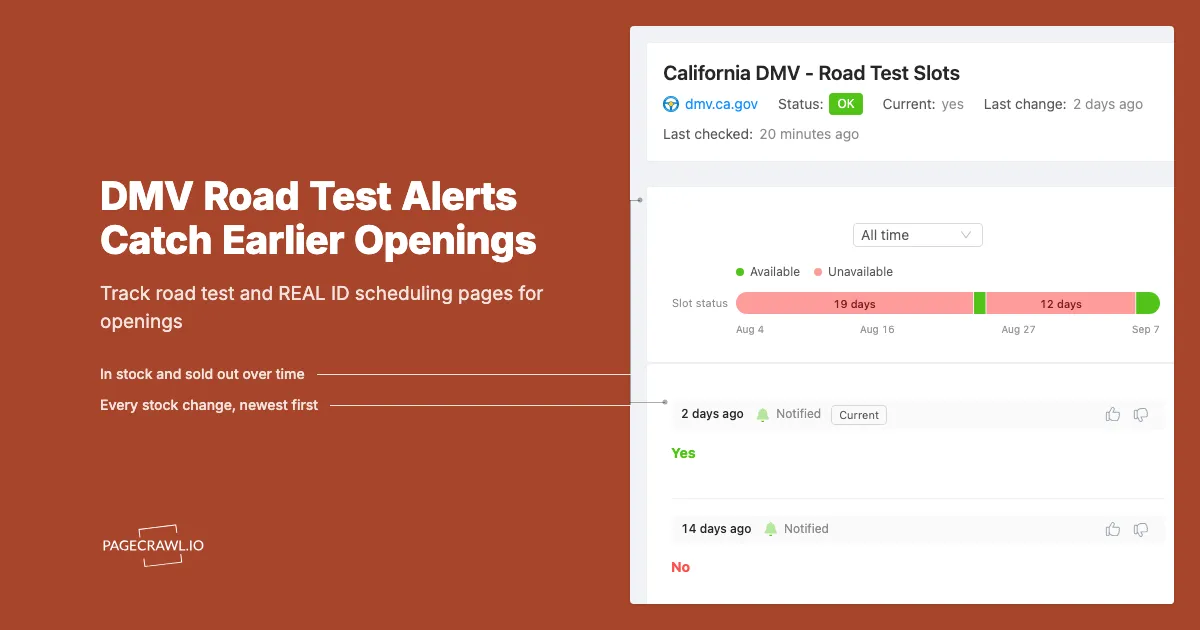
Most state schedulers let you pick a service (road test, commercial skills test, REAL ID) and an office before you enter any personal details. That intermediate screen is usually where the useful text lives: "Earliest available: November 12" or "No appointments available at this location." That string is your signal. When a cancellation reopens a date, the string changes, and the change is what fires your alert.
One monitor per office, not one per state
Availability at two offices is essentially uncorrelated, which is why watching several multiplies your chances. Give each monitor a name you will recognise in a notification at 6am ("Road test - Riverside"). Three or four offices suits a private applicant; a driving school coordinating a cohort wants every site it can reach.
Third-party testers and skills-test sites
Several states delegate part of road testing to approved third parties, particularly on the commercial side, and those testers keep their own schedules. Wisconsin's DMV, for instance, explains that CDL road testing runs through third-party examiners and tells applicants to contact a tester directly to confirm availability. Oregon's DMV says the same about testing businesses: the state does not book them for you. Practically, that means the agency's list of approved testers is itself worth monitoring, because a new tester appearing on the list is new capacity in your area before anyone has queued for it.
Announcement, news, and status pages
Agencies post extended-hours notices, seasonal testing pushes, and "additional appointments released" messages on their news pages. These are a leading indicator that a batch of slots is about to hit the calendar, so a daily check there pairs well with fast checks on the availability pages. It is the same play as watching government permit and license status pages for updates the agency never emails you about.
What you cannot monitor
If your state hides the time-slot grid behind a signed-in session or a per-request token, that grid is not publicly monitorable. Aim your monitors at the public status text one layer up, which in practice moves whenever the underlying calendar does.
How do you set up a road test monitor in PageCrawl?
Setup runs about five minutes per office. You copy the public availability URL, add it to PageCrawl, pin the monitor to the availability text rather than the whole page, set the fastest check frequency your plan allows, and route alerts to a channel you actually look at. The free plan covers a couple of offices while you prove it works.
- Collect the URLs. Walk your state's scheduler exactly as if you were booking: pick road test as the service, pick an office, and stop at the screen that shows availability or an earliest-available date. Copy that URL. Repeat for every office in driving range, plus the third-party tester list page if your state uses one. You can also add any page straight from your browser bar with the PageCrawl bookmarklet.
- Add each URL as a monitor. In PageCrawl, click Track New Page and paste the first URL. Pages render in a full browser, so JavaScript-driven scheduler widgets show their real content instead of an empty shell. Check the preview actually contains the availability text before you save.
- Pick the tracking mode. Use Specific Text or Specific Element when the page shows a discrete status ("No appointments available", "Earliest available: Nov 12"), targeting that element with a CSS selector so unrelated banners stay quiet. The walkthrough on finding an XPath or CSS selector in Chrome takes a couple of clicks. Use content or fullpage tracking for announcement and tester-list pages, where any update is worth reading.
- Set the check frequency. Put your fastest interval on the one or two offices you most want. Cancellation hunting rewards 15-minute checks on Standard and 2 to 5 minute checks on Enterprise or Ultimate. Hourly checks on the free plan still catch a meaningful share of openings, especially overnight batch releases. Announcement pages are fine on a daily check, which conserves your monthly budget for the calendars.
- Choose your notification channels. PageCrawl can send the same change to several places at once: email, Slack, Discord, Microsoft Teams, Telegram, browser push, and webhooks. For a road test, put a push channel first (browser push or Telegram) and keep email as the written record. A parent and a teenager should both be on the alert, since whoever is holding a phone books the slot.
- Add keyword and threshold rules. Set a condition so the monitor only alerts when the change means something: fire when the status text stops saying "No appointments available", or when a displayed date moves earlier. Conditional alerts using price, keyword, and threshold rules covers the syntax. A monitor that only speaks when a slot exists is a monitor you will still trust in week three.
- Turn on screenshots and train out the noise. Screenshot capture puts a picture of the page at check time into the alert, so you can tell a genuine opening from a reshuffled banner without opening the site. When a pointless change slips through, click it and tell PageCrawl to ignore that region going forward. Government pages love rotating notices and "last updated" stamps, and reducing monitoring false positives walks through pruning them.
- Group the monitors and stay ready to book. Put every road test monitor in one folder so you can pause them all the day after you test. Then get ready to act: keep your permit number, the applicant's details, and the payment method saved on the phone that receives the alert. The gap between notification and booking is where slots are won and lost.
How fast do checks need to be, and which alert channel wins?
Match the interval to how fast the slot disappears. A metro road test opening is usually gone within minutes, so 15-minute checks are the practical entry point and 2 to 5 minute checks are what serious cancellation hunting looks like. For channels, a push notification beats email every time, because email can sit unread for an hour.
| Monitor | Suggested frequency | Primary channel |
|---|---|---|
| Top-choice office, road test availability | Every 2 to 15 minutes | Browser push or Telegram |
| Secondary offices, same service | Every 15 to 60 minutes | Push, or Slack for a driving school |
| Third-party tester list | Daily | Email or Slack |
| Agency news and extended-hours page | Daily |
Push channels reach you where you are
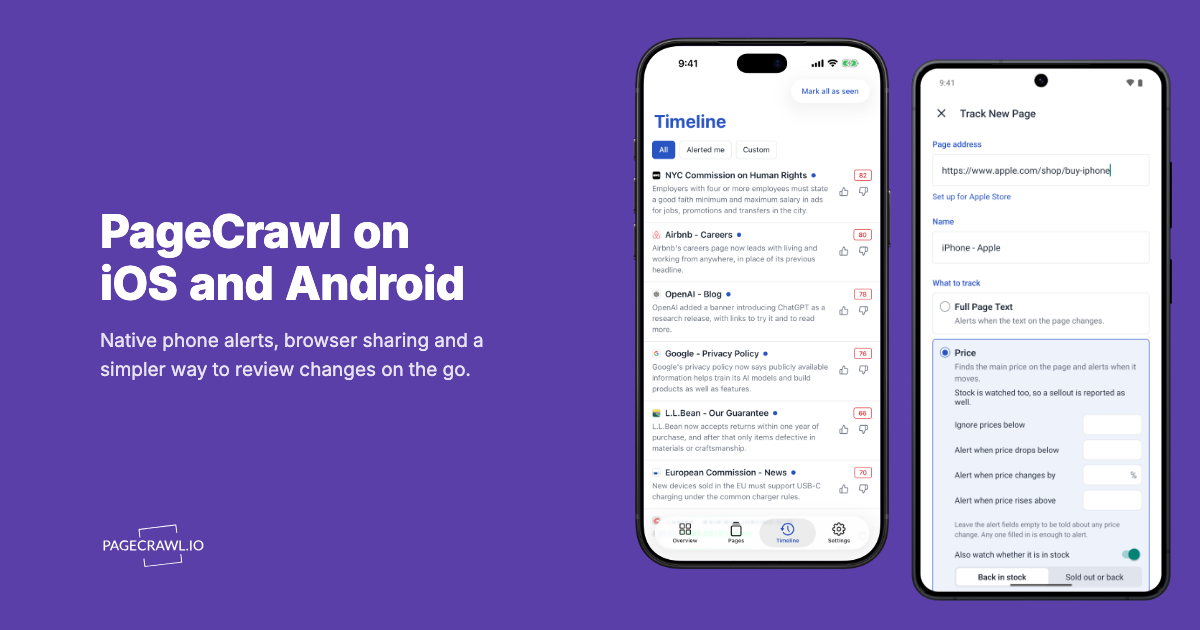
Browser push and Telegram land on a phone with the change summary and a link to the scheduling page, so you go from alert to booking screen in one tap. Discord and Slack suit a driving school or a family with two learners watching the same offices. Set at least two channels so one missed notification does not cost you the slot.
Email is the record, not the race
Email is dependable and right for the daily monitors, but delivery is the slowest link in the chain and a road test alert that surfaces an hour later is a receipt, not an opportunity. Keep it on as a secondary channel so you have a log of every opening you saw.
Webhooks for the automation-minded
A webhook posts a JSON payload when the page changes. Driving schools use it to log every detected opening, then move their fastest checks to whichever offices actually produce cancellations.
What mistakes make road test monitoring useless?
Three mistakes account for almost every failed setup: monitoring the whole page instead of the availability text, watching only one office, and putting the alert on a channel nobody reads. Each one either buries the signal in noise or delivers it too late to book, which feels identical to having no monitor at all.
Watching the whole page
A scheduler page contains a session identifier, a rotating public-service banner, a footer timestamp, and often a visitor counter. Monitor all of it and you will get several alerts a day that mean nothing, and within a week you will mute the whole thing. Pin the monitor to the availability status element and the alert rate drops to roughly the rate at which real slots open.
Watching one office
The office nearest you is nearest to everyone else too. Because availability at different sites turns over independently, three monitors on three offices are far more than three times as useful as one monitor on the busiest one. If you would drive forty minutes for a test six weeks sooner, monitor the office forty minutes away.
Treating the alert as the finish line
The alert tells you a slot probably exists. Someone still has to book it, and on a popular calendar that window is minutes. Have the applicant's details ready, keep a browser signed in where possible, and decide in advance which dates and offices you will accept so nobody spends four minutes deliberating. Monitoring removes the not-knowing. It does not remove the booking.
What else should you monitor alongside the road test calendar?
Watch the REAL ID and licence-issuance appointment pages if you have a travel deadline, the commercial skills test calendar if you are pursuing a CDL, and the agency's own news page for capacity announcements. All three behave like the road test calendar: scarce, deadline-driven, and refilled by cancellations rather than by new supply.
REAL ID and identity-document appointments
Federal REAL ID enforcement is being phased in rather than switched on all at once. The Department of Homeland Security explains current requirements on its REAL ID page, and TSA maintains a public REAL ID FAQ for travellers. The January 2025 DHS rule establishing the phased card-based enforcement approach is the primary source for how that phase-in works. The practical consequence for scheduling is simple: whenever an enforcement milestone approaches, in-person identity appointments compress, and the same cancellation-watching approach applies to those calendars.
Commercial skills tests
CDL skills testing is frequently delegated to third-party examiners with independent calendars, so both the state's list of approved testers and each tester's booking page are worth watching. A CDL candidate is usually holding a job offer against the test date, which makes a two-week improvement worth far more than any monitoring plan costs.
The wider pattern
If a page publicly shows availability that turns over through cancellations, the same setup works. Passport appointment availability alerts use it for identity documents, and the general DMV appointment availability guide applies it to renewals, title transfers, and counter services. One approach, many calendars.
Choosing your PageCrawl plan
PageCrawl's Free plan lets you monitor 6 pages with 220 checks per month, which is enough to validate the approach on your most critical pages. Most teams graduate to a paid plan once they see the value.
| Plan | Price | Pages | Checks / month | Frequency |
|---|---|---|---|---|
| Free | $0 | 6 | 220 | every 60 min |
| Standard | $8/mo or $80/yr | 100 | 15,000 | every 15 min |
| Enterprise | $30/mo or $300/yr | 500 | 100,000 | every 5 min |
| Ultimate | $99/mo or $999/yr | 1,000 | 100,000 | every 2 min |
Annual billing saves two months across every paid tier. Enterprise and Ultimate scale up to 100x if you need thousands of pages or multi-team access.
If monitoring helps you land one sold-out concert ticket pair, one limited sneaker drop, or one in-demand product at retail instead of resale, Standard at $80/year is already paid for. 100 monitored pages covers every major retailer you care about, and the 15-minute check frequency catches most drops the moment they go live.
Getting Started
Open your state's scheduler, click through to the road test availability screen for each office you could reasonably drive to, and copy those URLs. Add them to PageCrawl, pin each monitor to the availability status text, and add a rule so it only fires when the status stops saying no appointments are available.
Set your fastest check interval on your first-choice office, put browser push or Telegram first in the notification list, and add the agency's news page on a daily check as your early warning for extra capacity. Then pause everything the day after the test.
Stop refreshing the calendar at traffic lights. Let the next cancellation find you.