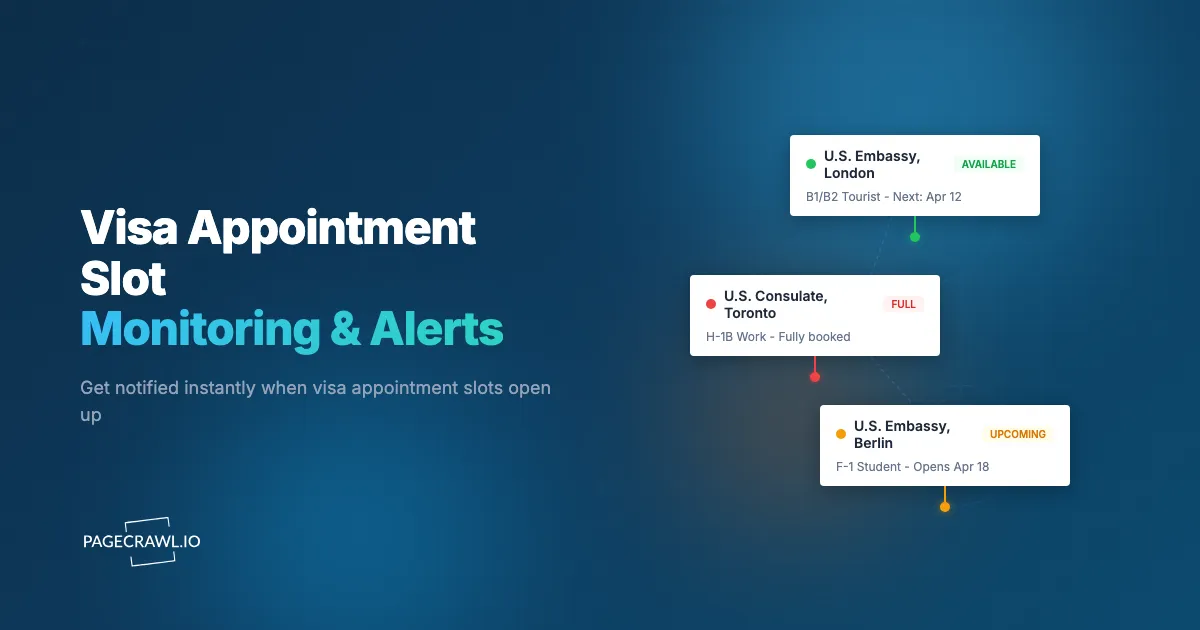
A software engineer in Hyderabad logs into the US visa appointment system and sees the earliest available B1/B2 interview slot is 14 months away. The same person checks a week later and finds a slot that opened up for next month, because someone else cancelled. By the time they navigate the booking system and select the date, the slot is gone. This happens thousands of times every day at US embassies and consulates worldwide.
Visa appointment scheduling is one of the most frustrating bureaucratic experiences people face. Demand for US visa interviews consistently outstrips available slots at most embassies and consulates. Wait times for B1/B2 (tourist/business) visas at popular posts in India, Mexico, Brazil, and Nigeria regularly exceed 12 months. Even H and L work visa categories, which receive priority processing, face waits measured in months rather than weeks.
The catch is that earlier slots do become available. People cancel appointments, expedite requests free up dates, and embassies occasionally release additional capacity. These openings appear on the scheduling system briefly before someone else books them. Without monitoring, you are relying on the chance that you happen to check at the exact right moment.
Note: PageCrawl monitors the content of appointment information pages and wait time displays. It does not interact with appointment booking systems or detect individual slot availability in real time. When the information on a monitored page changes (such as updated wait times or appointment availability status), you receive an alert. For actual slot booking, you still need to log in to the appointment system manually.
This guide covers how visa appointment systems work, what pages to monitor, how to set up automated monitoring for appointment page changes, and strategies for securing earlier appointments across multiple consulates.
How does US visa appointment scheduling work?
You file a DS-160, pay the visa fee, then book an interview through an online system that shows whatever dates the post has released. Slots are scarce because demand exceeds consular capacity, and earlier dates appear only when someone cancels or the embassy adds capacity. Understanding that flow helps you monitor it more effectively.
The Booking Process
After submitting a DS-160 visa application and paying the MRV (Machine Readable Visa) fee, applicants schedule their interview through an online system. For most US embassies, the appointment system is managed through USTRAVELDOCS (operated by CGI Federal) or the Applicant Interview Scheduling (AIS) system.
The system shows available dates at the embassy or consulate where you applied. You select a date, confirm the appointment, and print a confirmation letter. Changing an appointment requires logging back into the system and selecting a new date from whatever is available.
Why Slots Are Scarce
Several factors create appointment scarcity:
Post-pandemic backlog. Embassy closures during 2020-2021 created a massive backlog that many posts have not fully cleared. Wait times that were measured in days before the pandemic stretched to months and, in some cases, over a year.
Staffing constraints. Consular sections require trained officers who undergo security clearances and language training. Expanding capacity takes years, not weeks.
Seasonal demand patterns. Summer travel season, university enrollment deadlines, and holiday periods create demand spikes that strain already-limited capacity.
Priority categories. Some visa categories (diplomats, students with imminent start dates, medical emergencies) receive priority scheduling, reducing available slots for standard applicants.
How Cancellations Create Openings
Despite long official wait times, earlier appointments become available through several mechanisms:
Individual cancellations. People cancel appointments for many reasons: travel plans change, they receive a visa through another channel, or they decide not to travel. Each cancellation frees a slot.
Rescheduling. When someone reschedules to a later date, their original earlier slot opens up.
Embassy capacity adjustments. Consular sections occasionally add interview slots, extend hours, or reallocate staff. These new slots appear in the system with little or no advance notice.
Expedited request resolutions. When expedited appointments are granted and then completed or cancelled, the associated slots may return to the general pool.
These openings are unpredictable. A slot for next week might appear at 3 AM your local time and be booked within minutes. Monitoring public wait time pages and embassy announcements helps you detect when appointment page information changes, so you know when to check the booking system for new availability.
Which pages should you monitor?
Monitor the public pages that reveal capacity changes: the State Department wait time page for your post and visa category, the USTRAVELDOCS country site, and your embassy's consular news page. The booking calendar itself sits behind a login, so these public pages are your signal. Always confirm what you see against the official system; this article is informational, not legal advice.
USTRAVELDOCS System
Most US embassies and consulates use the USTRAVELDOCS system (operated by CGI Federal). After logging in, applicants see available appointment dates. The challenge for monitoring is that appointment availability sits behind a login.
Options for monitoring USTRAVELDOCS:
- Monitor the public-facing pages that display general wait time information (e.g., the "Wait Times" pages on USTRAVELDOCS country-specific sites). These pages update periodically with average wait times and can signal when wait times drop significantly.
- Monitor the US State Department's visa appointment wait times page on travel.state.gov, which publishes estimated wait times by post and visa category. When wait times drop substantially, it often correlates with new slots becoming available.
State Department Wait Time Pages
The US State Department publishes visa appointment wait times at travel.state.gov. These pages show estimated wait times (in calendar days) for interview appointments and interview waiver appointments by post and visa category.
Why monitor these pages:
- Wait time changes indicate new capacity or reduced demand at specific posts
- Significant wait time reductions (e.g., from 400 days to 200 days) signal that the embassy has released a large batch of new appointments
- Comparing wait times across posts helps you identify faster alternatives
Embassy-Specific Pages
Individual embassy and consulate websites sometimes publish announcements about expanded appointment availability, special processing events, or changes to scheduling procedures. Monitor the consular section news page for embassies relevant to your application.
Third-Party Visa Tracking Sites
Several community-run sites and services track visa appointment availability and publish the data. These aggregator pages can be monitored as secondary sources. The data comes from community members who check the appointment system and report what they see.
Note: Always verify availability through the official system. Third-party data may be delayed or inaccurate.
Setting Up Visa Appointment Monitoring with PageCrawl
Here is a step-by-step approach to configuring automated monitoring.

Step 1: Identify Your Target Pages
Start with the pages most likely to show appointment availability changes:
State Department wait time page for your visa category and embassy. Navigate to travel.state.gov, find the visa appointment wait times section, and locate your embassy/consulate. Copy the URL.
USTRAVELDOCS country page showing general appointment information. These pages sometimes display estimated wait times or availability messaging without requiring a login.
Embassy consular section page for announcements about scheduling changes.
If you are flexible on location, identify pages for multiple embassies and consulates in your region.
Step 2: Create Monitors
Add each URL to PageCrawl. For wait time pages with specific numbers you want to track (e.g., "Estimated wait time: 347 days"), use "Specific Text" or "Specific Number" tracking mode and target the element displaying the wait time.
For embassy announcement pages where you want to know about any update, use "Fullpage" tracking mode to capture all content changes.
For pages displaying appointment availability calendars or date selectors, use "Specific Text" mode with a CSS selector targeting the availability indicator. This narrows the monitoring to the specific element that changes when new slots appear.
Step 3: Set Check Frequency
Visa appointment availability can change at any time, but the optimal check frequency depends on the page type:
- Wait time pages: Check every 6-12 hours. Wait times update periodically (not in real time) and changes of a few days are not actionable. You are looking for significant drops.
- Embassy announcement pages: Check daily. Announcements are published during business hours and do not change frequently.
- Appointment availability pages (if accessible): Check every 2-4 hours. Cancelled appointments appear throughout the day and are booked quickly.
More frequent checking provides faster alerts but uses more monitoring credits. Balance frequency against how urgently you need the appointment.
Step 4: Configure Notifications for Speed
When a desirable appointment slot opens, speed matters. Other applicants are monitoring the same system.
Telegram: The fastest notification channel for mobile alerts. Follow the setup steps for Telegram change notifications to connect a bot to PageCrawl. When a check detects a wait time drop or an availability change, the push notification lands on your phone straight away. Telegram works globally and does not depend on carrier-specific push notification infrastructure.
Discord: Useful if you are coordinating with family members or a group of applicants who share monitoring responsibilities. Create a private Discord server with a visa-alerts channel. Everyone gets notified simultaneously and can coordinate who acts on available slots.
Email: Reliable but slower. Email delivery latency and notification stacking can cost you minutes. Use email as a backup, not your primary channel.
Webhook: For technical users, webhooks enable custom automation. Receive a JSON payload when the monitored page changes and trigger a script that sends you an alert through any channel, opens the appointment booking page in your browser, or logs the change in a tracking spreadsheet. Our webhook automation guide covers setup in detail.
Set up at least two notification channels. The stakes are too high (months of additional waiting) to rely on a single notification path.
Step 5: Enable Screenshot Verification
Turn on screenshot capture for every check. When you receive an alert about a wait time change or availability update, the screenshot lets you immediately verify what the page showed at the time of the check. This is especially important for visa monitoring because:
- Context matters: A wait time change from 400 to 380 days is not worth acting on, but the AI summary might still flag it. The screenshot gives you that visual context at a glance.
- False positives: Page layout changes, cookie banners, or temporary server errors can trigger alerts. Screenshots help you distinguish genuine availability changes from noise.
PageCrawl's noise filtering lets you click on any detected change to ignore it in future checks. This eliminates false alerts from date stamps, ad rotations, and visitor counters, so you only get notified about changes that actually matter. For visa appointment pages, this is especially helpful since government websites often update footer timestamps, session tokens, and banner announcements that have nothing to do with appointment availability.
Step 6: Monitor Multiple Consulates
If you are flexible on where you interview, monitor wait time pages for multiple embassies and consulates. Wait times vary dramatically by post. The same visa category might have a 14-month wait in Mumbai but a 3-month wait in Chennai.
Create a PageCrawl folder called "Visa Appointments" and add monitors for each post you are willing to travel to. See organizing monitored pages with labels, folders, and workspaces if you are watching several categories at once. When one post shows a significant wait time reduction, you can explore transferring your appointment.
Strategies for Securing Earlier Appointments
Monitoring is the foundation. These strategies maximize your chances of converting an alert into a booked appointment.
Be Ready to Act
When you receive an alert about available slots:
- Have your USTRAVELDOCS login credentials accessible (not locked in a password manager you cannot reach quickly).
- Keep the appointment scheduling site bookmarked on your phone and computer.
- Know the exact steps to reschedule within the system. Practice the flow so you can navigate it quickly when real availability appears.
- Have your DS-160 confirmation number and MRV receipt number readily available.
The window between a slot appearing and being booked can be as short as minutes during peak demand periods.
Consider Alternative Posts
Applicants are not always required to interview at the embassy in their city of residence. In many countries, you can schedule at any consulate that processes your visa category. If Mumbai has a 14-month wait and Kolkata has a 6-month wait, consider interviewing in Kolkata.
International alternatives also exist. Some applicants travel to a third country where wait times are shorter. This strategy has risks (third-country national processing can be more scrutinized) but can save months of waiting.
Monitor wait times across all accessible posts so you can make informed decisions about where to interview.
Monitor During Off-Peak Hours
Cancellations can appear at any time, but certain patterns emerge:
- Weekday mornings (local time for the embassy): Administrative changes and capacity additions tend to happen during embassy business hours.
- Late evening and overnight (applicant local time): Fewer people are checking the system, so slots that appear during these hours may persist longer.
- Weekends: Lower competition for newly available slots, though fewer cancellations also occur.
Automated monitoring covers all hours, which is its primary advantage over manual checking.
Stack Your Monitoring
Combine multiple monitoring approaches:
- PageCrawl monitors on official wait time and embassy pages (automated, continuous)
- Community groups on Telegram, WhatsApp, or Facebook where applicants share real-time slot sightings (human intelligence, informal)
- The official USTRAVELDOCS system checked manually during peak times (direct access, immediate booking ability)
Each approach has strengths. Automated monitoring catches changes you would miss while sleeping or working. Community groups provide real-time human reports with context. Manual checking gives you direct booking access.
Handling Common Challenges
JavaScript-Heavy Appointment Systems
Visa appointment systems are often built with JavaScript frameworks that render content dynamically. A monitoring tool that only fetches raw HTML will not see appointment availability data. PageCrawl renders pages in a full browser environment, executing JavaScript and waiting for dynamic content to load before capturing the page state.
Login-Protected Appointment Pages
The actual appointment scheduling interface requires a login. Public web monitoring cannot access authenticated pages without credential configuration. For the appointment system itself, your monitoring focus should be on the public-facing pages (wait times, embassy announcements) that indicate availability without requiring authentication.
If you need to monitor content behind a login, see our guide on monitoring password-protected websites for approaches that work with authenticated sessions.
Geographic Content Differences
Visa appointment pages sometimes show different content based on your geographic location (IP address). A page viewed from the US might show different information than the same URL viewed from India. If you are monitoring a page from a different country than where the embassy is located, be aware that the content might not match what you see locally unless the check runs through a residential proxy in that country.
Rate Limiting and Access Restrictions
Government websites sometimes implement access restrictions that affect automated monitoring. Monitoring at reasonable frequencies (every few hours, not every few minutes) avoids triggering these protections. PageCrawl handles standard access challenges automatically, but extremely aggressive monitoring frequencies on government sites are both unnecessary and counterproductive.
Page Structure Changes
Government websites undergo periodic redesigns and maintenance. When the USTRAVELDOCS system is updated, page structures change, which may require updating your CSS selectors. AI summaries and screenshot verification help you identify when a structural change (rather than an availability change) triggered an alert.
Beyond US Visas: Other Immigration Monitoring
The same monitoring approach works for other immigration-related scheduling systems and passport appointment slots.
Schengen Visa Appointments
European consulates use various appointment systems (VFS Global, TLS Contact, embassy-specific portals). Wait times for Schengen visa appointments vary by country and season. Monitor the appointment system landing pages and embassy announcement pages for your target consulates.
UK Visa Appointments
UK visa appointments are managed through VFS Global and TLS Contact. The UK publishes processing time statistics that can be monitored for changes.
Canadian Immigration
IRCC (Immigration, Refugees and Citizenship Canada) publishes processing time estimates that fluctuate based on volume and capacity. Monitoring these pages helps applicants anticipate timelines.
Work Permit and Green Card Processing
For US work permits and green card applications, USCIS publishes processing time pages that indicate current wait times by form type and service center. These pages update periodically and are excellent candidates for automated monitoring.
Monitoring Visa Bulletin and Policy Changes
Beyond appointment availability, visa applicants benefit from monitoring policy pages that affect eligibility and processing.
Visa Bulletin
The State Department publishes a monthly Visa Bulletin that sets priority date cutoffs for immigrant visas. These cutoffs determine when green card applicants, including those selected through the green card lottery, can file or adjust status. The Visa Bulletin page updates monthly and is a prime candidate for automated monitoring.
Policy Announcements
USCIS, the State Department, and individual embassies publish policy changes that affect visa processing. New executive orders, policy memos, and procedural changes appear on government agency and public records pages. Monitoring these pages provides early warning of changes that might affect your case.
Travel Advisories
The State Department publishes country-specific travel advisories that can affect visa processing. Monitoring advisory pages for countries where you are applying helps you anticipate disruptions.
Building a Complete Visa Monitoring System
For applicants with complex immigration needs (multiple family members, multiple visa categories, flexible on location), build a comprehensive monitoring system:
- Wait time monitors for your primary and alternative embassy posts (3-5 monitors)
- Embassy announcement monitors for consulates where you might interview (2-3 monitors)
- Visa Bulletin monitor (1 monitor, if applicable to your visa category)
- Policy page monitors for USCIS and State Department announcements (1-2 monitors)
Organize these into a PageCrawl folder and configure Telegram notifications for time-sensitive alerts (appointment availability) and email for informational updates (policy changes, processing times).
Is a browser auto-refresh extension better than automated monitoring?
No, for most applicants. An auto-refresh extension only works while your computer is on, risks tripping rate limits on the appointment system, and tells you nothing when you are asleep or at work. Automated monitoring runs without your machine and reaches your phone. Some applicants still use browser auto-refresh extensions to constantly reload the appointment booking page, and while that gives continuous visibility, it has significant drawbacks:
- Requires your computer to be running with the browser open
- Can trigger rate limiting or account restrictions on the appointment system
- Does not work when you are away from your computer
- Consumes bandwidth and system resources continuously
Automated web monitoring provides alerts without requiring your computer to run continuously. The trade-off is slightly less real-time detection (every few hours vs continuous), but the convenience of receiving mobile alerts 24/7 more than compensates. For more on the differences, see our auto-refresh comparison guide.
Which PageCrawl plan do you need as a visa applicant?
Most applicants need very few pages, so the Free plan (6 pages, 220 checks per month, hourly checks) covers two or three consulates plus a policy page. Paid plans matter mainly for check frequency, which is what decides whether you see a wait time drop the same morning it posts.
| Plan | Price | Pages | Checks / month | Frequency |
|---|---|---|---|---|
| Free | $0 | 6 | 220 | every 60 min |
| Standard | $8/mo or $80/yr | 100 | 15,000 | every 15 min |
| Enterprise | $30/mo or $300/yr | 500 | 100,000 | every 5 min |
| Ultimate | $99/mo or $999/yr | 1,000 | 100,000 | every 2 min |
Annual billing saves two months across every paid tier. Enterprise and Ultimate scale up to 100x if you need thousands of pages or multi-team access.
For most applicants, Standard at $80/year is a trivial cost compared to what is at stake. A visa appointment secured two months earlier can mean attending a conference, joining a job, or making a family event that would otherwise be missed. Standard's 100-page limit is far more than a single applicant needs, but it gives you room to monitor every relevant embassy, every alternative consulate, policy announcement pages, and the Visa Bulletin simultaneously. Checking every 15 minutes around the clock means you are not relying on luck to catch an availability change at 3am.
How do you get started?
Identify the US embassy or consulate where you have (or plan to have) a visa appointment. Find the corresponding wait time page on travel.state.gov and the embassy's consular section announcements page.
Set up PageCrawl monitors for these pages. Configure Telegram notifications for the fastest mobile alerts. If you are flexible on interview location, add monitors for alternative posts where wait times might be shorter.
PageCrawl's free tier includes 6 monitors, enough to track wait times at two to three consulates plus policy pages. Standard plans ($80/year for 100 pages) support comprehensive monitoring across many posts and visa categories. Enterprise plans ($300/year for 500 pages) serve immigration consultancies and law firms monitoring on behalf of multiple clients.
The difference between a 14-month wait and a 2-month wait often comes down to noticing when conditions change at the right moment. Automated monitoring of wait time pages and embassy announcements helps you detect when appointment page information changes, so you can check the booking system promptly rather than discovering the change days later. Set up your monitors today and let the system watch while you wait. For faster alert delivery strategies, see our push notification guide.