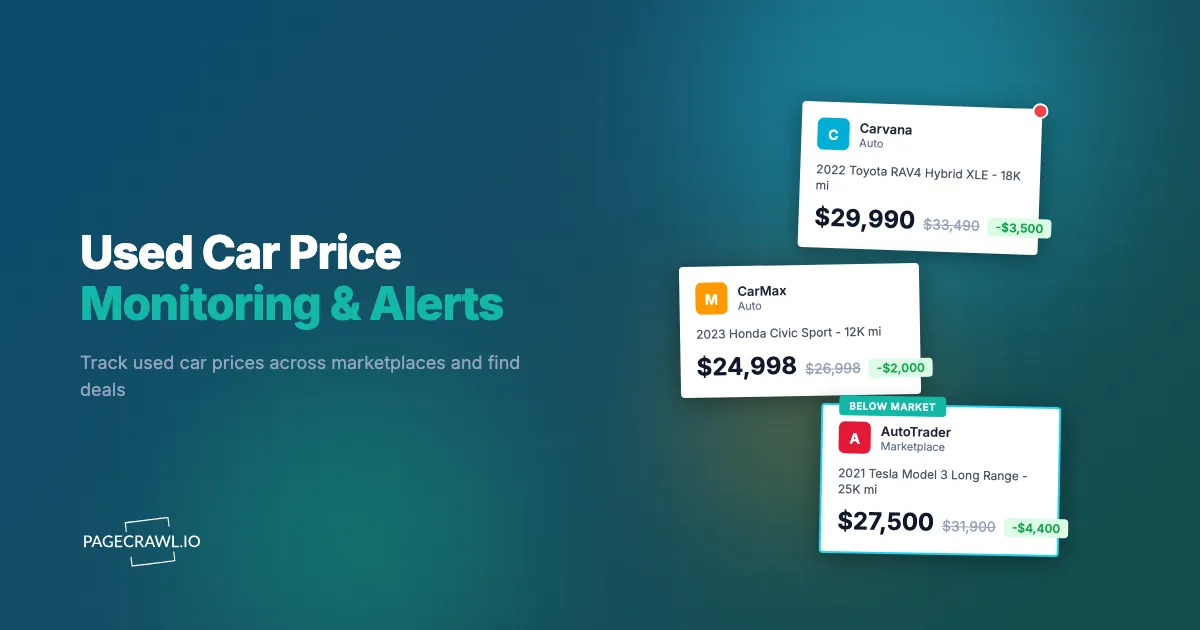
A 2023 Honda Civic with 25,000 miles was listed at $24,500 on CarGurus. Three days later, the dealer dropped it to $21,900. The buyer who got the alert bought it within an hour. The previous listing visitors who checked manually once a week never saw the lower price.
Used car prices are more volatile than most people realize. Dealers adjust prices based on inventory age, market conditions, time of year, and competitive pressure. A car that sits on the lot for 30 days often gets a significant price cut. Seasonal shifts push prices down in winter and up in spring. New model releases depress prices on the previous generation. Without monitoring, you are relying on luck to catch these price movements.
This guide covers how to systematically monitor used car prices across every major marketplace, track price reductions on specific listings, and set up alerts that notify you when vehicles matching your criteria become available or drop in price.
Why does used car price monitoring matter?
It matters because used car prices move constantly and the best-priced cars sell within days. Dealers reprice algorithmically as inventory ages, private sellers cut prices when inquiries dry up, and seasonal cycles swing values by thousands. Monitoring turns those movements into price drop alerts instead of lucky timing.
Prices Fluctuate More Than You Think
It is common for a used car listing to change price at least once during its time on the market. Dealers use algorithmic pricing tools that adjust prices based on local market data, competing listings, and days on lot. A car priced at $28,000 on Monday might be $26,500 by Friday if similar vehicles listed nearby at lower prices.
Private sellers are even more unpredictable. A seller who listed a car at $20,000 and got no inquiries for two weeks might drop to $17,000 overnight. Without monitoring, you would never know about the reduction until you happened to check again.
The Best Deals Disappear Fast
Well-priced used cars sell quickly. A car listed noticeably below the local market rate tends to draw inquiries within hours and sell within days. If you are searching for a specific make, model, and year at a good price, you need to hear about it within hours of a matching listing appearing or an existing listing dropping into your target price range.
Seasonal Patterns Create Opportunities
Used car prices follow predictable seasonal cycles:
- December-February: Prices tend to be lowest. Dealer lots need to turn over year-end inventory, and buyer demand drops during winter months
- March-May: Prices rise as tax refund season drives buyer demand
- June-August: Convertibles and sports cars peak. Trucks and SUVs may soften
- September-November: New model year releases push down prices on the outgoing generation
Understanding these patterns helps you set realistic target prices and time your purchase for maximum savings.
Negotiation Leverage
Price history gives you negotiation power. If you can show a dealer that a car was listed at $3,000 less two weeks ago, or that comparable vehicles on other platforms are priced lower, you have concrete data to support your offer. Monitoring provides this data automatically.
Where should you monitor used car prices?
Watch the four big marketplaces (CarGurus, Autotrader, Cars.com, and Facebook Marketplace), add Craigslist for private-party deals in your city, and include the websites of dealers you would actually buy from. Each source has different strengths, listing practices, and pricing behaviors.
CarGurus
CarGurus is one of the largest used car marketplaces with strong pricing analytics built in. Their "deal rating" system (Great Deal, Good Deal, Fair Deal, High Price, Overpriced) gives you a quick read on value.
What to monitor: Individual listing pages for price changes, saved search result pages for new listings matching your criteria, and dealer inventory pages for fleet-wide price adjustments.
Monitoring advantage: CarGurus listings frequently update their deal ratings as the market shifts. A car rated "Fair Deal" today might become "Great Deal" next week without the price changing, simply because competing listings changed.
Autotrader
Autotrader carries one of the largest dealer inventories in the US. Most franchise dealerships list on Autotrader, making it the best source for certified pre-owned vehicles and dealer inventory.
What to monitor: Search result pages filtered by your criteria (make, model, year, mileage, price range), individual listings you are seriously considering, and dealer landing pages that show their full inventory.
Monitoring advantage: Autotrader dealers often run promotions (weekend sales, holiday specials, manufacturer incentive stacking) that temporarily reduce prices. These promotions are reflected on listing pages.
Cars.com
Cars.com combines dealer and private listings with editorial content. Their pricing tools show market averages for specific configurations, making it easy to assess whether a listing is fairly priced.
What to monitor: Search results for your target vehicle, individual listing pages, and the "Price Analysis" section that compares a listing to market data.
Facebook Marketplace
Facebook Marketplace has become a major source for private-party used car sales. Prices tend to be lower than dealer listings, but the experience is less structured.
What to monitor: Search result pages filtered by category (vehicles), location, and price range. Facebook Marketplace URLs with search filters applied are monitorable.
Monitoring advantage: Private sellers on Facebook often relist at lower prices after initial listings expire or get no interest. Catching a relisted vehicle at a reduced price is common.
Craigslist
Despite its age, Craigslist remains a significant source for private-party vehicle sales in many markets. Prices are often the most negotiable here.
What to monitor: The "cars+trucks" section filtered by your city, price range, and keywords. For detailed Craigslist monitoring setup, see our guide on setting up Craigslist alert notifications.
Dealer Websites
Individual dealer websites often list inventory before it appears on aggregator sites. Monitoring a specific dealer's inventory page catches new arrivals first.
What to monitor: The dealer's used inventory page, filtered by make or model if the site supports it. Some dealers also have a "just arrived" or "new inventory" section.
Setting Up Used Car Monitoring with PageCrawl
Here is a practical approach to monitoring used car prices across multiple sources.
Strategy 1: Monitor Specific Listings for Price Drops
When you have found a car you are interested in but the price is too high, set up a price monitor on that specific listing.
- Copy the listing URL from CarGurus, Autotrader, or Cars.com
- Create a new PageCrawl monitor with this URL
- Select "Price" tracking mode to auto-detect the price element
- Set check frequency to every 6-12 hours (dealer prices rarely change more than once per day)
- Configure notifications for price changes via your preferred channel
PageCrawl alerts you on the next check after the price changes. You will see the old price, new price, and percentage change in the notification.
Note: Listing URLs expire when a car is sold. When you get a "page not found" or redirect alert, that typically means the car sold. You can also use this as a signal to stop monitoring that listing.
Strategy 2: Monitor Search Results for New Listings
To catch new listings matching your criteria, monitor a search results page.
- Go to CarGurus, Autotrader, or Cars.com
- Enter your search criteria (make, model, year range, mileage, price range, location)
- Copy the search results URL (it contains your filters in the URL parameters)
- Create a PageCrawl monitor with this URL
- Use "Content Only" tracking mode to focus on listing content rather than page chrome
- Set AI focus to: "Alert me when new vehicle listings appear. Include the vehicle name, year, mileage, and price."
- Set check frequency to every 6 hours
When a new listing appears that matches your search criteria, PageCrawl detects the content change and sends you an alert with the details.
Strategy 3: Monitor Dealer Inventory Pages
If you have identified a trusted dealer, monitoring their inventory page catches every new arrival and price change.
- Navigate to the dealer's used car inventory page on their website
- Apply any available filters (brand, price range)
- Copy the filtered URL
- Create a PageCrawl monitor with content-only tracking
- Set AI focus to: "Track changes to vehicle inventory. Alert me about new vehicles added, vehicles removed (sold), and price changes."
This gives you a comprehensive view of a single dealer's inventory movements.
Strategy 4: Track Specific Elements with CSS Selectors
For more precise monitoring, you can target specific elements on a listing page using CSS selectors. PageCrawl's browser extension makes this step much easier: visit any car listing page, click the extension icon, and visually select the price element, deal rating, or days-on-market counter directly on the page. The extension generates the CSS selector for you and creates the monitor in one click, no need to inspect HTML or write selectors by hand. See the browser extension guide for installation and the one-click add flow.
For example, on a CarGurus listing page:
- Track the price element to detect price changes
- Track the deal rating element to see when it shifts from "Fair Deal" to "Good Deal"
- Track the "days on market" element (if visible) to understand how long the car has been listed
How do dealers reduce used car prices over time?
Dealers usually cut prices in steps as a car ages on the lot, with the first reduction landing around the two-week mark and further cuts every couple of weeks after that. Understanding how dealers price and reprice helps you time your purchase.

Days-on-Lot Price Reductions
Many dealers follow a rough schedule for price reductions:
- Day 1-14: Original listing price
- Day 15-30: First reduction (typically 3-5%)
- Day 31-45: Second reduction (another 3-5%)
- Day 46-60: Aggressive reduction or wholesale auction consideration
Monitoring a listing from day one shows you this pattern in real-time. When you see the first price reduction, you know a second is likely in two weeks if the car has not sold.
Weekend and Holiday Patterns
Dealers often run promotions tied to weekends and holidays. Memorial Day, Labor Day, Black Friday, and year-end clearance events bring temporary price reductions. Monitoring dealer inventory pages during these periods catches promotional pricing that may not be advertised on aggregator sites.
Competitive Repricing
When a dealer sees a competing listing for the same vehicle at a lower price, they often reduce their price to match. If you are monitoring multiple listings for the same car (say, three different 2022 Toyota RAV4s in your area), you will see this competitive repricing happen in real-time.
Setting Up Effective Alerts
Choose the Right Notification Channel
For used car monitoring, you want fast push alerts. A price drop on a popular vehicle might attract other buyers within hours.
- Telegram or push notifications: Best for active car shoppers who want alerts on their phone minutes after a check runs
- Email: Good for casual browsing, but delay can cost you the deal
- Webhook: Useful if you are building a spreadsheet or database of price history. See our webhook automation guide for setup details
Filter Alert Noise
Not every page change on a car listing is relevant. Ads rotate, related listings change, and site layouts shift. To reduce noise:
- Use "Content Only" or "Reader" tracking mode to ignore sidebar changes
- Set AI focus areas that specify you only care about price, mileage, and availability changes
- Enable AI summaries so you can quickly read what changed without clicking through to the listing
Tips for Timing Used Car Purchases
Monitor Before You Are Ready to Buy
Start monitoring 4-8 weeks before you plan to purchase. This gives you price history data for your target vehicle, which is invaluable for understanding whether a listing is truly a good deal or just average.
Track the Market, Not Just One Listing
Create monitors for several similar listings simultaneously. If three dealers in your area all have 2023 Honda CR-Vs listed between $27,000 and $29,000, and one drops to $25,000, you know that is a genuine deal, not the new market rate. PageCrawl's cross-retailer price comparison approach works for car listings too: compare the same vehicle across multiple sources.
Watch for New Model Announcements
When a manufacturer announces a redesigned model, prices on the outgoing generation drop. Monitor automotive news sites for model announcements, and time your used car search to coincide with the price dip.
Consider Regional Pricing
Used car prices vary significantly by region. A pickup truck costs more in rural markets. Luxury sedans are cheaper in cities with high supply. If you are willing to travel or arrange shipping, monitoring listings in multiple cities can reveal significant savings.
Combining Multiple Marketplace Monitors
A comprehensive used car monitoring setup uses multiple sources:
For a buyer looking for a 2022-2024 Toyota Camry under $25,000 within 50 miles:
- CarGurus search monitor: Search results page filtered by criteria (checks every 6 hours)
- Autotrader search monitor: Same criteria on Autotrader (checks every 6 hours)
- Cars.com search monitor: Same criteria on Cars.com (checks every 12 hours)
- Facebook Marketplace monitor: Vehicle search with location and price filter (checks every 6 hours)
- Local dealer monitor: Inventory page of a preferred local dealer (checks daily)
- Individual listing monitors: Created as needed when a specific car catches your interest (checks every 6 hours)
This setup requires 5-6 base monitors plus additional monitors for specific listings. PageCrawl's free tier covers 6 monitors, which is enough for one vehicle search across multiple platforms. For broader searches or multiple vehicles, the Standard plan ($80/year) with 100 monitors provides ample capacity.
What are the common problems when monitoring car listings?
The four recurring problems are listings that expire when a car sells, duplicate listings syndicated across platforms, dynamic page sections that trigger false alerts, and thin private-seller listings that are hard to filter. Each has a straightforward fix.
Listings That Expire or Redirect
When a car sells, the listing page is removed or redirected. PageCrawl detects this as a change (page content dramatically different or returns an error). You can interpret a "page not found" alert as a signal that the car sold.
Duplicate Listings Across Platforms
The same car often appears on CarGurus, Autotrader, and Cars.com simultaneously since the dealer syndicates the listing. If you are monitoring search results across platforms, you may get alerts for the same car appearing on multiple sites. This is normal and actually useful: it confirms the listing is active and lets you compare pricing across platforms (dealers sometimes set different prices on different sites).
Dynamic Page Content
Car listing pages have rotating "similar vehicles" sections, financing calculators, and ad placements that change on every page load. Use "Content Only" tracking mode and AI focus areas to filter these dynamic elements and only alert on changes to the actual listing data.
Private Seller Listings with Limited Information
Private sellers on Facebook Marketplace and Craigslist often provide minimal details. Monitoring these platforms requires broader search terms and more manual filtering of alerts. Set AI focus areas to prioritize listings that mention specific features you care about (mileage, condition, features).
Building a Price History Database
For serious car buyers or auto industry professionals, webhook integration lets you build a structured price history database.
- Configure PageCrawl monitors with webhook notifications, following the webhook integration guide for the payload format
- Each price change triggers a webhook with the old value, new value, and timestamp
- Store this data in a spreadsheet or database
- Analyze price trends by make, model, region, and season
This historical data reveals patterns that inform future purchasing decisions. You learn which months have the lowest prices, how long to wait for a second price reduction, and which dealers are most aggressive with repricing.
For Auto Industry Professionals
Used car monitoring is not just for buyers. Auto industry professionals use similar setups for:
- Dealers: Competitive intelligence on rival inventory and pricing to stay competitive
- Wholesalers: Tracking dealer inventory age to identify vehicles likely to go to auction
- Insurance companies: Monitoring market prices for total loss valuations
- Auto journalists: Tracking market trends for editorial coverage
- Fleet managers: Monitoring replacement vehicle pricing across regions
Choosing your PageCrawl plan
PageCrawl's Free plan lets you monitor 6 pages with 220 checks per month, which is enough to validate the approach on your most critical pages. Most teams graduate to a paid plan once they see the value.
| Plan | Price | Pages | Checks / month | Frequency |
|---|---|---|---|---|
| Free | $0 | 6 | 220 | every 60 min |
| Standard | $8/mo or $80/yr | 100 | 15,000 | every 15 min |
| Enterprise | $30/mo or $300/yr | 500 | 100,000 | every 5 min |
| Ultimate | $99/mo or $999/yr | 1,000 | 100,000 | every 2 min |
Annual billing saves two months across every paid tier. Enterprise and Ultimate scale up to 100x if you need thousands of pages or multi-team access.
Used car price monitoring pays for itself as soon as it catches a single price drop you would have missed. A $1,500 reduction on a car you were going to buy anyway is roughly 19 years of Standard plan. Standard at $80/year supports 100 monitors, which is more than enough to watch a specific vehicle across every major marketplace simultaneously and add individual listing monitors as you get serious about specific cars. The 15-minute check frequency means a dealer's overnight price cut shows up in your inbox before the morning rush of competing buyers even knows it happened.
Getting Started
Pick the one car you are most seriously shopping for right now. Go to CarGurus, search for it with your criteria, and copy the search results URL. Create a PageCrawl monitor with content-only tracking and enable your preferred notification channel. Set the check frequency to every 6 hours.
Within a few days, you will start seeing how the market moves: new listings appearing, prices dropping, and cars disappearing (sold). This visibility transforms your car buying experience from passive browsing to active, informed negotiation.
PageCrawl's free tier includes 6 monitors, enough to track one vehicle across multiple platforms. For buyers shopping for multiple vehicles or industry professionals tracking broader market segments, the Standard plan ($80/year) with 100 monitors provides comprehensive coverage.