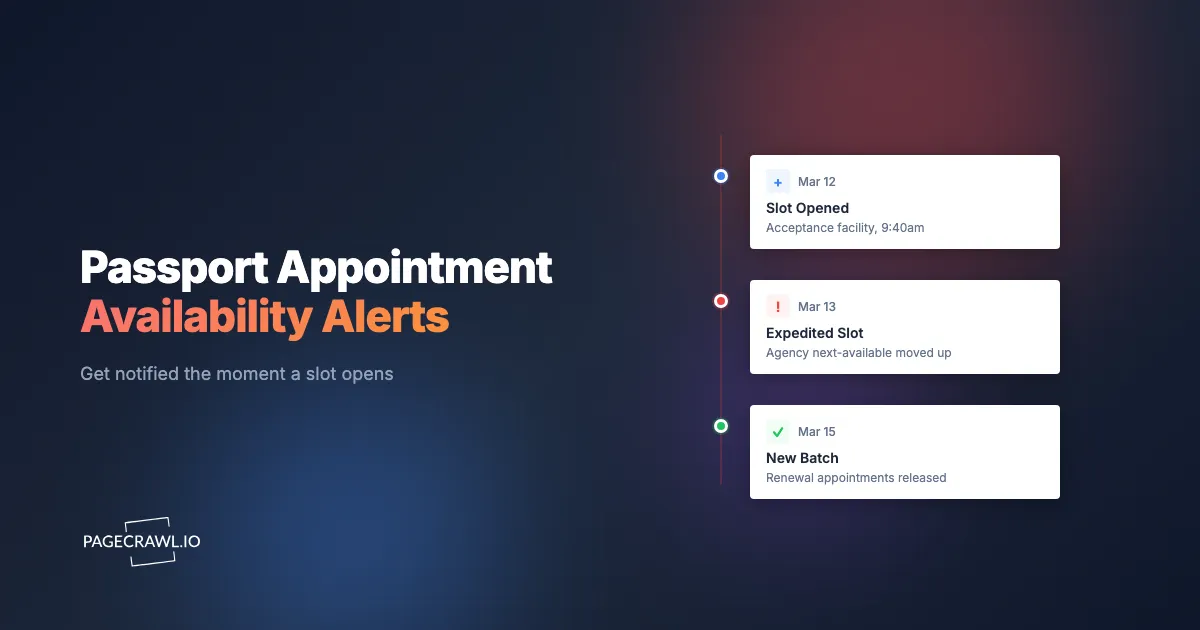
It is 6:14am on a Tuesday in March. Your flight to Lisbon leaves in nineteen days, and the passport scheduler has shown the same gray message for three weeks straight: "There are no appointments available at this time." You refresh once more while the coffee finishes brewing. Nothing. By lunch a forum thread tells you that four expedited slots opened at 6:31am and were gone by 6:33am. You missed them by seventeen minutes, and your passport is still in a drawer with a photo from the last decade.
That is the quiet cruelty of government appointment systems. The slots exist, but they surface for a few seconds at unpredictable hours, get claimed by whoever happened to be staring at the page, and then the door closes again. The official "no appointments" screen is technically honest and useless, because it never mentions the brief windows when it flips to something else. Manually refreshing for two weeks is exhausting, and you will still miss the openings that happen while you sleep or work.
The good news is that an appointment page going from "no availability" to "select a time" is just a website change, and detecting website changes is a solved problem. This guide explains why passport slots vanish so fast, exactly which pages to watch, why the built-in waitlists rarely help, and how to set up a polite, reliable monitor with PageCrawl that pings your phone as soon as a check spots an opening, without hammering a government server. Always confirm current appointment rules and eligibility on the official travel.state.gov pages; this article is informational, not legal advice.
Why do passport appointment slots vanish in seconds?
Passport slots disappear in seconds because demand wildly exceeds supply at a small number of in-person agencies, and openings are released in irregular batches, not on a fixed schedule. When a no-show cancels or staff load a new block, a handful of times appear at once, dozens of people grab them, and the inventory vanishes before you reload.
Two structural facts make this worse. First, the most time-sensitive appointments (urgent travel within roughly two weeks) funnel everyone toward the same limited set of in-person agencies, so a single cancellation can be the only opening a city sees that day. Second, the systems do not announce when they will refresh. There is no "new slots posted at noon" rule to plan around. Releases happen overnight, mid-morning, on weekends, and during random administrative cleanups.
The result is a lottery where the prize goes to whoever is watching at the exact second of the release. A human cannot win that by hand, but an automated monitor on a tight interval watches every minute of every day, which is exactly the edge you need. The same pattern shows up across government scheduling, which is why travelers also lean on tools for DMV appointment availability and visa appointment slot monitoring when the stakes are a trip or a deadline.

What should you monitor for a passport appointment?
Monitor three distinct page types: the appointment scheduler results page for your city and date range, any "next available appointment" summary or status page the agency publishes, and the acceptance-facility search results near you. Each shows availability differently, so watching all three gives you the earliest possible signal regardless of which page updates first.
The scheduler results page
This is the page that lists actual selectable time slots after you enter a location and timeframe. It usually displays one of two states: a "no appointments available" message, or a calendar and time grid you can click. The transition between those two states is the single most valuable event to detect. Point your monitor at the results view (with your search parameters already applied in the URL where possible) and watch for the disappearance of the unavailable message or the appearance of slot-related wording.
The "next available" or status summary page
Some agencies and scheduling portals show a short summary such as "Earliest available: none" or a list of cities with a status badge. These compact pages are ideal for keyword tracking because the meaningful change is a single phrase flipping from one value to another. They tend to update slightly before or after the full grid, so monitoring both protects you against missing whichever moves first.
Acceptance-facility and counter search results
For routine renewals and first-time applications, you often book through a local acceptance facility (a post office, library, or clerk's office) rather than a regional agency. Those search-results pages list facilities and their open windows. Monitoring the results for your zip code catches new community-counter slots that never appear on the big agency pages at all.
Why aren't the built-in waitlists and "notify me" buttons enough?
Built-in waitlists fall short because they are slow, narrow, and often optional. Many government schedulers have no notify feature, and the ones that do batch their emails, cover only one location or date window, and reach thousands of people at once. By the time the email lands, the slot is usually already taken by someone watching the page live.
There are four recurring weaknesses. An official alert typically fires only for the exact narrow criteria you registered, so a perfect slot two days earlier or one city over goes unmentioned. Email delivery adds minutes of latency you cannot afford in a seconds-long window. The notification frequently points you to a generic "appointments may be available" screen rather than a held slot, so you still race everyone else. And when a system has no waitlist at all, your only official option is to refresh by hand.
An independent monitor fixes all four. You define exactly which pages and which words matter, the alert reaches you through the fastest channel you own, and you decide the criteria instead of accepting a rigid built-in filter. This is the same reason people monitor pages directly instead of trusting official notifications for things like USCIS case status changes and hard-to-book restaurant reservation availability, where the official "we will email you" promise rarely beats watching the page yourself.
How do you set up passport appointment alerts with PageCrawl?
Set it up by creating a monitor on the appointment results page, choosing keyword or content tracking, picking a tight but respectful check frequency, and routing alerts to a fast push channel like Telegram, Discord, or Slack. The whole process takes about five minutes, and new monitors capture screenshots by default so you can confirm what changed before you act.

Step 1: Add the page and capture the unavailable state. Paste the URL of your scheduler results or "next available" page into PageCrawl as a new monitor. If the scheduler keeps your location and date filters in the URL, use that filtered URL so you are watching your specific search rather than a blank landing page. PageCrawl renders the page fully, including content that loads after the initial request, so it sees the same "no appointments available" text a real visitor sees. That first capture becomes your baseline.
Step 2: Choose the right tracking mode. For a compact status page, use keyword (text) tracking and tell PageCrawl to alert when a specific phrase appears or disappears, for example when "no appointments available" vanishes or when "select a time" or "available" shows up. For a busier results grid, use fullpage content tracking so any meaningful change in the listing area triggers a check. You can run both modes on two monitors of the same page for belt-and-suspenders coverage. If your scheduler exposes a raw data feed, field-level data tracking can watch an availability count directly.
Step 3: Set a high but considerate check frequency. Availability windows are short, so frequency matters more here than on almost any other kind of monitor. On a paid plan you can check as often as every 2 to 5 minutes, which is fast enough to catch most releases while staying within polite limits. Reserve the tightest intervals for the final stretch before your travel date, and ease off once you have booked.
Step 4: Pick a notification channel that reaches you fast. Email is too slow for a seconds-long slot. Connect PageCrawl to Telegram, Discord, or Slack so the alert buzzes your phone as soon as a check detects the opening, and turn on browser push alerts so you get pinged at your desk too. If your team coordinates a trip together, routing alerts into a shared Slack channel means whoever is free can grab the slot first.
Step 5: Add conditions so only real openings wake you. Use threshold and keyword rules so the monitor fires only on the change that matters, not on every cosmetic tweak. A good rule is "notify only when the page no longer contains 'no appointments available'" or "notify when the page contains 'available'." PageCrawl's conditional alert rules and the help centre guide to notification conditions and filters let you combine these so a 3am false ping does not burn your trust in the system.
Step 6: Confirm with the screenshot, then book without delay. New monitors keep screenshots on by default, so each alert includes a visual snapshot of the page as it looked when the change was detected. Use it to confirm a genuine slot appeared (not a maintenance banner or a layout shift), then open the scheduler and book in the same minute. Have your application details, payment, and login ready so you are not typing your address while the slot expires.
Note: keep your scheduler login session active and your details pre-filled in a separate browser tab during peak monitoring periods. The alert wins you a short head start, and fumbling for a password gives it right back.
How often should you check without overloading a government site?
Check frequently enough to catch short windows but never so aggressively that you strain a public service. A 2 to 5 minute interval on a single results page is the sweet spot: it reliably catches releases while generating a trivial amount of traffic, roughly the same as one person glancing at the page occasionally.
Treat fair use as a real constraint, not an afterthought. Government appointment systems are shared infrastructure, and abusive request volumes can degrade them for the travelers you are competing with. Sub-minute hammering on dozens of URLs is both unnecessary and inconsiderate, and a few practical guidelines keep you on the right side of it:
- Monitor only the specific pages you genuinely need, not every city and date combination "just in case."
- Use a sensible interval (minutes, not seconds) and tighten it only in the final window before your deadline.
- Prefer a compact status or "next available" page over a heavy search every cycle when both reveal the same signal, since the lighter page is gentler on the server.
- Turn the monitor off as soon as you have booked, so you are not consuming capacity you no longer need.
This restraint is not just etiquette. Monitoring at an ordinary browsing rhythm is more durable and far less likely to run into rate limits or access problems than a firehose of requests. Slow and steady wins this race.
How do you avoid false alarms on a passport page?
Avoid false alarms by tracking the specific availability wording rather than the whole page, and by combining keyword conditions so cosmetic changes are ignored. Appointment pages constantly shuffle banners, timestamps, session tokens, and rotating notices. If you alert on every byte that changes, you will get woken at 3am by a footer date and stop trusting the alerts entirely.
The fix is targeted tracking. Instead of "tell me when anything changes," configure "tell me when 'no appointments available' disappears" or "tell me when 'available' appears in the results area." Narrowing the monitor to the meaningful phrase strips out the noise from dynamic page furniture. PageCrawl's guidance on how to reduce website monitoring false positives walks through scoping a monitor to a region of the page and filtering out the elements that change for reasons you do not care about.
Two more habits help. First, lean on the screenshot attached to each alert: a two-second glance confirms a real slot grid versus a maintenance message before you scramble. Second, if a particular notice or countdown keeps tripping the monitor, exclude that phrase explicitly so it never counts as a change again. A well-scoped passport monitor stays silent for days, then fires exactly once when it matters. The same mechanics power our general guide to monitoring website changes.
What is the smartest strategy once you get the alert?
The smartest strategy is to widen your net beforehand and move fast once the alert lands. Monitor several locations and date ranges, not just your single ideal slot, because the first opening to surface is often not the one you would have picked but is still good enough to lock in your travel. Booking a workable slot now and refining later beats holding out for the perfect time and getting nothing.
A few tactics consistently separate the people who book from the people who watch slots evaporate:
- Cast a wider geographic net. Set up monitors for every agency or facility within reasonable driving or transit distance. A slot two cities over that you can reach beats a perfect local slot that never appears.
- Watch adjacent date windows. If your hard deadline is the 20th, also monitor for openings on the 14th through the 19th. Earlier is almost always better, and earlier slots are sometimes the ones that go unclaimed.
- Pre-stage everything bookable. Logged-in session, application reference, payment method, and personal details should all be ready before any alert arrives, so the only step left is to select a time and confirm.
- Keep monitoring after a near-miss. Cancellations and fresh batches keep coming. If you miss one window, your monitor is still watching for the next, which often arrives sooner than you expect.
This "watch many, book fast" pattern is identical to how people land hard-to-get DMV slots and snap up cancellation-driven restaurant reservations. The lesson transfers cleanly: the system rewards readiness and breadth, not patience.
Which other appointment systems can you monitor the same way?
Almost any availability page that flips between "nothing open" and "something open" can be monitored with the same approach. Passports are just one example of a broader category of scarce, first-come-first-served scheduling, and the same setup powers government and public records monitoring more generally. Once you have one passport monitor running, the technique generalizes to every other appointment scramble in your life with no new skills required.
The same keyword-and-content pattern handles consular and embassy visa appointment slots, state DMV and motor vehicle appointments, and immigration milestones like USCIS case status updates where a status flip is the change you care about. It even covers the consumer side of scarcity, from cancellation-driven restaurant reservations and government surplus auctions to limited-window registrations. Anywhere availability is the bottleneck and the official notification is too slow, a tightly scoped monitor with a fast push channel turns refreshing-by-hand into a background service that watches for you.
Choosing your PageCrawl plan
PageCrawl's Free plan lets you monitor 6 pages with 220 checks per month, which is enough to validate the approach on your most critical pages. Most teams move to a paid plan once they see the value.
| Plan | Price | Pages | Checks / month | Frequency |
|---|---|---|---|---|
| Free | $0 | 6 | 220 | every 60 min |
| Standard | $8/mo or $80/yr | 100 | 15,000 | every 15 min |
| Enterprise | $30/mo or $300/yr | 500 | 100,000 | every 5 min |
| Ultimate | $99/mo or $999/yr | 1,000 | 100,000 | every 2 min |
Annual billing saves two months across every paid tier. Enterprise and Ultimate scale up if you need hundreds of pages or multi-team access.
How do you start monitoring passport slots tonight?
Start by adding the single scheduler page that matters most as a new monitor, scoping it to the availability wording, setting a polite 2 to 5 minute interval, and routing the alert to Telegram, Discord, or Slack. The Free plan proves the approach on one critical page before you pay anything.
Your passport window will not wait for you to be at the right screen at the right second, but a monitor will. Set it up tonight, keep your booking details staged, and let PageCrawl watch the door so the next time a slot opens, you walk through it.