It is 9 PM on a Tuesday and you have refreshed the same Resy page six times tonight. The 7:30 table for two at the restaurant you have wanted to try for a year is still gray, still showing "Notify Me," still fully committed three weeks out. You close the tab. Somewhere in the next four hours a stranger cancels their booking, that slot blinks back to life for ninety seconds, and someone with faster fingers takes it. You never even see it happen.
The hardest restaurants are not booked solid because the tables disappear forever. They are booked solid because availability moves faster than any human can watch it. Reservations release in timed batches that clear in seconds, then trickle back one cancellation at a time at completely unpredictable hours. The people who consistently land prime tables are not luckier than you. They are watching the page automatically while they sleep.
That is exactly what a reservation alert does. Instead of you manually refreshing OpenTable, Resy, or Tock, an automated monitor checks the booking page for you every few minutes, around the clock, and pings your phone on the check that finds a freed table. This guide shows you how to set that up, which platforms work, how to avoid false alarms, and how to watch several dates and party sizes at once so you never miss a cancellation again.
Why are the best restaurants impossible to book by hand?
The best tables are impossible to book manually because availability is a moving target, not a fixed inventory. Reservations release in timed batches (often exactly 30 days out, at midnight) that clear in seconds. After that, the only openings come from cancellations that surface at random hours and vanish in under two minutes. No person can refresh fast enough or often enough to catch them.
Three forces work against you at once. The release window: many spots drop their entire calendar at a single moment, and if you are not staring at the page at that exact second, the prime times are gone before you finish typing your party size. The cancellation churn: a table that looked impossible at noon can quietly open at 2:47 AM when someone's plans change, then disappear before breakfast. And the speed of demand: when a slot does appear, dozens of equally motivated diners are competing for it in real time.
Manual refreshing loses on all three. Auto-refreshing a tab helps a little, but it only reloads the page you happen to have open. It does not check while you are at work, it does not notify your phone, and it does not tell you what changed. You still have to be watching. A real monitor removes the watching entirely.

How do restaurant reservation alerts actually work?
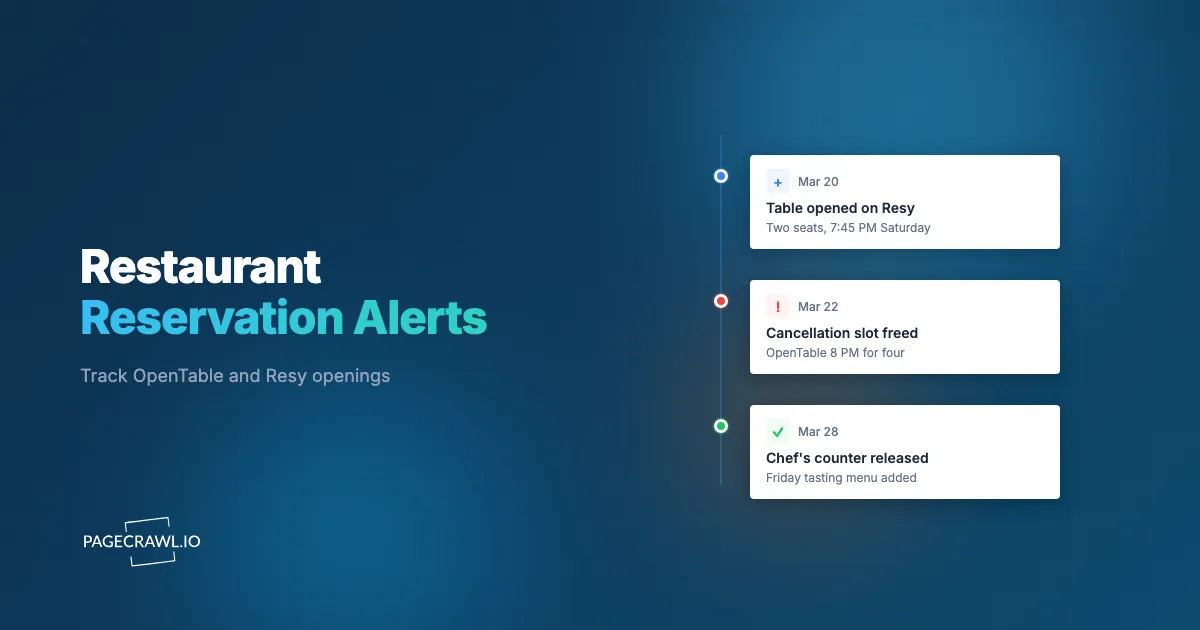
A reservation alert is an automated monitor that loads your target booking page on a fixed schedule, reads the available time slots, and compares them to the previous check. When a new slot appears (or a previously gray time turns bookable), the monitor detects the change on that check and sends a notification so you can book before the table is gone. Checks run as often as every 2 minutes on paid plans and hourly on the free plan, so the tighter your interval, the smaller the gap between the table freeing up and your phone buzzing. You set it once and it runs continuously.
Under the hood it is a simple, reliable loop:
- Load the page at a set interval (every 5 to 15 minutes for live reservations).
- Read the availability area you care about: the row of time buttons for your date and party size.
- Compare the current state to the previous check.
- Alert you on the first check where a slot flips from unavailable to bookable.
The detail that makes or breaks this is what gets compared. A reservation page is full of moving parts that have nothing to do with availability: rotating hero images, "X people viewed this" counters, marketing banners, and timestamps. If your monitor compares the whole raw page, every one of those will trigger a false alert. Good reservation monitoring targets just the slot area and ignores the rest, which is the same discipline you would apply when watching a campsite availability calendar that opens up through cancellations or a visa appointment slot that frees up at random times. The pattern is identical: a scarce, time-boxed slot, surfaced by cancellations, that you need to grab in the first minute.
Which reservation platforms can you monitor?
You can monitor any reservation page that loads in a normal browser, which covers every major platform: OpenTable, Resy, Tock, SevenRooms, Yelp Reservations, and the booking widgets restaurants host on their own websites. As long as a specific date and party size produces an availability page with a stable URL, a monitor can watch it for openings the same way stock availability monitoring watches a product page, and alert you when one appears.
OpenTable
OpenTable bakes your search into the URL, so a link for "party of 2, Friday, 7:30 PM" stays consistent every time the monitor loads it. The page renders a row of time-slot buttons near your requested time. Point your monitor at that slot row. When a previously empty time becomes a clickable reservation, that is your alert. OpenTable also shows nearby alternative times, so you can choose whether to watch a single exact time or a window.
Resy
Resy is one of the most competitive platforms because so many in-demand restaurants release tables exclusively through it, often on a strict 30-days-in-advance, midnight-exactly schedule. Two monitoring jobs help here: one watching the moment the calendar opens for a future date, and one watching an already-released date for cancellations. Both come down to detecting when a slot button switches from unavailable to bookable.
Tock
Tock is common at tasting-menu and prepaid restaurants, where reservations are effectively tickets. Availability tends to be even scarcer and cancellations even more valuable, since a freed prepaid seat can reappear at any hour. Watch the date's slot area exactly as you would on the others.
Restaurant-hosted widgets and SevenRooms
Plenty of restaurants embed SevenRooms or their own booking widget directly on their site. These work the same way: load the booking page for your date and party size and monitor the availability section. If a restaurant has both a third-party listing and its own widget, watch both, because inventory does not always sync instantly between them.
How do you set up a restaurant reservation alert in PageCrawl?
Setting up a reservation alert takes about five minutes. You copy the booking URL for your exact date and party size, create a monitor, point it at the availability part of the page, set a short check interval, add a trigger so you only hear about real openings, and choose a fast notification channel. The free tier (6 monitors and 220 checks per month) is enough to start watching a couple of restaurants.

Step 1: Capture the exact booking URL
Go to the restaurant on OpenTable, Resy, or Tock and run the actual search you want: the specific date, time window, and party size. Once the availability page loads, copy that URL. The important part is that your date and party size are encoded in the link, so the monitor reloads the same search every time instead of a generic homepage. If the platform does not put everything in the URL, note which fields you set, because you may need a login step (see Step 7).
Step 2: Create the monitor
In PageCrawl, paste the URL into a new monitor. PageCrawl loads the page in a real browser, so JavaScript-rendered slot buttons appear exactly as they do for you. You will see a live preview of what the monitor captures. Confirm the time slots for your date are visible in that preview before moving on.
Step 3: Target the availability area, not the whole page
Switch the monitor to track a specific element rather than the full page, and select the container that holds the time-slot buttons. Targeting this region cuts out the marketing banners, view counters, and image carousels that would otherwise trigger constant false alerts. If you are new to picking the right element, our CSS selector guide for targeting elements walks through how to grab exactly the slot row and nothing else.
Step 4: Set a short check frequency
Reservations are time-sensitive, so check often. Every 5 to 15 minutes is the sweet spot for live cancellations. The free tier checks every 60 minutes, which is fine for casually watching a calendar that has not opened yet, but for active cancellation hunting you want the tighter 15-minute or 5-minute intervals on a paid plan. The math matters: a table that lives for 90 seconds is more likely to be caught the more frequently you look.
Step 5: Add a trigger so you only hear about real openings
You do not want a ping every time the page reshuffles. Add a condition so the alert fires only when availability genuinely appears. A keyword trigger works well here: alert when text like the booking time, "Book," or "Reserve" appears in the slot area, or when "No availability" disappears. Our guide to conditional price, keyword, and threshold rules covers how to phrase these so the monitor stays quiet until a table is actually bookable, and the help centre page on notification conditions and filters shows where to set them on an individual monitor.
Step 6: Choose a fast notification channel
Pick the channel you actually react to fastest. Browser or mobile push notifications are ideal for reservations. A chat channel works too: send the alert to Slack, Discord, or Telegram so it buzzes your phone. Avoid relying on email alone for active cancellation hunting, because a table can be gone before you get around to opening your inbox.
Step 7: Test, then let it run
Trigger a manual check to confirm the monitor reads the slot area correctly and the preview shows your date. If the restaurant requires you to be logged in to see live availability, add a short login sequence so the monitor authenticates before each check; the same approach used to monitor pages behind a login form applies directly. Once the test looks right, leave it running. From here on, the page watches itself.
How do you avoid false alarms and ghost openings?
You avoid false alarms by monitoring only the slot area and by writing a trigger that fires on genuine availability rather than any page change. Most "ghost" alerts come from the surrounding noise (view counters, banners, rotating photos) or from a slot that flickers available for a split second between checks. Tight targeting and a clear condition eliminate almost all of it.
Three habits keep your alerts trustworthy. First, scope the monitor to the time-slot container and exclude everything else, so a new marketing badge never reads as a new table. Second, write the trigger around the bookable state: alert when a specific time becomes clickable or when the "fully booked" message disappears, not simply when "something changed." Third, accept that a tiny fraction of openings will close before you tap through; that is the nature of cancellations, not a flaw in the monitor. A well-scoped 5-to-15-minute monitor catches the overwhelming majority. If you find yourself over-alerted, tighten the targeting and the trigger until only genuinely bookable times get through.
Which notification channel is fastest for restaurant reservations?
For reservations, speed beats everything, so use push notifications or a chat channel rather than email. A freed table can live for under two minutes, and email can sit unopened far longer than that. Browser and mobile push notifications put a tappable alert right on your lock screen as soon as a check detects the opening, which is exactly what you need when every second counts.
Push is the top pick because it is both fast and frictionless: the alert arrives, you tap it, you are on the booking page. Chat channels are a close second. Routing alerts to Slack, Discord, or Telegram buzzes your phone and gives you a tidy, timestamped log of every opening, which is handy if several people in a household are hunting the same table and want to coordinate who books. Email still has its place for low-urgency watches, like a calendar that has not opened yet and where a same-day heads-up is fine. The rule of thumb: the shorter the slot lives, the faster the channel needs to be.
How do you watch several dates, times, and party sizes at once?
You watch multiple options by running one monitor per distinct search, since each date and party-size combination is its own URL. Want a table for two on either Friday or Saturday, at 7 PM or 8 PM? That is up to four monitors, each pointed at its own booking link, each alerting independently. This parallel approach dramatically raises your odds of catching a cancellation somewhere in your acceptable window.
In practice, flexibility is your biggest advantage, and separate monitors let you encode it precisely. A common setup looks like this:
- One monitor per date you would happily dine on (say, three Fridays in a row).
- One monitor per time window you can tolerate, for example a 6:30 to 8:30 PM band split into a couple of watches.
- One monitor per party size if you can flex between 2 and 4, since availability often differs by table size.
The same logic powers other time-sensitive scarcity hunts. People run parallel monitors to catch concert ticket drops and presale openings, to track sports tickets as seats are released and returned, and to snag passport appointment slots that surface through cancellations. Restaurants are the dining version of the same game: the more acceptable options you watch in parallel, the sooner one of them turns green.
Watching a calendar before it opens
For restaurants that release tables on a strict schedule (30 days out at midnight is the classic), point a monitor at the future date now, while it still shows no availability. Once the calendar drops and slots become bookable, the next check picks it up and you get alerted, often before the casual refreshers even realize the window has opened. This is the closest thing to a fair head start on a release.
Combining reservations with menu and pricing intel
If you are watching a restaurant closely, it is often worth watching what it serves and charges too. Pairing your reservation alert with restaurant menu and pricing monitoring means you learn about a new tasting menu, a seasonal change, or a price update at the same time you are hunting for a table. The technique is the same one home cooks use to catch grocery delivery slots opening up: watch the scarce, fast-moving thing, and let the alert do the waiting.
What about reservations that need a login or deposit?
Some platforms only show live availability to logged-in users, and prepaid or tasting-menu venues may gate the calendar behind an account. You handle these by adding a short login sequence to the monitor: the browser signs in, navigates to your dated search, and then reads the slot area, all before each check. Once authenticated, monitoring works exactly as it does on a public page.
Set this up by defining the steps the monitor performs before capturing the page: go to the login screen, enter your credentials, submit, and continue to your booking URL. PageCrawl runs this sequence on every check so the live availability is always visible to the monitor, the same way you would monitor any website behind a login form. Note: a monitor can tell you on its next check that a deposit-based seat has freed up, but you still complete the actual booking and payment yourself in your account. The alert gets you to the page first; you take it from there.
Choosing your PageCrawl plan
PageCrawl's Free plan lets you monitor 6 pages with 220 checks per month, which is plenty to watch a couple of restaurants and prove the approach works on a date you actually care about. Most reservation hunters move to a paid plan once they want tighter check intervals and more parallel watches across dates and party sizes.
| Plan | Price | Pages | Checks / month | Frequency |
|---|---|---|---|---|
| Free | $0 | 6 | 220 | every 60 min |
| Standard | $8/mo or $80/yr | 100 | 15,000 | every 15 min |
| Enterprise | $30/mo or $300/yr | 500 | 100,000 | every 5 min |
| Ultimate | $99/mo or $999/yr | 1,000 | 100,000 | every 2 min |
Annual billing saves two months across every paid tier. Enterprise and Ultimate scale up to 100x if you need thousands of pages or multi-team access.
For reservation hunting, frequency is the feature you are really buying. Standard at $80/year checks every 15 minutes and gives you 100 monitors, which is enough to watch a dozen restaurants across multiple dates and party sizes at once. Enterprise at $300/year drops to 5-minute checks, the difference between catching a 90-second cancellation and just missing it, and adds the headroom to run a serious multi-restaurant operation. All plans include the PageCrawl MCP Server, which connects directly to Claude, Cursor, and other MCP-compatible tools, so you can ask an AI assistant to set up and manage your reservation monitors in plain language. AI assistants can create monitors through conversation on every plan, including Free.
Getting Started
You do not need to monitor every restaurant in town to win at this. Pick the one table you have been chasing, set up a single monitor on your exact date and party size, point it at the slot area, and choose push notifications. Let it run while you get on with your life. The first time your phone buzzes with a freed cancellation at a place you assumed was impossible, you will never go back to refreshing by hand.
Sign up for a free PageCrawl account, point a monitor at the reservation you actually want, and let the page do the waiting. Stop refreshing, start dining.