
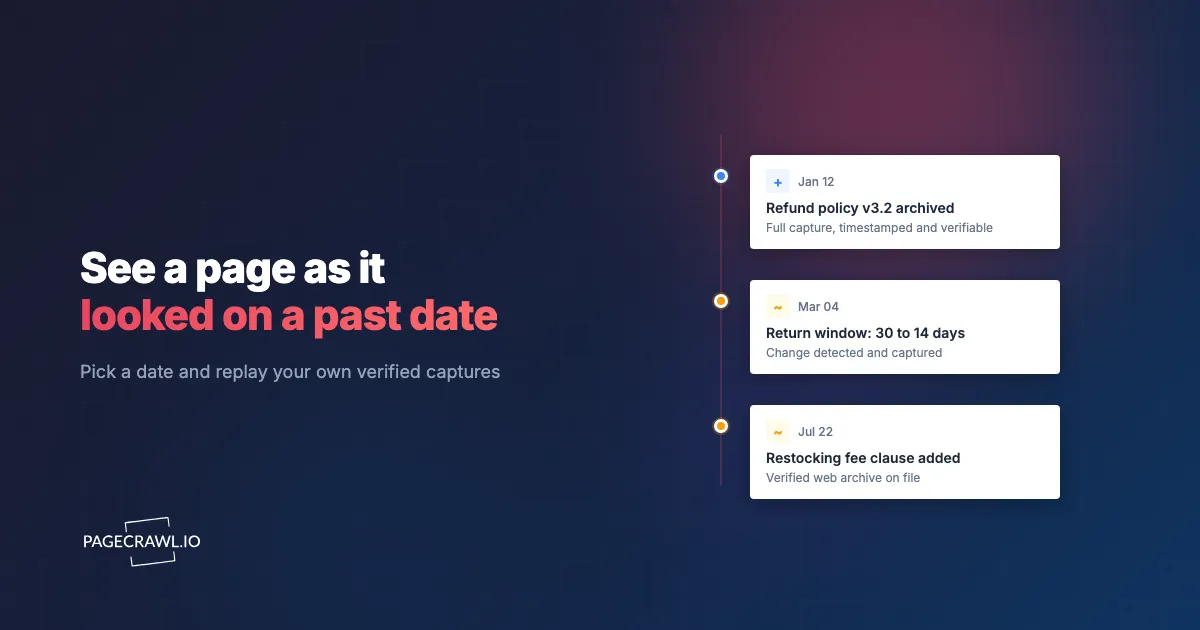
A customer disputes what your refund policy said on the day they ordered. A competitor swears their price never changed. A regulator asks you to show the exact guidance that was live last quarter. In every case you need the same thing: to see a web page as it actually looked on a specific date, and to prove it.
Screenshots you took by hand are never from the right day, and the public Wayback Machine may have crawled the page months before or after the day you care about. PageCrawl solves this with Time travel: every page you monitor becomes a browsable timeline. Pick a date on a calendar and see how the page stood on the nearest capture, drawn from your own scheduled captures and, on archived pages, a verifiable web archive you control.
How do you see what a web page looked like on a specific date?
Open a monitored page in PageCrawl, switch to the Time travel tab, and pick a date on the calendar. It shows how the page looked on the nearest capture on or before that day, taken from your own scheduled captures. Every day that has a capture is marked, so you can jump straight to the version you need.

What is PageCrawl Time travel?
Time travel is a calendar view of every version PageCrawl has captured of a page. PageCrawl adds a capture whenever it detects a change, so the timeline holds a distinct version for each change rather than just periodic snapshots. Each day with a capture is marked on the calendar, and selecting one shows that version's full-page screenshot, plus an interactive replay on archived pages. A date with no capture of its own resolves to the most recent capture before it, so you always see what the page actually showed as of that day.
How is Time travel different from the Wayback Machine?
The Wayback Machine crawls pages on its own unpredictable schedule, skips pages behind robots.txt, and often has nothing on the exact day you need. Time travel replays your own captures, taken on the frequency you set, so the days that matter are actually there. You also get change alerts and archives you own, instead of hoping a third party crawled the page. For a fuller comparison, see our guide to Wayback Machine alternatives, and our piece on checking when a website was last updated.
Why isn't a screenshot enough for evidence on its own?
A screenshot proves very little by itself. Anyone can edit an image in seconds, and AI image tools now make a convincing forgery trivial to produce, so a standalone screenshot is easy to fabricate and hard to defend when it is challenged. What makes a capture hold up is a neutral system taking it on a known schedule, saving a new version whenever the page changes, and sealing each one so any later edit is detectable. That is the logic behind Federal Rule of Evidence 902, which lets records be self-authenticated by a digital identification such as a hash value.
That is what PageCrawl's web archive and evidence layer adds on top of Time travel. On archive-enabled pages, PageCrawl saves a full capture every time the page changes in the open WACZ format maintained by Webrecorder, the page and its resources plus a screenshot, sealed with cryptographic hashes and a timestamp so the capture is tamper-evident and can be verified later. The screenshot history is ideal for reviewing what changed at a glance; the sealed archive is what you produce when a record has to survive scrutiny. See our guides to SEC 17a-4 web archive monitoring and audit-ready web evidence capture for how these records hold up.
How do you set up Time travel and web archiving?
Setup takes a few minutes, then it runs itself. Every check adds a capture to the timeline, and every change lands in a history you control.
- Add the page and turn on screenshots. Enter the URL and enable screenshot capture so each check builds the visual timeline you scrub in Time travel.
- Enable web archiving for records you need to defend. On the Ultimate plan, turn on Web archiving so each check also saves a verifiable WACZ archive. Archived pages are checked at least every 6 hours, which keeps a complete, replayable record without over-capturing. The help centre article on what is inside a PageCrawl WACZ archive covers what gets captured and how replay works.
- Choose your check frequency. Screenshot-only pages can be checked as often as every 2 minutes on higher plans; stable policy pages might only need a daily check.
- Browse by date. Open the Time travel tab, pick any date on the calendar, and step through captures with the arrows. Days with an archive open in an interactive replay; every other day shows the saved screenshot.
Our guide to monitoring website changes covers the wider workflow, and the website archiving guide explains formats and retention.
When would you use it?
Reach for Time travel whenever the question is "what did this page say on that day?" Legal teams preserve first-party evidence they control for a dispute. Compliance teams document the exact regulatory or policy text that was live at a point in time, which is where continuous legal and policy change tracking pays off. Competitive intelligence teams reconstruct a rival's pricing or messaging on a launch date. Product and legal teams track edits to terms of service and privacy policies over months, then replay any version on demand.
Which plans include Time travel and web archiving?
The Time travel calendar and full screenshot history are available on every plan, including Free, so you can browse any monitored page by date from day one. Verifiable WACZ web archives and interactive replay are part of the Ultimate plan, for the pages that need defensible records with a checkable chain of custody; the guide to verifying a PageCrawl web archive shows what a recipient can confirm for themselves. Retention runs from 90 days on Free up to indefinite on higher plans, which matters when you must show what a page said many months ago. How any given tribunal treats an archive varies, so this article is informational rather than legal advice; confirm evidentiary requirements with your own counsel.
Start with the pages you have needed to look up before and could not: a vendor's refund policy, a competitor's pricing page, a regulator's guidance. Add a few on the Free plan with screenshots turned on, let them run, then open Time travel and scrub the calendar. Once a page matters enough to prove, turn on web archiving and every future capture becomes a record you can replay and verify.


