A client calls their attorney about a defamatory blog post published the previous week. The attorney navigates to the URL, and the page is gone. The author deleted it. No screenshot was taken. No archive exists. The evidence that would have supported a strong case has vanished, and with it, much of the client's legal leverage.
This scenario plays out constantly. Web content is inherently ephemeral. Pages get edited, posts get deleted, social media accounts go private, and entire websites disappear overnight. Unlike physical documents that persist in filing cabinets, digital content can be altered or destroyed in seconds, often without any trace. For legal professionals, businesses facing online defamation, or organizations that need to document regulatory violations, the window for capturing web evidence can be painfully short.
This guide covers why web evidence preservation is critical, the legal standards for admissible digital evidence, methods for capturing and archiving web content, how to set up automated monitoring systems that continuously preserve evidence, and best practices for building litigation-ready web archives.
Why does web evidence disappear so quickly?
Because nothing on the public web is under your control. Authors delete posts once a cease-and-desist arrives, sites get redesigned, platforms purge content and suspend accounts, domains expire, and content management systems quietly discard old revisions. Understanding each failure mode helps you anticipate and prevent evidence loss.
Intentional Deletion
The most obvious reason. Someone publishes defamatory content, a cease-and-desist letter arrives, and the content is deleted. A competitor copies your product images, you notice, and they remove them before you can document the infringement. A disgruntled employee posts confidential information, then deletes it after realizing the consequences.
In each case, the person responsible for the content has every incentive to destroy the evidence. If you have not preserved it before deletion, proving the content ever existed becomes dramatically harder.
Website Redesigns and Updates
Companies regularly overhaul their websites. A terms of service page that contained an important provision gets replaced during a redesign. A product page with misleading claims gets updated as part of a routine content refresh. These changes may not be malicious, but the result is the same: the original content is gone.
For regulatory compliance cases, where the question is what a company's website said on a specific date, routine updates destroy relevant evidence just as effectively as intentional deletion.
Platform Policy Changes
Social media platforms change their content policies, resulting in mass removal of certain types of posts. Platforms shut down entirely (as several have over the past decade). User accounts get suspended, taking all associated content with them. Platform-hosted content is fundamentally outside your control.
Server Failures and Domain Expiration
Websites go offline due to hosting failures, domain expiration, or business closure. Small business websites, personal blogs, and forum posts are particularly vulnerable. The content may still exist on a server somewhere, but accessing it becomes difficult or impossible once the domain stops resolving.
Content Management System Behavior
Many CMS platforms automatically purge old content, revisions, or archived pages after a set period. What looked like a permanent publication may have a built-in expiration date that neither the publisher nor the evidence collector is aware of.
What legal standards must web evidence meet?
In United States federal practice, web evidence has to be authenticated, supported by a documented chain of custody, and offered as the original or a reliable duplicate, while surviving any hearsay objection to how it is used. Understanding these standards shapes how you capture and preserve content.
Authentication Requirements
Under the Federal Rules of Evidence, Rule 901, digital evidence must be authenticated. This means demonstrating that the evidence is what you claim it is: that the web page actually appeared as captured, on the date claimed, at the URL specified.
Courts have become increasingly sophisticated about digital evidence. A simple screenshot without metadata may face challenges. More robust preservation methods, such as those that capture HTTP headers, timestamps, page source code, and visual rendering together, are harder to dispute.
Chain of Custody
From the moment evidence is captured, there should be a clear, documented chain of custody. Who captured the evidence? When? Using what tool? Where has it been stored? Has it been modified?
Automated monitoring tools create stronger chain of custody documentation than manual methods because they log capture times, methods, and storage locations programmatically. There is no human memory to question or testimony to challenge about when exactly a screenshot was taken.
Best Evidence Rule
The best evidence rule (Federal Rules of Evidence, Rule 1002) generally requires the original document or a reliable duplicate. For web content, the "original" is the rendered web page as served by the web server. A faithful capture of that rendering, including visual appearance, underlying source code, and metadata, constitutes a reliable duplicate.
Web archives that capture both the visual rendering and the underlying data (HTML, CSS, JavaScript, images) provide stronger evidentiary support than screenshots alone because they preserve more of the "original."
Hearsay Considerations
Web content may face hearsay objections depending on how it is being used. The content of a web page is generally admissible to prove the page existed and said what it said (not hearsay, offered to prove the statement was made), but using the content to prove the truth of what it asserts raises hearsay issues.
This distinction matters for evidence strategy but does not change the preservation approach. Capture everything; let the attorneys argue admissibility later.
The Spoliation Risk
Failing to preserve relevant web evidence when litigation is reasonably anticipated can constitute spoliation. This applies to both parties. If you know a lawsuit is coming and you have access to relevant web content, failing to preserve it can result in adverse inference instructions or other sanctions.
For organizations that regularly face litigation or regulatory inquiries, establishing systematic web evidence preservation is not just useful. It is a legal obligation under many circumstances.
Which web evidence preservation methods hold up best?
Ranked from weakest to strongest: a manual screenshot, a third-party archive snapshot you did not control, a certified archiving service, and continuous automated monitoring that timestamps every capture. Several approaches exist for capturing and preserving web content, with varying levels of legal robustness and practical convenience.
Manual Screenshots
The simplest method. Navigate to the page, take a screenshot, save it with a filename that includes the date and URL.
Advantages: Simple, requires no special tools, captures visual appearance.
Limitations: No metadata capture, no source code preservation, relies on human testimony for authentication, easy to alter, does not capture full-page content that requires scrolling, misses dynamic elements. Courts increasingly view unsupported screenshots with skepticism.
Manual screenshots are better than nothing but should not be your primary preservation method for evidence that matters.
The Wayback Machine
The Internet Archive's Wayback Machine captures public web pages and stores them indefinitely. If the page you need has been archived, the Wayback Machine provides a timestamped copy with the URL and capture date.
Advantages: Independent third party, widely recognized by courts, free, captures HTML and basic rendering.
Limitations: Does not capture all pages (especially those behind login walls, bot protection, or robots.txt exclusion), capture timing is unpredictable (days or weeks between snapshots), does not capture JavaScript-rendered content reliably, and you cannot trigger captures on demand for specific timing.
The Wayback Machine is a useful supplementary source but not a reliable primary preservation strategy because you cannot control when or whether captures happen.
Certified Archiving Services
Services like PageFreezer, Hanzo, and Smarsh specialize in legally defensible web archiving. They capture content with cryptographic verification, timestamps from trusted time servers, and chain of custody documentation designed for litigation.
Advantages: Purpose-built for legal proceedings, strong authentication, accepted by courts.
Limitations: Expensive (often hundreds to thousands of dollars per month), may require setup time for each new capture target, and are designed for compliance archiving rather than real-time evidence capture.
These services make sense for large organizations with ongoing compliance obligations but are overkill for most individual evidence preservation needs.
Web Monitoring for Continuous Preservation
A web monitoring tool like PageCrawl provides ongoing, automated evidence preservation. By monitoring a page at regular intervals, you create a timestamped history of how the page appeared over time, including full-page screenshots, detected text content, and change history.
Advantages: Automated and continuous (no manual effort after setup), captures visual appearance and content at every check, creates a timeline showing when content appeared and changed, handles JavaScript-heavy pages, works with protected sites, provides evidence of content persistence over time.
Limitations: Captures content at the configured check frequency (not continuously), requires setup before the content appears (reactive rather than preemptive for unexpected content).
For ongoing monitoring of content that may be relevant to current or anticipated legal matters, web monitoring provides the best balance of automation, reliability, and evidentiary strength.
Setting Up Evidence Preservation with PageCrawl
Here is how to configure PageCrawl for web evidence preservation that supports legal proceedings.

Step 1: Identify Content to Preserve
Start by listing all URLs containing content relevant to your case or potential case. This includes:
- The specific page(s) containing the content at issue (defamatory post, infringing content, misleading claims)
- Related pages that provide context (author profile pages, company about pages, linked pages)
- Comparison pages that establish your original content (for infringement cases)
- Terms of service or policy pages on the platform hosting the content
Cast a wide net initially. It is easier to discard irrelevant captures later than to go back and capture content that has been deleted.
Step 2: Configure Full-Page Monitoring
Add each URL to PageCrawl using the "Full Page" tracking mode. This captures the complete page content, not just a specific element. For evidence preservation, you want everything on the page, not just the defamatory sentence or the infringing image.
Enable screenshots on every monitor. Screenshots provide the visual evidence that courts and opposing counsel can understand at a glance. The full-page text capture provides the underlying content for detailed analysis.
For pages with content that extends below the initial viewport, full-page screenshots capture the entire scrollable content, ensuring nothing is missed.
Step 3: Set Appropriate Check Frequency
For active evidence preservation (you know the content exists and may be deleted soon):
- Hourly checks: For content likely to be deleted imminently (cease-and-desist sent, litigation filed)
- Every 4-6 hours: For content that may change or be edited but is not under immediate deletion threat
- Daily checks: For ongoing monitoring of content that is stable but needs continuous documentation
The goal is to create multiple timestamped captures showing the content's persistence. A single capture proves the content existed at one moment. Multiple captures over days or weeks prove it was persistent and publicly available throughout that period, which strengthens your case.
Step 4: Request WACZ Web Archives
For the strongest evidentiary preservation, contact us to enable WACZ (Web Archive Collection Zipped) archives for your account. Audit-ready WACZ archiving with signed timestamps is a custom capability we enable per account on request. WACZ files capture not just the visual rendering but the complete web page package: HTML, CSS, JavaScript, images, fonts, and HTTP response headers. This provides a forensically complete record of what was served by the web server.
WACZ is an open format maintained by Webrecorder, and the article on what is inside a PageCrawl WACZ archive walks through the signature and sidecar files an examiner will look for. WACZ archives can be independently verified and replayed, showing exactly how the page appeared at the time of capture. This level of detail is difficult to challenge in court. Because WACZ files bundle all page resources into a single self-contained file, they can be stored offline, shared with legal teams via email or secure file transfer or handed to a regulator or opposing counsel through a signed public verification link that opens without a PageCrawl account, and opened in any WACZ-compatible viewer without needing the original server. For evidence that may be needed years down the line, this self-contained format ensures the archive remains accessible regardless of whether the original site still exists.
For more on web archiving capabilities, see our website archiving guide.
Step 5: Document Your Monitoring Setup
Create a written record of your monitoring configuration: which URLs you are monitoring, when monitoring started, what frequency you selected, and why. This documentation supports the chain of custody and demonstrates that your evidence preservation was systematic and intentional, not selective or manipulated.
If you are monitoring as part of a litigation hold, document the connection between the legal matter and the monitoring targets.
Building a Litigation Hold Monitoring System
When litigation is reasonably anticipated, organizations have a duty to preserve relevant evidence. Web content is often overlooked in litigation hold protocols, but it should not be.
Identifying Relevant Web Content
Work with legal counsel to identify categories of web content relevant to the anticipated litigation:
- Competitor websites (for false advertising claims)
- Customer review sites (for defamation or product liability cases)
- Social media profiles (for employment or personal injury cases)
- Regulatory agency websites (for compliance cases)
- Industry publication pages (for market analysis evidence)
Setting Up Systematic Monitoring
For each category of relevant content, create a monitoring group in PageCrawl. Tag monitors by case name or matter number so captures can be easily associated with the legal proceeding they support.
Set check frequencies based on how volatile the content is. Social media posts may change hourly. Corporate website pages may change monthly. Match your monitoring to the content's rate of change.
Maintaining the Archive
As long as the litigation hold is in effect, maintain monitoring without interruption. If a monitor fails (the URL changes, the page goes offline), document the failure and the last successful capture. Do not delete monitoring history for pages that become unavailable, as the historical captures remain valuable evidence.
Review your monitored URLs periodically to ensure they remain accessible and that monitoring is functioning correctly. Add new URLs as the case develops and new relevant content is identified.
Use Cases for Web Evidence Preservation
Defamation Cases
Online defamation is among the most common reasons for web evidence preservation. Defamatory blog posts, social media comments, forum posts, and review site content can be deleted quickly once the poster realizes legal consequences are possible.
For defamation cases, preserve:
- The defamatory content itself (the post, comment, or article)
- The author's profile page (establishing identity)
- Timestamps and engagement metrics visible on the page (comments, shares, views)
- The platform's terms of service (relevant to platform liability arguments)
- Any responses or corrections posted later (relevant to mitigation)
Set up monitoring as soon as defamatory content is discovered. Do not wait for legal counsel to review. By the time a consultation is scheduled, the content may be gone.
Trademark and IP Infringement
When a competitor uses your trademark, copies your product images, or reproduces your copyrighted content on their website, preserving the evidence of infringement is the first priority.
Monitor the infringing pages continuously. Change detection will alert you if the infringer modifies the infringing content, which could indicate either compliance with a cease-and-desist or an attempt to alter the infringement to avoid detection.
Also monitor your own original content as a comparison point. Timestamped captures of your original content alongside captures of the infringing content create a clear before-and-after narrative.
Terms of Service and Privacy Policy Violations
When a service provider changes their terms of service or privacy policy in ways that affect your rights, having a preserved copy of the original terms is critical. Courts look at what the terms said when you agreed to them, not what they say now.
Monitor terms of service and privacy policy pages for any services that are material to your business relationships. PageCrawl's change detection alerts you on the next check after these pages are modified, and the history preserves every version.
Regulatory Investigations
Organizations under regulatory scrutiny need to preserve relevant web content as part of their compliance monitoring obligations. This includes their own website content (to prove what was disclosed and when) and third-party content (competitor marketing claims, industry standards, regulatory guidance).
For regulated industries (financial services, healthcare, pharmaceutical), systematic web evidence preservation is increasingly becoming a baseline compliance requirement rather than an optional best practice. When an examiner asks for the record, the guide to packaging an audit trail for a regulator covers how to assemble the archives into an attested evidence bundle.
Employment Disputes
Employee social media posts, company career page representations, internal portal content, and Glassdoor reviews may all be relevant to employment litigation. Content posted by current or former employees can be deleted or edited at any time.
For ongoing employment matters, monitoring relevant social media profiles and employer review sites preserves evidence that might otherwise disappear when the other party realizes the legal implications.
Best Practices for Admissible Web Evidence
Capture More Than You Think You Need
When in doubt, monitor and capture. Storage is cheap. Missing evidence is expensive. It is far better to have irrelevant captures that you never use than to miss a critical piece of evidence because you decided not to monitor that particular page.
Maintain Consistent Monitoring
Sporadic monitoring creates gaps that opposing counsel can exploit. If your captures show the defamatory content on Monday and Thursday but not Tuesday or Wednesday, the defense might argue the content was removed during that gap and republished. Consistent, frequent monitoring eliminates these gaps.
Do Not Alter Evidence
Never edit screenshots, modify captured content, or selectively present portions of a page. Present the full capture as it was recorded. If you need to highlight specific content, do so on a copy while preserving the original unchanged.
Preserve Metadata
Timestamps, URLs, HTTP headers, and capture method documentation are as important as the visual content. An undated screenshot of a web page is far less valuable than a timestamped capture with URL metadata and hash verification.
Use Multiple Preservation Methods
For critical evidence, use more than one preservation method. Monitor with PageCrawl for continuous automated captures, take manual screenshots with metadata tools as backup, and check the Wayback Machine for independent third-party verification. Multiple sources of the same evidence are harder to challenge than a single source.
Consult Legal Counsel Early
Evidence preservation strategy should be guided by legal counsel who understands the specific jurisdiction's requirements for digital evidence. Different courts and different jurisdictions have varying standards for what they accept. An attorney experienced in digital evidence can advise on what additional steps might be needed for your specific situation. Always confirm the admissibility rules that apply to your matter with qualified counsel; this article is informational, not legal advice.
Visual Evidence and Change Documentation
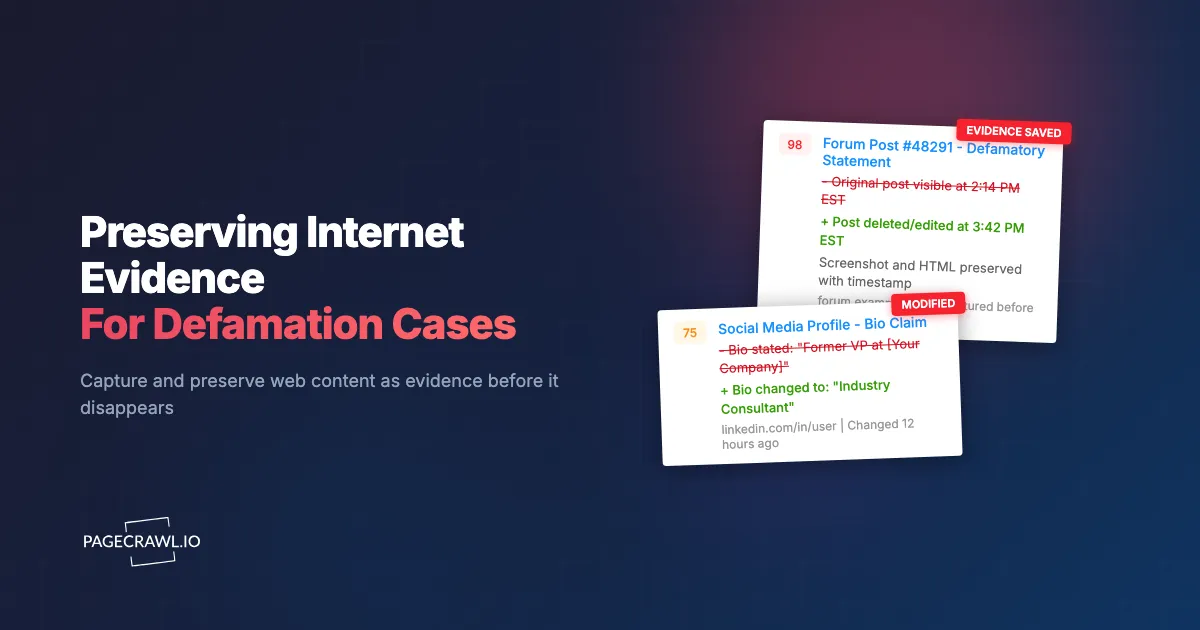
PageCrawl's visual regression monitoring capabilities are particularly valuable for evidence preservation. Visual comparison shows exactly what changed on a page between captures, highlighting added content, removed content, and modifications.
This visual change documentation is powerful in legal proceedings because it creates an objective, automated record of how content evolved over time. Rather than relying on witness testimony about what a page looked like last week, you have timestamped visual evidence showing the page at multiple points in time with changes highlighted.
For cases involving website content that was edited (defamatory content softened, misleading claims modified, terms of service quietly changed), this change history tells the complete story of the content's evolution.
Choosing your PageCrawl plan
PageCrawl's Free plan lets you monitor 6 pages with 220 checks per month, which is enough to validate the approach on your most critical pages. Most teams graduate to a paid plan once they see the value.
| Plan | Price | Pages | Checks / month | Frequency |
|---|---|---|---|---|
| Free | $0 | 6 | 220 | every 60 min |
| Standard | $8/mo or $80/yr | 100 | 15,000 | every 15 min |
| Enterprise | $30/mo or $300/yr | 500 | 100,000 | every 5 min |
| Ultimate | $99/mo or $999/yr | 1,000 | 100,000 | every 2 min |
Annual billing saves two months across every paid tier. Enterprise and Ultimate scale up to 100x if you need thousands of pages or multi-team access.
Web archiving services that charge per snapshot or per page quickly become expensive once a matter involves dozens of URLs and months of history. Standard at $80/year covers 100 pages with continuous monitoring and full change history retained, which handles most single-matter preservation needs comfortably. For law firms or organizations running preservation across multiple concurrent matters, Enterprise at $300/year covers 500 pages with 5-minute check intervals and up to 100,000 checks per month.
All plans include the PageCrawl MCP Server, so counsel can query the archive directly through an AI assistant, asking it to surface every edit made to a specific page between two dates and produce a timestamped change log suitable for attaching to a declaration. AI assistants can create monitors through conversation on every plan, including Free.
Getting Started
Identify the web content most critical to preserve for your current or anticipated legal needs. Add those URLs to PageCrawl with full-page monitoring, screenshots enabled, and an appropriate check frequency. For active litigation or imminent deletion risk, start with hourly checks. For general preservation of content that might become relevant, daily monitoring is sufficient.
PageCrawl's free tier includes 6 monitors, enough to cover the key pages in a single matter. The Standard plan ($80/year for 100 monitors) supports preservation across multiple matters or comprehensive monitoring of a larger set of relevant pages. For law firms or organizations managing multiple cases simultaneously, the Enterprise plan ($300/year for 500 monitors) provides the scale needed for systematic evidence preservation.
For organizations looking to build a comprehensive migration from legacy archiving tools, our Versionista alternative guide covers the transition process in detail.
The most important step is starting before the evidence disappears. Every day without monitoring is a day when critical content could be deleted, edited, or lost. Automated preservation removes the human error of forgetting to capture a page and ensures that when you need the evidence, it exists.