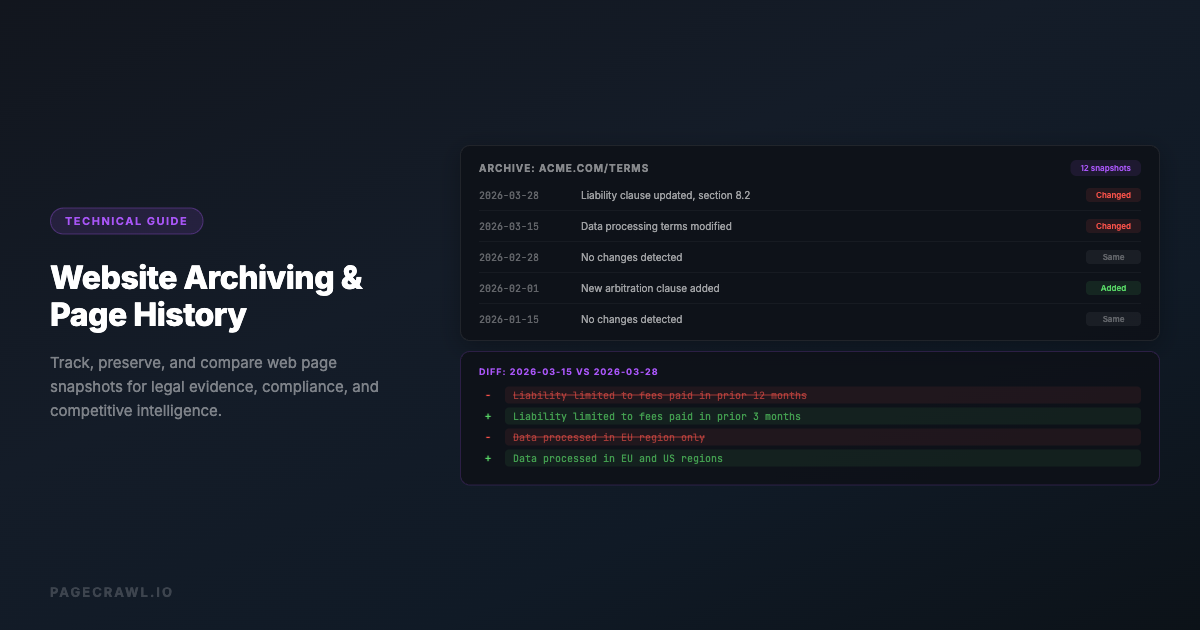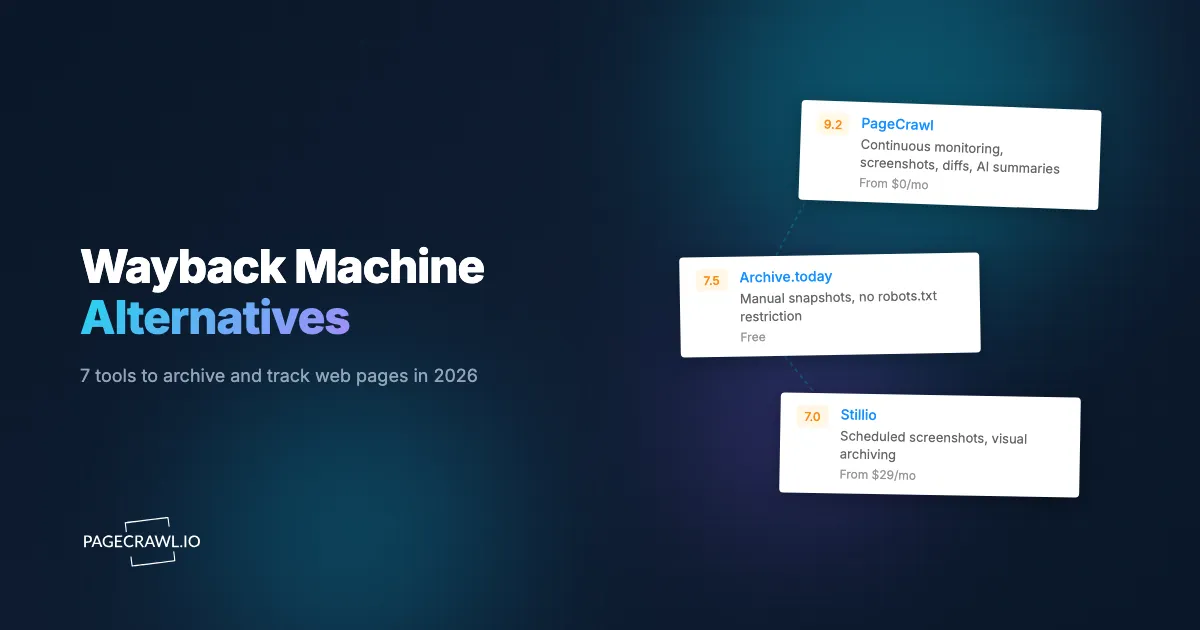
Need an old version of a page? Search the Wayback Machine or Archive.today. Need to watch hundreds or thousands of pages from now on? Compare monitoring tools by page capacity, check frequency, change review, and retention. Saving a copy and knowing when something changed are different jobs.
PageCrawl combines scheduled monitoring, screenshots, change history, and alerts. On Ultimate, Record every check can also keep screenshots, web archives, or both from eligible checks even when nothing changes. Complete web archives require Ultimate. Other plans support only change monitoring and screenshot capture.
How do the archiving and monitoring features compare?
Compare recording checks even when nothing changes, preserving web archives, detecting changes with useful alerts, and storage. PageCrawl combines these on Ultimate. Other tools focus on scheduled screenshots, manual captures, historical lookup, or change detection. Check whether captures stay with the provider or use storage you manage yourself.
| Tool | Record every check | Web archives | Change detection and alerts | Storage |
|---|---|---|---|---|
| PageCrawl | Ultimate: screenshots, archives, or both, including unchanged checks | Ultimate: replayable archives with downloads | Yes: highlighted changes, AI summaries, and alerts | 500 GB per Ultimate unit, shared by archives and unchanged recordings; expandable with additional units |
| Stillio | Scheduled screenshots, including unchanged pages | Screenshot images only | No change detection; new-screenshot notifications | Hosted screenshots; 3 years with an active subscription. Downloads available |
| ChangeDetection.io | Saves the baseline and detected changes | Text change history | Yes: change comparisons and notifications | Hosted service, or your own disk when self-hosted |
| Wayback Machine | No user-defined check schedule | Public archived pages with replay | Compare existing captures | Public archive hosted by the Internet Archive |
| Archive.today | On-demand snapshots | Saved text and graphical copies | Snapshot service, not ongoing monitoring | Public snapshots hosted by Archive.today |
| ArchiveWeb.page | Records while you browse | Replayable WARC/WACZ archives | Capture and replay, not change alerts | Local browser storage; exported files use your own storage |
| HTTrack | Downloads you run or automate | Local website copies; WARC output | Updates local copies, not change alerts | Your own disk space |
| SingleFile | Manual saves or auto-save on page load | Self-contained HTML files | Saves pages, not change alerts | Your own disk or connected cloud storage |
Record every check means retaining captures from eligible scheduled checks even when the page is unchanged. On PageCrawl, both this feature and complete web archives require Ultimate. Web archive capture needs intervals of 6 hours or longer; screenshot recording can run more frequently. Change detection and alerts are available on other plans too.
Paste your website into the planner below to count its pages from the sitemap, keep the sections you need, and see which plan covers them. Monitoring for changes works on every plan; switch on web archives only if you need replayable copies, which are part of Ultimate. A short list checked frequently can require more monthly checks than a large list checked daily.
Can an alternative recover a page that was never saved?
A new monitoring account cannot reconstruct a page before its first capture. If you need an older version, search an existing archive first. If no saved copy covers the date you need, starting monitoring now can build a future record, but it cannot fill that historical gap.
The Internet Archive's Wayback Machine guide explains how to search URLs and dates, and why some pages are missing. Its Save Page Now feature captures a submitted page; submitting one does not schedule future captures. When reading any archive, check the capture timestamp and whether the content you need is present.
Which seven tools are worth considering?
The seven alternatives below cover ongoing monitoring, scheduled screenshots, public snapshots, and files you keep yourself. Each solves a different part of the problem. Start with the entry matching your task, then compare the effort required to capture, store, and review your actual collection of pages.
1. PageCrawl: monitoring and scheduled records across many pages
PageCrawl is a fit when your job is to review changes across vendor policies, competitor pages, product catalogues, or other large URL lists. Folders, labels, reusable templates, highlighted changes, and AI summaries help you organize monitoring and decide what deserves attention. Alerts arrive when a scheduled check detects a relevant change.
Screenshots and change history support day-to-day review, subject to plan retention. Ultimate adds complete replayable archives and Record every check, which can retain captures from unchanged checks too. Choose PageCrawl when you need both a reviewable change history and scheduled records across a large page collection.
2. Archive.today: public snapshots and historical lookup
Archive.today lets you submit a URL for a snapshot and search existing captures. It preserves text and a graphical copy, making it useful for saving a public reference or looking for a page missing from another archive.
Choose it for individual public snapshots. Review what was captured before relying on the saved link.
3. Stillio: basic screenshot service
Stillio is a basic service for taking scheduled screenshots of web pages. You choose the pages and capture frequency, and it saves images for later review.
Choose it when a dated image is enough, such as a visual record of a campaign page over several weeks. A screenshot preserves the page's appearance, but does not give you a replayable copy of the page.
4. ArchiveWeb.page: captures you guide by browsing
ArchiveWeb.page records web pages as you browse using its extension or desktop app. Its download guide describes exporting collections or selected pages in WARC or WACZ format for replay and sharing.
Choose it when you want to guide the capture yourself, including visiting specific pages or interacting with content. Allow time to inspect the resulting archive.
5. HTTrack: local website copies
HTTrack downloads websites into local folders and arranges links for offline browsing. It can update an existing mirrored site and resume interrupted downloads.
Choose it when your priority is keeping a browsable local copy. Test representative pages first, then check the downloaded result. A collection of saved files also needs a storage and review process if you plan to maintain it over time.
6. SingleFile: self-contained saved pages
SingleFile saves a web page into a single HTML file. It supports saving multiple tabs and offers automation options, so it is not limited to manually saving one page at a time.
Choose it for research collections and saved references you manage yourself. Decide how you will name, organize, and back up the files as the collection grows.
7. ChangeDetection.io: configurable change monitoring
ChangeDetection.io monitors pages and sends change notifications. Its open-source project supports configurable check intervals and highlighted changes; a hosted service is also available.
Choose it when you want configurable monitoring or prefer to manage your own installation. If replayable archives are part of your requirements, evaluate that requirement separately from detecting and reporting changes.
How do you keep a record even when nothing changes?
On Ultimate, Record every check can keep screenshots, web archives, or both from eligible checks, including those that detect no change. It builds a dated record alongside your change history. Unchanged recordings send no alerts and do not count as changes, so routine captures do not fill your review queue.
For example, monitor 500 vendor policy pages daily and retain captures even on days without edits. You can then inspect what a policy page showed on a captured date. A saved capture documents its timestamp; failed captures leave gaps, and changes between checks may be missed.
To set it up:
- Enable Screenshots and/or Web Archiving in Settings under Active Features. Screenshot recording also requires the monitor's Full Page Screenshots setting. Web archive recording requires check intervals of 6 hours or longer; screenshot recording has no six-hour minimum.
- As a team owner or administrator, open Settings > Workspace > General > Record every check. Set Screenshots, Web archives, or both to All monitors or Selected monitors and templates, then choose the monitors or templates to record if needed.
Suggested setup: daily screenshots, web archives when changes are detected. Set your monitors to check once a day and enable Full Page Screenshots. In Record every check, enable Screenshots for those monitors and leave Web archives off. Enable Web archiving of detected changes for the same monitors. This gives you a daily visual record, plus a replayable web archive when a change is detected, while using less storage than saving a complete archive on every unchanged check.
In a monitor's history, select Unchanged recordings in the status filter to expand the saved checks. Or open Time Travel and pick a day and capture time.
Unchanged screenshots and web archives share Ultimate's 500 GB storage pool per unit with archives of detected changes. Settings > Usage shows the recording rate and a storage forecast, so you can plan retention as the collection grows. The recording guide covers eligibility and downloads.
How do you monitor hundreds or thousands of pages effectively?
Start with summary reports that bring changes across your monitored pages into a daily or weekly digest. At scale, this gives you a manageable starting point for review. Then organize pages, reuse monitoring settings, and budget check frequency and archive storage so the collection remains practical to maintain.
Set up summary reports. Bundle changes across hundreds or thousands of pages into scheduled digests. Enable an AI executive summary to scan the main developments, then open individual changes for detail. Choose a daily or weekly schedule and configure priority escalation for changes that need attention before the next report. The summary reports guide covers setup and delivery options.
Group pages by purpose. Separate competitor pricing, vendor policies, product availability, and reference pages. Give each group an owner and a clear reason for monitoring it. Use folders and labels to make the resulting changes easy to find.
Test a reusable configuration. Set up a small sample from each type of page, confirm the right content is captured, and then apply templates to similar pages. Exclude irrelevant areas when appropriate. This reduces the work of correcting hundreds of monitors later.
Budget checks before choosing intervals. On a 30-day estimate, 1,000 pages checked daily use 30,000 checks. Every 6 hours uses 120,000; hourly uses 720,000. A plan's fastest supported interval does not mean every included page can run at that interval all month.
Give changes a review process. Route relevant alerts to the people who can act on them. Use summaries to scan the queue, open the highlighted changes for context, and mark reviewed items. Revisit noisy monitors instead of letting low-value alerts accumulate.
Select pages that need complete archives. Some monitoring only needs a price history, text comparison, or screenshot. Other pages need replayable captures. On PageCrawl, enable complete archiving on Ultimate monitors checked every 6 hours or less often, and account for the storage those captures use.

The review board guide explains lanes and filters. For the setup steps, see how to monitor website changes.
Which PageCrawl plan do you need for monitoring and archiving?
Choose a plan using both page count and monthly check demand. Standard and Enterprise support monitoring without complete web archives or Record every check. Ultimate adds both, subject to storage and capture eligibility. The table below shows monthly billing; the planner shows the monthly equivalent when billed annually. Increasing plan quantity adds capacity and increases the price.
| Base plan | Monthly price | Pages | Checks per month | Web archives and Record every check |
|---|---|---|---|---|
| Standard | $8 | 100 | 15,000 | Not included |
| Enterprise | $30 | 500 | 100,000 | Not included |
| Ultimate | $99 | 1,000 | 100,000 | Included, with 500 GB shared storage |
For example, 1,000 pages checked daily need about 30,000 checks in a 30-day month. If monitoring is the goal, two Enterprise units provide 1,000 pages for $60/month. If those pages also need complete archives, one Ultimate unit provides 1,000 pages for $99/month, subject to its archive storage pool.
Ultimate supports monitoring intervals as short as 2 minutes, but monitors with complete archiving must use intervals of 6 hours or longer. Increasing Ultimate quantity adds pages, monthly checks, and archive storage. Its 500 GB per unit is a standing storage pool, not a monthly allowance. Compare plans using your intended schedule.
How long will 500 GB last, and what happens when storage fills?
Settings > Usage shows how much storage you use, your estimated recording growth in MB or GB per day and week, and when the available space is forecast to fill. This helps you judge how long your 500 GB pool will last with your current capture settings and retention period.
For a sample calculation, allow about 0.6 MB per full-page screenshot and 5 MB per complete web archive, or 5.6 MB for both. Actual sizes vary with page length, images, and other captured resources. Use these as planning examples, then check the measured usage of your own pages.
With Record every check enabled for 100 pages checked once a day, these examples assume each check adds an unchanged recording to the pool:
| What you record | Assumed size per page | Added per day | Approximate time to fill 500 GB |
|---|---|---|---|
| Screenshots only | 0.6 MB | 60 MB | 23 years |
| Web archives only | 5 MB | 500 MB | 2.7 years |
| Screenshots and web archives | 5.6 MB | 560 MB | 2.4 years |
These examples use 1 GB = 1,000 MB for easy calculation and assume an empty pool, each daily check adding the stated amount to the pool, and no deletions or other storage use. The durations describe storage capacity, not a guaranteed retention period.
For example, 100 pages × 5 MB = 500 MB per day, so 500 GB ÷ 0.5 GB = 1,000 days, or about 2.7 years of web archives. Recording 500 pages daily instead uses about 2.5 GB per day and gives roughly 200 days. Four captures a day would use four times as much storage as one, before considering retention.
What if you save only detected changes? Keep web archiving enabled and turn off Record every check. Suppose you still check 100 pages daily, but 10 pages change each day. This illustrative 10% change rate gives:
- Daily storage: 10 web archives × 5 MB = 50 MB per day.
- Monthly storage: 50 MB × 30 days = 1.5 GB per month.
- Time to fill 500 GB: 500 GB ÷ 0.05 GB per day = 10,000 days, or about 27 years.
At that assumed change rate, web archives use one tenth of the storage required to archive all 100 daily checks. This calculation uses the same empty-pool assumptions above; your actual change rate determines the result. Screenshots saved with detected changes do not use the 500 GB archive pool, so saving them alongside these archives does not increase this pool's usage. Screenshots recorded from unchanged checks do count toward it.
For the suggested daily-screenshot setup, keep screenshot recording on and save web archives only on detected changes. With the same 100 daily checks and 10 changed pages, the pool grows by 90 unchanged screenshots × 0.6 MB + 10 web archives × 5 MB = 104 MB per day. That is about 3.12 GB per 30-day month, or roughly 13 years to fill an empty 500 GB pool under the same assumptions. You keep the daily visual record while reserving complete archives for changed versions.
The forecast changes with your page sizes, recording schedule, and retention. The same screen identifies the pages using the most storage and shows how much space a shorter retention period would free. You can adjust the setup before running out:
- Shorten unchanged-recording retention. Choose how long to keep recordings of checks that found no change, for example one or three years. Older unchanged recordings are removed; this setting does not remove captures of detected changes.
- Keep screenshots where a visual record is enough. Record screenshots instead of full web archives on those pages. Turn off both web archive recording and archiving of detected changes for those monitors. This reduces future storage growth; it does not remove existing archives.
- Capture less often or record fewer pages. Use a slower schedule for stable pages, or keep Record every check only on selected monitors and templates.
- Add another Ultimate unit. Each additional unit adds 500 GB to the shared pool, along with more monitoring capacity, and increases the subscription price. Two units provide 1,000 GB.
If the pool fills, new web archives and recordings pause, while monitoring and change alerts continue. Existing captures are not deleted merely because storage is full. To resume saving captures, free space through retention or by clearing history you no longer need, or add capacity. Switching future captures to screenshots alone does not free a full pool.
What does PageCrawl's complete web archiving add?
On Ultimate, eligible monitors can save a replayable web archive when a change is detected. These captures preserve page content and resources for later viewing and download. They complement screenshots and text comparisons, giving you a saved version to inspect when the appearance and surrounding content matter to your review.
The optional Internet Archive integration submits detected changes for public capture. A public snapshot depends on the Internet Archive accepting and completing that capture; it may have a different timestamp or content from your private archive. Review the integration setting before using it for pages that should stay private.
The web archiving guide explains setup, downloads, retention, and storage.
How should you get started?
Choose one task and test it with a small set of real pages. For historical lookup, search existing archives. For ongoing monitoring, check whether the captured content and alerts are useful before expanding the URL list. If complete archives are required from the start, begin with an eligible Ultimate setup.
For a monitoring trial, create a free account. Free includes 6 pages, 220 checks per month, 90 days of change history, and the last 3 screenshots. Complete archiving and Record every check are not included. Once the workflow works for your sample, use the planner to size the full collection and choose the appropriate paid plan.