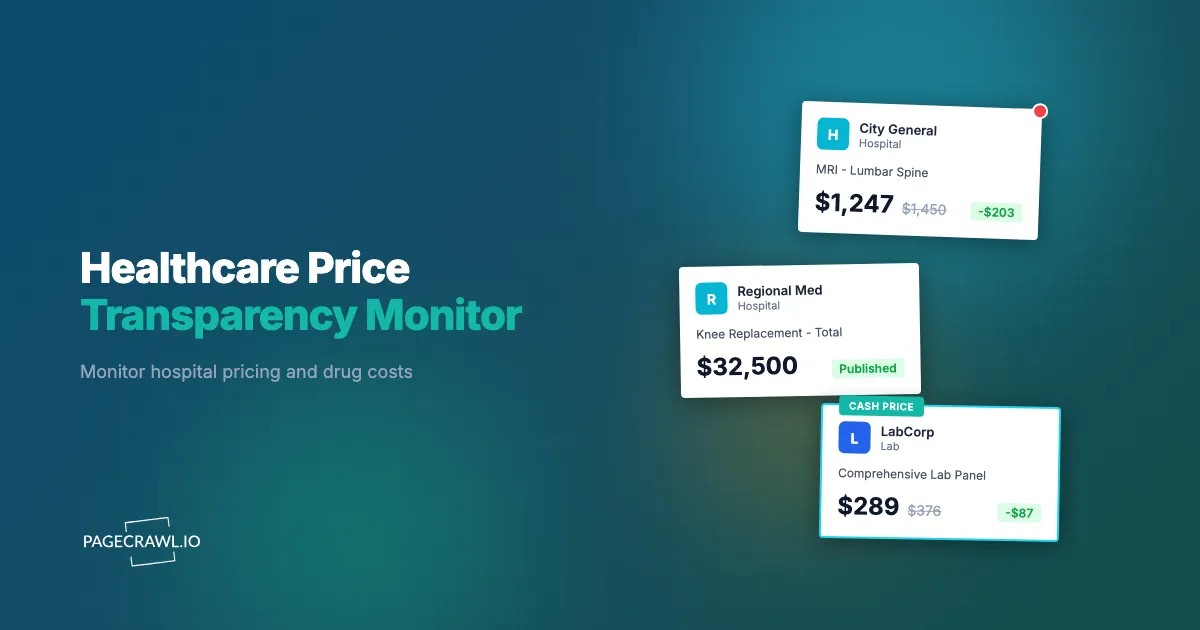
A hospital across town quietly updates its chargemaster, dropping negotiated rates for orthopedic procedures by 12%. A pharmacy benefit manager revises its formulary, moving three high-volume generics to a higher cost tier. A competing health system publishes new shoppable services prices that undercut yours on the 20 most common outpatient procedures. All of these changes happen on public web pages, often without any announcement. If you are not watching, you find out weeks later, usually from a patient, a board member, or a reporter.
Healthcare price transparency has shifted from a theoretical policy goal to an enforceable regulatory requirement. Since January 2021 for hospitals and July 2022 for insurers, federal rules require that pricing data be publicly available in machine-readable formats and consumer-friendly displays. This has created an enormous, constantly changing dataset spread across thousands of hospital websites, insurer portals, pharmacy platforms, and government databases. The data is public. The challenge is keeping up with it.
This guide covers what healthcare pricing sources to monitor, the specific challenges of tracking this data, how to set up automated monitoring for hospitals, pharmacies, and compliance teams, and how to build a pricing intelligence workflow that turns raw alerts into actionable decisions.
Why does healthcare price transparency matter?
Because pricing that used to be private is now a public, enforceable disclosure. Federal rules require hospitals and insurers to publish standard charges and negotiated rates, patients and employers use those numbers to shop, and regulators penalise organisations whose files go missing or stale. That makes published pricing both a compliance obligation and a live competitive signal.
Federal Regulations Now Require Public Pricing
The regulatory foundation has expanded significantly:
Hospital Price Transparency Rule (CMS): Hospitals must publish machine-readable files containing all standard charges, including gross charges, discounted cash prices, payer-specific negotiated charges, and de-identified minimum and maximum negotiated charges. They must also display shoppable services in a consumer-friendly format. Under the rule published by the Centers for Medicare & Medicaid Services, non-compliance can result in penalties of up to $5,500 per day for the largest hospitals.
Transparency in Coverage Rule: Health insurers and group health plans must publish machine-readable files showing negotiated rates with in-network providers and allowed amounts for out-of-network providers.
No Surprises Act: Protects patients from unexpected balance bills for emergency services and certain non-emergency services at in-network facilities. This creates additional pricing data flows between providers and insurers.
Drug Pricing Transparency: Several states now require pharmaceutical manufacturers or PBMs to report price increases above certain thresholds. CMS publishes drug pricing data through multiple programs.
Consumer and Market Demand
Beyond compliance, healthcare price transparency is reshaping competitive dynamics. Patients increasingly comparison shop for elective procedures. Employers use published pricing data to negotiate better rates. Health systems that run competitive intelligence monitoring on rival pricing can adjust strategies based on real market data rather than assumptions.
Enforcement Is Increasing
CMS has moved from education to enforcement. Hospitals that fail to comply face financial penalties, and CMS publishes compliance data showing which hospitals have been audited and which have received warning letters. Monitoring your own compliance status and your competitors' compliance is now part of standard operations.
What healthcare pricing sources should you monitor?
Monitor five source types: hospital chargemaster and machine-readable files, consumer-facing shoppable services pages, drug pricing dashboards and state transparency portals, pharmacy comparison sites, and insurer formulary documents. Each has a different format, update frequency, and monitoring challenge, so the setup differs per source.
Hospital Chargemasters and Machine-Readable Files
Every hospital is required to publish a machine-readable file containing standard charges. These files are typically CSV, JSON, or XML format, often hosted at predictable URLs on the hospital's website.
What to watch for:
- New file uploads replacing previous versions
- Changes to negotiated rates for specific payer-procedure combinations
- Addition or removal of service line items
- Format changes that might indicate a system migration
These files can be extremely large, sometimes exceeding 1 GB for large health systems. Monitoring the file itself (checking if it has been updated) is more practical than parsing every row for changes.
Shoppable Services Pages
CMS requires hospitals to display at least 300 shoppable services in a consumer-friendly format. These are typically web pages with procedure names, descriptions, and prices that patients can browse before scheduling care.
These pages are ideal for website change monitoring because they are standard HTML that updates periodically. Track these pages to detect:
- Price increases or decreases on common procedures
- Addition of new shoppable services
- Changes to bundled pricing or package descriptions
- Removal of previously listed services
Drug Pricing Pages
Drug pricing is published across several platforms:
- CMS Drug Pricing Dashboard: Publishes manufacturer-reported price data for Medicare Part B and Part D drugs
- State drug pricing transparency portals: Many states require manufacturers to report and justify price increases
- Hospital outpatient pharmacy pricing: Some health systems publish their pharmacy formulary prices
- 340B pricing data: Covered entities can monitor changes to 340B ceiling prices through the database published by the Health Resources and Services Administration
GoodRx, RxSaver, and Pharmacy Comparison Sites
Pharmacy comparison platforms such as GoodRx aggregate pricing from thousands of pharmacies. Monitoring these sites for specific drugs gives you:
- Current market pricing for high-volume medications
- Competitive pricing intelligence across pharmacy chains
- Coupon and discount program changes that affect patient out-of-pocket costs
- Geographic pricing variation data
Insurance Plan Formularies
Insurers publish formulary documents showing which drugs are covered, at what tier, and with what cost-sharing. These documents change during annual plan updates but can also change mid-year. Monitor formulary pages to catch:
- Tier changes that move drugs to higher or lower cost-sharing levels
- Prior authorization requirement additions or removals
- Step therapy protocol changes
- New drug additions or formulary removals
What makes healthcare price data hard to monitor?
Four things: the files are enormous (often hundreds of megabytes), the formats vary by hospital despite a common specification, updates land without announcement on no fixed schedule, and the data itself contains errors and placeholder values that look like price changes. Understanding these traps is what separates monitoring that works from monitoring that cries wolf.
Large File Sizes
Hospital machine-readable files routinely exceed hundreds of megabytes. A large health system with multiple facilities and dozens of payer contracts can produce files over 1 GB.
The practical approach is to monitor the file metadata (last modified date, file size, URL availability) rather than parsing the full file on every check. When a change is detected, download and process the file separately. PageCrawl can monitor PDF and document files and detect when they have been updated, which works well for tracking when new versions are posted.
Inconsistent Formats
Despite CMS providing format specifications, hospitals implement them differently. Some use CSV, others JSON. Column names vary. Some hospitals split data across multiple files while others combine everything into one. This means monitoring setups need to be customized per source.
Frequent and Unannounced Updates
Hospitals can update their pricing files at any time. Some update monthly, others quarterly, and some only when forced by an audit. There is no standard notification mechanism. An insurer might update formulary documents mid-quarter with no announcement. The only way to catch these changes reliably is to check regularly.
Data Quality Issues
Published pricing data sometimes contains errors, placeholder values, or incomplete records. A monitored file might change not because prices actually shifted, but because someone corrected a formatting error. Your monitoring workflow needs to distinguish between meaningful price changes and data cleanup.
Setting Up Automated Monitoring
A systematic approach to healthcare price monitoring starts with identifying your sources and configuring appropriate checks for each type.
Monitoring Hospital Pricing Pages
For shoppable services pages and consumer-facing pricing displays, set up standard web page monitors:
- Identify the URL: Find the hospital's price transparency or patient billing page. Most hospitals link to it from their footer or patient resources section
- Choose the right tracking mode: Use content-focused tracking for HTML pricing pages. For file downloads (CSV, JSON), monitor the download page or direct file URL
- Set check frequency: Daily checks work well for most hospital pricing pages. Chargemaster files change less frequently, so every few days is sufficient
- Configure notifications: Route pricing alerts to your strategy or finance team. Use webhook integrations to push changes into pricing databases or analytics tools
Monitoring Drug Pricing Sources
Drug pricing changes more frequently than hospital pricing. For pharmacy comparison sites and formulary pages:
- Track specific drug pages: Rather than monitoring an entire pharmacy site, create monitors for the specific drugs you care about
- Use element tracking: If a page lists multiple drugs, use CSS selectors to watch only the pricing elements relevant to your products or formulary
- Set higher frequency: Check drug pricing pages at least daily. For volatile markets (new generics entering, patent expirations), consider checking every few hours
Monitoring Machine-Readable Files
For large data files that hospitals and insurers publish:
- Monitor the landing page: Rather than the file itself, monitor the web page that links to the file. Many hospitals display a "last updated" date on this page
- Track file metadata: Monitor the direct URL to detect when the file size or last-modified header changes, or use file checksum monitoring to flag any byte-level change without parsing the whole file
- Set up downstream processing: When a change is detected, trigger a webhook that kicks off your data pipeline to download and process the new file
Monitoring Competitor Hospital Pricing
For health systems engaged in competitive pricing strategy, monitoring rival hospitals is one of the highest-value applications of price transparency data.

Building a Competitor Pricing Dashboard
Start by identifying the hospitals and health systems you compete with most directly. For each competitor:
- Find their shoppable services page: Search for "[hospital name] price transparency" or check their patient billing section
- Create monitors for each competitor: Track their consumer-facing pricing pages and note the URL pattern for their machine-readable files
- Organize by service line: Group your monitors by procedure category (orthopedics, cardiology, imaging, etc.) so pricing changes are routed to the right team
- Compare against your own pricing: When a competitor changes prices, your team can quickly assess whether your rates are still competitive
What Competitive Price Changes Signal
Price decreases on shoppable services often indicate a hospital is trying to attract price-sensitive patients. Price increases may signal capacity constraints or payer contract changes. New services on a competitor's shoppable list may indicate service line expansion. These signals, caught early, inform your own pricing and marketing decisions.
Drug Price Tracking for Pharmacies and PBMs
Pharmacy chains, independent pharmacies, and pharmacy benefit managers all benefit from systematic drug price monitoring.
Tracking Competitor Pharmacy Pricing
Monitor competitor pharmacy websites and pricing tools to understand how your prices compare on high-volume medications. Focus on:
- Top 50 prescribed medications: These drive the most patient traffic and comparison shopping
- New generics: When a brand-name drug goes generic, pricing changes rapidly as competitors undercut each other
- Specialty medications: High-cost specialty drugs have the largest margin variation between pharmacies
PBM Formulary Monitoring
PBMs publish formulary updates that directly affect which drugs patients use and where they fill prescriptions. Monitor PBM formulary pages and drug list PDFs to catch:
- Mid-year formulary changes that shift patient volume
- New prior authorization requirements that increase administrative burden
- Preferred pharmacy network changes
- Rebate-driven tier changes that affect your product positioning
Compliance Monitoring for Your Own Organization
Price transparency monitoring is not only about watching competitors. Healthcare organizations also need to verify their own compliance.
Ensuring Your Published Data Stays Current
CMS requires that hospital pricing data be updated at least annually and reflect current charges. Monitor your own pricing pages to confirm:
- Files are accessible: Broken links or server errors can trigger compliance violations. Set up monitors on your own machine-readable file URLs to verify they load correctly
- Content is current: Track your own shoppable services page to confirm that updates pushed by your IT or finance team actually went live
- Format meets requirements: CMS periodically updates format specifications. Monitor CMS guidance pages and Medicare and Medicaid policy updates to catch new requirements before your next audit
Tracking CMS Compliance Actions
CMS publishes compliance data, including which hospitals have been reviewed and which have received corrective action requests. Monitor these pages using compliance monitoring tools to:
- Track your own organization's compliance status in CMS records
- Monitor competitors' compliance status (non-compliant competitors may face penalties that affect market dynamics)
- Stay ahead of enforcement trends by watching CMS audit announcements and penalty actions
For a broader view of regulatory tracking, see our guide on regulatory compliance monitoring. Requirements vary by facility type and state, so confirm your current obligations against the official CMS guidance; this article is informational and not legal or compliance advice.
Building a Healthcare Pricing Intelligence Workflow
Raw price change alerts are only useful if they flow into a decision-making process.
Step 1: Organize Monitors by Category
Group your monitors into logical categories:
- Own compliance: Your hospital's pricing pages, file availability, CMS compliance records
- Competitor hospitals: Shoppable services pages and chargemaster files for rival health systems
- Drug pricing: Pharmacy comparison sites, formulary pages, manufacturer pricing
- Regulatory: CMS guidance pages, state transparency requirements, enforcement actions
Step 2: Route Alerts to the Right Teams
Different price changes matter to different people:
- Finance and revenue cycle: Competitor pricing changes on high-volume procedures
- Pharmacy department: Formulary changes, drug price shifts, 340B pricing updates
- Compliance: Your own file accessibility, CMS audit activity, regulatory updates
- Strategy and marketing: Competitor service line changes, new shoppable services, market positioning shifts
Use PageCrawl's notification channels to route alerts via email, Slack, or Microsoft Teams. For complex routing, sending change data to an external service by webhook lets you push each detected change into internal systems.
Step 3: Establish Review Cadences
Not every alert requires immediate action:
- Daily review: Drug pricing changes, your own compliance monitors, CMS enforcement activity
- Weekly review: Competitor hospital pricing, formulary updates, market trend analysis
- Monthly review: Aggregate pricing trends, competitive positioning assessment, compliance audit preparation
Step 4: Connect to Downstream Systems
Price change data becomes more powerful when it flows into your existing tools:
- Push competitor pricing into spreadsheets or databases for trend analysis
- Feed drug price changes into pharmacy management systems
- Route compliance alerts into your GRC platform
- Send pricing intelligence to business intelligence dashboards
Choosing your PageCrawl plan
PageCrawl's Free plan lets you monitor 6 pages with 220 checks per month, which is enough to validate the approach on your most critical pages. Most teams graduate to a paid plan once they see the value.
| Plan | Price | Pages | Checks / month | Frequency |
|---|---|---|---|---|
| Free | $0 | 6 | 220 | every 60 min |
| Standard | $8/mo or $80/yr | 100 | 15,000 | every 15 min |
| Enterprise | $30/mo or $300/yr | 500 | 100,000 | every 5 min |
| Ultimate | $99/mo or $999/yr | 1,000 | 100,000 | every 2 min |
Annual billing saves two months across every paid tier. Enterprise and Ultimate scale up to 100x if you need thousands of pages or multi-team access.
Healthcare pricing data changes frequently and without notice, and a single billing error caught through price monitoring can easily exceed a year of monitoring costs. Standard at $80/year covers 100 pages, enough to track the chargemaster and drug pricing pages for every facility or pharmacy you deal with regularly. Daily frequency keeps you current with most pricing updates, and timestamped change history gives you a paper trail when you need to dispute a charge or verify what a price was on a specific date. Enterprise at $300/year scales to 500 pages for compliance teams, patient advocacy organizations, or self-funded employers tracking pricing across a broad network of providers, with 5-minute check intervals, SSO, and multi-team access.
All plans include the PageCrawl MCP Server, so analysts can query the full change history across monitored facilities and pull specific diffs on demand. AI assistants can create monitors through conversation on every plan, including Free.
Getting Started
You do not need to set up everything at once. Start with the highest-impact monitors and expand from there.
- Pick your top five competitors: Find their shoppable services pages and create monitors for each
- Monitor your own compliance: Set up monitors on your own pricing file URLs to catch downtime or broken links before CMS does
- Track key drug prices: Choose the 10-20 medications most important to your organization and monitor them on pharmacy comparison sites
- Set up team notifications: Route hospital pricing alerts to finance, drug pricing alerts to pharmacy, and compliance alerts to your compliance officer
- Review and expand after 30 days: See which alerts are most valuable, adjust check frequencies, and add more sources based on what your teams need
PageCrawl's free tier includes 6 monitors, which is enough to cover your own compliance pages and a few top competitors. The $8/month plan supports up to 100 pages, which covers a comprehensive competitor set plus drug pricing. The $30/month plan at 500 pages can handle enterprise-scale monitoring across an entire regional market.
The pricing data is already public. The question is whether you are watching it systematically or finding out about changes after everyone else.