On a Tuesday morning, a security analyst at a mid-size insurer opened a customer support ticket that read: "Saw on the news that your payroll vendor got hacked. Is my data safe?" The analyst had no idea what the customer meant. The payroll provider had quietly posted a "Notice of Data Incident" on its trust page eleven days earlier, filed breach notices with two state attorneys general, and sent a notification email that landed in a shared inbox nobody monitored. By the time the team confirmed the breach affected 14,000 of their own employee records, the regulatory disclosure window had nearly closed and the story was already on Reddit.
This is the uncomfortable reality of third-party breaches: your vendors decide when and where they disclose, and you are usually the last to find out. A breach at a single SaaS provider, payment processor, or subprocessor can expose your customer data, trigger your own notification obligations, and put your contracts and reputation at risk. Yet most organizations still rely on the vendor to email them, a colleague to forward a news article, or a quarterly questionnaire that arrives months too late.
This guide covers what data breach disclosure monitoring is and why it matters, where vendors actually disclose breaches (the sources almost everyone misses), how to set up automated monitoring with PageCrawl, and how to turn breach alerts into a workflow that feeds your third-party risk program instead of your incident postmortem.
What is data breach disclosure monitoring?
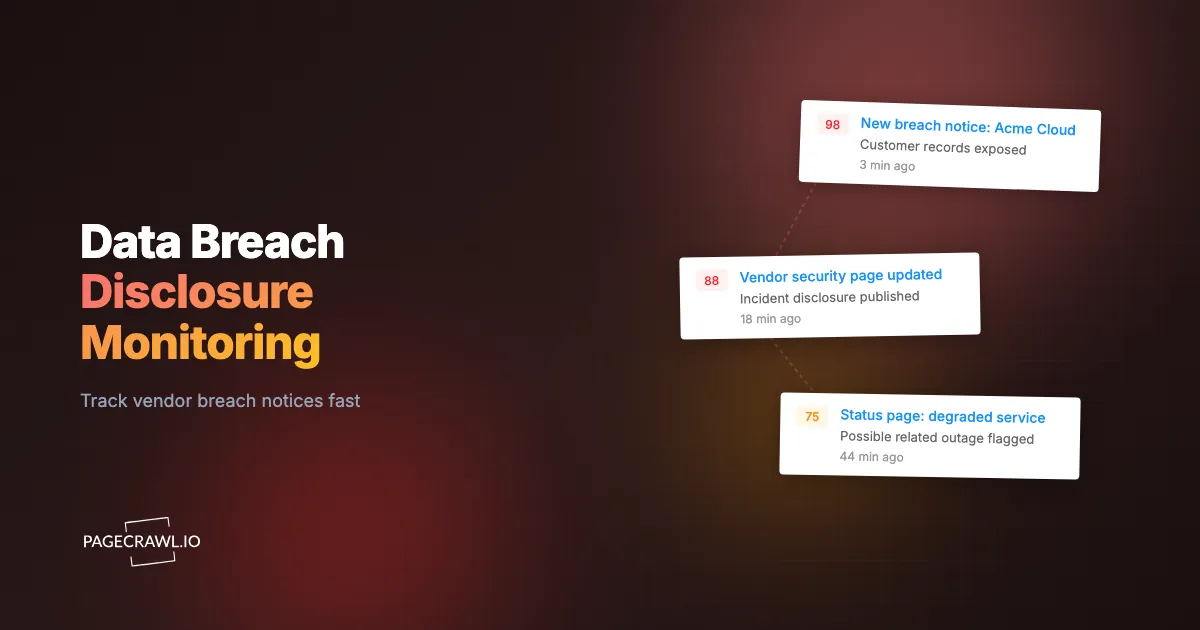
Data breach disclosure monitoring is the practice of automatically watching the public places where your vendors and third parties announce security incidents, so you learn about a breach affecting your data on the next scheduled check after it is posted rather than weeks later through a news story or an overlooked email. It treats vendor disclosures as a live signal, not a periodic questionnaire.
The core problem is timing. Breach laws and contracts give you obligations that start ticking the moment a breach is confirmed, but vendors disclose on their own schedule through channels you do not control: a trust page, a status page, a state regulator, or an 8-K, all before the account manager picks up the phone. Continuous monitoring closes that gap. Instead of asking "has anyone heard anything about Vendor X?", you maintain a standing watch on the exact URLs where Vendor X would disclose and get alerted as soon as a check picks up a change on any of them. This is the same logic behind continuous vendor monitoring for third-party risk management: point-in-time assessments age instantly, while continuous signals stay current between reviews.
Why waiting for the breach notification email fails
Vendor breach emails are slow, easy to miss, and often deliberately vague. They arrive after legal review and coordinated messaging, after the disclosure clock has already started, and they land in shared mailboxes or go to a contact who left the company. Relying on that email hands your detection time to the party with the least incentive to move quickly. Public disclosures, by contrast, are often posted before or alongside the email and are harder to suppress, giving you a detection time you control.

Where do vendors disclose breaches?
Vendors disclose breaches across several public channels, and no single one is reliable on its own, which is why effective monitoring watches all of them in parallel: vendor trust and security pages, public status pages and incident histories, state attorney general breach-notice databases, securities filings for public companies, and subprocessor or changelog pages. Each surface tells you something the others miss.
The mistake most teams make is watching only one source, usually the status page. A vendor might describe an incident in neutral language there while the "unauthorized access" wording appears only on a separate trust-center notice or regulator filing. Coverage comes from breadth.
Vendor trust and security pages
Trust centers (for example trust.anthropic.com or atlassian.com/trust) are where many SaaS providers post formal incident notices, security advisories, and "notice of data event" disclosures. They are a primary disclosure surface and frequently the first place precise breach language appears. Monitor the trust page itself, any "incident notices" subpage, and the compliance page that lists certifications, since a sudden change there can also signal trouble.
This overlaps with supply-chain monitoring across vendor websites, which tracks the pages that reveal a supplier's security and operational posture over time.
Status pages and incident histories
Public status pages (usually a status subdomain of the vendor's site) and their incident histories are the fastest-moving disclosure surface, because engineering teams update them in near real time during an active incident. A breach often surfaces first as a vaguely worded "investigating unauthorized activity" entry before any formal notice exists. Watch both the live page and the historical archive, since post-incident reviews published days later often contain the unauthorized-access window and root cause the original entry omitted.
Cloud and infrastructure providers underpin most of your vendors, so their status pages matter doubly: see monitoring cloud status pages for AWS, GCP, Azure, and Cloudflare for the providers beneath your entire vendor stack.
State attorney general breach-notice databases
In the United States, many states require companies to file breach notifications with the state attorney general, and several publish those filings in searchable online databases (the California Attorney General's office, Massachusetts, Maine, Washington, and others). These databases are among the most authoritative breach sources, because a vendor that has gone quiet with you still has a legal obligation to file. A new entry naming your vendor is a hard signal you can act on immediately.
The same approach drives state attorney general enforcement-action tracking: watch the listing page for new entries that name the companies you care about.
Securities filings and regulatory disclosures
Public companies must disclose material cybersecurity incidents, and in the US that increasingly means an 8-K filing with the Securities and Exchange Commission within days of determining materiality. If a critical vendor is publicly traded, its investor relations page and regulatory filings become a disclosure channel with a legally enforced clock, and banking, healthcare, and insurance vendors add sector-regulator surfaces on top. Tracking these alongside trust pages gives you corroboration and often an earlier, more precise account than the customer-facing notice.
Subprocessor lists and changelog pages
A breach at your vendor's vendor is still your problem. Subprocessor lists reveal the fourth parties handling your data downstream, and a quiet change there can be the first hint of an incident or a response to one. Monitoring subprocessor lists for SaaS compliance extends your breach visibility one layer deeper into the supply chain than most programs ever reach.
Why does breach disclosure timing matter for TPRM?
Breach disclosure timing matters because nearly every downstream obligation you have is triggered by the moment of awareness, and the gap between a vendor's public disclosure and when you actually notice is pure, avoidable risk. Faster detection shortens your notification window, protects your contractual leverage, and turns the breach from a crisis you discover into an event you manage.
Consider what the delay costs. Regulatory clocks under regimes like the EU General Data Protection Regulation start from awareness, and "we did not check the vendor's trust page" is not a defense. Your own customer-notification obligations cascade from the vendor breach, so every day you are unaware is subtracted from your response time. Contractual remedies (audit rights, termination, indemnification) are strongest when you raise them promptly with documented timestamps. And reputationally, "we detected our vendor's incident and notified you proactively" beats "we found out from the news like you did" every time.
Continuous breach monitoring also feeds the rest of your third-party risk picture. A breach disclosure rarely arrives alone: it often coincides with changes to the vendor's terms of service and privacy policy pages or its security documentation. Pairing it with tracking terms-of-service and policy changes at your SaaS vendors gives you the full context of how a vendor is responding, not just the headline that something happened.
How do you set up vendor breach monitoring with PageCrawl?
You set up breach monitoring by adding each disclosure surface for each critical vendor as a tracked page, configuring keyword and change alerts tuned to breach language, and routing those alerts to the channel your security team actually watches. PageCrawl checks each page on your schedule, detects the change, and notifies you as soon as a check finds new content on a trust page, status page, or breach database. Here is a concrete walkthrough.

Step 1: Build your vendor disclosure inventory. List your critical and high-risk vendors first (anyone processing customer data, payments, credentials, or health records). For each one, collect the exact URLs of its trust/security page, status page and incident history, subprocessor list, and filings page if public. Add the relevant state attorney general breach database listing pages once, since they cover all vendors at once.
Step 2: Create a free PageCrawl account. The free tier includes 6 monitors and 220 checks per month, enough to stand up a focused pilot on your three or four most critical vendors. Start there, prove the workflow catches a real change, then expand to the full vendor list on a paid plan.
Step 3: Add each disclosure page as a monitor. Paste each URL into PageCrawl and choose a tracking mode that fits the page. For long-form trust notices and policy text, use reader/text mode to track the meaningful content and ignore navigation boilerplate. For status pages and breach-database listings, monitor the section where new incidents or filings appear. PageCrawl captures a baseline and watches for changes from then on.
Step 4: Add keyword triggers for breach language. Configure alerts that fire on the words that actually signal a breach: "data incident", "unauthorized access", "security incident", "breach", "compromised", and your own company name on a breach database. This turns a noisy "the page changed" alert into a targeted "this looks like a disclosure" alert your team will trust. PageCrawl's guide to notification conditions and keyword filters walks through building these rules per page.
Step 5: Set an aggressive check frequency for high-risk surfaces. Breach detection is a speed game. Check status and trust pages for your most critical vendors as frequently as your plan allows, which is as often as every 2 minutes on paid plans and hourly on the free plan, since the value is in catching the disclosure early. Lower-risk vendors and slower-moving sources (subprocessor lists, filings) can run on a daily cadence.
Step 6: Enable screenshots for evidence. Turn on screenshots so every detected change is captured with a timestamp and the exact page state. When you need to prove when a vendor disclosed, or document your own awareness date for regulators, a timestamped screenshot beats a recollection, and PageCrawl's signed web archives preserve the page itself as court-ready evidence. For a formal request, see how to package an audit trail for a regulator from archived page snapshots.
Step 7: Route alerts to where your team will see them. Send breach alerts to a dedicated security channel, not a personal inbox. PageCrawl can push to Slack, Teams, email, and webhooks, and for a breach signal real-time chat is usually right: see sending website change alerts to Slack.
Step 8: Organize with folders and tags. Group monitors by vendor and criticality tier so your dashboard stays readable as it grows. Tag repeat offenders and vendors handling regulated data so you can prioritize attention when several alerts land at once.
What should you actually watch for on each page?
Watch for the additions that distinguish a real disclosure from routine page churn: a brand-new "incident" or "advisory" notice, breach words like "unauthorized" or "affected" appearing where they were not before, a removed compliance attestation, a new row in a breach database naming your vendor, and both additions and deletions on subprocessor lists, since a dropped subprocessor can follow an incident. The goal is to separate an incident from a marketing refresh or a typo fix.
Filtering matters. Trust and status pages change for harmless reasons constantly, and a flood of low-value alerts trains your team to ignore them. Tune your keyword rules tightly, exclude predictable noise, and reserve real-time alerts for the words that genuinely indicate a breach. Reducing false positives is what keeps the program credible enough that people act on it.
How do you turn a breach alert into action?
You turn a breach alert into action by wiring it into a defined response workflow that starts as soon as it fires: confirm the disclosure, open a tracked incident, pull your data-exposure scope for that vendor, and start your own notification and contractual clocks with documented timestamps. The alert is the trigger; the workflow is what actually protects you.
A practical breach-response workflow looks like this:
- Confirm and timestamp. Verify the alert against the live page and capture both the disclosure time and your awareness time. Both dates matter for regulators and contracts.
- Scope the exposure. Pull what data this vendor holds and which of your systems and customers are affected, faster when your TPRM records are mapped to vendors.
- Open a tracked incident. Create a ticket with the screenshot, URL, and disclosure language attached, so the response is documented from minute one.
- Trigger the clocks. Notify legal and compliance, invoke audit or notification clauses, and start any countdown your own obligations require.
- Escalate to the right owners. Loop in the vendor relationship owner and incident commander, and prepare proactive customer messaging if your data is in scope.
For larger vendor portfolios, automate the first three steps with webhooks. When PageCrawl detects a breach disclosure, a webhook can open a ticket, post the evidence to your security channel, and log the event in your vendor risk management software before a human reads the alert. Our guide to webhook automation for website changes covers the integration patterns, so every signal has a defined response path.
Breach disclosures also pair with adjacent security signals: a vendor incident often coincides with entries in the CISA Known Exploited Vulnerabilities catalog, published by CISA, naming the exploited CVE that opened the door, so tracking both tells you not just that a breach happened but how.
How do you prioritize which vendors to monitor first?
Prioritize by data sensitivity and blast radius, not by spend. The vendors worth monitoring first are the ones whose breach would force you to notify customers or regulators: processors of personal data, payment and credential handlers, health and financial vendors, and any single point of failure. A small vendor holding sensitive data outranks a large one holding none.
A workable tiering for monitoring intensity:
- Tier 1 (fastest cadence): Vendors holding regulated or sensitive customer data, payment processors, identity and authentication providers, and core infrastructure. Monitor every disclosure surface at the highest frequency your plan allows.
- Tier 2 (daily): Vendors with access to internal or business data but not regulated personal data, and important operational tools. Monitor trust pages, status pages, and breach databases daily.
- Tier 3 (weekly): Low-sensitivity tools and vendors with no access to meaningful data. A weekly check of the trust page is usually enough.
This tiering also tells you how many monitors you need, which determines your plan. Each Tier 1 vendor might consume three or four monitors (trust page, status page, subprocessor list, filings), while a Tier 3 vendor needs one. A program covering 20 critical vendors plus shared breach databases typically lands in the 60 to 100 monitor range, and a large enterprise portfolio runs into the hundreds.
Choosing your PageCrawl plan
PageCrawl's Free plan lets you monitor 6 pages with 220 checks per month, which is enough to validate the approach on your most critical vendors before scaling. Most teams graduate to a paid plan once a single early breach alert proves its worth.
| Plan | Price | Pages | Checks / month | Frequency |
|---|---|---|---|---|
| Free | $0 | 6 | 220 | every 60 min |
| Standard | $8/mo or $80/yr | 100 | 15,000 | every 15 min |
| Enterprise | $30/mo or $300/yr | 500 | 100,000 | every 5 min |
| Ultimate | $99/mo or $999/yr | 1,000 | 100,000 | every 2 min |
Annual billing saves two months across every paid tier. Enterprise and Ultimate scale up to 100x if you need thousands of pages or multi-team access.
For breach disclosure monitoring, frequency is the feature that matters most, because detection speed is the entire value proposition. Standard at $80/year monitors 100 disclosure surfaces with 15-minute checks, enough to cover a focused portfolio of critical vendors with the timestamped evidence you need to act. Enterprise at $300/year handles 500 surfaces with 5-minute checks, suiting a full third-party risk program across an entire vendor inventory. If catching even one breach a week earlier helps you meet a notification deadline or invoke a contract clause on time, the plan has paid for itself many times over.
Getting Started
Start with your three most critical vendors and the surfaces a breach would appear on first: their trust page, their status page, and the state breach database that covers them. Create a free account, add those pages with keyword alerts for "data incident" and "unauthorized access", and route the alerts to your security channel. The free plan's 6 monitors are enough to prove you can learn about a vendor breach on the first check after it goes public, not eleven days later from a customer ticket. Set it up before the next breach, because in third-party risk the only detection time that counts is the one you control.